Introduction
As generative AI becomes a staple in the modern workplace, the focus of enterprise security has shifted toward AI usage control. These tools are designed to provide a governance layer between employees and large language models, ensuring that sensitive corporate data—such as source code, financial records, and personal identifiable information—is not inadvertently fed into public AI training sets. AI usage control is no longer just about blocking access; it is about enabling the safe, compliant, and productive use of artificial intelligence across an entire organization.
The current challenge for IT leaders is “Shadow AI,” where employees use unauthorized AI tools to speed up their workflows without considering the data privacy implications. Management platforms now offer sophisticated features like real-time data masking, prompt injection protection, and comprehensive audit logs. By implementing these controls, enterprises can embrace the efficiency of AI while maintaining strict adherence to global data protection regulations and internal security policies.
Best for: Chief Information Security Officers (CISOs), compliance officers, and IT managers in data-sensitive sectors like legal, finance, and software development who need to monitor and restrict how AI is used.
Not ideal for: Small creative teams with no sensitive data handling requirements or organizations that do not use any cloud-based or generative AI services in their daily operations.
Key Trends in AI Usage Control Tools
- Real-Time PII Masking: Automatically detecting and redacting sensitive information from a user’s prompt before it reaches the AI provider.
- Prompt Injection Defense: Identifying and blocking malicious inputs designed to bypass AI safety filters or extract hidden model instructions.
- AI Shadow Discovery: Scanning the network to identify every unauthorized AI application being accessed by employees.
- Granular Policy Enforcement: Creating different AI access rules based on department, seniority, or the specific sensitivity of a project.
- Explainability and Auditing: Maintaining a permanent record of every prompt and response to ensure compliance with emerging AI regulations.
- Model Agnostic Governance: Providing a single control plane that manages access to OpenAI, Anthropic, Google Gemini, and open-source models simultaneously.
- Cost Management and Quotas: Tracking AI spend in real-time and setting limits on API usage to prevent unexpected budget overruns.
- Toxicity and Bias Filtering: Monitoring AI outputs to ensure they align with corporate values and do not produce harmful or biased content.
How We Selected These Tools
- Data Redaction Capabilities: We prioritized tools that excel at identifying and neutralizing sensitive data within AI prompts.
- Ease of Deployment: We looked for solutions that can be implemented via browser extensions, network gateways, or APIs without disrupting user workflows.
- Integration Ecosystem: The ability to connect with existing Identity Providers (IdP) and Security Information and Event Management (SIEM) systems was essential.
- Threat Detection Logic: We evaluated the sophistication of the logic used to detect prompt injections and jailbreak attempts.
- Reporting and Analytics: Priority was given to platforms that provide clear, actionable insights into AI usage patterns and risk levels.
- Global Compliance Support: We selected tools that help organizations meet requirements for frameworks such as the EU AI Act and GDPR.
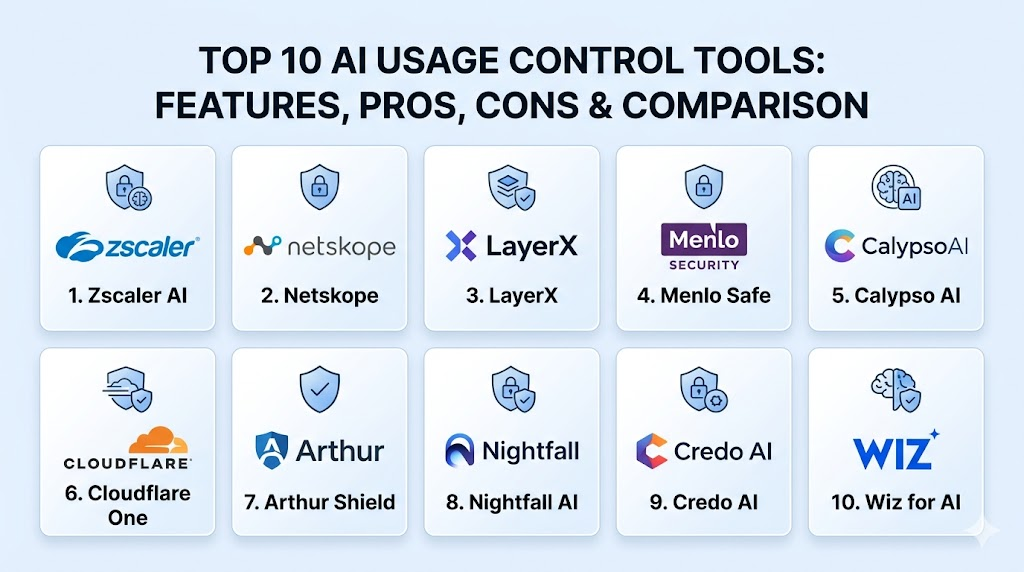
Top 10 AI Usage Control Tools
1. Zscaler AI Data Protection
Zscaler leverages its massive security cloud to provide deep visibility and control over how employees interact with AI. It treats AI applications like any other high-risk web category, providing real-time inspection of all traffic.
Key Features
- Automated discovery of over 500 different AI applications across the enterprise.
- Real-time data loss prevention (DLP) for AI prompts and file uploads.
- Browser isolation for risky AI sites to prevent local data compromise.
- Granular access controls based on user identity and device posture.
- Comprehensive logging of all AI interactions for compliance auditing.
Pros
- Seamless integration for existing Zscaler customers.
- Powerful global intelligence for identifying new AI threats instantly.
Cons
- Can be complex to configure for organizations not using the Zscaler platform.
- Higher price point targeted at large enterprise environments.
Platforms / Deployment
Windows / macOS / Linux / Android / iOS
Cloud (Gateway)
Security & Compliance
Full SAML/SSO integration and FedRAMP authorized.
SOC 2 / ISO 27001 compliant.
Integrations & Ecosystem
Connects with all major cloud providers and identity systems like Okta and Azure AD.
Support & Community
World-class enterprise support with 24/7 global coverage and a robust user community.
2. Netskope for GenAI
Netskope provides a comprehensive governance framework for generative AI, focusing on protecting data regardless of where the user is working or which AI model they are using.
Key Features
- Advanced DLP that specifically recognizes code, secrets, and financial data in prompts.
- Real-time coaching alerts that educate users on safe AI behavior when a violation occurs.
- “Safety Scoring” for AI applications to help IT decide which tools to allow.
- Integration with private AI instances to ensure internal models stay secure.
- Deep API-level inspection for sanctioned corporate AI accounts.
Pros
- Excellent user education features that reduce accidental data leaks.
- Very granular control over specific AI features (e.g., allow chat, block file upload).
Cons
- Requires a sophisticated IT team to manage the depth of policies.
- Policy propagation can sometimes have a slight delay.
Platforms / Deployment
Windows / macOS / Linux / iOS / Android
Cloud / Hybrid
Security & Compliance
Conditional access and deep encryption of all logged data.
GDPR / HIPAA compliant.
Integrations & Ecosystem
Strong ties to the broader Netskope SASE platform and major SIEM providers.
Support & Community
Extensive documentation and a professional services team for enterprise deployment.
3. LayerX Security
LayerX takes a browser-first approach to AI usage control. By deploying as a lightweight extension, it can monitor and control AI interactions without needing a complex network gateway.
Key Features
- Real-time redaction of sensitive data within the browser interface.
- Extension-based monitoring that captures interactions even on personal devices.
- Protection against malicious browser-based AI sidecars and add-ons.
- Low-latency performance that does not slow down the user’s browsing experience.
- Detailed mapping of user behavior across all AI web platforms.
Pros
- Incredibly fast and simple to deploy across a large workforce.
- Does not require changing the network architecture or using a VPN.
Cons
- Dependent on the browser; cannot control AI access via command-line tools.
- Less effective if users have the ability to uninstall browser extensions.
Platforms / Deployment
Windows / macOS / Linux (via Browser Extension)
Cloud
Security & Compliance
MFA and secure cloud management console.
Not publicly stated.
Integrations & Ecosystem
Integrates with all Chromium-based browsers and major identity providers.
Support & Community
Agile support team with a focus on rapid feature development and customer feedback.
4. Menlo Security AI Safe
Menlo Security uses its patented isolation technology to create a “clean room” for AI usage. It ensures that no malicious code can leave the AI site and no sensitive data can enter it without permission.
Key Features
- Full isolation of the AI session to prevent web-based attacks.
- Dynamic policy shifting based on the sensitivity of the data being discussed.
- Advanced “Copy-Paste” controls to stop users from moving data into AI boxes.
- Built-in prompt sanitization to remove PII and confidential technical details.
- Detailed forensics for every isolated AI session.
Pros
- Zero-trust approach that provides the highest level of session security.
- Effectively stops prompt-based malware from affecting the local machine.
Cons
- Isolation can occasionally interfere with the rendering of complex AI web apps.
- Targeted primarily at high-security enterprise environments.
Platforms / Deployment
Windows / macOS / Linux
Cloud (Isolation)
Security & Compliance
Military-grade session isolation and secure audit trails.
Not publicly stated.
Integrations & Ecosystem
Works as a transparent layer over any browser and integrates with top-tier SIEMs.
Support & Community
Professional enterprise support with a strong focus on government and financial clients.
5. Calypso AI
Calypso AI is a dedicated platform for AI security and orchestration. It acts as an “AI Firewall,” providing a middleman between your employees and any LLM provider.
Key Features
- Real-time scanning for prompt injections and malicious intent.
- Automated data masking that ensures PII never reaches the model.
- Cost and usage tracking across multiple AI providers (OpenAI, Anthropic, etc.).
- “Scanner” library that identifies toxic language and biased outputs.
- Simple API integration for securing custom-built internal AI apps.
Pros
- Model agnostic; one policy protects you across all your AI vendors.
- Strong focus on the unique threats of GenAI rather than general web security.
Cons
- A specialized tool that may require an additional subscription alongside general security.
- Smaller global footprint compared to networking giants.
Platforms / Deployment
Web / API
Cloud
Security & Compliance
Customizable data retention policies and secure API gateways.
Not publicly stated.
Integrations & Ecosystem
Connects to virtually any LLM via API and integrates with enterprise IdPs.
Support & Community
Focused technical support from AI security experts and active developer resources.
6. Cloudflare One for AI
Cloudflare provides a suite of tools within its Zero Trust platform to help organizations safely adopt AI. It uses its global edge network to enforce policies closer to the user.
Key Features
- “Digital Experience Monitoring” to track how AI performance affects productivity.
- One-click blocking of unauthorized AI tools via the Cloudflare gateway.
- Advanced DLP for ChatGPT, Bard, and other popular platforms.
- Secure tunnels for accessing internal AI models without public exposure.
- Integrated logging and analytics via the Cloudflare dashboard.
Pros
- Extremely low latency thanks to Cloudflare’s global edge locations.
- Very easy to add to an existing Cloudflare Zero Trust setup.
Cons
- Some advanced AI features are still in the early access or beta phase.
- Deep policy configuration can be complex for newcomers.
Platforms / Deployment
Windows / macOS / Linux / iOS / Android
Cloud (Edge)
Security & Compliance
Robust identity management and global infrastructure security.
SOC 2 / ISO 27001 compliant.
Integrations & Ecosystem
Excellent integration with the entire Cloudflare ecosystem and major cloud providers.
Support & Community
Massive community and a variety of support tiers ranging from free to enterprise-grade.
7. Arthur.ai (Arthur Shield)
Arthur Shield is a specialized security layer designed to sit in front of large language models. It focuses on the technical integrity and safety of the prompts and the responses.
Key Features
- Instant detection of “jailbreak” attempts and prompt injections.
- PII and sensitive data leakage prevention for both inputs and outputs.
- Hallucination detection to warn users when AI might be making things up.
- Model performance monitoring to track drift and accuracy over time.
- Policy templates designed for specific industry regulations.
Pros
- Highly technical focus on model behavior and response quality.
- Excellent for organizations building their own AI-powered products.
Cons
- More focused on the “AI” than the “user management” side of things.
- Requires technical integration into the application stack.
Platforms / Deployment
API / SDK
Cloud / Self-hosted
Security & Compliance
Secure model monitoring and encrypted data handling.
Not publicly stated.
Integrations & Ecosystem
Works with all major LLM frameworks and MLOps pipelines.
Support & Community
High-level technical support for data scientists and security engineers.
8. Nightfall AI
Nightfall is a cloud-native DLP platform that has expanded into AI usage control. It uses machine learning to find and protect sensitive data across various AI SaaS applications.
Key Features
- Deep integration with Slack and MS Teams to monitor AI-bot interactions.
- Pre-built detectors for HIPAA, PCI, and PII data types.
- Automated remediation that can delete or redact sensitive prompts.
- Historical scanning to find data leaks that happened before the tool was installed.
- Detailed risk reporting for compliance and security leadership.
Pros
- Very strong at finding sensitive data in unconventional places (like chat apps).
- High accuracy with low false-positive rates for data detection.
Cons
- Primarily focused on SaaS; less control over general web-based browsing.
- Deployment is often app-specific rather than network-wide.
Platforms / Deployment
API / SaaS Integration
Cloud
Security & Compliance
Enterprise-grade encryption and access controls.
SOC 2 / HIPAA compliant.
Integrations & Ecosystem
Strongest integration with Slack, GitHub, Jira, and Microsoft 365.
Support & Community
Responsive customer success teams and detailed technical documentation.
9. Credo AI
Credo AI focuses on the “Governance, Risk, and Compliance” (GRC) aspect of AI. It helps organizations build a framework for how AI should be used and then tracks adherence to those rules.
Key Features
- AI Risk Assessment templates for evaluating new models and tools.
- Policy management that aligns AI usage with corporate ethics.
- Automated “Impact Assessments” required by modern AI laws.
- Dashboards that provide a high-level view of AI risk to the board of directors.
- Integration with technical monitoring tools to pull in real-time data.
Pros
- The best tool for the legal and compliance side of AI usage.
- Helps translate technical AI risks into business-level language.
Cons
- Less about “blocking a prompt” and more about “governing the process.”
- Requires coordination between multiple departments to be effective.
Platforms / Deployment
Web / API
Cloud
Security & Compliance
Focuses on helping users meet the EU AI Act and NIST frameworks.
Not publicly stated.
Integrations & Ecosystem
Connects with various technical monitoring platforms to aggregate risk data.
Support & Community
Expert advisory services for AI policy and compliance.
10. Wiz for AI
Wiz, a leader in cloud security, has expanded its platform to secure the AI pipeline. It focuses on the infrastructure and data that power AI within an enterprise’s cloud environment.
Key Features
- Full visibility into the “AI BOM” (Bill of Materials) used in cloud apps.
- Identification of misconfigured AI services and data stores.
- Detection of shadow AI instances running in AWS, Azure, or GCP.
- Integrated vulnerability management for AI models and libraries.
- Correlation of AI risks with broader cloud security issues.
Pros
- Unbeatable for organizations building and hosting their own AI models.
- Integrates AI risk into a single, unified cloud security view.
Cons
- Less focus on managing the “prompts” of individual employees on public sites.
- Requires a significant cloud footprint to be useful.
Platforms / Deployment
Agentless Cloud Connection
Cloud
Security & Compliance
Deep cloud-native security and identity graph analysis.
SOC 2 / ISO 27001 compliant.
Integrations & Ecosystem
Seamlessly integrates with all major cloud providers and DevOps tools.
Support & Community
Large, professional user base and rapid innovation cycle.
Comparison Table
| Tool Name | Best For | Platform(s) Supported | Deployment | Standout Feature | Public Rating |
| 1. Zscaler AI | Network Security | All Platforms | Gateway | Global AI Discovery | N/A |
| 2. Netskope | Data Protection | All Platforms | Hybrid | Real-Time Coaching | N/A |
| 3. LayerX | Fast Deployment | All Browsers | Extension | Browser Redaction | N/A |
| 4. Menlo Safe | Extreme Security | All Platforms | Isolation | Session Isolation | N/A |
| 5. Calypso AI | Firewall Logic | Web, API | Cloud | Multi-Model Policy | N/A |
| 6. Cloudflare One | Edge Performance | All Platforms | Edge | Low-Latency DLP | N/A |
| 7. Arthur Shield | Model Integrity | API, SDK | Hybrid | Hallucination Check | N/A |
| 8. Nightfall AI | SaaS Security | API | Cloud | Chat Bot Monitoring | N/A |
| 9. Credo AI | AI Governance | Web, API | Cloud | Compliance Mapping | N/A |
| 10. Wiz for AI | Cloud Infrastructure | Cloud Native | Agentless | Shadow AI Discovery | N/A |
Evaluation & Scoring
| Tool Name | Core (25%) | Ease (15%) | Integrations (15%) | Security (10%) | Perf (10%) | Support (10%) | Value (15%) | Total |
| 1. Zscaler AI | 10 | 7 | 10 | 9 | 9 | 10 | 8 | 8.85 |
| 2. Netskope | 10 | 7 | 10 | 9 | 8 | 9 | 8 | 8.70 |
| 3. LayerX | 7 | 10 | 8 | 7 | 10 | 8 | 9 | 8.20 |
| 4. Menlo Safe | 8 | 6 | 7 | 10 | 8 | 8 | 7 | 7.75 |
| 5. Calypso AI | 9 | 8 | 9 | 9 | 9 | 8 | 7 | 8.40 |
| 6. Cloudflare One | 8 | 9 | 10 | 8 | 10 | 9 | 9 | 8.90 |
| 7. Arthur Shield | 9 | 5 | 8 | 9 | 9 | 8 | 7 | 7.85 |
| 8. Nightfall AI | 7 | 9 | 9 | 8 | 9 | 8 | 8 | 8.15 |
| 9. Credo AI | 6 | 8 | 8 | 7 | 9 | 9 | 7 | 7.30 |
| 10. Wiz for AI | 9 | 7 | 10 | 10 | 9 | 9 | 7 | 8.55 |
The scoring indicates a strong performance from networking-centric tools like Cloudflare and Zscaler, which offer excellent value because they solve AI usage control alongside general web security. Specialized tools like Arthur and Credo score lower on “Ease” or “Integrations” because they serve a more specific, high-end technical or legal niche. For most organizations, the “Core” functionality of data redaction and application discovery is the most important factor, which is where the top-ranked tools excel.
Which AI Usage Control Tool Is Right for You?
Solo / Freelancer
For individuals, dedicated tools are likely unnecessary. The best approach is to use built-in privacy settings in browsers and platforms like ChatGPT’s “Temporary Chat” mode to ensure your data isn’t used for training.
SMB
Small businesses should look for ease of use. LayerX or Cloudflare One (on a smaller tier) provide excellent protection without requiring a dedicated security engineer to manage the platform daily.
Mid-Market
Organizations with moderate security needs should prioritize Netskope or Nightfall AI. These tools offer a great balance of data protection and user education, helping to build a safe AI culture as the team grows.
Enterprise
Large corporations with complex networks should look at Zscaler or Menlo Security. These tools provide the robust, global-scale filtering and isolation required to protect thousands of users across multiple regions.
Budget vs Premium
Cloudflare One offers a very strong entry-level value proposition. Menlo Security and Wiz are premium choices that offer advanced isolation and infrastructure security for high-stakes environments.
Feature Depth vs Ease of Use
LayerX is the easiest to get running. Arthur Shield and Calypso AI offer much deeper technical features for managing how the actual AI models behave, which is better for technical teams.
Integrations & Scalability
Zscaler and Netskope are built for maximum scalability and integrate with almost everything in the modern enterprise stack. If you are a mobile-first or chat-heavy organization, Nightfall AI is a strong contender.
Security & Compliance Needs
For strictly regulated industries, Credo AI is essential for managing the legal side of things, while Wiz is the best choice for securing the actual cloud data and AI models being built internally.
Frequently Asked Questions (FAQs)
1. What is AI Usage Control?
It is a category of security tools that monitor and manage how employees interact with AI tools, preventing data leaks and ensuring the company stays compliant with privacy laws.
2. Can these tools read my AI prompts?
Yes, in order to protect the company, these tools scan prompts for sensitive information like passwords or secret code so they can redact that data before the AI sees it.
3. Why can’t we just block ChatGPT?
Blocking a single tool often leads to employees finding alternative, less secure AI sites. Control tools allow for “safe enablement,” so employees can stay productive while staying safe.
4. What is a prompt injection?
It is a type of attack where a user provides a specific input that tricks the AI into ignoring its safety rules or revealing sensitive information it was supposed to keep secret.
5. How do these tools find “Shadow AI”?
They analyze network traffic patterns and browser activity to identify when a user is visiting an AI-related website that hasn’t been officially approved by the company.
6. Do these tools slow down the AI’s response time?
Most modern tools are optimized for low latency. While there is a tiny delay for the security scan, it is usually imperceptible to the human user.
7. Can these tools protect my company’s intellectual property?
Yes, they can be configured to recognize specific patterns, such as your company’s proprietary source code, and block it from being sent to an external AI.
8. What is the difference between a gateway and a browser extension for AI control?
A gateway controls everything on the network level for all devices, while a browser extension only works inside that specific browser but offers more granular control over the web page.
9. Are these tools required by law?
While not always explicitly named, regulations like the EU AI Act and GDPR effectively require organizations to have controls in place to manage the risks of AI data processing.
10. Can these tools help manage AI costs?
Many platforms include dashboards that show how often different AI tools are being used, allowing the company to consolidate licenses and track API spending.
Conclusion
Implementing AI usage control is a critical step in transitioning from a reactive security posture to a proactive one. As artificial intelligence becomes deeply embedded in every business process, the ability to govern those interactions will determine an organization’s resilience against data leaks and regulatory failures. The tools highlighted in this guide offer various paths to achieving this balance, whether through network-level filtering, browser isolation, or technical model firewalls. By carefully selecting a solution that fits your specific infrastructure and risk appetite, you can empower your workforce to leverage the full power of AI while ensuring your most valuable digital assets remain secure and compliant.

Best Cardiac Hospitals Near You
Discover top heart hospitals, cardiology centers & cardiac care services by city.
Advanced Heart Care • Trusted Hospitals • Expert Teams
View Best Hospitals