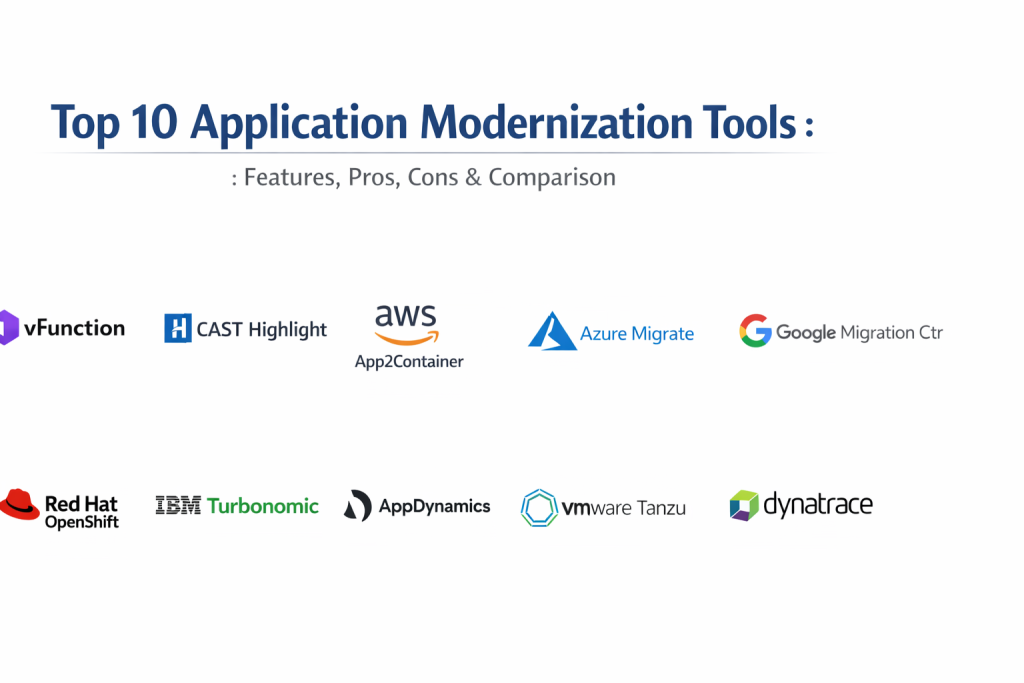
Introduction
Application modernization is the process of updating aging legacy software to align with current business needs and technological standards. Rather than completely replacing a functioning system, modernization involves transforming its internal architecture, platform infrastructure, or feature set. This typically includes moving from a monolithic structure—where everything is bundled together—to a microservices-based model, where independent components communicate through APIs.
In today’s fast-paced digital environment, modernization is no longer a luxury; it is a necessity for survival. Legacy systems often act as a bottleneck, preventing organizations from adopting artificial intelligence, scaling automatically in the cloud, or responding to security threats in real time. By utilizing specialized modernization tools, businesses can unlock the value trapped in their existing codebases while reducing the high costs associated with maintaining “technical debt.”
Real-World Use Cases
- Breaking down a decades-old banking monolith into independent microservices to allow for faster feature releases.
- Containerizing legacy Java or .NET applications so they can run consistently across different cloud environments.
- Refactoring high-maintenance on-premises databases into scalable, cloud-native managed services.
- Exposing internal legacy functionality through secure APIs to enable mobile app integration and partner ecosystems.
- Automating the discovery of hidden dependencies within a massive codebase to plan a low-risk cloud migration.
Evaluation Criteria for Buyers
- The ability of the tool to automatically discover and map complex application dependencies.
- Support for a wide range of legacy and modern programming languages and frameworks.
- The level of automation provided for refactoring code or creating container manifests.
- Compatibility with major cloud providers (AWS, Azure, Google Cloud) and on-premises infrastructure.
- Built-in security features, such as vulnerability scanning and identity management integration.
- The quality of the reporting and dashboards for tracking modernization progress and ROI.
- The availability of professional support and a strong community for troubleshooting complex edge cases.
Best for: Enterprise architects, CTOs, DevOps leads, and cloud engineers responsible for transforming legacy IT estates into agile, cloud-ready environments.
Not ideal for: Startups building entirely new applications from scratch or small businesses using simple off-the-shelf SaaS solutions that do not require architectural transformation.
Key Trends in Application Modernization Tools
- The use of AI-driven “Architectural Observability” to automatically identify domain boundaries in old code.
- A shift toward “Continuous Modernization,” where tools monitor for technical debt as part of the daily development cycle.
- Increased focus on “Serverless Modernization,” allowing legacy logic to run without managing the underlying servers.
- The adoption of “Platform Engineering” to provide developers with standardized, self-service modernization templates.
- Better integration of “FinOps” tools to track the cost-benefit ratio of modernization efforts in real time.
- The rise of automated “Code Translation” tools that help convert legacy languages into modern equivalents like Go or Python.
- Enhanced support for hybrid-cloud patterns, allowing modernized components to communicate securely with remaining legacy systems.
- Heavy emphasis on “Software Bill of Materials” (SBOM) to ensure security and compliance throughout the transformation.
How We Selected These Tools
Our selection process for the top ten application modernization tools involved a deep look at the current enterprise landscape. We prioritized platforms that go beyond simple “lift and shift” migration and actually assist in the fundamental transformation of software. We looked for tools that are widely adopted by Fortune 500 companies and have a proven track record of handling complex, large-scale codebases. The methodology included evaluating feature sets for discovery, refactoring, and containerization. We also considered the strength of the vendor’s ecosystem, the level of professional support available, and how well each tool integrates with modern DevOps and DevSecOps pipelines.
Top 10 Application Modernization Tools
1. vFunction
vFunction is a specialized platform that uses artificial intelligence to automate the refactoring of monolithic Java and .NET applications into microservices. It analyzes the actual flow of the application during runtime to identify natural boundaries where the code can be split into smaller, more manageable services.
Key Features
- AI-driven discovery of application domain boundaries and hidden dependencies.
- Automated extraction of services with minimal manual code intervention.
- Dynamic analysis that observes how an application actually behaves in production.
- Deep integration with CI/CD pipelines to prevent the return of technical debt.
- Detailed “Modernization Reports” that provide a clear business case for refactoring.
Pros
- Drastically reduces the time and risk associated with manual code refactoring.
- Provides high-fidelity architectural maps that are impossible to create manually.
Cons
- Primarily focused on Java and .NET environments.
- Requires a high level of technical expertise to interpret AI recommendations.
Platforms / Deployment
Windows / Linux — Cloud / Hybrid
Security & Compliance
SOC 2 Type II compliant with integrated role-based access controls.
Integrations & Ecosystem
Integrates with standard DevOps tools and all major cloud providers. It works alongside observability platforms to provide a complete view of application health.
Support & Community
Provides dedicated enterprise support, including architectural consultation and extensive technical documentation.
2. CAST Highlight
CAST Highlight is a software intelligence tool that performs a high-level scan of an entire application portfolio. it is designed to help executives and architects quickly identify which applications are ready for the cloud, which have high security risks, and which are the best candidates for modernization.
Key Features
- Rapid “Cloud Readiness” assessment for hundreds of applications simultaneously.
- Automated software composition analysis to identify open-source risks.
- Insights into “Technical Debt” and “Software Agility” across the organization.
- Comparison of application health against industry benchmarks.
- Visual dashboards for executive-level decision making and portfolio rationalization.
Pros
- Extremely fast setup and time-to-value for large organizations.
- Provides a balanced view of both technical health and business impact.
Cons
- Does not perform the actual code refactoring or containerization itself.
- The dashboard may require custom configuration for very specific enterprise metrics.
Platforms / Deployment
Web-based (SaaS)
Security & Compliance
ISO 27001 certified with robust data encryption and privacy controls.
Integrations & Ecosystem
Strong integrations with Jira, Azure DevOps, and various cloud migration hubs to turn insights into actionable tasks.
Support & Community
Offers a professional support tier and has a large global footprint in the IT consulting and auditing industries.
3. AWS App2Container (A2C)
This is a specialized command-line tool from Amazon Web Services that simplifies the process of containerizing legacy Java and .NET applications. It automatically analyzes running applications on virtual machines or physical servers and packages them into Docker images for deployment on AWS.
Key Features
- Automatic discovery of running applications and their network dependencies.
- Generation of Dockerfiles and container images without requiring manual code changes.
- Automatic creation of deployment manifests for Amazon ECS and EKS.
- Integration with AWS CodeBuild and CodeDeploy for automated pipelines.
- Built-in support for cloud-native logging and monitoring.
Pros
- The fastest way to move from legacy VMs to modern containers on AWS.
- Minimal disruption to existing codebases during the containerization process.
Cons
- Limited strictly to the AWS ecosystem for deployment.
- Not a tool for deep architectural refactoring; primarily for “replatforming.”
Platforms / Deployment
Windows / Linux — Cloud (AWS)
Security & Compliance
Integrated with AWS IAM for secure access and identity management.
Integrations & Ecosystem
Deeply woven into the AWS management console and ecosystem, supporting easy hand-offs to other AWS migration services.
Support & Community
Backed by Amazon’s extensive support network and a massive global community of AWS certified professionals.
4. Azure Migrate
Azure Migrate serves as a central hub for all modernization and migration tasks related to the Microsoft cloud. It provides a unified platform to discover, assess, and modernize servers, databases, and web applications in one place.
Key Features
- Integrated tools for discovering on-premises VMware, Hyper-V, and physical servers.
- Specific assessments for moving .NET web apps to Azure App Service or AKS.
- Database migration assistant for moving SQL Server workloads to cloud-native databases.
- Cost estimation tools to compare on-premises expenses with Azure hosting.
- Centralized dashboard to track the progress of thousands of migration tasks.
Pros
- The most seamless experience for organizations already using Microsoft technologies.
- Completely free for basic discovery and assessment tasks.
Cons
- Most effective only when the target destination is Microsoft Azure.
- The variety of different tools within the hub can be overwhelming for new users.
Platforms / Deployment
Windows / VMware / Hyper-V — Cloud (Azure)
Security & Compliance
Adheres to Microsoft’s strict global compliance standards, including HIPAA and FedRAMP.
Integrations & Ecosystem
Integrates with dozens of third-party modernization partners, providing a single pane of glass for all migration activity.
Support & Community
Supported by Microsoft’s enterprise support plans and a vast community of certified Azure architects.
5. Google Cloud Migration Center
The Migration Center is Google’s unified platform for moving and modernizing workloads. It offers a sophisticated suite of tools that focus on “right-sizing” infrastructure and moving applications into modern containerized environments like Google Kubernetes Engine.
Key Features
- Intelligent cost estimation that considers Google’s unique pricing models.
- “Migrate to Containers” feature that automates the transformation of VMs into GKE pods.
- Deep asset discovery that identifies performance profiles and dependencies.
- Built-in planning tools to group servers into logical application units.
- Support for migrating large-scale databases with minimal downtime.
Pros
- Excellent for teams prioritizing Kubernetes and container-first modernization.
- High-quality data analysis that helps avoid over-provisioning in the cloud.
Cons
- Requires familiarity with Google Cloud’s specific terminology and console.
- Some advanced modernization features are still in the preview or early-access phase.
Platforms / Deployment
Windows / Linux / VMware — Cloud (GCP)
Security & Compliance
Leverages Google’s world-class security infrastructure and identity management.
Integrations & Ecosystem
Works seamlessly with Google’s operations suite and provides ready-made templates for Terraform and Deployment Manager.
Support & Community
Includes access to Google’s Rapid Assessment and Migration Program and a growing community of cloud-native developers.
6. Red Hat OpenShift
OpenShift is a comprehensive enterprise Kubernetes platform that provides a consistent environment for modernizing applications across any cloud or on-premises data center. It includes all the tools needed to build, deploy, and manage containerized applications at scale.
Key Features
- Source-to-Image (S2I) technology that builds container images directly from code.
- Integrated CI/CD pipelines based on Tekton for automated delivery.
- Advanced monitoring and logging based on Prometheus and Grafana.
- Self-service portal for developers to provision resources within guardrails.
- Multi-cluster management for consistent operations across hybrid environments.
Pros
- Provides a truly cloud-agnostic platform for modernization.
- Strongest security posture for highly regulated industries like banking and government.
Cons
- High licensing costs compared to community-supported Kubernetes.
- Significant operational complexity that requires a dedicated platform team.
Platforms / Deployment
Windows / Linux — On-premises / Cloud / Edge
Security & Compliance
FIPS-validated cryptography and integrated vulnerability scanning throughout the lifecycle.
Integrations & Ecosystem
Boasts a massive ecosystem of “Operators” that automate the management of databases, middleware, and AI tools.
Support & Community
Backed by Red Hat’s legendary enterprise support and a large community of OpenShift and Kubernetes experts.
7. IBM Turbonomic
Turbonomic is an AI-powered platform that focuses on the performance and cost optimization of modernized applications. It ensures that as applications move to the cloud or containers, they always have the exact resources they need to perform optimally at the lowest possible cost.
Key Features
- AI-driven resource allocation that continuously adjusts to application demand.
- Automated “right-sizing” for Kubernetes clusters and cloud instances.
- Before-and-after analysis to validate the performance impact of modernization.
- Integration with APM tools to link resource decisions to business transactions.
- Capacity planning for both on-premises data centers and cloud environments.
Pros
- Exceptional at reducing cloud waste and lowering operational costs.
- Prevents performance issues by acting before a bottleneck occurs.
Cons
- Can be very expensive for organizations with small cloud footprints.
- The learning curve for the AIOps features can be quite steep.
Platforms / Deployment
Windows / Linux — SaaS / Cloud / On-prem
Security & Compliance
Includes enterprise-grade identity management and encrypted data handling.
Integrations & Ecosystem
Deeply integrated with the IBM and Cisco (AppDynamics) portfolios, as well as all major cloud providers.
Support & Community
Provides professional global support and has a strong user base among large enterprise IT operations teams.
8. AppDynamics (Cisco)
AppDynamics is an application performance monitoring (APM) and observability platform that is essential for modernization projects. It provides “before, during, and after” visibility into how an application is performing, ensuring that modernization efforts do not hurt the user experience.
Key Features
- Business transaction mapping that follows a request from the user to the database.
- Automated discovery of application topology and microservice relationships.
- Deep diagnostic tools for identifying bottlenecks in legacy code.
- Real-time monitoring of user journeys to identify friction points.
- Security monitoring that identifies vulnerabilities within the application code.
Pros
- Provides the most detailed view of how modernization affects the business bottom line.
- Intuitive dashboards that help bridge the gap between IT and business stakeholders.
Cons
- The interface can feel dated compared to newer “modern” observability platforms.
- Licensing can be complex and expensive for very large distributed environments.
Platforms / Deployment
Windows / Linux / iOS / Android — SaaS / On-prem
Security & Compliance
Integrated with Cisco’s broad security portfolio for robust data protection.
Integrations & Ecosystem
Seamlessly integrates with ServiceNow, Jira, and the broader Cisco/Splunk networking and security ecosystem.
Support & Community
Strong enterprise support and a mature community of performance engineers and IT managers.
9. VMware Tanzu
Tanzu is a suite of tools designed to help VMware customers modernize their applications while leveraging their existing knowledge of vSphere. It provides a bridge for moving legacy virtual machine workloads into a modern, containerized Kubernetes environment.
Key Features
- Tanzu Kubernetes Grid for consistent Kubernetes operations across any cloud.
- Tanzu Service Mesh for secure communication between modernized services.
- Automated build service that creates and maintains compliant container images.
- Centralized management for multi-cloud and multi-cluster environments.
- Integration with existing VMware networking and storage tools.
Pros
- The most logical path for organizations that are already standardized on VMware.
- Allows for consistent operations across private and public clouds.
Cons
- Primarily focused on the VMware ecosystem, which may not suit every team.
- Can be complex to set up and manage without deep VMware expertise.
Platforms / Deployment
Windows / Linux / vSphere — Hybrid / Cloud
Security & Compliance
FIPS 140-2 compliance and integrated image signing for secure deployments.
Integrations & Ecosystem
Leverages the massive VMware partner ecosystem and integrates well with existing enterprise storage and networking.
Support & Community
Backed by VMware’s global support network and a strong presence in large corporate data centers.
10. Dynatrace
Dynatrace is an AI-powered observability platform that provides full-stack monitoring for modernized applications. It uses a single agent to automatically discover and monitor every component of a hybrid environment, providing deep insights without manual configuration.
Key Features
- Smartscape technology that maps all dependencies across the entire stack.
- Davis AI for automated root-cause analysis of performance issues.
- Deep monitoring of Kubernetes and cloud-native microservices.
- Integrated security monitoring that detects attacks and vulnerabilities in real time.
- Real-user monitoring to track the actual experience of every digital interaction.
Pros
- Requires the least amount of manual effort to set up and maintain.
- Unmatched for troubleshooting complex, highly distributed modern environments.
Cons
- Higher cost than many other monitoring and observability solutions.
- Can be “too much” for smaller teams with simpler modernization needs.
Platforms / Deployment
Windows / Linux / macOS / iOS / Android — SaaS / Managed
Security & Compliance
Includes SOC 2, HIPAA, and GDPR compliance with advanced encryption.
Integrations & Ecosystem
Extensive integrations with all major cloud providers, CI/CD tools, and IT service management platforms.
Support & Community
Highly rated for its professional support and has a very active community focused on AIOps and observability.
Comparison Table (Top 10)
| Tool Name | Best For | Platform(s) Supported | Deployment | Standout Feature | Public Rating |
| 1. vFunction | Monolith Refactoring | Windows, Linux | Hybrid | AI Microservice Extraction | 4.6/5 |
| 2. CAST Highlight | Portfolio Analysis | Web (SaaS) | Cloud | Cloud Readiness Index | 4.5/5 |
| 3. AWS App2Container | Replatforming to AWS | Windows, Linux | Cloud | Dependency Auto-discovery | N/A |
| 4. Azure Migrate | Microsoft Environments | Windows, VMware | Hybrid | Unified Migration Hub | 4.4/5 |
| 5. Google Migration Ctr | GCP & Kubernetes | Windows, Linux | Cloud | Rapid Cost Estimation | 4.3/5 |
| 6. Red Hat OpenShift | Enterprise Kubernetes | Windows, Linux | Hybrid | Source-to-Image (S2I) | 4.5/5 |
| 7. IBM Turbonomic | Cost Optimization | Windows, Linux | Hybrid | AI Resource Resourcing | 4.5/5 |
| 8. AppDynamics | Performance Insights | Windows, Linux | Hybrid | Business Transaction Map | 4.2/5 |
| 9. VMware Tanzu | VMware Modernization | Windows, Linux | Hybrid | vSphere K8s Integration | 4.3/5 |
| 10. Dynatrace | Full-Stack Observability | Windows, Linux | SaaS | Davis AI Root-Cause | 4.6/5 |
Evaluation & Scoring of Application Modernization Tools
| Tool Name | Core (25%) | Ease (15%) | Integrations (15%) | Security (10%) | Perf (10%) | Support (10%) | Value (15%) | Total |
| vFunction | 10 | 4 | 8 | 9 | 9 | 8 | 8 | 8.1 |
| Dynatrace | 9 | 9 | 9 | 9 | 10 | 9 | 6 | 8.0 |
| OpenShift | 9 | 5 | 10 | 10 | 9 | 10 | 7 | 7.9 |
| Turbonomic | 8 | 7 | 9 | 8 | 9 | 8 | 8 | 7.8 |
| Azure Migrate | 8 | 8 | 8 | 9 | 8 | 9 | 8 | 7.8 |
| CAST Highlight | 7 | 10 | 8 | 9 | 8 | 8 | 8 | 7.7 |
| GCP Migration Ctr | 8 | 8 | 8 | 9 | 8 | 8 | 8 | 7.7 |
| Tanzu | 8 | 6 | 9 | 9 | 8 | 9 | 7 | 7.6 |
| AppDynamics | 8 | 7 | 8 | 8 | 8 | 8 | 7 | 7.4 |
| App2Container | 6 | 8 | 7 | 9 | 8 | 9 | 8 | 7.1 |
Scoring for these tools is based on their ability to facilitate a successful end-to-end modernization journey. High scores in core features reflect tools that solve the hardest technical challenges, like refactoring code. Ease of use scores represent how quickly a team can begin seeing results, while integration scores indicate how well the tool fits into a modern automated ecosystem.
Which Application Modernization Tool Is Right for You?
Solo / Freelancer
For independent consultants helping small clients, AWS App2Container or the free tier of Azure Migrate provides a low-cost, effective way to move applications to the cloud with minimal friction.
SMB (Small to Medium Business)
Small businesses looking to modernize their portfolio quickly should consider CAST Highlight for a fast health check, followed by Google Cloud Migration Center for a cost-effective path into managed containers.
Mid-Market
Growing companies with a significant legacy footprint will find the best balance in Red Hat OpenShift for consistent operations and vFunction to help break down their most important business applications.
Enterprise
For massive organizations, the combination of CAST Highlight for portfolio management and vFunction for deep refactoring is the gold standard. This should be supported by Dynatrace or AppDynamics to maintain visibility throughout the transformation.
Budget vs Premium
If the budget is tight, the native tools provided by AWS, Azure, and Google Cloud are the best value as they often include free assessment features. For those who prioritize speed and deep automation, premium tools like vFunction and Dynatrace are worth the investment.
Feature Depth vs Ease of Use
vFunction offers the deepest feature set for technical refactoring but is difficult to learn. CAST Highlight is the easiest to use but provides a higher-level view rather than hands-on code changes.
Integrations & Scalability
OpenShift and Dynatrace lead the market in their ability to integrate into complex multi-cloud ecosystems and scale alongside the largest enterprise environments.
Security & Compliance Needs
In highly regulated sectors, Red Hat OpenShift and VMware Tanzu provide the most robust security guardrails and compliance certifications to ensure modernized apps remain secure from day one.
Frequently Asked Questions (FAQs)
1. What is the difference between migration and modernization?
Migration is simply moving an application from one server to another (lift and shift), while modernization involves changing the application’s architecture or features to fit a modern environment.
2. How do I know if an application is worth modernizing?
You should evaluate its business value versus the cost of maintenance. Tools like CAST Highlight can help you identify high-value applications that are currently held back by technical debt.
3. Does modernization always mean moving to the cloud?
Not necessarily. Many organizations modernize their applications to run on internal private clouds or modern container platforms like OpenShift within their own data centers.
4. Can these tools modernize COBOL or Mainframe code?
Some specialized tools from IBM and other partners can help, but most mainstream tools focus on Java, .NET, and modern web languages.
5. How long does a typical modernization project take?
It varies greatly depending on the size of the application. A simple containerization can take days, while a deep architectural refactoring of a major monolith can take several months.
6. Will my application be offline during the modernization?
Most modern tools are designed to facilitate a phased approach, allowing you to modernize parts of the application while the rest remains online, minimizing downtime.
7. Do I need to learn Kubernetes to modernize?
While you don’t have to, Kubernetes is the industry-standard destination for modernized apps. Most tools are designed to help you move code into Kubernetes environments automatically.
8. What are the biggest risks of modernization?
The biggest risks are data loss, breaking hidden dependencies, and “cloud sprawl,” where costs increase because the application wasn’t optimized for the cloud.
9. Are there free versions of these modernization tools?
Cloud providers like AWS and Azure offer free tiers for their native assessment tools. Open-source options like the community version of Kubernetes are also available but lack official support.
10. How do I choose between these 10 tools?
Start by defining your primary goal—is it just moving to the cloud, breaking up a monolith, or reducing costs? Your current cloud provider and technical skill level will also play a major role in the decision.
Conclusion
Application modernization is a fundamental shift that enables businesses to remain competitive in an increasingly digital world. Choosing the right tool depends on whether you are looking for a rapid assessment of an entire portfolio or a deep, AI-driven refactoring of a critical business system. By leveraging the power of platforms like vFunction, OpenShift, and the native cloud suites, organizations can transform their legacy burdens into agile assets. The key is to start with a clear plan, the right technical guidance, and a focus on long-term performance rather than just a quick fix. A successful modernization strategy requires a balance between technical innovation and operational stability. While the tools discussed provide the necessary automation and insights, the ultimate success of any project lies in the team’s ability to adapt to new workflows and cloud-native principles. As technology continues to evolve toward more autonomous and intelligent systems, those who begin their modernization journey today will be best positioned to take advantage of the innovations of tomorrow.

Best Cardiac Hospitals Near You
Discover top heart hospitals, cardiology centers & cardiac care services by city.
Advanced Heart Care • Trusted Hospitals • Expert Teams
View Best Hospitals