Introduction
Asset inspection software has evolved into a cornerstone of industrial reliability and operational excellence. These applications allow field teams to move beyond paper-based checklists and fragmented spreadsheets, providing a centralized platform for capturing data, identifying risks, and triggering corrective actions in real time. By digitizing the inspection process, organizations gain a transparent view of their physical infrastructure—whether that involves heavy machinery on a factory floor, complex electrical grids, or high-value medical equipment. These tools are designed to ensure that every inspection is consistent, verifiable, and integrated into a broader maintenance ecosystem, ultimately reducing unplanned downtime and improving safety standards across the board.
In a professional landscape that increasingly relies on data-driven decision-making, the ability to monitor asset health through mobile technology is no longer a luxury. Modern inspection apps leverage advanced sensors, high-resolution imaging, and automated workflows to bridge the gap between the field and the back office. This connectivity ensures that a failing component identified during a routine walk-through can immediately trigger a high-priority work order, preventing minor issues from escalating into catastrophic failures. For leadership, these platforms provide the “ground truth” necessary to optimize capital expenditure and validate compliance with rigorous regulatory requirements.
Best for: Operations managers, reliability engineers, safety officers, and facility directors in asset-intensive industries like manufacturing, energy, construction, and healthcare.
Not ideal for: Simple inventory tracking without the need for condition-based inspections, or extremely small teams with fewer than five assets where manual oversight remains practical and cost-effective.
Key Trends in Asset Inspection Software
- AI-Driven Anomaly Detection: Modern platforms are integrating machine learning to analyze inspection photos and sensor data, automatically identifying signs of wear or corrosion that might be missed by the human eye.
- Augmented Reality (AR) Overlays: Field technicians can now use AR to overlay digital twins or technical schematics directly onto physical equipment during an inspection, providing step-by-step visual guidance for complex tasks.
- Predictive Risk Scoring: Beyond simple “pass/fail” results, software is now calculating risk scores for individual assets based on historical inspection data, usage patterns, and environmental factors.
- IoT and Sensor Integration: Inspections are becoming a hybrid process where manual human checks are supplemented by real-time data from vibration sensors, thermal cameras, and acoustic monitoring tools.
- Unmanned Inspection (Drones and Robotics): Many apps now feature native integrations with autonomous drones and ground-based robots to perform inspections in hazardous or hard-to-reach environments.
- Digital Twin Synchronization: Every inspection record is increasingly treated as a “pulse check” for a digital twin, ensuring that the virtual model of a facility remains an accurate representation of the physical reality.
- Integrated ESG Compliance: There is a growing focus on capturing environmental and social governance data during routine inspections, such as monitoring emissions, waste management, and worker safety conditions.
- Low-Code Form Customization: Field managers can now build and modify highly complex inspection forms using drag-and-drop interfaces, allowing for rapid adaptation to changing regulations or new equipment types.
How We Selected These Tools
- Frontline Usability: We prioritized applications that offer an intuitive mobile experience, as the success of an inspection program depends entirely on the adoption rates of field personnel.
- Offline Data Integrity: Given that many inspections occur in remote locations or industrial basements, the ability to capture data without an internet connection and sync reliably is a mandatory requirement.
- Workflow Automation Power: The top tools were selected based on how effectively they can transform a “failed” inspection item into an actionable work order or notification.
- Enterprise Scalability: We evaluated each platform’s ability to manage thousands of assets across multiple geographic sites while maintaining a single source of truth for compliance.
- Reporting and Analytics Depth: Preference was given to tools that provide sophisticated dashboards for trend analysis, allowing managers to see recurring failure modes across their entire fleet.
- Integration Ecosystem: We looked for software that plays well with existing ERP, CMMS, and EAM systems to ensure that inspection data does not remain siloed in a single application.
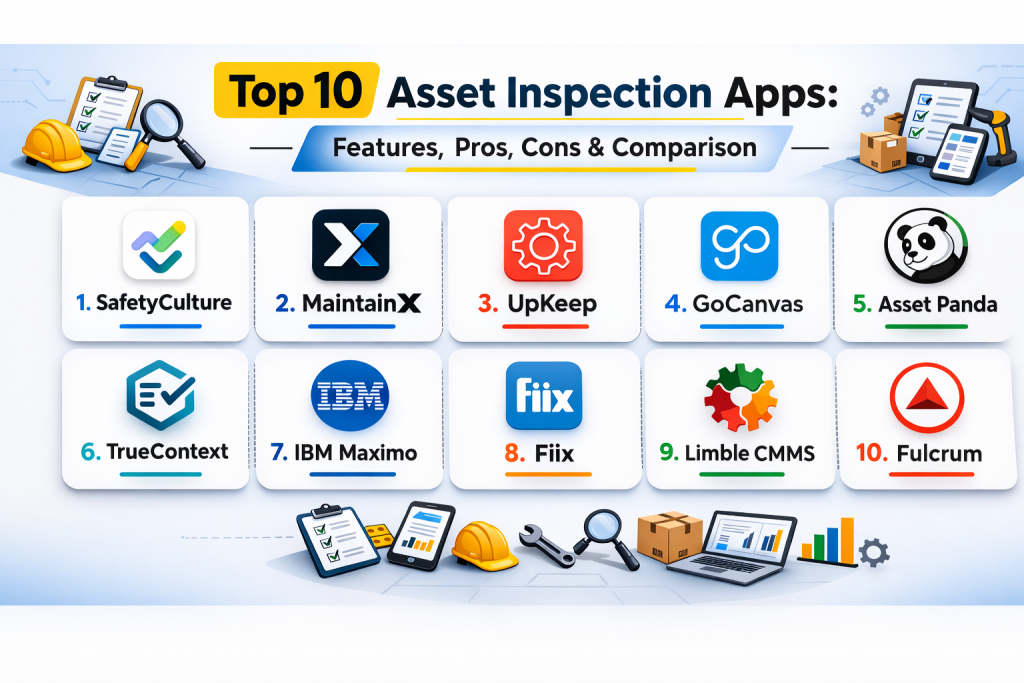
Top 10 Asset Inspection Apps
1. SafetyCulture
This platform is widely recognized for its massive library of pre-built templates and its focus on empowering frontline workers. It excels at turning simple safety audits into deep operational insights by providing a highly polished mobile interface that works across diverse industrial sectors.
Key Features
- Access to a vast global library containing thousands of industry-verified inspection templates.
- Advanced image annotation tools that allow technicians to highlight specific issues on captured photos.
- Automated reporting that generates professional PDF summaries immediately upon inspection completion.
- Issues and actions module that tracks corrective tasks from identification through to resolution.
- Heads-up display for managers to monitor inspection frequency and failure trends across teams.
Pros
- Extremely fast deployment with an interface that requires minimal training for field staff.
- Robust offline mode ensures that data is never lost in remote or low-connectivity zones.
Cons
- The premium features can become expensive as the user base and data volume grow.
- Some advanced conditional logic in forms can be complex to set up for non-technical users.
Platforms / Deployment
Web / Windows / macOS / iOS / Android
Cloud
Security & Compliance
SSO/SAML, MFA, and detailed activity logs for audit transparency.
SOC 2 and GDPR compliant.
Integrations & Ecosystem
The application integrates seamlessly with major business intelligence tools and project management suites. It offers a well-documented API for custom enterprise workflows.
Support & Community
A massive global community of safety professionals and a 24/7 technical support team. Comprehensive online academy for user certification and training.
2. MaintainX
MaintainX combines a modern, mobile-first design with powerful work order management features. It is built for teams that need to act quickly on inspection findings, emphasizing real-time communication and streamlined documentation.
Key Features
- Real-time chat functionality embedded directly within inspection tasks and work orders.
- Digital signature capture to validate that inspections were performed by authorized personnel.
- Barcode and QR code scanning for instant asset identification in the field.
- Conditional logic in checklists that adapts questions based on previous answers.
- Automated scheduling for recurring preventive maintenance inspections.
Pros
- The mobile app feels like a modern messaging tool, leading to very high engagement from technicians.
- Rapid onboarding process that can get an entire team up and running in a single day.
Cons
- Reporting dashboards, while clear, may lack the deep customization required by large enterprises.
- The focus on maintenance may be overkill for teams only interested in simple safety audits.
Platforms / Deployment
Web / iOS / Android
Cloud
Security & Compliance
Standard MFA and role-based access control (RBAC).
Not publicly stated.
Integrations & Ecosystem
Integrates with popular cloud storage and enterprise asset management systems. Supports various Zapier connections for automated data transfer.
Support & Community
Excellent customer success teams and a growing library of “Maintenance Mastery” webinars and guides.
3. UpKeep
UpKeep is an asset-centric platform that prioritizes the long-term health and reliability of equipment. It provides a centralized command center where managers can track every inspection, repair, and cost associated with a specific asset over its entire lifecycle.
Key Features
- Detailed asset history logs that compile all previous inspections and work orders in one view.
- Meter reading capture for tracking usage metrics like run-hours or cycles during inspections.
- Inventory management for spare parts, allowing teams to check availability during an audit.
- Customizable condition ratings (e.g., 1–5 scale) for standardized asset health assessment.
- Warranty tracking that alerts users if an inspected asset is still under manufacturer coverage.
Pros
- Strong focus on “Asset Health” rather than just simple “pass/fail” safety checks.
- Intuitive interface that is easy to navigate on both handheld phones and larger tablets.
Cons
- Pricing scales per user, which can be a significant investment for large frontline teams.
- Advanced reporting features are often locked behind higher-tier subscription levels.
Platforms / Deployment
Web / iOS / Android
Cloud
Security & Compliance
End-to-end encryption and standard enterprise security protocols.
Not publicly stated.
Integrations & Ecosystem
Offers deep integrations with ERP systems like SAP and Oracle. Features a robust API for connecting to custom industrial IoT sensors.
Support & Community
Very strong educational resources and a dedicated user group for reliability engineers and maintenance leaders.
4. GoCanvas
GoCanvas focuses on the flexibility of data collection. It is essentially a “no-code” platform that allows organizations to digitize any paper form—ranging from simple equipment inspections to complex regulatory compliance documents.
Key Features
- Drag-and-drop form builder that allows for complete customization without technical expertise.
- Dispatch feature that enables managers to send specific inspection tasks to field workers.
- Workflow automation that routes completed forms to different departments based on data input.
- GPS location tagging to verify that inspections were conducted at the correct site.
- Reference data integration that allows forms to pull info from external databases (e.g., part numbers).
Pros
- Incredible flexibility for businesses that have unique or highly specific inspection requirements.
- Simple per-user pricing that is often more accessible for small and mid-sized businesses.
Cons
- The interface can feel slightly more “utilitarian” compared to more specialized asset apps.
- Reporting capabilities may require additional effort to build out complex trend dashboards.
Platforms / Deployment
Web / iOS / Android / Windows
Cloud
Security & Compliance
HIPAA and SOC 2 compliance options available for sensitive industries.
Encryption at rest and in transit.
Integrations & Ecosystem
Connects with major cloud storage providers and offers a wide range of pre-built connectors for business apps.
Support & Community
Extensive documentation and a responsive support team that assists with form building and implementation.
5. Asset Panda
Asset Panda is a highly configurable platform that excels at tracking the location, condition, and value of assets. Its inspection module is designed to be fully tailored to the specific fields and workflows of the user, making it ideal for diverse equipment portfolios.
Key Features
- Infinite custom fields that allow you to track any data point relevant to your assets.
- Check-in/Check-out functionality to track custody of assets alongside their inspection status.
- Integrated barcode and QR code generator for easy physical tagging of equipment.
- Maintenance history tracking that links every inspection to a specific asset record.
- Role-based permissions that ensure users only see the assets and forms relevant to their job.
Pros
- Unmatched flexibility for companies managing a wide variety of different asset types.
- The mobile app is fast and handles high-volume data synchronization with ease.
Cons
- The vast amount of customization options can lead to a longer initial setup time.
- Does not offer a free tier for small businesses or solo operators.
Platforms / Deployment
Web / iOS / Android
Cloud
Security & Compliance
SSO, MFA, and secure data hosting in top-tier cloud environments.
Not publicly stated.
Integrations & Ecosystem
Strong support for IT asset management integrations alongside physical hardware tracking. Offers a flexible API for enterprise developers.
Support & Community
Personalized onboarding support and a comprehensive knowledge base for self-service troubleshooting.
6. TrueContext
TrueContext (formerly known as ProntoForms) is the heavy hitter for complex, data-intensive field inspections. It is designed for large enterprises that require sophisticated logic, multi-step approvals, and deep integration with back-end systems.
Key Features
- Advanced conditional logic that can handle thousands of variations within a single form.
- Data routing that can send inspection results to multiple destinations simultaneously.
- Bi-directional data sync that allows field workers to see historical data from the server.
- Integrated sketching and image markup for detailed engineering documentation.
- Enterprise-grade analytics suite for tracking field performance and compliance gaps.
Pros
- The most powerful option for businesses with highly complicated, rule-based inspection needs.
- Extremely reliable for large-scale deployments with thousands of users in high-stakes environments.
Cons
- Has a steeper learning curve for those who are building the forms and workflows.
- Pricing is targeted at mid-market and enterprise organizations.
Platforms / Deployment
Web / iOS / Android / Windows
Cloud / Hybrid
Security & Compliance
SOC 2 Type II, HIPAA, and GDPR compliant. Deep security controls for enterprise IT teams.
SSO/SAML and advanced encryption.
Integrations & Ecosystem
World-class integration with Salesforce, ServiceNow, and major ERP platforms. Built for high-volume data movement.
Support & Community
Premium support tiers and dedicated account management for enterprise clients.
7. IBM Maximo Mobile
For organizations already using the Maximo Enterprise Asset Management system, the mobile app is the ultimate field companion. It leverages IBM’s AI and data power to provide technicians with advanced diagnostics and historical context during every inspection.
Key Features
- Native integration with IBM’s AI assistant for troubleshooting complex asset failures.
- Digital twin visualization that allows workers to see 3D models of the assets they are inspecting.
- Condition-based maintenance triggers that move away from simple calendar schedules.
- Intelligent scanning that identifies assets and pulls up their entire technical manual.
- Multi-site coordination for managing global asset networks from a single device.
Pros
- The deepest feature set for heavy industrial environments and large-scale utilities.
- Unrivaled AI and predictive analytics capabilities for minimizing asset downtime.
Cons
- Requires a significant investment in the broader IBM ecosystem to unlock full value.
- The interface can be complex and requires specialized training for both admins and users.
Platforms / Deployment
iOS / Android
Cloud / Self-hosted / Hybrid
Security & Compliance
Enterprise-grade security used by government and critical infrastructure operators worldwide.
Full ISO 27001 and SOC 2 compliance.
Integrations & Ecosystem
Part of one of the largest industrial software ecosystems in the world. Connects to everything from IoT sensors to global financial systems.
Support & Community
Dedicated global support network and a massive professional user base in the EAM space.
8. Fiix
Fiix is a cloud-based platform that focuses on making maintenance and inspections easier to manage through automation. It is particularly strong for teams that want to move toward a more “connected” and data-centric maintenance strategy.
Key Features
- AI-powered anomaly detection that spots patterns in inspection data before they cause a failure.
- Interactive maps that allow technicians to see the location of assets for inspection.
- Simplified work order creation directly from any failed checklist item.
- QR code tracking for every individual asset, location, and part in the system.
- Multi-site benchmarking to compare asset performance across different facilities.
Pros
- Excellent for large factories that want to transition from reactive to proactive maintenance.
- A clean, modern interface that is surprisingly deep without feeling overly complicated.
Cons
- Some advanced IoT and AI features require higher subscription tiers and additional setup.
- The mobile app, while strong, can sometimes lag when dealing with extremely large asset hierarchies.
Platforms / Deployment
Web / iOS / Android
Cloud
Security & Compliance
Standard MFA and secure data encryption.
Not publicly stated.
Integrations & Ecosystem
Features an “app exchange” with various pre-built integrations for ERPs and sensor platforms. Owned by Rockwell Automation, providing deep industrial ties.
Support & Community
Very active “Fiixers” community and a wealth of educational content focused on Industry 4.0.
9. Limble CMMS
Limble is designed to be the “easy-to-use” alternative for enterprise-grade asset management. It provides a robust inspection module that is highly visual and easy for technicians to adopt without extensive training.
Key Features
- Custom inspection checklists that can include photos, videos, and multi-choice questions.
- Asset-specific QR codes that technicians can scan to instantly start an inspection.
- Work request portal that allows non-users to report issues they find during daily operations.
- Powerful reporting engine that tracks “Total Cost of Ownership” for every inspected asset.
- Automated push notifications and alerts for critical inspection failures.
Pros
- Consistently rated as one of the most user-friendly platforms for field technicians.
- Offers a great balance between ease of use and the depth of data captured during an audit.
Cons
- Pricing can scale quickly for large teams with many active users.
- May not have the same level of specialized “niche” features as some industry-specific tools.
Platforms / Deployment
Web / iOS / Android
Cloud
Security & Compliance
Standard encryption and role-based access control.
Not publicly stated.
Integrations & Ecosystem
Connects with major business software and offers a flexible API for custom data integrations.
Support & Community
Exceptional customer support reputation and a fast implementation cycle.
10. Fulcrum
Fulcrum is a specialized inspection platform that emphasizes geospatial data and field mapping. It is the go-to choice for organizations managing distributed infrastructure, such as utility lines, pipelines, or telecommunications towers.
Key Features
- High-precision GPS and geospatial data capture for every inspection point.
- Map-based view that allows managers to see the status of all assets in a geographic area.
- Offline mapping capabilities that work in areas with no cellular service.
- Integrated signature and photo capture with automated time and date stamps.
- Data export options that support all major GIS and engineering file formats.
Pros
- The best tool for companies that need to manage assets across vast geographic distances.
- Strong focus on data quality and the verification of “where and when” an inspection occurred.
Cons
- Lacks some of the “maintenance-specific” features found in CMMS-focused apps.
- The pricing model can be complex depending on the level of data and users required.
Platforms / Deployment
Web / iOS / Android
Cloud
Security & Compliance
Secure cloud hosting and standard user authentication features.
Not publicly stated.
Integrations & Ecosystem
Integrates deeply with GIS systems like ArcGIS and major project management platforms.
Support & Community
Specialized support for teams working in environmental, engineering, and infrastructure sectors.
Comparison Table
| Tool Name | Best For | Platform(s) Supported | Deployment | Standout Feature | Public Rating |
| 1. SafetyCulture | Safety Audits | Win, macOS, iOS, Android | Cloud | Template Library | N/A |
| 2. MaintainX | Operations Teams | Web, iOS, Android | Cloud | Real-time Chat | N/A |
| 3. UpKeep | Asset Health | Web, iOS, Android | Cloud | Lifecycle Tracking | N/A |
| 4. GoCanvas | Custom Forms | Win, Web, iOS, Android | Cloud | Form Builder | N/A |
| 5. Asset Panda | Configurable Tracking | Web, iOS, Android | Cloud | Custom Fields | N/A |
| 6. TrueContext | Complex Workflows | Win, Web, iOS, Android | Hybrid | Conditional Logic | N/A |
| 7. IBM Maximo | Global Enterprise | iOS, Android | Hybrid | AI Diagnostics | N/A |
| 8. Fiix | Industrial Assets | Web, iOS, Android | Cloud | AI Anomaly Detect | N/A |
| 9. Limble CMMS | Field Adoption | Web, iOS, Android | Cloud | User Interface | N/A |
| 10. Fulcrum | Infrastructure | Web, iOS, Android | Cloud | Geospatial Mapping | N/A |
Evaluation & Scoring
| Tool Name | Core (25%) | Ease (15%) | Integrations (15%) | Security (10%) | Perf (10%) | Support (10%) | Value (15%) | Total |
| SafetyCulture | 9 | 10 | 8 | 9 | 9 | 9 | 8 | 8.85 |
| MaintainX | 8 | 10 | 8 | 7 | 9 | 9 | 9 | 8.55 |
| UpKeep | 9 | 9 | 9 | 8 | 8 | 8 | 7 | 8.35 |
| GoCanvas | 8 | 8 | 8 | 8 | 8 | 8 | 9 | 8.05 |
| Asset Panda | 8 | 7 | 8 | 8 | 9 | 8 | 8 | 7.95 |
| TrueContext | 10 | 4 | 10 | 10 | 9 | 8 | 6 | 8.00 |
| IBM Maximo | 10 | 3 | 10 | 10 | 10 | 8 | 5 | 7.75 |
| Fiix | 9 | 7 | 9 | 8 | 9 | 8 | 7 | 8.15 |
| Limble CMMS | 8 | 9 | 8 | 8 | 9 | 9 | 8 | 8.35 |
| Fulcrum | 9 | 7 | 8 | 8 | 10 | 8 | 7 | 8.10 |
The scoring above is based on a comparative analysis of how each tool serves the specific needs of asset inspection. Platforms like SafetyCulture and MaintainX score high overall because they excel at the most critical factor: field adoption. A tool that technicians refuse to use provides zero data, regardless of how powerful its back-end logic is. Conversely, IBM Maximo and TrueContext are the absolute leaders for technical depth and enterprise complexity, but they require significant organizational maturity and training to implement correctly.
Which Asset Inspection App Tool Is Right for You?
Solo / Freelancer
If you are an independent inspector or a solo business owner, SafetyCulture or GoCanvas are likely your best options. They offer flexible entry-level pricing and allow you to digitize your specific forms quickly without needing a dedicated IT team.
SMB
Small to medium businesses should prioritize MaintainX or Limble CMMS. These tools provide a clean, modern experience that technicians enjoy using, which is essential for ensuring that data is actually captured correctly in the field.
Mid-Market
For companies with a more complex asset portfolio, UpKeep or Asset Panda offer a stronger balance of deep asset tracking and custom configuration. They allow for a more detailed look at the financial impact of maintenance and inspections.
Enterprise
Large-scale organizations with global footprints or heavy industrial assets should look toward IBM Maximo or TrueContext. These platforms provide the security, logic, and integration capabilities necessary to handle thousands of users across disparate systems.
Budget vs Premium
- Budget: SafetyCulture and GoCanvas offer affordable ways to get started.
- Premium: IBM Maximo and TrueContext are high-end investments for high-stakes reliability environments.
Feature Depth vs Ease of Use
- Depth: TrueContext and Houdini-level complex logic in Maximo allow for infinite control.
- Ease of Use: MaintainX and Limble are the most intuitive for frontline workers.
Integrations & Scalability
If your goal is to have inspection data flow directly into your ERP or financial system, SafetyCulture and TrueContext offer the most robust enterprise-grade connectors and APIs.
Security & Compliance Needs
For industries like healthcare, energy, or government contracting, TrueContext and IBM Maximo provide the most rigorous documentation and security certifications to satisfy strict regulatory audits.
Frequently Asked Questions (FAQs)
1. Can these apps work without an internet connection?
Yes, all the top-tier tools featured on this list include a dedicated offline mode. Field workers can conduct full inspections, take photos, and record data in remote areas, and the app will automatically sync all data once a connection is restored.
2. Is it possible to customize the inspection checklists for my specific industry?
Absolutely. One of the core strengths of these apps is the ability to build custom forms. Most use a drag-and-drop interface that allows you to add specific questions, photo requirements, and conditional logic tailored to your equipment.
3. Do these apps integrate with my existing ERP or CMMS?
Most professional-grade inspection apps offer pre-built integrations with major systems like SAP, Oracle, and Salesforce. For more specialized software, they typically provide a REST API that allows your IT team to build custom data links.
4. How do these apps improve worker safety?
By making inspections easy and mandatory, these tools ensure that safety hazards are identified before they lead to accidents. Features like photo capture and real-time alerts ensure that critical issues are communicated immediately to the right safety officers.
5. Can I use these apps for regulatory compliance audits?
Yes. These platforms create a digital, time-stamped audit trail that is much more reliable than paper records. They can generate professional reports that satisfy the requirements of agencies like OSHA, ISO, or the EPA.
6. What is the difference between an asset inspection app and a CMMS?
An inspection app focuses on the process of capturing data and auditing a condition. A CMMS (Computerized Maintenance Management System) manages the entire repair process, including work orders, parts inventory, and labor costs. Many top apps combine both functions.
7. Can I scan barcodes or QR codes with my phone’s camera?
Yes, most modern asset apps use the mobile device’s camera to scan tags. This instantly identifies the asset and pulls up the correct inspection form, ensuring that technicians are looking at the right piece of equipment.
8. Is my data secure in the cloud?
Professional software providers use high-level encryption and secure hosting (like AWS or Azure). For enterprise clients, features like Single Sign-On (SSO) and Multi-Factor Authentication (MFA) provide additional layers of protection.
9. How long does it take to implement an asset inspection app?
Simple tools can be set up in a single day. More complex enterprise platforms that require integration with existing databases and extensive form building may take several weeks or months to fully deploy across a large organization.
10. Do I need to buy expensive specialized hardware to use these apps?
In most cases, no. These applications are designed to run on standard modern smartphones and tablets (iOS and Android). However, in specific hazardous environments, you may need “intrinsically safe” ruggedized devices.
Conclusion
In conclusion, the transition from manual, paper-based processes to digital asset inspection is a critical step for any organization aiming for high reliability and operational efficiency. The market in the current era provides a diverse range of tools that cater to everyone from small field teams to global industrial giants. By selecting a platform that balances ease of use with deep analytical capabilities, managers can empower their frontline workers, ensure strict compliance, and ultimately extend the lifespan of their most valuable physical assets. The right choice depends on your team’s specific technical needs, budget, and long-term scalability goals.

Best Cardiac Hospitals Near You
Discover top heart hospitals, cardiology centers & cardiac care services by city.
Advanced Heart Care • Trusted Hospitals • Expert Teams
View Best Hospitals