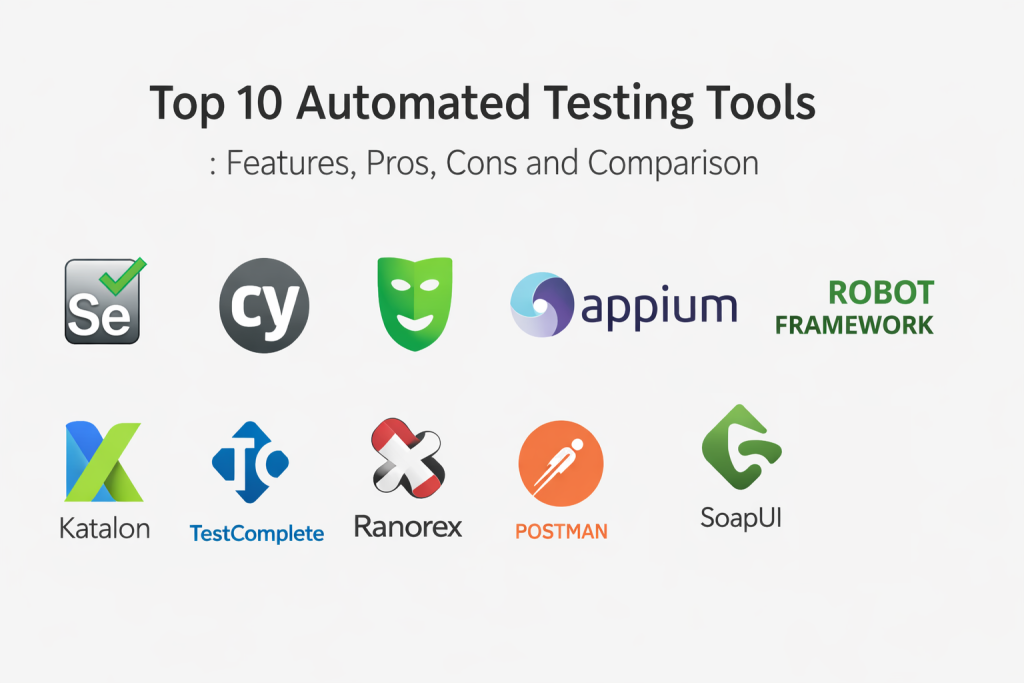
Introduction
Automated testing tools help teams validate software quality faster by running repeatable tests with minimal manual effort. Instead of relying only on human testers clicking through screens, these tools execute checks for functionality, regressions, performance basics, and user flows—often as part of a release pipeline. In simple terms, they help you answer: Did we break anything? Does the app still work across browsers? Are APIs returning correct results? Can we release safely today?
Automation matters because modern delivery is continuous. Teams ship more frequently, systems are more integrated, and user expectations are high. Automation reduces release anxiety, catches regressions early, and frees testers to focus on exploratory testing and risk-based validation.
Common real-world use cases include:
- Regression testing after every merge or nightly build
- Cross-browser UI validation for customer-facing web apps
- API testing for microservices and platform backends
- Test automation for mobile apps across devices and OS versions
- Smoke tests for production readiness after deployments
What buyers should evaluate when choosing an automated testing tool:
- Coverage: UI, API, mobile, desktop, and integration testing
- Ease of authoring and maintenance (test stability, selectors, flakiness control)
- Speed and scalability (parallel runs, cloud grids, device farms)
- CI/CD integration and test reporting quality
- Support for modern app architectures (SPAs, microservices, headless browsers)
- Team fit: developer-first vs QA-friendly tooling
- Debugging experience: traces, videos, logs, screenshots
- Security expectations: RBAC, audit trails, secrets handling, SSO options
- Ecosystem maturity: plugins, frameworks, community patterns
- Cost model and overall value
Best for: Product engineering teams, QA automation engineers, SRE/DevOps teams, and platform teams that release frequently and need reliable quality gates. Especially useful for SaaS, fintech, e-commerce, healthcare, and enterprise apps where regressions are costly.
Not ideal for: Very small projects with low change frequency, prototypes, or teams that lack capacity to maintain tests. Also, some UI automation can be expensive to maintain if the UI changes often without stable design systems.
Key Trends in Automated Testing Tools
- Growing shift toward developer-friendly automation with fast feedback loops
- Stronger focus on reducing flaky tests via smarter waits, better tracing, and stable locators
- Increased adoption of API-first testing to reduce UI-only dependency
- Wider use of cloud testing grids and device farms for scalability
- Better integration of test results into product analytics and engineering dashboards
- Emphasis on “test observability” using richer artifacts like video, trace, and step timelines
- More practical visual testing approaches to catch UI regressions
- Security expectations rising: secrets handling, access controls, and audit readiness
- More use of parallelization and selective test execution to cut cycle time
- Standardization on test-as-code with clean reviews, ownership, and reusable libraries
How We Selected These Tools
- Widely used and credible within testing and engineering communities
- Strong fit for core automation needs across UI and APIs (and mobile where relevant)
- Practical value in real projects: maintainability, speed, and debugging support
- Strong ecosystem support through integrations, plugins, and frameworks
- Ability to scale test execution through parallel runs or cloud infrastructure
- Balanced selection: open-source options and enterprise platforms
- Suitable for multiple team sizes (solo to enterprise)
- Proven workflows for CI/CD and continuous testing
- Clear documentation and community patterns
- Strong reporting and diagnostics to help teams act on failures quickly
Top 10 Automated Testing Tools
1) Selenium
Selenium is a foundational web UI automation toolset that drives browsers to validate user flows. It is widely adopted and supported by many frameworks, making it a common standard for browser-based testing.
Key Features
- Cross-browser automation support
- Works with many programming languages via bindings
- Large ecosystem of frameworks and utilities
- Integrates with many test runners and CI systems
- Supports grid-based execution through Selenium Grid
- Strong support for enterprise test strategies
- Broad compatibility across web applications
Pros
- Massive ecosystem and long-term stability
- Flexible and widely supported by tooling vendors
- Good for standardized cross-browser testing
Cons
- Requires strong engineering discipline to avoid flaky tests
- Test authoring and maintenance can become complex at scale
- Debugging can require additional tooling and conventions
Platforms / Deployment
- Windows / macOS / Linux
- Self-hosted / Hybrid (common via grid setups)
Security & Compliance
- Not publicly stated (open-source; depends on how you deploy and govern it)
Integrations & Ecosystem
Selenium integrates with most CI pipelines and supports a wide range of language-based frameworks, making it easy to embed into existing engineering workflows.
- Works with common unit test frameworks and runners
- Grid execution patterns for parallelization
- Broad vendor tool support for reporting and management
- Extensions through third-party libraries and frameworks
Support & Community
Very large community with extensive documentation and tutorials. Enterprise support typically comes via third-party vendors or internal teams.
2) Cypress
Cypress is a modern web testing tool designed for fast, developer-friendly end-to-end testing. It is known for its smooth debugging experience and tight integration with web development workflows.
Key Features
- Fast web UI testing with strong developer experience
- Automatic waits and time-travel style debugging features
- Built-in test runner with clear logs
- Network stubbing and API mocking support
- Good fit for modern web apps and component testing
- Parallelization options (varies by plan/setup)
- Strong focus on reducing flakiness
Pros
- Great debugging and visibility into failures
- Easy to start for web-focused teams
- Strong for modern frontend workflows
Cons
- Primarily focused on web, not native mobile
- Some advanced scaling capabilities vary by plan
- Complex cross-browser and enterprise needs may require planning
Platforms / Deployment
- Windows / macOS / Linux
- Cloud / Self-hosted / Hybrid (varies)
Security & Compliance
- Not publicly stated
Integrations & Ecosystem
Cypress fits well in CI pipelines and has strong integrations for test reporting and execution workflows.
- CI pipeline execution with artifacts
- Plugins for reporting and customization
- Integration with frontend build pipelines
- Ecosystem for mocks, stubs, and helpers
Support & Community
Strong community and documentation. Support options vary by plan.
3) Playwright
Playwright is a modern browser automation framework designed for reliable end-to-end testing across multiple browser engines. It’s widely used for its speed, stable automation features, and strong debugging artifacts.
Key Features
- Supports multiple browser engines with a single API
- Auto-waiting and reliable selectors for stability
- Powerful tracing, screenshots, and video recording
- Parallel execution support for faster pipelines
- Strong support for modern web apps and SPAs
- Cross-platform and headless execution friendly
- Useful for both E2E and UI regression automation
Pros
- Strong reliability and debugging artifacts
- Great for fast CI pipelines and parallel runs
- Works well for modern web applications
Cons
- Requires engineering discipline for large test suites
- Teams may need time to standardize patterns
- Advanced enterprise governance depends on surrounding tools
Platforms / Deployment
- Windows / macOS / Linux
- Self-hosted / Cloud (varies)
Security & Compliance
- Not publicly stated
Integrations & Ecosystem
Playwright integrates well with CI and provides rich artifacts for troubleshooting, making it practical for scaling automation in real teams.
- Works with popular test runners and reporting tools
- Strong artifacts for debugging and triage
- Parallelization patterns for speed
- Easy to containerize and run in pipelines
Support & Community
Active community and good documentation. Support is community-driven unless bundled into enterprise platforms.
4) Appium
Appium is a widely used tool for automating mobile applications. It supports testing across mobile platforms with a consistent approach, making it valuable for teams managing both Android and iOS apps.
Key Features
- Cross-platform mobile automation approach
- Supports native, hybrid, and mobile web apps
- Works with multiple languages via client libraries
- Integrates with device farms and grid setups
- Suitable for real devices and emulators
- Extensible through plugins and frameworks
- Common standard in mobile QA ecosystems
Pros
- Strong option for cross-platform mobile automation
- Works with real devices and device clouds
- Large ecosystem and tooling compatibility
Cons
- Mobile tests can be slower and more brittle than API tests
- Setup complexity can be high
- Requires stable app identifiers and good test design
Platforms / Deployment
- Windows / macOS / Linux
- Self-hosted / Hybrid (often with device farms)
Security & Compliance
- Not publicly stated
Integrations & Ecosystem
Appium often integrates with device farms, reporting tools, and CI pipelines to scale mobile testing across device coverage.
- Device farm integrations (varies)
- CI pipeline execution and reporting
- Mobile test frameworks and utilities
- Works with common QA tooling ecosystems
Support & Community
Large community and extensive usage. Support is community-driven unless you use a vendor platform.
5) Robot Framework
Robot Framework is a keyword-driven automation framework often used for acceptance testing and end-to-end automation across different domains. It’s popular for teams that want readable tests and reusable keywords.
Key Features
- Keyword-driven approach for readable test cases
- Large library ecosystem for web, API, and more
- Supports data-driven testing patterns
- Works well with CI pipelines and reporting
- Useful for acceptance testing and system-level tests
- Supports custom keyword development for teams
- Strong fit for structured test design
Pros
- Readable tests and reusable keyword libraries
- Works across many layers with libraries
- Good reporting and structured outputs
Cons
- Large projects require strong architecture for keywords
- Debugging can require discipline and tooling
- Complex UI automation depends on underlying drivers
Platforms / Deployment
- Windows / macOS / Linux
- Self-hosted
Security & Compliance
- Not publicly stated
Integrations & Ecosystem
Robot Framework is frequently used with underlying libraries for web and API testing and plugs into CI to generate consistent reports.
- Integrates with many drivers and libraries
- CI reporting and artifacts
- Custom keyword libraries for organizations
- Works well for acceptance-level automation
Support & Community
Strong community, good documentation, and many community libraries.
6) Katalon Studio
Katalon Studio is a test automation platform that provides a packaged experience for UI and API testing. It is often chosen by teams that want a faster start without building everything from scratch.
Key Features
- UI and API testing in a single platform
- Recorder and scripting options for flexibility
- Built-in reporting and dashboards (varies by plan)
- Test management and collaboration features (varies)
- Integrations with CI and common tooling (varies)
- Supports web and mobile workflows (varies)
- Useful templates and starter resources
Pros
- Faster onboarding for teams new to automation
- Combines multiple testing types in one tool
- Useful for structured team workflows
Cons
- Platform approach may reduce flexibility for custom needs
- Scaling and advanced features can depend on licensing
- Test design still requires discipline to avoid flakiness
Platforms / Deployment
- Windows / macOS / Linux
- Cloud / Self-hosted / Hybrid (varies)
Security & Compliance
- Not publicly stated
Integrations & Ecosystem
Katalon often integrates with CI, reporting, and team collaboration workflows, especially in structured QA environments.
- CI execution and reporting artifacts
- Integrations with test management tools (varies)
- Plugins and add-ons for customization (varies)
- Supports mixed UI and API automation programs
Support & Community
Community resources exist, plus vendor support options depending on plan.
7) TestComplete
TestComplete is a commercial automated testing tool known for UI automation, including desktop and web. It’s often adopted by organizations that need packaged tooling for complex UI automation scenarios.
Key Features
- UI automation for web and desktop applications
- Supports script-based and record-and-playback approaches
- Object recognition and UI mapping features
- Parallel execution patterns (varies)
- Integrated reporting and debugging support
- Useful for legacy and enterprise UI environments
- Extensible via scripting languages and plugins
Pros
- Strong support for desktop UI automation
- Useful tooling for complex enterprise apps
- Packaged approach can accelerate teams
Cons
- Cost may be high for smaller teams
- Requires careful design to reduce brittleness
- Platform specificity can influence deployment choices
Platforms / Deployment
- Windows
- Self-hosted
Security & Compliance
- Not publicly stated
Integrations & Ecosystem
TestComplete often fits into enterprise QA programs where packaged tools and repeatable UI automation are priorities.
- CI integration and scheduled runs
- Reporting and artifacts for stakeholder reviews
- Extensibility via scripting and plugins
- Works well for complex UI suites
Support & Community
Vendor support is a key strength. Community resources exist, but official support often drives enterprise usage.
8) Ranorex Studio
Ranorex Studio is a commercial automation tool frequently used for desktop, web, and mobile UI testing, especially in enterprise contexts where GUI automation is central.
Key Features
- UI automation for desktop and web apps
- Object recognition and UI element mapping
- Test suite organization and maintainability tooling
- Supports data-driven testing patterns
- Reporting tools for regression tracking
- Integrates with CI workflows (varies)
- Useful for teams needing structured UI automation
Pros
- Strong desktop UI automation capabilities
- Helpful tooling for maintainable UI suites
- Good fit for enterprise regression programs
Cons
- Licensing costs can be significant
- Requires discipline to avoid brittle UI tests
- Setup can be heavy for small projects
Platforms / Deployment
- Windows
- Self-hosted
Security & Compliance
- Not publicly stated
Integrations & Ecosystem
Ranorex is typically used in structured QA automation programs with CI runs and shared reporting for regressions.
- CI execution and regression scheduling
- Reporting exports and dashboards (varies)
- Integration with team workflows (varies)
- Supports organized test suite ownership
Support & Community
Vendor-backed support is common. Community resources are smaller than major open-source tools.
9) Postman
Postman is widely used for API testing and automation, helping teams validate endpoints, workflows, and integrations. It is often a starting point for API automation and collaboration between dev and QA.
Key Features
- API request collections and automated runs
- Environment and variable management for workflows
- Useful for contract checks and regression testing
- Team collaboration features for API test assets (varies)
- Supports data-driven API testing patterns
- Reporting and monitoring patterns (varies)
- Strong tooling for API development + testing combined
Pros
- Excellent for API testing workflows and collaboration
- Easy onboarding for mixed teams
- Strong for repeatable API regressions
Cons
- Not a full replacement for UI automation tools
- Large test suites require strong organization
- Enterprise governance depends on plan
Platforms / Deployment
- Windows / macOS / Linux
- Cloud / Self-hosted / Hybrid (varies)
Security & Compliance
- Not publicly stated
Integrations & Ecosystem
Postman integrates with CI pipelines and supports structured API testing assets that teams can version, share, and reuse across projects.
- CI-based collection runs
- API workflow organization and environments
- Integration with reporting and team workflows (varies)
- Fits well for microservices and platform validation
Support & Community
Very strong community and widespread usage. Support options vary by plan.
10) SoapUI
SoapUI is a long-standing tool for API testing, often used for service validation and regression testing, especially in environments that still rely on SOAP along with REST.
Key Features
- Strong API testing for SOAP and REST styles
- Test case organization and assertions
- Data-driven testing patterns
- Useful for API regression and integration tests
- Mock services and simulation support (varies)
- Reporting and execution workflows (varies)
- Good fit for enterprise services environments
Pros
- Strong support for SOAP-based services
- Useful for structured API regression suites
- Mature tool with established patterns
Cons
- UI and workflows may feel heavier for some teams
- Not intended for modern browser UI automation
- Advanced governance depends on edition and setup
Platforms / Deployment
- Windows / macOS / Linux
- Self-hosted
Security & Compliance
- Not publicly stated
Integrations & Ecosystem
SoapUI fits well for service-level testing and can support teams managing complex API ecosystems, including legacy service architectures.
- CI execution support for API suites
- Mocking patterns for integration testing
- Integrations vary by edition and environment
- Useful for regulated and enterprise service teams
Support & Community
Mature community, plus vendor support options depending on edition.
Comparison Table
| Tool Name | Best For | Platform(s) Supported | Deployment (Cloud/Self-hosted/Hybrid) | Standout Feature | Public Rating |
|---|---|---|---|---|---|
| Selenium | Cross-browser web UI automation | Windows / macOS / Linux | Self-hosted / Hybrid | Widely supported standard for browser automation | N/A |
| Cypress | Fast web E2E testing with great debugging | Windows / macOS / Linux | Cloud / Self-hosted / Hybrid (varies) | Developer-friendly runner and debugging | N/A |
| Playwright | Reliable multi-browser automation with artifacts | Windows / macOS / Linux | Self-hosted / Cloud (varies) | Tracing, video, and stable automation | N/A |
| Appium | Cross-platform mobile UI automation | Windows / macOS / Linux | Self-hosted / Hybrid | Mobile automation across platforms | N/A |
| Robot Framework | Readable keyword-driven automation suites | Windows / macOS / Linux | Self-hosted | Keyword-based acceptance automation | N/A |
| Katalon Studio | Packaged UI + API automation platform | Windows / macOS / Linux | Cloud / Self-hosted / Hybrid (varies) | Faster onboarding with combined testing types | N/A |
| TestComplete | Desktop + web UI automation for enterprises | Windows | Self-hosted | Strong desktop UI automation tooling | N/A |
| Ranorex Studio | Structured UI automation for desktop/web/mobile | Windows | Self-hosted | UI object recognition and suite management | N/A |
| Postman | API automation and collaboration | Windows / macOS / Linux | Cloud / Self-hosted / Hybrid (varies) | Collection-based API testing workflows | N/A |
| SoapUI | SOAP + REST API testing and regression | Windows / macOS / Linux | Self-hosted | Strong SOAP testing support | N/A |
Evaluation & Scoring of Automated Testing Tools
Weights used in scoring:
- Core features – 25%
- Ease of use – 15%
- Integrations & ecosystem – 15%
- Security & compliance – 10%
- Performance & reliability – 10%
- Support & community – 10%
- Price / value – 15%
| Tool Name | Core (25%) | Ease (15%) | Integrations (15%) | Security (10%) | Performance (10%) | Support (10%) | Value (15%) | Weighted Total (0–10) |
|---|---|---|---|---|---|---|---|---|
| Selenium | 9 | 6 | 9 | 6 | 7 | 9 | 9 | 8.05 |
| Cypress | 8 | 8 | 8 | 6 | 7 | 8 | 7 | 7.55 |
| Playwright | 9 | 8 | 8 | 6 | 8 | 8 | 8 | 8.10 |
| Appium | 8 | 6 | 7 | 6 | 6 | 8 | 8 | 7.10 |
| Robot Framework | 7 | 7 | 8 | 6 | 7 | 8 | 9 | 7.55 |
| Katalon Studio | 7 | 8 | 7 | 6 | 7 | 7 | 6 | 6.95 |
| TestComplete | 8 | 7 | 7 | 7 | 7 | 7 | 5 | 6.95 |
| Ranorex Studio | 8 | 7 | 7 | 7 | 7 | 7 | 5 | 6.95 |
| Postman | 8 | 9 | 8 | 7 | 7 | 8 | 7 | 7.85 |
| SoapUI | 7 | 7 | 7 | 6 | 7 | 7 | 8 | 7.15 |
How to interpret these scores:
- Scores are comparative and intended to help shortlist, not declare a single winner.
- Open-source tools often score high on value but require strong internal standards.
- Commercial platforms may score higher on packaged workflows but can be costlier.
- Always validate fit with a small pilot using your hardest real workflow.
Which Automated Testing Tool Is Right for You?
Solo / Freelancer
If you’re a solo developer or consultant, focus on tools that are fast to adopt and easy to automate. Playwright is a strong choice for reliable web UI flows and good debugging. If your main work is APIs, Postman can help you build repeatable regression checks quickly. If you want a flexible open standard, Selenium can work, but set strict patterns early to avoid test flakiness.
SMB
SMBs benefit from quick feedback and low maintenance. For web apps, Cypress or Playwright are often good because they reduce the friction of debugging failures. For APIs, Postman provides strong collaboration. If your SMB has mobile apps, Appium can be useful, but keep your mobile suite focused and stable. If your team is mixed and needs readable acceptance tests, Robot Framework is a practical option.
Mid-Market
Mid-market teams need scale and standardization. Playwright and Cypress help with modern web testing, but keep a strategy for managing flakiness, test data, and ownership. If you have multiple test types across UI and APIs and want a packaged approach, Katalon Studio can accelerate adoption. If you have desktop applications and legacy UI needs, TestComplete or Ranorex Studio may be worth it.
Enterprise
Enterprises often need governance, stable regression programs, and wide coverage across many applications. Selenium remains common because it integrates broadly and supports enterprise grid patterns. For desktop-heavy environments, TestComplete and Ranorex Studio can support large UI suites. API validation is a must in enterprise environments; Postman and SoapUI are widely used, especially where service testing and legacy protocols matter.
Budget vs Premium
- Budget-friendly: Selenium, Robot Framework, Appium, SoapUI
- Balanced approach: Playwright, Cypress, Postman
- Premium packaged UI automation: TestComplete, Ranorex Studio, Katalon Studio
Feature Depth vs Ease of Use
- Easy start and modern workflow: Cypress, Playwright
- Deep flexibility and ecosystem: Selenium, Robot Framework
- Mobile focus: Appium
- Desktop UI focus: TestComplete, Ranorex Studio
- API workflow strength: Postman, SoapUI
Integrations & Scalability
If you want consistent automation in pipelines, choose tools that work well with parallel runs and clean artifacts: Playwright, Cypress, and Selenium (with grids). For API regression gates, Postman integrates nicely into delivery flows. For large organizations, scalability often depends on your test execution infrastructure and standards, not only the tool itself.
Security & Compliance Needs
Automation tools often touch credentials, test data, and environment secrets. For higher security needs, focus on how the tool fits your access control and secrets management approach. Commercial platforms may provide more built-in governance depending on plan, while open-source tools rely on your deployment controls and process maturity.
Frequently Asked Questions (FAQs)
1) What should we automate first?
Start with high-value regression scenarios that break often: login, signup, checkout, core API endpoints, and key workflows. Avoid automating unstable UI areas until you have consistent selectors and test data.
2) Why do automated UI tests become flaky?
Flakiness usually comes from timing issues, unstable selectors, dynamic UI changes, and inconsistent test data. Reduce it with stable locators, proper waits, isolated test environments, and clear ownership.
3) Is API testing better than UI testing?
API tests are often faster and more stable because they skip the UI layer. But UI tests still matter for validating real user journeys. Most teams use a balanced mix: many API tests, fewer high-value UI tests.
4) How many automated tests do we need?
There is no fixed number. Focus on coverage of risk and business-critical paths. A smaller, reliable suite that runs daily is usually better than a massive, flaky suite that no one trusts.
5) How do we run automation in CI without slowing releases?
Use parallel runs, smoke suites for fast checks, and schedule heavier regression suites nightly. Also, run API suites more frequently and reserve UI suites for high-value flows.
6) What is the best tool for modern web applications?
Many teams prefer Playwright or Cypress for modern web apps because they offer strong debugging and stability features. Final choice depends on team skills, browser needs, and workflow fit.
7) What tool is best for mobile automation?
Appium is a widely used choice for mobile automation. Keep your mobile suite focused on stable, high-value flows and rely on API tests and unit tests to reduce mobile test volume.
8) Do we still need manual testing if we automate?
Yes. Automation reduces repetitive work, but manual exploratory testing is essential for usability, edge cases, and new features. The goal is to shift manual work toward higher-value testing, not eliminate it.
9) How do we maintain automation over time?
Treat test code like product code: review changes, enforce coding standards, reduce duplication, and own test data and environments. Also track flaky tests aggressively and fix them quickly.
10) Can we use multiple tools together?
Yes. Many teams use one tool for web UI, another for APIs, and a separate one for mobile or desktop. The key is consistent reporting, clear ownership, and a simple strategy for what each tool is responsible for.
Conclusion
Automated testing tools help teams ship faster with fewer regressions, but the best tool depends on your application type, team skills, and delivery workflow. If you need a long-standing standard with broad support, Selenium is still widely used and flexible. If your priority is modern web testing with strong debugging, Playwright and Cypress are excellent choices. If your focus is mobile apps, Appium remains a common option, while Postman and SoapUI help teams build reliable API regression suites. Enterprise teams with desktop-heavy apps may benefit from TestComplete or Ranorex Studio, and teams that want readable acceptance testing often choose Robot Framework. A practical next step is to shortlist two or three tools, automate one critical workflow end-to-end, validate stability and reporting in CI, and then expand slowly with clear ownership and maintenance rules.

Best Cardiac Hospitals Near You
Discover top heart hospitals, cardiology centers & cardiac care services by city.
Advanced Heart Care • Trusted Hospitals • Expert Teams
View Best Hospitals