Introduction
B2B customer portals are specialized digital environments designed to facilitate secure, high-stakes interactions between businesses and their corporate clients. Unlike standard retail websites, these platforms are built to handle the structural complexity of business relationships, which often involve multi-layered account hierarchies, custom contract pricing, and high-volume procurement workflows. In the current landscape, a portal is the primary digital touchpoint where a client manages their entire lifecycle with a vendor, from viewing real-time inventory to tracking complex global shipments and processing bulk invoices.
As we navigate the demands of a faster, data-driven economy, the role of the portal has shifted from a simple “document folder” to a sophisticated service hub. Modern buyers now expect the same level of autonomy they experience in their personal lives—instant answers, mobile accessibility, and seamless self-service—but with the rigorous security and integration standards required by an enterprise. A well-implemented portal does not just “display” data; it orchestrates the entire post-purchase experience, reducing the administrative burden on support teams while increasing the speed of business for the customer.
Best for: Manufacturers, wholesalers, professional service firms, and software providers managing long-term contracts, complex pricing structures, and high-volume recurring orders.
Not ideal for: Transactional retail businesses, low-complexity service providers, or companies with a very small client base where direct human-to-human communication is more efficient than a digital interface.
Key Trends in B2B Customer Portals
- Generative AI Support Agents: Modern portals are integrating AI agents that can read technical manuals and past ticket history to provide instant, conversational answers to complex client queries.
- ERP-Native Synchronization: There is a move away from delayed data syncing toward portals that sit directly on top of the Enterprise Resource Planning system for “zero-latency” inventory and pricing updates.
- Predictive Reordering: Using historical purchasing data, portals now proactively suggest when a client needs to restock, often generating the draft order automatically for approval.
- Zero-Trust Security Frameworks: As cyber threats evolve, portals are adopting strict identity verification where every access request is fully authenticated, regardless of the user’s location.
- Digital Product Passports: Portals are increasingly used to host sustainability and compliance data for every item shipped, meeting new global transparency requirements.
- Low-Code Customization: Businesses are moving away from rigid, “out-of-the-box” portals in favor of modular platforms that allow for custom workflow creation without deep programming.
- Omnichannel Visibility: Whether an order was placed via EDI, email, or a phone call, the portal now serves as the single source of truth for the client to see all activity in one place.
- Mobile-First Procurement: Field technicians and procurement managers are increasingly using mobile-optimized portals to place orders and check statuses directly from the job site.
How We Selected These Tools
- Structural Account Depth: We prioritized tools capable of mapping complex organizational hierarchies with multiple roles and approval tiers.
- Integration Robustness: Evaluation focused on how easily the portal connects to core CRM, ERP, and financial systems.
- Self-Service Capability: The selection includes tools that empower customers to solve their own problems without needing to open a support ticket.
- Enterprise Security Posture: We looked for platforms with a strong track record of protecting sensitive corporate and financial data.
- Scalability and Performance: Only tools capable of handling massive catalogs and high-frequency data updates were considered.
- Market Reliability: Preference was given to established leaders with a global support footprint and a clear future roadmap.
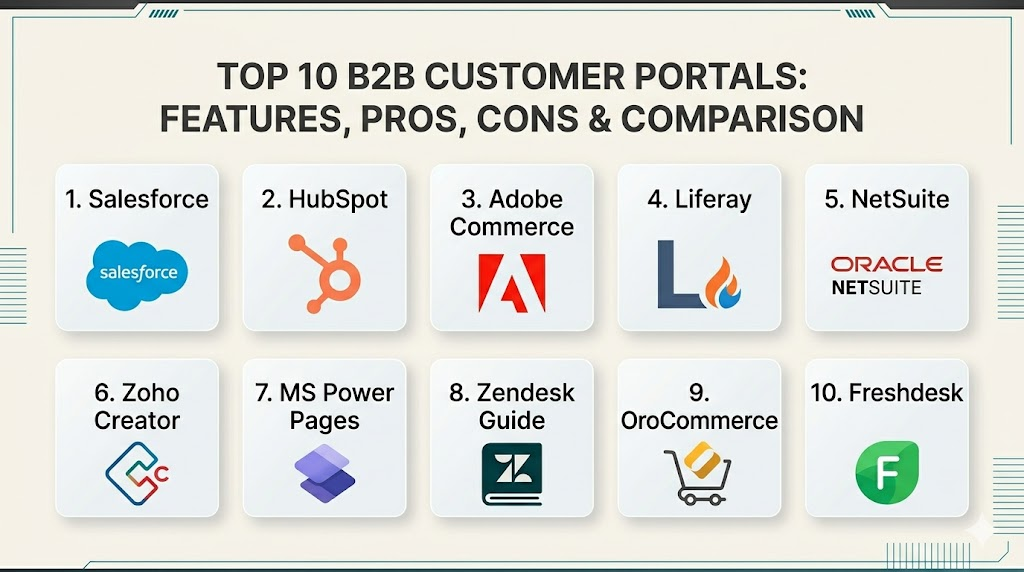
Top 10 B2B Customer Portals Tools
1. Salesforce Experience Cloud
This is a high-end, highly flexible platform that allows businesses to build fully branded portals directly on top of the world’s leading CRM. It excels at turning internal sales and service data into a professional, customer-facing experience.
Key Features
- Native access to all Salesforce CRM data without the need for complex APIs.
- Pre-built templates for customer service, partner management, and e-commerce.
- Advanced AI-powered recommendations for products and knowledge base articles.
- Robust role-based access control for complex organizational structures.
- Drag-and-drop builder for creating custom pages and workflows.
Pros
- Perfect data alignment with internal sales and support teams.
- Incredible scalability for the largest global enterprises.
Cons
- Expensive licensing and implementation costs for smaller businesses.
- Requires a dedicated administrator or developer to manage effectively.
Platforms / Deployment
Web / iOS / Android
Cloud
Security & Compliance
High-level encryption, MFA, and SSO via Salesforce Identity.
SOC 2, ISO 27001, and HIPAA compliant.
Integrations & Ecosystem
It lives within the massive Salesforce ecosystem, providing instant connections to thousands of third-party apps and internal tools for marketing and analytics.
Support & Community
Unmatched community of developers and thousands of certified implementation partners worldwide.
2. HubSpot Service Hub
A modern, user-friendly portal solution that is particularly popular with mid-market companies. It focuses on simplifying the customer experience by providing a clean interface for ticket tracking and knowledge access.
Key Features
- Shared inbox for seamless communication between clients and support teams.
- Self-service portal where clients can view, search, and reply to support tickets.
- Integrated knowledge base that suggests articles based on ticket content.
- Automated feedback surveys to measure client satisfaction in real-time.
- Customizable branding to ensure the portal matches the main company website.
Pros
- Extremely easy to set up compared to enterprise competitors.
- Intuitive interface that requires almost no training for customers.
Cons
- Limited functionality for highly complex B2B e-commerce needs.
- Advanced customization features are locked behind high-tier plans.
Platforms / Deployment
Web / iOS / Android
Cloud
Security & Compliance
SSO, MFA, and robust data encryption.
SOC 2 and GDPR compliant.
Integrations & Ecosystem
Integrates perfectly with the wider HubSpot suite and offers a vast marketplace of connectors for other business tools.
Support & Community
Excellent official documentation and a very active community of small and medium business owners.
3. Adobe Commerce (Magento)
A powerhouse in the B2B e-commerce space, this platform is designed for businesses that need to combine a customer portal with a high-volume digital storefront.
Key Features
- Advanced corporate account management with multi-level permissions.
- Custom price lists and catalogs specifically for individual business clients.
- Efficient quick-order forms for bulk purchasing and SKU uploads.
- Integrated quote management system for negotiation within the portal.
- Comprehensive order and invoice tracking across all sales channels.
Pros
- The most powerful tool for businesses driven by complex bulk sales.
- Highly flexible for creating unique, high-end buying experiences.
Cons
- Requires significant technical expertise to host and customize.
- Performance can lag if the underlying server infrastructure is not optimized.
Platforms / Deployment
Web / Mobile-responsive
Cloud / Self-hosted
Security & Compliance
PCI DSS compliant for payments and supports high-level encryption.
Not publicly stated for all versions; cloud version is highly compliant.
Integrations & Ecosystem
Strongest ecosystem of e-commerce extensions in the world, connecting to nearly every ERP and shipping provider.
Support & Community
Massive global developer community and a wide network of specialized design agencies.
4. Liferay
Liferay is an enterprise-grade digital experience platform used to build highly complex portals that consolidate data from many different legacy systems into one interface.
Key Features
- Superior ability to aggregate data from multiple backend sources into a single view.
- Advanced document management with versioning and secure sharing.
- Powerful search functionality that crawls across all connected databases.
- Built-in workflow engine for managing approvals and business processes.
- Modular architecture for building custom widgets and applications.
Pros
- Exceptional for companies with messy “legacy” data that needs a modern face.
- Unrivaled flexibility for building completely custom business tools.
Cons
- Very steep learning curve for the development team.
- Interface can feel overly “industrial” without significant design work.
Platforms / Deployment
Web / Mobile-responsive
Cloud / Self-hosted
Security & Compliance
Enterprise-grade identity management with support for all major standards.
SOC 2 and ISO 27001 compliant.
Integrations & Ecosystem
Designed specifically to be the “integration layer” for the enterprise, connecting to SAP, Oracle, and Microsoft systems.
Support & Community
Professional enterprise support tiers and a dedicated community of systems architects.
5. Oracle NetSuite (MyAccount)
This portal is an extension of the NetSuite ERP, providing clients with a window into their specific financial and order data directly from the system of record.
Key Features
- Real-time visibility into invoices, payments, and credit memos.
- Self-service tools for updating billing and shipping information.
- Direct order tracking that pulls data straight from the warehouse system.
- Ability for clients to request quotes and view their specific contract terms.
- Case management for submitting and tracking support requests.
Pros
- Zero data lag because the portal is a direct window into the ERP.
- Extremely reliable for financial reporting and transaction history.
Cons
- Only available to businesses already running the NetSuite ERP.
- The design is functional but lacks the visual flair of modern competitors.
Platforms / Deployment
Web
Cloud
Security & Compliance
Highest level of financial security, including SOC 1 and SOC 2.
PCI and GDPR compliant.
Integrations & Ecosystem
Perfectly integrated with the NetSuite financial and inventory suite; limited third-party “portal-specific” extensions.
Support & Community
Professional support through the NetSuite network and a large community of ERP consultants.
6. Zoho Creator
A low-code platform that allows businesses to build a completely custom customer portal from scratch without needing a team of expensive developers.
Key Features
- Visual, drag-and-drop builder for creating custom data forms and pages.
- Automated workflows and email notifications based on customer actions.
- Custom dashboards that display specific metrics to each client.
- Multi-platform support for building portals that work perfectly on mobile.
- Secure portal access with custom user roles and permissions.
Pros
- The most affordable way to build a “bespoke” portal experience.
- Allows businesses to build exactly what they need without excess “bloat.”
Cons
- The builder has a learning curve for non-technical users.
- Not as “feature-rich” out of the box as specialized e-commerce tools.
Platforms / Deployment
Web / iOS / Android
Cloud
Security & Compliance
MFA, SSO, and AES encryption for all stored data.
GDPR and HIPAA compliant.
Integrations & Ecosystem
Strongest within the Zoho ecosystem but offers an API for connecting to other core business systems.
Support & Community
Good documentation and a growing community of small business owners and low-code developers.
7. Microsoft Dynamics 365 (Power Pages)
This tool allows businesses to create secure, professional websites that share data from their Microsoft business systems with outside customers.
Key Features
- Direct connection to “Dataverse,” Microsoft’s secure business data hub.
- Integrated role-based security that mirrors internal organizational structures.
- Pre-built templates for customer self-service and partner onboarding.
- Seamless integration with the Power BI analytics platform.
- Low-code design studio for rapid page creation and styling.
Pros
- The obvious choice for companies already deep in the Microsoft ecosystem.
- Extremely robust for managing complex data relationships and permissions.
Cons
- Pricing can be complex and expensive as user counts grow.
- Requires knowledge of the Microsoft Power Platform to fully utilize.
Platforms / Deployment
Web / Mobile-responsive
Cloud
Security & Compliance
Backed by the massive Azure security framework.
SOC, ISO, and HIPAA compliant.
Integrations & Ecosystem
Perfectly connected to Teams, Outlook, and the entire Microsoft 365 suite.
Support & Community
Massive global network of Microsoft partners and IT professionals.
8. Zendesk Guide
A support-focused portal that excels at helping customers find their own answers through a beautifully designed help center and community forum.
Key Features
- Knowledge base with advanced search and AI-powered article suggestions.
- Community forums where customers can help each other and share ideas.
- Customer dashboard for tracking the progress of all support requests.
- Seamless hand-off from self-service articles to live chat or ticketing.
- Multilingual support for serving a global client base in their own language.
Pros
- The best tool for reducing the volume of routine support emails.
- Very fast to implement for companies that already use Zendesk.
Cons
- Not designed for e-commerce, bulk ordering, or financial tracking.
- Customizing the layout beyond the standard templates requires CSS/HTML skills.
Platforms / Deployment
Web / Mobile-responsive
Cloud
Security & Compliance
MFA, SSO, and enterprise-grade encryption.
SOC 2, ISO 27001, and GDPR compliant.
Integrations & Ecosystem
Integrates with nearly every major CRM and offers thousands of apps via the Zendesk Marketplace.
Support & Community
Top-tier professional support and a very large community of service professionals.
9. OroCommerce
This is a “B2B-first” platform, meaning it was built specifically for business-to-business needs rather than being a modified consumer tool.
Key Features
- Native support for complex corporate account structures and hierarchies.
- Ability to manage multiple websites and stores from a single backend.
- Built-in CRM specifically designed for B2B sales cycles.
- Sophisticated price engine that handles thousands of custom price lists.
- Comprehensive workflow engine for managing internal and external approvals.
Pros
- Handles the most “difficult” B2B math and logic right out of the box.
- Excellent for manufacturers with very complex distribution networks.
Cons
- Smaller ecosystem of third-party plugins compared to Adobe or Salesforce.
- Requires a specialized implementation team for best results.
Platforms / Deployment
Web / Mobile-responsive
Cloud / Self-hosted
Security & Compliance
Enterprise-ready with SSO, encryption, and audit logs.
GDPR compliant.
Integrations & Ecosystem
Offers strong native integrations for major ERPs and a focused marketplace of B2B tools.
Support & Community
Professional support from the vendor and a dedicated community of B2B e-commerce experts.
10. Freshdesk Customer Portal
A simple, highly effective portal for managing support interactions and knowledge sharing, geared toward fast-moving small and medium businesses.
Key Features
- Branded self-service portal for ticket creation and tracking.
- Knowledge base with version control and article approval workflows.
- AI-powered chatbot integration to deflect common questions.
- Forum module for building a community of power users.
- Seamless integration between the portal and the agent workspace.
Pros
- One of the fastest platforms to get up and running.
- Very competitive pricing for growing teams.
Cons
- Lacks the advanced financial and inventory depth of an ERP-native portal.
- Reporting features in the portal are somewhat basic for enterprise needs.
Platforms / Deployment
Web / Mobile-responsive
Cloud
Security & Compliance
MFA, SSL encryption, and custom domain support.
SOC 2 and GDPR compliant.
Integrations & Ecosystem
Good library of integrations via the Freshworks marketplace, connecting to major CRMs and communication tools.
Support & Community
Responsive customer support and a helpful community of service managers.
Comparison Table
| Tool Name | Best For | Platform(s) Supported | Deployment | Standout Feature | Public Rating |
| 1. Salesforce | Large Enterprise | Web, iOS, Android | Cloud | Native CRM Sync | N/A |
| 2. HubSpot | Mid-Market Support | Web, iOS, Android | Cloud | Ease of Setup | N/A |
| 3. Adobe Commerce | B2B E-commerce | Web, Mobile | Hybrid | Custom Pricing | N/A |
| 4. Liferay | Legacy Integration | Web, Mobile | Hybrid | Data Aggregation | N/A |
| 5. NetSuite | Current ERP Users | Web | Cloud | Financial Accuracy | N/A |
| 6. Zoho Creator | Custom Workflows | Web, iOS, Android | Cloud | Low-Code Builder | N/A |
| 7. MS Power Pages | Microsoft Stack | Web, Mobile | Cloud | Dataverse Security | N/A |
| 8. Zendesk Guide | Self-Service Help | Web, Mobile | Cloud | Community Forums | N/A |
| 9. OroCommerce | Complex Wholesale | Web, Mobile | Hybrid | B2B-First Logic | N/A |
| 10. Freshdesk | Growing SMBs | Web, Mobile | Cloud | Rapid Deployment | N/A |
Evaluation & Scoring
| Tool Name | Core (25%) | Ease (15%) | Integrations (15%) | Security (10%) | Perf (10%) | Support (10%) | Value (15%) | Total |
| 1. Salesforce | 10 | 4 | 10 | 10 | 9 | 10 | 4 | 8.15 |
| 2. HubSpot | 7 | 10 | 9 | 9 | 8 | 9 | 8 | 8.40 |
| 3. Adobe Commerce | 10 | 5 | 9 | 9 | 8 | 8 | 6 | 8.05 |
| 4. Liferay | 9 | 3 | 10 | 10 | 9 | 8 | 7 | 7.80 |
| 5. NetSuite | 8 | 6 | 7 | 10 | 9 | 8 | 6 | 7.40 |
| 6. Zoho Creator | 7 | 8 | 8 | 8 | 8 | 7 | 10 | 7.85 |
| 7. MS Power Pages | 9 | 6 | 10 | 10 | 8 | 9 | 7 | 8.40 |
| 8. Zendesk Guide | 7 | 9 | 9 | 9 | 9 | 9 | 8 | 8.45 |
| 9. OroCommerce | 10 | 5 | 8 | 9 | 9 | 7 | 7 | 7.75 |
| 10. Freshdesk | 6 | 9 | 8 | 8 | 8 | 8 | 9 | 7.75 |
The scoring above is a comparative reflection of the modern portal market. High scores in the total column indicate tools that offer a superior balance of modern user experience and technical power. Zendesk and HubSpot lead in total score because they provide exceptional value and ease of use for the most common portal use case—customer support. Enterprise-focused tools like Salesforce and Microsoft score high because of their deep security and integration capabilities, which are non-negotiable for large-scale corporate environments.
Which B2B Customer Portal Tool Is Right for You?
Solo / Freelancer
For individuals managing a small client list, the complexity of an enterprise portal is rarely worth the cost. A lightweight solution like Freshdesk or even the free tier of HubSpot is often enough to organize client tickets and share basic documents professionally.
SMB
Small to medium businesses should prioritize speed and value. Zoho Creator is the strongest choice here, as it allows you to build exactly what you need without paying for massive enterprise features you won’t use. HubSpot is also an excellent choice for teams that want to move fast.
Mid-Market
Companies in this range often have a mix of legacy data and a need for a modern “consumer-like” experience. Zendesk Guide or Microsoft Power Pages offer the best balance of professional features and manageable complexity for a growing IT department.
Enterprise
For organizations with thousands of corporate clients and complex security requirements, Salesforce Experience Cloud or Liferay are the only tools with the necessary depth. These platforms can handle the massive data loads and multi-country compliance needs of a global corporation.
Budget vs Premium
- Budget: Freshdesk and Zoho offer the most feature-packed portals for the lowest entry price.
- Premium: Salesforce and Adobe Commerce require a larger investment but offer the most power for complex sales and service.
Feature Depth vs Ease of Use
If your goal is simple self-service help, Zendesk is king for ease of use. If your goal is complex, multi-step order approvals and contract negotiations, the depth of OroCommerce or Salesforce is necessary.
Integrations & Scalability
Liferay and Microsoft Power Pages are built specifically to scale across multiple departments and systems. If you plan for your portal to eventually handle everything from project management to financial tracking, these are the safest long-term bets.
Security & Compliance Needs
Financial services and healthcare companies must look at NetSuite or Microsoft Power Pages. These tools sit within highly regulated environments and offer the audit trails and data residency controls required by international law.
Frequently Asked Questions (FAQs)
1. Is a B2B customer portal the same as an online store?
Not exactly. While many portals allow for ordering, they also handle post-purchase tasks like ticket tracking, contract management, and historical document access that a standard store does not.
2. Can I connect my portal to an existing ERP system?
Yes, most enterprise-level portals are designed to connect to ERPs like SAP or Oracle, though some tools like NetSuite have this connection built-in naturally.
3. How long does it take to implement a B2B portal?
A simple support portal can be live in a week, but a full-scale enterprise portal with deep ERP integrations typically takes three to six months to build and test.
4. Will my customers actually use a portal?
Usage depends on the value provided; if the portal makes it faster for them to find an invoice or place a bulk order than calling a rep, adoption is usually very high.
5. Is our financial data safe in a customer portal?
Top-tier platforms use bank-level encryption and strict identity management to ensure that only authorized users can see sensitive billing and order information.
6. Do I need to be a programmer to manage a portal?
Many modern tools are “low-code,” allowing business users to update content and simple workflows, but complex data integrations still require some technical oversight.
7. Can the portal handle different prices for different customers?
Yes, B2B-focused tools like OroCommerce and Adobe Commerce are specifically built to manage unique contract price lists for every individual account.
8. Are portals mobile-friendly for field teams?
Most modern platforms use responsive design or offer dedicated mobile apps so procurement managers can place orders and track shipments from a smartphone.
9. Can a portal reduce our support costs?
By allowing customers to find their own answers and track their own orders, businesses typically see a 30% to 50% reduction in routine “status check” inquiries.
10. What is a “headless” customer portal?
A headless portal separates the data from the visual interface, allowing developers to create a custom frontend while using the secure logic and storage of a platform like Salesforce.
Conclusion
Implementing a B2B customer portal is a strategic investment that bridges the gap between your internal operations and your client’s need for autonomy. The right choice depends entirely on the depth of your existing data and the complexity of your customer relationships. While support-heavy businesses will find success with lightweight, intuitive tools, industrial manufacturers and global wholesalers must prioritize platforms with deep ERP connectivity and rigorous security frameworks. By centralizing interactions into a secure digital hub, you not only improve operational efficiency but also foster the long-term transparency and trust that are the hallmarks of modern business partnerships.

Best Cardiac Hospitals Near You
Discover top heart hospitals, cardiology centers & cardiac care services by city.
Advanced Heart Care • Trusted Hospitals • Expert Teams
View Best Hospitals