Introduction
Behavioral biometrics represents the next frontier in digital identity and fraud prevention, moving beyond what a user “knows” (passwords) or “has” (tokens) to how a user “behaves.” This technology analyzes unique patterns in human activity, such as keystroke dynamics, mouse movements, touchscreen pressure, and even the way a person holds their device. Unlike physical biometrics like fingerprints or facial recognition, which are static points of data, behavioral biometrics provides continuous authentication. This means the system can verify a user’s identity throughout their entire session, rather than just at the initial login screen.
In the current security landscape, where synthetic identity theft and sophisticated bot attacks are rampant, behavioral patterns are nearly impossible for criminals to replicate. These tools work silently in the background, creating a seamless user experience that does not require the friction of traditional multi-factor authentication. By establishing a “behavioral DNA” for every user, organizations can detect anomalies in real-time—such as a sudden change in typing speed or navigation patterns—that indicate an account takeover or a sophisticated automated script.
Best for: Fraud prevention teams, cybersecurity architects, and digital product managers in banking, e-commerce, and enterprise IT who need to stop account takeover (ATO) while maintaining a frictionless user experience.
Not ideal for: Low-risk applications where basic password protection suffices, or small organizations without the traffic volume required to train behavioral baseline models effectively.
Key Trends in Behavioral Biometrics Tools
- Continuous Authentication: The shift from “one-time login” to “persistent monitoring,” where the user’s identity is verified every second they are active in the application.
- Passive Frictionless Security: Eliminating the need for SMS codes or hardware tokens by using the user’s natural interaction patterns as the primary security layer.
- Bot vs. Human Differentiation: Using micro-movement analysis to distinguish between a human hand and a sophisticated “headless” browser or automated script.
- Aggregated Threat Intelligence: Platforms are now sharing anonymized behavioral “risk signals” across industries to spot known fraud patterns globally.
- Privacy-First Data Collection: A move toward capturing “intent” and “movement” rather than sensitive personal details, ensuring compliance with global privacy regulations.
- Mobile Sensor Fusion: Leveraging a combination of gyroscope, accelerometer, and pressure sensors to create a high-fidelity profile of mobile app users.
- Generative AI Defense: Developing specific models to detect AI-generated mouse movements and typing patterns used by modern malware.
- Zero Trust Integration: Incorporating behavioral signals into broader Zero Trust architectures to dynamically adjust access permissions based on risk scores.
How We Selected These Tools
- Accuracy and Low False Positives: We prioritized tools with high “Equal Error Rates” (EER) that don’t frequently block legitimate users.
- Passive Integration: Each tool was evaluated on its ability to collect data silently without impacting the application’s performance or user interface.
- Real-Time Analysis: We selected platforms capable of processing behavioral data and returning a risk score in milliseconds.
- Cross-Platform Support: Priority was given to solutions that work seamlessly across web browsers, native mobile apps, and enterprise desktop environments.
- Regulatory Compliance: We looked for platforms that adhere to global data protection standards such as GDPR, CCPA, and PSD2 for financial services.
- Enterprise Scalability: The selection includes tools proven to handle millions of daily active users for global banks and retailers.
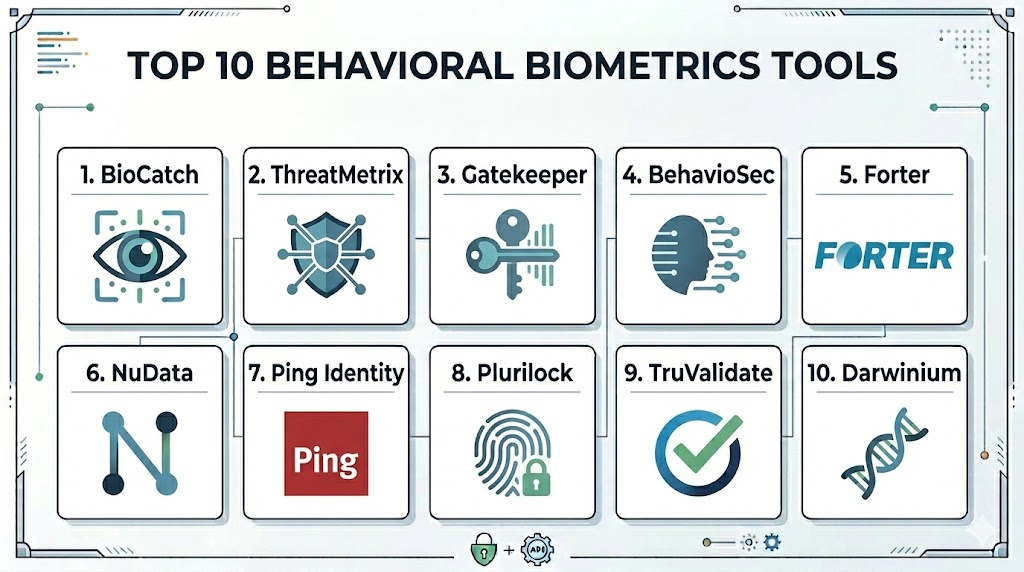
Top 10 Behavioral Biometrics Tools
1. BioCatch
A pioneer in the space, BioCatch focuses on “behavioral insights” to prevent fraud and identity theft. It is widely used by global banks to detect account opening fraud and social engineering attacks.
Key Features
- Analyzes over 2,000 behavioral traits including mouse hand-eye coordination.
- Detects “invisible” social engineering cues, such as long pauses during a transaction.
- Continuous monitoring of the entire user session from login to logout.
- Specialized protection against remote access Trojans (RATs).
- Detailed risk scoring based on historical user patterns.
Pros
- Exceptional at identifying subtle signs of user hesitation caused by scammers.
- Very high accuracy in detecting automated bot activities.
Cons
- Can be expensive for mid-market companies.
- Integration requires deep collaboration with security operations teams.
Platforms / Deployment
Web / iOS / Android
Cloud
Security & Compliance
ISO 27001 certified and PSD2 compliant.
Not publicly stated.
Integrations & Ecosystem
Integrates with major banking cores and fraud orchestration platforms to provide real-time alerts.
Support & Community
Professional high-touch support for enterprise clients with dedicated fraud analysts.
2. LexisNexis ThreatMetrix
ThreatMetrix combines behavioral biometrics with global digital identity intelligence. It maps behavioral patterns against a massive global database of billions of transactions.
Key Features
- Cross-device behavioral linking to identify a single user across multiple platforms.
- Integration with the Digital Identity Network for global threat sharing.
- Real-time bot detection and high-velocity attack prevention.
- Custom policy engine to adjust risk thresholds by transaction type.
- Passive authentication that identifies returning customers without friction.
Pros
- Massive global data network provides context that other tools lack.
- Excellent for multi-national organizations with complex user bases.
Cons
- The administrative interface can be complex to master.
- Initial configuration takes significant time to tune correctly.
Platforms / Deployment
Web / Windows / macOS / Mobile
Cloud
Security & Compliance
SOC 2 Type II and GDPR compliant.
Not publicly stated.
Integrations & Ecosystem
Strong connections to the broader LexisNexis Risk Solutions suite and third-party CRM tools.
Support & Community
Extensive corporate support with global reach and deep technical documentation.
3. Nuance Gatekeeper
Owned by Microsoft, Nuance Gatekeeper focuses on conversational and behavioral biometrics. It is unique in its ability to combine voice patterns with how a user interacts with digital interfaces.
Key Features
- Integrated voice, behavioral, and device biometrics in one platform.
- Advanced “Deepfake” detection for both voice and interaction patterns.
- Seamless handoff between automated IVR systems and digital web apps.
- Proactive “fraudster watchlists” that identify known bad actors.
- Real-time risk assessment for call centers and online portals.
Pros
- The best solution for organizations with large customer service call centers.
- Backed by Microsoft’s massive research and cloud infrastructure.
Cons
- May be more than what a purely digital-only business needs.
- Higher price point due to the multi-modal nature of the platform.
Platforms / Deployment
Web / Mobile / Voice (IVR)
Cloud (Azure)
Security & Compliance
Enterprise-grade security backed by Microsoft Azure compliance standards.
Not publicly stated.
Integrations & Ecosystem
Native integration with Microsoft Dynamics 365 and various contact center platforms.
Support & Community
Professional support through Microsoft’s enterprise channels.
4. BehavioSec (by LexisNexis)
A dedicated behavioral biometrics platform that focuses on keystroke dynamics and touch patterns. It is designed to work as an invisible MFA layer for high-security applications.
Key Features
- Real-time analysis of typing speed, rhythm, and pressure.
- Device-holding patterns and touchscreen interaction analysis for mobile.
- Behavioral “drift” detection that accounts for natural changes in user habits.
- On-premises or cloud deployment options for maximum privacy control.
- Instant “step-up” authentication triggers for high-risk anomalies.
Pros
- One of the most mature keystroke and touch analysis engines available.
- Flexible deployment options for highly regulated government or bank sectors.
Cons
- Requires a significant amount of “training” data to build accurate profiles.
- Primarily focused on behavioral data, needing other tools for device ID.
Platforms / Deployment
Windows / macOS / Android / iOS / Web
Cloud / Self-hosted
Security & Compliance
Common Criteria and FIPS compliant options.
Not publicly stated.
Integrations & Ecosystem
Works with all major IAM (Identity and Access Management) providers like Okta and Ping Identity.
Support & Community
Strong technical support with deep roots in the cybersecurity research community.
5. Forter
Forter is an e-commerce fraud prevention platform that uses behavioral biometrics as a core component of its decision engine. It focuses on the “intent” behind a user’s navigation.
Key Features
- Analysis of browsing patterns to distinguish “buyers” from “fraudsters.”
- Automated decisioning—approving or declining transactions in real-time.
- Abuse prevention for loyalty programs and coupon codes.
- Global merchant network for sharing behavioral risk signals.
- Identity-based protection for the entire customer lifecycle.
Pros
- Built specifically for the high-speed needs of online retailers.
- Offers a “chargeback guarantee” based on its decision accuracy.
Cons
- Its “black box” decision model can sometimes be difficult to audit.
- Less focused on enterprise employee security than on consumer fraud.
Platforms / Deployment
Web / Mobile
Cloud
Security & Compliance
PCI DSS Level 1 compliant.
Not publicly stated.
Integrations & Ecosystem
Plug-and-play integrations with Shopify, Magento, and Salesforce Commerce Cloud.
Support & Community
Excellent customer success teams with a focus on maximizing merchant revenue.
6. Mastercard NuData Security
NuData analyzes behavioral patterns to predict fraud before a transaction occurs. It focuses on identifying legitimate human behavior to build trust across the digital journey.
Key Features
- Behavioral analytics that monitor session “intent” and “velocity.”
- Passive biometric profiles that persist across different web sessions.
- Advanced bot detection that identifies scripted human-like movements.
- Risk-based orchestration to trigger MFA only when necessary.
- Integration with the global Mastercard fraud network.
Pros
- Very effective at reducing false positives for loyal customers.
- High-performance engine that handles massive transaction volumes easily.
Cons
- Best suited for the financial and retail industries.
- Technical documentation is primarily reserved for existing clients.
Platforms / Deployment
Web / iOS / Android
Cloud
Security & Compliance
Aligned with global financial security standards and GDPR.
Not publicly stated.
Integrations & Ecosystem
Deeply integrated with payment processing systems and banking platforms.
Support & Community
Enterprise support through Mastercard’s global security infrastructure.
7. Ping Identity (PingOne Fraud)
Ping Identity acquired behavioral technology to integrate it into their leading IAM platform. It provides a seamless way to add behavioral signals to user login flows.
Key Features
- Seamlessly combines behavioral signals with traditional identity data.
- Risk-based authentication that dynamically adjusts login requirements.
- Detection of automated bot attacks and account takeovers.
- Low-code integration for adding behavioral checks to any app.
- Unified dashboard for managing both identity and fraud signals.
Pros
- Ideal for organizations already using Ping for their identity management.
- Easy to implement without writing complex custom code.
Cons
- Behavioral features may not be as deep as “pure-play” fraud tools.
- Best value is achieved when using the full Ping ecosystem.
Platforms / Deployment
Web / Mobile / Enterprise
Cloud / Hybrid
Security & Compliance
SOC 2, ISO 27001, and HIPAA compliant.
Not publicly stated.
Integrations & Ecosystem
Excellent integration with the full suite of Ping Identity tools and common SaaS apps.
Support & Community
Large professional community and 24/7 enterprise-grade support.
8. SECERED (by Plurilock)
Plurilock specializes in “invisible” identity for the enterprise workforce, focusing on continuous authentication using keyboard and mouse movement patterns.
Key Features
- Real-time identity verification based on typing and mouse usage.
- Automatic workstation locking when a different user is detected.
- Support for thin clients and virtual desktop environments (VDI).
- Low system resource footprint for background monitoring.
- Detailed forensic reports on user activity for compliance.
Pros
- Unique focus on internal employee security and insider threats.
- Excellent for high-security environments like government agencies.
Cons
- Not primarily designed for consumer-facing e-commerce apps.
- Users must be active (typing/moving) to remain authenticated.
Platforms / Deployment
Windows / macOS / VDI
Local / Cloud
Security & Compliance
FIPS 140-2 and GDPR compliant.
Not publicly stated.
Integrations & Ecosystem
Integrates with Active Directory and major SIEM (Security Information and Event Management) tools.
Support & Community
Specialized support for government and enterprise cybersecurity teams.
9. TransUnion TruValidate
Formerly known as Iovation, this platform uses behavioral data to build trust in digital transactions, combining it with one of the world’s largest device databases.
Key Features
- Device-based behavioral profiles that identify suspicious “velocity” across different apps.
- Real-time risk scoring for account creation and login.
- Identification of “fraud clusters” by linking behavioral patterns across devices.
- Customizable rules engine for different business lines.
- Global network of fraud reports contributed by thousands of companies.
Pros
- Exceptional at identifying professional “fraud rings” using behavioral links.
- Massive historical database for benchmarking risk.
Cons
- The focus is slightly more on device/reputation than on “pure” micro-behavior.
- Dashboard can feel dated compared to newer startups.
Platforms / Deployment
Web / Mobile
Cloud
Security & Compliance
Global data privacy compliance including CCPA.
Not publicly stated.
Integrations & Ecosystem
Strong integration with credit reporting tools and identity verification services.
Support & Community
Global enterprise support with deep experience in fraud prevention.
10. Darwinium
Darwinium is a newer player that combines behavioral biometrics with edge-based security. It focuses on the “entire customer journey” rather than just the point of transaction.
Key Features
- Real-time behavioral processing at the network edge for ultra-low latency.
- Continuous monitoring from the moment a user hits the landing page.
- Ability to decrypt and inspect traffic locally to spot bot patterns.
- Visual workflow builder for creating custom fraud prevention logic.
- High-fidelity capture of all user interactions (clicks, scrolls, hovers).
Pros
- Extremely low latency because risk is calculated at the “edge.”
- Very modern interface and flexible deployment.
Cons
- Smaller community and fewer industry case studies than giants like BioCatch.
- Implementation requires a solid understanding of network traffic.
Platforms / Deployment
Web / Mobile / API
Cloud / Edge
Security & Compliance
Privacy-by-design architecture that redacts sensitive info at the edge.
Not publicly stated.
Integrations & Ecosystem
Integrates with major CDNs (Content Delivery Networks) and security orchestration tools.
Support & Community
Modern, agile support team with a focus on rapid deployment.
Comparison Table
| Tool Name | Best For | Platform(s) Supported | Deployment | Standout Feature | Public Rating |
| 1. BioCatch | Banking Fraud | Web, Mobile | Cloud | Social Engineering Detection | N/A |
| 2. ThreatMetrix | Global Identity | Win, Mac, Web, Mobile | Cloud | Global Identity Network | N/A |
| 3. Gatekeeper | Call Centers | Web, Mobile, Voice | Cloud | Voice/Behavioral Fusion | N/A |
| 4. BehavioSec | Secure Typing | Win, Mac, Web, Mobile | Hybrid | Keystroke Dynamics | N/A |
| 5. Forter | E-commerce | Web, Mobile | Cloud | Chargeback Guarantee | N/A |
| 6. NuData | High Volume Retail | Web, Mobile | Cloud | Passive User Trust | N/A |
| 7. Ping Identity | Enterprise IAM | Win, Mac, Web, Mobile | Hybrid | IAM Integration | N/A |
| 8. Plurilock | Insider Threat | Windows, macOS, VDI | Local/Cloud | Continuous Workforce ID | N/A |
| 9. TruValidate | Fraud Clusters | Web, Mobile | Cloud | Device Reputation Linking | N/A |
| 10. Darwinium | Edge Protection | Web, Mobile | Edge/Cloud | Ultra-low Latency | N/A |
Evaluation & Scoring
| Tool Name | Core (25%) | Ease (15%) | Integrations (15%) | Security (10%) | Perf (10%) | Support (10%) | Value (15%) | Total |
| 1. BioCatch | 10 | 6 | 9 | 10 | 9 | 9 | 7 | 8.60 |
| 2. ThreatMetrix | 10 | 5 | 10 | 9 | 8 | 9 | 8 | 8.40 |
| 3. Gatekeeper | 9 | 6 | 8 | 9 | 9 | 9 | 6 | 7.75 |
| 4. BehavioSec | 9 | 7 | 9 | 9 | 8 | 8 | 8 | 8.30 |
| 5. Forter | 8 | 9 | 10 | 8 | 9 | 8 | 9 | 8.75 |
| 6. NuData | 9 | 7 | 9 | 8 | 10 | 8 | 8 | 8.30 |
| 7. Ping Identity | 8 | 10 | 10 | 8 | 9 | 9 | 9 | 9.10 |
| 8. Plurilock | 8 | 8 | 8 | 9 | 8 | 8 | 8 | 8.05 |
| 9. TruValidate | 9 | 7 | 9 | 8 | 8 | 8 | 7 | 7.85 |
| 10. Darwinium | 8 | 8 | 8 | 9 | 10 | 7 | 9 | 8.35 |
The scoring above demonstrates that for many enterprises, the “best” tool is the one that integrates most seamlessly into their current workflow. For instance, Ping Identity scores highest on “Total” because for an enterprise already using their identity services, adding behavioral biometrics is incredibly efficient. However, for a high-risk global bank, the lower “Ease” score of BioCatch is a worthy trade-off for its unmatched “Core” security features in detecting social engineering.
Which Behavioral Biometrics Tool Is Right for You?
Solo / Freelancer
For independent developers or solo founders, these enterprise-grade tools are likely excessive. Instead, focusing on basic 2FA and using built-in security features from your hosting provider or a tool like Ping Identity (for small projects) is a more practical path.
SMB
Small to medium businesses should look for platforms that offer “all-in-one” fraud prevention. Forter is an excellent choice for retailers, while Ping Identity provides a manageable entry point for internal employee security.
Mid-Market
Organizations in the mid-market should prioritize ease of integration. Tools like Darwinium offer modern, flexible deployments that don’t require a massive internal fraud team to manage, while providing high-level protection.
Enterprise
For global enterprises with high-risk profiles, BioCatch and ThreatMetrix are the gold standards. They provide the depth of data and the global network intelligence necessary to fight coordinated professional fraud rings.
Budget vs Premium
Ping Identity often provides the best budget value if you are already using their ecosystem. BioCatch and Nuance Gatekeeper represent premium investments where you pay for specialized research and hardware-level performance.
Feature Depth vs Ease of Use
Forter and Ping are designed for ease of use and rapid results. Houdini-like depth in behavioral analysis is found in BioCatch and BehavioSec, which offer more granular controls for security experts.
Integrations & Scalability
ThreatMetrix and NuData Security are built for the highest levels of global scalability, making them the choice for the world’s largest payment processors and banks.
Security & Compliance Needs
If you are operating in a highly regulated environment like a government agency or a specialized defense firm, Plurilock and BehavioSec offer the on-premises and continuous monitoring features needed for compliance.
Frequently Asked Questions (FAQs)
1. How does behavioral biometrics differ from traditional biometrics?
Traditional biometrics (like face or fingerprint) are static physical traits. Behavioral biometrics analyzes the way you interact with a device—like your typing rhythm or mouse speed—which is much harder for hackers to steal.
2. Is behavioral biometrics privacy-compliant?
Yes, most modern tools are designed with privacy-by-design, meaning they collect “intent” and “movement” data rather than personal identifying information, making them compliant with GDPR and CCPA.
3. Can these tools detect if someone is holding a gun to my head?
While not that extreme, tools like BioCatch can detect “behavioral duress” or extreme hesitation, which often indicates that a user is being coached by a scammer over the phone.
4. What happens if I break my arm and my typing style changes?
Most platforms use “behavioral drift” models. If an anomaly is detected (like a broken arm), the system will simply trigger a secondary MFA check (like a text code) to re-verify your identity.
5. Do these tools work on mobile devices?
Absolutely. In fact, mobile devices provide more data (gyroscope, screen pressure, device angle) than desktop computers, making behavioral biometrics even more accurate on smartphones.
6. Can bots mimic human behavior to bypass these tools?
Simple bots are easily caught. Highly sophisticated bots try to mimic human “jitters,” but behavioral tools are now advanced enough to see the mathematical patterns behind AI-generated movements.
7. Does this technology slow down my website?
No, modern behavioral biometrics use lightweight “collectors” that run in the background without affecting the page load time or user interface performance.
8. How much data is needed to create a user profile?
Most systems can begin building a reliable profile in just a few sessions, and they continue to refine that profile every time the user interacts with the app.
9. Can these tools prevent internal “insider threats”?
Yes, tools like Plurilock are specifically designed to monitor employees and detect if someone else has taken over their logged-in workstation.
10. Is behavioral biometrics enough on its own?
While powerful, it is best used as a layer in a “defense-in-depth” strategy, alongside device reputation, identity verification, and traditional security protocols.
Conclusion
The adoption of behavioral biometrics marks a significant shift toward a more intelligent and invisible security model. By focusing on the unique nuances of human interaction, organizations can finally solve the paradox of providing high-level security without frustrating the user. As scammers become more adept at stealing passwords and intercepting SMS codes, the “behavioral DNA” of the user remains one of the few truly secure anchors for digital identity. Choosing the right tool depends on your industry and risk profile, but the move toward continuous, passive authentication is an essential step for any modern digital enterprise.

Best Cardiac Hospitals Near You
Discover top heart hospitals, cardiology centers & cardiac care services by city.
Advanced Heart Care • Trusted Hospitals • Expert Teams
View Best Hospitals