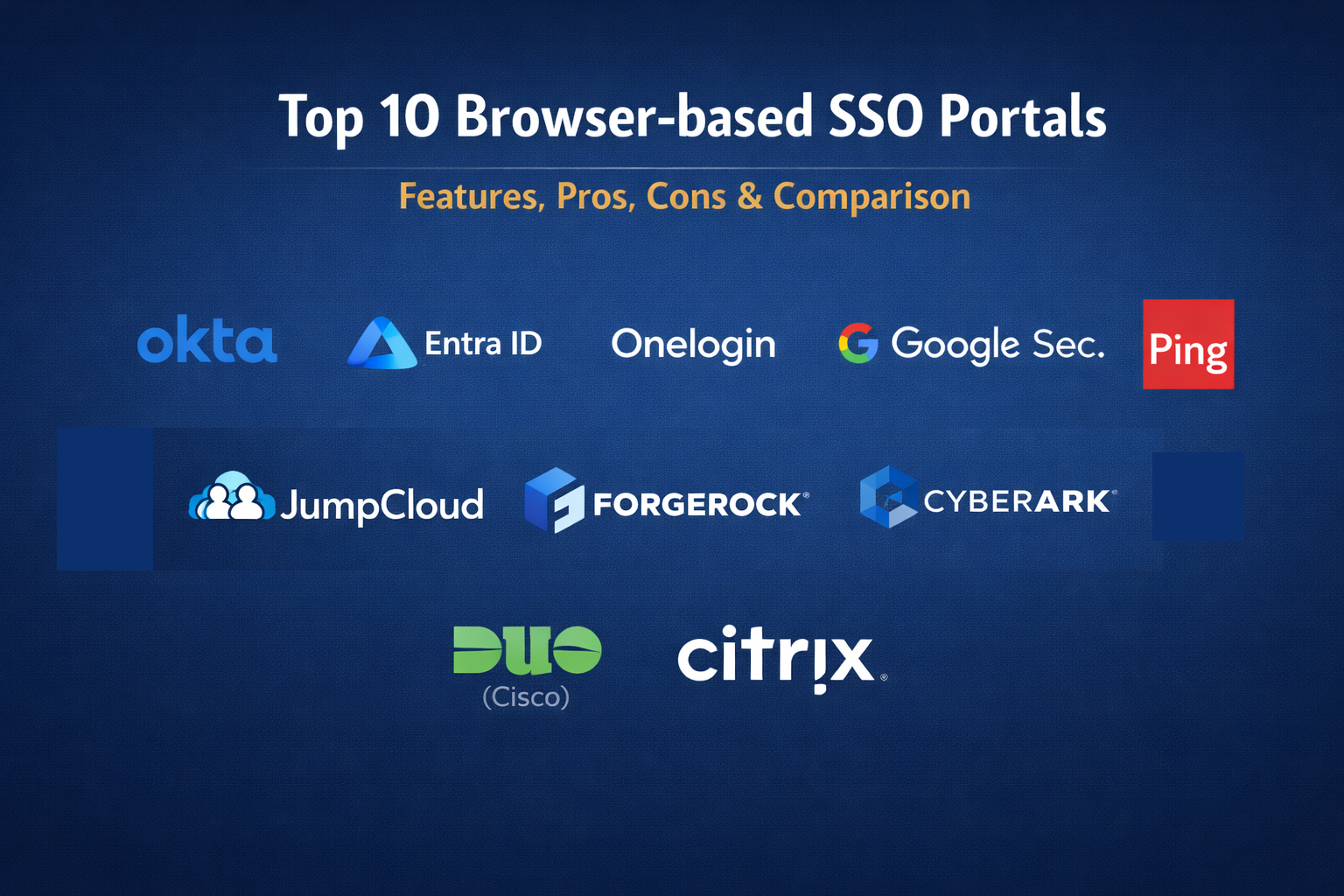
Introduction
Browser-based Single Sign-On (SSO) portals have become the primary digital front door for the modern enterprise. As organizations migrate their entire workflow to Software-as-a-Service (SaaS) applications, the need for a centralized, secure, and user-friendly entry point has transitioned from a convenience to a critical security requirement. These portals allow users to authenticate once and gain immediate access to all authorized applications without the friction of managing dozens of individual passwords. For the enterprise, this means a massive reduction in password-related helpdesk tickets and a centralized point of control for offboarding employees instantly.
In the current security landscape, an SSO portal is much more than a collection of app icons. It serves as the enforcement point for conditional access policies, multi-factor authentication (MFA), and identity governance. By intercepting every login attempt at the browser level, these platforms can analyze the risk of a session based on the user’s location, device health, and behavior. This “zero trust” approach ensures that even if credentials are compromised, the portal remains a robust barrier against unauthorized access to sensitive corporate data.
Best for: IT departments and Security Operations teams looking to consolidate identity management, improve user productivity, and enforce consistent security policies across a diverse range of cloud and on-premises applications.
Not ideal for: Organizations with very few third-party applications or those that operate entirely offline without any cloud-based service requirements.
Key Trends in Browser-based SSO Portals
- Passwordless Authentication: A major shift toward using biometrics, security keys, and mobile push notifications to replace traditional passwords entirely.
- Context-Aware Access: Portals now evaluate the “riskiness” of a login in real-time, requiring extra verification only when a user logs in from an unusual location or device.
- Self-Service Password Resets: Increasing automation that allows users to recover accounts independently, significantly lowering administrative overhead.
- Unified Workspace Experience: SSO portals are evolving into full digital workspaces that integrate notifications, search, and task management alongside app launching.
- Automated Provisioning (SCIM): The ability to automatically create or deactivate user accounts in third-party apps as soon as their status changes in the central identity directory.
- Identity Orchestration: Using low-code “drag-and-drop” builders to create complex login flows that involve multiple security checks and third-party integrations.
- Mobile-First Design: Ensuring that the browser-based portal is fully responsive and provides a native-like experience on smartphones and tablets.
- Consolidated Compliance Reporting: Centralized logging of every application access event, making it easier to pass security audits and track internal data usage.
How We Selected These Tools
- User Experience and Interface: We prioritized portals that offer a clean, intuitive layout that reduces friction for the end-user.
- Security and MFA Support: Each tool was evaluated on its ability to support modern authentication standards like FIDO2, OIDC, and SAML.
- Directory Integration: The ability to sync seamlessly with Active Directory, LDAP, or modern cloud directories was a primary requirement.
- Application Catalog Depth: We looked for platforms that provide pre-configured “connectors” for thousands of popular SaaS applications.
- Conditional Access Granularity: Priority was given to tools that allow admins to set complex access rules based on user groups and environmental factors.
- Scalability and Reliability: The selection includes platforms known for high availability and the ability to support hundreds of thousands of concurrent users.
Top 10 Browser-based SSO Portals
1. Okta Workforce Identity
Okta is widely regarded as the leader in the independent identity space. Its browser-based dashboard provides a highly customizable and reliable portal that connects to virtually any modern or legacy application.
Key Features
- A vast integration network with over 7,000 pre-built app integrations.
- Adaptive Multi-Factor Authentication that responds to changing risk levels.
- FastPass for a consistent passwordless login experience across devices.
- Comprehensive lifecycle management for automated user onboarding and offboarding.
- Detailed reporting and system logs for security auditing.
Pros
- The most user-friendly and recognizable portal interface in the industry.
- Vendor-neutral platform that works equally well with Microsoft, Google, and AWS environments.
Cons
- Premium features and advanced modules can lead to high total costs.
- The extensive feature set can require dedicated staff to manage effectively.
Platforms / Deployment
Web / Windows / macOS / Android / iOS
Cloud
Security & Compliance
FIPS 140-2, SOC 2 Type II, and FedRAMP authorized.
ISO 27001 / HIPAA / GDPR compliant.
Integrations & Ecosystem
Okta occupies the center of the security ecosystem, integrating with almost every major SaaS tool, HR system, and security analytics platform.
Support & Community
Extensive documentation, a massive community forum, and tiered professional support ranging from basic to 24/7 dedicated engineers.
2. Microsoft Entra ID (formerly Azure AD)
For organizations using Microsoft 365, Entra ID provides the most seamless SSO experience. It is deeply integrated into the Windows operating system and the browser, making it the default choice for millions of enterprises.
Key Features
- Seamless Single Sign-On across all Microsoft and integrated third-party apps.
- Conditional Access policies that integrate with Microsoft Defender and Intune.
- My Apps portal providing a centralized web-based dashboard for users.
- Identity Protection that uses machine learning to detect compromised credentials.
- B2B collaboration tools for sharing apps with external partners and guests.
Pros
- Included in many Microsoft 365 subscriptions, offering incredible value.
- The strongest integration for managing Windows-based devices and applications.
Cons
- The administrative interface can be complex and overwhelming for beginners.
- Management of non-Microsoft assets can sometimes feel like a secondary priority.
Platforms / Deployment
Web / Windows / macOS / Android / iOS
Cloud / Hybrid
Security & Compliance
Extensive global compliance certifications including SOC, ISO, and NIST.
HIPAA / GDPR / FedRAMP compliant.
Integrations & Ecosystem
Essentially every enterprise app has a “Login with Microsoft” option, and it integrates perfectly with the entire Microsoft security stack.
Support & Community
Vast library of Microsoft Learn resources and global support through enterprise agreements.
3. OneLogin (by One Identity)
OneLogin offers a streamlined and fast SSO portal that is particularly well-suited for mid-market and enterprise organizations looking for rapid deployment and ease of use.
Key Features
- SmartFactor Authentication that uses AI to verify user identity.
- Desktop SSO for a seamless transition from computer login to web apps.
- App Catalog with thousands of pre-integrated SAML and OIDC apps.
- Virtual Directory for consolidating multiple user stores into one view.
- Customizable portal branding to match the corporate identity.
Pros
- Very fast implementation time compared to more complex competitors.
- Excellent balance of advanced security features and administrative simplicity.
Cons
- The integration library is large but not as vast as Okta’s.
- Less focus on native mobile app management compared to larger suites.
Platforms / Deployment
Web / Windows / macOS / Android / iOS
Cloud / Hybrid
Security & Compliance
SOC 2 Type II and ISO 27001 certifications.
Not publicly stated.
Integrations & Ecosystem
Strong connections with HR systems like Workday and UltiPro, as well as core productivity suites.
Support & Community
Solid professional support and a helpful knowledge base for self-service troubleshooting.
4. Google Workspace Security
For companies that run entirely on Google, the built-in SSO capabilities provide a lightweight and effective way to manage access to other cloud applications using a familiar Google login.
Key Features
- Centralized dashboard for managing access to SAML-based applications.
- Context-aware access control based on user identity and device state.
- Integration with Titan Security Keys for hardware-based MFA.
- Automated user provisioning for several dozen popular SaaS apps.
- Security center for identifying and mitigating identity risks.
Pros
- No additional cost for organizations already using Google Workspace.
- Extremely simple for users who are already logged into their browser.
Cons
- Lacks the advanced orchestration and lifecycle management of dedicated identity platforms.
- Integration with legacy on-premises applications is more difficult.
Platforms / Deployment
Web / ChromeOS / Android / iOS
Cloud
Security & Compliance
SOC 2 / SOC 3, ISO 27001, and HIPAA compliant.
FedRAMP authorized.
Integrations & Ecosystem
Primarily focused on the Google ecosystem, but supports a standard set of cloud-based SAML integrations.
Support & Community
Standard Google Workspace support tiers and an extensive help center.
5. Ping Identity (PingOne)
Ping Identity is the preferred choice for large, complex enterprises that require high levels of customization and the ability to manage sophisticated hybrid environments.
Key Features
- PingOne DaVinci for drag-and-drop identity orchestration.
- Robust support for every major identity standard (SAML, OIDC, OAuth).
- Advanced MFA options including physical tokens and mobile apps.
- Intelligent API security for protecting data at the application layer.
- Deep integration with legacy on-premises directories and web apps.
Pros
- The most flexible platform for large enterprises with “messy” legacy systems.
- Exceptional at handling high-volume, complex login flows.
Cons
- Can be very complex to configure and often requires specialized consultants.
- Higher price point targeted at the large enterprise market.
Platforms / Deployment
Web / Windows / macOS / Linux / Mobile
Cloud / Hybrid / Self-hosted
Security & Compliance
SOC 2 and ISO 27001 certified.
FedRAMP authorized.
Integrations & Ecosystem
Highly extensible with a focus on enterprise-grade integrations across financial and industrial sectors.
Support & Community
High-touch professional support and a dedicated base of enterprise identity experts.
6. JumpCloud
JumpCloud provides an “all-in-one” directory and SSO platform that is specifically designed for small-to-medium businesses that want to manage users, devices, and apps from a single portal.
Key Features
- Combined Cloud Directory and SSO in one platform.
- Support for managing Windows, Mac, and Linux devices alongside web apps.
- Pre-built SAML 2.0 and OIDC integrations for common SaaS tools.
- Browser-based user portal that works across all operating systems.
- Integrated RADIUS and LDAP services for network security.
Pros
- Simplifies the stack by combining identity and device management.
- Excellent pricing model for smaller organizations.
Cons
- Not as deep in terms of enterprise security orchestration as Okta or Ping.
- Some advanced reporting features are more limited.
Platforms / Deployment
Web / Windows / macOS / Linux / Mobile
Cloud
Security & Compliance
SOC 2 Type II compliant.
Not publicly stated.
Integrations & Ecosystem
Focuses on the most common tools used by modern startups and SMBs, with a strong focus on cross-platform compatibility.
Support & Community
Responsive support and a very active community of IT managers and sysadmins.
7. ForgeRock (by Ping Identity)
ForgeRock is a high-performance identity platform designed for both workforce and consumer identity, providing a unified portal that can handle millions of identities with ease.
Key Features
- Intelligent Access Trees for visually building complex login experiences.
- Support for a vast range of social login and external identity providers.
- High-speed directory service capable of sub-millisecond responses.
- Comprehensive API for building custom browser-based portals.
- Unified view of identity across employees, partners, and customers.
Pros
- Unmatched scalability for organizations with millions of users.
- Highly customizable for developers building unique user experiences.
Cons
- Requires significant development resources to unlock its full potential.
- Now merging with Ping Identity, which may lead to roadmap changes.
Platforms / Deployment
Web / Linux / Mobile
Cloud / Self-hosted / Hybrid
Security & Compliance
FIPS 140-2 and SOC 2 compliant.
Not publicly stated.
Integrations & Ecosystem
Developer-first approach with deep integration into modern web and mobile frameworks.
Support & Community
Professional support focused on high-scale architecture and deployment.
8. CyberArk Identity
CyberArk, traditionally a leader in privileged access, now offers an SSO portal that puts security and privileged credentials at the forefront of the user experience.
Key Features
- SSO with integrated Privileged Access Management (PAM) for sensitive roles.
- App Gateway for secure access to internal apps without a VPN.
- Adaptive MFA with a wide range of secondary authentication methods.
- Automated user provisioning and deprovisioning via SCIM.
- Security insights dashboard to track risky user behavior.
Pros
- The best choice for organizations that need to secure both standard and privileged users.
- Strong focus on preventing lateral movement within the network.
Cons
- The portal interface is more functional than beautiful.
- Best suited for security-conscious organizations rather than general creative firms.
Platforms / Deployment
Web / Windows / macOS / Mobile
Cloud / Hybrid
Security & Compliance
SOC 2 Type II and ISO 27001 certifications.
Not publicly stated.
Integrations & Ecosystem
Strongest integration is with other CyberArk security tools and enterprise-grade cloud apps.
Support & Community
High-end professional support and training certifications through CyberArk University.
9. Duo Security (by Cisco)
Duo is famous for its MFA, but its “Duo Central” portal provides a highly secure and simple SSO entry point that emphasizes device health and “zero trust” access.
Key Features
- Duo Central portal for a unified view of all web and SSH applications.
- Device Trust checks that verify if a computer is encrypted and up to date.
- Passwordless authentication using FIDO2 and biometric sensors.
- Detailed policy engine based on user group and device posture.
- Simple “Duo Push” for high-security secondary authentication.
Pros
- The simplest and most reliable MFA and SSO experience for end-users.
- Transparent and easy-to-understand licensing for administrators.
Cons
- The SSO portal features are less customizable than those of Okta or Entra.
- Less focus on automated user provisioning (lifecycle management).
Platforms / Deployment
Web / Windows / macOS / Android / iOS
Cloud
Security & Compliance
SOC 2 Type II and ISO 27001 certified.
FedRAMP authorized.
Integrations & Ecosystem
Owned by Cisco, it integrates perfectly with Cisco networking and security hardware, as well as all major SaaS tools.
Support & Community
Excellent documentation and a reputation for fast, helpful technical support.
10. Citrix Workspace
Citrix Workspace goes beyond a simple SSO portal to provide a complete “virtual desktop in a browser” experience, aggregating apps, files, and desktops into a single secure view.
Key Features
- Unified portal for web, SaaS, virtual, and mobile applications.
- Single sign-on for both local and hosted applications.
- Secure Private Access for granular control over internal web apps.
- Integrated file management with support for OneDrive, Box, and more.
- Analytics for security and performance tracking.
Pros
- The most comprehensive solution for high-security, remote-first workforces.
- Excellent at delivering legacy desktop apps alongside modern web apps.
Cons
- Can be very resource-intensive and expensive for simple SSO needs.
- The administrative overhead is significant.
Platforms / Deployment
Web / Windows / macOS / Linux / Android / iOS
Cloud / Hybrid
Security & Compliance
Common Criteria and FIPS 140-2 certifications.
Not publicly stated.
Integrations & Ecosystem
Deeply integrated with virtual desktop infrastructure and enterprise storage solutions.
Support & Community
Professional enterprise support and a large network of Citrix-certified professionals.
Comparison Table
| Tool Name | Best For | Platform(s) Supported | Deployment | Standout Feature | Public Rating |
| 1. Okta | Independent Identity | Win, Mac, Linux, Mobile | Cloud | 7,000+ App Catalog | N/A |
| 2. Entra ID | Microsoft Environments | Win, Mac, Linux, Mobile | Cloud/Hybrid | Microsoft 365 Sync | N/A |
| 3. OneLogin | Mid-Market Speed | Win, Mac, Mobile | Cloud/Hybrid | SmartFactor AI | N/A |
| 4. Google Sec. | Google Shops | ChromeOS, Mobile, Web | Cloud | Zero Extra Cost | N/A |
| 5. Ping | Hybrid Enterprise | Win, Mac, Linux, Mobile | Hybrid/Local | Low-code Workflow | N/A |
| 6. JumpCloud | SMBs / Startups | Win, Mac, Linux, Mobile | Cloud | Unified Directory | N/A |
| 7. ForgeRock | High-Scale / Consumer | Linux, Web, Mobile | Hybrid/Local | Access Trees | N/A |
| 8. CyberArk | Privileged Access | Win, Mac, Mobile | Cloud/Hybrid | PAM Integration | N/A |
| 9. Duo (Cisco) | Simple Security | Win, Mac, Mobile | Cloud | Device Trust Checks | N/A |
| 10. Citrix | Remote Workspace | Win, Mac, Linux, Mobile | Hybrid | App Virtualization | N/A |
Evaluation & Scoring
| Tool Name | Core (25%) | Ease (15%) | Integrations (15%) | Security (10%) | Perf (10%) | Support (10%) | Value (15%) | Total |
| 1. Okta | 10 | 9 | 10 | 9 | 9 | 10 | 6 | 8.95 |
| 2. Entra ID | 10 | 7 | 10 | 10 | 9 | 9 | 10 | 9.10 |
| 3. OneLogin | 8 | 9 | 8 | 8 | 9 | 8 | 8 | 8.25 |
| 4. Google Sec. | 6 | 10 | 7 | 8 | 10 | 8 | 9 | 8.15 |
| 5. Ping | 10 | 5 | 9 | 10 | 9 | 9 | 6 | 8.15 |
| 6. JumpCloud | 7 | 9 | 7 | 8 | 9 | 9 | 9 | 8.20 |
| 7. ForgeRock | 9 | 5 | 8 | 9 | 10 | 7 | 7 | 7.70 |
| 8. CyberArk | 8 | 7 | 8 | 10 | 8 | 8 | 7 | 7.95 |
| 9. Duo (Cisco) | 7 | 10 | 7 | 10 | 10 | 9 | 8 | 8.55 |
| 10. Citrix | 9 | 5 | 9 | 9 | 7 | 8 | 6 | 7.60 |
The scoring above represents the tool’s effectiveness as a browser-based portal. Microsoft Entra ID and Okta dominate the leaderboard because of their massive integration libraries and the sheer amount of work they have put into the user interface. Duo scores exceptionally high on “Ease” and “Security” because it is nearly impossible for a user to fail at using it. Conversely, more technical tools like Ping and Citrix score lower on “Ease” because of their administrative complexity, yet they remain the standard for high-security industrial and financial environments where that complexity is necessary.
Which SSO Portal Tool Is Right for You?
Solo / Freelancer
For an individual, a dedicated enterprise SSO portal is unnecessary. A robust browser-based password manager with built-in 2FA support is a more practical and affordable solution for managing your personal stack of SaaS apps.
SMB
Small businesses should look toward JumpCloud or Google Workspace Security. These tools provide the necessary security without requiring a specialized identity engineer to maintain them. They offer a “set it and forget it” experience for small teams.
Mid-Market
For growing companies, OneLogin or Okta are the best options. They provide the scalability to handle hundreds of employees and offer the automated provisioning that saves IT teams hours of manual work every week.
Enterprise
Large corporations with mixed environments (cloud and on-premises) should prioritize Microsoft Entra ID if they are on the Microsoft stack, or Ping Identity if they require extreme customization and support for legacy applications.
Budget vs Premium
Google Security and Entra ID (for existing customers) are the budget-conscious winners. Okta and Ping represent the premium tier, offering specialized features and white-glove support that justify their higher price point.
Feature Depth vs Ease of Use
Okta provides the best balance of depth and ease. If you need absolute simplicity for your users, Duo Security is the leader. If you need to map complex, custom login flows, ForgeRock is the superior technical choice.
Integrations & Scalability
Okta has the largest pre-built catalog, making it the easiest to scale with new SaaS tools. Entra ID offers the most robust scalability for global enterprises that need to manage millions of identity points seamlessly.
Security & Compliance Needs
For the highest security environments—such as those requiring FedRAMP or strict privileged access controls—CyberArk and Ping Identity provide the most rigorous security frameworks and auditing capabilities.
Frequently Asked Questions (FAQs)
1. Is SSO safer than using individual passwords?
Yes. By using SSO, users only have one strong credential to remember, which reduces the likelihood of them writing passwords down or reusing weak ones. It also allows IT to enforce MFA across every app instantly.
2. What happens if the SSO portal goes down?
Most enterprise SSO providers offer 99.99% uptime and have multiple backup data centers. If a portal goes down, users may lose access to all apps, which is why choosing a highly reliable provider is critical.
3. Can I use SSO with apps that don’t support SAML?
Many portals, like Okta and OneLogin, offer “Password Vaulting” or “Form Filling” as a fallback, which allows the portal to securely inject credentials into websites that don’t support modern standards.
4. What is the difference between SSO and a password manager?
A password manager stores and fills in passwords for you. An SSO portal technically “vouches” for your identity to the application, often without a password ever being sent to the target app.
5. How does a portal know which apps I should see?
The portal syncs with your company’s directory (like Active Directory). When your manager adds you to a “Marketing” group, the portal automatically displays the apps assigned to that group.
6. Can I use my phone’s fingerprint to log into my SSO portal?
Yes, most modern portals support WebAuthn and FIDO2, allowing you to use Touch ID, Face ID, or Windows Hello for a fast, passwordless login experience.
7. Does SSO work for workers who are offline?
Browser-based SSO portals require an internet connection to authenticate. However, some solutions like Microsoft Entra ID can provide “cached” credentials for Windows laptops that are temporarily offline.
8. Why is it called “Zero Trust”?
Because the portal never assumes you are safe just because you are on the company Wi-Fi. It “trusts” nothing and verifies your identity, device, and location every time you try to access an app.
9. Can I customize the portal with my company’s logo?
Almost all enterprise portals allow for custom branding, including logos, background images, and custom colors, to make the portal feel like an internal company tool.
10. How long does it take to set up an SSO portal?
A basic setup with 10-20 popular SaaS apps can be completed in a few days. A full enterprise rollout with complex legacy integrations and custom policies can take several months.
Conclusion
A browser-based SSO portal is the cornerstone of a modern security and productivity strategy. It bridges the gap between the complex security needs of the enterprise and the simple, fast experience required by the employee. By centralizing identity, organizations can gain a level of visibility and control that is impossible to achieve with fragmented logins. The key to a successful rollout is choosing a platform that aligns with your existing technology stack while remaining flexible enough to grow with your future needs. Whether you choose the massive ecosystem of Okta or the deep integration of Microsoft Entra ID, the transition to a centralized portal is the most impactful step an organization can take toward a more secure digital future.

Best Cardiac Hospitals Near You
Discover top heart hospitals, cardiology centers & cardiac care services by city.
Advanced Heart Care • Trusted Hospitals • Expert Teams
View Best Hospitals