Introduction
Enterprise browser management has evolved from a simple set of restrictive policies into a sophisticated layer of the modern security stack. In an era where the web browser is the primary workspace for almost every employee, managing that environment is no longer just about bookmarks and homepages. It is about creating a secure, isolated, and high-performance gateway to corporate data. These platforms allow IT and security teams to govern how data is handled within the browser, protecting against web-based threats while ensuring that internal web applications run smoothly across thousands of endpoints.
As we look at the current landscape, the browser has essentially become the new operating system. This shift means that management tools must now handle complex tasks like local resource isolation, credential protection, and deep visibility into extensions that could pose a security risk. Organizations are moving away from broad, blunt-force blocks and toward granular, identity-aware controls that secure the “last mile” of the connection between the user and the cloud application.
Best for: IT administrators, Security Operations Center (SOC) teams, and infrastructure managers in regulated industries like finance, healthcare, and government who need to secure distributed workforces and unmanaged devices.
Not ideal for: Very small businesses with fewer than ten employees, or organizations that rely entirely on native desktop applications and have no significant web-based workflow requirements.
Key Trends in Enterprise Browser Management
- Browser Isolation Technology: Moving beyond simple filtering, modern tools execute web code in a “sandbox” or remote environment to prevent malware from ever reaching the local machine.
- Extension Governance: With the rise of malicious browser add-ons, enterprises are implementing strict allow-lists and automated risk scoring for every extension installed by users.
- Data Loss Prevention (DLP) at the Edge: Modern management allows for the disabling of “copy-paste,” “print,” and “screen capture” functions for specific sensitive web domains.
- Identity-Centric Security: Browsers are now integrating directly with identity providers to ensure that only authenticated users can access specific corporate browser profiles.
- The Rise of the Enterprise-Only Browser: A shift toward custom-built, security-first browsers designed specifically for work, rather than just managing consumer versions of popular browsers.
- Granular Visibility: Security teams now demand detailed audit logs of every file download, password change, and administrative setting change within the browser environment.
- Zero-Day Patching Automation: Tools are focusing on the “instant” deployment of security patches to mitigate vulnerabilities before they can be exploited by attackers.
- BYOD Security: Management frameworks are expanding to secure corporate data on personal devices without requiring full control over the employee’s entire computer.
How We Selected These Tools
- Centralized Administrative Control: We looked for platforms that provide a “single pane of glass” to manage settings across an entire global fleet of users.
- Security Feature Depth: Priority was given to tools that offer advanced threat protection, such as anti-phishing, sandboxing, and data encryption.
- Compliance and Auditing: Each tool was evaluated on its ability to generate reports necessary for regulatory standards like SOC 2 or GDPR.
- User Experience Impact: We selected tools that provide strong security without significantly slowing down the browsing speed or disrupting the natural workflow of the employee.
- Integration with Identity Providers: The ability to sync with existing systems like Okta, Azure AD, or Google Workspace was a primary requirement.
- Deployment Flexibility: We prioritized solutions that can be deployed quickly, whether through cloud-based consoles or traditional on-premises management systems.
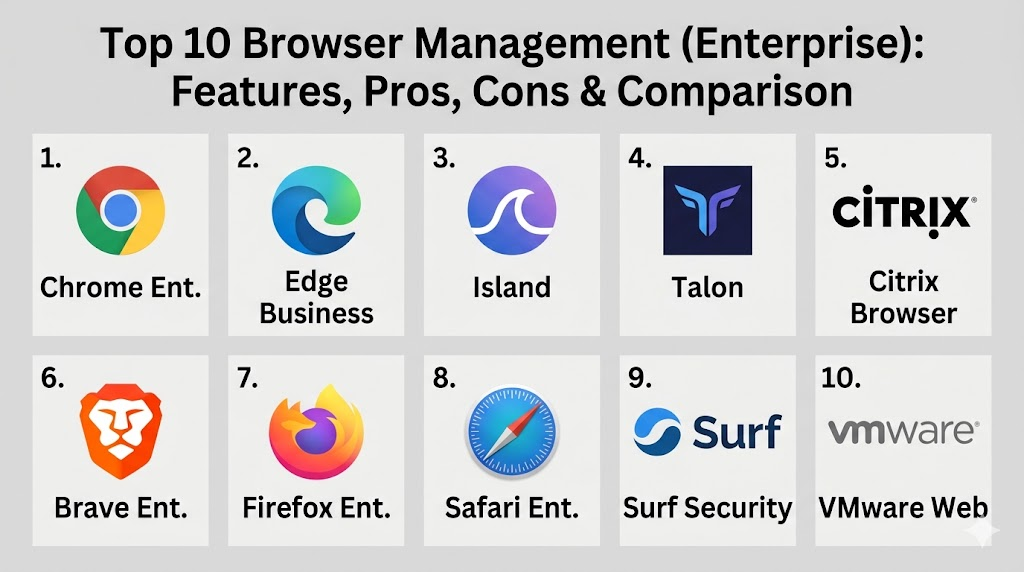
Top 10 Browser Management (Enterprise) Tools
1. Google Chrome Enterprise
The enterprise version of the world’s most popular browser provides deep integration with the Google ecosystem. It allows IT teams to manage hundreds of policies from a single cloud-based console, making it the standard for most modern offices.
Key Features
- Cloud-based management console for configuring policies across Windows, Mac, and Linux.
- Advanced protection against phishing and malware through built-in Safe Browsing technology.
- Granular control over extension installations and permissions.
- Support for managed guest sessions and ephemeral modes for shared devices.
- Deep integration with Google Workspace and ChromeOS devices.
Pros
- Familiar interface for users, resulting in zero training requirements.
- Extremely robust security patching cycle that leads the industry.
Cons
- Heavily reliant on the Google ecosystem for the best management experience.
- Can be memory-intensive on older hardware.
Platforms / Deployment
Windows / macOS / Linux / ChromeOS / Android / iOS
Cloud
Security & Compliance
SSO/SAML, MFA, and extensive audit logging.
SOC 2 / ISO 27001 compliant.
Integrations & Ecosystem
It integrates perfectly with Google Workspace, Microsoft Azure AD, and various identity providers. It also supports a massive range of professional extensions.
Support & Community
A global support network with dedicated enterprise help desks and a massive community of IT professionals.
2. Microsoft Edge for Business
Built on the Chromium engine, Edge for Business provides the security of the Microsoft stack with the compatibility of Chrome. It is the preferred choice for organizations heavily invested in the Microsoft 365 ecosystem.
Key Features
- Native integration with Microsoft Intune for comprehensive device management.
- Microsoft Defender SmartScreen for real-time protection against malicious sites.
- Automatic switching between personal and work browser profiles.
- Built-in tools for viewing protected PDF and Office files securely.
- Application Guard for hardware-isolated browsing sessions.
Pros
- Exceptional performance on Windows machines.
- Seamless single sign-on for all Microsoft 365 applications.
Cons
- The interface can feel cluttered with consumer-focused features.
- Management can be complex for teams not using Microsoft Intune.
Platforms / Deployment
Windows / macOS / Linux / Android / iOS
Cloud / Hybrid
Security & Compliance
Conditional access via Azure AD and full Intune support.
ISO 27001 / GDPR compliant.
Integrations & Ecosystem
Designed to be the center of the Microsoft 365 experience, it connects deeply with Outlook, SharePoint, and Teams.
Support & Community
Professional support through Microsoft enterprise agreements and a very strong corporate user base.
3. Island Enterprise Browser
A relatively new but powerful entrant, Island is a custom-built browser designed from the ground up for the enterprise. It gives IT teams total control over every click and action within the browser.
Key Features
- In-browser data loss prevention to stop copy, paste, and printing.
- Smart network routing that acts like a built-in VPN for corporate apps.
- Detailed forensic logging of every user interaction within the browser.
- Integrated web isolation to prevent malicious code from reaching the device.
- Built-in robotic process automation for streamlining web workflows.
Pros
- Unparalleled visibility into how employees interact with web data.
- Provides security on unmanaged devices without a VPN.
Cons
- Requires users to switch to a new browser brand.
- Higher cost compared to managing consumer browsers.
Platforms / Deployment
Windows / macOS / Android / iOS
Cloud
Security & Compliance
End-to-end encryption and custom security policies.
Not publicly stated.
Integrations & Ecosystem
Integrates with major identity providers and security tools to provide a holistic view of the user’s web activity.
Support & Community
Dedicated white-glove support for enterprise customers.
4. Talon Cyber Security
Similar to Island, Talon offers a secure enterprise browser that creates a workspace for employees on any device. It focuses on securing the browser as the primary endpoint for work.
Key Features
- Full isolation of work activities from the user’s personal browsing.
- Zero Trust Network Access (ZTNA) built directly into the browser.
- Advanced protection against screenshots and screen sharing of sensitive data.
- Automated threat detection for malicious web content.
- Simple deployment that does not require an agent on the computer.
Pros
- Excellent for securing third-party contractors and remote workers.
- Protects against credential theft and session hijacking.
Cons
- Another browser for users to manage alongside their personal one.
- Enterprise-only pricing is a significant investment.
Platforms / Deployment
Windows / macOS / Android / iOS
Cloud
Security & Compliance
MFA integration and detailed session recording for audits.
Not publicly stated.
Integrations & Ecosystem
Connects with the most common SaaS applications and identity management platforms.
Support & Community
High-touch enterprise support and technical account management.
5. Citrix Enterprise Browser
Part of the Citrix Workspace, this browser is designed to give users a secure, consistent experience when accessing internal web apps and SaaS tools without needing a full VDI setup.
Key Features
- Secure access to internal web apps without a separate VPN.
- Watermarking features for sensitive web pages to prevent data leaks.
- App protection policies that block keyloggers and screen capture.
- Centralized management through the Citrix Cloud console.
- Performance optimization for high-latency connections.
Pros
- Perfect for existing Citrix customers who want to move away from full desktops.
- Highly effective at securing data on unmanaged home computers.
Cons
- Most effective only within the broader Citrix ecosystem.
- Can be complex to configure for first-time users.
Platforms / Deployment
Windows / macOS / Linux / Android / iOS
Hybrid
Security & Compliance
Integration with Citrix Gateway for secure authentication.
Not publicly stated.
Integrations & Ecosystem
Integrates perfectly with Citrix Virtual Apps and Desktops and ShareFile.
Support & Community
Professional enterprise support and a large network of certified consultants.
6. Brave for Enterprises
Brave is a privacy-focused browser that has moved into the enterprise space by offering management tools that prioritize user privacy while maintaining strict corporate security controls.
Key Features
- Built-in ad and tracker blocking that increases page load speeds.
- Customizable management policies via GPO or mobile device management.
- Integrated VPN and firewall for encrypted connections.
- Privacy-first design that does not collect user data.
- Compatibility with all Chrome extensions and web apps.
Pros
- Significantly faster browsing speeds due to ad-blocking technology.
- A strong choice for privacy-conscious organizations.
Cons
- Enterprise management features are less mature than Chrome or Edge.
- The crypto-related features can be distracting in a work environment.
Platforms / Deployment
Windows / macOS / Linux / Android / iOS
Local / Cloud
Security & Compliance
Standard browser security protocols with a focus on privacy.
Not publicly stated.
Integrations & Ecosystem
Compatible with almost all Chrome-based extensions and major identity providers.
Support & Community
Strong community-based support and dedicated enterprise tiers for larger clients.
7. Mozilla Firefox Enterprise
Firefox remains the primary open-source alternative for enterprises that want to avoid the Chromium monopoly. It offers robust policy management and a focus on customization.
Key Features
- Firefox Policy Engine for deep customization of every browser setting.
- Support for MSI installers for easy deployment across Windows environments.
- Enhanced Tracking Protection to block social trackers and fingerprinters.
- Multi-Account Containers to separate work and personal data.
- Long-Term Support (ESR) versions for stability-focused organizations.
Pros
- Independent engine not controlled by a major tech conglomerate.
- Extremely high level of transparency and data privacy.
Cons
- Some web applications are optimized specifically for Chromium.
- Cloud management is not as native as Chrome Enterprise.
Platforms / Deployment
Windows / macOS / Linux
Local
Security & Compliance
Custom security configurations and local audit logging.
Not publicly stated.
Integrations & Ecosystem
Supports a wide range of privacy-focused extensions and custom internal scripts.
Support & Community
Massive global community and professional support available via Mozilla’s enterprise channels.
8. Safari for Enterprise (via Apple Business Manager)
For organizations that are exclusively using Apple hardware, Safari provides a deeply integrated and power-efficient browsing experience managed through MDM.
Key Features
- Managed through Apple Business Manager and Mobile Device Management.
- Intelligent Tracking Prevention to stop cross-site tracking.
- Passkey support for passwordless authentication.
- Sandboxed architecture for preventing system-wide malware infection.
- Integration with iCloud Keychain for secure password management.
Pros
- The most power-efficient browser for MacBook users.
- Deeply integrated with the macOS and iOS security architecture.
Cons
- Only available on Apple devices.
- Policy management is more limited than Chrome or Edge.
Platforms / Deployment
macOS / iOS / iPadOS
Cloud (via MDM)
Security & Compliance
Biometric authentication (Touch ID / Face ID) integration.
Not publicly stated.
Integrations & Ecosystem
Deeply integrated with the Apple ecosystem, including AirDrop and Handoff.
Support & Community
Professional support through AppleCare for Enterprise.
9. Surf Security
Surf provides an enterprise browser that focuses on the “human layer” of security, using advanced analytics to identify risky user behavior and prevent attacks in real-time.
Key Features
- AI-driven risk scoring for websites and user actions.
- Centralized security dashboard with real-time threat maps.
- Integrated isolation for high-risk web browsing.
- One-click onboarding and offboarding for employees and contractors.
- Strong DLP controls for web-based data handling.
Pros
- Proactive security that identifies threats before they become incidents.
- Very simple and modern administrative interface.
Cons
- A newer company with a smaller track record than industry giants.
- Focused entirely on security, with fewer productivity features.
Platforms / Deployment
Windows / macOS / Android / iOS
Cloud
Security & Compliance
Modern encryption and identity-aware access controls.
Not publicly stated.
Integrations & Ecosystem
Integrates with the modern security stack, including SIEM and XDR platforms.
Support & Community
Focused enterprise support and direct access to technical teams.
10. VMware Workspace ONE Web
Part of the Workspace ONE suite, this secure browser is designed for mobile-first organizations that need to provide access to internal websites on employee smartphones and tablets.
Key Features
- Secure tunneling to internal websites without a device-wide VPN.
- Single sign-on for all web-based corporate applications.
- Support for “kiosk mode” on mobile devices.
- Managed bookmarks and homepages for easier mobile navigation.
- Strict DLP controls to prevent data sharing on mobile devices.
Pros
- The best solution for managing web access on corporate mobile devices.
- Integrates perfectly with the broader VMware management suite.
Cons
- Primarily focused on mobile; desktop management is less robust.
- Requires the full Workspace ONE infrastructure for maximum value.
Platforms / Deployment
Android / iOS / Windows / macOS
Cloud / Hybrid
Security & Compliance
Certificate-based authentication and secure mobile tunnels.
Not publicly stated.
Integrations & Ecosystem
Connects deeply with VMware Horizon and Workspace ONE UEM.
Support & Community
Professional support via Broadcom/VMware and a large global enterprise user base.
Comparison Table
| Tool Name | Best For | Platform(s) Supported | Deployment | Standout Feature | Public Rating |
| 1. Chrome Ent. | General Purpose | Win, Mac, Linux, Mobile | Cloud | Extension Control | N/A |
| 2. Edge Business | Microsoft Shops | Win, Mac, Linux, Mobile | Hybrid | Microsoft 365 Sync | N/A |
| 3. Island | Extreme Security | Win, Mac, Mobile | Cloud | DLP Governance | N/A |
| 4. Talon | Remote Teams | Win, Mac, Mobile | Cloud | ZTNA Integration | N/A |
| 5. Citrix Browser | Internal App Access | Win, Mac, Linux, Mobile | Hybrid | Secure Tunneling | N/A |
| 6. Brave Ent. | Speed & Privacy | Win, Mac, Linux, Mobile | Local | Ad/Tracker Blocking | N/A |
| 7. Firefox Ent. | Open Source | Win, Mac, Linux | Local | Custom Policies | N/A |
| 8. Safari Ent. | Apple Environments | macOS, iOS | Cloud | Power Efficiency | N/A |
| 9. Surf Security | Threat Analysis | Win, Mac, Mobile | Cloud | AI Risk Scoring | N/A |
| 10. VMware Web | Mobile Workforce | Android, iOS, Windows | Hybrid | Mobile DLP | N/A |
Evaluation & Scoring
| Tool Name | Core (25%) | Ease (15%) | Integrations (15%) | Security (10%) | Perf (10%) | Support (10%) | Value (15%) | Total |
| 1. Chrome Ent. | 10 | 9 | 10 | 9 | 8 | 10 | 9 | 9.25 |
| 2. Edge Business | 10 | 8 | 10 | 9 | 9 | 9 | 9 | 9.15 |
| 3. Island | 9 | 6 | 7 | 10 | 8 | 8 | 6 | 7.70 |
| 4. Talon | 9 | 6 | 7 | 10 | 8 | 8 | 6 | 7.70 |
| 5. Citrix Browser | 8 | 7 | 9 | 9 | 7 | 8 | 7 | 7.85 |
| 6. Brave Ent. | 7 | 8 | 7 | 8 | 10 | 6 | 9 | 7.75 |
| 7. Firefox Ent. | 8 | 7 | 8 | 8 | 8 | 7 | 9 | 7.85 |
| 8. Safari Ent. | 6 | 9 | 6 | 8 | 10 | 8 | 8 | 7.60 |
| 9. Surf Security | 8 | 7 | 7 | 9 | 8 | 7 | 7 | 7.55 |
| 10. VMware Web | 7 | 7 | 9 | 8 | 7 | 8 | 7 | 7.45 |
The scoring model above emphasizes the balance between security and user experience. Chrome and Edge lead the total scores because they offer nearly perfect integration with the platforms most enterprises already use, while providing robust security for free or at a low additional cost. Specialized browsers like Island and Talon score lower on “Value” and “Ease” because they require a change in user behavior and a higher budget, yet they offer the highest “Security” scores for organizations with extreme protection requirements.
Which Browser Management Tool Is Right for You?
Solo / Freelancer
If you are working solo, a managed browser is usually overkill. However, using Brave or Firefox with a few well-configured privacy extensions provides the best balance of speed and security without any cost.
SMB
Small businesses should stick with Chrome Enterprise or Microsoft Edge for Business. They are essentially free to manage if you already use Google Workspace or Microsoft 365, and they offer more than enough security for most standard business needs.
Mid-Market
For growing companies that need more than basic policies, Chrome Enterprise with advanced extension management or Firefox Enterprise for a privacy-focused alternative are great choices. This allows you to scale security without a massive budget increase.
Enterprise
Large corporations with high-value data should consider Island or Talon for their most sensitive employees. For the general workforce, Microsoft Edge managed via Intune or Chrome Enterprise via the cloud console is the standard.
Budget vs Premium
Chrome and Edge are the budget-friendly options that provide premium security. Island and Talon are true premium solutions that offer a level of control that simply isn’t possible in a consumer browser.
Feature Depth vs Ease of Use
Chrome is the easiest to use and has incredible depth. Houdini-style control (in browser terms) comes from Island, which offers the most depth but requires more effort to implement across a large team.
Integrations & Scalability
Microsoft Edge is the winner for scalability within a Windows-heavy environment. If you need to manage a fleet of mobile devices, VMware Workspace ONE Web provides the most seamless integration.
Security & Compliance Needs
If you have strict regulatory requirements for data logging and DLP, Island or Citrix Enterprise Browser are the best options. They provide the watermarking and audit trails necessary for high-stakes compliance audits.
Frequently Asked Questions (FAQs)
1. Is an enterprise browser different from a regular browser?
Yes, while they look similar, the enterprise version allows IT teams to remotely control settings, disable features, and monitor security threats across all employees simultaneously.
2. Can my company see my personal history on a work browser?
If you are using a managed browser profile or an enterprise-specific browser like Island, the company can often see all web activity performed within that specific work environment.
3. Do enterprise browsers slow down internet speeds?
Generally, no. In some cases, browsers like Brave Enterprise can actually speed up the internet by blocking resource-heavy ads and trackers before they load.
4. What is browser isolation?
It is a security technique where web pages are run in a secure, isolated container away from the computer’s main operating system, preventing malware from escaping.
5. Why should we manage extensions?
Malicious extensions can steal passwords, read your emails, and track your activity. Management tools allow you to only permit extensions that have been vetted for security.
6. Can I use these tools on my personal phone for work?
Many enterprise browsers are designed for BYOD (Bring Your Own Device), allowing you to access work apps securely without giving the company control over your entire phone.
7. How does a managed browser help with compliance?
It provides the audit logs and data controls (like disabling printing) required by many financial and healthcare regulations to ensure sensitive data is handled correctly.
8. Do I still need a VPN if I use an enterprise browser?
Often, no. Modern enterprise browsers have built-in secure tunnels that can connect you to internal apps directly, making a traditional VPN unnecessary for many web-based tasks.
9. What is the difference between Edge and Edge for Business?
Edge for Business is a specific mode that automatically separates work and personal browsing into different windows with different security policies and data handling rules.
10. How long does it take to deploy a managed browser?
Basic cloud-based management for Chrome or Edge can be set up in a few hours, while custom-built browsers like Island may take a few weeks to fully integrate.
Conclusion
Securing the enterprise browser has become the most critical frontier in modern IT management. As the workspace continues to move into the cloud, the browser serves as both the greatest productivity tool and the most significant security vulnerability. Choosing the right management platform requires a deep understanding of your organization’s risk profile and existing technology stack. Whether you opt for the native power of Chrome and Edge or the extreme control of a custom enterprise browser, the goal remains the same: protecting corporate data without hindering the user. By implementing a modern browser management strategy today, you are effectively securing the gateway to your digital business for the future.

Best Cardiac Hospitals Near You
Discover top heart hospitals, cardiology centers & cardiac care services by city.
Advanced Heart Care • Trusted Hospitals • Expert Teams
View Best Hospitals