Introduction
Bug tracking tools are systems used to capture software defects, assign ownership, prioritize impact, and track fixes through a consistent workflow—from the first report to verification and release. Modern bug tracking is not just “logging issues”; it’s about reducing time-to-triage, preventing duplicates, keeping engineers focused, and giving stakeholders predictable visibility into what will be fixed, when, and by whom.
Why it matters now: teams ship faster across more platforms (web, mobile, API), with more dependencies and more frequent releases. That increases the cost of poor intake (missing reproduction steps), weak prioritization (wrong severity), and unclear ownership (handoff gaps). The right bug tracker helps you standardize reporting, automate routing, connect bugs to code and releases, and measure quality outcomes (like reopen rate and escaped defects) instead of just counting tickets.
Real-world use cases:
- QA triage and routing for high-volume defect intake
- Production incident follow-up and root-cause tracking
- Customer-reported bug escalation from support to engineering
- Release readiness and ship/no-ship decision support
- Security-sensitive bug handling with restricted visibility
What buyers should evaluate (common criteria):
- Workflow flexibility (states, transitions, automation)
- Templates and required fields for consistent reports
- Search, filters, and saved views for fast triage
- Permissions and visibility controls for sensitive issues
- Integrations with CI/CD, repos, chat, monitoring, and support
- Reporting (aging, SLA, reopen rate, escaped defects)
- Scalability across multiple teams and products
- API/webhooks and extensibility
- Performance and reliability under load
- Cost model and operational overhead
Best for: Product engineering orgs, QA teams, SaaS companies, and enterprises that need structured triage, cross-team visibility, and consistent workflows across many releases and contributors.
Not ideal for: Very small teams with low bug volume and no formal process. In those cases, a lightweight repo issue list or a simple board may be enough until you need governance, reporting, and permissions.
Key Trends in Bug Tracking Tools
- AI-assisted triage: summarizing reports, suggesting severity, detecting duplicates, and recommending owners (varies by vendor and maturity).
- Automation-first workflows: auto-routing, SLA timers, escalation rules, and status transitions triggered by events (builds, merges, deployments).
- “Closer to code” tracking: tighter linkage between issues, branches, commits, and pull/merge requests to reduce context switching.
- Security expectations rising: stronger RBAC, audit logs, SSO/SAML readiness, and controlled visibility for sensitive bugs.
- More structured intake: enforced templates, required fields, environment capture, and reproducibility checklists to reduce back-and-forth.
- Interoperability becoming mandatory: reliable APIs/webhooks and integration ecosystems for support, monitoring, and analytics.
- Multi-team governance: shared taxonomies (component, module, severity) and standardized workflows across squads.
- Flexible deployment models: cloud default, with continued demand for self-hosted where compliance, data residency, or policy requires it.
- Measuring outcomes, not just counts: more focus on cycle time, reopen rate, escaped defects, and customer impact signals.
How We Selected These Tools (Methodology)
- Prioritized high adoption and mindshare in software teams (enterprise, startups, and open-source ecosystems).
- Included a balanced mix: enterprise workflow engines, developer-first trackers, and credible open-source/self-hosted options.
- Evaluated feature completeness for core defect workflows (intake → triage → fix → verify → release).
- Considered practical reliability and performance expectations at scale (search speed, reporting responsiveness, uptime expectations).
- Looked for strong integration patterns (repos, CI/CD, chat, monitoring, support desk) and API/webhook availability.
- Considered security posture signals (permissions, auditability, SSO readiness), without assuming certifications.
- Ensured each tool can realistically be used as a bug tracker (not just general task management).
- Avoided guessing ratings, certifications, or pricing specifics; used “Not publicly stated” or “Varies / N/A” where unclear.
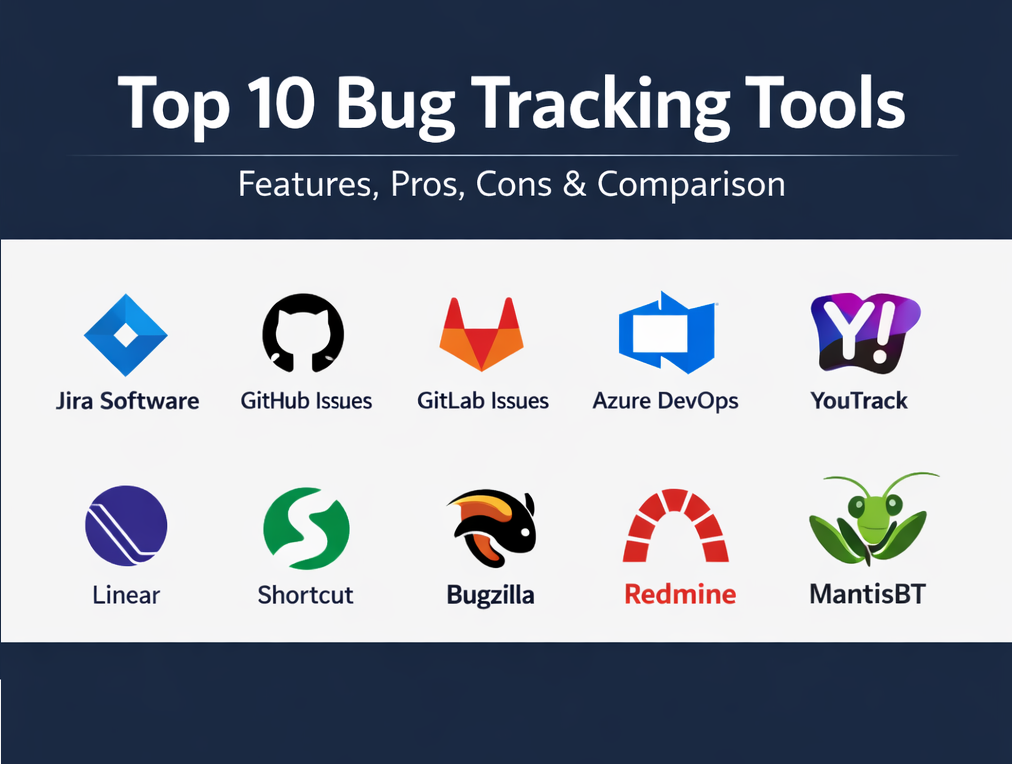
Top 10 Bug Tracking Tools
1 — Jira Software
Jira is a widely used issue and bug tracking platform built around configurable workflows, automation, and reporting. It’s best for teams that need strong governance, cross-team visibility, and a customizable bug lifecycle.
Key Features
- Customizable workflows for bug intake, triage, fix, verify, and release (Varies / N/A).
- Automation rules to route, transition, and notify based on conditions (Varies / N/A).
- Strong search and filtering patterns for triage at scale (Varies / N/A).
- Dashboards and reporting for visibility across teams and projects (Varies / N/A).
- Custom fields for severity, component, environment, and regression flags (Varies / N/A).
- Permission models for multi-team environments (Varies / N/A).
Pros
- Strong fit for structured triage and enterprise-scale workflows.
- Flexible enough to standardize processes across multiple teams and products.
Cons
- Can become complex without governance and clear workflow ownership.
- Admin and configuration overhead can be non-trivial (Varies / N/A).
Platforms / Deployment
- Web
- Cloud / Self-hosted (Varies / N/A)
Security & Compliance
Not publicly stated.
Integrations & Ecosystem
Jira is often used as a workflow hub connected to source control, CI/CD, chat, monitoring, and support systems to reduce manual coordination.
- Repo and pull request linking patterns (Varies / N/A)
- CI/CD status and deployment traceability patterns (Varies / N/A)
- Chat notifications and ticket escalation workflows (Varies / N/A)
- REST APIs and webhooks for automation (Varies / N/A)
- Marketplace extensions for specialized workflows (Varies / N/A)
Support & Community
Strong documentation and a large ecosystem are common; support tiers and onboarding vary by plan (Varies / Not publicly stated).
2 — GitHub Issues
GitHub Issues is a lightweight, developer-centric tracker that works best when your workflow is repo-first. It’s ideal for teams that want bugs closely tied to code reviews, pull requests, and developer discussions.
Key Features
- Issue intake with labels, assignees, and milestones (Varies / N/A).
- Markdown-based descriptions and threaded discussion (Varies / N/A).
- Repo-adjacent workflow so bugs stay near code changes (Varies / N/A).
- Issue templates for consistent bug reports (Varies / N/A).
- Project-style planning views (Varies / N/A).
- Notifications and subscriptions for watch-based workflows (Varies / N/A).
Pros
- Very low friction for teams already working in GitHub daily.
- Strong transparency for collaborative development workflows.
Cons
- Cross-project portfolio reporting can be harder without strict conventions.
- Advanced governance can be limited compared to workflow-heavy systems (Varies / N/A).
Platforms / Deployment
- Web
- Cloud
Security & Compliance
Not publicly stated.
Integrations & Ecosystem
GitHub Issues integrates naturally with developer workflows and can be extended via apps and automation.
- Automation via APIs/webhooks (Varies / N/A)
- CI/CD tools updating issues based on build or deploy events (Varies / N/A)
- ChatOps and alerting notifications (Varies / N/A)
- Third-party integrations for monitoring/support handoffs (Varies / N/A)
Support & Community
Documentation and community support are typically strong, especially in developer ecosystems (Varies / Not publicly stated).
3 — GitLab Issues
GitLab Issues is designed for teams that want planning and bug tracking inside an integrated DevOps platform. It’s best when your repos, CI/CD, and planning already run in GitLab.
Key Features
- Issue tracking aligned with merge requests and pipelines (Varies / N/A).
- Labels, milestones, and planning structures for organizing work (Varies / N/A).
- Collaboration flows connected to code review and delivery (Varies / N/A).
- Permissions aligned with GitLab project and group structures (Varies / N/A).
- Templates and standards for consistent intake (Varies / N/A).
- Reporting and visibility patterns (Varies / N/A).
Pros
- Reduced context switching for GitLab-centered engineering organizations.
- Helpful for “single platform” governance approaches.
Cons
- If your organization is not GitLab-first, adoption may feel forced.
- Portfolio reporting and customization depth depend on editions and configuration (Varies / N/A).
Platforms / Deployment
- Web
- Cloud / Self-hosted (Varies / N/A)
Security & Compliance
Not publicly stated.
Integrations & Ecosystem
GitLab Issues fits naturally into the GitLab pipeline and can integrate outward as needed.
- Pipeline-driven automations tied to issue states (Varies / N/A)
- APIs/webhooks for workflow automation (Varies / N/A)
- Integrations for alerts and incident workflows (Varies / N/A)
- Export patterns to analytics/data tools (Varies / N/A)
Support & Community
Documentation is generally available; support tiers vary by plan and deployment (Varies / Not publicly stated).
4 — Azure DevOps Boards
Azure DevOps Boards is a work item and bug tracking system used heavily in Microsoft-aligned delivery environments. It’s best for teams that want bugs tied to delivery planning, pipelines, and enterprise governance.
Key Features
- Work items for bugs with configurable workflows (Varies / N/A).
- Backlogs, boards, and sprint planning views (Varies / N/A).
- Custom fields for severity, component, environment, and repro steps (Varies / N/A).
- Permissions and project structures for enterprise teams (Varies / N/A).
- Reporting and dashboards for visibility (Varies / N/A).
- Integration patterns with pipelines and releases (Varies / N/A).
Pros
- Strong fit when your ALM and governance are centered on Azure DevOps.
- Good alignment between bug tracking and delivery execution.
Cons
- Best value often comes when you adopt more of the suite, not just Boards.
- Ecosystem fit may be weaker if your organization is repo-centric in another platform (Varies / N/A).
Platforms / Deployment
- Web
- Cloud / Self-hosted (Varies / N/A)
Security & Compliance
Not publicly stated.
Integrations & Ecosystem
Azure DevOps Boards commonly connects to CI/CD, test tooling, and enterprise identity patterns.
- Pipeline-to-work-item traceability patterns (Varies / N/A)
- APIs/webhooks for automation (Varies / N/A)
- Chat and notification integrations (Varies / N/A)
- Export and reporting integrations (Varies / N/A)
Support & Community
Documentation is typically available; enterprise support depends on licensing and agreements (Varies / Not publicly stated).
5 — YouTrack
YouTrack is an issue tracker often chosen for fast triage and flexible workflows without excessive process overhead. It’s best for teams that want strong search-driven tracking and configurable fields.
Key Features
- Custom fields and flexible workflows for bug lifecycles (Varies / N/A).
- Search/query patterns for triage and reporting (Varies / N/A).
- Agile planning views (boards and sprints) (Varies / N/A).
- Issue templates and required fields (Varies / N/A).
- Notifications and workflow automations (Varies / N/A).
- Dashboards and reports for team visibility (Varies / N/A).
Pros
- Strong day-to-day usability for teams that triage frequently.
- Flexible enough to support structured tracking without feeling heavy.
Cons
- Governance still requires consistent taxonomy and clear ownership.
- Advanced compliance documentation may require vendor confirmation (Not publicly stated).
Platforms / Deployment
- Web
- Cloud / Self-hosted (Varies / N/A)
Security & Compliance
Not publicly stated.
Integrations & Ecosystem
YouTrack is commonly used alongside repos, CI tools, and chat for end-to-end defect handling.
- API-based automation and extensions (Varies / N/A)
- Repo and CI/CD linking patterns (Varies / N/A)
- Chat notifications (Varies / N/A)
- Data export for reporting (Varies / N/A)
Support & Community
Documentation is generally available; community and support tiers vary by plan and deployment (Varies / Not publicly stated).
6 — Linear
Linear is a modern issue tracking tool designed for speed and minimal friction. It’s best for product engineering teams that want a clean workflow for bugs and product work with fast triage and execution.
Key Features
- Streamlined issue creation and triage workflow (Varies / N/A).
- Labels, projects, and cycles/sprints-style planning (Varies / N/A).
- Keyboard-first productivity and fast navigation patterns (Varies / N/A).
- Team-based workflows and views (Varies / N/A).
- Automations and integrations for routing and status updates (Varies / N/A).
- Reporting and visibility patterns (Varies / N/A).
Pros
- Very fast daily experience for high-velocity teams.
- Low overhead helps teams keep the tracker clean and consistently used.
Cons
- Complex enterprise governance may be better served by workflow-heavy platforms.
- Deep customization needs can exceed its “keep it simple” philosophy (Varies / N/A).
Platforms / Deployment
- Web / Windows / macOS / iOS (Varies / N/A)
- Cloud
Security & Compliance
Not publicly stated.
Integrations & Ecosystem
Linear is commonly paired with repos, chat, and documentation to keep defects visible and actionable.
- Source control integrations (Varies / N/A)
- Chat notifications and incident handoffs (Varies / N/A)
- APIs/webhooks for automation (Varies / N/A)
- Reporting exports (Varies / N/A)
Support & Community
Documentation is typically straightforward; support tiers vary by plan (Varies / Not publicly stated).
7 — Shortcut
Shortcut is a project and issue tracking tool used by product and engineering teams to manage stories and bugs. It’s best for teams that want a practical workflow that bridges planning and execution without enterprise-level overhead.
Key Features
- Bugs and stories with workflow states (Varies / N/A).
- Iteration/sprint planning and backlog organization (Varies / N/A).
- Collaboration around requirements and acceptance criteria (Varies / N/A).
- Integrations for engineering workflows (Varies / N/A).
- Templates and standardized intake patterns (Varies / N/A).
- Reporting views for delivery visibility (Varies / N/A).
Pros
- Good middle ground between lightweight trackers and heavy enterprise tools.
- Works well for cross-functional product and engineering coordination.
Cons
- Portfolio governance and compliance needs may require validation.
- Some teams may want deeper customization than the default workflow offers (Varies / N/A).
Platforms / Deployment
- Web
- Cloud
Security & Compliance
Not publicly stated.
Integrations & Ecosystem
Shortcut typically connects to the tools teams use to build, ship, and communicate.
- Source control and CI workflow patterns (Varies / N/A)
- Chat and notification integrations (Varies / N/A)
- APIs/webhooks for automation (Varies / N/A)
- Reporting/export integrations (Varies / N/A)
Support & Community
Varies / Not publicly stated.
8 — Bugzilla
Bugzilla is a mature defect tracking system used when teams want strong workflow control and visibility restrictions in a self-managed environment. It’s best for organizations that value structured defect lifecycles and controlled access over modern SaaS convenience.
Key Features
- Workflow management for structured defect lifecycles (Varies / N/A).
- Visibility controls and permission concepts (Varies / N/A).
- Custom fields to match organization-specific processes (Varies / N/A).
- Group-based access control patterns (Varies / N/A).
- Email notification and subscription workflows (Varies / N/A).
- Extensibility patterns depending on deployment (Varies / N/A).
Pros
- Strong for controlled environments where permissions and workflow rigor matter.
- Practical for teams comfortable owning self-hosted operations.
Cons
- Requires internal ownership for hosting, upgrades, and maintenance.
- UI and ergonomics may feel less modern than newer tools (Varies / N/A).
Platforms / Deployment
- Web
- Self-hosted
Security & Compliance
Not publicly stated.
Integrations & Ecosystem
Bugzilla is commonly extended through configuration and custom integration work rather than a plug-and-play marketplace.
- API and automation patterns (Varies / N/A)
- Email-based workflows and notifications (Varies / N/A)
- CI/repo integration via scripting (Varies / N/A)
- Export patterns for reporting and analytics (Varies / N/A)
Support & Community
Often community-driven with documentation; formal support depends on provider and deployment (Varies / Not publicly stated).
9 — Redmine
Redmine is an open-source project and issue tracker that can be configured for bug tracking. It’s best for teams that want self-hosted control and can manage configuration, plugins, and maintenance.
Key Features
- Issue tracking with configurable workflows (Varies / N/A).
- Project organization and roles/permissions (Varies / N/A).
- Custom fields for bug metadata (severity, component, environment) (Varies / N/A).
- Reporting and query views (Varies / N/A).
- Email notifications and watcher workflows (Varies / N/A).
- Plugin ecosystem support (Varies / N/A).
Pros
- Good fit for teams that need self-hosted flexibility and customization.
- Mature option with broad usage in engineering organizations.
Cons
- Requires internal maintenance and operational ownership.
- Modern UX convenience features may require plugins or customization (Varies / N/A).
Platforms / Deployment
- Web
- Self-hosted (Cloud options vary by vendor)
Security & Compliance
Not publicly stated.
Integrations & Ecosystem
Redmine typically integrates through plugins, email, and API-based patterns.
- Plugin-based integrations (Varies / N/A)
- APIs/webhooks depending on setup (Varies / N/A)
- Repo and CI integrations via plugins or custom scripts (Varies / N/A)
- Data export for reporting (Varies / N/A)
Support & Community
Open-source community support is common; formal support depends on hosting and service providers (Varies / Not publicly stated).
10 — MantisBT
MantisBT is an open-source bug tracker designed for straightforward defect workflows. It’s best for teams that want a simpler self-hosted bug tracking system without the overhead of enterprise platforms.
Key Features
- Bug intake, assignment, and status tracking (Varies / N/A).
- Basic reporting and backlog visibility (Varies / N/A).
- Custom fields and workflow configuration (Varies / N/A).
- Email notifications and watcher patterns (Varies / N/A).
- User and role permissions (Varies / N/A).
- Plugin or integration options depending on setup (Varies / N/A).
Pros
- Lightweight and practical for smaller teams or simpler processes.
- Suitable for self-hosted environments with cost sensitivity.
Cons
- Advanced portfolio reporting and analytics can be limited (Varies / N/A).
- Integrations may require manual setup compared to SaaS-first tools (Varies / N/A).
Platforms / Deployment
- Web
- Self-hosted
Security & Compliance
Not publicly stated.
Integrations & Ecosystem
MantisBT integrations commonly rely on plugins and common automation approaches.
- Plugin-based extensions (Varies / N/A)
- Email and notification integrations (Varies / N/A)
- APIs/custom scripting depending on deployment (Varies / N/A)
- Export patterns for reporting (Varies / N/A)
Support & Community
Often community-driven with documentation; formal support varies by provider and deployment (Varies / Not publicly stated).
Comparison Table (Top 10)
| Tool Name | Best For | Platform(s) Supported | Deployment (Cloud/Self-hosted/Hybrid) | Standout Feature | Public Rating |
|---|---|---|---|---|---|
| Jira Software | Enterprise workflows and governance | Web | Cloud / Self-hosted (Varies / N/A) | Workflow engine and automation | N/A |
| GitHub Issues | Repo-first teams | Web | Cloud | Bugs close to code review workflows | N/A |
| GitLab Issues | GitLab-centered DevOps teams | Web | Cloud / Self-hosted (Varies / N/A) | Planning tied to CI/CD context | N/A |
| Azure DevOps Boards | Microsoft-aligned ALM environments | Web | Cloud / Self-hosted (Varies / N/A) | Work items aligned to delivery planning | N/A |
| YouTrack | Fast triage with flexibility | Web | Cloud / Self-hosted (Varies / N/A) | Search-driven workflows | N/A |
| Linear | High-velocity product engineering teams | Web / Desktop / Mobile (Varies / N/A) | Cloud | Speed and low-friction triage | N/A |
| Shortcut | Product and engineering coordination | Web | Cloud | Practical workflow bridging planning and delivery | N/A |
| Bugzilla | Self-hosted rigor and controlled visibility | Web | Self-hosted | Workflow control and visibility restrictions | N/A |
| Redmine | Self-hosted flexibility | Web | Self-hosted (Cloud varies) | Configurable open-source tracker | N/A |
| MantisBT | Lightweight self-hosted bug tracking | Web | Self-hosted | Simple defect workflows | N/A |
Evaluation and Scoring of Bug Tracking Tools
Scoring model notes:
- Each criterion is scored on a 1–10 scale.
- Weighted Total is calculated using the weights below.
- Scores are comparative guidance for shortlisting, not an absolute benchmark.
Weights:
- Core features – 25%
- Ease of use – 15%
- Integrations and ecosystem – 15%
- Security and compliance – 10%
- Performance and reliability – 10%
- Support and community – 10%
- Price / value – 15%
| Tool Name | Core (25%) | Ease (15%) | Integrations (15%) | Security (10%) | Performance (10%) | Support (10%) | Value (15%) | Weighted Total (0–10) |
|---|---|---|---|---|---|---|---|---|
| Jira Software | 9 | 7 | 9 | 7 | 8 | 8 | 6 | 7.85 |
| GitHub Issues | 7 | 9 | 8 | 7 | 8 | 8 | 8 | 7.85 |
| GitLab Issues | 8 | 7 | 8 | 7 | 8 | 7 | 7 | 7.45 |
| Azure DevOps Boards | 8 | 7 | 8 | 7 | 8 | 7 | 6 | 7.20 |
| YouTrack | 8 | 8 | 7 | 7 | 8 | 7 | 7 | 7.55 |
| Linear | 7 | 9 | 7 | 6 | 8 | 7 | 7 | 7.40 |
| Shortcut | 7 | 8 | 7 | 6 | 8 | 6 | 7 | 7.05 |
| Bugzilla | 8 | 5 | 5 | 7 | 7 | 6 | 9 | 6.80 |
| Redmine | 7 | 5 | 5 | 6 | 7 | 6 | 9 | 6.45 |
| MantisBT | 6 | 6 | 4 | 6 | 7 | 6 | 9 | 6.25 |
How to interpret the scores:
- If you need governance and workflow depth, weight Core and Security more heavily in your decision.
- If adoption is the main risk, weight Ease and Integrations more heavily.
- If you can self-host and want cost control, Value may matter more than convenience.
- Always run a pilot with real bug volume; tools “score well” only if your team uses them consistently.
Which Bug Tracking Tool Is Right for You?
Solo / Freelancer
Choose a tool that minimizes overhead and stays close to where you work daily. GitHub Issues is often simplest for repo-first workflows, while Linear can be a strong choice if you want a fast UI and a lightweight structure (Varies / N/A).
SMB
SMBs usually need speed, a clean workflow, and enough structure to prevent triage chaos. YouTrack, Linear, GitHub Issues, and GitLab Issues can work well depending on where your code and delivery live (Varies / N/A). If you expect many customer escalations, prioritize integrations with support and chat tools (Varies / N/A).
Mid-Market
Mid-market teams often need consistent triage across QA, engineering, and support plus stronger reporting. Jira Software and Azure DevOps Boards are common fits when you need workflow standards and governance; YouTrack can be a strong alternative for teams that want flexibility without heavy admin (Varies / N/A).
Enterprise
Enterprises typically prioritize governance, controlled visibility, standardization, and integrations across many systems. Jira Software and Azure DevOps Boards often fit these needs; Bugzilla and other self-hosted options can also work when strict internal control is required, but they demand operational ownership.
Budget vs Premium
If budget is tight, open-source/self-hosted options (Bugzilla, Redmine, MantisBT) can reduce licensing costs but increase internal ops responsibility. Premium tools often justify cost by reducing coordination overhead, improving reporting, and enabling automation at scale.
Feature Depth vs Ease of Use
Workflow-heavy tools can model complex lifecycles but require governance and admin discipline. Low-friction tools reduce overhead, but you must enforce conventions for severity, ownership, and reporting consistency.
Integrations and Scalability
If your workflow depends on CI/CD signals, pull request linkage, monitoring alerts, and support escalations, prioritize tools with strong integration patterns and reliable APIs. Also test whether cross-team reporting works for your org structure—many tools feel great for one team but struggle at portfolio level.
Security and Compliance Needs
If you handle sensitive bugs (security vulnerabilities, customer data exposure, regulated workflows), prioritize permissions, auditability, and restricted visibility. If a vendor’s certifications or compliance claims are unclear, treat them as Not publicly stated and validate during procurement.
Frequently Asked Questions (FAQs)
1) How do bug tracking tools usually price?
Pricing models vary: per user/seat, per project, usage-based, or bundled with larger suites. If pricing is not clearly stated or depends on negotiation, treat it as Varies / N/A and confirm during a pilot.
2) What is the fastest way to improve bug report quality?
Use a bug template with required fields: repro steps, expected vs actual behavior, environment, severity, and evidence. Enforce it in intake so triage does not depend on repeated follow-ups.
3) How do we prevent duplicates from overwhelming the backlog?
Establish a triage owner and a merge process: combine duplicates, link related issues, and keep one canonical bug. If your tool offers AI suggestions, treat them as assistive and verify manually.
4) Should we track bugs and feature work in the same tool?
Often yes, because trade-offs become visible in one backlog. The key is separate fields and workflows so bug severity does not get mixed with feature priority.
5) What integrations matter most for bug tracking?
High-impact integrations typically include source control, CI/CD, chat, monitoring/alerting, and support desk/CRM. The best set depends on whether bugs originate in QA, production monitoring, or customer tickets.
6) What are the most common implementation mistakes?
Overcomplicated workflows, unclear severity definitions, no triage owner, and inconsistent tagging. These create “tracker distrust” and push teams back to chat messages and spreadsheets.
7) How do we handle security-sensitive bugs safely?
Use restricted visibility, a separate workflow for vulnerabilities, and strict access controls. Keep communications and evidence centralized and limit exposure to only the required roles.
8) When should we move from repo issue lists to a workflow-heavy system?
Move when you need standardized workflows across many teams, stronger permissions, portfolio reporting, or more structured intake and triage. The trigger is usually operational pain, not feature envy.
9) How hard is it to switch bug tracking tools?
Switching is mostly about data hygiene: mapping fields, preserving history, and maintaining links to code and support context. Plan a transition with a freeze window, migration mapping, and clear cutover rules.
10) What are good alternatives if we do not want a dedicated bug tracker?
If bug volume is low, a repo issue list plus a strict template and weekly triage can work. For customer-reported issues, a support desk workflow can work short-term, but you still need a clean engineering handoff once volume grows.
Conclusion
The best bug tracking tool depends on your team size, delivery stack, security needs, and how much governance you can realistically maintain. Workflow-heavy platforms can standardize complex organizations, while modern lightweight tools can dramatically improve day-to-day speed—if you keep conventions tight and triage disciplined. As a next step, shortlist two or three tools from this list, run a pilot with real bug volume, validate integrations and permissions, and confirm the workflow stays simple and trusted under pressure.

Best Cardiac Hospitals Near You
Discover top heart hospitals, cardiology centers & cardiac care services by city.
Advanced Heart Care • Trusted Hospitals • Expert Teams
View Best Hospitals