Introduction
Business Intelligence tools help organizations turn raw data into clear insights for better decisions. A BI platform typically connects to multiple data sources, cleans and models data, and then delivers dashboards, reports, and interactive analysis for different teams. The goal is simple: reduce guesswork by giving people trusted metrics, consistent definitions, and faster answers to business questions.
BI tools are used across finance, sales, marketing, operations, product, and leadership teams. They help track performance, spot trends, explain what changed, and communicate results in a repeatable way. A strong BI setup also improves alignment because everyone works from the same definitions of revenue, pipeline, churn, margin, or customer segments.
Common real-world use cases include:
- Executive dashboards for KPI tracking and weekly business reviews
- Sales and pipeline reporting with regional and team-level drilldowns
- Marketing attribution and campaign performance measurement
- Operations reporting for inventory, fulfillment, and supply chain visibility
- Product analytics summaries for adoption, engagement, and retention
- Financial reporting for budgeting, forecasting, and cost control
When evaluating BI tools, buyers typically assess:
- Data connectivity to key sources and the ease of adding new sources
- Modeling approach and semantic layer support for consistent metrics
- Dashboard speed, query performance, and caching options
- Governance controls such as roles, access policies, and audit visibility
- Collaboration and sharing workflows for teams and stakeholders
- Embedded analytics support for customer-facing or internal apps
- Self-service usability for non-technical users
- Support for advanced analytics, custom visuals, and extensibility
- Deployment fit for cloud, self-hosted, and hybrid environments
- Total cost of ownership across licenses, usage, and operations
Best for
BI tools are ideal for teams that need consistent reporting, dashboards, and decision support across multiple departments. They are useful for organizations that already have multiple data sources, a data warehouse or lakehouse, or a growing need for standard KPIs and data literacy.
Not ideal for
If you only need simple spreadsheet reporting, a full BI platform may be unnecessary. If your main requirement is event-level product analytics, a dedicated product analytics tool may fit better. If your organization has no defined metrics, no ownership model, and no reliable data foundation, BI alone will not fix reporting trust issues without basic data governance and quality work.
Key Trends in Business Intelligence Tools
- Stronger semantic layers to standardize metrics and reduce dashboard duplication
- More natural language query and guided analytics to support non-technical users
- Increased focus on governance, access control, and certified datasets
- Real-time and near-real-time dashboards becoming more common for operations
- Embedded analytics growing for SaaS products and internal portals
- Better lineage-style experiences to improve trust and explain metric changes
- Deeper integration with modern data stacks, transformation tools, and warehouses
- Wider adoption of cloud-first BI with elastic scaling and performance options
- More advanced alerting, subscriptions, and workflow connections for actionability
- Increased emphasis on cost controls through usage monitoring and query governance
How We Selected These Tools
- Strong market visibility and frequent use across organizations
- Capability to support common BI workflows: dashboards, reports, ad hoc analysis
- Connectivity breadth to databases, warehouses, SaaS tools, and files
- Performance maturity for large datasets and multi-user environments
- Practical governance controls for access, sharing, and metric consistency
- Fit across segments from small teams to large enterprises
- Extensibility through APIs, plugins, or developer-friendly customization options
- Collaboration and sharing features that support business workflows
- Evidence of long-term product maturity and implementation support options
- Balanced list across enterprise suites, modern cloud BI, and developer-first tools
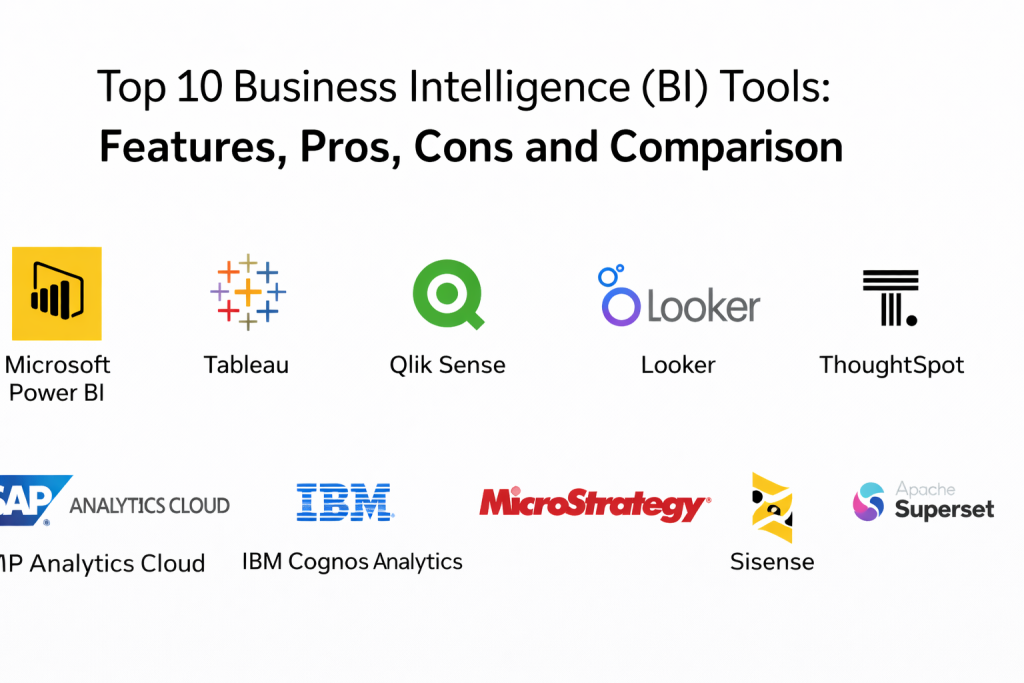
Top 10 Business Intelligence Tools
Tool 1 — Microsoft Power BI
Microsoft Power BI is widely used for interactive dashboards, reporting, and self-service analytics. It is often chosen when organizations want strong integration with Microsoft ecosystems and a large community of users who can build and consume reports with minimal friction.
Key Features
- Interactive dashboards with drilldowns and filters
- Strong connectivity to common data sources and Microsoft services
- Modeling support with reusable measures and calculation logic
- Sharing and workspace-based collaboration for teams
- Row-level security and role-based access controls (Varies)
- Scheduling and refresh patterns for datasets (Varies)
- Marketplace-style ecosystem for visuals and connectors (Varies)
Pros
- Strong adoption and familiarity across business users
- Large ecosystem and availability of trained professionals
Cons
- Governance can become difficult if metric standards are not enforced
- Performance depends on modeling choices and dataset design
Platforms / Deployment
- Web / Windows / macOS (Varies)
- Cloud / Hybrid (Varies)
Security & Compliance
- SSO, RBAC, encryption, audit logs (Varies)
- Certifications: Not publicly stated
Integrations & Ecosystem
Power BI commonly integrates into Microsoft-focused stacks and also supports broad connectivity across databases and SaaS tools.
- Data warehouses and lakehouses
- Common databases
- Microsoft productivity tools (Varies)
- APIs and embedded use cases (Varies)
- Connectors and custom visuals (Varies)
Support & Community
Large community, many tutorials and templates, and strong enterprise support options depending on licensing.
Tool 2 — Tableau
Tableau is known for powerful data visualization and interactive analysis. It is commonly adopted by analytics teams that need strong visual exploration, flexible dashboard design, and broad connectivity.
Key Features
- High-quality visualization building with interactive exploration
- Dashboard design flexibility with advanced formatting controls
- Data prep and blending options (Varies)
- Extract-based performance optimizations (Varies)
- Governance and content management features (Varies)
- Collaboration through sharing, subscriptions, and comments (Varies)
- Embedded analytics options (Varies)
Pros
- Strong visualization depth and analytical exploration
- Popular for storytelling dashboards and executive reporting
Cons
- Requires discipline to manage duplicated metrics and dashboards
- Can become expensive at scale for large user bases
Platforms / Deployment
- Web / Windows / macOS (Varies)
- Cloud / Self-hosted / Hybrid (Varies)
Security & Compliance
- SSO, RBAC, encryption, audit logs (Varies)
- Certifications: Not publicly stated
Integrations & Ecosystem
Tableau connects widely across databases, warehouses, and analytics ecosystems.
- Data warehouses and cloud platforms
- On-prem databases
- APIs for embedding and automation (Varies)
- Extensions and add-ons (Varies)
- Common enterprise identity systems (Varies)
Support & Community
Very large global community, many learning resources, and mature enterprise support.
Tool 3 — Qlik Sense
Qlik Sense is often chosen for associative analytics and flexible exploration. It supports interactive dashboards and self-service analytics, and it is commonly used where users want fast exploration and the ability to analyze data from multiple angles without strict query paths.
Key Features
- Associative data engine for flexible exploration
- Interactive dashboards and guided analytics
- Data integration and preparation options (Varies)
- Governance controls for access and shared content (Varies)
- Performance optimizations for large datasets (Varies)
- Alerting and subscription features (Varies)
- Extensibility with APIs and custom applications (Varies)
Pros
- Strong exploration model that supports discovering relationships
- Flexible for many reporting and analysis use cases
Cons
- Model design can be complex for new teams
- Requires careful governance to keep apps consistent
Platforms / Deployment
- Web / Windows / macOS (Varies)
- Cloud / Self-hosted / Hybrid (Varies)
Security & Compliance
- SSO, RBAC, encryption, audit logs (Varies)
- Certifications: Not publicly stated
Integrations & Ecosystem
Qlik Sense supports broad connectivity and extensibility.
- Databases and warehouses
- Enterprise identity systems
- APIs for embedding and automation (Varies)
- Data preparation pipelines (Varies)
- Connectors (Varies)
Support & Community
Active user community, partner ecosystem, and enterprise support options.
Tool 4 — Looker
Looker is commonly selected for its modeling layer approach that helps standardize metrics and definitions across the organization. It is often used when governance and a reusable semantic layer are priorities, especially for organizations that want consistent definitions across many dashboards.
Key Features
- Semantic modeling layer for standardized metrics (Varies)
- Reusable definitions for business logic and KPIs
- Dashboarding and reporting for shared analytics
- Strong support for embedded analytics use cases (Varies)
- Role-based access and governance controls (Varies)
- Integration patterns with modern data warehouses (Varies)
- APIs for automation and custom experiences (Varies)
Pros
- Strong metric consistency when the model is maintained well
- Good fit for embedded analytics and standardized reporting
Cons
- Requires modeling discipline and skilled owners
- Self-service exploration depends on model quality and coverage
Platforms / Deployment
- Web (Primarily)
- Cloud / Hybrid (Varies)
Security & Compliance
- SSO, RBAC, encryption, audit logs (Varies)
- Certifications: Not publicly stated
Integrations & Ecosystem
Looker is commonly used alongside cloud warehouses and modern data pipelines.
- Data warehouses and lakehouses
- Transformation tooling and orchestration (Varies)
- APIs for embedding and integration (Varies)
- Enterprise identity providers
- Operational tools for alerts and actions (Varies)
Support & Community
Strong documentation and partner ecosystem. Community resources vary but are widely available.
Tool 5 — ThoughtSpot
ThoughtSpot is often chosen for search-driven analytics and enabling business users to quickly ask questions of data. It fits organizations that want fast self-service analytics with guided exploration and strong dashboard experiences.
Key Features
- Search-driven analytics for quick exploration (Varies)
- AI-assisted insights and anomaly detection (Varies)
- Interactive dashboards with drill and filters
- Governance controls and role management (Varies)
- Embedded analytics experiences (Varies)
- Connections to modern data platforms (Varies)
- Collaboration and sharing workflows (Varies)
Pros
- Strong self-service approach for business users
- Fast question-to-answer workflows when models are ready
Cons
- Requires good underlying data modeling to deliver consistent results
- Some advanced customization needs planning and expertise
Platforms / Deployment
- Web (Primarily)
- Cloud / Hybrid (Varies)
Security & Compliance
- SSO, RBAC, encryption, audit logs (Varies)
- Certifications: Not publicly stated
Integrations & Ecosystem
Often integrates well with cloud data platforms and enterprise tools.
- Data warehouses and lakehouses
- Common business systems (Varies)
- APIs for embedded analytics (Varies)
- Identity providers
- Collaboration tooling (Varies)
Support & Community
Support depends on plan tier. Documentation is typically solid with training resources.
Tool 6 — SAP Analytics Cloud
SAP Analytics Cloud combines analytics, planning, and reporting in one platform. It is commonly adopted by organizations using SAP ecosystems and wanting planning workflows connected to reporting and dashboards.
Key Features
- Dashboarding and reporting
- Planning and forecasting capabilities (Varies)
- Integration with SAP data and enterprise systems (Varies)
- Governance and access controls (Varies)
- Collaboration and commenting for planning cycles (Varies)
- Data connection and modeling features (Varies)
- Enterprise distribution and scheduling options (Varies)
Pros
- Strong fit for organizations that need analytics plus planning
- Good alignment with SAP data landscapes
Cons
- Less attractive if your environment is mostly non-SAP
- Configuration and rollout can be complex for wide adoption
Platforms / Deployment
- Web (Primarily)
- Cloud (Primarily)
Security & Compliance
- SSO, RBAC, encryption, audit logs (Varies)
- Certifications: Not publicly stated
Integrations & Ecosystem
Best fit when SAP systems are key data sources.
- SAP business systems
- Data platforms (Varies)
- Planning and finance workflows
- Identity providers
- Integration middleware (Varies)
Support & Community
Strong enterprise support options and partner ecosystem.
Tool 7 — IBM Cognos Analytics
IBM Cognos Analytics is often used for enterprise reporting, governed dashboards, and operational reporting needs. It is commonly chosen when reliability, scheduled reporting, and structured governance are priorities.
Key Features
- Enterprise reporting and pixel-perfect output (Varies)
- Dashboarding and operational analytics
- Scheduling, bursting, and distribution controls (Varies)
- Governance and role-based access controls (Varies)
- Data modeling and semantic layer patterns (Varies)
- Content management for shared reporting assets
- Integration with enterprise systems (Varies)
Pros
- Strong reporting and distribution workflows
- Good fit for structured and governed reporting environments
Cons
- Modern self-service experiences may feel less flexible than newer tools
- Requires planning to make dashboards approachable for casual users
Platforms / Deployment
- Web / Windows (Varies)
- Cloud / Self-hosted / Hybrid (Varies)
Security & Compliance
- SSO, RBAC, encryption, audit logs (Varies)
- Certifications: Not publicly stated
Integrations & Ecosystem
Commonly integrated in enterprise IT environments.
- Databases and warehouses
- Identity and access systems
- Enterprise applications
- APIs for automation (Varies)
- Scheduling and distribution workflows
Support & Community
Enterprise support options and long-standing documentation resources.
Tool 8 — MicroStrategy
MicroStrategy is often selected for enterprise-grade BI with strong governance and large-scale deployments. It is used where organizations need centralized control, reusable analytics assets, and consistent reporting across many departments and users.
Key Features
- Enterprise dashboards and reporting
- Centralized governance and role-based access (Varies)
- Reusable metadata and semantic definitions (Varies)
- Mobile BI experiences (Varies)
- Scalable architecture for large deployments (Varies)
- Scheduling, distribution, and alerts (Varies)
- Embedded analytics and API support (Varies)
Pros
- Strong governance controls for complex enterprises
- Designed for large-scale adoption and performance
Cons
- Implementation can be heavy and requires specialist expertise
- Cost and administration can be high for smaller teams
Platforms / Deployment
- Web / Windows / macOS / iOS / Android (Varies)
- Cloud / Self-hosted / Hybrid (Varies)
Security & Compliance
- SSO, RBAC, encryption, audit logs (Varies)
- Certifications: Not publicly stated
Integrations & Ecosystem
Often used in large enterprises with many data sources.
- Warehouses and enterprise databases
- APIs for embedding and automation
- Identity and access providers
- Enterprise apps (Varies)
- Data governance tooling alignment (Varies)
Support & Community
Strong enterprise support model and partner ecosystem.
Tool 9 — Sisense
Sisense is commonly used for embedded analytics and productized reporting, often inside internal tools or customer-facing portals. It fits organizations that want BI capabilities built into applications rather than only standalone dashboards.
Key Features
- Embedded analytics with developer controls (Varies)
- Dashboards and reporting for business and customers
- Data connectivity and modeling options (Varies)
- Extensibility through APIs and SDKs (Varies)
- Governance controls for multi-tenant environments (Varies)
- Performance optimizations and caching patterns (Varies)
- Custom visualization and integration patterns (Varies)
Pros
- Strong fit for embedded analytics and application integration
- Flexible for developer-driven customization
Cons
- Some advanced setups require strong technical ownership
- Governance design is important for multi-team usage
Platforms / Deployment
- Web (Primarily)
- Cloud / Self-hosted / Hybrid (Varies)
Security & Compliance
- SSO, RBAC, encryption, audit logs (Varies)
- Certifications: Not publicly stated
Integrations & Ecosystem
Often integrated with application stacks and data platforms.
- Data warehouses and databases
- APIs and SDKs for embedding
- Identity providers
- App frameworks (Varies)
- Operational tooling (Varies)
Support & Community
Documentation and support depend on plan tier. Developer resources are typically available.
Tool 10 — Apache Superset
Apache Superset is an open-source BI platform often used for dashboarding and data exploration. It can be a strong option for teams that want flexibility, self-hosted control, and a customizable BI layer, especially when they have engineering resources available.
Key Features
- Interactive dashboards and charts
- SQL editor for exploration and analysis
- Role and permission controls (Varies)
- Broad database connectivity (Varies)
- Extensible visualization and plugin architecture (Varies)
- Self-hosted deployment control and customization
- Active open-source development community (Varies)
Pros
- Open-source and flexible for customization
- Strong fit for teams with engineering resources
Cons
- Requires internal ownership for setup, scaling, and maintenance
- Some enterprise features may require additional tooling or customization
Platforms / Deployment
- Web / Linux (Varies)
- Self-hosted / Hybrid (Varies)
Security & Compliance
- RBAC, authentication integration, auditability (Varies)
- Certifications: Not publicly stated
Integrations & Ecosystem
Often integrates with many databases and modern data platforms.
- Data warehouses and databases
- Authentication systems (Varies)
- APIs and plugins (Varies)
- Orchestration and transformation tools (Varies)
- Monitoring stacks (Varies)
Support & Community
Large open-source community. Support depends on internal resources or external partners.
Comparison Table
| Tool Name | Best For | Platform(s) Supported | Deployment | Standout Feature | Public Rating |
|---|---|---|---|---|---|
| Microsoft Power BI | Microsoft-centric reporting and dashboards | Varies / N/A | Cloud / Hybrid (Varies) | Broad adoption and strong ecosystem | N/A |
| Tableau | Visual exploration and storytelling dashboards | Varies / N/A | Cloud / Self-hosted / Hybrid (Varies) | Best-in-class visualization flexibility | N/A |
| Qlik Sense | Associative exploration and flexible analytics | Varies / N/A | Cloud / Self-hosted / Hybrid (Varies) | Associative analytics engine | N/A |
| Looker | Governed metrics and modeling-based BI | Web | Cloud / Hybrid (Varies) | Reusable semantic modeling approach | N/A |
| ThoughtSpot | Search-driven self-service analytics | Web | Cloud / Hybrid (Varies) | Search-style analytics experience | N/A |
| SAP Analytics Cloud | Analytics plus planning workflows | Web | Cloud | Integrated analytics and planning | N/A |
| IBM Cognos Analytics | Governed reporting and scheduled distribution | Varies / N/A | Cloud / Self-hosted / Hybrid (Varies) | Enterprise reporting and bursting | N/A |
| MicroStrategy | Enterprise-scale governed BI | Varies / N/A | Cloud / Self-hosted / Hybrid (Varies) | Centralized governance for large deployments | N/A |
| Sisense | Embedded analytics for applications | Web | Cloud / Self-hosted / Hybrid (Varies) | Strong embedded analytics capabilities | N/A |
| Apache Superset | Self-hosted open-source BI | Web | Self-hosted / Hybrid (Varies) | Open-source and highly customizable | N/A |
Evaluation & Scoring
Scores are comparative and meant to help shortlist options based on common BI buyer needs. A higher score suggests stronger performance in that area for typical BI use cases. Your best approach is to pilot with real datasets, validate performance, and confirm governance and sharing workflows match your organization’s operating model.
Weights used:
- Core features 25%
- Ease of use 15%
- Integrations & ecosystem 15%
- Security & compliance 10%
- Performance & reliability 10%
- Support & community 10%
- Price / value 15%
| Tool Name | Core (25%) | Ease (15%) | Integrations (15%) | Security (10%) | Performance (10%) | Support (10%) | Value (15%) | Weighted Total |
|---|---|---|---|---|---|---|---|---|
| Microsoft Power BI | 9 | 9 | 9 | 8 | 8 | 9 | 9 | 8.9 |
| Tableau | 9 | 8 | 8 | 8 | 8 | 9 | 7 | 8.1 |
| Qlik Sense | 8 | 7 | 8 | 8 | 8 | 8 | 7 | 7.7 |
| Looker | 8 | 7 | 8 | 8 | 8 | 8 | 7 | 7.7 |
| ThoughtSpot | 8 | 8 | 7 | 8 | 8 | 7 | 7 | 7.7 |
| SAP Analytics Cloud | 8 | 7 | 7 | 8 | 7 | 8 | 6 | 7.2 |
| IBM Cognos Analytics | 8 | 6 | 7 | 8 | 8 | 8 | 6 | 7.1 |
| MicroStrategy | 8 | 6 | 7 | 8 | 8 | 8 | 6 | 7.1 |
| Sisense | 7 | 7 | 7 | 8 | 7 | 7 | 6 | 7.0 |
| Apache Superset | 7 | 6 | 7 | 7 | 7 | 7 | 9 | 7.2 |
Which Business Intelligence Tool Is Right for You
Solo / Freelancer
If you mostly analyze your own datasets and need dashboards with control, Apache Superset can work if you have the technical skills to manage it. If you want fast results and broad templates, Microsoft Power BI is often practical for quick reporting workflows.
SMB
SMBs typically want quick setup, broad connectivity, and clear dashboards without heavy governance overhead. Microsoft Power BI works well for many SMB reporting needs. Tableau can be a strong choice when visualization quality and exploration are top priorities, but it may require stronger dashboard governance as usage grows.
Mid-Market
Mid-market organizations usually need better metric consistency, wider sharing, and predictable performance. Looker is strong when you want a clear semantic layer and consistent definitions. Qlik Sense is useful when flexible exploration is important. Tableau remains strong for visual analytics and executive storytelling dashboards.
Enterprise
Enterprises need governance, scalability, access control, and consistent definitions across many teams. MicroStrategy and IBM Cognos Analytics are often used in governance-heavy environments. Looker can be a strong fit when the organization commits to a modeling approach. SAP Analytics Cloud is attractive when planning workflows are required alongside BI.
Budget vs Premium
If value is the priority, Apache Superset can be highly cost-effective if you can support it internally. Microsoft Power BI often offers a strong feature-to-cost balance in many environments. Premium options can be justified when governance, performance at scale, and enterprise rollout are critical.
Feature Depth vs Ease of Use
For ease of use and broad adoption, Microsoft Power BI and ThoughtSpot can be strong. For depth in governance and standardization, Looker is often effective when the modeling layer is maintained properly. For advanced visualization depth, Tableau remains a top choice.
Integrations & Scalability
For modern data stack integrations and scaling dashboards across teams, Looker, Tableau, Microsoft Power BI, and Qlik Sense are common shortlists. For embedded analytics, Sisense is a strong option. For self-hosted control and integration flexibility, Apache Superset can work well.
Security & Compliance Needs
For strict access policies, auditability, and large-scale governance, enterprises often evaluate MicroStrategy, IBM Cognos Analytics, Looker, and Microsoft Power BI. The right choice depends on how well the platform supports your role model, data separation needs, and audit requirements in practice.
Frequently Asked Questions
1. What is the difference between BI tools and data visualization tools?
BI tools usually include data connectivity, modeling, governance, sharing, and reporting workflows. Data visualization tools may focus mainly on charts and dashboards without the same level of governance, scheduling, or semantic consistency.
2. Do BI tools require a data warehouse?
Not always, but a warehouse or lakehouse often improves performance, standardizes data, and makes metrics more consistent. BI can connect directly to operational systems, but it becomes harder to scale and govern as sources grow.
3. Why do organizations end up with too many dashboards?
It usually happens when teams build dashboards without shared metrics or ownership. A semantic layer, certified datasets, and dashboard governance reduce duplication and confusion.
4. What should we standardize first in a BI rollout?
Start with core business metrics and definitions that multiple teams use. Standardize key dimensions like customer, product, region, and time so reporting aligns across departments.
5. How do we ensure BI reports are trusted?
You need consistent definitions, quality checks upstream, access controls, and clear ownership. Also, publish certified datasets and document metric logic so people know what they are seeing.
6. What is a semantic layer and why does it matter?
A semantic layer is a reusable set of metric definitions and business logic. It prevents each dashboard from calculating metrics differently and keeps reporting consistent as usage grows.
7. Can BI tools support embedded analytics in products?
Yes, many do, but the quality of embedded experiences varies. Embedded analytics often needs APIs, permission models, and scalable performance for external users, not just internal teams.
8. How do we choose between Power BI and Tableau?
Power BI often wins for cost and Microsoft ecosystem fit, while Tableau is often chosen for visualization flexibility and exploration. Your best choice depends on governance needs, skill sets, and how teams consume insights.
9. When should we choose a self-hosted BI option?
Self-hosted options make sense when you need full infrastructure control, strict internal policies, or deep customization. They also require internal ownership for upgrades, scaling, and monitoring.
10. What is the best way to evaluate a BI tool before buying?
Run a pilot with real datasets, real user roles, and real reporting needs. Validate performance, sharing workflows, governance controls, and the ease of building standardized KPIs before committing.
Conclusion
Business Intelligence tools deliver value when they create a shared, trusted way to measure performance and make decisions. The strongest platforms do more than build dashboards; they connect to many sources, manage consistent definitions, control access, and help teams collaborate around the same KPIs. Your best choice depends on your data foundation, governance maturity, user skill levels, and how widely you plan to roll out self-service analytics. A practical next step is to shortlist two or three tools that match your environment, pilot them with real datasets and real user roles, and evaluate performance, metric consistency, and sharing controls. Once you confirm reliable reporting and adoption patterns, scale gradually with certified datasets and clear ownership so BI remains trusted over time.

Best Cardiac Hospitals Near You
Discover top heart hospitals, cardiology centers & cardiac care services by city.
Advanced Heart Care • Trusted Hospitals • Expert Teams
View Best Hospitals