Introduction
In the high-stakes world of modern investigations, the ability to transform raw data into a coherent, defensible narrative is the difference between a closed case and a missed opportunity. Case notes and investigation tools have moved far beyond digital clipboards; they are now sophisticated intelligence hubs that integrate evidence management, timeline visualization, and collaborative analysis. Whether for corporate fraud, digital forensics, or law enforcement, these platforms ensure that every observation, interview, and piece of evidence is indexed, searchable, and stored in a manner that maintains a strict chain of custody.
Investigative technology is defined by the need for speed and accuracy. With the sheer volume of digital footprints generated daily, manual note-taking is no longer viable. Modern tools utilize structured data entry and automated cross-referencing to help investigators identify patterns that would otherwise remain hidden. By centralizing disparate information into a unified workspace, these tools allow multidisciplinary teams to collaborate in real-time while ensuring that all documentation meets the rigorous standards required for legal proceedings and internal audits.
Best for: Private investigators, corporate security teams, digital forensic analysts, law enforcement agencies, and legal professionals who require a centralized, secure environment for managing complex case documentation.
Not ideal for: Simple personal task management, basic hobbyist research, or organizations that do not require a formal audit trail or legal-grade evidence handling.
Key Trends in Case Notes & Investigation Tools
- Automated Timeline Reconstruction: Advanced tools now automatically parse timestamps from various evidence sources to create a chronological “master narrative” of events.
- AI-Powered Entity Extraction: Integration of natural language processing to automatically identify and link names, addresses, and organizations across thousands of pages of notes.
- Mobile-First Field Reporting: High-security mobile applications that allow investigators to dictate notes, upload photos, and record interviews directly from the field into a secure cloud.
- End-to-End Chain of Custody: Digital ledger technology is increasingly used to track every person who views or edits a case note, providing an unbreakable audit trail for court.
- Geospatial Case Mapping: The ability to visualize case notes and evidence on an interactive map to identify geographical clusters and suspect movement patterns.
- Collaborative Graph Analysis: Visualizing the relationships between different entities (people, accounts, devices) directly from the investigation notes.
- Redaction Automation: AI tools that identify and mask personally identifiable information (PII) in notes before sharing them with external parties.
- Offline Synchronization: Robust local caching that allows investigators in remote or “dark” environments to continue logging notes that sync once a secure connection is restored.
How We Selected These Tools
- Auditability & Integrity: We prioritized tools that provide a permanent, unalterable record of entries and changes to ensure legal defensibility.
- Information Retrieval: Each tool was evaluated on the speed and depth of its search capabilities, including the ability to search within images and attachments.
- Collaboration Features: We looked for platforms that allow multiple investigators to contribute to the same case file simultaneously without data conflict.
- Security Architecture: Preference was given to tools offering encryption at rest, multi-factor authentication, and granular permission controls.
- Ease of Documentation: We selected tools that minimize the administrative burden on the investigator through intuitive interfaces and automated data entry.
- Ecosystem Compatibility: The selection includes tools that integrate well with broader forensic suites and evidence management systems.
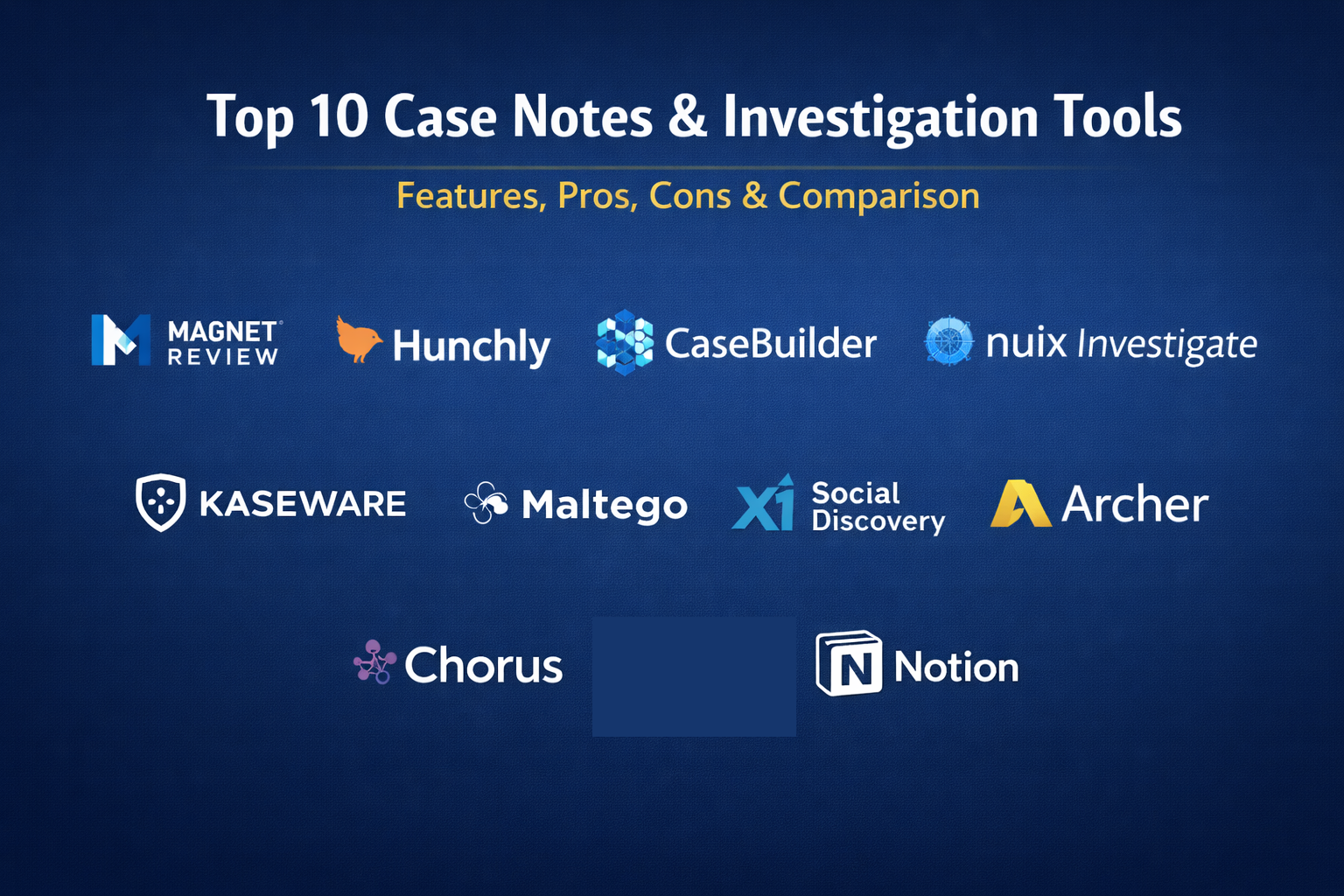
Top 10 Case Notes & Investigation Tools
1. Magnet Review
A cloud-based tool designed for investigative teams to collaborate on digital evidence. It allows non-technical stakeholders to review case notes and evidence processed by forensic examiners in a simplified, secure web interface.
Key Features
- Unified view of digital evidence from mobile, cloud, and computer sources.
- Intuitive tagging and commenting system for collaborative note-taking.
- Search and filter capabilities designed for large datasets.
- Secure sharing portals for external investigators or legal counsel.
- Automated reporting that compiles notes into a professional document.
Pros
- Excellent for bridging the gap between technical forensic experts and lead investigators.
- No specialized software installation is required for reviewers.
Cons
- Requires pre-processing of evidence in other forensic tools.
- Higher cost for enterprise-level cloud storage.
Platforms / Deployment
Web / Windows
Cloud
Security & Compliance
SSO/SAML, MFA, and FIPS-compliant encryption.
SOC 2 / ISO 27001 compliant.
Integrations & Ecosystem
Integrates natively with Magnet AXIOM and other forensic processing engines.
Support & Community
Extensive training through Magnet Forensics Academy and a dedicated global support team.
2. Hunchly
A specialized tool for online investigators that automatically captures and organizes web-based evidence. It acts as a transparent layer over the browser to ensure every step of an online investigation is documented.
Key Features
- Automatic background capture of every webpage visited during an investigation.
- Built-in hashing of every page to prove evidence has not been tampered with.
- Full-text search across all captured web pages and metadata.
- Note-taking interface that allows for annotations directly on captured content.
- Selector tracking to highlight specific keywords of interest across different sites.
Pros
- Eliminates the manual burden of taking screenshots and saving URLs.
- Creates a verifiable chain of custody for open-source intelligence (OSINT).
Cons
- Primarily focused on web-based investigations rather than physical case management.
- Requires a browser extension and local installation.
Platforms / Deployment
Windows / macOS / Linux
Local
Security & Compliance
Local data storage with encrypted exports.
Not publicly stated.
Integrations & Ecosystem
Integrates with popular OSINT tools and forensic reporting suites via API.
Support & Community
Strong community presence in the OSINT and private investigation sectors.
3. CaseBuilder (by Cellebrite)
A comprehensive investigation management platform designed to help agencies organize, analyze, and share investigative data to close cases faster.
Key Features
- Centralized case file management for physical and digital evidence.
- Dynamic timeline visualization of all case activities and notes.
- Relationship mapping to visualize connections between suspects and evidence.
- Automated report generation with customizable templates.
- Mobile application for field-based note-taking and evidence logging.
Pros
- Very strong at managing the “big picture” of a multi-month investigation.
- Designed specifically for the rigorous documentation standards of law enforcement.
Cons
- Can be complex to set up for smaller investigative firms.
- Best utilized when paired with the broader forensic ecosystem.
Platforms / Deployment
Windows / iOS / Android
Cloud / Hybrid
Security & Compliance
Criminal Justice Information Services (CJIS) compliant security standards.
Not publicly stated.
Integrations & Ecosystem
Deeply integrated with digital intelligence platforms and evidence management systems.
Support & Community
Professional support tiers and an extensive global training network.
4. Nuix Investigate
A powerful web-based visualization and analysis tool that allows multiple investigators to work on the same case data simultaneously, regardless of their technical skill level.
Key Features
- Advanced search and filtering across massive volumes of unstructured data.
- Visual link analysis to uncover hidden relationships between entities.
- Integrated chat and collaboration tools for investigative teams.
- Automated extraction of intelligence from emails, chats, and documents.
- Secure, role-based access to ensure investigators only see what they need.
Pros
- Handles exceptionally large datasets (terabytes) without performance loss.
- Visual interface makes complex data easy to interpret for non-tech users.
Cons
- Significant infrastructure requirements for on-premises deployment.
- Premium pricing reflects its high-end enterprise positioning.
Platforms / Deployment
Windows / Web
Cloud / Self-hosted
Security & Compliance
Robust encryption and granular user permission management.
Not publicly stated.
Integrations & Ecosystem
Integrates with the Nuix Workstation and other enterprise data processing tools.
Support & Community
Enterprise-grade support and a dedicated user forum for large organizations.
5. Kaseware
An all-in-one investigation management platform created by former FBI agents. It combines case management, dispatch, and analytics into a single, secure interface.
Key Features
- Integrated link analysis and mapping built directly into case notes.
- Automated task management and workflow tracking for large teams.
- Secure evidence management with full chain-of-custody tracking.
- Customizable forms and reports tailored to specific agency needs.
- Real-time collaboration and field reporting via mobile.
Pros
- Designed by investigators, for investigators, ensuring a practical workflow.
- Combines multiple tools (RMS, CMS, Analytics) into one subscription.
Cons
- May offer more features than a solo private investigator requires.
- Initial data migration can be a significant undertaking.
Platforms / Deployment
Web / iOS / Android
Cloud / Hybrid
Security & Compliance
CJIS compliant and FedRAMP authorized.
SOC 2 compliant.
Integrations & Ecosystem
Provides a robust API for connecting to third-party data sources and forensic tools.
Support & Community
Direct support from investigative experts and comprehensive onboarding programs.
6. Maltego
While often used for link analysis, Maltego serves as a powerful investigative tool for documenting the relationships between digital and physical entities in real-time.
Key Features
- Visual graph interface for mapping connections between people, domains, and IP addresses.
- Real-time data integration from hundreds of public and private sources.
- Note-taking capabilities within each individual “node” on the graph.
- Collaborative “sessions” where multiple investigators can edit a graph.
- Exportable reports that visualize the complexity of a criminal network.
Pros
- The industry standard for visualizing complex networks and infrastructure.
- Highly extensible through “transforms” (data connectors).
Cons
- The graph interface can become cluttered in very large cases.
- Learning how to effectively use transforms requires dedicated training.
Platforms / Deployment
Windows / macOS / Linux
Local / Cloud
Security & Compliance
Support for on-premises deployment for highly sensitive environments.
Not publicly stated.
Integrations & Ecosystem
Integrates with almost all major OSINT and cybersecurity data providers.
Support & Community
A very active global community and the “Maltego Academy” for professional training.
7. Chorus (by IBM i2)
A long-standing leader in investigation analysis, Chorus (formerly part of the i2 suite) provides a professional environment for managing and analyzing investigative notes and evidence.
Key Features
- Powerful link analysis and social network visualization.
- Temporal analysis tools to identify patterns over time.
- Advanced search across disparate databases and note files.
- Structured data entry to ensure consistency across large teams.
- Multi-dimensional analysis to view cases from different perspectives.
Pros
- Extremely stable and proven in high-stakes law enforcement for decades.
- Unmatched capability for deep intelligence analysis.
Cons
- Interface can feel less “modern” compared to newer cloud startups.
- Requires a high level of expertise to utilize all features.
Platforms / Deployment
Windows
Local / Self-hosted
Security & Compliance
High-level security architecture designed for national security agencies.
Not publicly stated.
Integrations & Ecosystem
Part of the broader IBM i2 ecosystem with deep data integration capabilities.
Support & Community
Professional services and a massive network of trained intelligence analysts.
8. X1 Social Discovery
A specialized tool for investigators who need to capture and document evidence from social media, websites, and webmail in a legally defensible manner.
Key Features
- Direct capture of social media content while maintaining metadata.
- Automated MD5 hashing of all captured items for integrity.
- Search and filter capabilities across multiple social media accounts.
- Note-taking and tagging of specific social posts or interactions.
- Full-page web captures with link crawling.
Pros
- The premier tool for social media evidence that holds up in court.
- Simplifies the process of capturing complex dynamic web content.
Cons
- Niche focus on social and web data rather than general case management.
- Requires frequent updates to keep up with social media platform changes.
Platforms / Deployment
Windows
Local
Security & Compliance
Maintains the evidentiary integrity required for forensic standards.
Not publicly stated.
Integrations & Ecosystem
Complements general case management tools by providing specialized web evidence.
Support & Community
Strong support for legal and forensic professionals.
9. Archer (by RSA)
While often categorized as GRC (Governance, Risk, and Compliance), Archer’s Investigation Management module is an enterprise-grade tool for corporate internal investigations.
Key Features
- Standardized investigation templates to ensure organizational consistency.
- Centralized repository for case notes, interviews, and evidence.
- Automated escalation workflows based on case severity.
- Comprehensive reporting for board-level risk management.
- Integration with corporate HR and IT systems for background data.
Pros
- Excellent for large corporations needing to manage thousands of internal cases.
- Focuses heavily on compliance and risk mitigation.
Cons
- Overly complex for small investigative teams.
- Requires significant customization to fit specific investigative workflows.
Platforms / Deployment
Web / Windows
Cloud / Self-hosted
Security & Compliance
Enterprise-grade security with full audit logs and MFA.
SOC 2 / ISO 27001 compliant.
Integrations & Ecosystem
Integrates deeply with corporate risk and compliance ecosystems.
Support & Community
Comprehensive global support and professional services for large-scale deployments.
10. Notion (for Private Investigators)
Though a general-purpose tool, Notion has become a favorite for solo and small-firm investigators due to its flexible database structures and ease of note-taking.
Key Features
- Customizable databases for tracking subjects, evidence, and timelines.
- Relational properties that allow notes to be linked across different cases.
- Clean, markdown-based interface for rapid note entry.
- Collaborative workspaces for small teams or client sharing.
- Templates designed specifically for investigative workflows.
Pros
- Extremely affordable compared to specialized forensic software.
- Highly customizable—investigators can build exactly the system they need.
Cons
- Does not provide a forensic-grade audit trail or chain of custody natively.
- Not suitable for handling evidence that must meet strict court standards without third-party tools.
Platforms / Deployment
Web / Windows / macOS / iOS / Android
Cloud
Security & Compliance
MFA and encryption in transit/at rest.
SOC 2 compliant.
Integrations & Ecosystem
Connects with thousands of tools via Zapier or its native API.
Support & Community
Massive community with endless free templates and tutorials.
Comparison Table
| Tool Name | Best For | Platform(s) Supported | Deployment | Standout Feature | Public Rating |
| 1. Magnet Review | Team Collaboration | Web, Windows | Cloud | Simplified Evidence Review | N/A |
| 2. Hunchly | Web Investigation | Win, Mac, Linux | Local | Automated Web Capture | N/A |
| 3. CaseBuilder | Law Enforcement | Win, Mobile | Hybrid | Full Lifecycle Management | N/A |
| 4. Nuix Investigate | Mass Data Analysis | Web, Windows | Hybrid | High-Volume Visual Search | N/A |
| 5. Kaseware | All-in-One CRM | Web, Mobile | Cloud | Former FBI Design | N/A |
| 6. Maltego | Link Analysis | Win, Mac, Linux | Hybrid | Visual Node Mapping | N/A |
| 7. Chorus | Intelligence Analysis | Windows | Local | Deep Pattern Detection | N/A |
| 8. X1 Social Discovery | Social Media | Windows | Local | Legal Social Capture | N/A |
| 9. Archer | Corporate HR/Risk | Web, Windows | Cloud | Compliance Workflows | N/A |
| 10. Notion | Solo PI / SMB | Web, Mobile | Cloud | Database Flexibility | N/A |
Evaluation & Scoring
| Tool Name | Core (25%) | Ease (15%) | Integrations (15%) | Security (10%) | Perf (10%) | Support (10%) | Value (15%) | Total |
| 1. Magnet Review | 9 | 9 | 9 | 9 | 8 | 9 | 7 | 8.60 |
| 2. Hunchly | 8 | 10 | 7 | 8 | 9 | 8 | 9 | 8.25 |
| 3. CaseBuilder | 10 | 7 | 9 | 10 | 9 | 9 | 6 | 8.35 |
| 4. Nuix Investigate | 10 | 8 | 9 | 9 | 10 | 8 | 5 | 8.20 |
| 5. Kaseware | 9 | 8 | 8 | 10 | 9 | 9 | 7 | 8.55 |
| 6. Maltego | 9 | 6 | 10 | 8 | 8 | 8 | 7 | 7.95 |
| 7. Chorus | 10 | 5 | 8 | 10 | 8 | 8 | 6 | 7.75 |
| 8. X1 Social Discovery | 8 | 7 | 7 | 9 | 8 | 8 | 7 | 7.55 |
| 9. Archer | 8 | 6 | 9 | 10 | 8 | 8 | 6 | 7.45 |
| 10. Notion | 6 | 10 | 8 | 7 | 9 | 8 | 10 | 7.90 |
The scoring above focuses on the tool’s effectiveness in a professional investigative environment. Magnet Review and Kaseware score highly due to their balance of professional features and user accessibility. Nuix and Chorus receive perfect scores for core analytical capabilities but lose points on ease of use and value for smaller firms. Notion is included as a high-value alternative for non-evidentiary tracking but scores lower on core investigative security and forensic integrity features.
Which Case Notes & Investigation Tool Is Right for You?
Solo / Freelancer
If you are a solo private investigator focusing on OSINT, Hunchly is indispensable for capturing web evidence. For general case organization and client reporting, a customized Notion workspace offers the most flexibility for a low price point.
SMB
Small investigative firms should look at Magnet Review or Kaseware. These tools provide a professional image to clients and ensure that your documentation is structured enough to be handed over to legal counsel or law enforcement without gaps in the narrative.
Mid-Market
Organizations handling consistent corporate internal investigations benefit from CaseBuilder or Nuix Investigate. These tools allow for more complex analysis and can handle the larger volumes of data often found in corporate email or server environments.
Enterprise
Large corporations with dedicated HR, Legal, and Security departments should integrate Archer for risk compliance and Nuix Investigate for deep-dive forensic discovery. These tools provide the high-level reporting required for board-level visibility.
Budget vs Premium
Notion and Hunchly are the budget leaders, providing excellent value for specific tasks. Cellebrite and Nuix represent premium investments for high-stakes, high-volume investigative environments where accuracy is more critical than cost.
Feature Depth vs Ease of Use
Chorus and Maltego offer incredible depth for intelligence analysts but have steep learning curves. Magnet Review is specifically designed to be easy for non-technical users while still offering professional feature sets.
Integrations & Scalability
Kaseware and Archer are designed to be the central nervous system of an investigative unit, scaling across thousands of users and integrating with diverse corporate or agency databases.
Security & Compliance Needs
For law enforcement and government agencies, Kaseware and Cellebrite CaseBuilder are the clear winners, as they are built specifically to meet CJIS and other rigorous public-sector security standards.
Frequently Asked Questions (FAQs)
1. Why can’t I just use Microsoft Word for case notes?
Word lacks a secure audit trail. In a professional investigation, you must be able to prove when a note was written and that it hasn’t been changed since, which specialized tools handle automatically.
2. What is “chain of custody” in digital notes?
It is a chronological record that documents the collection, control, transfer, and analysis of evidence. Case note tools automate this by logging every person who accesses or edits a file.
3. Do these tools work offline?
Many investigative tools, especially those with mobile components like Kaseware, allow for offline data entry which synchronizes once you return to a secure network.
4. Can I share these notes directly with clients?
Yes, platforms like Magnet Review allow you to create “reviewer” accounts or secure export packages that allow clients or legal counsel to see only the information you authorize.
5. How does AI help in taking case notes?
AI can automatically tag names and locations, summarize long transcripts, and even suggest connections between different case files that a human might miss.
6. Are these tools difficult to learn?
The difficulty varies. Tools like Hunchly and Notion are very intuitive, while advanced analysis platforms like Maltego and Chorus require professional training.
7. Is cloud storage safe for sensitive investigation data?
Yes, provided the tool is compliant with standards like SOC 2 or CJIS. Many tools also offer “on-premises” versions for agencies that are not allowed to use the cloud.
8. Can I recover a note if I accidentally delete it?
Professional investigative tools usually have an “archive” or “version history” feature that prevents the permanent accidental deletion of case data to maintain the record.
9. Do these tools help with court testimony?
Yes, by providing a clear, chronological, and verifiable record of your investigation, these tools allow you to testify with confidence based on structured facts rather than memory.
10. How much do these tools typically cost?
Prices range from $10/month for general tools like Notion to several thousand dollars per year for enterprise-grade suites like Cellebrite or Nuix.
Conclusion
Effective investigative work is built on a foundation of meticulous documentation. The tools listed here are designed to protect the integrity of your findings while allowing you to uncover the truth more efficiently. As the complexity of cases grows—spanning multiple digital platforms and physical locations—having a centralized “source of truth” is no longer optional. Choosing the right tool depends on the sensitivity of your case work, the size of your team, and the legal standards you must meet. By investing in a professional case management system, you ensure that your hard work in the field results in a defensible and clear outcome in the boardroom or the courtroom.

Best Cardiac Hospitals Near You
Discover top heart hospitals, cardiology centers & cardiac care services by city.
Advanced Heart Care • Trusted Hospitals • Expert Teams
View Best Hospitals