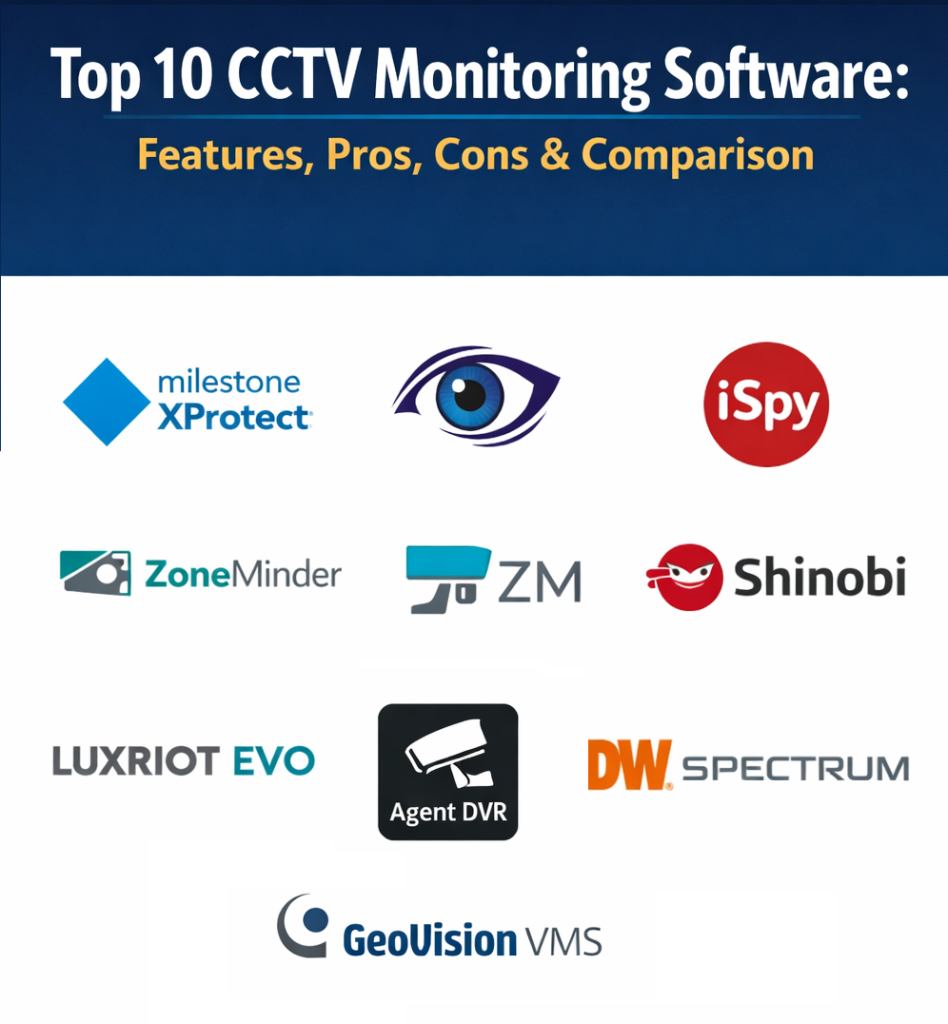
Introduction
CCTV Monitoring Software is the foundational technology used to oversee and manage closed-circuit television systems. Unlike general video management, CCTV-specific software is often tuned for high-reliability local monitoring, dedicated security hardware integration, and long-term archival. These platforms allow security personnel to view multiple camera feeds simultaneously, control motorized cameras, and review historical data to investigate security breaches.
The value of high-quality CCTV software lies in its ability to provide uninterrupted visibility into a physical space. These systems are critical for crime prevention, as they allow for immediate detection of unauthorized activities and provide high-resolution evidence for legal proceedings. Modern versions of these tools have moved beyond simple viewing to include automated alerts, motion tracking, and health monitoring for the cameras themselves.
Real-world use cases include:
- Warehouse Logistics: Monitoring loading docks and inventory shelves to prevent internal theft and verify shipments.
- Public Transportation Hubs: Overseeing platforms and ticket halls to manage crowd flow and detect abandoned items.
- Banking Environments: Securing teller lines and ATM lobbies with high-frame-rate recording for transaction verification.
- Residential Complexes: Providing building managers with a centralized view of entry points, parking garages, and common areas.
Buyers should evaluate these platforms based on:
- Stability during 24/7 continuous operation.
- Support for legacy analog cameras via encoders versus modern IP cameras.
- User interface responsiveness when handling high-bitrate video streams.
- Ease of exporting video clips in secure, tamper-proof formats.
- Capacity for multi-monitor video wall configurations.
- Integration with physical security triggers like door sensors.
- Bandwidth management for remote viewing over limited networks.
- Availability of local storage redundancy.
Mandatory paragraph
- Best for: Security officers, facility managers, and loss prevention specialists who require a dedicated, robust interface for active property surveillance.
- Not ideal for: Casual users who only need to check a single camera occasionally via a web browser without dedicated recording.
Key Trends in CCTV Monitoring Software
The CCTV landscape is evolving with a focus on high-efficiency video coding and intelligent automation:
- H.265+ Compression: Implementing advanced video codecs to reduce storage costs while maintaining 4K image clarity.
- Edge-to-Server Metadata: Utilizing camera-side intelligence to reduce the processing load on the central monitoring server.
- Thermal Image Integration: Monitoring temperature fluctuations alongside visual video for fire prevention.
- Unified Health Dashboards: Automatically alerting operators when a hard drive fails or a camera loses focus.
- Cyber-Secure Video Tunnels: Encrypting video data from the camera to the storage server to prevent eavesdropping.
- Low-Light Image Enhancement: Software algorithms that artificially brighten dark scenes without adding significant noise.
- AI-Based Perimeter Protection: Using virtual tripwires to detect human or vehicle intrusion while ignoring shadows and animals.
- Mobile Surveillance Synchronization: Allowing patrol officers to view live CCTV feeds on tablets while moving around the facility.
How We Selected These Tools (Methodology)
To identify the top 10 CCTV monitoring platforms, we applied a methodology focused on operational reliability and hardware support:
- Hardware Compatibility: Prioritizing software that supports a vast range of camera manufacturers and protocols.
- Uptime Performance: Evaluating the software’s ability to run for months without requiring a reboot.
- User Interface Logic: Assessing how quickly a new operator can learn to find and export specific footage.
- Resource Efficiency: Looking for software that doesn’t overwhelm the host computer’s CPU and RAM.
- Forensic Utility: Evaluating the tools available for zooming, enhancing, and authenticating recorded video.
- Alarm Management: Checking how the software handles and prioritizes incoming security alerts.
- System Scalability: Ensuring the software can grow from a single-camera setup to a hundreds-of-cameras system.
Top 10 CCTV Monitoring Software Tools
1.Milestone XProtect
Milestone XProtect is a globally recognized open-platform VMS that provides extreme flexibility for large-scale CCTV environments.
Key Features
- Smart Wall Support: Create massive, multi-screen video walls for large control rooms.
- Open Architecture: Compatible with thousands of IP cameras and various encoders.
- Smart Client Interface: A highly customizable dashboard for daily security tasks.
- Hardware Acceleration: Uses GPU power to decode video and improve system performance.
- Incident Manager: A built-in tool to document and manage ongoing security events.
Pros
- Unmatched scalability and hardware support.
- Frequent updates and a very stable core engine.
Cons
- The professional versions require a significant investment.
- Setup can be complex for small installations.
Platforms / Deployment
- Windows
- On-Premise / Hybrid
Security & Compliance
- FIPS 140-2
- GDPR compliant
Integrations & Ecosystem
Works with almost every major security hardware provider in the world.
Support & Community
Extensive global support network and certified training programs.
2.Blue Iris
Blue Iris is a popular, high-performance software for those who want professional-grade CCTV features on a budget.
Key Features
- Built-in Web Server: Access your camera feeds from any browser without extra software.
- Direct-to-Disk Recording: Reduces CPU usage by writing raw video directly to the hard drive.
- Advanced Motion Detection: Fine-tune alerts based on object size and duration of movement.
- Digital Zoom: High-quality digital enlargement for identifying details in recorded footage.
- Remote Management: Full control of the server via a dedicated mobile application.
Pros
- Extremely cost-effective for the number of features provided.
- Highly active user community for troubleshooting and custom scripts.
Cons
- The user interface can feel cluttered and technical for beginners.
- Primarily optimized for Windows, limiting deployment options.
Platforms / Deployment
- Windows
- On-Premise
Security & Compliance
- User-defined security levels
- SSL encryption support
Integrations & Ecosystem
Supports most ONVIF-compliant cameras and simple home automation triggers.
Support & Community
Large community forum and direct email support for licensed users.
3.iSpy
iSpy is an open-source video surveillance platform that offers massive flexibility for both home and business users.
Key Features
- Plugin Architecture: Add facial recognition, license plate reading, and more via plugins.
- Cloud Upload: Automatically back up critical alerts to various cloud storage providers.
- Remote Command: Control cameras and system settings via a web-based portal.
- Grid Views: Custom layouts for monitoring dozens of cameras on one screen.
- Audio Monitoring: Listen to and record audio from microphones integrated into cameras.
Pros
- The base version is free to use for local monitoring.
- Highly customizable and extendable for technical users.
Cons
- Remote access features often require a paid subscription.
- Stability can vary depending on the plugins used.
Platforms / Deployment
- Windows
- On-Premise
Security & Compliance
- Local storage privacy
- Standard data encryption
Integrations & Ecosystem
Deep integration with a wide variety of USB and IP cameras.
Support & Community
Active open-source community and comprehensive online documentation.
4.ZoneMinder
ZoneMinder is the premier Linux-based CCTV monitoring solution, preferred by IT professionals for its stability and openness.
Key Features
- Web-Based Console: Manage the entire system through a browser-based interface.
- Multi-Server Support: Combine multiple servers into a single, massive monitoring system.
- Event Filters: Create complex rules for when the system should start recording.
- API Access: Full API for integrating CCTV data into custom business applications.
- Camera Groups: Organize cameras by location or function for easier monitoring.
Pros
- Completely free and open-source with no licensing fees.
- Extremely stable when running on Linux-based servers.
Cons
- Requires a high level of Linux technical expertise to set up.
- The interface is functional but not as visually modern as competitors.
Platforms / Deployment
- Linux
- On-Premise
Security & Compliance
- Open-source transparency
- Standard Linux security protocols
Integrations & Ecosystem
Compatible with nearly any camera that can provide a standard video stream.
Support & Community
Strong community forum and a wealth of Linux-specific documentation.
5.Shinobi
Shinobi is a modern, responsive CCTV platform built on Node.js, designed for high performance and ease of use.
Key Features
- Modern Dashboard: A clean, fast, and responsive user interface.
- Hardware Acceleration: Native support for NVIDIA and Intel GPU acceleration.
- Time-Lapse Generation: Easily create time-lapse videos from your recorded footage.
- Interactive Timeline: A smooth, scrubbable timeline for finding events quickly.
- Object Detection: Built-in support for TensorFlow-based object recognition.
Pros
- Very low overhead compared to many older CCTV software packages.
- Modern web-native design makes it easy to use on different devices.
Cons
- Documentation can be slightly behind the fast-paced development.
- Some advanced features require the “Pro” version.
Platforms / Deployment
- Linux / MacOS / Docker
- On-Premise
Security & Compliance
- Regular security audits
- Secure web-socket communication
Integrations & Ecosystem
Excellent support for modern IP cameras and smart home sensors.
Support & Community
Active Discord community and direct developer engagement.
6.Luxriot EVO
Luxriot EVO is an enterprise-level VMS known for its high-performance video engine and intuitive management tools.
Key Features
- 64-bit Architecture: Fully utilizes modern server hardware for maximum camera density.
- Video Content Analysis: Advanced analytics for counting people and detecting objects.
- Maps Integration: Overlay camera locations on a high-resolution site map.
- Edge Recording Sync: Automatically retrieves video from camera SD cards if the network fails.
- User Groups: Granular control over who can view or export specific cameras.
Pros
- Very polished and professional user interface.
- Excellent support for high-resolution 4K and 8K video streams.
Cons
- High-tier features are locked behind expensive enterprise licenses.
- Less community-driven support than open-source alternatives.
Platforms / Deployment
- Windows
- On-Premise
Security & Compliance
- AES-256 encryption
- Active Directory integration
Integrations & Ecosystem
Supports a wide array of high-end commercial security cameras.
Support & Community
Professional technical support and a global distributor network.
7.Xeoma
Xeoma is a highly visual CCTV software that uses a unique “modular” approach to setting up security rules.
Key Features
- Module-Based Logic: Connect “blocks” (camera, motion detector, email) to create rules.
- Artificial Intelligence: Modules for emotions, face, and gender recognition.
- Remote Access: Cloud-based access to your cameras from any device.
- Multi-Platform: Runs on nearly any operating system available.
- Dual-Streaming: Uses a low-res stream for viewing and a high-res stream for recording.
Pros
- The most intuitive way to set up complex security logic.
- Runs on lightweight hardware, including Raspberry Pi.
Cons
- The visual interface can become messy for very large systems.
- Some modules require individual purchase or high-tier licenses.
Platforms / Deployment
- Windows / Linux / MacOS / Android / iOS
- On-Premise / Hybrid
Security & Compliance
- Password protection for individual modules
- Secure remote connections
Integrations & Ecosystem
Broad compatibility with over 400 camera brands.
Support & Community
Responsive technical support and a helpful user manual.
8.Digital Watchdog Spectrum
Digital Watchdog Spectrum is an IP-focused CCTV software known for its incredible speed and modern tab-based interface.
Key Features
- Instant Search: Highlight an area on the screen to find motion in that spot instantly.
- Server-Hive: Multiple servers work together as a single, unified system.
- Universal Browser: View any camera on your network without installing software.
- One-Click Updates: Update all servers and clients in a system simultaneously.
- Custom Layouts: Drag and drop cameras into any configuration on the screen.
Pros
- One of the fastest interfaces for reviewing recorded video.
- Very competitive pricing for a professional-grade solution.
Cons
- Less focus on legacy analog camera integration.
- Hardware requirements for clients can be high for multiple 4K streams.
Platforms / Deployment
- Windows / Linux / MacOS
- On-Premise / Hybrid
Security & Compliance
- NDAA compliant
- Standard data encryption
Integrations & Ecosystem
Extensive support for ONVIF cameras and third-party storage.
Support & Community
Excellent online training through Spectrum University.
9.Agent DVR
Agent DVR is the successor to iSpy, built from the ground up to be a modern, web-native CCTV service.
Key Features
- No-Install Client: Access and manage everything through any modern web browser.
- AI Integration: Seamless connection with DeepStack and CodeProject.AI.
- Virtual VR Support: View your cameras in a 3D virtual environment.
- Smart Alerts: Filter alerts by object type to reduce false notifications.
- Local Processing: All video processing happens on your local hardware for privacy.
Pros
- Exceptionally easy to use across different platforms via the browser.
- Powerful AI capabilities are built into the core interface.
Cons
- Remote access and cloud features require a monthly subscription.
- Can be more resource-intensive than some lightweight Linux tools.
Platforms / Deployment
- Windows / Linux / MacOS / Docker
- On-Premise
Security & Compliance
- Local-first data handling
- SSL/TLS encryption
Integrations & Ecosystem
Broad compatibility with IP cameras, ONVIF, and RTSP streams.
Support & Community
Highly active developer-led community and detailed help guides.
10.Geovision VMS
Geovision VMS is a comprehensive monitoring platform that excels at integrating video with access control and retail tools.
Key Features
- Fisheye Dewarping: Converts panoramic camera views into flat, usable images.
- Point of Sale Integration: Overlay transaction data onto surveillance video.
- Access Control Sync: See who badged into a door alongside the video evidence.
- Digital Matrix: A specialized tool for creating massive control room displays.
- Mobile App: Real-time push notifications and remote video playback.
Pros
- Excellent for retail and commercial environments needing total integration.
- Strong history of reliability in the professional CCTV industry.
Cons
- Primarily optimized for Geovision’s own hardware products.
- The interface can feel more technical than some modern “startup” brands.
Platforms / Deployment
- Windows
- On-Premise
Security & Compliance
- User access logs
- Standard encryption protocols
Integrations & Ecosystem
Best results when used within the full Geovision hardware ecosystem.
Support & Community
Professional global support and a large network of authorized installers.
Comparison Table (Top 10)
| Tool Name | Best For | Platform(s) Supported | Deployment | Standout Feature | Public Rating |
|---|---|---|---|---|---|
| Milestone XProtect | Enterprise Scale | Windows | On-Premise | Open Platform Architecture | N/A |
| Blue Iris | Budget Performance | Windows | On-Premise | Direct-to-Disk Recording | N/A |
| iSpy | Open-Source Flexibility | Windows | On-Premise | Plugin Architecture | N/A |
| ZoneMinder | Linux Systems | Linux | On-Premise | Multi-Server Aggregation | N/A |
| Shinobi | Modern Web Design | Linux, MacOS | On-Premise | Node.js Performance | N/A |
| Luxriot EVO | 4K/8K Monitoring | Windows | On-Premise | 64-bit High Density | N/A |
| Xeoma | Visual Rule Setup | Win, Lin, Mac | Hybrid | Module-Based Logic | N/A |
| Digital Watchdog Spectrum | Search Speed | Win, Lin, Mac | Hybrid | Instant Motion Search | N/A |
| Agent DVR | Browser-Native Use | Win, Lin, Mac | On-Premise | Virtual VR Support | N/A |
| Geovision VMS | Retail Integration | Windows | On-Premise | POS Data Overlay | N/A |
Evaluation & Scoring of CCTV Monitoring Software
| Tool Name | Core (25%) | Ease (15%) | Integrations (15%) | Security (10%) | Performance (10%) | Support (10%) | Value (15%) | Weighted Total |
|---|---|---|---|---|---|---|---|---|
| Milestone XProtect | 10 | 7 | 10 | 9 | 9 | 9 | 7 | 8.85 |
| Blue Iris | 9 | 8 | 8 | 8 | 9 | 7 | 10 | 8.55 |
| iSpy | 8 | 8 | 9 | 8 | 8 | 8 | 9 | 8.20 |
| ZoneMinder | 9 | 5 | 8 | 9 | 9 | 8 | 10 | 8.15 |
| Shinobi | 8 | 9 | 8 | 8 | 10 | 8 | 9 | 8.45 |
| Luxriot EVO | 9 | 8 | 9 | 9 | 9 | 9 | 7 | 8.45 |
| Xeoma | 8 | 9 | 8 | 8 | 8 | 8 | 8 | 8.10 |
| Digital Watchdog Spectrum | 9 | 10 | 8 | 8 | 10 | 8 | 8 | 8.70 |
| Agent DVR | 8 | 10 | 9 | 8 | 8 | 8 | 9 | 8.45 |
| Geovision VMS | 9 | 7 | 9 | 9 | 9 | 9 | 7 | 8.35 |
How to interpret these scores: Milestone leads for enterprise capability and hardware depth. Digital Watchdog and Agent DVR score highest for ease of use and modern interfaces. Blue Iris and ZoneMinder offer the best absolute value for users willing to manage their own hardware.
Which CCTV Monitoring Software Tool Is Right for You?
Solo / Freelancer
For a single office or home setup, Blue Iris or Agent DVR is the best path. Blue Iris provides professional features at a low one-time cost, while Agent DVR is perfect for those who want to manage their system through a simple web browser without complex installations.
SMB
Small to medium businesses with 10-30 cameras should look at Digital Watchdog Spectrum or Shinobi. These systems offer incredibly fast search tools and modern interfaces that don’t require specialized training for employees to use effectively.
Mid-Market
For companies with multiple buildings or campuses, Luxriot EVO or Milestone (Professional+) provides the necessary management tools to oversee many cameras across a network while maintaining high video quality and security standards.
Enterprise
Large-scale operations like hospitals, stadiums, or city surveillance should utilize Milestone XProtect or Geovision VMS. These are built for high-density environments where thousands of cameras must be unified with access control and centralized video walls.
Budget vs Premium
- Budget: ZoneMinder and iSpy are the champions of value, providing powerful recording and monitoring features for free or very low cost.
- Premium: Milestone and Luxriot are premium investments for organizations that prioritize absolute reliability and deep professional support.
Feature Depth vs Ease of Use
- Feature Depth: Milestone and Xeoma offer almost limitless configuration options for advanced users.
- Ease of Use: Shinobi and Agent DVR provide the most modern, intuitive user experiences that feel more like a web app than a technical security tool.
Integrations & Scalability Needs
If your project requires high-end retail analytics like POS integration, Geovision VMS is the most specialized choice. For those who need to scale from one camera to thousands across an open platform, Milestone XProtect remains the industry standard.
Security & Compliance Needs
For organizations that must adhere to strict government standards, Digital Watchdog Spectrum (NDAA compliant) and Milestone (FIPS compliant) provide the necessary security certifications for high-stakes environments.
Frequently Asked Questions (FAQs)
What is the difference between CCTV software and a VMS?
In the professional world, the terms are often used interchangeably, but “CCTV software” traditionally implies a focus on active local monitoring and recording, while VMS (Video Management System) implies broader integration with other security systems.
Can I use my existing cameras with new software?
In most cases, yes, provided the cameras support the ONVIF protocol or provide a standard RTSP stream. Always check the software’s hardware compatibility list before purchasing.
Do I need a powerful computer to run CCTV software?
For a few cameras, a standard PC is fine. However, as you add more cameras or use 4K resolution, you will need a dedicated server with a strong CPU and a high-performance GPU for video decoding.
Is open-source CCTV software safe?
Yes, projects like ZoneMinder and iSpy are very secure, but because they are open, the responsibility for keeping the host operating system patched and the network secured falls on the user.
Can I monitor my CCTV system from my phone?
Almost all top-tier CCTV software now offers a mobile app or a web-responsive interface that allows you to view live feeds and receive alerts on your smartphone.
How much hard drive space do I need?
This depends on your resolution, frame rate, and how many days of footage you want to keep. Most CCTV software includes a calculator to help you estimate your storage needs.
Can these tools detect faces or license plates?
Many professional platforms like Milestone and Xeoma have these features built-in or available via plugins, though they require high-resolution cameras and significant processing power.
What happens if the internet goes out?
Professional CCTV monitoring software records to a local hard drive, so it will continue to function and record even if your internet connection fails.
Are there monthly fees for CCTV software?
Open-source tools are free. Professional tools usually have a one-time license fee per camera. Some cloud-connected apps may charge a monthly subscription for remote access.
Can I use USB webcams for CCTV monitoring?
Yes, software like iSpy, Xeoma, and Blue Iris can easily integrate standard USB webcams into a professional monitoring layout.
Conclusion
Selecting the right CCTV monitoring software is a critical step in establishing a reliable and effective physical security strategy. The market offers a wide variety of solutions ranging from community-driven open-source projects like ZoneMinder to enterprise-level powerhouses like Milestone XProtect. By evaluating your specific needs for hardware compatibility, forensic search speed, and budget, you can ensure your surveillance system remains a proactive asset rather than a passive record. As artificial intelligence and high-efficiency video coding become standard, the ability to quickly interpret surveillance data will only continue to improve. Ultimately, the most effective software is the one that your security team can operate with confidence during a high-stress incident. Taking the time to test trial versions and verify network stability will lead to a successful deployment that protects your assets for years to come.

Best Cardiac Hospitals Near You
Discover top heart hospitals, cardiology centers & cardiac care services by city.
Advanced Heart Care • Trusted Hospitals • Expert Teams
View Best Hospitals