Introduction
Certificate management tools help teams issue, store, renew, rotate, and monitor digital certificates used for TLS encryption, service identity, mutual TLS, and secure internal and external communications. Certificates expire, get revoked, and sometimes become misconfigured, which can break services or create security gaps. In simple terms, certificate management tools prevent outages caused by expiring certificates and reduce the risk of weak or unmanaged encryption.
This category matters now because most systems rely on HTTPS everywhere, internal service-to-service encryption, and secure APIs. Modern organizations also use Kubernetes, service meshes, and multi-cloud platforms where certificates are needed at scale. Without automation, certificate management becomes a constant fire drill. These tools reduce operational load by automating issuance and renewals, enforcing policies, and providing visibility into certificate lifecycles.
Common real-world use cases include automating TLS certificate renewal for websites and APIs, issuing short-lived certificates for workloads, managing internal PKI for microservices, supporting mutual TLS for service meshes, ensuring compliance with encryption policies, and tracking certificate inventory across environments.
When evaluating certificate management tools, buyers should focus on:
- Automation of issuance, renewal, and rotation
- Support for public and private certificate authorities
- Inventory visibility, lifecycle tracking, and alerts
- Policy enforcement for key sizes, algorithms, and validity periods
- Integration with Kubernetes, ingress, service mesh, and load balancers
- Support for mutual TLS and internal service identity patterns
- Security controls, access policies, and audit logging
- Reliability, scalability, and high availability
- Ease of adoption and operational overhead
- Cost, licensing, and long-term maintainability
Best for: DevOps teams, platform engineering teams, SRE teams, security teams, and organizations running websites, APIs, Kubernetes clusters, or microservices at scale.
Not ideal for: very small projects with few certificates and no uptime requirements, or teams that cannot centralize certificate workflows due to strict constraints without supporting architecture changes.
Key Trends in Certificate Management Tools
- Shorter certificate lifetimes increasing renewal frequency and automation needs
- More internal PKI usage for microservices and workload identity
- Higher adoption of mutual TLS for zero-trust service communication
- More Kubernetes-native certificate automation patterns
- Increased demand for full certificate inventory and visibility dashboards
- Stronger policy enforcement for cryptographic standards and governance
- More integration with service meshes and ingress controllers
- Increased focus on avoiding outages from certificate expiration
- Better rotation workflows tied to secrets management and workload identity
- Growing need for audit trails and compliance-ready reporting
How We Selected These Tools
- Credible adoption across DevOps, security, and platform teams
- Strong capabilities for issuance, renewal, rotation, and monitoring
- Practical integration into Kubernetes, ingress, and microservices stacks
- Coverage across public and private PKI approaches
- Policy and governance features suitable for multi-team environments
- Scalability and reliability signals for production usage
- Documentation, community, and support maturity signals
- Fit across segments from small teams to enterprise organizations
- Operational practicality and automation readiness
- Long-term viability and common architecture alignment
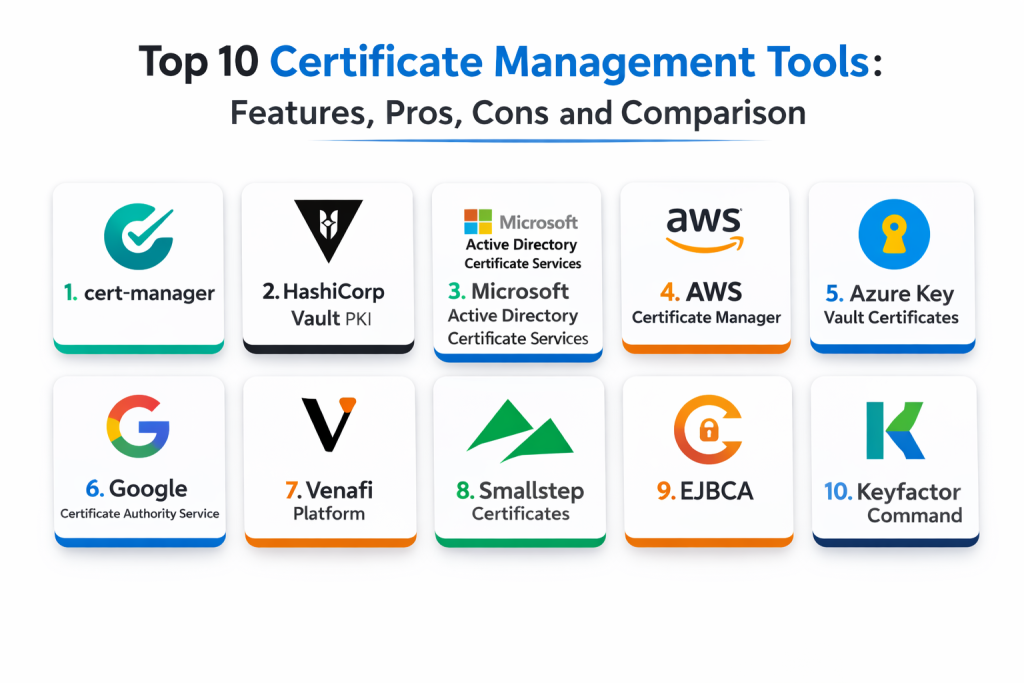
Top 10 Certificate Management Tools
1 — cert-manager
cert-manager automates certificate issuance and renewal inside Kubernetes. It fits teams running Kubernetes workloads that need hands-off TLS management for ingresses and internal services.
Key Features
- Automates certificate issuance and renewal in Kubernetes
- Works with multiple issuers depending on configuration
- Supports ingress and service certificates
- Handles renewal scheduling to prevent expirations
- Integrates well with Kubernetes-native workflows
- Supports policy patterns through configuration
- Enables repeatable certificate automation across clusters
Pros
- Strong Kubernetes-native automation
- Reduces certificate expiry outages in clusters
- Works well with GitOps workflows
Cons
- Focused mainly on Kubernetes environments
- Depends on issuer configuration quality
- Inventory outside Kubernetes needs separate handling
Platforms / Deployment
- Linux
- Self-hosted / Hybrid
Security and Compliance
- Security depends on cluster RBAC, issuer configuration, and secret handling
- Compliance certifications: Not publicly stated
Integrations and Ecosystem
Best for Kubernetes-first certificate automation pipelines.
- Integrates with ingress controllers via Kubernetes resources
- Works with service meshes through certificate injection patterns
- Supports automation across namespaces and clusters
- Enables policy-driven certificate issuance via configuration
- Fits GitOps and CI-based deployment workflows
Support and Community
Strong community usage and documentation. Support is community-driven unless paired with a vendor distribution.
2 — HashiCorp Vault PKI
Vault PKI provides a private CA and certificate issuance workflows as part of Vault. It fits teams that want internal PKI for services and workload identity, with policy controls and audit trails.
Key Features
- Private CA and certificate issuance workflows
- Supports short-lived certificates for workloads
- Strong policy-based access control for issuance
- Audit logging for certificate issuance and access
- Supports rotation and lifecycle patterns through setup
- Works across multi-cloud and on-prem environments
- Integrates with workload identity authentication methods
Pros
- Strong for internal PKI and short-lived certs
- Good policy controls and auditing
- Works across hybrid environments
Cons
- Operational ownership can be significant
- Requires careful PKI design and governance
- High availability setups need planning
Platforms / Deployment
- Web / Windows / macOS / Linux
- Cloud / Self-hosted / Hybrid
Security and Compliance
- RBAC, audit logs, encryption: Varies by configuration
- Compliance certifications: Not publicly stated
Integrations and Ecosystem
Fits platform teams building internal PKI for microservices and automation.
- Integrates with Kubernetes auth and issuance patterns
- Works with service meshes via certificate delivery workflows
- Supports automation through APIs and policy controls
- Enables workload identity patterns with short-lived certs
- Works with secrets management workflows in a unified platform
Support and Community
Strong community adoption and documentation. Support depends on edition and vendor agreements.
3 — Microsoft Active Directory Certificate Services
Active Directory Certificate Services provides internal PKI for Windows-centric enterprise environments. It fits organizations that need centralized certificate issuance and policy management tied to enterprise identity.
Key Features
- Enterprise internal CA services
- Policy controls for certificate templates and issuance
- Integrates with Windows domain identity patterns
- Supports certificate enrollment and lifecycle workflows
- Useful for user, device, and service certificates
- Supports governance through managed templates
- Common in enterprise device and identity environments
Pros
- Strong fit for Windows enterprise identity environments
- Mature internal PKI capabilities
- Works well for device and user certificates
Cons
- Best fit for Windows-centric organizations
- Can be complex to modernize for cloud-native workloads
- Requires careful PKI governance to avoid sprawl
Platforms / Deployment
- Windows
- Self-hosted / Hybrid
Security and Compliance
- RBAC and auditing: Varies by configuration
- Compliance certifications: Not publicly stated
Integrations and Ecosystem
Best for enterprise environments relying on domain identity and managed devices.
- Integrates with Windows enrollment workflows
- Supports certificate templates and issuance policies
- Works with enterprise governance practices
- Can integrate with other systems through setup
- Often paired with certificate lifecycle tooling for broader visibility
Support and Community
Strong enterprise support and documentation. Community knowledge is broad due to long adoption history.
4 — AWS Certificate Manager
AWS Certificate Manager provides managed certificate issuance and renewal for AWS services. It fits organizations hosting apps and APIs in AWS that want simple, managed TLS for load balancers and endpoints.
Key Features
- Managed TLS certificates for AWS services
- Automated renewal for supported integrations
- Integrates with AWS identity and governance patterns
- Reduces operational work for external TLS endpoints
- Supports centralized management across AWS accounts via setup
- Works well with AWS-native networking services
- Improves reliability by reducing manual renewals
Pros
- Low operational overhead for AWS endpoints
- Strong integration with AWS networking services
- Helps reduce certificate expiration incidents
Cons
- Best fit inside AWS services it directly supports
- Internal PKI needs separate solutions
- Cross-cloud usage is limited
Platforms / Deployment
- Web
- Cloud
Security and Compliance
- IAM controls and auditing: Varies by configuration
- Compliance certifications: Not publicly stated
Integrations and Ecosystem
Fits teams that want simple certificate handling for AWS-hosted apps.
- Integrates with load balancers and edge services through setup
- Supports centralized management with account governance
- Works with infrastructure automation workflows
- Reduces manual renewal work for supported endpoints
- Complements internal PKI tools for service-to-service needs
Support and Community
Strong vendor support and documentation. Adoption is common in AWS-based organizations.
5 — Azure Key Vault Certificates
Azure Key Vault Certificates manages certificates within Azure Key Vault, combining certificate lifecycle with secrets and key management. It fits teams that want certificate workflows aligned to Azure identity and governance.
Key Features
- Certificate storage and lifecycle management in Azure
- Integrates with Azure identity and access controls
- Supports automation through configuration and APIs
- Useful for application and service certificate storage
- Supports governance and auditing through Azure tooling
- Works well with Azure-hosted workloads
- Can align certificate workflows with key management patterns
Pros
- Strong identity and governance integration in Azure
- Useful unified approach for secrets, keys, and certs
- Managed service reduces operational overhead
Cons
- Best fit for Azure-centric environments
- Automation quality depends on setup patterns
- Internal PKI depth depends on architecture and workflow
Platforms / Deployment
- Web
- Cloud
Security and Compliance
- RBAC, audit logs, encryption: Varies by configuration
- Compliance certifications: Not publicly stated
Integrations and Ecosystem
Fits teams building standardized certificate workflows inside Azure.
- Integrates with Azure identity and managed access
- Works with automation and infrastructure workflows through APIs
- Supports certificate usage by applications via configuration
- Helps standardize certificate lifecycle practices
- Complements Kubernetes automation patterns when integrated carefully
Support and Community
Strong vendor documentation. Support depends on Azure support plans.
6 — Google Certificate Authority Service
Google Certificate Authority Service supports issuing and managing private certificates in Google Cloud environments. It fits teams needing private CA capabilities aligned with cloud-native identity and governance.
Key Features
- Private CA issuance workflows in Google Cloud
- Supports certificate lifecycle and rotation patterns
- Integrates with Google Cloud identity and governance
- Helps manage internal service certificates
- Supports scalable issuance through automation
- Useful for workload identity and internal TLS needs
- Helps standardize internal PKI in cloud environments
Pros
- Managed private CA reduces operational burden
- Strong cloud-native integration
- Useful for internal service certificates and identity patterns
Cons
- Best fit for Google Cloud-centric deployments
- Cross-cloud usage requires extra design
- Governance and inventory depend on implementation approach
Platforms / Deployment
- Web
- Cloud
Security and Compliance
- IAM controls and auditing: Varies by configuration
- Compliance certifications: Not publicly stated
Integrations and Ecosystem
Fits teams wanting managed internal PKI aligned to cloud-native architectures.
- Integrates with Google Cloud workloads through identity controls
- Supports automation for issuance and rotation
- Works with CI and platform workflows through APIs
- Can be paired with Kubernetes certificate automation patterns
- Supports policy-driven CA usage via governance design
Support and Community
Strong vendor documentation. Adoption depends on Google Cloud footprint.
7 — Venafi Platform
Venafi Platform focuses on certificate lifecycle management across large enterprises. It fits organizations that need centralized visibility, policy enforcement, and automation across many certificate sources and environments.
Key Features
- Central certificate inventory and lifecycle tracking
- Policy enforcement for cryptographic standards
- Automation for renewals and rotation workflows
- Visibility across multiple certificate authorities through setup
- Strong governance and audit reporting patterns
- Reduces outage risk from expiring certificates
- Supports enterprise-scale certificate programs
Pros
- Strong enterprise inventory visibility and governance
- Reduces certificate expiry incidents at scale
- Works across many environments with integration effort
Cons
- Implementation can be complex
- Best value depends on enterprise adoption and ownership
- Integration work is needed for broad coverage
Platforms / Deployment
- Web / Windows / Linux
- Cloud / Self-hosted / Hybrid
Security and Compliance
- RBAC, audit logs, governance controls: Varies by configuration
- Compliance certifications: Not publicly stated
Integrations and Ecosystem
Best for organizations with many teams and many certificates across environments.
- Integrates with multiple CAs and certificate sources via setup
- Supports automated renewal workflows across endpoints
- Provides centralized dashboards and reporting
- Helps enforce crypto policies and standardization
- Works alongside Kubernetes and cloud certificate automation systems
Support and Community
Vendor support is central for enterprise usage. Documentation supports large implementations.
8 — Smallstep Certificates
Smallstep Certificates provides a modern approach to internal PKI and certificate automation for workloads. It fits teams that want short-lived certificates, automated issuance, and developer-friendly internal PKI patterns.
Key Features
- Internal CA for issuing certificates to workloads
- Supports short-lived certificate patterns
- Automation-friendly issuance through APIs and tooling
- Useful for mutual TLS and service identity
- Works across cloud and on-prem environments
- Helps reduce manual certificate handling
- Supports policy controls through configuration
Pros
- Strong for modern internal PKI and automation
- Good fit for workload identity and mutual TLS
- Developer-friendly approach compared to traditional PKI tools
Cons
- Requires PKI planning and governance discipline
- Enterprise governance features depend on implementation choices
- Inventory visibility depends on surrounding workflows
Platforms / Deployment
- Web / Windows / macOS / Linux
- Cloud / Self-hosted / Hybrid
Security and Compliance
- Access controls and auditing: Varies by configuration
- Compliance certifications: Not publicly stated
Integrations and Ecosystem
Fits teams building internal trust and service identity systems.
- Integrates with Kubernetes and automation workflows via setup
- Supports mutual TLS architectures for microservices
- Works with CI-driven provisioning patterns
- APIs support policy and lifecycle automation
- Pairs well with service mesh and platform engineering designs
Support and Community
Good documentation and community interest. Support varies by deployment model.
9 — EJBCA
EJBCA is an enterprise PKI and CA platform used to run private certificate authorities. It fits organizations that need full control over PKI, issuance policies, and certificate lifecycle operations.
Key Features
- Full private CA and PKI management capabilities
- Policy controls for issuance and certificate profiles
- Supports enterprise PKI governance workflows
- Useful for device, service, and application certificates
- Supports integration through APIs and connectors via setup
- Designed for organizations needing control and customization
- Supports scalable issuance architectures through planning
Pros
- Strong control over PKI and issuance policies
- Suitable for complex PKI needs
- Useful for organizations wanting full ownership
Cons
- Requires skilled PKI operational ownership
- Setup and maintenance can be heavy
- Integration and automation require planning
Platforms / Deployment
- Windows / Linux
- Self-hosted / Hybrid
Security and Compliance
- RBAC and auditing: Varies by configuration
- Compliance certifications: Not publicly stated
Integrations and Ecosystem
Best for organizations running their own private CA with strict control needs.
- Integrates with enterprise workflows through APIs
- Supports automated issuance with proper setup
- Useful for certificate profiles and policy governance
- Works alongside lifecycle management platforms for inventory visibility
- Fits regulated environments requiring PKI ownership
Support and Community
Vendor and community support exist. Success depends on experienced PKI operators.
10 — Keyfactor Command
Keyfactor Command focuses on certificate lifecycle management with centralized visibility and automation. It fits organizations managing many certificates that need inventory, policy enforcement, and renewal workflows.
Key Features
- Central certificate inventory across environments
- Automation for renewals and lifecycle workflows
- Policy enforcement for cryptographic standards
- Integrates with multiple certificate authorities through setup
- Reporting for governance and audit needs
- Helps reduce outages from certificate expirations
- Supports enterprise certificate program management
Pros
- Strong centralized inventory and automation
- Good fit for enterprise governance programs
- Helps reduce renewal-driven outages
Cons
- Implementation requires integration planning
- Best value depends on adoption across teams
- Complexity can be higher than lightweight tools
Platforms / Deployment
- Web / Windows / Linux
- Cloud / Self-hosted / Hybrid
Security and Compliance
- RBAC and audit logs: Varies by configuration
- Compliance certifications: Not publicly stated
Integrations and Ecosystem
Fits organizations needing a program-level view and automation of certificates.
- Integrates with multiple CAs via setup
- Supports automation for renewal and rotation
- Provides dashboards for ownership and reporting
- Works with enterprise identity systems through configuration
- Complements Kubernetes automation by providing central visibility
Support and Community
Vendor support is a key factor. Documentation supports enterprise deployments.
Comparison Table
| Tool Name | Best For | Platform(s) Supported | Deployment | Standout Feature | Public Rating |
|---|---|---|---|---|---|
| cert-manager | Kubernetes certificate automation | Linux | Self-hosted, Hybrid | Kubernetes-native issuance and renewal | N/A |
| HashiCorp Vault PKI | Internal PKI with short-lived certs | Web, Windows, macOS, Linux | Cloud, Self-hosted, Hybrid | Policy-driven certificate issuance | N/A |
| Microsoft Active Directory Certificate Services | Windows enterprise internal PKI | Windows | Self-hosted, Hybrid | Domain-integrated CA templates | N/A |
| AWS Certificate Manager | Managed TLS for AWS endpoints | Web | Cloud | Automated renewal for supported services | N/A |
| Azure Key Vault Certificates | Azure certificate lifecycle + keys | Web | Cloud | Azure identity and governance integration | N/A |
| Google Certificate Authority Service | Managed private CA in Google Cloud | Web | Cloud | Managed internal PKI issuance | N/A |
| Venafi Platform | Enterprise certificate lifecycle governance | Web, Windows, Linux | Cloud, Self-hosted, Hybrid | Central inventory and policy enforcement | N/A |
| Smallstep Certificates | Modern internal PKI for workloads | Web, Windows, macOS, Linux | Cloud, Self-hosted, Hybrid | Short-lived workload certificates | N/A |
| EJBCA | Full enterprise CA and PKI ownership | Windows, Linux | Self-hosted, Hybrid | Deep PKI control and profiles | N/A |
| Keyfactor Command | Enterprise certificate lifecycle automation | Web, Windows, Linux | Cloud, Self-hosted, Hybrid | Inventory plus renewal automation | N/A |
Evaluation and Scoring of Certificate Management Tools
Scoring uses a 1–10 scale per criterion, then a weighted total using these weights: Core features 25%, Ease of use 15%, Integrations and ecosystem 15%, Security and compliance 10%, Performance and reliability 10%, Support and community 10%, Price and value 15%. Scores are comparative estimates based on typical strengths and common usage patterns, not absolute measurements.
| Tool Name | Core (25%) | Ease (15%) | Integrations (15%) | Security (10%) | Performance (10%) | Support (10%) | Value (15%) | Weighted Total |
|---|---|---|---|---|---|---|---|---|
| cert-manager | 8 | 7 | 8 | 7 | 8 | 9 | 10 | 8.10 |
| HashiCorp Vault PKI | 9 | 6 | 9 | 9 | 8 | 9 | 7 | 8.05 |
| Microsoft Active Directory Certificate Services | 8 | 6 | 7 | 8 | 8 | 8 | 8 | 7.55 |
| AWS Certificate Manager | 7 | 9 | 8 | 8 | 9 | 8 | 8 | 8.05 |
| Azure Key Vault Certificates | 7 | 8 | 8 | 8 | 9 | 8 | 7 | 7.80 |
| Google Certificate Authority Service | 7 | 8 | 7 | 8 | 9 | 7 | 7 | 7.55 |
| Venafi Platform | 9 | 6 | 9 | 9 | 8 | 7 | 5 | 7.65 |
| Smallstep Certificates | 8 | 7 | 8 | 8 | 8 | 7 | 7 | 7.65 |
| EJBCA | 9 | 5 | 7 | 8 | 8 | 7 | 6 | 7.30 |
| Keyfactor Command | 9 | 6 | 9 | 9 | 8 | 7 | 5 | 7.65 |
How to interpret the scores:
- Higher Core favors issuance automation, lifecycle control, and inventory depth
- Higher Ease favors faster adoption and lower operational friction
- Higher Integrations favors Kubernetes, cloud endpoints, and CA interoperability
- Security and compliance reflects policy enforcement, auditability, and governance readiness
- Weighted Total helps shortlist tools, but validate certificate workflows in your environment
Which Certificate Management Tool Is Right for You
Solo / Freelancer
If you run a few services and a Kubernetes cluster, cert-manager is a practical choice for automated renewals. If you run mainly on one cloud provider, the managed cloud service approach can reduce operational work. Avoid heavy enterprise lifecycle platforms unless you truly need centralized inventory and governance.
SMB
SMBs often want automation without complexity. cert-manager works well for Kubernetes workloads. AWS Certificate Manager and Azure Key Vault Certificates provide managed reliability for cloud endpoints and reduce renewal fire drills. If you need simple internal PKI for workloads, Smallstep Certificates can be a practical option when implemented with discipline.
Mid-Market
Mid-market teams often need both Kubernetes automation and centralized visibility. cert-manager can handle cluster-level renewals, while Vault PKI can support internal service identity and short-lived certificates. If you have multiple environments and many certificate sources, platforms like Venafi Platform or Keyfactor Command become valuable for inventory visibility and renewal automation.
Enterprise
Enterprises typically need governance, inventory coverage, policy enforcement, and audit-ready reporting across many certificate authorities and endpoints. Venafi Platform and Keyfactor Command are designed for enterprise lifecycle management at scale. Organizations needing full PKI control may use EJBCA. Windows-heavy environments commonly rely on Microsoft Active Directory Certificate Services for internal PKI, often paired with lifecycle tools for full visibility. Cloud-native certificate management remains useful for public endpoints and cloud service integrations.
Budget vs Premium
Open and lightweight tools like cert-manager provide strong automation for Kubernetes with low cost, but they do not solve full enterprise inventory across all environments. Premium platforms are justified when certificate sprawl is causing outages or compliance pressure, and you need centralized visibility and policy enforcement.
Feature Depth vs Ease of Use
If you want ease, cloud-managed services reduce operational tasks for public endpoints. If you want deep internal PKI control, Vault PKI, Smallstep Certificates, and EJBCA provide more flexibility but require PKI governance. If you want enterprise-wide inventory and lifecycle automation, Venafi Platform and Keyfactor Command offer deeper program controls with higher implementation effort.
Integrations and Scalability
cert-manager scales well for Kubernetes clusters through standardized templates. Vault PKI scales for internal issuance when policies and access are well designed. Cloud services scale naturally inside their ecosystems. Enterprise lifecycle platforms scale for organizations with many CAs and endpoints, but integration planning is essential for success.
Security and Compliance Needs
If compliance matters, enforce cryptographic standards, reduce certificate lifetimes where appropriate, and standardize renewal automation. Maintain clear ownership for certificates, keep audit trails, and ensure emergency rotation processes are tested. Pair certificate automation with secrets management and workload identity patterns to reduce manual handling of private keys.
Frequently Asked Questions
- What is certificate management in simple terms?
It is the process of issuing, renewing, rotating, and monitoring certificates so encryption stays secure and services do not break from expiration. - Why do certificate expirations cause outages?
When a certificate expires, clients fail TLS validation and connections break. Automation prevents missed renewals. - What is the difference between public and private certificates?
Public certificates are used for external HTTPS endpoints and are trusted broadly. Private certificates are used internally for services and devices within an organization. - What is mutual TLS and why does it matter?
Mutual TLS means both sides authenticate with certificates. It is useful for zero-trust service communication and stronger internal security. - Do Kubernetes clusters need special certificate tools?
Often yes. cert-manager automates certificates inside Kubernetes and reduces manual work, especially for ingresses and service-to-service needs. - Can a secrets manager replace certificate management?
Not fully. Secrets managers store keys and certs, but certificate management focuses on issuance, renewal automation, and lifecycle visibility. - How do enterprises track all certificates across systems?
They use centralized inventory tools and lifecycle platforms that discover certificates and automate renewals, combined with policy enforcement. - What is the most common mistake teams make with certificates?
Relying on manual renewals and not tracking ownership. Another mistake is inconsistent policies for algorithms and validity periods. - How often should certificates be rotated?
It depends on policy and risk. Many teams move toward shorter lifetimes and automated renewal to reduce exposure. - How should a team choose a certificate management tool?
Start with where your certificates live: Kubernetes, cloud endpoints, internal PKI, or enterprise sprawl. Pilot two or three tools, validate renewals and automation, and confirm audit logging and ownership workflows.
Conclusion
Certificate management tools reduce outages and security risk by automating the full lifecycle of certificates, from issuance and renewal to rotation and monitoring. The best choice depends on where you run workloads and how large your certificate footprint is. Kubernetes-first teams often standardize on cert-manager for hands-off renewals inside clusters. Cloud-native environments benefit from managed services like AWS Certificate Manager and Azure Key Vault Certificates for external endpoints and platform integrations. For internal PKI and workload identity, HashiCorp Vault PKI and Smallstep Certificates support modern automation and short-lived certificate patterns, while EJBCA fits organizations that need full PKI ownership and deep control. Large enterprises with certificate sprawl often need centralized lifecycle visibility and policy enforcement, where Venafi Platform and Keyfactor Command can help reduce risk and renewal-driven incidents. A practical next step is to inventory your current certificates, shortlist two or three tools, run a pilot on critical services, and then standardize renewal automation and ownership so certificate management becomes routine instead of a recurring emergency.

Best Cardiac Hospitals Near You
Discover top heart hospitals, cardiology centers & cardiac care services by city.
Advanced Heart Care • Trusted Hospitals • Expert Teams
View Best Hospitals