Introduction
Child safety monitoring apps are specialized software solutions designed to help parents oversee and manage their children’s digital interactions and physical safety. These tools act as a virtual safeguard, allowing guardians to filter inappropriate content, set healthy boundaries for screen time, and track real-time locations. In an era where digital devices are primary tools for education and social connection, these applications provide the necessary visibility to protect minors from cyberbullying, predatory behavior, and age-inappropriate material.
As we move through the current digital landscape, the complexity of online threats has evolved. Monitoring is no longer just about blocking websites; it involves sophisticated AI that can detect emotional distress or dangerous language in private messages. For parents, these tools are not about surveillance but about fostering open communication and ensuring a balanced relationship with technology. They bridge the gap between a child’s need for autonomy and a parent’s responsibility for protection.
Real-World Use Cases
- Automatically detecting signs of cyberbullying or depression in social media interactions through advanced sentiment analysis.
- Setting “School Time” restrictions that block gaming and streaming apps during study hours while allowing educational resources.
- Using geofencing to receive instant notifications when a child arrives safely at school or leaves a pre-defined safe zone.
- Managing digital “allowances” where children earn extra screen time by completing chores or homework.
- Protecting young users from accidental exposure to adult content through real-time web filtering and safe-search enforcement.
Evaluation Criteria for Buyers
- The ability of the software to monitor multiple platforms including Android, iOS, and desktop computers consistently.
- The precision of GPS tracking and the speed of geofencing alerts.
- The sophistication of content filters and their resistance to being bypassed by VPNs or incognito modes.
- The quality of the reporting dashboard and how easily a parent can digest daily activity summaries.
- The presence of tamper-proof features that prevent the child from deleting or disabling the monitoring software.
- The level of privacy provided to the child, such as alert-only systems versus full-activity logging.
- The cost-effectiveness of the subscription, particularly for families with multiple children and numerous devices.
Best for: Concerned parents, guardians of teenagers, and families seeking to establish healthy digital habits while ensuring physical and online safety.
Not ideal for: Families who prefer a completely hands-off approach to technology or those using extremely old hardware that cannot support modern background monitoring.
Key Trends in Child Safety Monitoring Apps
- The integration of generative AI to provide parents with actionable summaries of their child’s online interests and potential risks.
- A move toward “privacy-first” monitoring, where apps only alert parents to specific dangers rather than showing every single message.
- Advanced driving monitoring features that track speed, hard braking, and phone usage for teenage drivers.
- Enhanced protection against “app-hopping,” ensuring that time limits apply across all devices simultaneously.
- Direct integration with smart home devices to manage internet access at the router level for all connected electronics.
- The development of tamper-proof hardware, such as dedicated kid-safe smartphones with built-in parental controls.
- Improved detection of hidden or “vault” apps used to bypass traditional monitoring.
- Collaborative “trust-building” modes where children can see their own usage stats and request extra time directly through the app.
How We Selected These Tools
Our selection of the top ten child safety apps is based on extensive research into market reliability and feature innovation. We prioritized tools that offer a balance between technical control and ease of use, ensuring that parents of all technical levels can effectively protect their families. A major criterion was cross-platform performance, as most modern households use a mix of operating systems. We also evaluated the security posture of each developer, looking for those that utilize high-level encryption to protect sensitive family data. Finally, we considered the longevity and reputation of the brands, favoring those with a proven track record in the cybersecurity and child safety sectors.
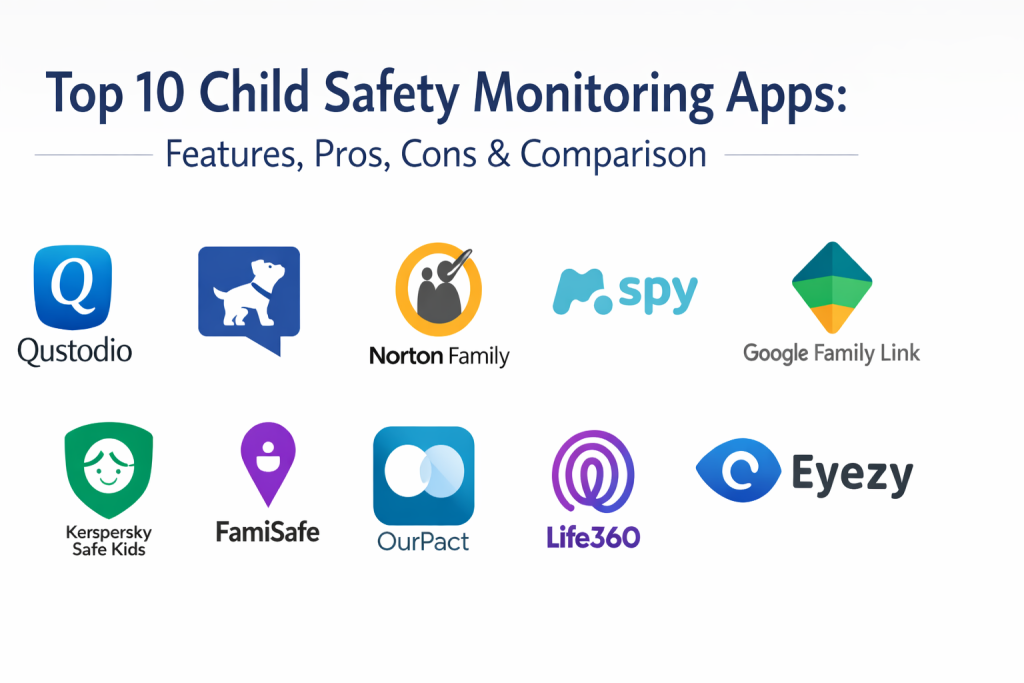
Top 10 Child Safety Monitoring Apps
1. Qustodio
Widely regarded as the most comprehensive all-in-one solution, Qustodio offers a balance of web filtering, app management, and location tracking. It is known for its highly intuitive dashboard that provides a clear “Family Feed” of all digital activity.
Key Features
- Sophisticated web filtering that blocks inappropriate content even in private browsing modes.
- Granular time limits that allow parents to set specific allowances for individual apps or games.
- A dedicated “Panic Button” for Android devices that sends an instant SOS to family members.
- Advanced YouTube monitoring that tracks both search history and actual videos watched.
- Daily and weekly activity reports delivered directly to the parent’s email.
Pros
- Exceptional cross-platform consistency between mobile and desktop.
- Extremely easy to set up and manage multiple child profiles.
Cons
- The premium version is relatively expensive compared to basic alternatives.
- Some features, like the panic button, are not available on iOS devices.
Platforms / Deployment
Windows / macOS / Android / iOS / Kindle / Chromebook — Cloud
Security & Compliance
Utilizes industry-standard encryption; GDPR and COPPA compliant.
Integrations & Ecosystem
Qustodio works as a standalone ecosystem but provides excellent reporting across all connected devices. It does not require additional hardware to manage home Wi-Fi.
Support & Community
Provides a deep knowledge base and “Care Plus” priority support for premium subscribers, including scheduled calls with specialists.
2. Bark
Bark is a leader in AI-driven content monitoring. Unlike tools that simply block apps, Bark scans messages and social media for signs of 45+ different risk categories, including cyberbullying, self-harm, and online predators.
Key Features
- Advanced AI scanning of 30+ social media platforms and text message history.
- Alert-based system that only notifies parents when a potential problem is detected.
- Screen time scheduling and web filtering for a unlimited number of devices.
- Location check-ins and live GPS tracking for physical safety.
- Parent-child “check-in” feature that encourages conversation about digital safety.
Pros
- Monitors more social media platforms than almost any other competitor.
- Supports unlimited devices and children on a single subscription.
Cons
- The setup on iOS can be technical and may require a computer.
- Does not provide a minute-by-minute log of all activity, which some parents prefer.
Platforms / Deployment
Android / iOS / Windows / macOS / Chromebook — Hybrid
Security & Compliance
Uses 256-bit encryption; widely recognized for its commitment to data privacy.
Integrations & Ecosystem
Bark offers its own dedicated “Bark Phone” and “Bark Home” hardware for families who want a fully integrated safety environment.
Support & Community
Boasts a massive community of parents and a dedicated blog with expert advice on handling digital age challenges.
3. Norton Family
Developed by a giant in the cybersecurity industry, Norton Family focuses on helping children explore the web safely. It is particularly strong at managing web supervision and helping kids maintain a healthy balance with their devices.
Key Features
- “School Time” feature that allows educational site access while blocking distractions.
- Detailed search supervision that shows what terms children are using on major search engines.
- Video supervision for YouTube that allows parents to see snippets of watched content.
- Instant lock feature that allows parents to pause all device usage from their own phone.
- 30-day history of location and web activity for long-term trend analysis.
Pros
- Supports an unlimited number of devices, making it ideal for large families.
- Very affordable annual pricing compared to monthly subscription models.
Cons
- Limited feature set on macOS and iOS due to operating system restrictions.
- Lacks the deep social media monitoring found in tools like Bark.
Platforms / Deployment
Windows / Android / iOS — Cloud
Security & Compliance
Leverages Norton’s enterprise-grade security infrastructure.
Integrations & Ecosystem
Integrates seamlessly for users already within the Norton 360 security suite.
Support & Community
Extensive professional support through Norton’s global help centers and community forums.
4. mSpy
mSpy is a more intensive monitoring tool designed for parents who need deep visibility into their child’s device. It is often used when there are significant safety concerns that require seeing exactly what is happening on the screen.
Key Features
- Monitoring of outgoing and incoming text messages and calls.
- Keylogger functionality to see every stroke typed on the device.
- Access to gallery photos and videos to ensure no inappropriate media is being shared.
- Real-time GPS tracking with detailed route history.
- Ability to view messages in popular apps like WhatsApp, Snapchat, and Instagram.
Pros
- Provides visibility into “invisible” or deleted messages.
- Offers a “stealth” mode for parents who need to monitor without constant notifications.
Cons
- Can be perceived as intrusive and may impact trust.
- Higher price point and limited to a few devices per license.
Platforms / Deployment
Android / iOS — Cloud
Security & Compliance
Data is encrypted; requires physical access for initial installation on most devices.
Integrations & Ecosystem
Primarily a standalone tool focused on mobile device data extraction and reporting.
Support & Community
Offers 24/7 personalized customer support to assist with the technical setup process.
5. Google Family Link
Family Link is the go-to free tool for families using Android devices. It is built directly into the Google ecosystem, making it a natural choice for managing a child’s first smartphone or Chromebook.
Key Features
- Ability to approve or block apps the child wants to download from the Play Store.
- “Bedtime” schedules that automatically lock the device at a certain hour.
- Individual app limits to prevent excessive gaming or social media usage.
- Remote device locking and location tracking on a shared map.
- Management of Google account settings and privacy preferences.
Pros
- Completely free with no hidden subscription costs.
- Directly integrated into the Android operating system for high reliability.
Cons
- Very limited functionality for monitoring iPhones.
- Does not offer advanced content scanning or social media alerts.
Platforms / Deployment
Android / iOS (Parent app) / Chromebook — Cloud
Security & Compliance
Google’s standard high-level security and privacy controls.
Integrations & Ecosystem
Perfectly integrated with YouTube Kids, Google Photos, and the Chrome browser.
Support & Community
Extensive documentation provided by Google Families and a massive user base.
6. Kaspersky Safe Kids
This tool offers a well-rounded set of features at a very competitive price point. It stands out by providing professional advice from child psychologists directly within the app’s interface.
Key Features
- Real-time GPS tracking and geofencing with battery level monitoring.
- Category-based web filtering to block adult content and gambling.
- Screen time scheduling and usage limits for all connected devices.
- Social media monitoring specifically for public Facebook activity.
- Battery tracker that alerts parents when the child’s phone is about to die.
Pros
- Excellent value for the price, with a very capable free version.
- Includes unique advice for parents on how to discuss online safety with kids.
Cons
- The user interface can feel slightly dated compared to modern startups.
- iOS functionality is more restricted than the Android version.
Platforms / Deployment
Windows / macOS / Android / iOS — Hybrid
Security & Compliance
Built on Kaspersky’s globally recognized security protocols.
Integrations & Ecosystem
Works well as a part of the broader Kaspersky security portfolio.
Support & Community
Strong technical support and a wealth of educational articles for parents.
7. FamiSafe (Wondershare)
FamiSafe is known for its unique features aimed at teenagers, such as driving safety reports and the ability to detect suspicious photos in the phone’s gallery.
Key Features
- Driving monitoring that tracks speed and sudden braking for new drivers.
- Suspicious image detection that scans the gallery for inappropriate content.
- Real-time location tracking with a 30-day location history.
- Remote screen captures of the child’s device for visual verification.
- Comprehensive web filtering and app blocking capabilities.
Pros
- Features like driving safety are perfect for parents of older teens.
- Simple and modern interface that is very easy to navigate.
Cons
- The web filter can occasionally be less accurate than specialized tools.
- Some features require more permissions which can be complex to set up.
Platforms / Deployment
Android / iOS / Windows / macOS / Chromebook — Cloud
Security & Compliance
Not publicly stated in detail; uses standard secure data transmission.
Integrations & Ecosystem
Part of the Wondershare software family, focusing on utility and ease of use.
Support & Community
Active customer support and a helpful set of video tutorials.
8. OurPact
OurPact is a powerful tool focused on screen time management and app blocking. It is unique for its “Allowance” system, which teaches children how to budget their own digital time.
Key Features
- An “Allowance” system where children can choose when to use their allotted time.
- Periodic or real-time screenshots of the child’s device for monitoring.
- One-tap app blocking that instantly removes apps from the child’s screen.
- Sophisticated geofencing with separate alerts for arriving and leaving.
- The ability to block text messaging apps specifically.
Pros
- One of the most tamper-proof apps on the market.
- Unique approach to teaching children time management skills.
Cons
- Does not provide detailed web browsing history or logs.
- Initial setup on iOS can be quite frustrating for non-technical users.
Platforms / Deployment
Android / iOS — Cloud
Security & Compliance
Uses end-to-end encryption for all screenshots and data.
Integrations & Ecosystem
Standalone focus on screen time and app management; no major third-party integrations.
Support & Community
Good email support and a comprehensive help center for troubleshooting.
9. Life360
Life360 is the leading family locator app. While it lacks deep web filtering, it is the gold standard for families who prioritize physical safety and location coordination.
Key Features
- High-accuracy GPS location sharing within “Circles” of family members.
- Detailed driving reports including top speed and phone usage while driving.
- Crash detection and emergency dispatch for serious accidents.
- “Place Alerts” that notify you when someone arrives at home, school, or work.
- Digital SOS feature with 24/7 emergency response.
Pros
- The best tool for physical safety and location-based coordination.
- Very low battery drain despite constant background tracking.
Cons
- Not a true parental control app; no web or app filtering.
- Can lead to feelings of being micromanaged if boundaries aren’t discussed.
Platforms / Deployment
Android / iOS — Cloud
Security & Compliance
Recently updated privacy policies to enhance user data protection.
Integrations & Ecosystem
Integrates with Tile trackers for monitoring keys, bags, and other valuables.
Support & Community
Massive global user base and a very responsive support team for emergency features.
10. Eyezy
Eyezy is a powerful monitoring solution that focuses on capturing digital footprints across social media and messaging apps. It is designed for parents who need a high level of detail.
Key Features
- “Social Spotlight” which shows conversations in various messaging apps.
- “Magic Tracking” for real-time GPS location and geofencing.
- “Connection Blocker” that allows parents to disable specific Wi-Fi networks.
- Files Finder to see photos, videos, and installed apps.
- Keyword alerts that notify parents when specific words are used in any app.
Pros
- Provides extremely detailed insight into social media interactions.
- Easy-to-use web dashboard for viewing all collected data.
Cons
- Higher cost and lack of a free version or trial.
- Setup can trigger security warnings on some Android devices.
Platforms / Deployment
Android / iOS — Cloud
Security & Compliance
Uses encryption; requires explicit user consent for legal operation.
Integrations & Ecosystem
Primarily focused on its own data collection and reporting dashboard.
Support & Community
Provides 24/7 support and a technical assistance service for installation.
Comparison Table (Top 10)
| Tool Name | Best For | Platform(s) Supported | Deployment | Standout Feature | Public Rating |
| 1. Qustodio | All-in-One Control | Win, Mac, iOS, And, Kindle | Cloud | YouTube Monitoring | 4.4/5 |
| 2. Bark | AI Content Scanning | Win, Mac, iOS, And, Chrome | Hybrid | 45+ Risk Categories | 4.3/5 |
| 3. Norton Family | Web Supervision | Win, iOS, Android | Cloud | School Time Mode | 4.1/5 |
| 4. mSpy | Intensive Monitoring | iOS, Android | Cloud | Message Keylogger | 3.8/5 |
| 5. Google Family Link | Android Ecosystem | Android, iOS, Chrome | Cloud | Bedtime Lock | 4.5/5 |
| 6. Kaspersky Safe Kids | Budget-Friendly | Win, Mac, iOS, Android | Hybrid | Psychologist Advice | 4.2/5 |
| 7. FamiSafe | Teen Driving Safety | Win, Mac, iOS, And, Chrome | Cloud | Drive Reports | 4.0/5 |
| 8. OurPact | Screen Time Management | iOS, Android | Cloud | Time Allowance | 3.9/5 |
| 9. Life360 | Location & Driving | iOS, Android | Cloud | Crash Detection | 4.7/5 |
| 10. Eyezy | Social Media Detail | iOS, Android | Cloud | Social Spotlight | 3.7/5 |
Evaluation & Scoring of Child Safety Monitoring Apps
| Tool Name | Core (25%) | Ease (15%) | Integrations (15%) | Security (10%) | Perf (10%) | Support (10%) | Value (15%) | Total |
| 1. Qustodio | 10 | 9 | 8 | 9 | 9 | 9 | 7 | 8.9 |
| 2. Bark | 9 | 7 | 10 | 9 | 8 | 9 | 8 | 8.5 |
| 3. Norton Family | 8 | 9 | 9 | 10 | 9 | 8 | 8 | 8.5 |
| 4. mSpy | 9 | 6 | 6 | 8 | 8 | 9 | 5 | 7.5 |
| 5. Family Link | 6 | 10 | 10 | 9 | 10 | 7 | 10 | 8.2 |
| 6. Kaspersky | 8 | 7 | 7 | 9 | 8 | 8 | 10 | 8.1 |
| 7. FamiSafe | 8 | 8 | 7 | 7 | 8 | 7 | 8 | 7.7 |
| 8. OurPact | 8 | 6 | 6 | 9 | 9 | 7 | 7 | 7.5 |
| 9. Life360 | 5 | 10 | 8 | 8 | 10 | 9 | 9 | 7.9 |
| 10. Eyezy | 8 | 5 | 6 | 8 | 8 | 8 | 5 | 7.0 |
Scoring for these tools is weighted toward their primary mission of safety. A high core score indicates a robust feature set for protecting minors. Ease of use is critical for parents to maintain consistent monitoring, while value reflects the balance between cost and the number of devices supported.
Which Child Safety Monitoring App Is Right for You?
Solo / Freelancer
If you are a single parent or a guardian managing just one or two devices, Google Family Link or Kaspersky Safe Kids offers the best entry point. They provide essential protections without a high monthly overhead.
SMB (Small to Medium Business)
For modern households with a “digital-first” lifestyle and multiple devices (tablets, laptops, phones), Qustodio or Norton Family are the best choices. They offer a unified dashboard that makes managing a busy family’s digital life much simpler.
Mid-Market
Families with older children and teenagers need the AI-driven insights of Bark. At this stage, monitoring every website is less important than being alerted to serious risks like cyberbullying or emotional distress.
Enterprise
For families who require the absolute highest level of security and physical coordination, a combination of Life360 (for physical safety) and Bark (for digital safety) provides a complete, high-end protection suite.
Budget vs Premium
Google Family Link is the clear winner for those on a strict budget. If you are willing to pay for premium features, Qustodio justifies its price with superior YouTube and web filtering capabilities.
Feature Depth vs Ease of Use
mSpy and Eyezy offer the most depth in terms of seeing actual message content, but they are harder to set up. Family Link and Life360 are incredibly easy to use but offer less granular digital control.
Integrations & Scalability
Bark and Norton Family scale best across large numbers of devices. Bark is particularly scalable as its subscription covers an unlimited number of devices and children under one account.
Security & Compliance Needs
Parents concerned with data privacy should favor Norton Family and Bark. These companies have long-standing reputations for protecting user data and adhering to strict international privacy standards.
Frequently Asked Questions (FAQs)
1. Is it legal to use a child safety monitoring app?
Yes, it is legal for parents or legal guardians to monitor the devices of their minor children for safety and protection purposes.
2. Can these apps be easily deleted by a child?
Most professional tools like Qustodio and OurPact include “Uninstall Protection” that requires a parent’s password to remove the application.
3. Do monitoring apps work on both iPhone and Android?
While most major apps support both, Android generally allows for deeper monitoring features than iOS due to Apple’s strict privacy restrictions.
4. Will my child know the app is on their phone?
Most parental control apps are visible to the child, which experts recommend as it helps build a foundation of trust and open communication.
5. How accurate is the location tracking?
Most apps use high-precision GPS and provide accuracy within a few meters, provided the child’s phone has a clear signal and internet connection.
6. Do these apps drain the phone’s battery?
Modern apps like Life360 are optimized to use very little battery, though intensive monitoring tools may have a more noticeable impact.
7. Can these apps block specific social media apps?
Yes, tools like Qustodio and Family Link allow you to block specific apps or set daily time limits for their usage.
8. Do I need a computer to set up these apps?
While many can be set up entirely from a phone, some advanced features for iOS monitoring (like in Bark) may require a one-time setup on a computer.
9. Can I see deleted text messages?
Highly specialized tools like mSpy can sometimes capture messages before they are deleted, but standard apps generally do not show deleted content.
10. How do I talk to my child about these apps?
Experts recommend explaining that the app is a safety tool, much like a seatbelt, designed to protect them rather than to spy on their private thoughts.
Conclusion
Selecting the right child safety monitoring app is a vital step in modern parenting that balances the benefits of digital connectivity with the necessity of protection. Whether you prioritize the AI-driven alerts of Bark, the robust web filters of Qustodio, or the physical safety features of Life360, each tool offers a specific path toward a safer digital environment. The most effective approach is not just found in the software itself, but in the combination of technical safeguards and ongoing, honest conversations about digital responsibility. By choosing a tool that aligns with your family’s specific needs and values, you can provide your children with the freedom to explore the digital world while maintaining the peace of mind that they are protected from its greatest risks.

Best Cardiac Hospitals Near You
Discover top heart hospitals, cardiology centers & cardiac care services by city.
Advanced Heart Care • Trusted Hospitals • Expert Teams
View Best Hospitals