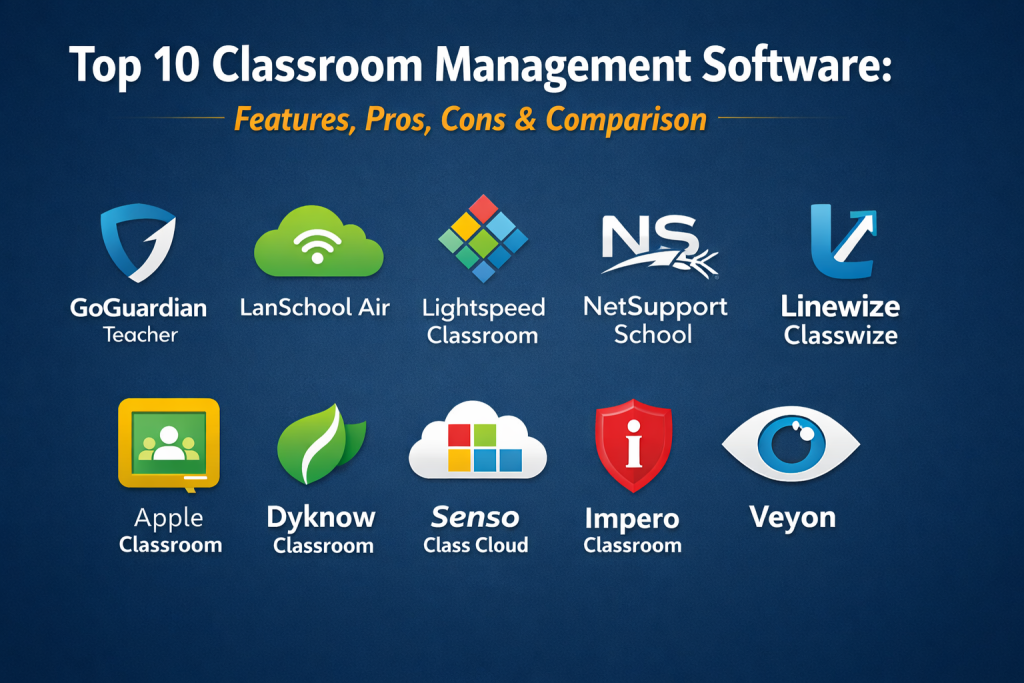
Introduction
Classroom management software helps teachers guide student device use, reduce distractions, monitor screens, share content, and keep digital learning on track. In a technology-rich classroom, teachers often need more than a lesson plan. They need practical control over websites, apps, student screens, messaging, and classroom focus. That is where classroom management tools become valuable. Instead of walking around the room checking every screen manually, teachers can monitor activity, redirect attention, support students remotely, and keep lessons moving with less disruption.
These tools matter because schools want better engagement, smoother instruction, safer device use, and less lost teaching time. Common use cases include monitoring student screens, locking devices during explanation time, pushing websites or apps to a class, restricting distractions, assisting students remotely, and managing mixed-device classrooms. Buyers should evaluate monitoring quality, teacher controls, device compatibility, browser and app management, collaboration tools, reporting, deployment flexibility, and how well the platform fits their school environment.
Best for: K-12 schools, digital classrooms, Chromebook programs, laptop classrooms, school districts, and teachers who need more real-time control over student device use.
Not ideal for: schools with very limited student device use, institutions that only need content filtering, or teams that want only an LMS without real-time classroom control.
Key Trends in Classroom Management Software
- Real-time screen monitoring has become a core expectation in this category.
- Cloud-based classroom management is growing because it is easier to scale across districts.
- Teachers increasingly want simple tools that reduce dependence on IT teams.
- Mixed-device support is becoming more important in modern classrooms.
- More tools now combine classroom management with student safety and digital wellness features.
- Collaboration tools such as screen sharing, messaging, and guided access are now common.
- Browser-based management is increasingly important for Chromebook-heavy schools.
- Vendors are putting more focus on distraction control and on-task learning.
- Schools want classroom management tools that work both in person and remotely.
- Integration with wider school safety, filtering, or device ecosystems is becoming a major buying factor.
How We Selected These Tools
- We focused on tools with clear classroom management functionality for teachers.
- We prioritized platforms with visible adoption in schools and strong product positioning.
- We looked for practical classroom features, not just broad student monitoring claims.
- We considered monitoring, control, instruction, collaboration, and support features.
- We included both specialist classroom management tools and broader school platforms with strong classroom modules.
- We gave extra weight to mixed-device support and teacher usability.
- We avoided guessing ratings, certifications, or unsupported feature claims.
- We kept the same 10 tool names exactly consistent across the tools section, comparison table, and scoring table.
1. GoGuardian Teacher
GoGuardian Teacher is one of the most recognized classroom management tools in K-12. It is designed to help teachers keep students on task, monitor student activity, guide learning, and manage digital instruction in real time.
Key Features
- Real-time student screen monitoring
- Tab and website management
- Teacher-to-student chat
- Class session controls
- Screen lock and focus tools
- Personalized guidance during lessons
- Strong Chromebook classroom relevance
Pros
- Strong classroom focus
- Easy for teachers to use in active lessons
- Very strong fit for schools using web-based learning
Cons
- Best value often depends on Chromebook-heavy environments
- Pricing is not publicly stated
- Some schools may want deeper multi-platform control
Platforms / Deployment
Web
Cloud
Security & Compliance
Not publicly stated
Integrations & Ecosystem
GoGuardian Teacher is attractive for schools that want a modern classroom management product connected to wider digital learning workflows.
- Strong teacher-led classroom controls
- Good fit for browser-based classrooms
- Useful in large K-12 deployments
- Practical digital engagement support
Support & Community
It has strong market visibility and is widely known among K-12 educators and district teams.
2. LanSchool Air
LanSchool Air is a cloud-based classroom management platform that helps educators monitor student activity and guide learning across mixed-device environments. It is a strong option for schools that want cloud delivery and broad classroom control.
Key Features
- Cloud-based classroom monitoring
- Website limiting
- Blank screen controls
- Device locking
- Co-teaching support
- Mixed-device compatibility
- Real-time class visibility
Pros
- Good support for cloud-managed classrooms
- Useful for mixed-device environments
- Strong focus and distraction-control tools
Cons
- Pricing is not publicly stated
- Some advanced needs may require broader ecosystem planning
- Best value depends on how widely schools use managed devices
Platforms / Deployment
Mac, Windows, Chromebook
Cloud
Security & Compliance
Not publicly stated
Integrations & Ecosystem
LanSchool Air is well suited to schools that want classroom management without relying heavily on local infrastructure.
- Strong cloud deployment value
- Good mixed-device relevance
- Practical co-teaching support
- Useful district scalability
Support & Community
LanSchool has long-standing visibility in classroom management and strong recognition in education technology.
3. Lightspeed Classroom
Lightspeed Classroom is designed to keep students focused and teachers in control during digital instruction. It is particularly attractive for schools already using other Lightspeed products for filtering, analytics, or device visibility.
Key Features
- Student device monitoring
- Web activity controls
- Focus and redirection tools
- Class session controls
- Teacher visibility into digital activity
- K-12 classroom focus
- Broader ecosystem connection
Pros
- Strong fit for schools already using Lightspeed products
- Good classroom focus tools
- Useful for managing digital distractions
Cons
- Best value often depends on broader Lightspeed adoption
- Pricing is not publicly stated
- Some schools may want deeper collaboration features
Platforms / Deployment
Web
Cloud
Security & Compliance
Not publicly stated
Integrations & Ecosystem
Lightspeed Classroom is most compelling when used as part of a wider district technology ecosystem.
- Good suite-level alignment
- Strong focus-management value
- Useful for schools wanting a connected admin stack
- Practical K-12 deployment relevance
Support & Community
The vendor has strong district visibility and a broad education technology presence.
4. NetSupport School
NetSupport School is a long-established classroom management solution that provides instruction, monitoring, control, collaboration, and assessment features. It is a strong fit for schools that want broad feature depth across classroom teaching and device control.
Key Features
- Student screen monitoring
- Website and application control
- Screen lock and focus tools
- Teacher screen sharing
- Virtual whiteboard
- Quizzes and surveys
- Multi-platform support
Pros
- Strong depth across instruction and management
- Good for both teaching and control workflows
- Broad platform support
Cons
- Can feel feature-heavy for smaller schools
- Pricing is not publicly stated
- Some schools may need training to use the full feature set well
Platforms / Deployment
Windows, Mac, Chrome, mixed-device environments
Varies / N/A
Security & Compliance
Not publicly stated
Integrations & Ecosystem
NetSupport School is attractive for schools that want one product handling classroom control, collaboration, and instructional support.
- Strong teacher toolkit breadth
- Good mixed-platform support
- Useful for lab and classroom settings
- Practical collaboration and assessment value
Support & Community
The product has long market presence and broad recognition in classroom management.
5. Linewize Classwize
Linewize Classwize is a classroom management tool that gives teachers real-time visibility and control over student online activity. It is a strong fit for schools that want teachers to manage classroom focus directly without depending on IT for every change.
Key Features
- Student screen visibility
- Website allow and block controls
- Real-time teacher controls
- Managed BYOD support
- Cross-platform compatibility
- Classroom focus tools
- Easy teacher-led access management
Pros
- Strong teacher independence
- Good for reducing IT reliance
- Useful for modern digital classrooms
Cons
- Pricing is not publicly stated
- Best value depends on device management maturity
- Some schools may want broader instructional tools
Platforms / Deployment
Chrome, Windows, macOS
Cloud / Varies / N/A
Security & Compliance
SOC 2 Type 1 and Type 2 are referenced; other certifications are not publicly stated
Integrations & Ecosystem
Classwize is especially useful for schools that want teacher-driven control of browsing and device behavior during lessons.
- Good teacher-first controls
- Strong mixed-device support
- Useful classroom focus workflows
- Practical fit for digital distraction management
Support & Community
The platform has strong visibility in schools focused on classroom control and online safety.
6. Apple Classroom
Apple Classroom is a classroom management app for iPad and Mac that helps teachers guide learning, share work, and manage student devices. It is especially relevant for schools operating inside the Apple education ecosystem.
Key Features
- Teacher control of student iPads and Macs
- App launching and website navigation support
- Screen viewing
- Shared and one-to-one classroom support
- Student device guidance tools
- Apple ecosystem integration
- Classroom-friendly teacher controls
Pros
- Strong fit for Apple-device classrooms
- Good native experience for teachers
- Helpful for iPad-based learning environments
Cons
- Best value depends on Apple ecosystem use
- Less relevant for mixed-device schools
- Broader enterprise-style reporting is limited
Platforms / Deployment
iPadOS, macOS
Varies / N/A
Security & Compliance
Not publicly stated
Integrations & Ecosystem
Apple Classroom is best for institutions that want native classroom control inside a structured Apple deployment.
- Strong Apple ecosystem fit
- Useful teacher-led device control
- Good for shared and one-to-one models
- Practical app and website guidance support
Support & Community
It is well supported in Apple education environments and familiar to schools using Apple classroom programs.
7. Dyknow Classroom
Dyknow Classroom is built to help teachers monitor student screens, reduce distractions, and keep students focused during digital learning. It is a good option for schools that want live classroom visibility with strong focus-management tools.
Key Features
- Real-time student screen visibility
- Website and app blocking
- Teacher messaging
- Screen freeze features
- Session-based classroom controls
- Student engagement support
- Device activity awareness
Pros
- Good focus-control feature set
- Useful live classroom monitoring
- Strong relevance for digital teaching environments
Cons
- Pricing is not publicly stated
- Public product footprint is narrower than some bigger brands
- Some schools may prefer a broader suite ecosystem
Platforms / Deployment
Web
Cloud / Varies / N/A
Security & Compliance
Not publicly stated
Integrations & Ecosystem
Dyknow Classroom is attractive for schools that want direct classroom focus tools and straightforward digital visibility.
- Strong on-task learning support
- Good session-based classroom control
- Useful for distraction management
- Practical for device-led classrooms
Support & Community
The product has visible education relevance and practical classroom-management positioning.
8. Senso Class Cloud
Senso Class Cloud is a cloud classroom management product built to help teachers monitor devices, reduce distractions, and support collaboration. It is a strong option for schools that want classroom management plus broader safety and management capabilities from the same vendor.
Key Features
- Live thumbnail monitoring
- Internet and app restriction
- Screen locking
- Remote control support
- File and link distribution
- Quick question feature
- Multi-device classroom support
Pros
- Good balance of monitoring and collaboration
- Strong teacher control features
- Useful fit for schools also interested in safety tools
Cons
- Pricing is not publicly stated
- Best value may depend on broader Senso adoption
- Some schools may want deeper independent classroom-only focus
Platforms / Deployment
Windows, Chrome, Mac, iOS
Cloud
Security & Compliance
Not publicly stated
Integrations & Ecosystem
Senso Class Cloud is useful for schools that want classroom control, collaboration, and wider student safety options connected through one vendor.
- Strong all-in-one education relevance
- Good collaborative classroom support
- Useful safety-adjacent value
- Practical mixed-platform fit
Support & Community
The vendor has strong visibility in schools looking for classroom and safeguarding solutions together.
9. Impero Classroom
Impero Classroom is part of a wider education technology environment focused on classroom control and student safety. It is a suitable choice for schools that want classroom management connected to broader safeguarding and device oversight.
Key Features
- Real-time classroom visibility
- Device control tools
- Student activity monitoring
- Website and app management
- Classroom focus support
- Broader school safety relevance
- K-12 digital classroom applicability
Pros
- Useful classroom and safety alignment
- Good fit for schools wanting wider oversight
- Practical digital behavior management support
Cons
- Public product detail is less broad than some major competitors
- Pricing is not publicly stated
- Best fit depends on wider school safety priorities
Platforms / Deployment
Varies / N/A
Varies / N/A
Security & Compliance
Not publicly stated
Integrations & Ecosystem
Impero Classroom is most attractive when schools want classroom control to align with broader student safety and digital behavior workflows.
- Useful classroom plus safeguarding relevance
- Good school oversight alignment
- Practical fit for managed student device use
- Better for broader education operations context
Support & Community
The product is known in education technology circles, especially where classroom management and safeguarding overlap.
10. Veyon
Veyon is an open-source classroom management and monitoring software designed to help teachers monitor and control computer labs and classroom devices. It is a strong option for schools that want a low-cost or open-source approach.
Key Features
- Screen monitoring
- Remote control
- Demonstration mode
- Device locking
- Classroom computer management
- Open-source model
- Lab and classroom suitability
Pros
- Open-source and budget-friendly
- Useful for computer labs
- Good for schools wanting more control over deployment
Cons
- Less polished than some commercial platforms
- Community-driven support model
- Broader cloud-native classroom workflows may be limited
Platforms / Deployment
Linux, Windows
Varies / N/A
Security & Compliance
Not publicly stated
Integrations & Ecosystem
Veyon is most useful for schools that want open-source classroom control without the licensing model of larger commercial vendors.
- Strong low-cost value
- Useful lab management fit
- Practical teacher-control functions
- Better for technical teams comfortable with open-source tools
Support & Community
Support is more community-oriented than vendor-led, which may suit technical schools better than institutions wanting high-touch commercial onboarding.
Comparison Table
| Tool Name | Best For | Platform(s) Supported | Deployment | Standout Feature | Public Rating |
|---|---|---|---|---|---|
| GoGuardian Teacher | Chromebook-heavy K-12 classrooms | Web | Cloud | Strong teacher-led browser classroom control | N/A |
| LanSchool Air | Mixed-device cloud classrooms | Mac, Windows, Chromebook | Cloud | Cloud classroom management with co-teaching support | N/A |
| Lightspeed Classroom | Districts using a wider Lightspeed stack | Web | Cloud | Classroom control tied to broader district technology tools | N/A |
| NetSupport School | Schools needing broad classroom control depth | Windows, Mac, Chrome, mixed-device | Varies / N/A | Deep combination of monitoring, instruction, and control | N/A |
| Linewize Classwize | Teacher-led real-time classroom focus control | Chrome, Windows, macOS | Cloud / Varies / N/A | Easy teacher control with reduced IT reliance | N/A |
| Apple Classroom | Apple-device classrooms | iPadOS, macOS | Varies / N/A | Native Apple classroom device guidance | N/A |
| Dyknow Classroom | Live focus management in digital classrooms | Web | Cloud / Varies / N/A | Real-time screen visibility and distraction control | N/A |
| Senso Class Cloud | Schools wanting classroom control plus safety value | Windows, Chrome, Mac, iOS | Cloud | Monitoring, collaboration, and classroom control in one cloud tool | N/A |
| Impero Classroom | Schools wanting classroom control with safety alignment | Varies / N/A | Varies / N/A | Classroom management inside a wider safeguarding context | N/A |
| Veyon | Budget-conscious and technical schools | Linux, Windows | Varies / N/A | Open-source classroom monitoring and control | N/A |
Evaluation & Scoring Table
| Tool Name | Core (25%) | Ease (15%) | Integrations (15%) | Security (10%) | Performance (10%) | Support (10%) | Value (15%) | Weighted Total (0–10) |
|---|---|---|---|---|---|---|---|---|
| GoGuardian Teacher | 9 | 9 | 8 | 7 | 8 | 8 | 8 | 8.25 |
| LanSchool Air | 8 | 8 | 8 | 7 | 8 | 8 | 8 | 7.95 |
| Lightspeed Classroom | 8 | 8 | 8 | 7 | 8 | 8 | 8 | 7.95 |
| NetSupport School | 9 | 8 | 8 | 7 | 9 | 8 | 8 | 8.20 |
| Linewize Classwize | 8 | 9 | 8 | 8 | 8 | 8 | 8 | 8.10 |
| Apple Classroom | 8 | 9 | 6 | 7 | 8 | 8 | 8 | 7.80 |
| Dyknow Classroom | 8 | 8 | 7 | 7 | 8 | 7 | 8 | 7.70 |
| Senso Class Cloud | 8 | 8 | 8 | 7 | 8 | 7 | 8 | 7.85 |
| Impero Classroom | 7 | 7 | 7 | 7 | 7 | 7 | 7 | 7.00 |
| Veyon | 7 | 6 | 5 | 6 | 7 | 6 | 10 | 6.80 |
These scores are comparative editorial scores, not vendor ratings. They are best used for shortlisting rather than making a final decision alone. A lower-scoring tool can still be the better fit if your school values open-source flexibility, Apple-native control, or a broader safety ecosystem more than overall feature breadth. The best choice depends on your device mix, teacher workflow, and school environment.
Which Classroom Management Software Is Right for You?
Solo / Small School
Small schools usually need simplicity, lower cost, and fast teacher adoption. Veyon can be useful where budget matters and technical setup is manageable. Apple Classroom works well in Apple-only environments. Dyknow Classroom can also be a practical choice for straightforward digital classroom monitoring.
SMB
Growing schools often need stronger teacher controls without large deployment complexity. GoGuardian Teacher, LanSchool Air, and Linewize Classwize are all strong options depending on device mix and whether teachers need more direct control over websites and screens.
Mid-Market
Mid-sized schools and districts usually need better scalability, stronger reporting, and broader classroom workflows. NetSupport School, Lightspeed Classroom, and Senso Class Cloud become stronger options here because they offer more operational breadth.
Enterprise
Large districts often care about scale, device diversity, teacher usability, and wider ecosystem alignment. GoGuardian Teacher is strong for browser-led environments. LanSchool Air is useful for mixed-device cloud classrooms. Lightspeed Classroom and Senso Class Cloud are attractive when districts also want broader technology management value.
Budget vs Premium
If budget is tight, Veyon deserves attention because it offers classroom control without the commercial pricing model of many larger vendors. Premium tools make more sense when districts want stronger support, polished workflows, broader compatibility, and easier teacher rollout.
Feature Depth vs Ease of Use
Some tools focus on straightforward classroom control, while others offer more depth across instruction, collaboration, or safety. NetSupport School offers broad capability. GoGuardian Teacher and Classwize are especially strong for teacher usability. Apple Classroom is easy to use in the right ecosystem but less flexible outside Apple environments.
Integrations & Scalability
If classroom management must fit into a wider district technology strategy, Lightspeed Classroom, Senso Class Cloud, and GoGuardian Teacher deserve closer review. If your school wants a more independent specialist tool, NetSupport School, LanSchool Air, and Dyknow Classroom are also practical options.
Security & Compliance Needs
Schools handling sensitive student activity data should look carefully at access control, hosting model, device compatibility, and policy management. Public security details vary across this category, so schools should confirm privacy, administration controls, and deployment governance during evaluation.
FAQs
1. What is classroom management software?
It is software that helps teachers monitor, guide, and control student device activity during lessons. It often includes screen viewing, website controls, device locking, and classroom communication tools.
2. How is it different from content filtering software?
Content filtering blocks or allows websites at a policy level. Classroom management software gives teachers live, lesson-time control over what students are doing and how devices are used in class.
3. Do schools need this if they already use an LMS?
Usually yes, because an LMS manages assignments and content, not live classroom device behavior. Classroom management software helps teachers keep digital instruction focused in real time.
4. Which device environments benefit most from these tools?
Chromebook programs, iPad classrooms, laptop classrooms, and mixed-device environments benefit the most, especially when student screen distraction is a common challenge.
5. Are these tools only for in-person classrooms?
No. Many modern tools also support remote or hybrid learning, especially cloud-based products that let teachers guide digital activity from anywhere.
6. What features matter most in this category?
Important features usually include screen monitoring, website and app controls, device locking, teacher messaging, screen sharing, mixed-device support, and ease of classroom use.
7. What should schools test during a pilot?
Schools should test how quickly teachers can start sessions, monitor students, redirect distractions, share content, assist students, and end lessons without adding complexity.
8. Is open-source classroom management a good option?
It can be, especially for budget-conscious or technically capable schools. But schools should also consider support expectations, usability, and long-term maintenance before choosing that route.
9. What is the biggest buying mistake here?
A common mistake is focusing only on monitoring. Schools should also evaluate teacher usability, device compatibility, support quality, and whether the tool fits everyday classroom instruction.
10. Can one classroom management tool fit every school?
Usually not. The best fit depends on device ecosystem, grade level, teacher workflow, IT capacity, and whether the school wants classroom control alone or as part of a broader district technology stack.
Conclusion
The best classroom management software is the one that fits how your teachers actually teach. Some schools need strong browser-based control for Chromebook programs. Others need mixed-device support, deeper classroom instruction tools, or alignment with a broader safety and device management strategy. That is why there is no single winner for every school. Start by identifying your classroom priorities first: reducing distractions, improving visibility, helping teachers guide lessons more smoothly, or supporting a larger device program. Then shortlist two or three tools, pilot them with real teachers, and choose the one that improves focus and instruction without creating extra complexity.

Best Cardiac Hospitals Near You
Discover top heart hospitals, cardiology centers & cardiac care services by city.
Advanced Heart Care • Trusted Hospitals • Expert Teams
View Best Hospitals