Introduction
Cloud cost allocation is the critical process of identifying, aggregating, and assigning cloud expenditures to specific departments, projects, or business units. In the early days of cloud adoption, a single monolithic bill was often manageable, but in today’s multi-cloud and microservices-driven environments, costs can quickly become opaque. Without precise allocation, organizations struggle with “cloud sprawl,” where resources are consumed without clear ownership, leading to budget overruns and financial friction between engineering and finance teams.
Effective allocation tools move beyond simple billing by utilizing tagging, labels, and sophisticated heuristics to map every dollar spent to a business outcome. This creates a culture of accountability, often referred to as FinOps, where those who provision resources are also responsible for their cost. In the 2026 landscape, this is no longer just about looking at historical data; it is about real-time visibility and predictive modeling that ensures cloud investments directly correlate with company growth and departmental efficiency.
Best for: Finance directors, DevOps leads, FinOps practitioners, and engineering managers who need to justify cloud spend and distribute costs accurately across a complex organizational structure.
Not ideal for: Individual developers with a single personal project or very small startups with a flat spending model that does not require departmental chargebacks.
Key Trends in Cloud Cost Allocation Tools
- AI-Driven Automated Tagging: Tools are increasingly using machine learning to suggest and apply tags to untagged resources based on historical patterns and resource names.
- Unit Economics Focus: A shift from looking at total spend to “cost per customer” or “cost per transaction,” providing deeper business context to cloud bills.
- Container and Kubernetes Granularity: Enhanced ability to split costs of shared clusters down to the specific namespace, label, or even individual pod level.
- Real-Time Anomaly Detection: Immediate alerts when a specific cost center deviates from its allocated budget, preventing “billing shock” at the end of the month.
- Multi-Cloud Unification: The requirement for a single dashboard that allocates costs across AWS, Azure, Google Cloud, and even private cloud environments simultaneously.
- Automated Chargeback and Showback: Streamlined workflows that generate internal invoices or reports for different departments without manual spreadsheet manipulation.
- Carbon Footprint Mapping: Integrating environmental impact data alongside financial data to show the “green cost” of specific business units.
- Shift-Left Cost Visibility: Bringing cost allocation data directly into the developer’s IDE or CI/CD pipeline so they understand the financial impact of their code changes.
How We Selected These Tools
- Granularity of Data: We prioritized tools that can break down costs by tag, label, account, and containerized resource.
- Multi-Cloud Support: The selection focuses on platforms that can handle the complexity of modern multi-cloud and hybrid environments.
- Ease of Integration: We looked for tools that offer seamless connections to major cloud providers via APIs without requiring complex agents where possible.
- Automation Capabilities: Priority was given to platforms that automate the allocation of “unallocated” or shared costs (like support fees or network transfer).
- Reporting and Visualization: Each tool was evaluated on the clarity of its dashboards and its ability to generate stakeholder-ready reports.
- FinOps Alignment: We selected tools that specifically support the FinOps lifecycle of Inform, Optimize, and Operate.
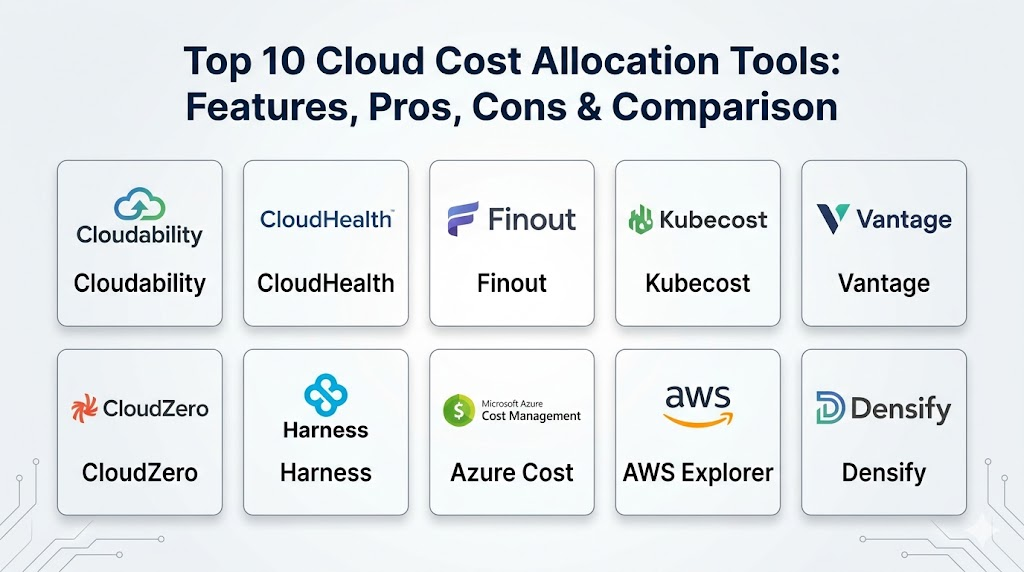
Top 10 Cloud Cost Allocation Tools
1. Apptio Cloudability
A leader in the FinOps space, Cloudability is designed to help large enterprises translate complex cloud bills into business language. It excels at mapping spending to specific cost centers and providing optimization recommendations.
Key Features
- Sophisticated “Views” that allow different departments to see only their relevant spend.
- Automated mapping of shared costs and unallocated resources across the organization.
- Detailed Kubernetes cost allocation based on actual resource consumption.
- Advanced forecasting models that predict future spend based on historical trends.
- Integration with IT Service Management tools for a holistic financial view.
Pros
- Extremely deep reporting capabilities for complex enterprise hierarchies.
- Strong focus on rightsizing and reserved instance management.
Cons
- The interface can be complex and requires dedicated time to master.
- Pricing is typically geared toward large-scale enterprise budgets.
Platforms / Deployment
Web / SaaS
Cloud
Security & Compliance
SSO/SAML, Role-Based Access Control, and encrypted data ingestion.
SOC 2 Type II compliant.
Integrations & Ecosystem
Integrates with AWS, Azure, GCP, and OCI. It also connects with Jira and ServiceNow for operationalizing cost data.
Support & Community
Professional enterprise support with dedicated account managers and a strong community of FinOps practitioners.
2. CloudHealth by VMware
CloudHealth is one of the most established platforms in the market, providing a comprehensive suite for cloud governance, security, and financial management across multi-cloud environments.
Key Features
- “Perspectives” feature for flexible grouping of resources by department, project, or owner.
- Automated policy engine that alerts or takes action when budgets are exceeded.
- Granular cost breakdown for multitenant Kubernetes clusters.
- Historical data retention for long-term trend analysis and year-over-year comparisons.
- Amortization of upfront costs like Reserved Instances and Savings Plans.
Pros
- Excellent for large organizations with rigid governance and compliance needs.
- Broad support for multi-cloud and hybrid-cloud configurations.
Cons
- Can feel heavy and “corporate” compared to newer, more agile tools.
- Setup and initial tagging alignment can take significant effort.
Platforms / Deployment
Web / SaaS
Cloud
Security & Compliance
Identity federation, audit trails, and secure API connectivity.
ISO 27001 / SOC 2 compliant.
Integrations & Ecosystem
Strongest integration with VMware environments, alongside major public clouds and Datadog.
Support & Community
Extensive documentation, global support teams, and a large network of managed service provider partners.
3. Finout
Finout is a modern, “cloud-native” platform that focuses on providing a single source of truth for all cloud-related costs, including SaaS tools and data warehouses like Snowflake.
Key Features
- The “MegaBill” which combines AWS, Azure, GCP, Datadog, and Snowflake into one view.
- Advanced virtual tagging that allows allocation without changing underlying cloud tags.
- Detailed container cost allocation down to the specific microservice.
- No-code cost allocation engine for complex business logic.
- Real-time anomaly detection with Slack and Microsoft Teams integration.
Pros
- Very fast time-to-value with minimal initial configuration required.
- Excellent for modern tech stacks that include significant SaaS spend.
Cons
- Newer in the market compared to giants like Apptio.
- Feature set is expanding rapidly, which can lead to UI changes.
Platforms / Deployment
Web / SaaS
Cloud
Security & Compliance
Read-only access to cloud billing data and secure SSO.
SOC 2 compliant.
Integrations & Ecosystem
Highly focused on modern tools like Kubernetes, Snowflake, Datadog, and all major cloud providers.
Support & Community
Responsive digital support and an active user base within the modern DevOps community.
4. Kubecost
Specifically built for the Kubernetes ecosystem, Kubecost provides real-time cost visibility and insights for teams running containerized workloads at scale.
Key Features
- Allocation by namespace, deployment, service, and label within Kubernetes.
- Out-of-cluster cost integration to see how K8s spend relates to total cloud spend.
- Real-time alerts for budget overruns within specific clusters.
- Automated “abandoned resource” detection to find unused volumes or nodes.
- Self-hosted option for organizations with strict data privacy requirements.
Pros
- The gold standard for granular Kubernetes cost breakdown.
- Open-source core available for smaller teams to start for free.
Cons
- Requires deep Kubernetes knowledge to configure and interpret data.
- Less focused on non-containerized cloud resources.
Platforms / Deployment
Self-hosted / SaaS
Cloud / Hybrid
Security & Compliance
Supports private installs within the user’s VPC; no data leaves the environment.
Not publicly stated.
Integrations & Ecosystem
Native integration with Prometheus, Grafana, and all major Kubernetes distributions (EKS, AKS, GKE).
Support & Community
Strong open-source community and professional support for enterprise customers.
5. Vantage
Vantage focuses on a developer-friendly experience, providing automated cost transparency and allocation with a very clean, intuitive interface.
Key Features
- Automated “Autopilot” for managing and allocating Savings Plans.
- Cost reports that can be easily shared with non-technical stakeholders.
- Support for over 15 different cloud and SaaS providers in a single view.
- Per-resource cost history to see exactly when and why a cost increased.
- Collaborative features that allow teams to “watch” specific cost centers.
Pros
- One of the best user interfaces in the cloud financial management space.
- Fast onboarding with “one-click” cloud connections.
Cons
- May lack some of the “heavyweight” governance features required by massive banks or government agencies.
- Advanced automation features are locked behind higher-tier plans.
Platforms / Deployment
Web / SaaS
Cloud
Security & Compliance
RBAC, SSO, and read-only cross-account IAM roles.
SOC 2 Type II compliant.
Integrations & Ecosystem
Extensive support for AWS, Azure, GCP, Snowflake, MongoDB Atlas, and Databricks.
Support & Community
Modern support via Slack and email, with a focus on fast technical responses.
6. CloudZero
CloudZero is a platform designed to align engineering and finance by treating cloud cost like a software metric rather than a bill, focusing heavily on “Cost Intelligence.”
Key Features
- “CostFormation” engine for allocating costs without relying solely on perfect tagging.
- Ability to break down costs by product feature, team, or individual customer.
- Automated anomaly detection that filters out “noise” to show only what matters.
- Direct feedback loops for engineers to see the cost of their deployments.
- Support for multi-tenant and shared resource cost splitting.
Pros
- Excellent for SaaS companies needing to understand their “Cost of Goods Sold” (COGS).
- Unique approach to allocation that doesn’t require a months-long tagging project.
Cons
- The “Intelligence” approach requires a mental shift for traditional finance teams.
- Pricing can be high for smaller organizations with lower cloud spend.
Platforms / Deployment
Web / SaaS
Cloud
Security & Compliance
Secure data ingestion and limited permission sets.
SOC 2 compliant.
Integrations & Ecosystem
Works across AWS, Azure, and GCP, with specialized support for Snowflake and Kubernetes.
Support & Community
Highly regarded for their “Cost Intelligence Team” that provides expert guidance to customers.
7. Harness Cloud Cost Management
Part of the broader Harness Intelligent Software Delivery platform, this tool focuses on linking cost allocation directly to the software development lifecycle.
Key Features
- “Cloud AutoStopping” to automatically shut down idle resources.
- Deep visibility into Kubernetes and ECS costs with no manual tagging.
- Cost visibility within the CI/CD pipeline for developers.
- Forecasts based on upcoming deployment pipelines and historical data.
- Automated root-cause analysis for sudden cost spikes.
Pros
- Integrated directly into the developer workflow.
- Very strong automation features for reducing waste alongside allocation.
Cons
- Most valuable if you are already using the Harness platform.
- Interface is geared more toward engineers than finance professionals.
Platforms / Deployment
Web / SaaS
Cloud
Security & Compliance
Integrated with Harness’s enterprise-grade security and RBAC.
SOC 2 / ISO 27001 compliant.
Integrations & Ecosystem
Strongest on AWS and GCP, with deep ties to Harness’s own deployment tools.
Support & Community
Solid corporate support and an active community of DevOps engineers.
8. Azure Cost Management + Billing
The native tool for Microsoft Azure, providing essential cost allocation and monitoring features directly within the Azure Portal at no additional cost for Azure resources.
Key Features
- Allocation through Management Groups, Subscriptions, and Resource Groups.
- Native support for Azure Tags and automated budget alerts.
- Integration with Power BI for advanced custom reporting.
- Support for AWS cost management through a single interface (for a fee).
- Export capabilities to external storage for long-term retention.
Pros
- Built directly into the platform; no setup or integration required for Azure.
- Free for managing all Azure-native spending.
Cons
- Limited capabilities for non-Microsoft resources.
- Tagging requirements are strict for accurate allocation.
Platforms / Deployment
Azure Portal
Cloud
Security & Compliance
Inherits all Azure security, identity, and compliance standards.
Compliant with all major global standards (HIPAA, GDPR, etc.).
Integrations & Ecosystem
Deeply integrated with the entire Microsoft ecosystem, including Power BI and Active Directory.
Support & Community
Standard Azure support tiers and a massive global documentation library.
9. AWS Cost Explorer
The foundational tool for any organization on Amazon Web Services, offering basic to intermediate cost allocation and visualization capabilities directly in the AWS Console.
Key Features
- Cost Allocation Tags that allow you to track spend by business unit or project.
- Detailed reports for Reserved Instances and Savings Plans.
- API access for programmatically retrieving cost and usage data.
- Hourly and daily granularity for identifying short-term spikes.
- “Cost Categories” to group costs across accounts and tags.
Pros
- No additional cost for standard usage.
- Extremely accurate data as it comes directly from the source.
Cons
- Limited to AWS only; not suitable for multi-cloud environments.
- Lacks the advanced “business logic” and automated mapping of third-party tools.
Platforms / Deployment
AWS Management Console
Cloud
Security & Compliance
Secured by AWS IAM and standard AWS security protocols.
Broadly compliant with industry standards.
Integrations & Ecosystem
The core data source for almost every other tool on this list.
Support & Community
Accessible through all AWS Support plans and a vast amount of community knowledge.
10. Densify
Densify focuses on resource optimization and cost allocation through a “science-based” approach, utilizing deep analytics to ensure resources are matched to workloads.
Key Features
- Machine learning analysis of resource utilization to suggest better allocation.
- Detailed “Chargeback” reports that are audit-ready for finance teams.
- Integration with infrastructure-as-code (Terraform/CloudFormation) for automated rightsizing.
- Advanced visualization of “Before vs. After” cost allocation scenarios.
- Support for hybrid environments including VMware and public clouds.
Pros
- Very strong at bridging the gap between technical utilization and financial cost.
- Automates the “Optimize” phase of FinOps very effectively.
Cons
- Focuses more on optimization than just simple tag-based allocation.
- Setup can be more technical than “one-click” SaaS tools.
Platforms / Deployment
Web / SaaS
Cloud / Hybrid
Security & Compliance
Secure data collection via proxy or API.
SOC 2 compliant.
Integrations & Ecosystem
Broad support for AWS, Azure, GCP, VMware, and Terraform.
Support & Community
High-quality technical support and a reputation for deep engineering expertise.
Comparison Table
| Tool Name | Best For | Platform(s) Supported | Deployment | Standout Feature | Public Rating |
| 1. Cloudability | Enterprise FinOps | AWS, Azure, GCP, OCI | Cloud | Mapping Logic | N/A |
| 2. CloudHealth | Governance | AWS, Azure, GCP, Hybrid | Hybrid | Policy Engine | N/A |
| 3. Finout | SaaS + Cloud | Multi-Cloud + SaaS | Cloud | MegaBill View | N/A |
| 4. Kubecost | Kubernetes Teams | K8s, AWS, Azure, GCP | Local | Pod-level Split | N/A |
| 5. Vantage | Developers | 15+ Cloud Providers | Cloud | User Interface | N/A |
| 6. CloudZero | SaaS COGS | AWS, Azure, GCP | Cloud | Cost Intelligence | N/A |
| 7. Harness | DevOps Pipelines | AWS, GCP | Cloud | AutoStopping | N/A |
| 8. Azure Cost | Microsoft Users | Azure (some AWS) | Native | Native Integration | N/A |
| 9. AWS Explorer | AWS Users | AWS Only | Native | Source Accuracy | N/A |
| 10. Densify | Optimization | AWS, Azure, GCP, VMware | Hybrid | Resource Matching | N/A |
Evaluation & Scoring
| Tool Name | Core (25%) | Ease (15%) | Integrations (15%) | Security (10%) | Perf (10%) | Support (10%) | Value (15%) | Total |
| 1. Cloudability | 10 | 6 | 9 | 9 | 8 | 9 | 7 | 8.45 |
| 2. CloudHealth | 9 | 5 | 9 | 9 | 8 | 9 | 7 | 8.05 |
| 3. Finout | 8 | 9 | 10 | 8 | 9 | 8 | 9 | 8.70 |
| 4. Kubecost | 10 | 7 | 8 | 9 | 9 | 8 | 8 | 8.45 |
| 5. Vantage | 8 | 10 | 9 | 9 | 9 | 8 | 8 | 8.75 |
| 6. CloudZero | 9 | 8 | 8 | 9 | 9 | 9 | 7 | 8.45 |
| 7. Harness | 8 | 7 | 8 | 9 | 9 | 8 | 8 | 8.05 |
| 8. Azure Cost | 7 | 9 | 6 | 10 | 8 | 8 | 10 | 8.00 |
| 9. AWS Explorer | 7 | 9 | 5 | 10 | 9 | 8 | 10 | 7.90 |
| 10. Densify | 8 | 6 | 8 | 9 | 9 | 9 | 7 | 7.80 |
The scoring indicates a high level of competition in the cloud financial management space. Vantage and Finout lead the total scores due to their exceptional ease of use and ability to integrate a wide variety of modern tools into a single view. Kubecost remains the leader for specialized Kubernetes needs. Native tools like AWS Cost Explorer and Azure Cost Management score high in value because they are free, making them the default choice for organizations staying within a single cloud provider.
Which Cloud Cost Allocation Tool Is Right for You?
Solo / Freelancer
For individuals, there is no need for third-party tools. AWS Cost Explorer or Azure Cost Management will provide more than enough detail to manage personal spending.
SMB
Small businesses should look for tools with fast setup and clear dashboards. Vantage is an excellent choice here as it offers immediate visibility without needing a dedicated FinOps team to manage the software.
Mid-Market
Organizations in this tier often have multi-cloud needs but limited personnel. Finout or CloudZero provide strong automated allocation that minimizes the manual work required to keep costs organized.
Enterprise
For massive organizations with complex chargeback requirements, Apptio Cloudability or CloudHealth by VMware are the industry standards. They offer the deep governance and policy frameworks needed to manage thousands of accounts.
Budget vs Premium
AWS and Azure provide excellent “budget” (free) tools. If you are moving to a “premium” third-party tool, ensure the cost of the software is offset by the savings it identifies or the hours of manual accounting it eliminates.
Feature Depth vs Ease of Use
Vantage leads in ease of use, while Cloudability leads in feature depth. Choose based on whether your primary user will be a developer looking for a quick check or a financial analyst performing deep audits.
Integrations & Scalability
If your infrastructure is primarily container-based, Kubecost is essential for scalability. For companies using a wide array of SaaS products alongside their cloud, Finout offers the best integration ecosystem.
Security & Compliance Needs
All tools on this list meet high security standards, but native tools like Azure Cost Management provide the highest level of trust for organizations with extreme compliance requirements, as data never leaves the cloud provider’s boundary.
Frequently Asked Questions (FAQs)
1. What is the difference between showback and chargeback?
Showback is simply showing a department how much they spent to encourage awareness. Chargeback is actually deducting those costs from their departmental budget.
2. Why is tagging so important for cost allocation?
Tags act as digital labels. Without them, the tool cannot know if a specific server belongs to “Marketing” or “Engineering,” making accurate allocation impossible.
3. Can these tools allocate shared costs like networking?
Yes, most premium tools have “weighted” allocation features that can split shared costs based on a department’s percentage of overall usage.
4. Do these tools help with rightsizing?
Most of the listed tools (like CloudHealth and Densify) provide specific recommendations on where you are over-provisioned and can save money by downsizing.
5. Is Kubernetes cost allocation different from standard cloud allocation?
Yes, because a single Kubernetes node can host many different projects. Specialized tools like Kubecost are needed to see “inside” the cluster.
6. Can I manage multi-cloud costs in one place?
Yes, third-party tools like Cloudability, Vantage, and Finout are specifically built to pull data from AWS, Azure, and GCP into a single dashboard.
7. How often is the cost data updated?
Native tools are updated almost in real-time or every few hours. Third-party tools typically sync with cloud billing APIs several times a day.
8. Will these tools automatically delete expensive resources for me?
Some tools, like Harness or CloudHealth, have policy engines that can be configured to take action, but most focus on visibility and alerting first.
9. Do I need to install agents on my servers?
Most cost allocation tools are “agentless” and connect via read-only API access to your billing and usage reports.
10. What is FinOps?
FinOps is a cultural practice of managing cloud spend where engineering, finance, and business teams work together to ensure maximum value for every dollar spent.
Conclusion
Mastering cloud cost allocation is a journey from visibility to accountability. In the modern enterprise, the cloud is no longer a centralized IT cost but a distributed operational expense that must be managed with precision. The tools highlighted in this guide provide the necessary frameworks to move away from guesswork and toward data-driven financial decisions. By selecting a tool that aligns with your organizational size, technical stack, and maturity level, you can transform cloud spend from a source of anxiety into a strategic advantage that fuels innovation. Start by identifying your most significant “black boxes” of spend and use a pilot program to see which platform provides the clearest light.

Best Cardiac Hospitals Near You
Discover top heart hospitals, cardiology centers & cardiac care services by city.
Advanced Heart Care • Trusted Hospitals • Expert Teams
View Best Hospitals