Introduction
Cloud file storage tools let individuals and organizations store files in the cloud, sync them across devices, share them securely, and control access with policies. Unlike simple file transfer, modern cloud file storage is built for collaboration, governance, and business continuity. It helps teams reduce dependence on local devices, avoid version confusion, and keep files accessible even when people work remotely or across different locations. The right platform becomes the “default home” for documents, media, and project files, while also supporting compliance and security expectations.
Common real-world use cases include team collaboration on documents and folders, secure external sharing with customers and vendors, storing large media files with controlled access, replacing file servers for distributed teams, enabling remote workforce access, creating retention and lifecycle rules for long-term storage, supporting audit and investigation needs, and reducing data loss risk when devices fail or are lost. Buyers should evaluate sync reliability, sharing controls, admin governance, access management, encryption, audit logs, retention and legal hold options, collaboration features, integrations with productivity tools, storage scalability, and cost predictability.
Best for: remote and hybrid teams, organizations wanting to reduce reliance on file servers, teams needing secure sharing and governance, and businesses that want simple collaboration with strong access controls.
Not ideal for: workflows requiring ultra-low latency local access at all times, environments with strict offline-only rules, or use cases that demand object storage APIs instead of file and folder workflows.
Key Trends in Cloud File Storage
- Stronger ransomware protection patterns such as version history and recovery workflows
- More governance features like retention, lifecycle policies, and audit-ready reporting
- Growing use of zero-trust access and conditional authentication policies
- Better external sharing controls with expiration, watermarks, and access boundaries
- Expanded integrations with collaboration suites and workflow tools
- Increased demand for cross-platform sync that works reliably at scale
- More emphasis on data residency and regional storage options
- Smarter search and content discovery across large file libraries
- More automation for permissions reviews and access cleanup
- Higher expectations for admin visibility into sharing and risky behavior
How We Selected These Tools (Methodology)
- Broad adoption and trust for storing business-critical files
- Strong sync reliability and sharing controls for real collaboration
- Admin governance features for access, auditing, and retention
- Security posture signals such as encryption, RBAC, and audit logging expectations
- Integration breadth with productivity, identity, and collaboration ecosystems
- Performance and usability for day-to-day work across devices
- Scalability for growing teams and large file libraries
- Value alignment across storage tiers and collaboration benefits
- Support maturity through documentation, onboarding, and enterprise options
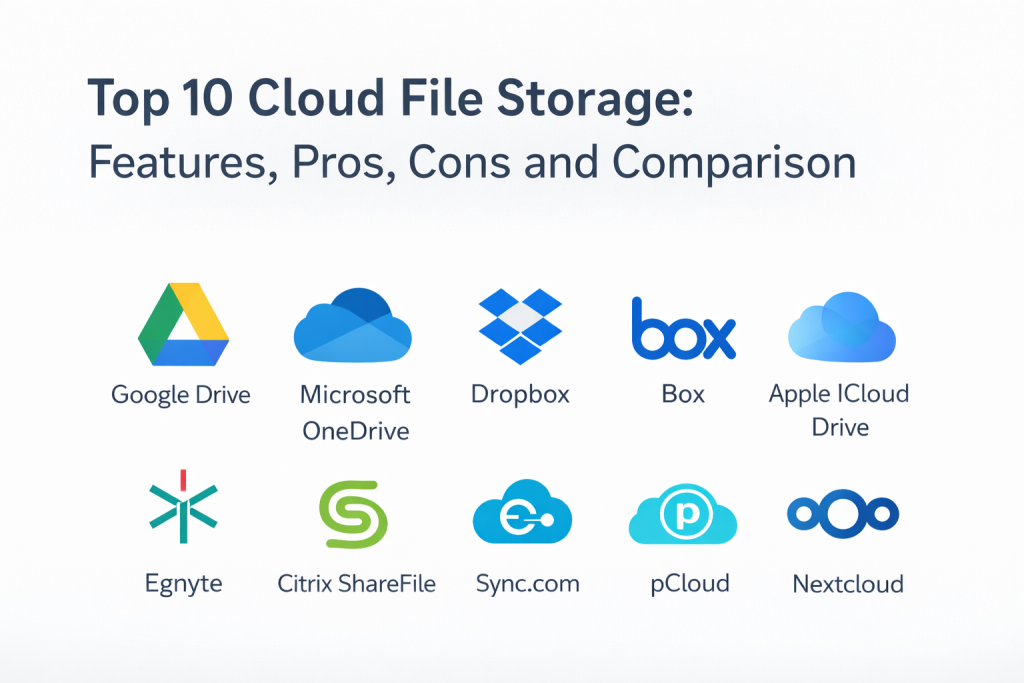
Top 10 Cloud File Storage
1 — Google Drive
Google Drive is widely used for cloud file storage and collaboration, especially where teams rely on Google productivity tools. It is commonly chosen for fast sharing, cross-device access, and smooth collaboration patterns.
Key Features
- File storage with sync across devices
- Folder sharing controls with permission management
- Collaboration workflows aligned with Google productivity apps
- Version history and recovery options (varies)
- Search and organization features for large libraries
- Admin controls depending on plan
Pros
- Strong collaboration experience for teams using Google tools
- Easy sharing and real-time access across devices
Cons
- Governance depth depends on plan and admin configuration
- Works best when Google Workspace is the main collaboration suite
Platforms and Deployment
Platforms: Web / Windows / macOS / iOS / Android
Deployment: Cloud
Security and Compliance
SSO, MFA, audit logs, encryption, RBAC: Varies / Not publicly stated
Certifications: Not publicly stated
Integrations and Ecosystem
Often integrated with Google productivity workflows and common third-party collaboration tools.
- Google ecosystem alignment: Strong
- Identity and access integration: Varies / N/A
- Workflow integrations: Varies / N/A
Support and Community
Large global user base and strong documentation. Support varies by plan and organization size.
2 — Microsoft OneDrive
Microsoft OneDrive is widely adopted for cloud file storage, especially for organizations using Microsoft productivity tools. It is often selected for strong integration with Microsoft identity and collaboration environments.
Key Features
- File sync and storage across devices
- Sharing controls with permissions and collaboration workflows
- Integration with Microsoft productivity ecosystem
- Version history and recovery options (varies)
- Admin governance features depending on plan
- Device and endpoint alignment in Microsoft environments (varies)
Pros
- Strong fit for Microsoft-based organizations
- Smooth integration with common enterprise identity patterns
Cons
- Best outcomes require good permission governance and structure
- Non-Microsoft environments may not benefit from full ecosystem depth
Platforms and Deployment
Platforms: Web / Windows / macOS / iOS / Android
Deployment: Cloud
Security and Compliance
SSO, MFA, encryption, audit logs: Varies / Not publicly stated
Certifications: Not publicly stated
Integrations and Ecosystem
Often used as part of Microsoft collaboration and identity workflows for unified access management.
- Microsoft ecosystem alignment: Strong
- Identity integration: Varies / N/A
- Workflow integrations: Varies / N/A
Support and Community
Very large enterprise footprint. Documentation is strong and support depth varies by plan.
3 — Dropbox
Dropbox is known for easy file syncing, sharing, and collaboration workflows across devices. It is commonly chosen by teams that want reliable sync behavior and simple external sharing without heavy complexity.
Key Features
- Strong sync experience across devices
- File sharing with permissions and link controls
- Version history and recovery options (varies)
- Admin controls and reporting depending on plan
- Collaboration workflows for teams and external partners
- Search and organization tools for file libraries
Pros
- Reliable cross-platform sync and easy sharing
- Simple onboarding for mixed-skill teams
Cons
- Governance depth depends on plan and admin setup
- Some enterprises may prefer deeper compliance and workflow suites
Platforms and Deployment
Platforms: Web / Windows / macOS / Linux / iOS / Android
Deployment: Cloud
Security and Compliance
SSO, MFA, encryption, audit logs: Varies / Not publicly stated
Certifications: Not publicly stated
Integrations and Ecosystem
Often integrates with productivity and collaboration tools to fit into everyday work.
- Collaboration integrations: Varies / N/A
- Identity and access: Varies / N/A
- Automation and workflows: Varies / N/A
Support and Community
Strong user community and documentation. Support tiers vary by plan and business size.
4 — Box
Box is widely used for enterprise file storage and content collaboration, especially where governance and content controls matter. It is often chosen for structured permission models and business workflow alignment.
Key Features
- Cloud file storage and collaboration workflows
- Granular sharing controls and permission governance
- Admin reporting and visibility for access patterns
- Content lifecycle and retention features (varies by plan)
- Secure external sharing features (varies)
- Integration with business apps and workflows
Pros
- Strong enterprise governance orientation
- Useful for organizations handling sensitive content and external sharing
Cons
- Can be more complex than simple sync-focused tools
- Best outcomes require structured folder and permission models
Platforms and Deployment
Platforms: Web / Windows / macOS / iOS / Android
Deployment: Cloud
Security and Compliance
SSO, MFA, encryption, audit logs, RBAC: Varies / Not publicly stated
Certifications: Not publicly stated
Integrations and Ecosystem
Often integrated with enterprise identity, workflow tools, and content-heavy business processes.
- Enterprise app integrations: Varies / N/A
- Identity alignment: Varies / N/A
- Automation options: Varies / N/A
Support and Community
Enterprise-focused support and documentation. Many organizations use partner-led onboarding for governance.
5 — Apple iCloud Drive
Apple iCloud Drive is widely used by individuals and teams in Apple-centric environments for file storage, sync, and device continuity. It is often chosen for seamless device integration and simple sharing workflows.
Key Features
- File storage and sync across Apple devices
- Sharing and collaboration features depending on setup
- Version history and recovery options (varies)
- Simple organization and search workflows
- Integration with Apple productivity and device ecosystem
- Easy setup for individual and small team use
Pros
- Seamless experience for Apple-first users
- Simple file sync without heavy administration
Cons
- Enterprise governance features may be limited compared to business-first platforms
- Mixed OS environments may not get the same experience depth
Platforms and Deployment
Platforms: Web / macOS / iOS / Windows (limited)
Deployment: Cloud
Security and Compliance
Security features and certifications: Not publicly stated
Integrations and Ecosystem
Strong alignment with Apple device workflows and consumer productivity patterns.
- Apple ecosystem alignment: Strong
- Third-party integrations: Varies / N/A
- Admin governance tools: Varies / N/A
Support and Community
Large user base and strong consumer support. Business-grade support depth varies by plan.
6 — Egnyte
Egnyte is often chosen by mid-market and enterprise teams that want cloud file storage with stronger governance and controlled collaboration. It is commonly used where external sharing, permissions control, and operational oversight matter.
Key Features
- Cloud file storage with strong permission governance
- External sharing controls designed for business use
- Admin visibility into access, sharing, and activity (varies)
- Policy and lifecycle controls depending on plan
- Hybrid patterns for teams with some on-prem requirements (varies)
- Reporting for compliance and operational review
Pros
- Strong fit for organizations needing controlled external collaboration
- Useful governance features without extreme complexity
Cons
- May be more than needed for very small teams
- Best outcomes require a clear folder and permission strategy
Platforms and Deployment
Platforms: Web / Windows / macOS / iOS / Android
Deployment: Cloud / Hybrid (varies)
Security and Compliance
SSO, MFA, encryption, audit logs: Varies / Not publicly stated
Certifications: Not publicly stated
Integrations and Ecosystem
Often integrates with identity systems, collaboration tools, and business workflows for controlled file operations.
- Identity integration: Varies / N/A
- Collaboration suite alignment: Varies / N/A
- Automation and APIs: Varies / N/A
Support and Community
Business-focused support options with documentation suited for administrators. Onboarding improves governance outcomes.
7 — Citrix ShareFile
Citrix ShareFile is commonly used for secure file sharing and storage in business environments, especially when external sharing and client file exchange is a core requirement. It is often chosen in workflows like finance, legal, and customer-facing teams.
Key Features
- Secure file sharing workflows for external collaboration
- Permission controls and link-based sharing management
- File storage and sync capabilities depending on plan
- Reporting and audit visibility for file access (varies)
- Client-facing file exchange workflows
- Administrative controls for governance
Pros
- Strong for secure external file exchange and client workflows
- Useful controls for sharing and access boundaries
Cons
- Some teams may want deeper document collaboration features
- Storage and sync depth depends on plan and configuration
Platforms and Deployment
Platforms: Web / Windows / macOS / iOS / Android
Deployment: Cloud
Security and Compliance
Security features and certifications: Not publicly stated
Integrations and Ecosystem
Often integrated into customer-facing workflows and business systems for secure file exchange.
- Identity integration: Varies / N/A
- Workflow integrations: Varies / N/A
- Automation options: Varies / N/A
Support and Community
Business support options exist. Documentation is practical for typical admin workflows.
8 — Sync.com
Sync.com is often chosen by teams and individuals that want privacy-focused cloud file storage with simple sharing and sync. It is commonly evaluated when organizations prioritize straightforward secure storage without heavy enterprise complexity.
Key Features
- File sync and cloud storage across devices
- Sharing controls with permission options
- Version history and recovery options (varies)
- Folder organization and search features
- Admin features depending on business plan
- Simple onboarding and usability focus
Pros
- Strong fit for teams wanting privacy-focused cloud storage
- Simple user experience for daily file access and sharing
Cons
- Enterprise workflow and integration depth may be lighter than large suites
- Advanced governance features depend on plan level
Platforms and Deployment
Platforms: Web / Windows / macOS / iOS / Android
Deployment: Cloud
Security and Compliance
Security and certifications: Not publicly stated
Integrations and Ecosystem
Typically fits best as a secure file layer, with lighter emphasis on large workflow ecosystems.
- Productivity integrations: Varies / N/A
- Identity integration: Varies / N/A
- Automation options: Varies / N/A
Support and Community
Documentation is generally clear for common workflows. Support depth varies by plan.
Tool 9 — pCloud
pCloud is a cloud file storage service often used by individuals and small teams for file storage, sync, and sharing. It is commonly chosen for straightforward storage workflows and simple access across devices.
Key Features
- File storage and sync across devices
- Folder sharing and link-based sharing features
- Version history and file recovery options (varies)
- Search and organization tools for file libraries
- Basic admin controls depending on plan
- Simple setup for small teams
Pros
- Simple and approachable for everyday storage needs
- Useful for small teams wanting low friction storage and sharing
Cons
- Enterprise-grade governance needs may be limited
- Complex compliance requirements may require business-first platforms
Platforms and Deployment
Platforms: Web / Windows / macOS / Linux / iOS / Android
Deployment: Cloud
Security and Compliance
Security and certifications: Not publicly stated
Integrations and Ecosystem
Often used as a standalone file layer rather than a deep workflow platform.
- Collaboration integrations: Varies / N/A
- Identity integration: Varies / N/A
- Automation options: Varies / N/A
Support and Community
Support depends on plan. Community content exists and setup is generally simple.
10 — Nextcloud
Nextcloud is commonly used by organizations that want self-managed file storage and collaboration with strong control over data location and administration. It is often selected for privacy, internal governance, and self-hosted operational control.
Key Features
- File storage and sync with self-hosted control
- Sharing and collaboration features through add-ons (varies)
- Admin governance controls based on deployment design
- Integration options through extensions and connectors (varies)
- Storage and user management flexibility
- Good fit for privacy and control focused environments
Pros
- Strong control over data location and operations
- Flexible extension ecosystem for collaboration and workflows
Cons
- Requires operational effort for hosting, upgrades, and reliability
- Success depends on infrastructure design and admin discipline
Platforms and Deployment
Platforms: Web / Windows / macOS / Linux / iOS / Android
Deployment: Self-hosted / Hybrid (varies)
Security and Compliance
Security and certifications: Not publicly stated
Integrations and Ecosystem
Often integrated into Linux and enterprise environments using extensions and APIs for flexibility.
- Extension ecosystem: Varies / N/A
- Identity integration: Varies / N/A
- Automation and APIs: Varies / N/A
Support and Community
Strong community presence. Support depends on chosen support model and hosting approach.
Comparison Table
| Tool Name | Best For | Platform(s) Supported | Deployment | Standout Feature | Public Rating |
|---|---|---|---|---|---|
| Google Drive | Collaboration for teams using Google tools | Web, Windows, macOS, iOS, Android | Cloud | Smooth sharing and collaboration workflows | N/A |
| Microsoft OneDrive | File storage inside Microsoft ecosystems | Web, Windows, macOS, iOS, Android | Cloud | Strong identity and productivity integration | N/A |
| Dropbox | Reliable cross-platform sync and sharing | Web, Windows, macOS, Linux, iOS, Android | Cloud | Strong sync experience and easy sharing | N/A |
| Box | Enterprise governance for sensitive content | Web, Windows, macOS, iOS, Android | Cloud | Granular controls and enterprise workflows | N/A |
| Apple iCloud Drive | Apple-first file storage and device continuity | Web, macOS, iOS, Windows (limited) | Cloud | Seamless Apple ecosystem integration | N/A |
| Egnyte | Governance-focused cloud file storage for business | Web, Windows, macOS, iOS, Android | Cloud / Hybrid (varies) | Controlled external sharing and oversight | N/A |
| Citrix ShareFile | Secure client file exchange and business sharing | Web, Windows, macOS, iOS, Android | Cloud | Strong external sharing controls | N/A |
| Sync.com | Privacy-focused storage for teams and individuals | Web, Windows, macOS, iOS, Android | Cloud | Secure, simple sharing and storage workflows | N/A |
| pCloud | Simple file storage and sharing for small teams | Web, Windows, macOS, Linux, iOS, Android | Cloud | Low friction setup and access | N/A |
| Nextcloud | Self-hosted file storage with full control | Web, Windows, macOS, Linux, iOS, Android | Self-hosted / Hybrid (varies) | Data control and extension ecosystem | N/A |
Evaluation and Scoring
Weights used:
- Core features – 25%
- Ease of use – 15%
- Integrations and ecosystem – 15%
- Security and compliance – 10%
- Performance and reliability – 10%
- Support and community – 10%
- Price and value – 15%
| Tool Name | Core (25%) | Ease (15%) | Integrations (15%) | Security (10%) | Performance (10%) | Support (10%) | Value (15%) | Weighted Total |
|---|---|---|---|---|---|---|---|---|
| Google Drive | 9 | 9 | 9 | 7 | 8 | 8 | 8 | 8.55 |
| Microsoft OneDrive | 9 | 8 | 9 | 7 | 8 | 8 | 8 | 8.35 |
| Dropbox | 8 | 9 | 8 | 7 | 8 | 8 | 7 | 7.95 |
| Box | 9 | 7 | 8 | 8 | 8 | 8 | 6 | 7.80 |
| Apple iCloud Drive | 7 | 9 | 6 | 6 | 8 | 7 | 8 | 7.45 |
| Egnyte | 8 | 7 | 7 | 7 | 8 | 7 | 7 | 7.40 |
| Citrix ShareFile | 7 | 8 | 7 | 7 | 7 | 7 | 7 | 7.20 |
| Sync.com | 7 | 8 | 6 | 7 | 7 | 7 | 8 | 7.20 |
| pCloud | 7 | 8 | 6 | 6 | 7 | 6 | 8 | 7.00 |
| Nextcloud | 8 | 6 | 7 | 7 | 7 | 8 | 8 | 7.35 |
How to interpret these scores:
- The totals help you shortlist, but your real choice depends on your ecosystem and governance needs.
- If collaboration suite alignment matters, Integrations should weigh heavily.
- If your team is small, Ease and Value often decide long-term success.
- If compliance matters, focus on Security, audit visibility, and permission governance.
- Always test sync reliability, sharing controls, and recovery options in a pilot.
Which Cloud File Storage Is Right for You?
Solo or Freelancer
Choose a platform that syncs reliably across your devices and makes sharing easy. Ease of use and value matter more than deep governance. If you are Apple-first, Apple iCloud Drive may be enough. If you need strong collaboration, Google Drive or Dropbox can be practical.
SMB
SMBs need simple administration, secure sharing, and predictable pricing. Google Drive and Microsoft OneDrive work well when you are already in those productivity ecosystems. Dropbox is a strong fit for mixed-device teams that prioritize sync reliability. If you handle sensitive client files, Citrix ShareFile can be a practical choice.
Mid-Market
Mid-market teams often need stronger governance, better reporting, and more controlled external sharing. Box and Egnyte are often considered when permission structure and oversight matter. Microsoft OneDrive can work well when identity and device policies are Microsoft-based.
Enterprise
Enterprises should prioritize governance, audit trails, role separation, retention policies, and controlled external collaboration. Box is commonly evaluated for sensitive content governance. Egnyte can be a good fit for structured sharing and oversight, especially when teams need controlled collaboration with external partners.
Budget vs Premium
Budget-friendly options work when your use case is simple and compliance needs are light. Premium options become worth it when you need audit-ready governance, stronger oversight, and structured permission models.
Feature Depth vs Ease of Use
Feature depth matters for regulated and content-heavy environments. Ease of use matters for adoption, especially when teams are not technical. Choose the tool that matches your actual operating discipline, not just the longest feature list.
Integrations and Scalability
If you rely on a productivity suite, choose the matching storage layer to reduce friction. If you use many apps, prioritize integration breadth and good identity alignment. Scalability matters in admin controls, search performance, and how permissions and sharing scale over time.
Security and Compliance Needs
If compliance is important, focus on permission governance, audit logs, retention options, and controlled external sharing. Also enforce strong identity practices because file sharing risk often comes from weak access governance, not from the storage platform itself.
Frequently Asked Questions
1. What is cloud file storage used for?
It stores files in the cloud so you can access, sync, share, and collaborate across devices and teams while keeping centralized control and continuity.
2. How is cloud file storage different from object storage?
Cloud file storage focuses on folders, file sync, and user sharing workflows. Object storage is API-driven and used more for applications and large-scale data storage.
3. Can cloud file storage replace a file server?
Often yes for remote teams and collaboration use cases. Some workloads still need local file servers for ultra-low latency or legacy application requirements.
4. How do I choose between Google Drive and Microsoft OneDrive?
Choose based on your productivity ecosystem. If your team lives in Google tools, Google Drive usually fits best. If your organization is Microsoft-based, OneDrive aligns naturally.
5. What are common mistakes teams make with cloud file storage?
Poor folder structure, permission sprawl, sharing links without governance, and not reviewing external access are common mistakes.
6. Does cloud file storage protect against ransomware?
Many platforms offer version history and recovery features, but protection also depends on identity security and permission discipline.
7. Should I use a separate tool for external client file sharing?
If you exchange sensitive files often, a tool focused on secure external sharing can reduce risk through better controls and visibility.
8. How do I control costs as storage grows?
Use retention rules, lifecycle policies where available, avoid duplicating large files, and enforce good folder discipline to reduce sprawl.
9. What should I test in a pilot?
Test sync reliability, sharing controls, permission governance, admin reporting, search accuracy, and recovery options for deleted or overwritten files.
10. Is self-hosted cloud file storage worth it?
It can be if data control and privacy requirements are strong. However, it requires operational ownership for updates, uptime, performance, and security.
Conclusion
Cloud file storage seems simple until you have to manage sharing risk, permissions sprawl, and rapidly growing content at scale. The best platform depends on your collaboration suite, your governance needs, and how disciplined your team can be with folder structures and access controls. Start by shortlisting two or three tools that match your ecosystem and security expectations, then run a pilot that tests sync reliability, external sharing controls, admin reporting, and recovery from common mistakes like accidental deletion or overwritten files. Choose the tool your team will use consistently, because consistent usage plus good permission governance is what turns cloud file storage into real productivity and resilience.

Best Cardiac Hospitals Near You
Discover top heart hospitals, cardiology centers & cardiac care services by city.
Advanced Heart Care • Trusted Hospitals • Expert Teams
View Best Hospitals