Introduction
Cloud spend governance has transitioned from a back-office accounting task to a mission-critical operation for modern digital enterprises. As organizations scale their infrastructure across multiple cloud providers, the lack of visibility into real-time consumption often leads to “cloud sprawl” and significant budget overruns. Cloud spend governance tools provide the necessary framework to align cloud costs with business value, ensuring that every dollar spent on infrastructure contributes directly to organizational goals. These platforms offer more than just bill tracking; they provide the guardrails, automated policies, and granular insights required to maintain fiscal discipline in an elastic computing environment.
The complexity of microservices, serverless architectures, and containerized workloads has made manual cost tracking impossible. Effective governance now requires a combination of real-time monitoring, predictive analytics, and automated remediation. By implementing a dedicated governance tool, companies can shift from a reactive “sticker shock” culture to a proactive FinOps approach, where engineering teams are empowered with cost visibility and finance teams have the predictability they need to forecast future growth accurately.
Best for: FinOps teams, Cloud Architects, and Finance Managers at mid-to-large scale enterprises who manage multi-cloud environments and need to enforce budget compliance across multiple departments.
Not ideal for: Small startups with a single-server setup or organizations with static, predictable on-premises workloads that do not fluctuate in usage or cost.
Key Trends in Cloud Spend Governance Tools
- AI-Powered Anomaly Detection: Platforms are increasingly using machine learning to identify unusual spending patterns in real-time, alerting teams before a minor configuration error turns into a massive bill.
- Unit Economics Integration: A shift toward measuring cloud costs in the context of business metrics, such as “cost per customer transaction” or “cost per active user,” rather than just total monthly spend.
- Automated Rightsizing and Cleanup: Tools are now moving beyond recommendations to automated action, such as shutting down idle instances or resizing underutilized databases during off-peak hours.
- Multi-Cloud and SaaS Visibility: Modern governance suites are expanding to cover not just AWS, Azure, and GCP, but also major SaaS platforms, providing a holistic view of the total digital spend.
- Focus on GreenOps: Integration of carbon footprint tracking alongside cost metrics, allowing organizations to optimize for both financial savings and environmental sustainability goals.
- Container and Kubernetes Cost Allocation: Advanced granular tracking that can attribute costs down to specific pods, namespaces, or labels within a shared cluster environment.
- Shift-Left Cost Visibility: Providing developers with cost estimates directly within their integrated development environments (IDEs) or CI/CD pipelines before resources are even deployed.
- Collaborative Budgeting Workflows: Features that allow engineering and finance teams to co-author budgets and thresholds, fostering shared accountability for cloud consumption.
How We Selected These Tools
- Multi-Cloud Support: We prioritized tools that offer a unified view across at least the three major cloud providers (AWS, Azure, and Google Cloud).
- Automation Capabilities: Each tool was evaluated on its ability to execute automated cost-saving actions rather than just providing static reports.
- Granularity of Insights: We looked for platforms that can break down costs by tag, department, project, and even individual containerized workloads.
- Policy Enforcement Features: Priority was given to tools that allow for the creation and enforcement of strict governance guardrails and budget alerts.
- Accuracy of Forecasting: We selected platforms known for their reliable predictive analytics and budget trend projections.
- Ease of Implementation: The selection includes tools that offer fast onboarding through API-based connections without requiring complex agent installations.
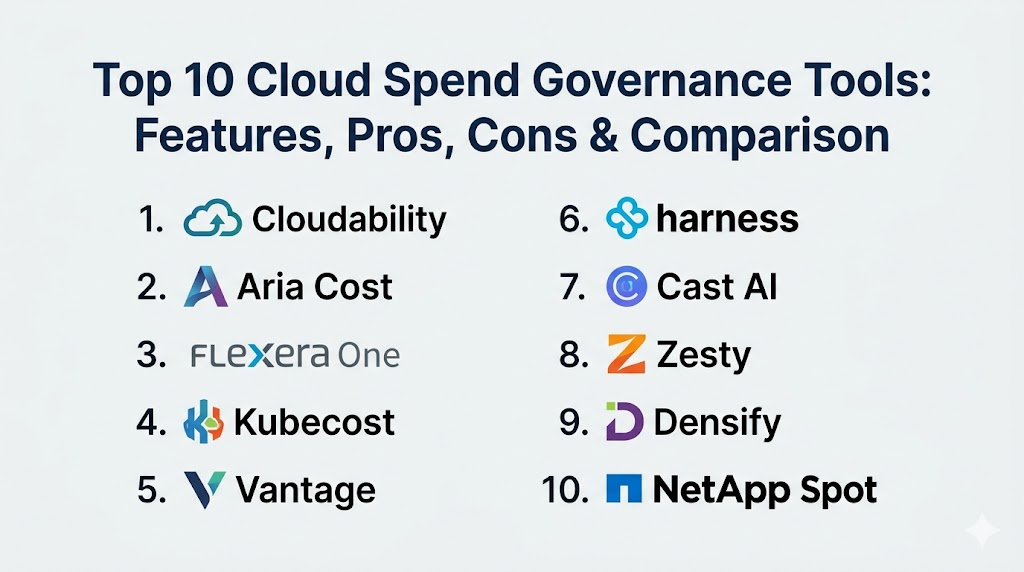
Top 10 Cloud Spend Governance Tools
1. Apptio Cloudability
A leading FinOps platform designed to provide visibility, optimization, and governance across multi-cloud environments. It focuses on translating complex cloud billing data into actionable business insights for finance and engineering teams.
Key Features
- Advanced data ingestion engine that normalizes billing data across multiple cloud providers.
- Rightsizing recommendations based on historical usage patterns and performance metrics.
- Automated mapping of unallocated costs to specific business units or projects.
- Budget tracking with customizable alerts and trend forecasting.
- Specialized views for containerized costs within Kubernetes environments.
Pros
- Exceptional at handling extremely large and complex multi-cloud datasets.
- Strong focus on the FinOps lifecycle: Inform, Optimize, and Operate.
Cons
- The interface can be complex for users who only need basic reporting.
- Premium pricing makes it more suitable for large enterprises.
Platforms / Deployment
SaaS / Cloud
Web-based
Security & Compliance
SSO integration, RBAC, and SOC 2 Type II compliance.
Not publicly stated.
Integrations & Ecosystem
Integrates deeply with AWS, Azure, Google Cloud, and popular ITSM tools like ServiceNow.
Support & Community
Professional enterprise support and a strong presence in the global FinOps Foundation community.
2. VMware Aria Cost (formerly CloudHealth)
A comprehensive multi-cloud management platform that provides deep visibility into cloud spend, usage, and security. It is widely used by managed service providers and large enterprises to govern complex cloud estates.
Key Features
- Policy-driven governance that can trigger automated actions based on cost thresholds.
- Granular reporting by “Perspectives,” allowing different teams to see data relevant to them.
- Reserved Instance (RI) and Savings Plan management and optimization tools.
- Integrated security and compliance scanning alongside cost management.
- Support for hybrid cloud environments, including VMware on-premises workloads.
Pros
- One of the most mature and feature-rich platforms in the market.
- Excellent for organizations that need to manage both public and private clouds.
Cons
- The transition between legacy and new interfaces can occasionally be confusing.
- Can require significant initial configuration to get the most value.
Platforms / Deployment
SaaS / Cloud
Web-based
Security & Compliance
Enterprise-grade identity management and audit trails.
ISO 27001 / SOC 2 compliant.
Integrations & Ecosystem
Extensive ecosystem including major clouds, Datadog, Slack, and various alerting platforms.
Support & Community
Robust professional support and extensive documentation for enterprise users.
3. Flexera One (Cloud Cost Optimization)
Flexera provides a unified platform that combines IT asset management with cloud cost optimization, making it ideal for organizations looking to govern their entire software and cloud estate.
Key Features
- Automated discovery of “zombie” resources and unattached storage volumes.
- Multi-cloud billing ingestion with automated tag normalization.
- Advanced “what-if” analysis for cloud migration and resource changes.
- Policy engine for enforcing budget limits and resource tagging standards.
- Comprehensive view of both SaaS spend and Infrastructure-as-a-Service costs.
Pros
- Best-in-class for managing the intersection of software licenses and cloud costs.
- Strong automated remediation capabilities to eliminate waste.
Cons
- The broader platform is massive and may be overkill for cloud-only teams.
- Higher barrier to entry in terms of both cost and setup time.
Platforms / Deployment
SaaS / Cloud
Web-based
Security & Compliance
Secure data handling and encrypted API connections.
Not publicly stated.
Integrations & Ecosystem
Integrates with major clouds, SaaS providers (SaaS Management), and ITFM tools.
Support & Community
Highly rated professional support and a long history in the IT management industry.
4. Kubecost
Specifically designed for the complexities of Kubernetes, Kubecost provides real-time cost visibility and insights for teams running containerized workloads in the cloud or on-premises.
Key Features
- Real-time cost allocation down to the namespace, deployment, and pod level.
- Automated suggestions for optimizing node sizes and cluster configurations.
- Integration with infrastructure-as-code tools to see costs during the build phase.
- Support for custom pricing and enterprise discounts within the dashboard.
- Open-source core that allows for significant customization and local hosting.
Pros
- The industry standard for granular Kubernetes cost governance.
- Low overhead and easy installation via Helm charts.
Cons
- Primarily focused on Kubernetes; lacks the broad multi-cloud depth of larger suites.
- Requires a certain level of technical expertise to manage effectively.
Platforms / Deployment
Self-hosted / Cloud / Hybrid
Kubernetes-native
Security & Compliance
Runs within your own infrastructure, ensuring data remains private.
Not publicly stated.
Integrations & Ecosystem
Deeply integrates with Prometheus, Grafana, and all major managed Kubernetes services (EKS, GKE, AKS).
Support & Community
Active open-source community and professional support for enterprise customers.
5. Vantage
A modern, developer-friendly cloud cost management platform that emphasizes ease of use and rapid visibility into spend across a wide variety of cloud and SaaS providers.
Key Features
- Automatic integration with over 15 different providers, including Snowflake and Datadog.
- “Cost Anomaly” alerts that use historical data to identify spending spikes.
- Collaborative dashboards that can be shared across engineering teams.
- Autopilot feature for automated management of AWS Savings Plans.
- Clean, intuitive UI that simplifies complex billing data.
Pros
- Extremely fast setup; users can see data within minutes of connecting accounts.
- Covers a broader range of services than just the “big three” clouds.
Cons
- Enterprise governance features (like complex approval workflows) are still maturing.
- Pricing is based on a percentage of the cloud spend being managed.
Platforms / Deployment
SaaS
Web-based
Security & Compliance
SSO, MFA, and read-only API access for security.
SOC 2 compliant.
Integrations & Ecosystem
Broad support for AWS, Azure, GCP, Snowflake, MongoDB Atlas, and Datadog.
Support & Community
Very responsive support team and a modern, growing community of tech-forward users.
6. Harness Cloud Cost Management
Part of the Harness Continuous Delivery platform, this tool focuses on empowering developers to manage costs throughout the software development lifecycle.
Key Features
- “Cloud Autostopping” that automatically shuts down idle non-production resources.
- Deep visibility into Kubernetes and microservices costs.
- Anomaly detection integrated directly into the CI/CD pipeline.
- Rightsizing recommendations for both cloud instances and container resources.
- Automated cost attribution to specific engineering teams and Jira tickets.
Pros
- Unique focus on automation and developer-led cost savings.
- The “Autostopping” feature can provide massive savings on dev/test environments.
Cons
- Best utilized by organizations already using or moving to the Harness platform.
- The reporting interface is less “finance-centric” than Apptio or VMware.
Platforms / Deployment
SaaS / Hybrid
Web-based
Security & Compliance
Enterprise-grade security with secret management and audit logs.
Not publicly stated.
Integrations & Ecosystem
Strongest integration is with the Harness Intelligent Automation Platform and Kubernetes.
Support & Community
Professional support and a rapidly growing community in the DevOps and FinOps space.
7. Cast AI
A specialized platform focusing on automated Kubernetes cost optimization and governance. It uses AI to continuously rightsize clusters and select the most cost-effective compute instances.
Key Features
- Automated cluster rightsizing that happens in real-time without manual intervention.
- Automated spot instance management with “fallback” to on-demand to ensure uptime.
- Instant “Cost Audit” that shows potential savings within seconds of connecting.
- Continuous optimization of node pools and auto-scaling configurations.
- Security scanning that identifies misconfigured or vulnerable containers.
Pros
- Takes the “manual work” out of cloud governance through aggressive automation.
- Often pays for itself within the first month through significant waste reduction.
Cons
- Limited to Kubernetes environments.
- Requires giving the platform permission to make changes to your live infrastructure.
Platforms / Deployment
SaaS
Cloud-native
Security & Compliance
Read-only and write-access roles with strict security protocols.
ISO 27001 compliant.
Integrations & Ecosystem
Works with all major managed Kubernetes services and Terraform.
Support & Community
High-quality technical support and a focus on high-performance engineering teams.
8. Zesty
Zesty provides an automated approach to cloud governance by managing compute and storage resources dynamically to match real-time application demand.
Key Features
- “Commitment Manager” for automatically buying and selling AWS RIs.
- “Zesty Disk” for automatically expanding or shrinking storage volumes without downtime.
- Real-time monitoring of resource utilization versus cost.
- Predictive modeling to forecast future resource needs and commitments.
- Automated rightsizing that eliminates the need for manual instance selection.
Pros
- Highly effective at managing the financial risk of cloud commitments.
- Automated storage management is a unique and high-value feature.
Cons
- Focused on a few specific areas (Compute/Storage) rather than total cloud visibility.
- Primarily optimized for AWS users, with growing support for other clouds.
Platforms / Deployment
SaaS
Cloud-based
Security & Compliance
Standard encryption and secure API access.
Not publicly stated.
Integrations & Ecosystem
Deeply integrated with AWS and expanding into the Google Cloud ecosystem.
Support & Community
Focused customer success teams and professional enterprise support.
9. Densify
An analytics-driven resource management platform that uses machine learning to ensure that cloud resources are perfectly matched to the demands of the applications running on them.
Key Features
- High-precision rightsizing recommendations for instances and scale groups.
- “Cloud-Forward” analysis for optimizing migration to new instance types.
- Detailed “Application-Centric” views of cost and performance.
- Integration with infrastructure-as-code tools to automate resource changes.
- Support for hybrid environments, including VMware and public clouds.
Pros
- Extremely deep technical analysis that goes beyond simple cost metrics.
- Excellent for ensuring performance is not sacrificed for cost savings.
Cons
- The interface can be technical and geared more toward architects than finance.
- Slower setup time due to the depth of data analysis required.
Platforms / Deployment
SaaS / Hybrid
Web-based
Security & Compliance
Secure data collection and SOC 2 compliance.
Not publicly stated.
Integrations & Ecosystem
Integrates with AWS, Azure, GCP, VMware, and Terraform.
Support & Community
Well-established support model with deep technical expertise.
10. NetApp Spot (formerly Spot.io)
A cloud-native optimization platform that automates cloud cost management by utilizing spot instances and reserved capacity with high reliability and zero downtime.
Key Features
- “Elastigroup” for running production workloads on low-cost spot instances securely.
- “Ocean” for serverless-like management of Kubernetes clusters.
- Automated capacity planning and resource provisioning.
- Detailed cost intelligence and visibility across multi-cloud environments.
- Automated commitment management for RIs and Savings Plans.
Pros
- One of the best tools for leveraging deep cloud discounts without risking availability.
- Excellent automation for Kubernetes and containerized scaling.
Cons
- Can be expensive for organizations that don’t have enough scale to justify the fees.
- Some users find the interface to be complex across its various modules.
Platforms / Deployment
SaaS
Cloud-native
Security & Compliance
Enterprise identity management and secure infrastructure access.
Not publicly stated.
Integrations & Ecosystem
Part of the NetApp cloud portfolio; integrates with all major clouds and CI/CD tools.
Support & Community
Professional support from NetApp and a large global user base in the DevOps space.
Comparison Table
| Tool Name | Best For | Platform(s) Supported | Deployment | Standout Feature | Public Rating |
| 1. Cloudability | Enterprise FinOps | AWS, Azure, GCP | SaaS | Financial Modeling | N/A |
| 2. Aria Cost | Hybrid Enterprises | AWS, Azure, GCP, VMware | SaaS | Perspective Reporting | N/A |
| 3. Flexera One | Asset & Cloud Mix | AWS, Azure, GCP | SaaS | License Optimization | N/A |
| 4. Kubecost | Kubernetes Teams | AWS, Azure, GCP, On-prem | Self-hosted | Pod-level Tracking | N/A |
| 5. Vantage | Developers / SMBs | 15+ Cloud/SaaS Providers | SaaS | Provider Variety | N/A |
| 6. Harness | DevOps / CI/CD | AWS, Azure, GCP | SaaS | Autostopping | N/A |
| 7. Cast AI | K8s Automation | AWS, Azure, GCP | SaaS | Real-time Rightsizing | N/A |
| 8. Zesty | Storage & Compute | AWS, GCP | SaaS | Dynamic Disk Scaling | N/A |
| 9. Densify | Technical Architects | AWS, Azure, GCP, VMware | SaaS | Precision Analytics | N/A |
| 10. NetApp Spot | Spot Instance Mgmt | AWS, Azure, GCP | SaaS | Elastigroup Scaling | N/A |
Evaluation & Scoring
| Tool Name | Core (25%) | Ease (15%) | Integrations (15%) | Security (10%) | Perf (10%) | Support (10%) | Value (15%) | Total |
| 1. Cloudability | 10 | 6 | 9 | 9 | 9 | 9 | 7 | 8.45 |
| 2. Aria Cost | 9 | 7 | 10 | 9 | 8 | 8 | 7 | 8.25 |
| 3. Flexera One | 8 | 5 | 10 | 9 | 8 | 9 | 6 | 7.70 |
| 4. Kubecost | 7 | 8 | 9 | 10 | 9 | 7 | 10 | 8.30 |
| 5. Vantage | 7 | 10 | 10 | 8 | 9 | 8 | 8 | 8.35 |
| 6. Harness | 8 | 7 | 8 | 8 | 9 | 8 | 9 | 8.20 |
| 7. Cast AI | 8 | 8 | 9 | 9 | 10 | 7 | 9 | 8.55 |
| 8. Zesty | 7 | 9 | 7 | 8 | 10 | 8 | 9 | 8.15 |
| 9. Densify | 9 | 6 | 8 | 8 | 9 | 8 | 7 | 7.80 |
| 10. NetApp Spot | 9 | 7 | 9 | 8 | 10 | 8 | 8 | 8.40 |
The scoring above highlights that while “Total” scores are similar, each tool excels in different areas. Cast AI and NetApp Spot score higher on Performance and Value because they actively automate savings, providing an immediate return on investment. Vantage leads in Ease of Use for teams that need fast visibility across many different vendors. Cloudability and Aria Cost remain the leaders for “Core” governance features, such as complex financial reporting and multi-departmental budget tracking, which are essential for the largest global enterprises.
Which Cloud Spend Governance Tool Is Right for You?
Solo / Freelancer
If you are managing a small personal project or a single freelance client, you likely do not need a paid governance tool. Most major clouds provide basic budget alerts for free. However, if you want a cleaner interface, the free tier of Vantage or the open-source version of Kubecost are excellent starting points.
SMB
For small to mid-sized businesses, the focus should be on ease of use and immediate savings. Vantage offers the fastest time-to-value with its broad integrations, while Cast AI is an incredible choice if your infrastructure is primarily built on Kubernetes.
Mid-Market
Organizations in this tier often struggle with visibility across multiple teams. Harness is ideal if you want to integrate cost governance into your existing DevOps culture, while Zesty can provide significant savings on compute and storage without requiring constant manual oversight.
Enterprise
For the largest organizations with complex financial requirements, Apptio Cloudability or VMware Aria Cost are the primary choices. These platforms offer the “Perspective” reporting and deep financial normalization required to manage a global cloud budget across thousands of cost centers.
Budget vs Premium
Kubecost and Vantage offer the most accessible entry points for those on a tight budget. Flexera One and Cloudability are premium solutions that offer a depth of analysis and cross-departmental governance that justifies their higher cost at scale.
Feature Depth vs Ease of Use
Densify and Cloudability offer the most technical and financial depth but have a steeper learning curve. Vantage and Zesty prioritize ease of use and automation, making them accessible to a wider range of users within the organization.
Integrations & Scalability
If your infrastructure is heavily focused on containers and microservices, Kubecost and NetApp Spot offer the most scalable integration. If you are a traditional enterprise moving to the cloud, Flexera One provides the best integration for your existing software assets.
Security & Compliance Needs
For organizations with extreme security requirements, Kubecost (self-hosted) allows you to keep all cost data within your own environment. For standard enterprise compliance (SOC 2, ISO), VMware Aria Cost and Apptio offer the most mature security frameworks.
Frequently Asked Questions (FAQs)
1. What is the difference between cloud cost management and cloud governance?
Cost management is about seeing and reducing bills. Governance is about creating the policies, rules, and automated guardrails that ensure costs stay within budget long-term without manual intervention.
2. Can these tools really save me more than they cost?
Yes. Most organizations find between 20% and 40% waste in their cloud environments. For mid-to-large enterprises, the savings from rightsizing and stopping idle resources far outweigh the software subscription fees.
3. Do I need a governance tool if I only use one cloud provider?
While AWS and Azure have built-in tools, they are often less granular and don’t provide the same “independent” optimization advice as third-party tools, especially for Kubernetes or complex tagging needs.
4. What is FinOps?
FinOps is a cultural practice that brings financial accountability to the variable spend model of the cloud, enabling engineering, finance, and business teams to collaborate on data-driven spending decisions.
5. How do these tools get access to my cloud account?
Most use read-only IAM roles or API keys. If the tool offers automation (like rightsizing), it will require “write” permissions for specific actions, which can be restricted to only certain resource types.
6. Can these tools manage Kubernetes costs?
Yes, but the depth varies. Tools like Kubecost and Cast AI are built specifically for Kubernetes, while others like Cloudability provide a “higher-level” view of container spend.
7. What are “Zombie” resources?
These are cloud resources that are still being paid for but are no longer doing useful work, such as an unattached storage volume left over after an instance was deleted.
8. Can I use these tools for private cloud or on-premises?
Some tools, like VMware Aria Cost and Densify, are designed for hybrid environments. However, many modern governance tools are cloud-native and focus only on public cloud providers.
9. What is a “Cloud Commitment”?
This refers to Reserved Instances (RIs) or Savings Plans, where you commit to a certain amount of usage in exchange for a significantly lower hourly rate from the cloud provider.
10. How often should I check my governance dashboard?
For high-growth teams, a daily check of anomaly alerts is recommended. A more formal budget review and optimization session should happen at least once per month.
Conclusion
Cloud spend governance is no longer an optional luxury but a fundamental requirement for any organization operating in the modern digital economy. The transition from static, capital-heavy data centers to dynamic, variable cloud environments has created a need for specialized tools that can provide real-time visibility and automated control. Whether you are a developer looking to optimize a single cluster or a finance leader governing a multi-million dollar global budget, the right tool will help you eliminate waste and maximize the value of your cloud investment. By selecting a platform that aligns with your specific technical stack and organizational culture, you can ensure that your cloud infrastructure remains a driver of innovation rather than a drain on your resources.

Best Cardiac Hospitals Near You
Discover top heart hospitals, cardiology centers & cardiac care services by city.
Advanced Heart Care • Trusted Hospitals • Expert Teams
View Best Hospitals