Introduction
Code signing tools help teams prove that software releases are authentic and have not been tampered with after build time. They attach a digital signature to executables, installers, container images, packages, or update bundles. When users or systems verify that signature, they can trust that the software came from the claimed publisher and was not modified in transit. In simple terms, code signing protects your release pipeline and your customers from supply chain attacks.
This category matters now because modern delivery involves many artifacts across many environments: desktop apps, mobile apps, server packages, containers, and infrastructure code. Attackers target build systems, package registries, and update channels. Without signing, it is hard to establish trusted provenance. Many security programs now require signing as part of release gates, along with audit trails and separation of duties.
Common real-world use cases include signing Windows and macOS app releases, signing container images before pushing to registries, signing packages for artifact repositories, signing update bundles for secure distribution, establishing trusted internal software distribution, and proving release provenance for audits.
When evaluating code signing tools, buyers should focus on:
- Supported artifact types and signing standards
- Key protection model, including hardware-backed options
- Workflow automation for CI pipelines and release gates
- Access controls, approvals, and separation of duties
- Audit logs and signing event traceability
- Support for certificate lifecycle and rotation workflows
- Integration with artifact repositories and registries
- Support for signing in air-gapped or restricted environments
- Reliability and performance for high-volume releases
- Cost, licensing, and operational overhead
Best for: DevOps teams, release engineering teams, security teams, and software publishers distributing binaries, installers, packages, or container images.
Not ideal for: teams that only deploy internal scripts with no distribution or trust requirements, or environments where signing keys cannot be stored securely due to lack of governance and key management practices.
Key Trends in Code Signing Tools
- More adoption of artifact signing beyond binaries, including containers and packages
- Increased use of keyless or identity-based signing patterns in CI
- Stronger demand for hardware-backed key protection and HSM integration
- More policy gates requiring signed artifacts before promotion
- Deeper integration with registries and artifact repositories
- More attention to audit trails and signer identity verification
- Stronger separation of duties and approval workflows
- Growth in provenance and attestation usage alongside signing
- More automation to reduce manual signing bottlenecks
- Increased focus on secure build pipelines and release integrity
How We Selected These Tools
- Recognized code signing options across major artifact types
- Coverage across desktop binaries, packages, and containers
- Practical CI automation support and release pipeline fit
- Support for secure key storage models and access controls
- Governance features for audit and separation of duties
- Ecosystem integrations with registries and repositories
- Suitability for different segments from small teams to enterprise
- Operational practicality and reliability signals in common workflows
- Documentation, community strength, and support maturity signals
- Long-term viability and alignment with modern supply chain practices
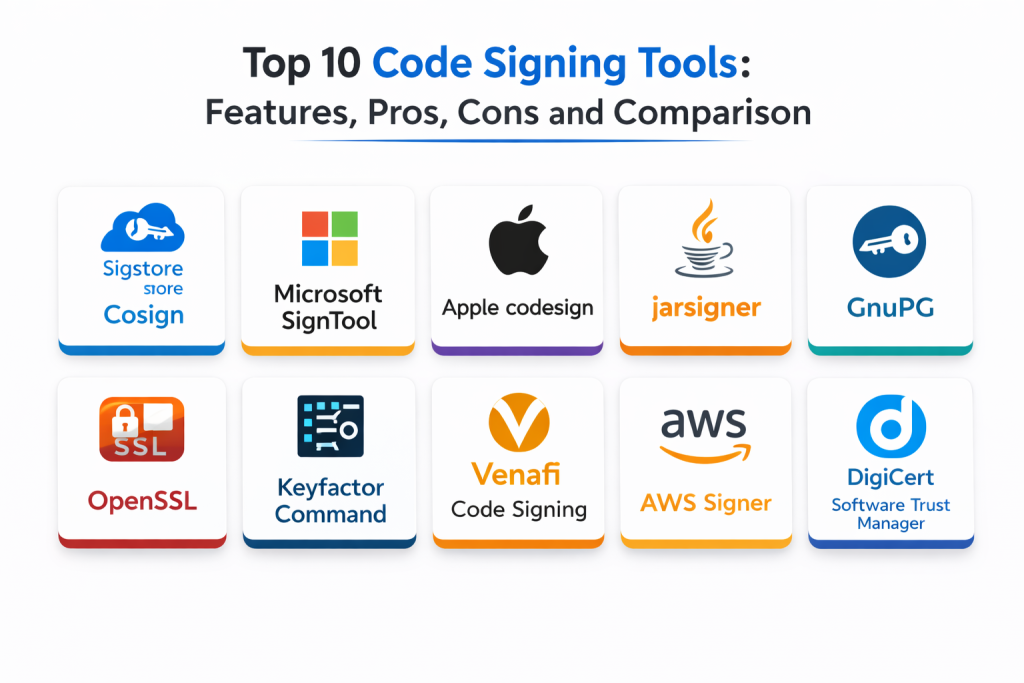
Top 10 Code Signing Tools
1 — Sigstore Cosign
Sigstore Cosign signs and verifies container images and other artifacts in modern supply chain workflows. It fits teams building cloud-native pipelines that want strong artifact signing patterns integrated into CI.
Key Features
- Signs container images and related artifacts
- Supports verification workflows for release integrity
- Designed for automation and CI usage patterns
- Works well with modern registry-based workflows
- Supports policy checks for signed artifacts through integration
- Helps standardize signing across environments
- Useful for supply chain security programs
Pros
- Strong fit for container-first environments
- Easy to integrate into CI workflows
- Helps enforce signed artifact policies
Cons
- Best value is in container and modern artifact workflows
- Requires process discipline to enforce verification gates
- Some environments need extra setup for key handling
Platforms / Deployment
- Windows / macOS / Linux
- Self-hosted / CI-based workflows
Security and Compliance
- Security depends on key management approach and pipeline configuration
- Compliance certifications: Not publicly stated
Integrations and Ecosystem
Fits teams that sign artifacts as part of container registry and release pipelines.
- Integrates with CI pipelines for automated signing
- Works with registries and artifact workflows through setup
- Enables verification gates before promotion
- Supports policy enforcement through admission and tooling integrations
- Useful in supply chain integrity programs
Support and Community
Strong community usage and documentation. Support depends on adoption model.
2 — Microsoft SignTool
Microsoft SignTool signs Windows binaries and installers using code signing certificates. It fits teams distributing Windows software and needing a standard signing workflow compatible with Windows trust mechanisms.
Key Features
- Signs Windows executables and installers
- Works with standard Windows code signing certificates
- Supports timestamping workflows through setup
- Integrates into build and release pipelines
- Supports signing with hardware-backed keys depending on environment
- Common in enterprise Windows release workflows
- Enables verification of publisher authenticity
Pros
- Standard tool for Windows code signing workflows
- Integrates well into Windows build pipelines
- Widely understood in enterprise environments
Cons
- Windows-focused use cases
- Key security depends on certificate handling and storage
- Requires careful pipeline controls to prevent misuse
Platforms / Deployment
- Windows
- Self-hosted / CI-based workflows
Security and Compliance
- Security depends on certificate storage, RBAC, and key protection
- Compliance certifications: Not publicly stated
Integrations and Ecosystem
Best for Windows-centric release workflows and installer signing.
- Integrates with Windows build systems and CI runners
- Works with certificate stores and HSM-backed workflows via setup
- Supports release gates for signed binaries
- Fits enterprise Windows publishing processes
- Supports verification workflows in deployment pipelines
Support and Community
Strong documentation and wide enterprise usage. Support is typically internal or vendor-based depending on environment.
3 — Apple codesign
Apple codesign signs macOS binaries and application bundles to meet platform trust requirements. It fits teams shipping macOS apps and needing a standard signing workflow aligned with Apple ecosystem requirements.
Key Features
- Signs macOS binaries and application bundles
- Supports platform trust and verification requirements
- Integrates into macOS build and packaging workflows
- Works with certificate-based signing identities
- Supports automated signing through CI on macOS runners
- Helps ensure software integrity for distribution
- Supports verification and validation workflows
Pros
- Essential for macOS publishing workflows
- Standard approach aligned with platform requirements
- Works well when integrated into macOS build pipelines
Cons
- macOS-focused use cases
- Key handling and signing identity security require discipline
- CI signing requires careful setup and access control
Platforms / Deployment
- macOS
- Self-hosted / CI-based workflows
Security and Compliance
- Security depends on key storage and signing identity handling
- Compliance certifications: Not publicly stated
Integrations and Ecosystem
Fits teams that publish macOS apps and need repeatable signing workflows.
- Integrates with macOS build tools and packaging workflows
- Works with CI runners for automated signing
- Supports verification steps before distribution
- Fits developer release pipelines and app delivery processes
- Supports internal distribution signing workflows
Support and Community
Strong documentation and broad developer community usage.
4 — jarsigner
jarsigner signs Java JAR files and related artifacts using certificate-based signatures. It fits teams distributing Java applications, libraries, or signed archives where integrity and publisher trust matter.
Key Features
- Signs Java JAR files and archives
- Uses certificate-based signing identities
- Supports automated signing in build pipelines
- Works with standard Java tooling and workflows
- Helps ensure integrity of distributed Java artifacts
- Supports verification workflows for signed JARs
- Fits enterprise Java release processes
Pros
- Standard signing tool in Java ecosystems
- Integrates well into Java build workflows
- Supports verification and integrity checks
Cons
- Mainly for Java archive use cases
- Key management requires disciplined controls
- Not designed for container or modern artifact signing directly
Platforms / Deployment
- Windows / macOS / Linux
- Self-hosted / CI-based workflows
Security and Compliance
- Security depends on keystore handling and access control
- Compliance certifications: Not publicly stated
Integrations and Ecosystem
Best for Java build pipelines and artifact distribution workflows.
- Integrates with Java build tools through setup
- Supports automation in CI pipelines
- Works with enterprise artifact repositories through signed artifacts
- Supports verification checks in deployment processes
- Fits release pipelines for Java-based products
Support and Community
Mature tool with broad community usage and documentation.
5 — GnuPG
GnuPG signs files, packages, and release artifacts using public-key cryptography. It fits teams needing flexible signing for release archives and package distribution workflows.
Key Features
- Signs files and release artifacts using cryptographic keys
- Supports detached signatures for distributed downloads
- Works well for signing release bundles and checksums
- Supports automation through scripts and CI usage patterns
- Supports verification workflows for consumers
- Useful for internal and external release integrity checks
- Flexible across many artifact types
Pros
- Flexible and widely used for release signing
- Works across many artifact types
- Good for signing archives and package metadata
Cons
- Key management and rotation require discipline
- Governance features are limited by default
- Workflow design can be inconsistent across teams
Platforms / Deployment
- Windows / macOS / Linux
- Self-hosted / CI-based workflows
Security and Compliance
- Security depends on private key storage and access control
- Compliance certifications: Not publicly stated
Integrations and Ecosystem
Fits teams that sign release artifacts and package metadata in traditional release flows.
- Integrates with CI pipelines through scripts
- Works with package distribution workflows and repositories
- Supports verification by downstream consumers
- Fits air-gapped workflows with careful process design
- Works alongside HSM-backed key storage through setup
Support and Community
Strong community and long-term adoption. Documentation and patterns are widely available.
6 — OpenSSL
OpenSSL can be used to sign and verify artifacts using certificates and cryptographic primitives. It fits teams needing low-level signing flexibility for custom workflows and internal systems.
Key Features
- Creates and verifies cryptographic signatures for files
- Supports certificate and key-based signing workflows
- Enables custom signing pipelines for specialized artifacts
- Useful for internal tooling and automation scripts
- Supports verification and integrity checks
- Works across many environments and systems
- Provides cryptographic primitives for building signing systems
Pros
- Very flexible for custom signing needs
- Widely available across platforms
- Useful building block for internal tooling
Cons
- Not a full signing governance platform
- Requires careful workflow design and expertise
- Key management and policy controls are external to the tool
Platforms / Deployment
- Windows / macOS / Linux
- Self-hosted / CI-based workflows
Security and Compliance
- Security depends on key storage and operational controls
- Compliance certifications: Not publicly stated
Integrations and Ecosystem
Best as a building block inside custom signing workflows and automation.
- Integrates through scripts in CI pipelines
- Supports custom artifact signing and verification steps
- Works in restricted environments with internal controls
- Often paired with HSM or vault systems for key protection
- Supports verification checks as part of release gates
Support and Community
Very large community. Documentation is extensive but assumes cryptography familiarity.
7 — Keyfactor Command
Keyfactor Command supports enterprise certificate and signing lifecycle workflows, including governance and audit trails. It fits organizations that need centralized control of code signing operations and signing identities.
Key Features
- Central governance for signing identities and certificates
- Policy controls and lifecycle management workflows
- Audit logging and signing activity visibility
- Automation for signing operations through integration patterns
- Supports enterprise separation of duties workflows
- Integrates with PKI and certificate management architectures
- Useful for scaling signing programs across many teams
Pros
- Strong governance and audit-friendly workflows
- Useful for enterprise signing program management
- Helps reduce risk from unmanaged signing certificates
Cons
- Implementation effort can be significant
- Best value depends on enterprise scale and adoption
- Integration planning is required for smooth workflows
Platforms / Deployment
- Web / Windows / Linux
- Cloud / Self-hosted / Hybrid
Security and Compliance
- RBAC and audit logs: Varies by configuration
- Compliance certifications: Not publicly stated
Integrations and Ecosystem
Fits organizations that need centralized signing governance and lifecycle control.
- Integrates with signing infrastructure through setup
- Supports HSM-backed key protection patterns
- Provides auditing and reporting for governance teams
- Works with enterprise identity and access controls
- Complements broader certificate and secrets management programs
Support and Community
Vendor support is central. Documentation supports enterprise deployments.
8 — Venafi Code Signing
Venafi Code Signing focuses on governance, policy enforcement, and automation for code signing at enterprise scale. It fits organizations managing many signing certificates, signers, and release pipelines.
Key Features
- Central policy enforcement for signing operations
- Signing certificate lifecycle management workflows
- Audit trails and reporting for compliance needs
- Integrations for automated signing in CI pipelines
- Supports separation of duties and approvals
- Helps reduce risk of certificate misuse
- Works across multiple signing use cases through integration
Pros
- Strong enterprise governance and policy controls
- Reduces risk of unmanaged signing certificates
- Useful for compliance and audit needs
Cons
- Setup and integration effort can be high
- Best value depends on enterprise adoption
- Requires program ownership to maintain policies and workflows
Platforms / Deployment
- Web / Windows / Linux
- Cloud / Self-hosted / Hybrid
Security and Compliance
- RBAC, audit logs, governance controls: Varies by configuration
- Compliance certifications: Not publicly stated
Integrations and Ecosystem
Best for organizations needing centralized code signing governance across many pipelines.
- Integrates with CI and release tooling via setup
- Supports HSM and key protection models
- Enables approval workflows and separation of duties
- Provides dashboards for signing activity and compliance
- Works alongside certificate lifecycle platforms and PKI systems
Support and Community
Vendor support is typically required for enterprise rollout. Documentation supports large implementations.
9 — AWS Signer
AWS Signer provides managed signing for code and artifacts in AWS-centric workflows. It fits teams building and distributing artifacts in AWS that want managed signing with governance controls.
Key Features
- Managed signing workflows for supported artifact types
- Integrates with AWS identity and access control patterns
- Supports automation through AWS-native workflow integration
- Provides audit visibility through AWS logging patterns
- Reduces operational load for signing management
- Supports policy-driven signing workflows through configuration
- Useful for teams standardizing signing in AWS pipelines
Pros
- Low operational overhead in AWS environments
- Integrates with AWS identity and governance controls
- Works well with AWS-based CI and release pipelines
Cons
- Best fit for AWS-centric workflows
- Artifact type coverage depends on service support
- Cross-cloud usage requires additional design
Platforms / Deployment
- Web
- Cloud
Security and Compliance
- IAM controls and auditing: Varies by configuration
- Compliance certifications: Not publicly stated
Integrations and Ecosystem
Fits teams that want managed signing integrated into AWS build and release workflows.
- Integrates with AWS-native CI and deployment tooling via setup
- Uses IAM for access control and permissions
- Supports signing gates in release pipelines
- Provides audit trails through AWS logging configuration
- Complements other artifact and registry governance services
Support and Community
Strong vendor documentation and support. Adoption depends on AWS footprint.
10 — DigiCert Software Trust Manager
DigiCert Software Trust Manager supports code signing certificate management and signing workflows, often aimed at organizations that need secure key handling and structured signing operations. It fits teams that want managed, policy-driven signing processes.
Key Features
- Central management of code signing certificates
- Supports secure signing workflows with controlled access
- Helps enforce policies around signing operations
- Supports audit visibility and signing event tracking
- Integrates into CI signing workflows through setup
- Helps reduce risk from certificate sprawl and misuse
- Useful for organizations needing structured signing governance
Pros
- Strong for managing signing certificates and workflows
- Supports controlled access to signing operations
- Useful for governance and audit visibility
Cons
- Integration planning required for smooth CI usage
- Best value depends on scale and governance needs
- Feature depth depends on configuration and product setup
Platforms / Deployment
- Web / Windows / macOS / Linux
- Cloud / Hybrid
Security and Compliance
- RBAC and audit logs: Varies by configuration
- Compliance certifications: Not publicly stated
Integrations and Ecosystem
Fits teams that want managed certificate handling with signing automation.
- Integrates with CI pipelines through configuration
- Supports key protection patterns through controlled workflows
- Provides visibility for governance and compliance teams
- Works with enterprise identity systems through setup
- Complements certificate lifecycle and PKI programs
Support and Community
Vendor support is typically a key factor. Documentation supports enterprise usage.
Comparison Table
| Tool Name | Best For | Platform(s) Supported | Deployment | Standout Feature | Public Rating |
|---|---|---|---|---|---|
| Sigstore Cosign | Container image signing workflows | Windows, macOS, Linux | Self-hosted, CI-based | Registry-friendly artifact signing | N/A |
| Microsoft SignTool | Windows executables and installers | Windows | Self-hosted, CI-based | Standard Windows signing tool | N/A |
| Apple codesign | macOS app signing | macOS | Self-hosted, CI-based | Platform-aligned app signing | N/A |
| jarsigner | Java archive signing | Windows, macOS, Linux | Self-hosted, CI-based | Java ecosystem standard signing | N/A |
| GnuPG | Release bundle and file signing | Windows, macOS, Linux | Self-hosted, CI-based | Flexible detached signatures | N/A |
| OpenSSL | Custom signing workflows | Windows, macOS, Linux | Self-hosted, CI-based | Low-level signing flexibility | N/A |
| Keyfactor Command | Enterprise signing governance | Web, Windows, Linux | Cloud, Self-hosted, Hybrid | Central signing lifecycle control | N/A |
| Venafi Code Signing | Enterprise policy and approvals | Web, Windows, Linux | Cloud, Self-hosted, Hybrid | Governance and separation of duties | N/A |
| AWS Signer | Managed signing in AWS pipelines | Web | Cloud | IAM-driven managed signing | N/A |
| DigiCert Software Trust Manager | Managed signing certificate workflows | Web, Windows, macOS, Linux | Cloud, Hybrid | Structured signing certificate control | N/A |
Evaluation and Scoring of Code Signing Tools
Scoring uses a 1–10 scale per criterion, then a weighted total using these weights: Core features 25%, Ease of use 15%, Integrations and ecosystem 15%, Security and compliance 10%, Performance and reliability 10%, Support and community 10%, Price and value 15%. Scores are comparative estimates based on typical strengths and common usage patterns, not absolute measurements.
| Tool Name | Core (25%) | Ease (15%) | Integrations (15%) | Security (10%) | Performance (10%) | Support (10%) | Value (15%) | Weighted Total |
|---|---|---|---|---|---|---|---|---|
| Sigstore Cosign | 8 | 7 | 8 | 7 | 8 | 9 | 10 | 8.10 |
| Microsoft SignTool | 8 | 7 | 7 | 7 | 9 | 8 | 9 | 7.90 |
| Apple codesign | 8 | 7 | 7 | 7 | 9 | 8 | 9 | 7.90 |
| jarsigner | 7 | 7 | 7 | 6 | 8 | 8 | 9 | 7.45 |
| GnuPG | 7 | 6 | 6 | 7 | 8 | 9 | 10 | 7.55 |
| OpenSSL | 7 | 5 | 6 | 7 | 9 | 9 | 10 | 7.35 |
| Keyfactor Command | 9 | 6 | 8 | 9 | 8 | 7 | 5 | 7.55 |
| Venafi Code Signing | 9 | 6 | 8 | 9 | 8 | 7 | 5 | 7.55 |
| AWS Signer | 7 | 8 | 7 | 8 | 9 | 7 | 7 | 7.60 |
| DigiCert Software Trust Manager | 8 | 7 | 7 | 9 | 8 | 7 | 6 | 7.45 |
How to interpret the scores:
- Higher Core favors artifact coverage, signing workflows, and governance depth
- Higher Ease favors simpler CI integration and lower operational friction
- Higher Integrations favors registries, repositories, and build tool compatibility
- Security and compliance reflects key protection, auditability, and policy controls
- Weighted Total supports shortlisting, but validate with a real release pilot
Which Code Signing Tool Is Right for You
Solo / Freelancer
If you release open-source bundles or internal tools, GnuPG can support practical signing of release archives. If you ship containers, Sigstore Cosign is a strong choice for modern container signing. Platform-specific tools like Microsoft SignTool or Apple codesign matter when you distribute Windows or macOS apps.
SMB
SMBs often want signing without heavy enterprise complexity. Use platform tools where required: Microsoft SignTool for Windows and Apple codesign for macOS. For container workloads, Sigstore Cosign fits well in CI pipelines. If you are mostly on AWS and want managed signing, AWS Signer may be practical depending on what artifacts you sign in your workflow.
Mid-Market
Mid-market teams often need more consistency, approval workflows, and audit trails. Sigstore Cosign can standardize container signing. For mixed artifact types, teams often combine platform tools with better key protection and CI controls. If you want centralized governance for signing operations, DigiCert Software Trust Manager can help manage signing certificates and controlled signing workflows.
Enterprise
Enterprises usually require strong governance, separation of duties, HSM-backed keys, and audit-ready reporting across many pipelines. Venafi Code Signing and Keyfactor Command fit organizations needing centralized policy enforcement and lifecycle control for signing certificates. DigiCert Software Trust Manager supports structured certificate control and signing workflows. Platform tools remain essential for Windows, macOS, and Java artifacts, but enterprises typically wrap them with centralized governance and key protection.
Budget vs Premium
Budget approaches often combine platform-native tools and open cryptographic tools with strong internal key security practices. Premium platforms become valuable when certificate sprawl and signing key risk are high, or when compliance requires documented approvals, auditing, and centralized control.
Feature Depth vs Ease of Use
If ease is most important, platform tools are straightforward for their respective artifacts, and Sigstore Cosign is automation-friendly for containers. If feature depth and governance matter most, enterprise signing governance platforms provide stronger policy enforcement and auditing but require integration planning.
Integrations and Scalability
Cosign scales well for container-first environments through CI templates and registry workflows. Platform tools scale for their ecosystems, but key management becomes the limiting factor. Enterprise platforms scale best when you need centralized governance across many teams and repositories, especially when integrated with HSMs and access control systems.
Security and Compliance Needs
If compliance is critical, prioritize strong key protection, minimal human access to private keys, and detailed signing logs. Enforce that only signed artifacts can be promoted to production. Implement approvals for high-risk releases and rotate or replace signing certificates on a defined schedule. Test verification steps regularly so signing is not treated as optional.
Frequently Asked Questions
- What is code signing in simple terms?
It is attaching a digital signature to software artifacts so users and systems can verify they are authentic and unchanged. - What types of artifacts should be signed?
Executables, installers, packages, containers, and update bundles are common. The right set depends on what you distribute. - Why does code signing help prevent supply chain attacks?
It makes tampering visible, and it proves that artifacts came from your controlled signing process rather than an attacker. - Where should signing keys be stored?
Ideally in a protected system such as an HSM or a controlled signing service. Avoid storing private keys in source repos or general CI variables. - Can CI pipelines sign artifacts safely?
Yes, if access is tightly controlled, keys are protected, and signing happens in a locked-down environment with audit logs. - What is the difference between signing and attestation?
Signing proves an artifact is authentic. Attestation can provide additional proof about how it was built and what it contains, depending on the workflow. - Do containers really need signing?
If containers are distributed or promoted across environments, signing helps ensure only trusted images are deployed. - What is the most common mistake teams make with code signing?
Leaving private keys in unsafe places or giving too many people access. Another mistake is not enforcing verification gates. - How do enterprises manage signing at scale?
They centralize key control, enforce policies, use approvals, and integrate signing into release gates with auditing and separation of duties. - How should I choose a code signing tool set?
Start with your artifact types and platform requirements, then choose a key protection model, and pilot signing and verification in your real CI and release flow.
Conclusion
Code signing tools help ensure software artifacts are trusted, authentic, and protected from tampering, which is essential for modern supply chain security. The best approach depends on what you ship and how your pipeline is structured. Platform tools like Microsoft SignTool, Apple codesign, and jarsigner remain essential for Windows, macOS, and Java ecosystems. For container-first delivery, Sigstore Cosign provides an automation-friendly path to signing and verification. Flexible tools like GnuPG and OpenSSL can support release bundle signing and custom workflows, but they require strong internal key management discipline. Enterprises often add governance platforms like Venafi Code Signing, Keyfactor Command, or DigiCert Software Trust Manager to enforce policies, approvals, and audit trails, especially when many teams and pipelines are involved. A practical next step is to shortlist two or three signing approaches, secure your key storage model, run a pilot on one critical product line, and then enforce verification gates so only signed artifacts can move into production.

Best Cardiac Hospitals Near You
Discover top heart hospitals, cardiology centers & cardiac care services by city.
Advanced Heart Care • Trusted Hospitals • Expert Teams
View Best Hospitals