Introduction
Collections automation refers to the use of specialized software to manage and streamline the accounts receivable process. These tools replace manual, error-prone tasks like spreadsheet tracking and individual follow-up emails with intelligent, automated workflows. In the current landscape, the technology has evolved to include predictive analytics and AI-driven outreach, which allow businesses to recover outstanding debts faster while maintaining positive customer relationships. By integrating directly with financial systems, these tools provide a real-time view of cash flow and credit risk.
The importance of automating this function cannot be overstated for modern finance teams. As transaction volumes grow and payment terms become more complex, manual intervention becomes a bottleneck that leads to high Days Sales Outstanding and increased bad debt. Automation ensures that every overdue invoice is addressed systematically, applying consistent pressure without exhausting internal resources. This shift allows finance professionals to move away from being “debt chasers” and toward becoming strategic analysts who focus on high-value dispute resolution and long-term liquidity planning.
Best for: Finance departments in mid-market and enterprise companies, B2B organizations with high invoice volumes, and collection agencies seeking to scale operations through digital-first engagement.
Not ideal for: Micro-businesses with a handful of clients, organizations with highly manual and irregular billing cycles, or teams that lack a centralized accounting system to feed data into the automation platform.
Key Trends in Collections Automation Tools
- Autonomous AI Agents: The move toward “agentic” AI that can independently draft, send, and follow up on dunning emails based on specific customer payment behaviors.
- Predictive Cash Flow Modeling: Using machine learning to forecast exactly when a customer is likely to pay based on historical patterns rather than just the invoice due date.
- Omnichannel Engagement Hubs: Integrating SMS, WhatsApp, and automated voice calls alongside traditional email to reach debtors where they are most responsive.
- Embedded Payment Portals: Providing “click-to-pay” links directly within reminders to remove friction and allow for instant settlement via ACH or credit card.
- Dynamic Risk Scoring: Moving from static credit limits to real-time behavioral scoring that adjusts automatically as customer payment habits shift.
- Self-Service Resolution: Allowing customers to log in to a portal to propose payment plans or flag disputes without needing to speak to a collections agent.
- Zero-Touch Cash Application: Automatically matching incoming payments to open invoices with high accuracy using optical character recognition and AI.
- Global Compliance Automation: Built-in safeguards to ensure that automated outreach follows regional debt collection regulations and data privacy laws.
How We Selected These Tools
- Market Penetration and Reliability: We selected tools with a proven track record of handling significant transaction volumes for reputable global brands.
- Depth of AI Capabilities: Priority was given to platforms that offer more than just basic email scheduling, specifically those using predictive analytics.
- ERP Integration Strength: We evaluated how seamlessly these tools connect with major accounting systems like SAP, Oracle, NetSuite, and Microsoft Dynamics.
- User Experience for Both Sides: The selection includes tools that are intuitive for the finance team and provide a professional, easy experience for the end customer.
- Security and Audit Readiness: Each tool was checked for enterprise-grade security features like single sign-on and detailed communication logs.
- Scalability and Flexibility: We included a mix of tools that serve everyone from fast-growing mid-market firms to the world’s largest enterprises.
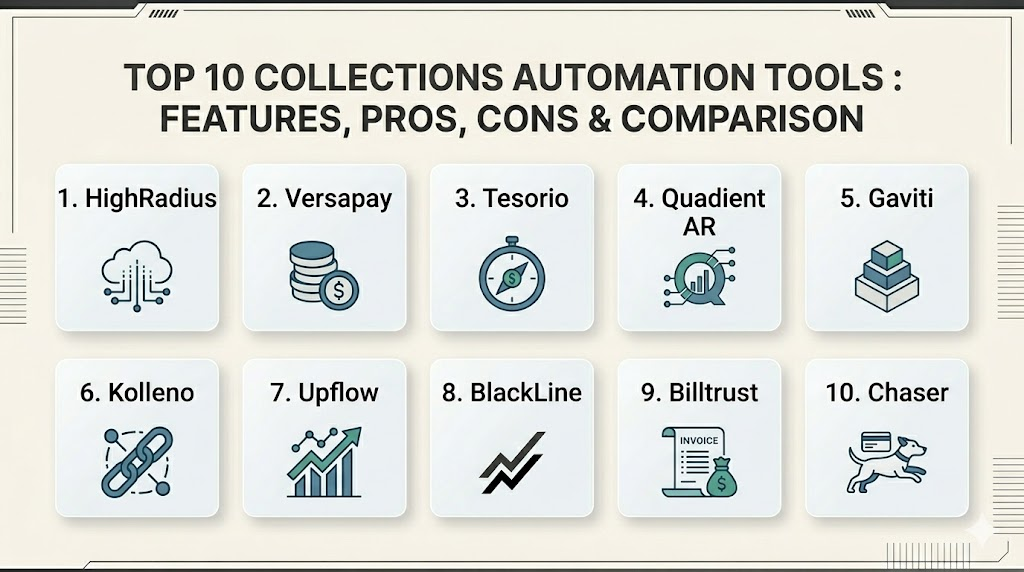
Top 10 Collections Automation Tools
1. HighRadius
This platform is a leader in the enterprise space, offering an AI-driven suite for the entire order-to-cash cycle. It uses agentic AI to prioritize collection activities and automate routine customer interactions for massive finance teams.
Key Features
- AI-powered collections prioritization based on likelihood to pay.
- Autonomous “EIPP” agents for real-time invoice management and inquiries.
- Intelligent remittance processing for automated cash application.
- Predictive cash forecasting integrated with receivables data.
- Advanced deduction management for resolving disputes quickly.
Pros
- Exceptional for large enterprises with extremely complex workflows.
- Proven to significantly reduce Days Sales Outstanding for high-volume users.
Cons
- Implementation can be a major undertaking requiring significant resources.
- May provide more features than a mid-sized team can effectively use.
Platforms / Deployment
Windows / macOS / Linux (Web-based)
Cloud
Security & Compliance
SOC 2, ISO 27001, and GDPR compliant with full audit trails.
Standard enterprise protocols.
Integrations & Ecosystem
Deeply integrated with tier-one ERPs like SAP and Oracle. It acts as a comprehensive extension of the existing financial record system.
Support & Community
Comprehensive support including a dedicated customer success manager for enterprise accounts and an extensive library of whitepapers.
2. Versapay
Versapay focuses on the collaborative aspect of accounts receivable. It uses a shared portal to bridge the communication gap between the buyer and the seller, making it easier to resolve disputes and process payments.
Key Features
- Shared customer portal for real-time invoice viewing and discussion.
- Automated payment reminders with embedded payment links.
- Multi-method payment processing including ACH and virtual cards.
- AI-driven cash application that matches payments to open balances.
- Collaboration tools for internal teams to resolve disputes together.
Pros
- High portal adoption rates lead to faster payment cycles.
- Excellent for reducing “email tag” between finance and customers.
Cons
- Success depends heavily on customers being willing to use the portal.
- Reporting depth might be less than some purely analytical suites.
Platforms / Deployment
Web / Windows / macOS
Cloud
Security & Compliance
PCI DSS Level 1 and SOC 2 Type II compliant.
Not publicly stated for other regions.
Integrations & Ecosystem
Strong native integrations with mid-market ERPs like NetSuite, Sage Intacct, and Microsoft Dynamics 365.
Support & Community
Professional onboarding services and a dedicated support team for technical inquiries.
3. Tesorio
Tesorio positions itself as a “cash flow performance” platform. It combines traditional collections automation with deep financial forecasting, helping teams understand the impact of their receivables on the bottom line.
Key Features
- Predictive analytics that forecast payment dates for every invoice.
- Automated dunning campaigns that adjust based on customer segment.
- Real-time cash flow dashboard that visualizes liquidity trends.
- Collaborative workspace for sales and finance to align on accounts.
- Smart prioritization that highlights the most critical accounts each day.
Pros
- Outstanding for teams that prioritize cash flow forecasting.
- Very user-friendly interface that requires minimal training.
Cons
- Integration with older, on-premise ERPs can be more challenging.
- Advanced payment processing features may require third-party add-ons.
Platforms / Deployment
Web / Windows / macOS
Cloud
Security & Compliance
Standard SSO/MFA and SOC 2 compliance.
Not publicly stated.
Integrations & Ecosystem
Focused heavily on modern cloud ERPs and treasury management systems.
Support & Community
Very proactive customer success team and a growing community of finance professionals.
4. Quadient AR (YayPay)
This tool offers a highly structured approach to collections through “playbooks.” It provides predictive insights into payment behavior, helping mid-market firms standardize their outreach.
Key Features
- Automated collections playbooks that standardize follow-up logic.
- Predictive analytics that identify which customers are likely to pay late.
- Self-service payment portal with multi-currency support.
- Real-time DSO tracking and aging reports for management.
- CRM-style note-taking and task management for collectors.
Pros
- Excellent for global teams managing multiple entities and currencies.
- High degree of visibility into collector productivity and performance.
Cons
- Initial setup of complex playbooks can be time-consuming.
- Some users may find the interface slightly more rigid than competitors.
Platforms / Deployment
Windows / macOS / Linux
Cloud
Security & Compliance
SOC 2 and GDPR compliant.
Standard encryption and access controls.
Integrations & Ecosystem
Connects well with a wide variety of ERP and accounting systems, including Sage and Intacct.
Support & Community
Global support footprint with dedicated professional services for implementation.
5. Gaviti
Gavit is a modular platform that focuses specifically on the workflow of the collections team. It aims to bridge the gap between simple spreadsheets and complex enterprise suites.
Key Features
- Customizable collections workflows for different customer tiers.
- Automated dunning emails and internal task reminders.
- Performance tracking for the collections team at a granular level.
- Self-service portal for customers to manage their own payments.
- Automated cash application to speed up reconciliation.
Pros
- Fast implementation time compared to larger enterprise tools.
- Very effective at standardizing processes for growing teams.
Cons
- Depth of dispute management is not as extensive as in some other suites.
- Advanced analytics often require higher-tier plans.
Platforms / Deployment
Web / Windows / macOS
Cloud
Security & Compliance
Standard security protocols and data encryption.
Not publicly stated.
Integrations & Ecosystem
Integrates with almost any ERP that can export a standard file format or has an API.
Support & Community
Personalized support during the onboarding phase and a reliable helpdesk for ongoing issues.
6. Kolleno
Kolleno provides an all-in-one platform that combines invoicing, collections, and payments. It is particularly strong for organizations that need a highly optimized dunning process.
Key Features
- AI-driven optimization for determining the best time and channel to reach a customer.
- Branded customer payment portal with diverse payment options.
- Real-time reconciliation that updates the ERP instantly.
- Omnichannel outreach including email, SMS, and task-driven calls.
- Comprehensive dashboard for monitoring overdue balances and DSO.
Pros
- Great for companies needing a unified “all-in-one” receivables tool.
- Highly effective at automating the “nagging” part of collections.
Cons
- May not fit as well in environments that already have a separate payment gateway.
- Advanced customization can lead to operational complexity.
Platforms / Deployment
Windows / macOS / Linux
Cloud
Security & Compliance
Secure data handling with role-based access controls.
Not publicly stated.
Integrations & Ecosystem
Strong focus on cloud-native integrations, making it ideal for modern tech stacks.
Support & Community
High-quality documentation and responsive technical support.
7. Upflow
Upflow focuses on standardizing the accounts receivable workflow for growing teams. It emphasizes collaboration between finance and sales to ensure everyone is aligned on customer payment health.
Key Features
- Automated, personalized email sequences for payment reminders.
- Real-time analytics on aging invoices and collection performance.
- Collaborative workspace with note-sharing and internal tagging.
- One-click integration with major accounting and billing software.
- Customer-facing payment links for faster settlement.
Pros
- Extremely quick to set up and see immediate value.
- Improves communication between finance and sales teams significantly.
Cons
- Lacks some of the deep AI predictive features found in enterprise suites.
- Primarily focused on email outreach rather than true omnichannel.
Platforms / Deployment
Windows / macOS / Linux
Cloud
Security & Compliance
Standard encryption and SOC 2 compliance.
Not publicly stated.
Integrations & Ecosystem
Excellent “one-click” connectors for QuickBooks, Xero, and NetSuite.
Support & Community
Dedicated customer success managers and clear, helpful documentation.
8. BlackLine
While widely known for its financial close software, BlackLine offers a powerful AR automation module that focuses on cash application and collections management for large enterprises.
Key Features
- Intelligent cash application using advanced matching logic.
- Automated collections management with prioritized task lists.
- Real-time visibility into the status of all customer accounts.
- Integration with the broader BlackLine financial automation platform.
- Advanced reporting for month-end reconciliation and audit.
Pros
- A natural choice for teams already using BlackLine for the financial close.
- Very strong in the audit and compliance aspects of collections.
Cons
- Can be very expensive if you only need the collections module.
- Interface is more “corporate” and less modern than some newer startups.
Platforms / Deployment
Windows / macOS / Linux
Cloud
Security & Compliance
Deep enterprise compliance certifications including SOC 1, 2, and 3.
ISO 27001 certified.
Integrations & Ecosystem
Native connectors for virtually every major ERP on the market.
Support & Community
Global 24/7 support and a massive community of enterprise finance professionals.
9. Billtrust
Billtrust offers an end-to-end invoice-to-cash solution. It is unique in its ability to manage the physical mailing of invoices alongside its digital automation capabilities.
Key Features
- Automated invoice delivery through multiple digital and physical channels.
- AI-powered cash application for high-accuracy matching.
- Business payment network that speeds up B2B transactions.
- Credit management tools for assessing new and existing customers.
- Automated collections campaigns with targeted messaging.
Pros
- Truly covers the entire lifecycle from invoice creation to final cash.
- The “Payment Network” helps bridge the gap between buyers and sellers.
Cons
- The breadth of features can lead to a more complex implementation.
- Some users report that older modules are less intuitive than new ones.
Platforms / Deployment
Windows / macOS / Linux
Cloud
Security & Compliance
SOC 2 and PCI DSS compliant.
Standard enterprise security protocols.
Integrations & Ecosystem
Strong integrations with major ERPs and a wide variety of secondary finance tools.
Support & Community
Strong professional services team and extensive training materials.
10. Chaser
Chaser is designed primarily for mid-market and SMB companies that want to automate their “chasing” without losing the personal touch of their brand.
Key Features
- Automated, “human-looking” email reminders that look like they came from a person.
- AI-optimized contact times to maximize the chance of an email being read.
- Consolidated chasing for multiple invoices to avoid overwhelming customers.
- Payment portal with multiple settlement options for the customer.
- Simple reporting on DSO and bad debt risk.
Pros
- Very easy to set up and maintain for smaller finance teams.
- Exceptional at maintaining a polite but firm tone in automated dunning.
Cons
- Lacks the complex dispute management tools needed by huge enterprises.
- Integration depth is centered mostly on cloud-based accounting tools.
Platforms / Deployment
Windows / macOS
Cloud
Security & Compliance
Standard encryption and account security.
Not publicly stated.
Integrations & Ecosystem
Top-tier integrations with Xero, QuickBooks, and Sage.
Support & Community
Very responsive support and a clear focus on the needs of growing businesses.
Comparison Table
| Tool Name | Best For | Platform(s) Supported | Deployment | Standout Feature | Public Rating |
| 1. HighRadius | Large Enterprise | Win, macOS, Linux | Cloud | Agentic AI Agents | N/A |
| 2. Versapay | Collaborative AR | Web, Win, macOS | Cloud | Shared Portal | N/A |
| 3. Tesorio | Cash Forecasting | Web, Win, macOS | Cloud | Predictive Timing | N/A |
| 4. Quadient AR | Global Mid-Market | Win, macOS, Linux | Cloud | Structured Playbooks | N/A |
| 5. Gaviti | Growing Teams | Web, Win, macOS | Cloud | Modular Workflows | N/A |
| 6. Kolleno | All-In-One | Win, macOS, Linux | Cloud | Omnichannel Dunning | N/A |
| 7. Upflow | SaaS / Tech SMB | Win, macOS, Linux | Cloud | Sales-Finance Sync | N/A |
| 8. BlackLine | Audit & Compliance | Win, macOS, Linux | Cloud | Match Accuracy | N/A |
| 9. Billtrust | End-to-End | Win, macOS, Linux | Cloud | Payment Network | N/A |
| 10. Chaser | SMB “Nagging” | Win, macOS | Cloud | Humanized Emails | N/A |
Evaluation & Scoring
| Tool Name | Core (25%) | Ease (15%) | Integrations (15%) | Security (10%) | Perf (10%) | Support (10%) | Value (15%) | Total |
| 1. HighRadius | 10 | 4 | 10 | 10 | 10 | 9 | 5 | 8.20 |
| 2. Versapay | 8 | 8 | 9 | 9 | 8 | 8 | 7 | 8.05 |
| 3. Tesorio | 9 | 9 | 8 | 8 | 9 | 8 | 8 | 8.60 |
| 4. Quadient AR | 8 | 7 | 9 | 9 | 8 | 8 | 7 | 7.90 |
| 5. Gaviti | 7 | 9 | 8 | 7 | 8 | 8 | 9 | 7.90 |
| 6. Kolleno | 9 | 8 | 9 | 8 | 9 | 8 | 8 | 8.55 |
| 7. Upflow | 7 | 10 | 9 | 8 | 8 | 9 | 9 | 8.55 |
| 8. BlackLine | 8 | 5 | 10 | 10 | 10 | 9 | 6 | 7.95 |
| 9. Billtrust | 9 | 6 | 9 | 9 | 9 | 8 | 6 | 7.80 |
| 10. Chaser | 6 | 10 | 8 | 7 | 8 | 8 | 10 | 7.80 |
The scoring provided here is relative to the specific needs of different business segments. For example, Upflow and Chaser score high on value and ease because they are specifically designed to be deployed quickly by smaller teams without massive budgets. In contrast, HighRadius and BlackLine score lower on ease but provide the maximum level of security and core feature depth required by Fortune 500 companies. Tesorio and Kolleno lead the rankings because they offer a balanced approach, combining modern AI features with an intuitive user experience that fits the needs of most mid-market organizations.
Which Collections Automation Tool Is Right for You?
Solo / Freelancer
At this level, complexity is the enemy. A tool that provides simple, human-looking email reminders without a long setup is best. You want a platform that can plug into your basic accounting software and take over the repetitive task of following up on small invoices.
SMB
Small businesses should look for tools that offer a high “speed-to-value” ratio. The goal is to reduce the manual hours spent by an owner or office manager chasing payments. Software that includes a simple payment portal and basic dunning sequences will provide the best return on investment.
Mid-Market
Mid-market companies are often where the collections process breaks down due to volume. At this stage, you need structured playbooks and predictive analytics to help your team prioritize which customers to call first. Look for a platform that balances ease of use with deep reporting.
Enterprise
For large corporations, the priority is data integrity, auditability, and massive scale. You need a platform that can handle complex multi-entity structures and integrates deeply with enterprise-grade ERPs. AI-driven prioritization and automated cash application are critical for maintaining a lean finance team.
Budget vs Premium
If budget is the primary concern, start with a tool focused specifically on dunning automation. For those willing to invest in a premium suite, the added value often comes in the form of predictive cash flow forecasting and deep integration with the broader order-to-cash lifecycle.
Feature Depth vs Ease of Use
If your team is small and non-technical, prioritize a tool with an intuitive interface and “out-of-the-box” workflows. If you have a dedicated AR department with technical analysts, a more complex tool with custom scripting and deep API access may be more beneficial.
Integrations & Scalability
The most important technical factor is how well the tool talks to your ERP. A “bolted-on” tool that doesn’t sync in real-time will create more work than it saves. Ensure the platform you choose can grow with your transaction volume over the next three to five years.
Security & Compliance Needs
If you operate in highly regulated industries like healthcare or finance, or if you manage high-value international contracts, you cannot compromise on security. Ensure your chosen tool has the necessary SOC certifications and can provide a full audit trail of every customer interaction.
Frequently Asked Questions (FAQs)
1. Does collections automation replace the need for human collectors?
No, it enhances them. Automation handles the 80% of routine, simple reminders, allowing your human staff to focus on the 20% of accounts that involve complex disputes or require a personal touch to resolve.
2. How long does it take to implement a collections automation tool?
Simple tools for SMBs can be set up in a few days. Large enterprise suites involving deep ERP integration and custom workflow playbooks can take anywhere from three to six months to fully deploy.
3. Will automated reminders damage my relationship with my customers?
Generally, the opposite is true. Automated reminders are consistent, professional, and clear. By removing the “emotional” element from debt chasing, many companies find their customer satisfaction scores actually improve.
4. Can these tools handle international customers and different currencies?
Most mid-market and enterprise tools are designed for global operations and can handle multi-currency invoicing, different time zones, and even multi-language communication templates.
5. How does the software prioritize which accounts to contact first?
Modern tools use AI to look at “payment behavior” signals. They prioritize accounts based on a combination of the amount owed, the length of the delay, and the customer’s historical likelihood of paying after a reminder.
6. What is the average reduction in DSO after implementing automation?
While results vary, many companies report a reduction of 15% to 30% in their Days Sales Outstanding within the first six months of using a dedicated automation platform.
7. Is my customer data secure in a cloud-based collections tool?
Professional tools use high-level encryption and meet international standards like SOC 2 and GDPR. Always check the specific security certifications of a provider before sharing financial data.
8. Can I customize the tone of the automated emails?
Yes, every reputable tool allows you to create different “dunning levels” where the tone can shift from a friendly reminder for a new invoice to a firm, formal letter for a severely overdue account.
9. Do these tools help with the legal aspects of debt recovery?
Some platforms provide a full audit trail of every communication, which is essential if an account eventually needs to be sent to a legal team or a third-party collection agency.
10. What is a payment portal and why is it important?
A payment portal is a secure website where a customer can see their invoices and pay immediately. It is important because it removes the friction of having to call or mail a check, leading to significantly faster payment cycles.
Conclusion
Adopting collections automation is no longer an optional luxury but a strategic necessity for finance teams looking to thrive in a digital economy. The transition from manual “nagging” to a structured, AI-driven process not only stabilizes cash flow but also empowers the workforce to engage in more strategic, value-added activities. A payment portal is a secure website where a customer can see their invoices and pay immediately. By selecting a tool that aligns with your company’s scale and technical infrastructure, you can drastically reduce your DSO and build a more resilient financial operation. The key to success lies in choosing a platform that balances advanced predictive technology with a seamless, customer-first experience.

Best Cardiac Hospitals Near You
Discover top heart hospitals, cardiology centers & cardiac care services by city.
Advanced Heart Care • Trusted Hospitals • Expert Teams
View Best Hospitals