Introduction
Computational Fluid Dynamics (CFD) software is a powerful digital tool used by engineers and scientists to simulate and analyze how fluids (liquids and gases) flow. Imagine it as a virtual wind tunnel or a digital test tank. Instead of building expensive physical prototypes and testing them with real air or water, you create a 3D computer model of your product—like a car, a pipe, or a heart valve—and then use CFD software to apply the laws of physics to predict how fluid will behave around or inside it. This helps you understand complex phenomena like turbulence, heat transfer, and chemical reactions before anything is ever built.
In the modern world, CFD is critical because the pressure to innovate quickly and sustainably is at an all-time high. Products are becoming more complex, and engineers need to optimize them for performance and energy efficiency from the very beginning. CFD allows for “virtual prototyping,” which saves an enormous amount of time and money by reducing the number of physical tests needed. It also lets engineers study scenarios that would be dangerous or impossible to test in real life, such as the inside of a running jet engine or the blood flow in a diseased artery.
Real-World Use Cases:
- Automotive: Designing the aerodynamic shape of a car to reduce drag and improve fuel economy, or optimizing the cooling system for electric vehicle batteries.
- Aerospace: Simulating airflow over an airplane wing to ensure it provides enough lift, or analyzing the combustion process inside a rocket engine.
- Electronics: Predicting heat build-up in high-powered computer chips and designing cooling fans or heat sinks to prevent overheating.
- Healthcare: Modeling blood flow through a patient’s aorta to help doctors plan surgeries or design custom medical devices like stents.
- Energy: Optimizing the placement of wind turbines in a wind farm to maximize power output, or designing more efficient pumps for oil and gas pipelines.
What Buyers Should Evaluate:
- Physics Capabilities: Does the software handle the specific type of flow you need to model (e.g., supersonic, multiphase, reacting flows)?
- Solver Speed and Accuracy: How fast can it run complex simulations, and are the results validated against real-world data?
- Ease of Use and Workflow: Is the user interface intuitive, and does it have good tools for cleaning up “messy” CAD geometry and creating a high-quality mesh?
- Cloud and High-Performance Computing (HPC) Access: Can you easily scale up simulation jobs to hundreds or thousands of processor cores on the cloud when needed?
- AI and Machine Learning Integration: Does the tool use AI to speed up simulations, predict results, or automate tedious tasks like meshing?
- Integration with Design Tools: How seamlessly does it connect with your existing CAD (Computer-Aided Design) software like SolidWorks or CATIA?
- Licensing and Cost: Is the pricing model flexible (e.g., perpetual, subscription, pay-per-use), and does it fit your budget?
- Technical Support and Community: Is there a reliable support team and an active user community to help you when you get stuck?
Best for: This software is essential for mechanical, aerospace, and chemical engineers, as well as R&D teams and product designers in industries where fluid behavior is a critical factor in performance.
Not ideal for: It is not the right tool for purely visual design or marketing, where “pretty pictures” are more important than physical accuracy. If you don’t need to analyze real-world physics, simpler 3D animation tools are a much better and cheaper choice.
Key Trends in Computational Fluid Dynamics (CFD) Software and Beyond
- AI-Accelerated Simulation: AI and machine learning models are being trained on vast amounts of simulation data to predict flow fields in seconds, drastically reducing the time for design iterations.
- Cloud-Native and Browser-Based Platforms: The shift from desktop-heavy software to cloud-based platforms is accelerating, allowing engineers to run massive simulations from a standard laptop web browser without expensive hardware.
- Democratization of CFD: Software is becoming more user-friendly with automated workflows and “app-like” interfaces, allowing design engineers (not just CFD specialists) to perform basic fluid analysis early in the design process.
- Digital Twin Integration: CFD models are increasingly being linked with real-time data from sensors on physical products to create “digital twins” for predictive maintenance and operational optimization.
- Automated Meshing and Workflow: AI is being used to automate the most tedious and error-prone parts of the CFD process, such as cleaning up dirty CAD geometry and generating a high-quality computational mesh.
- Multiphysics-on-the-Fly: The ability to combine CFD with other physics simulations like structural mechanics (fluid-structure interaction) and electromagnetics in a single, unified environment is becoming standard.
- Sustainability Modeling: Specialized tools are being integrated to calculate the environmental impact, energy consumption, and carbon footprint of designs directly within the simulation environment.
- Flexible, Token-Based Licensing: Rigid, expensive yearly licenses are giving way to more flexible models where companies purchase a pool of “tokens” that can be used to access different solvers and cloud computing power on demand.
How We Selected These Tools (Methodology)
To identify the top 10 CFD tools, we evaluated the market based on a rigorous set of criteria relevant to professional engineering teams:
- Market Leadership: We prioritized tools that are widely adopted and act as industry standards in major sectors like automotive and aerospace.
- Feature Breadth and Depth: Only software with professional-grade solvers capable of handling complex, real-world physics were included.
- Innovation and Future-Proofing: We looked for platforms that are actively integrating modern technologies like AI, machine learning, and cloud-native architectures.
- Reliability and Validation: Tools were selected based on their proven track record of accuracy and stability in critical engineering applications.
- Ecosystem and Interoperability: The ability to seamlessly import geometry from major CAD systems and connect with other CAE (Computer-Aided Engineering) tools was a key factor.
- User Experience: We considered the balance between powerful capabilities and a modern, intuitive user interface.
- Security Posture: We checked for professional security standards and certifications required by enterprise clients.
- Community and Support: A strong, active user community and readily available professional support were considered essential for long-term success.
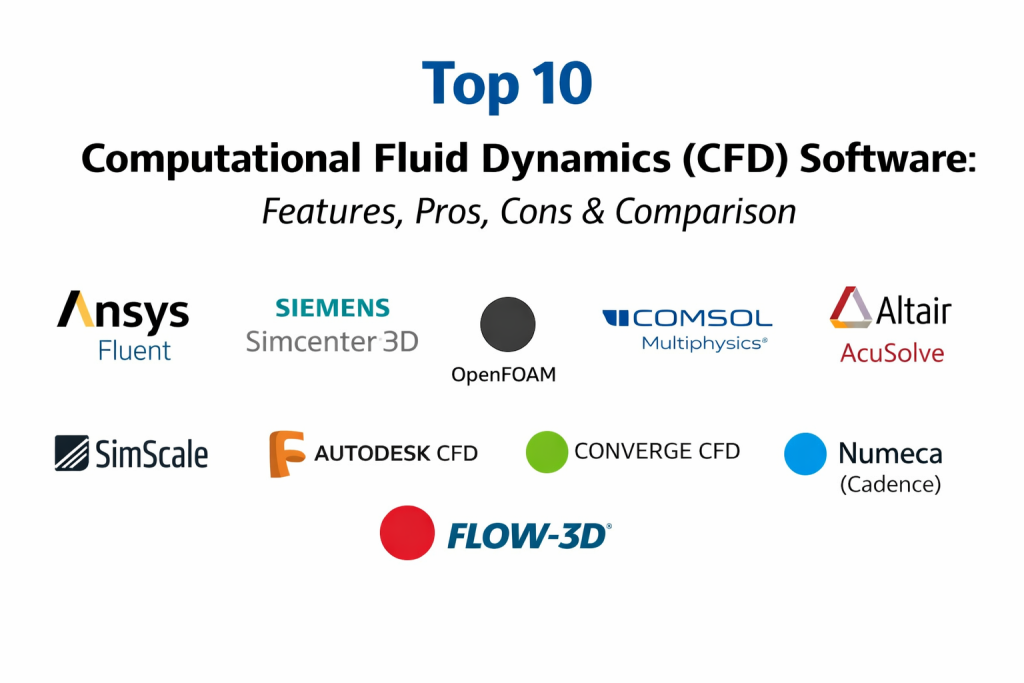
Top 10 Computational Fluid Dynamics (CFD) Software Tools
1 — Ansys Fluent
Ansys Fluent is the undisputed industry leader for general-purpose CFD. It is a powerful, comprehensive tool used by engineers across virtually every industry to solve the most complex fluid flow problems.
Key Features
- Extensive Physics Capabilities: Offers a vast array of models for turbulence, combustion, multiphase flows, heat transfer, and chemical reactions.
- High-Performance Computing (HPC) Scalability: Scales efficiently to thousands of cores on on-premise clusters or the cloud for massive simulations.
- Mosaic Meshing Technology: A proprietary meshing technology that automatically generates high-quality, hybrid meshes for complex geometries, significantly speeding up the setup process.
- Adjoint Solver: An advanced tool for automatic shape optimization, helping engineers find the best design based on performance goals.
- Integration with Ansys Workbench: seamlessly connects with other Ansys tools for structural, thermal, and electromagnetic simulation in a unified environment.
- AI/ML Integration: Increasing use of AI to accelerate simulations and improve turbulence modeling.
Pros
- The gold standard for accuracy and widely trusted for critical engineering decisions.
- An enormous range of capabilities that can handle almost any fluid problem.
- A massive user community and extensive library of learning resources.
Cons
- The licensing can be very expensive, especially for small businesses.
- The user interface and vast array of options can be overwhelming for new users.
Platforms / Deployment
- Windows / Linux
- Cloud / Hybrid / Self-hosted
Security & Compliance
- SSO, MFA, Encryption, RBAC.
- ISO 27001, SOC 2, GDPR compliant (through Ansys Cloud).
Integrations & Ecosystem
Part of the comprehensive Ansys simulation ecosystem.
- Ansys Mechanical
- Ansys Electronics Desktop
- All major CAD systems (SolidWorks, CATIA, NX, etc.)
Support & Community
Ansys offers elite-level professional support, training, and certification. It has the largest and most active CFD user community in the world.
2 — Siemens Simcenter STAR-CCM+
STAR-CCM+ is a premier, all-in-one multiphysics CFD platform. It is known for its single, integrated user interface that covers the entire simulation workflow from CAD to post-processing.
Key Features
- Single Integrated User Interface: Perform everything from CAD cleanup and meshing to solving and analyzing results within one window.
- Powerful Multiphysics: Seamlessly couples CFD with electromagnetics, structural mechanics, and rigid body motion.
- Automated Workflow: Built-in tools to automate repetitive design exploration and optimization studies.
- Overset Meshing: Excellent capabilities for simulating moving parts like rotating propellers or gears.
- Design Manager: An integrated tool for exploring thousands of design variations to find the optimal solution.
- Flexible Licensing: Offers a unique “Power Session” license that allows unlimited core usage for a single job, great for HPC.
Pros
- An incredibly efficient and user-friendly workflow due to its single interface.
- Excellent for complex multiphysics and moving-part simulations.
- Strong automation capabilities for design exploration.
Cons
- Like Fluent, it is a high-end enterprise tool with a high price tag.
- Can be resource-intensive on hardware.
Platforms / Deployment
- Windows / Linux
- Cloud / Hybrid / Self-hosted
Security & Compliance
- SSO, Encryption.
- ISO 27001 compliant.
Integrations & Ecosystem
A core part of the Siemens Xcelerator portfolio.
- Siemens NX
- Teamcenter (PLM)
- Simcenter 3D
Support & Community
Provides excellent professional support and a dedicated user portal with a wealth of knowledge articles.
3 — OpenFOAM
OpenFOAM is the leading free and open-source CFD software library. It is a powerful and flexible tool favored by researchers and academics who need full control over the simulation process.
Key Features
- Completely Free and Open-Source: No licensing fees, ever. You can inspect and modify the source code to suit your specific needs.
- Extensive Library of Solvers: Includes a huge range of standard solvers for basic to complex flows.
- Unlimited Scalability: Run simulations on as many cores as you want without any extra cost.
- Flexible and Customizable: Users with programming knowledge can create their own custom solvers and boundary conditions.
- Strong in Academia: The standard for CFD research and development in universities worldwide.
Pros
- Zero license cost, making it accessible to anyone.
- Unmatched flexibility for customization and research.
- Unlimited parallel processing capabilities.
Cons
- No native graphical user interface (GUI); relies on command-line input and text files, which has a very steep learning curve.
- Geometry preparation and meshing can be difficult and require third-party tools.
- Lack of official, dedicated technical support.
Platforms / Deployment
- Linux (Native) / Windows (via WSL or Docker) / macOS (via Docker)
- Self-hosted / Cloud
Security & Compliance
- N/A (Self-managed).
Integrations & Ecosystem
A vast ecosystem of community-developed tools and third-party GUIs.
- ParaView (for post-processing)
- SimScale (uses OpenFOAM as a solver engine)
- FreeCAD
Support & Community
Support relies on a massive, active global user forum and wiki. Professional support is available through third-party consultancies.
4 — COMSOL Multiphysics
COMSOL is a unique platform focused on true multiphysics simulation. It allows engineers to couple virtually any physical phenomena together by solving the underlying mathematical equations.
Key Features
- Equation-Based Modeling: Define your own arbitrary partial differential equations (PDEs) to model novel physics.
- Unified Workflow: Every type of physics, from fluid flow to chemical reactions to optics, uses the exact same user interface and workflow.
- Application Builder: Turn complex simulation models into simplified, custom “apps” that can be used by non-experts.
- Strong in Microfluidics and Electrochemistry: A top choice for simulating lab-on-a-chip devices, batteries, and fuel cells.
- LiveLink: Seamless two-way integration with tools like MATLAB, Excel, and major CAD software.
Pros
- Unparalleled flexibility for modeling coupled multiphysics problems.
- The Application Builder is a game-changer for democratizing simulation within a company.
- Consistent, easy-to-learn interface across all physics disciplines.
Cons
- Can be slower and less efficient for standard, single-physics CFD problems compared to dedicated tools like Fluent.
- The equation-based approach has a steeper learning curve for those without a strong mathematical background.
Platforms / Deployment
- Windows / macOS / Linux
- Self-hosted / Hybrid
Security & Compliance
- Encryption, RBAC.
- GDPR compliant.
Integrations & Ecosystem
Designed to be a central hub for scientific modeling.
- MATLAB
- SolidWorks, Inventor, AutoCAD
- Excel
Support & Community
Excellent documentation, a comprehensive model library, and a very active user forum.
5 — Altair AcuSolve
Altair AcuSolve is a general-purpose CFD solver known for its robustness, speed, and accuracy. It is particularly strong in simulating transient (time-dependent) flows and fluid-structure interaction.
Key Features
- Finite Element Method (FEM): Uses a different mathematical approach than most CFD tools (which use Finite Volume), resulting in high accuracy on unstructured meshes.
- Robust and Fast: Highly stable solver that can handle bad quality meshes and complex physics without crashing.
- Excellent for Fluid-Structure Interaction (FSI): Seamlessly couples with Altair’s structural solvers for realistic FSI simulations.
- Moving Mesh Capabilities: Strong tools for simulating complex moving parts like pumps and fans.
- Part of Altair HyperWorks: Access through Altair’s flexible unit-based licensing system.
Pros
- Very stable and fast, even for difficult transient simulations.
- Does not require a perfectly high-quality mesh to get good results.
- Flexible and cost-effective licensing through the Altair ecosystem.
Cons
- Not as widely known or used as Fluent or STAR-CCM+.
- The user interface is part of the larger HyperWorks suite, which can be complex.
Platforms / Deployment
- Windows / Linux
- Cloud / Hybrid
Security & Compliance
- SSO, MFA, Encryption.
- SOC 2, ISO 27001, GDPR compliant.
Integrations & Ecosystem
Deeply integrated into the Altair HyperWorks platform.
- Altair OptiStruct (Structural)
- Altair HyperMesh (Meshing)
- Major CAD formats
Support & Community
Strong technical support from Altair and a growing user community.
6 — SimScale
SimScale is a 100% cloud-native simulation platform accessed directly through a web browser. It removes the need for expensive local hardware and brings the power of HPC to any engineer.
Key Features
- Browser-Based: No software to install or maintain; run simulations from any computer with an internet connection.
- Instant Cloud Access: Spin up thousands of cores instantly to run massive simulations in parallel.
- Multiple Solvers: Provides access to several solvers, including its own Lattice Boltzmann method (LBM) solver for ultra-fast transient external aerodynamics.
- Real-Time Collaboration: Share projects with colleagues via a simple link for instant collaboration.
- Modern, Intuitive Interface: Designed for ease of use, making CFD accessible to non-experts.
Pros
- Zero IT overhead and no expensive hardware required.
- Incredible speed for certain applications like external aerodynamics using its LBM solver.
- Very easy to get started and collaborate with teams.
Cons
- Requires a constant, reliable internet connection.
- Currently lacks some of the deep, specialized physics models found in legacy enterprise tools.
- Data must be uploaded to the cloud, which can be a concern for some companies.
Platforms / Deployment
- Web Browser (Chrome, Firefox, Edge)
- Cloud-native
Security & Compliance
- SSO, MFA, Encryption, RBAC.
- SOC 2, ISO 27001, GDPR compliant.
Integrations & Ecosystem
Built for a modern cloud workflow.
- Onshape
- Autodesk Fusion 360
- API for automation
Support & Community
Excellent in-product live chat support with simulation experts and a rich library of public projects.
7 — Autodesk CFD
Autodesk CFD is a design-centric CFD tool focused on thermal management and fluid flow for product designers and engineers. It is known for its ease of use and tight integration with Autodesk’s CAD tools.
Key Features
- CAD-Embedded Workflow: Works directly with native Autodesk Inventor and Revit geometry.
- Thermal Management Focus: Specialized tools for electronics cooling, data center thermal analysis, and lighting design.
- Design Study Environment: Easily set up and compare multiple design variations to find the best solution.
- Automated Meshing: Simple, automated meshing tools designed for users who are not CFD experts.
- Cloud Solving Options: Offload simulations to the cloud to free up your local machine.
Pros
- Very easy for existing Autodesk CAD users to learn and use.
- Excellent for quickly checking thermal performance during the design phase.
- More affordable than high-end enterprise CFD tools.
Cons
- Not suitable for highly complex, high-end aerospace or automotive research applications.
- Development has slowed down in recent years as Autodesk focuses on other platforms like Fusion 360.
Platforms / Deployment
- Windows
- Cloud / Hybrid
Security & Compliance
- SSO, MFA, Encryption.
- SOC 2, GDPR compliant.
Integrations & Ecosystem
Part of the Autodesk product family.
- Autodesk Inventor
- Autodesk Revit
- Autodesk Fusion 360
Support & Community
Large user community via Autodesk forums and extensive online help resources.
8 — Converge CFD
Converge CFD is a specialized tool famous for its revolutionary autonomous meshing technology. It is a top choice for simulating internal combustion engines and other applications with complex moving geometries.
Key Features
- Autonomous Meshing: Completely eliminates the manual meshing process. The grid is generated automatically at runtime and adapts to the flow.
- Complex Moving Boundaries: Easily handles simulations with pistons, valves, and other fast-moving parts without user intervention for meshing.
- Detailed Combustion Models: Industry-leading models for simulating gasoline, diesel, and alternative fuel combustion.
- Fluid-Structure Interaction: Built-in capabilities for coupling fluid flow with solid body motion.
- Chemistry Solver: Includes a fast and accurate solver for detailed chemical kinetics.
Pros
- Massive time savings by eliminating the meshing bottleneck.
- Unmatched capability for simulating complex moving parts like engines and pumps.
- Highly accurate for combustion and chemical reaction processes.
Cons
- It is a specialized tool and may not be the best fit for simple, static flow problems.
- Can be computationally expensive due to the automatic remeshing process.
Platforms / Deployment
- Linux / Windows
- Cloud / Hybrid / Self-hosted
Security & Compliance
- Not publicly stated.
Integrations & Ecosystem
Often used alongside other tools in the automotive workflow.
- GT-SUITE
- Major CAD formats
Support & Community
Provides highly specialized, expert-level technical support and training.
9 — Numeca (Cadence)
Now part of Cadence Design Systems, Numeca software is highly specialized for turbomachinery design and analysis. It offers a complete suite of tools dedicated to pumps, fans, compressors, and turbines.
Key Features
- Dedicated Turbomachinery Environment: Specialized interfaces and workflows tailored specifically for rotating machinery.
- FINE/Turbo: A powerful and fast CFD solver optimized for compressible and incompressible turbomachinery flows.
- AutoGrid5: An industry-standard automated meshing tool for creating high-quality structured meshes for blades and vanes.
- Harmonic Balance Method: A highly efficient method for simulating unsteady periodic flows in turbomachinery, much faster than traditional transient simulations.
- Aero-Acoustics: Tools for predicting and reducing noise generated by fans and compressors.
Pros
- The absolute best choice for anyone designing turbomachinery.
- Incredibly fast and accurate workflow for its specific niche.
- Automated meshing that produces very high-quality grids for blades.
Cons
- Highly specialized; not a general-purpose tool for other types of CFD problems.
- Smaller user community outside of the turbomachinery field.
Platforms / Deployment
- Linux / Windows
- Hybrid / Self-hosted
Security & Compliance
- Not publicly stated.
Integrations & Ecosystem
Integrates with the broader Cadence Fidelity CFD platform.
- Cadence Fidelity Pointwise (Meshing)
- Standard CAD formats
Support & Community
Offers deep, expert-level support specifically for turbomachinery applications.
10 — Flow-3D
Flow-3D is a specialized CFD software renowned for its ability to accurately simulate free-surface flows. It is the go-to tool for applications involving liquids and gases interacting with a distinct interface.
Key Features
- TruVOF Technology: A proprietary Volume-of-Fluid (VOF) method that tracks free fluid surfaces with exceptional accuracy.
- Metal Casting Simulation: The industry standard for simulating casting processes like high-pressure die casting and sand casting.
- Hydraulics and Water Engineering: Widely used for modeling dams, spillways, wastewater treatment plants, and coastal engineering problems.
- Microfluidics and Consumer Products: Excellent for simulating inkjets, coating processes, and filling of containers.
- Favor Method: A unique approach for defining complex geometry within a simple structured grid, reducing setup time.
Pros
- Unmatched accuracy for any simulation involving a free liquid surface.
- The dominant tool in the metal casting and civil engineering hydraulics industries.
- Handles complex physics like surface tension and phase change very well.
Cons
- A niche tool that is not intended for general-purpose single-phase aerodynamics.
- The user interface can feel dated compared to more modern tools.
Platforms / Deployment
- Windows / Linux
- Hybrid / Self-hosted
Security & Compliance
- Not publicly stated.
Integrations & Ecosystem
Often used as a standalone tool but imports standard CAD data.
- STL, IGES, STEP formats
Support & Community
Provides highly specialized expert support for its specific application areas.
Comparison Table (Top 10)
| Tool Name | Best For | Platform(s) Supported | Deployment | Standout Feature | Public Rating |
| Ansys Fluent | General Purpose, Enterprise | Win / Linux | Cloud / Hybrid | Breadth of Physics Models | 4.5/5 |
| STAR-CCM+ | Multiphysics, Automotive | Win / Linux | Cloud / Hybrid | Single Integrated UI | 4.6/5 |
| OpenFOAM | Research, Academia, Budget | Linux / Win / Mac | Self-hosted / Cloud | 100% Free & Open-Source | N/A |
| COMSOL | Custom Multiphysics, R&D | Win / Mac / Linux | Hybrid / Self-hosted | Equation-Based Modeling | 4.7/5 |
| Altair AcuSolve | FSI, Transient Flows | Win / Linux | Cloud / Hybrid | Robust FEM Solver | 4.4/5 |
| SimScale | Cloud Access, SMBs | Web Browser | Cloud-native | Browser-Based Interface | 4.6/5 |
| Autodesk CFD | Electronics Cooling, Designers | Windows | Cloud / Hybrid | CAD-Embedded Workflow | 4.1/5 |
| Converge CFD | Engines, Moving Parts | Linux / Windows | Cloud / Hybrid | Autonomous Meshing | N/A |
| Numeca | Turbomachinery Design | Linux / Windows | Hybrid / Self-hosted | Dedicated Turbo Workflow | N/A |
| Flow-3D | Free-Surface Flows, Casting | Windows / Linux | Hybrid / Self-hosted | TruVOF Technology | N/A |
Evaluation & Scoring of Computational Fluid Dynamics (CFD) Software
We have scored these tools based on seven key criteria relevant to professional engineering teams. The scores are comparative within this specific category.
| Tool Name | Core (25%) | Ease (15%) | Integrations (15%) | Security (10%) | Performance (10%) | Support (10%) | Value (15%) | Weighted Total (0-10) |
| Ansys Fluent | 10 | 6 | 9 | 10 | 10 | 9 | 6 | 8.5 |
| STAR-CCM+ | 10 | 8 | 9 | 10 | 9 | 9 | 6 | 8.7 |
| OpenFOAM | 9 | 3 | 6 | 5 | 10 | 4 | 10 | 7.1 |
| COMSOL | 9 | 7 | 8 | 9 | 7 | 9 | 7 | 8.0 |
| Altair AcuSolve | 8 | 7 | 9 | 9 | 9 | 8 | 8 | 8.2 |
| SimScale | 7 | 9 | 7 | 9 | 9 | 8 | 9 | 8.1 |
| Autodesk CFD | 6 | 8 | 8 | 9 | 7 | 7 | 8 | 7.3 |
| Converge CFD | 8 | 7 | 6 | 7 | 8 | 8 | 7 | 7.4 |
| Numeca | 8 | 6 | 7 | 7 | 9 | 8 | 7 | 7.5 |
| Flow-3D | 8 | 6 | 6 | 7 | 8 | 8 | 7 | 7.2 |
How to Interpret the Scores:
- Core (25%): Reflects the depth, accuracy, and breadth of physical models available.
- Ease (15%): How intuitive the user interface is and how automated the workflow is.
- Value (15%): Balances the feature set and performance against the total cost of ownership.
- Security (10%): Based on publicly known security compliance and enterprise features.
Which Computational Fluid Dynamics (CFD) Software Tool Is Right for You?
Solo / Freelancer
If you are a consultant or freelancer with a limited budget and need access to powerful simulation without investing in hardware, SimScale is an excellent choice due to its pay-as-you-go cloud model. For those with a strong technical background and zero budget, OpenFOAM is the only viable option, provided you are willing to invest time in learning it.
SMB (Small to Medium Business)
For SMBs, the balance of cost, ease of use, and capability is key. SimScale is a strong contender for its low upfront cost and ease of use. Autodesk CFD is a great option if your design team already uses Autodesk CAD tools and needs to perform basic thermal or flow checks. Altair AcuSolve offers a more professional-grade solution with flexible licensing that can grow with your company.
Mid-Market
Mid-sized companies often need more specialized capabilities and robust support. Siemens STAR-CCM+ and Ansys Fluent become viable options here, especially if you have a dedicated CFD team. COMSOL Multiphysics is the top choice for R&D-heavy companies that need to model complex, coupled physics.
Enterprise
For large global enterprises in automotive, aerospace, or energy, Ansys Fluent and Siemens STAR-CCM+ are the industry standard workhorses. They offer the necessary scale, security, multiphysics capabilities, and global support infrastructure required for large-scale product development programs.
Budget vs. Premium
- Budget: OpenFOAM is free but has a high “time cost.” SimScale and Autodesk CFD offer affordable entry points with lower upfront investment.
- Premium: Ansys Fluent and Siemens STAR-CCM+ represent the highest cost but deliver the most comprehensive feature sets, highest accuracy, and best support.
Feature Depth vs. Ease of Use
- Ease of Use: SimScale and Autodesk CFD are designed to be approachable for non-experts. Siemens STAR-CCM+ offers a great balance of power and usability with its single interface.
- Feature Depth: Ansys Fluent, OpenFOAM, and COMSOL offer the deepest level of control and physics modeling for power users and researchers.
Integrations & Scalability
For seamless integration with CAD and PLM, Siemens STAR-CCM+ (with NX/Teamcenter) and Autodesk CFD (with Inventor/Vault) are top choices. For massive scalability on HPC clusters, Ansys Fluent, Siemens STAR-CCM+, and OpenFOAM are the proven leaders.
Security & Compliance Needs
Enterprises with strict security requirements (e.g., SOC 2, ISO 27001) should prioritize the major commercial players like Ansys, Siemens, Altair, and cloud-native platforms like SimScale, which have publicly stated compliance programs.
Frequently Asked Questions (FAQs)
1.What requires more computing power, CFD or FEA?
Generally, CFD is more computationally expensive than Finite Element Analysis (FEA) for structural mechanics. CFD models often require much finer meshes and solve more complex, non-linear equations, leading to longer run times and higher hardware demands.
2.Do I need a supercomputer to run CFD?
Not necessarily. While a powerful workstation is recommended for small to medium jobs, modern cloud-based CFD platforms allow you to run very large simulations on a standard laptop by accessing remote supercomputers over the internet.
3.How long does it take to learn CFD software?
Basic proficiency can be achieved in a few weeks with dedicated training. However, becoming a true CFD expert who understands the underlying physics, numerics, and how to interpret results correctly can take years of experience.
4.Is open-source CFD as accurate as commercial software?
Yes, open-source tools like OpenFOAM are highly accurate and are validated against the same benchmarks as commercial codes. The main difference is not accuracy, but ease of use, workflow efficiency, and technical support.
5.What is the most difficult part of the CFD process?
Traditionally, generating a high-quality mesh (grid) on a complex CAD geometry has been the most time-consuming and difficult step. Modern software is automating this, but it remains a critical skill.
6.Can I use CFD for 3D printing?
Yes, CFD is used to simulate the 3D printing process itself, such as powder bed fusion or metal binder jetting, to predict defects like porosity and optimize build parameters.
7.What is “multiphysics” in the context of CFD?
It means coupling fluid flow simulation with other physical phenomena. Common examples include Fluid-Structure Interaction (FSI), where fluid forces deform a solid structure, and conjugate heat transfer, where heat moves between a fluid and a solid.
8.Why is turbulence modeling so important?
Most real-world fluid flows are turbulent (chaotic). Directly simulating every tiny turbulent eddy is impossible for most engineering problems, so mathematical models are used to approximate their effects. Choosing the right turbulence model is crucial for accuracy.
9.What is the difference between transient and steady-state CFD?
A steady-state simulation calculates the final, unchanging flow pattern. A transient simulation calculates how the flow changes over time, which is necessary for things like starting up a pump or analyzing a gust of wind.
10.Are there free versions of commercial CFD software for students?
Yes, most major vendors, including Ansys, Siemens, and Altair, offer free student versions of their software. These versions are usually limited in mesh size but are fully functional for learning purposes.
Conclusion
Choosing the right Computational Fluid Dynamics software is a critical decision that depends heavily on your specific industry, the complexity of the physics you need to model, your team’s expertise, and your budget. The market is evolving rapidly, with cloud computing and AI making powerful simulation capabilities more accessible than ever before.There is no single “best” tool. For a large aerospace company, Ansys Fluent or Siemens STAR-CCM+ might be indispensable. For a lean startup, SimScale could be the perfect enabler. For a university researcher, OpenFOAM or COMSOL might offer the necessary flexibility.

Best Cardiac Hospitals Near You
Discover top heart hospitals, cardiology centers & cardiac care services by city.
Advanced Heart Care • Trusted Hospitals • Expert Teams
View Best Hospitals