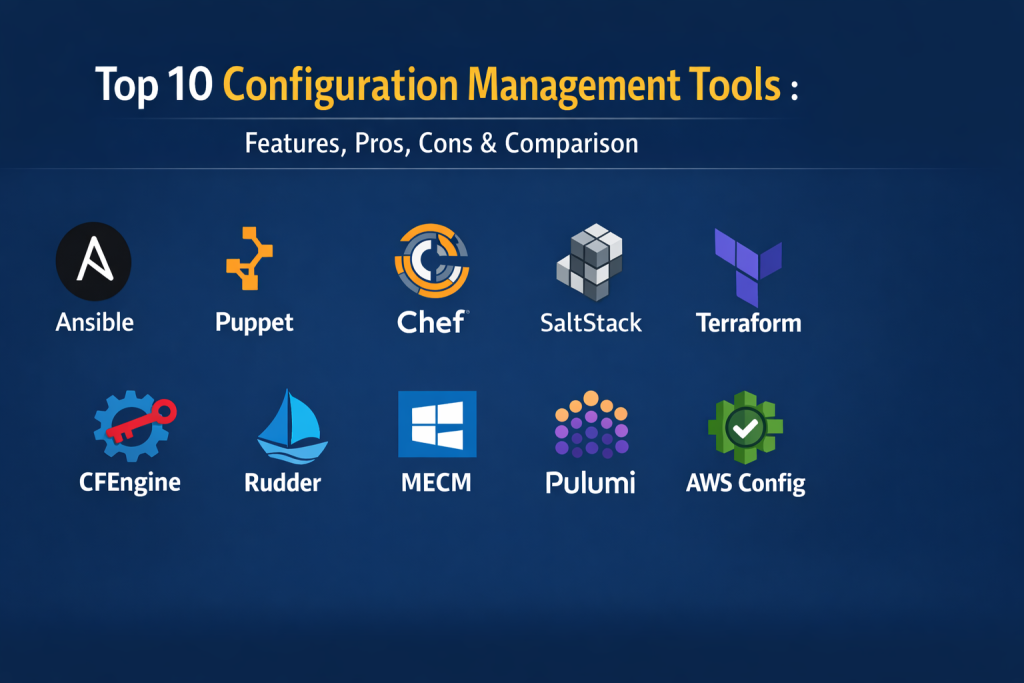
Introduction
Configuration Management is a systematic engineering process used to maintain the consistency of a product’s performance and functional attributes with its requirements, design, and operational information throughout its life. In the context of modern IT, it refers to the practice of automating the setup and maintenance of servers, networks, and applications. Instead of manually logging into machines to install software or change settings, professionals use these tools to define a “desired state” in code, which the software then enforces across the entire infrastructure.
In the current landscape, the ability to manage thousands of nodes with a single command has moved from a luxury to a requirement. As organizations embrace multi-cloud strategies and microservices, the risk of configuration drift—where systems slowly deviate from their original settings—has become a major threat to security and stability. Configuration management tools eliminate this risk by providing a single source of truth, ensuring that every environment, from development to production, is identical and compliant.
Real-World Use Cases
- Automatically deploying security patches and updates across thousands of servers simultaneously to mitigate vulnerabilities.
- Ensuring that development, staging, and production environments are identical to prevent “it works on my machine” errors.
- Rapidly scaling infrastructure by automatically configuring new cloud instances as they are spun up.
- Maintaining compliance by continuously auditing system settings against industry standards like SOC 2 or HIPAA.
- Managing network device configurations, such as firewall rules and switch settings, through a centralized control plane.
Evaluation Criteria for Buyers
- The method of communication, choosing between agent-based (software on every node) or agentless (SSH/WinRM) architectures.
- The learning curve associated with the tool’s domain-specific language, such as YAML, Ruby, or Python.
- The scalability of the tool when managing massive fleets of tens of thousands of devices.
- Integration capabilities with existing CI/CD pipelines, cloud providers, and monitoring stacks.
- The availability of pre-built modules or “recipes” to accelerate the automation of common tasks.
- The level of security provided, including secrets management, role-based access control, and audit logging.
- The cost of enterprise support versus the capabilities provided by the open-source version.
Best for: DevOps engineers, system administrators, SRE teams, and IT managers seeking to eliminate manual configuration and ensure infrastructure consistency.
Not ideal for: Very small teams with only one or two static servers where the overhead of learning and maintaining an automation tool exceeds the time saved.
Key Trends in Configuration Management Tools
- The integration of AI and machine learning to predict configuration errors and suggest optimizations before they are deployed.
- A massive shift toward “GitOps,” where Git repositories act as the single source of truth for all infrastructure changes.
- The rise of “Policy as Code,” allowing security and compliance teams to write rules that automatically block non-compliant configurations.
- Increased focus on “self-healing” infrastructure that automatically corrects itself the moment a deviation from the desired state is detected.
- Better support for edge computing, where tools must manage devices with limited connectivity and low processing power.
- The convergence of infrastructure provisioning and configuration management into unified automation platforms.
- Adoption of simplified, human-readable languages like YAML to lower the barrier of entry for non-technical staff.
- Improved cross-platform support, enabling the same tool to manage Linux servers, Windows desktops, and cloud-native services seamlessly.
How We Selected These Tools
Our methodology for selecting the top ten configuration management tools is built on a foundation of professional reliability and industry adoption. We analyzed tools based on their performance in high-pressure production environments and their ability to handle modern hybrid-cloud architectures. Market share was a key factor, but we also looked at technical innovation, such as the move toward agentless architectures and real-time event-driven automation. We evaluated the strength of each tool’s ecosystem, specifically looking for those with large libraries of community-contributed modules. Finally, we ensured a balance between mature, battle-tested enterprise solutions and modern, developer-centric platforms to provide a comprehensive view of the current market.
Top 10 Configuration Management Tools
1. Red Hat Ansible
Ansible has become one of the most popular tools in the world due to its simplicity and agentless architecture. It uses human-readable YAML files, called playbooks, to define automation tasks. Because it does not require any special software to be installed on the target nodes, it is incredibly easy to set up and start using immediately for everything from simple updates to complex application deployments.
Key Features
- An agentless architecture that communicates over standard SSH or WinRM protocols.
- Simple YAML-based playbooks that are easy for both developers and operations teams to read.
- A massive library of over 3,000 modules for managing cloud, network, and security assets.
- Powerful orchestration capabilities for managing complex, multi-tier deployment workflows.
- Role-based access control and centralized logging through the Ansible Automation Platform.
Pros
- Very low barrier to entry for beginners and small teams.
- No overhead on managed nodes because no agent is required.
Cons
- Can experience performance lag when managing extremely large numbers of nodes simultaneously.
- Lacks a built-in state management system as robust as some of its competitors.
Platforms / Deployment
Linux / Windows / macOS / Cloud — Hybrid
Security & Compliance
Supports OpenSSH for secure transport and integrates with enterprise identity providers for RBAC.
Integrations & Ecosystem
It features a massive ecosystem of certified content and integrations with every major cloud provider and CI/CD tool on the market.
Support & Community
One of the largest open-source communities in the world, backed by the professional enterprise support of Red Hat and IBM.
2. Puppet
Puppet is a mature, model-driven tool designed for large-scale enterprise environments. It uses a declarative language to define the “desired state” of a system, and an agent on each node ensures that the system stays in that state. It is exceptionally good at detecting and correcting configuration drift automatically, making it a favorite for highly regulated industries.
Key Features
- A declarative Domain-Specific Language for defining exactly how a system should look.
- Continuous drift detection that automatically remediates any unauthorized changes.
- The Puppet Forge, a massive repository of pre-built modules for common tasks.
- Comprehensive reporting and visualization through the Puppet Enterprise console.
- Robust role-based access control for managing large, multi-departmental teams.
Pros
- Exceptional at maintaining long-term consistency in massive data centers.
- Highly mature and battle-tested over nearly two decades of use.
Cons
- The learning curve for its custom language can be steep for those new to Ruby.
- Requires the management and maintenance of agents on every target node.
Platforms / Deployment
Linux / Windows / macOS / Unix — Hybrid
Security & Compliance
Strong focus on compliance with built-in auditing and support for HIPAA and SOC 2 standards.
Integrations & Ecosystem
Integrates deeply with VMware, AWS, and Azure, as well as version control systems like Git for code management.
Support & Community
Extensive professional support options and a well-established community of enterprise IT experts.
3. Progress Chef
Chef treats infrastructure as code by using “recipes” written in a Ruby-based language. It is highly flexible and powerful, making it a favorite for developers who want deep control over their automation. Chef focuses on “Compliance as Code,” allowing security rules to be tested and enforced just like software features.
Key Features
- A Ruby-based DSL that offers maximum flexibility for complex automation logic.
- Chef InSpec for automated compliance and security testing.
- The “Chef Automate” dashboard for full visibility into the health of the infrastructure.
- A master-agent architecture that supports high-speed, parallel execution.
- Extensive community cookbooks for automating almost any software package.
Pros
- Unmatched flexibility for handling complex, non-standard automation tasks.
- Strongest compliance-as-code features in the industry through InSpec.
Cons
- Requires a strong understanding of Ruby, which can be difficult for traditional sysadmins.
- Managing the workstation, server, and agents adds significant complexity.
Platforms / Deployment
Linux / Windows / macOS / AIX — Hybrid
Security & Compliance
Continuous security auditing is built into the core workflow via InSpec.
Integrations & Ecosystem
Works seamlessly with major cloud providers and has strong hooks for CI/CD pipelines like Jenkins and GitLab.
Support & Community
A professional, developer-focused community with extensive documentation and commercial support from Progress.
4. SaltStack
SaltStack, often simply called Salt, is known for its incredible speed and scalability. It uses a high-speed messaging bus to communicate with its “minions” (agents), allowing it to manage tens of thousands of servers in seconds. It is unique because it supports both agent-based and agentless modes, giving teams maximum flexibility.
Key Features
- A high-speed, parallel execution engine based on the ZeroMQ messaging protocol.
- Support for both agent-based (Minions) and agentless (SSH) management.
- Event-driven automation that can trigger actions based on real-time system changes.
- Beacons and Reactors for creating “self-healing” infrastructure.
- Powerful orchestration for managing complex application stacks across different clouds.
Pros
- Fastest execution speeds for large-scale enterprise environments.
- Highly extensible and flexible for advanced technical teams.
Cons
- The initial setup and configuration can be complex and intimidating.
- Documentation has historically been less beginner-friendly than Ansible.
Platforms / Deployment
Linux / Windows / macOS / Unix — Hybrid
Security & Compliance
Robust security features including granular access control and encrypted communication.
Integrations & Ecosystem
Strong integration with VMware (its parent company) and excellent support for Kubernetes and Docker.
Support & Community
Backed by the Salt Project and VMware, providing both a strong open-source community and enterprise-grade support.
5. HashiCorp Terraform
While often categorized as an infrastructure provisioning tool, Terraform is an essential part of the configuration management ecosystem. It uses a declarative language to manage cloud resources and is increasingly used to manage the base configuration of services. It is the gold standard for “Infrastructure as Code” in multi-cloud environments.
Key Features
- A cloud-agnostic design that uses “Providers” to manage AWS, Azure, GCP, and more.
- The HashiCorp Configuration Language (HCL), designed for readability and clarity.
- State management that keeps track of every resource in your infrastructure.
- A massive ecosystem of modules for sharing and reusing infrastructure code.
- Terraform Cloud for team collaboration, governance, and remote execution.
Pros
- The undisputed leader for managing multi-cloud and hybrid-cloud resources.
- Strong versioning and state tracking to prevent configuration errors.
Cons
- Not designed for high-level OS configuration like installing software or users.
- Managing state files in a team environment requires careful coordination.
Platforms / Deployment
Linux / Windows / macOS / Cloud — Cloud-Native
Security & Compliance
Integrates with HashiCorp Vault for secrets management and supports Sentinel for policy enforcement.
Integrations & Ecosystem
The largest provider ecosystem in the industry, supporting thousands of different APIs and services.
Support & Community
A massive global community and premium enterprise support options from HashiCorp.
6. CFEngine
CFEngine is one of the original configuration management tools and remains a top choice for teams that need high-speed, low-overhead automation. Written in C, it is incredibly lightweight and can run on devices that other tools simply can’t support. It is built on the idea of autonomous agents that ensure a system is always in compliance without needing a central server.
Key Features
- An ultra-lightweight agent with a tiny memory and CPU footprint.
- Policy-based automation that allows nodes to manage themselves autonomously.
- Real-time compliance reporting and drift detection.
- Highly secure design with minimal dependencies on external software.
- Scalable to hundreds of thousands of nodes with very little infrastructure.
Pros
- Most efficient tool for large-scale, distributed environments.
- Extremely fast execution due to its low-level C implementation.
Cons
- The policy language is unique and has a very steep learning curve.
- Lacks the modern, glossy user interfaces found in newer competitors.
Platforms / Deployment
Linux / Windows / macOS / Unix — Self-hosted
Security & Compliance
Built-in security with focus on system-level integrity and autonomous remediation.
Integrations & Ecosystem
Focused primarily on system-level configuration; integrates with standard monitoring and logging tools.
Support & Community
A technical, long-standing community of system administrators and professional support from Northern.tech.
7. Rudder
Rudder is a web-based, role-based tool that bridges the gap between IT operations and security compliance. It is designed for continuous auditing and configuration, providing a clear visual interface that shows exactly which systems are compliant and which are not in real-time.
Key Features
- A powerful web-based interface for managing policies and viewing compliance.
- Continuous auditing that checks system states every few minutes.
- Automated remediation that fixes deviations from the defined policy.
- Dynamic grouping based on system properties and custom metadata.
- A robust API for integrating configuration data with other business systems.
Pros
- Excellent visual reporting for management and security teams.
- Easy to use for those who prefer a GUI over writing raw code.
Cons
- The community is smaller than the “big four” tools like Ansible or Puppet.
- Not as flexible as Chef or Salt for highly complex custom logic.
Platforms / Deployment
Linux / AIX / Windows — Self-hosted
Security & Compliance
Deep focus on security compliance with real-time dashboards and audit trails.
Integrations & Ecosystem
Integrates with standard ITSM tools and has a solid API for custom automation workflows.
Support & Community
Strong European presence with a dedicated community and professional support from the Rudder team.
8. Microsoft Endpoint Configuration Manager (MECM)
Formerly known as SCCM, MECM is the undisputed leader for managing Windows-centric environments. It provides deep integration with the Windows operating system, allowing for unmatched control over patching, software distribution, and hardware inventory for thousands of workstations and servers.
Key Features
- Unrivaled management for Windows OS, including feature updates and security patches.
- Deep integration with Active Directory and Azure Active Directory.
- Comprehensive hardware and software inventory tracking.
- Remote control capabilities for troubleshooting user issues.
- Integration with Microsoft Intune for modern, cloud-based device management.
Pros
- The most powerful and capable tool for managing a Windows-only fleet.
- Massive enterprise adoption with a huge pool of skilled administrators.
Cons
- Extremely complex to install and maintain the underlying infrastructure.
- Very poor support for non-Windows systems like Linux or macOS.
Platforms / Deployment
Windows — On-premises / Hybrid
Security & Compliance
Fully integrated with Microsoft’s security stack, including Defender and BitLocker.
Integrations & Ecosystem
Works seamlessly with the entire Microsoft 365 and Azure ecosystem.
Support & Community
World-class enterprise support from Microsoft and a vast global community of IT professionals.
9. Pulumi
Pulumi is a modern entry that allows developers to use standard programming languages like Python, TypeScript, and Go to manage their infrastructure and configurations. This approach allows teams to use the same tools, IDEs, and testing frameworks for their infrastructure that they use for their application code.
Key Features
- Support for familiar programming languages like Python, JavaScript, and Go.
- A state-based approach to infrastructure and configuration management.
- Excellent support for Kubernetes and cloud-native application stacks.
- Advanced testing capabilities, including unit tests for infrastructure code.
- A centralized console for managing state, history, and team collaboration.
Pros
- Perfect for developer-heavy teams who want to avoid learning custom DSLs.
- Allows for the use of loops, functions, and standard libraries in automation.
Cons
- Requires a change in mindset for traditional infrastructure teams.
- Smaller ecosystem of pre-built modules compared to Terraform.
Platforms / Deployment
Linux / Windows / macOS / Cloud — Cloud-Native
Security & Compliance
Includes features for secrets management and role-based access control.
Integrations & Ecosystem
Supports all major cloud providers and has a growing library of “packages” for common resources.
Support & Community
An active, modern community and professional support from the Pulumi team.
10. AWS Config
AWS Config is a specialized, managed service designed specifically to track and manage the configuration of resources within the Amazon Web Services ecosystem. It acts as a continuous auditor, recording every change to your AWS resources and ensuring they stay within your defined security and governance rules.
Key Features
- Continuous monitoring and recording of AWS resource configuration changes.
- A detailed configuration history for every resource in your account.
- Relationship mapping to see how a change in one resource affects others.
- “Config Rules” that automatically flag non-compliant resources.
- Integration with AWS Systems Manager for automated remediation.
Pros
- Zero infrastructure to manage; it is a fully managed cloud service.
- Provides the best visibility into the “what, when, and who” of AWS changes.
Cons
- Effectively limited to the AWS ecosystem.
- Costs can grow quickly in large, highly active environments.
Platforms / Deployment
AWS — Cloud-Native
Security & Compliance
Fully integrated with AWS IAM and CloudTrail for maximum security and auditing.
Integrations & Ecosystem
Native integration with all AWS services and popular third-party tools like Jira and ServiceNow.
Support & Community
Managed and supported by AWS with extensive professional documentation and global support.
Comparison Table (Top 10)
| Tool Name | Best For | Platform(s) Supported | Deployment | Standout Feature | Public Rating |
| 1. Ansible | Simple Automation | Linux, Windows, macOS | Hybrid | Agentless YAML | 4.8/5 |
| 2. Puppet | Enterprise Stability | Linux, Windows, macOS | Hybrid | Self-Healing Drift | 4.7/5 |
| 3. Chef | Developer Power | Linux, Windows, macOS | Hybrid | Compliance as Code | 4.6/5 |
| 4. SaltStack | Ultra-Scale Speed | Linux, Windows, macOS | Hybrid | High-Speed Messaging | 4.6/5 |
| 5. Terraform | Cloud Provisioning | Cloud-Native | Cloud | Multi-Cloud IaC | 4.8/5 |
| 6. CFEngine | Lightweight Perf | Linux, Windows, Unix | Self-hosted | Smallest Footprint | 4.4/5 |
| 7. Rudder | Continuous Auditing | Linux, Windows, AIX | Self-hosted | Visual Compliance | 4.5/5 |
| 8. MECM | Windows Fleets | Windows Only | On-premises | Native Win Control | 4.5/5 |
| 9. Pulumi | App Developers | Cloud-Native | Cloud | Standard Languages | 4.7/5 |
| 10. AWS Config | AWS Compliance | AWS Only | Cloud | Managed Tracking | 4.6/5 |
Evaluation & Scoring of Configuration Management Tools
| Tool Name | Core (25%) | Ease (15%) | Integrations (15%) | Security (10%) | Perf (10%) | Support (10%) | Value (15%) | Total |
| 1. Ansible | 9 | 10 | 10 | 8 | 7 | 9 | 10 | 8.9 |
| 2. Puppet | 10 | 5 | 9 | 10 | 8 | 9 | 7 | 8.4 |
| 3. Chef | 10 | 4 | 9 | 10 | 9 | 8 | 7 | 8.1 |
| 4. SaltStack | 9 | 5 | 8 | 9 | 10 | 8 | 8 | 8.1 |
| 5. Terraform | 10 | 8 | 10 | 9 | 8 | 9 | 9 | 9.2 |
| 6. CFEngine | 8 | 3 | 6 | 9 | 10 | 7 | 8 | 7.1 |
| 7. Rudder | 7 | 8 | 7 | 9 | 8 | 7 | 8 | 7.4 |
| 8. MECM | 9 | 4 | 7 | 9 | 7 | 10 | 6 | 7.4 |
| 9. Pulumi | 8 | 9 | 8 | 8 | 8 | 8 | 8 | 8.1 |
| 10. AWS Config | 7 | 9 | 10 | 10 | 9 | 10 | 7 | 8.5 |
These scores reflect a combination of professional utility and market presence. A high core score indicates that the tool is a complete solution for its primary domain. Ease of use scores focus on the initial learning curve, while performance scores highlight how well the tool scales in massive, high-speed environments.
Which Configuration Management Tool Is Right for You?
Solo / Freelancer
For an individual, Ansible is almost always the best starting point. Its agentless nature and simple YAML syntax mean you can automate your first server in minutes without a complex setup.
SMB (Small to Medium Business)
A growing business should look toward Ansible for general server management and Terraform for managing their cloud footprint. This combination provides a powerful yet manageable automation stack.
Mid-Market
Organizations at this stage often benefit from the structured approach of Puppet or SaltStack. These tools offer the governance and audit trails needed as teams expand across different departments.
Enterprise
Large enterprises typically require the high-end support and deep compliance features of Puppet Enterprise or Chef. For those with a massive Windows footprint, MECM remains an essential part of the toolkit.
Budget vs Premium
The open-source versions of Ansible, Blender, and SaltStack provide incredible power for zero cost. Premium versions add value through central management consoles, professional support, and advanced security features.
Feature Depth vs Ease of Use
If you need ultimate flexibility and have a team of skilled developers, Chef or Pulumi are the right choices. If you need something that a traditional IT team can learn quickly, Ansible or Rudder are superior.
Integrations & Scalability
SaltStack is the king of pure scalability, while Terraform and Pulumi offer the best integrations for modern, cloud-native environments built on Kubernetes and microservices.
Security & Compliance Needs
Highly regulated companies in finance or healthcare should prioritize Puppet, Chef, or Rudder. These tools were built with continuous auditing and “compliance as code” as core design principles.
Frequently Asked Questions (FAQs)
1. What is the main difference between Ansible and Puppet?
Ansible is agentless and uses a “push” model to send configurations to servers, while Puppet uses an agent installed on each server to “pull” configurations from a central master.
2. Do I need to know how to code to use these tools?
While you don’t need to be a software engineer, you do need to be comfortable with logical thinking and basic text-based configuration. Ansible is the easiest for non-programmers to learn.
3. Can these tools manage my cloud resources like AWS and Azure?
Yes, most of these tools have modules specifically designed to manage cloud resources, though Terraform is generally considered the best for initial cloud provisioning.
4. Is it safe to automate my entire infrastructure?
Yes, in fact, it is often safer than manual changes because automation is repeatable, testable, and provides a clear audit trail of every change made.
5. What is “configuration drift”?
Drift happens when a system’s settings slowly change over time due to manual updates or errors, leading to inconsistencies that can cause security holes or application failures.
6. Can these tools manage Windows and Linux at the same time?
Most of the top tools like Ansible, Puppet, and SaltStack are cross-platform and can manage both Windows and Linux fleets from a single control plane.
7. How much do these tools cost?
Most have free open-source versions. Enterprise versions are usually billed per node, ranging from $50 to $200 per server per year depending on the feature set.
8. What is “Infrastructure as Code” (IaC)?
IaC is the practice of managing and provisioning infrastructure through machine-readable definition files rather than manual hardware configuration or interactive tools.
9. Can I use more than one tool at the same time?
Yes, it is very common for companies to use Terraform to build their cloud infrastructure and then use Ansible or Puppet to configure the operating systems inside that infrastructure.
10. How do I get started with configuration management?
The best way is to pick a tool like Ansible, install it on a local machine, and try to automate a simple task like installing a web server on a virtual machine.
Conclusion
Configuration management has evolved into a cornerstone of professional IT operations, providing the automation necessary to manage the complexity of the modern digital world. Choosing the right tool requires a clear understanding of your team’s technical skills, your infrastructure scale, and your specific compliance needs. Whether you prioritize the simplicity of an agentless tool like Ansible or the rigorous state enforcement of a model-driven tool like Puppet, the goal remains the same: to create a stable, secure, and predictable environment. As infrastructure continues to shift toward the cloud and the edge, these tools will only become more vital in ensuring that our systems remain resilient and ready for the challenges of tomorrow. Selecting a tool is only the first step in a journey toward total infrastructure automation. The real value comes from the culture of consistency and the reduction of human error that these platforms enable. By treating your infrastructure as code, you empower your team to innovate faster, recover from issues more quickly, and maintain a level of security that manual processes simply cannot achieve.

Best Cardiac Hospitals Near You
Discover top heart hospitals, cardiology centers & cardiac care services by city.
Advanced Heart Care • Trusted Hospitals • Expert Teams
View Best Hospitals