Introduction
Container platforms are specialized software environments designed to package, deploy, and manage applications as lightweight, portable units called containers. Unlike traditional virtual machines that require a full operating system for each instance, containers share the host’s operating system kernel, making them significantly more efficient and faster to start. These platforms provide the necessary orchestration, scaling, and networking capabilities to run microservices at scale across diverse infrastructure.
In the current technological landscape, containerization has moved from a developer convenience to an absolute enterprise necessity. As organizations shift toward cloud-native architectures and automated delivery pipelines, these platforms act as the connective tissue between code and production environments. Modern container strategies prioritize security, observable performance, and the ability to move workloads seamlessly between on-premises data centers and multiple cloud providers.
Real-world use cases include:
- Microservices Architecture: Breaking down monolithic applications into independent, scalable services that can be updated without downtime.
- Hybrid Cloud Portability: Ensuring that an application behaves exactly the same way on a developer’s laptop as it does in a public cloud environment.
- Edge Computing: Deploying lightweight workloads to remote locations or IoT devices where resource efficiency is critical.
- DevOps Automation: Creating consistent environments throughout the software development lifecycle to eliminate the “it works on my machine” problem.
Key Evaluation Criteria:
- Orchestration Capabilities: The ability to automate the scheduling, scaling, and health management of thousands of containers.
- Security & Isolation: Features such as image scanning, runtime protection, and robust access control.
- Ease of Management: The quality of the control plane, administrative dashboard, and command-line interface.
- Ecosystem & Plugins: The availability of third-party integrations for storage, networking, and monitoring.
- Scalability & Performance: How effectively the platform handles sudden spikes in traffic and large-scale deployments.
- Resource Efficiency: The overhead required by the platform itself to manage the containerized workloads.
Best for: DevOps engineers, system architects, and organizations looking to modernize legacy applications or build scalable, cloud-native services.
Not ideal for: Organizations with very small, static workloads where the overhead of an orchestration platform exceeds the benefits of containerization.
Key Trends in Container Platforms
- Serverless Container Evolution: Platforms are increasingly abstracting the underlying infrastructure, allowing users to run containers without managing servers.
- AI-Driven Orchestration: Integration of machine learning to predict traffic patterns and proactively scale container clusters.
- Edge Containerization: The expansion of container platforms to support low-power devices and remote edge locations with limited connectivity.
- Enhanced Supply Chain Security: Built-in tools for software bill of materials (SBOM) generation and automated vulnerability blocking.
- WebAssembly (Wasm) Integration: Container platforms are beginning to support Wasm alongside traditional Linux and Windows containers for even lighter workloads.
- FinOps Visibility: Deeply integrated cost-management tools that provide granular visibility into the spend of individual containerized services.
- Declarative GitOps Workflows: A shift toward using Git as the single source of truth for the entire container infrastructure state.
How We Selected These Tools (Methodology)
To identify the top container platforms, we employed a rigorous selection process based on the following factors:
- Market Adoption: We prioritized platforms with high industry usage and a proven track record in production environments.
- Feature Completeness: Inclusion was granted to platforms providing a comprehensive suite of tools for the entire container lifecycle.
- Reliability Signals: Preference was given to platforms known for high availability and stability under heavy enterprise loads.
- Community Strength: We evaluated the depth of available documentation, third-party plugins, and professional support networks.
- Security Posture: Platforms were assessed on their built-in security features, including encryption and identity management.
- Integration Flexibility: We favored tools that play well with existing CI/CD pipelines, monitoring tools, and storage solutions.
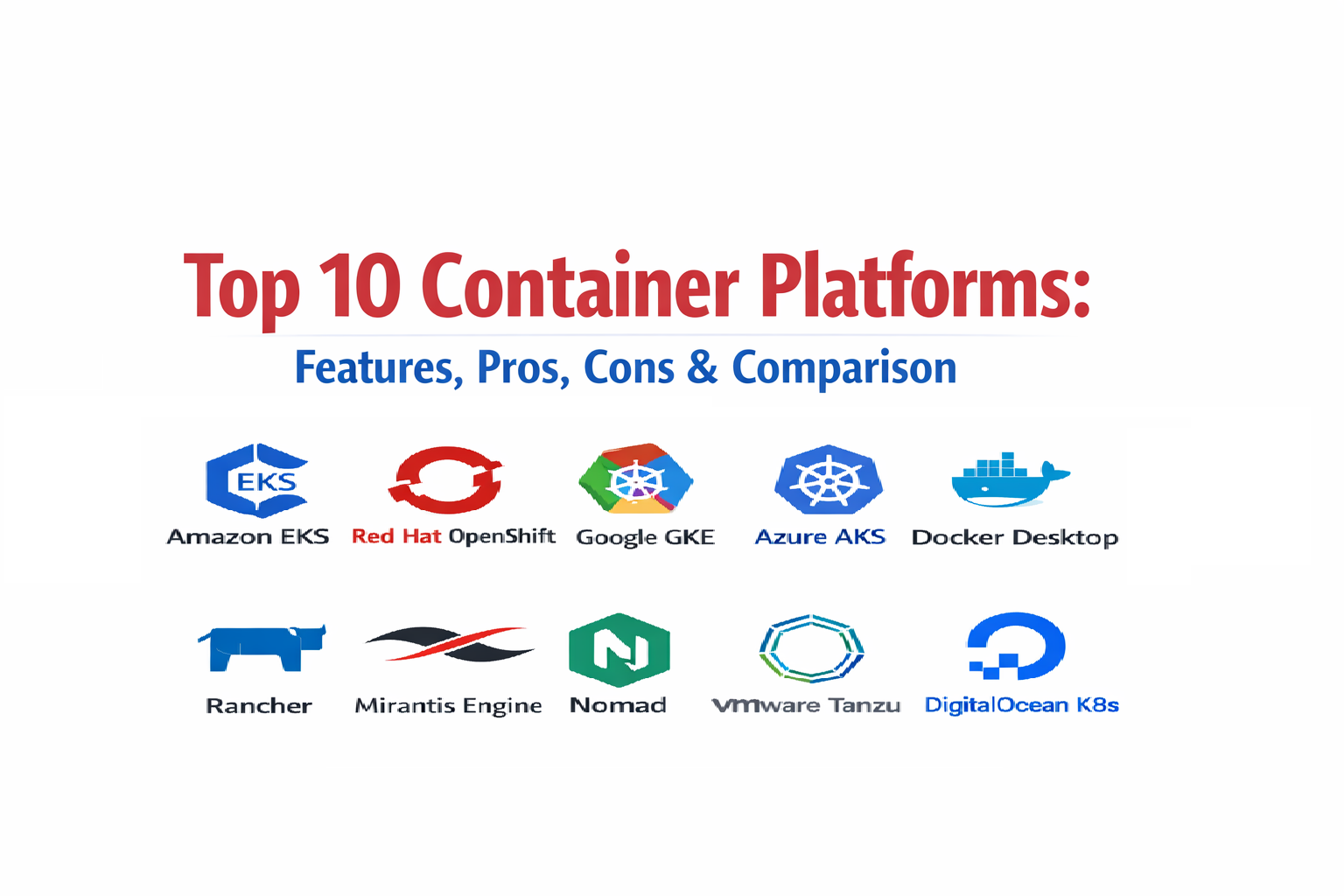
Top 10 Container Platforms
1.Amazon Elastic Kubernetes Service (EKS)
This managed service simplifies the process of running Kubernetes on AWS without needing to install or operate your own Kubernetes control plane or nodes.
Key Features
- Managed Control Plane: AWS handles the availability and scalability of the Kubernetes API servers and etcd persistence layer.
- Fargate Integration: Allows for serverless container execution where you pay only for the resources used by the container.
- VPC Networking: Deep integration with AWS networking for secure communication between services.
- IAM Integration: Uses standard AWS Identity and Access Management for fine-grained control over cluster resources.
- Automated Updates: Streamlined process for patching and upgrading Kubernetes versions with minimal downtime.
Pros
- Highly scalable and backed by the reliability of the largest global cloud infrastructure.
- Seamless integration with hundreds of other cloud-native services.
Cons
- Configuration can be complex for those unfamiliar with the broader cloud provider ecosystem.
- Cost can scale quickly if cluster resources are not managed efficiently.
Platforms / Deployment
- Cloud / Hybrid
- Windows / Linux
Security & Compliance
- Integrated with AWS Shield and WAF for network protection.
- Supports SOC 1, 2, and 3, ISO, and HIPAA compliance standards.
Integrations & Ecosystem
Works as a central hub for cloud-native applications, connecting deeply with storage and automation tools.
- AWS CloudWatch
- Terraform
- Jenkins
- Datadog
Support & Community
Benefit from extensive documentation and 24/7 enterprise-grade support from the cloud provider.
2.Red Hat OpenShift
An enterprise-grade platform built on Kubernetes that provides a consistent set of tools for developers and operations teams across any infrastructure.
Key Features
- Source-to-Image (S2I): Automatically builds container images from application source code.
- Integrated Registry: A built-in, secure container image registry for managing local images.
- Operator Framework: Simplifies the management of complex, stateful applications using automated operational knowledge.
- Unified Console: A comprehensive web-based dashboard for both administrative tasks and developer workflows.
- Advanced Networking: Includes an integrated software-defined networking layer and service mesh capabilities.
Pros
- Provides a highly opinionated and secure “out-of-the-box” experience for large enterprises.
- Exceptional support for hybrid cloud strategies, running identically on-premises and in public clouds.
Cons
- Higher resource overhead compared to “vanilla” Kubernetes distributions.
- Licensing costs can be significant for smaller organizations.
Platforms / Deployment
- Cloud / Self-hosted / Hybrid
- Linux / Windows
Security & Compliance
- Built-in security context constraints and mandatory image scanning.
- FIPS 140-2 validation and numerous global industry certifications.
Integrations & Ecosystem
Deeply integrated with the Linux enterprise ecosystem and automation tools.
- Ansible
- Quay Container Registry
- Tekton
- Prometheus
Support & Community
Backed by world-class professional support and a massive ecosystem of certified partner applications.
3.Google Kubernetes Engine (GKE)
The original managed Kubernetes service, known for its high degree of automation and deep integration with the underlying infrastructure where Kubernetes was born.
Key Features
- Autopilot Mode: A fully managed operation mode where the platform manages the entire cluster infrastructure.
- Four-Way Auto-Scaling: Automatically scales pods, clusters, and node pools based on demand.
- Binary Authorization: Ensures only trusted container images are deployed to production environments.
- Integrated Logging: Native connection to powerful observability tools for real-time monitoring.
- Release Channels: Allows users to choose the balance between stability and access to the latest features.
Pros
- Often considered the most technologically advanced and automated managed Kubernetes experience.
- Excellent performance for high-throughput and data-intensive containerized workloads.
Cons
- Highly tied to a specific cloud ecosystem for the best experience.
- Managing complex network policies across clusters can require specialized expertise.
Platforms / Deployment
- Cloud / Hybrid
- Linux / Windows
Security & Compliance
- Workload Identity for secure access to other cloud resources.
- Compliant with GDPR, HIPAA, and PCI-DSS requirements.
Integrations & Ecosystem
Leverages the broader cloud ecosystem for data, AI, and developer tools.
- Google Cloud Build
- Pub/Sub
- BigQuery
- Istio
Support & Community
Extensive community support as the “home” of Kubernetes, plus dedicated technical support for enterprise accounts.
4.Azure Kubernetes Service (AKS)
A managed container orchestration service that simplifies the deployment and management of Kubernetes clusters within the Microsoft cloud ecosystem.
Key Features
- Active Directory Integration: Uses existing identity management for secure cluster access.
- Azure Dev Spaces: Allows developers to iterate and debug code directly in the cluster environment.
- Virtual Nodes: Enables rapid scaling of containers without the need to wait for VM provisioning.
- Integrated CI/CD: Native connection to enterprise-grade DevOps tools for automated delivery.
- Cluster Autoscaler: Dynamically adjusts the number of nodes in a cluster based on resource requests.
Pros
- Best-in-class integration for organizations already standardized on Microsoft technologies.
- Simplifies the transition from legacy Windows applications to modern containerized microservices.
Cons
- Users may experience platform-specific limitations when using non-standard configurations.
- Documentation can sometimes lag behind the rapid pace of feature releases.
Platforms / Deployment
- Cloud / Hybrid
- Windows / Linux
Security & Compliance
- Integration with Azure Policy and Defender for Cloud.
- Broad compliance coverage including ISO and SOC.
Integrations & Ecosystem
Deeply embedded in the Microsoft enterprise software and developer stack.
- Azure DevOps
- GitHub
- Visual Studio Code
- Microsoft Sentinel
Support & Community
Large global presence with extensive enterprise support and a rapidly growing community of contributors.
5.Docker Desktop
The ubiquitous tool for developers to build, share, and run containerized applications locally, serving as the gateway to broader orchestration platforms.
Key Features
- Docker Engine: The core technology for creating and running container images.
- Docker Compose: A tool for defining and running multi-container applications using a simple YAML file.
- Integrated Kubernetes: Allows for a local one-node cluster to test orchestration logic before deployment.
- Docker Extensions: A marketplace of tools to enhance the development workflow directly in the dashboard.
- Image Access Management: Controls how developers interact with remote registries and public images.
Pros
- The most intuitive and widely used interface for container development in the world.
- Simplifies complex networking and storage mounting on local workstations.
Cons
- Not intended for production-scale orchestration; limited to development and testing.
- Licensing changes have introduced costs for large organizations.
Platforms / Deployment
- Windows / macOS / Linux
- Self-hosted
Security & Compliance
- Built-in vulnerability scanning for local images.
- SSO and administration controls for business-tier users.
Integrations & Ecosystem
The industry standard that integrates with virtually every developer tool in existence.
- VS Code
- GitHub
- Bitbucket
- All major cloud registries
Support & Community
The largest container community globally with millions of tutorials, images, and community discussions available.
6.Rancher
An open-source multi-cluster management platform that allows organizations to run Kubernetes everywhere: on-premises, in the cloud, and at the edge.
Key Features
- Multi-Cluster Orchestration: Manage EKS, GKE, AKS, and private clusters from a single pane of glass.
- RKE (Rancher Kubernetes Engine): A lightweight, certified Kubernetes distribution for any infrastructure.
- Centralized Authentication: Unified user management and RBAC across all managed clusters.
- App Catalog: A built-in marketplace for deploying common applications via Helm charts.
- Fleet Management: Tools for managing thousands of clusters at scale, especially useful for edge deployments.
Pros
- Exceptional for organizations that need to avoid cloud lock-in and manage hybrid environments.
- Very user-friendly UI that simplifies complex Kubernetes administrative tasks.
Cons
- Adding an extra management layer can introduce its own complexity and maintenance requirements.
- Professional support requires a commercial subscription to SUSE.
Platforms / Deployment
- Cloud / Self-hosted / Hybrid
- Linux / Windows
Security & Compliance
- Centralized security policy enforcement and cluster auditing.
- Support for CIS benchmarking and compliance reporting.
Integrations & Ecosystem
Focuses on being a “manager of managers,” integrating with all major Kubernetes distributions.
- Longhorn (Distributed Block Storage)
- NeuVector
- Helm
- Prometheus
Support & Community
Strong open-source community and reliable enterprise support through SUSE.
7.Mirantis Kubernetes Engine
Formerly known as Docker Enterprise, this platform provides a secure and automated environment for running containers at scale in production.
Key Features
- Swarm and Kubernetes Support: Allows running both orchestration engines on the same cluster infrastructure.
- Zero Downtime Updates: Simplifies the process of patching the platform without affecting running workloads.
- Secure Registry: Includes a private image registry with advanced vulnerability scanning and content trust.
- Role-Based Access Control: Granular control over who can deploy and manage containerized resources.
- Integrated Monitoring: Built-in tools for visualizing the health and performance of the cluster.
Pros
- Strong focus on stability and security for conservative enterprise environments.
- Offers flexibility for teams still utilizing Docker Swarm alongside Kubernetes.
Cons
- Market momentum has shifted significantly toward pure-Kubernetes platforms.
- Smaller community and ecosystem compared to the major cloud-managed services.
Platforms / Deployment
- Cloud / Self-hosted / Hybrid
- Linux / Windows
Security & Compliance
- FIPS 140-2 compliance and advanced encryption at rest.
- Content trust and image signing integrated into the pipeline.
Integrations & Ecosystem
Supports industry standards for networking and storage interfaces.
- Docker Hub
- Active Directory
- Splunk
- Elastic Stack
Support & Community
Provides high-touch enterprise support and professional services for complex migrations.
8.Nomad
A lightweight and flexible scheduler and orchestrator that handles both containerized and non-containerized applications across diverse infrastructure.
Key Features
- Simple Binaries: A single, lightweight executable that is easy to deploy and manage.
- Multi-Workload Support: Orchestrates Docker containers, standalone binaries, and virtual machines.
- Global Federation: Easily scales across multiple regions and clouds with native federation.
- GPU Support: Excellent handling of specialized hardware for AI and machine learning workloads.
- Declarative Jobs: Uses a simple configuration language (HCL) to define application state.
Pros
- Significantly lower operational complexity compared to Kubernetes.
- Highly efficient and capable of scheduling thousands of containers per second.
Cons
- Smaller ecosystem of third-party tools and plugins compared to the Kubernetes world.
- Lacks some of the “all-in-one” features found in larger enterprise platforms.
Platforms / Deployment
- Cloud / Self-hosted / Hybrid
- Linux / Windows / macOS
Security & Compliance
- Integrated with HashiCorp Vault for secret management.
- Supports ACLs and TLS for all internal communications.
Integrations & Ecosystem
Integrates perfectly with the broader suite of HashiCorp infrastructure tools.
- Consul (Service Mesh)
- Vault (Security)
- Terraform (Provisioning)
- Prometheus
Support & Community
Active community and excellent commercial support for enterprise-tier customers.
9.VMware Tanzu
A portfolio of products designed to simplify multi-cloud Kubernetes operations and modernize application development in the enterprise.
Key Features
- vSphere Integration: Allows Kubernetes clusters to run directly on the ubiquitous vSphere hypervisor.
- Mission Control: A centralized management plane for consistently operating clusters across environments.
- Tanzu Application Platform: A pre-configured developer portal for rapid application delivery.
- Service Mesh: Integrated networking for secure and observable service-to-service communication.
- Automated Patching: Streamlined lifecycle management for the entire container stack.
Pros
- Ideal for organizations with massive existing investments in VMware infrastructure.
- Provides a very clear path for transitioning traditional VM workloads to containers.
Cons
- Can be very complex due to the number of different products within the portfolio.
- High licensing costs and a dependency on the VMware ecosystem.
Platforms / Deployment
- Cloud / Self-hosted / Hybrid
- Linux / Windows
Security & Compliance
- Enterprise-grade identity management and network isolation.
- Broad compliance support for regulated industries like finance and healthcare.
Integrations & Ecosystem
Deeply integrated with the data center management tools used by IT operations.
- vCenter
- NSX-T Networking
- vRealize Operations
- Wavefront
Support & Community
Backed by one of the largest enterprise software organizations in the world with global support.
10.DigitalOcean Kubernetes (DOKS)
A managed Kubernetes service designed for developers and startups who need simplicity, predictable pricing, and ease of use.
Key Features
- Simplified Control Plane: Removes the complexity of Kubernetes setup while providing a managed master node.
- One-Click Apps: Easily deploy common containerized tools like databases and monitoring from a marketplace.
- Block Storage Integration: Native connection to easy-to-manage persistent volumes.
- Load Balancer Integration: Automatic provisioning of cloud load balancers for container services.
- Cluster Analysis: Built-in basic monitoring and alerting for cluster health.
Pros
- Arguably the easiest managed Kubernetes platform to set up and start using.
- Very predictable and affordable pricing model, which is ideal for smaller projects and startups.
Cons
- Lacks some of the advanced enterprise features and global scale found in larger cloud providers.
- Limited customization options for the underlying cluster infrastructure.
Platforms / Deployment
- Cloud
- Linux
Security & Compliance
- VPC isolation and support for basic compliance standards.
- Not publicly stated for many high-end certifications.
Integrations & Ecosystem
Focused on developer-friendly tools and a streamlined marketplace.
- DigitalOcean Container Registry
- GitHub Actions
- Terraform
- Slack (for notifications)
Support & Community
Known for having some of the best developer documentation and community tutorials in the industry.
Comparison Table
| Tool Name | Best For | Platform(s) Supported | Deployment | Standout Feature | Public Rating |
| Amazon EKS | AWS-heavy Workloads | Win, Linux | Hybrid | Fargate Serverless Integration | N/A |
| Red Hat OpenShift | Hybrid Cloud Enterprise | Win, Linux | Hybrid | Source-to-Image (S2I) | N/A |
| Google GKE | Automated Management | Win, Linux | Hybrid | GKE Autopilot Mode | N/A |
| Azure AKS | Microsoft Ecosystem | Win, Linux | Hybrid | Azure Active Directory Sync | N/A |
| Docker Desktop | Local Development | Win, macOS, Linux | Self-hosted | Developer Workflow UI | N/A |
| Rancher | Multi-cluster Management | Win, Linux | Hybrid | Single Pane Cluster Control | N/A |
| Mirantis Engine | Swarm/K8s Hybrid | Win, Linux | Hybrid | Dual Orchestration Support | N/A |
| Nomad | Lightweight Orchestration | Win, macOS, Linux | Hybrid | Multi-workload Scheduling | N/A |
| VMware Tanzu | On-prem Modernization | Win, Linux | Hybrid | Native vSphere Integration | N/A |
| DigitalOcean K8s | Startups / Developers | Linux | Cloud | Simplicity and Pricing | N/A |
Evaluation & Scoring of Container Platforms
The following scores represent a comparative analysis of how these platforms perform against modern operational standards.
| Tool Name | Core (25%) | Ease (15%) | Integrations (15%) | Security (10%) | Performance (10%) | Support (10%) | Value (15%) | Weighted Total |
| Amazon EKS | 10 | 6 | 10 | 9 | 9 | 9 | 7 | 8.60 |
| Red Hat OpenShift | 9 | 7 | 9 | 10 | 8 | 10 | 5 | 8.15 |
| Google GKE | 10 | 8 | 9 | 9 | 10 | 9 | 7 | 8.85 |
| Azure AKS | 9 | 8 | 10 | 9 | 8 | 9 | 8 | 8.65 |
| Docker Desktop | 5 | 10 | 9 | 6 | 8 | 7 | 8 | 7.30 |
| Rancher | 8 | 9 | 8 | 8 | 8 | 8 | 9 | 8.25 |
| Mirantis Engine | 7 | 7 | 7 | 9 | 8 | 8 | 6 | 7.20 |
| Nomad | 7 | 9 | 6 | 8 | 10 | 8 | 9 | 7.95 |
| VMware Tanzu | 8 | 5 | 8 | 9 | 8 | 9 | 5 | 7.20 |
| DigitalOcean K8s | 6 | 10 | 7 | 6 | 7 | 7 | 10 | 7.50 |
How to Interpret These Scores:
- Weighted Total: A score out of 10 that balances features, operations, and cost.
- Core Score: Reflects the power and flexibility of the orchestration engine.
- Ease Score: High scores indicate a user-friendly experience for setup and daily operations.
Which Container Platform Is Right for You?
Solo / Freelancer
For the individual developer, Docker Desktop is the indispensable starting point for local work. If you need to deploy to production, DigitalOcean Kubernetes offers the most accessible and affordable path for smaller projects.
SMB
Small and medium-sized businesses should prioritize Rancher if they need to manage a few clusters across different environments easily, or Google GKE if they want to minimize operational work through high levels of automation.
Mid-Market
For companies with a mix of cloud and on-premises infrastructure, Red Hat OpenShift provides a consistent developer experience and professional support that can bridge the gap between legacy systems and modern cloud services.
Enterprise
Large-scale enterprises with massive infrastructure should look at Amazon EKS for global scale or VMware Tanzu if they are deeply invested in private data centers. These platforms offer the security and compliance controls required for regulated industries.
Budget vs Premium
- Budget: DigitalOcean Kubernetes and Rancher (Open Source) provide high value for lower costs.
- Premium: Red Hat OpenShift and VMware Tanzu offer high-end features and support at a higher price point.
Feature Depth vs Ease of Use
- Feature Depth: OpenShift and GKE provide the most comprehensive built-in tools.
- Ease of Use: Docker Desktop and DigitalOcean are designed for speed and simplicity.
Integrations & Scalability
If your focus is purely on AWS, EKS is unmatched. If you need a lightweight alternative to Kubernetes that can still scale to thousands of nodes, Nomad is the strongest contender.
Security & Compliance Needs
Regulated industries should prioritize OpenShift or Mirantis, as these platforms are built with a “security-first” mindset and have the most extensive list of certified compliance profiles.
Frequently Asked Questions (FAQs)
1.What is the difference between Docker and Kubernetes?
Docker is a technology used to create and run individual container images, while Kubernetes is an orchestration platform used to manage and scale those containers across a cluster of multiple servers.
2.Can I run Windows applications in containers?
Yes, platforms like Azure AKS, OpenShift, and EKS support Windows containers, though Linux remains the most common and resource-efficient choice for containerized workloads.
3.Do I need a container platform for a small website?
Usually not. Container platforms introduce significant complexity. For a single small website, a standard virtual machine or a simple Platform-as-a-Service (PaaS) is often more efficient.
4.How much does a managed Kubernetes service cost?
Most cloud providers charge for the underlying virtual machines used as nodes, plus a small hourly fee for the management of the control plane (often around $0.10 per hour).
5.What is a “Serverless” container?
Services like AWS Fargate allow you to run containers without managing the underlying virtual machines. You simply provide the image and resource requirements, and the platform handles the rest.
6.Is containerization secure?
Containers are generally more secure than traditional applications due to isolation, but they require proper configuration, image scanning, and runtime security policies to be truly safe in production.
7.How do I move my containers from one platform to another?
Because containers follow industry standards (OCI), the images themselves are portable. Moving platforms typically involves re-configuring the orchestration logic and networking in the new environment.
8.What are the hardware requirements for a container cluster?
While a single container can run on a tiny device, an orchestration platform like Kubernetes typically requires at least 2-4 vCPUs and 4-8GB of RAM per node to operate effectively.
9.What is a container registry?
A registry is a digital warehouse where your container images are stored and managed. Platforms often include their own private registry or connect to public ones like Docker Hub.
10.Can container platforms handle databases?
Yes, but databases are “stateful” applications that require specialized management for persistent storage. Platforms like OpenShift and Rancher offer specific tools to handle these complex workloads.
Conclusion
The best container platform is not a universal winner but a matter of alignment with your current infrastructure and team expertise. While Kubernetes has become the standard language of orchestration, the way you consume it—whether through a fully managed cloud service or a highly secure on-premises distribution—will determine your operational success. As organizations shift toward cloud-native architectures and automated delivery pipelines, these platforms act as the connective tissue between code and production environments. Shortlist 2-3 platforms from this guide based on your primary cloud provider or infrastructure needs, and run a small proof-of-concept to validate how they integrate with your existing deployment pipeline.

Best Cardiac Hospitals Near You
Discover top heart hospitals, cardiology centers & cardiac care services by city.
Advanced Heart Care • Trusted Hospitals • Expert Teams
View Best Hospitals