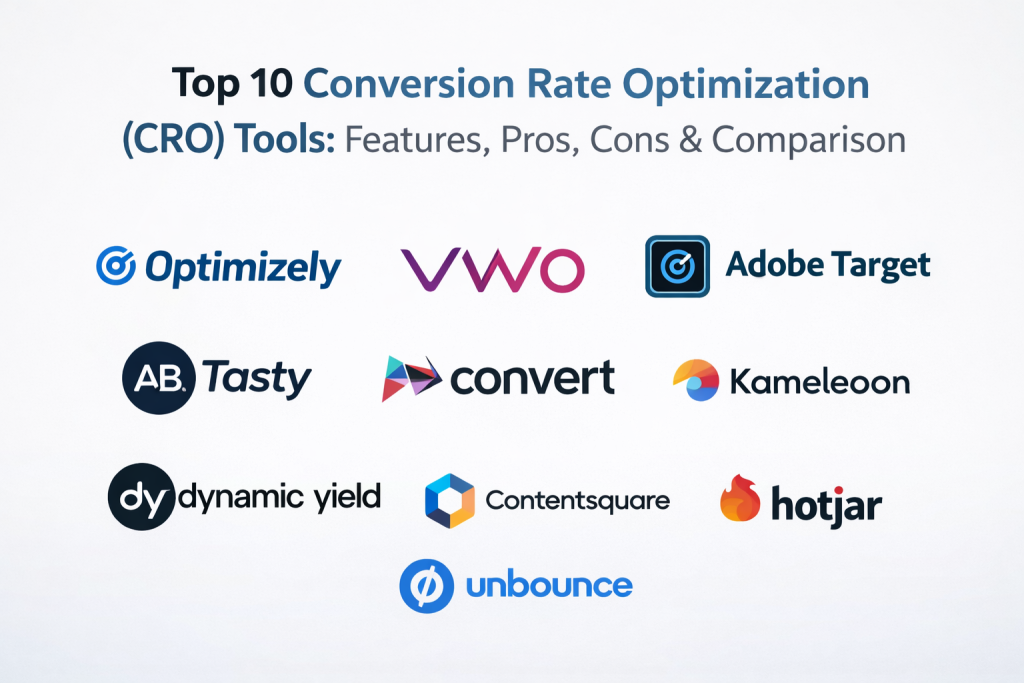
Introduction
Conversion Rate Optimization (CRO) tools help you improve how many visitors take a desired action on your website or app. That action can be a purchase, a signup, a demo request, a form submit, or even clicking the next step in a funnel. These tools make it easier to understand user behavior, test changes, and roll out winning experiences with less guesswork.
In real work, CRO tools are used to run A/B tests on landing pages, personalize offers for different audiences, reduce checkout drop-offs, validate new designs before full rollout, and connect behavioral insights to revenue outcomes. When buying CRO tools, most teams should evaluate: testing depth, personalization strength, analytics quality, heatmaps and session replay (if needed), integration fit, workflow and approvals, performance impact on page speed, governance, audience targeting, and team usability.
Best for: growth marketers, product managers, UX teams, eCommerce teams, performance marketing teams, and analytics teams across startups to enterprises that want measurable improvements in conversions and revenue.
Not ideal for: very small sites with low traffic, teams that cannot implement changes, or organizations that only need basic web analytics without experimentation. In those cases, simple analytics and UX fixes may deliver faster wins.
Key Trends in Conversion Rate Optimization (CRO) Tools
- AI-assisted experimentation that recommends hypotheses, segments, and test variants based on observed behavior
- Personalization moving from “rules only” to hybrid models that mix rules, predictions, and real-time context
- Stronger guardrails for governance: approvals, audit trails, role-based access, and safe rollout controls
- Faster performance expectations: lighter scripts, edge delivery options, and better control over flicker and load impact
- Deeper integration with product analytics, CDPs, and data warehouses to unify experimentation with customer data
- Increased focus on privacy, consent handling, and regional data handling constraints
- Experimentation beyond web pages: feature flags, in-app experiences, and multi-channel journeys
- Better collaboration features for cross-functional teams: commenting, versioning, and experiment documentation
- More emphasis on server-side and hybrid testing to reduce latency, improve accuracy, and support complex apps
- Value pressure: clearer pricing models, usage-based plans, and stronger ROI reporting built into dashboards
How We Selected These Tools
- Strong adoption and mindshare in CRO and experimentation workflows
- Coverage across key CRO needs: testing, targeting, analytics, and rollout governance
- Fit across segments: solo teams, SMBs, mid-market, and enterprise buyers
- Signals of reliability and performance focus, especially for high-traffic sites
- Integration breadth with common marketing, analytics, and data stacks
- Practical usability for non-technical teams while still supporting advanced setups
- Support and learning ecosystem strength: onboarding, docs, partner networks, and community content
- Clear product direction aligned with modern experimentation and personalization patterns
Top 10 Conversion Rate Optimization (CRO) Tools
1 — Optimizely
Optimizely is widely used for experimentation and personalization, especially in organizations that want structured testing programs and strong governance. It suits teams that run frequent experiments, need repeatable workflows, and want controlled rollouts.
Key Features
- A/B testing with robust experiment management workflows
- Personalization and targeting capabilities for segmented experiences
- Governance features for approvals, roles, and audit-friendly workflows
- Experiment reporting focused on business outcomes
- Options that support more advanced experimentation patterns
- Collaboration features for cross-functional teams
- Program-level visibility to manage multiple experiments at scale
Pros
- Strong for structured experimentation programs
- Good governance and workflow controls for larger teams
- Scales well for frequent testing across many pages or experiences
Cons
- Can be complex for small teams starting out
- Setup and program maturity often needed to get full value
- Pricing and packaging can vary by usage and modules
Platforms / Deployment
- Web
- Cloud / Hybrid (Varies / N/A for specific configurations)
Security & Compliance
- Not publicly stated (details vary by plan and contract)
Integrations & Ecosystem
Optimizely typically fits into modern marketing and analytics stacks, where experimentation connects to analytics, audience data, and campaign workflows.
- Analytics platforms (Varies)
- Tag managers (Varies)
- Data tools and customer data systems (Varies)
- APIs and extensions (Varies)
Support & Community
Often supported through documentation, onboarding programs, and enterprise support options. Community strength varies by region and plan.
2 — VWO
VWO is a popular CRO suite combining A/B testing with behavior insights and optimization workflows. It works well for teams that want testing plus supporting research tools in one place.
Key Features
- A/B testing and multivariate testing options (Varies by plan)
- Heatmaps and session recordings to support hypothesis creation
- Visitor segmentation and targeting for experiments
- Visual editing workflows for marketing teams
- Funnel analysis and goal tracking features (Varies)
- Reporting designed for conversion improvements
- Collaboration features for experiment planning and review
Pros
- Strong all-in-one approach for testing plus insights
- Friendly workflows for marketers and optimization teams
- Useful for continuous CRO programs
Cons
- Advanced use cases may require technical support
- Depth can vary across modules depending on plan
- Some teams prefer separate best-of-breed tools for replay or analytics
Platforms / Deployment
- Web
- Cloud (Varies / N/A for alternatives)
Security & Compliance
- Not publicly stated
Integrations & Ecosystem
VWO often integrates with analytics, tag management, and common marketing platforms to connect testing results with broader reporting.
- Analytics platforms (Varies)
- Tag managers (Varies)
- CRM and marketing tools (Varies)
- APIs / webhooks (Varies)
Support & Community
Generally known for structured onboarding and product documentation. Support tiers vary by plan.
3 — Adobe Target
Adobe Target is a well-known enterprise solution for personalization and experimentation, often used by organizations already invested in the Adobe ecosystem. It is best for teams that want deep targeting and enterprise-grade experience management workflows.
Key Features
- A/B testing and experience targeting
- Personalization workflows tied to audiences and segments
- Experimentation aligned with broader marketing operations
- Reporting and optimization dashboards (Varies by setup)
- Integration patterns designed for enterprise stacks
- Support for complex targeting and rules-based delivery
- Multi-team governance and approvals
Pros
- Strong fit for enterprise personalization programs
- Works well when paired with broader Adobe marketing tooling
- Good for complex segmentation and targeting needs
Cons
- Can be heavy for smaller teams
- Implementation can require specialized expertise
- Best value often comes with broader ecosystem adoption
Platforms / Deployment
- Web
- Cloud (Varies / N/A for specific architectures)
Security & Compliance
- Not publicly stated
Integrations & Ecosystem
Adobe Target is commonly used alongside other marketing and analytics tools, especially where data and content workflows are centralized.
- Marketing and analytics ecosystem integrations (Varies)
- Audience and profile systems (Varies)
- APIs and connectors (Varies)
- Tag management patterns (Varies)
Support & Community
Enterprise support is typically available through plan-based support and partner ecosystems. Documentation is generally strong, but setup complexity varies.
4 — AB Tasty
AB Tasty focuses on experimentation and personalization with strong usability for marketing and product teams. It is often selected by teams that want solid testing capabilities without extreme complexity.
Key Features
- A/B testing and feature experimentation workflows (Varies)
- Personalization and audience targeting tools
- Visual editing and campaign-style execution
- Experiment reporting focused on conversion outcomes
- Collaboration tools for approvals and iteration
- Segmentation for behavior and traffic sources
- Testing tools designed for iterative optimization programs
Pros
- Friendly for teams that want to move fast
- Good balance of testing and personalization features
- Suitable for structured CRO programs without heavy overhead
Cons
- Deep engineering-led experimentation may need additional tooling
- Some advanced patterns may require more customization
- Packaging differences can affect what’s included
Platforms / Deployment
- Web
- Cloud (Varies / N/A)
Security & Compliance
- Not publicly stated
Integrations & Ecosystem
AB Tasty typically supports integration into common marketing stacks to connect experiments with analytics and audience data.
- Analytics tools (Varies)
- Tag managers (Varies)
- Marketing platforms (Varies)
- APIs / extensions (Varies)
Support & Community
Support quality and onboarding can vary by plan. Documentation is usually available, and partner support may exist in some regions.
5 — Convert
Convert is often chosen by teams that want a straightforward, experimentation-first CRO platform with practical controls. It can be a good fit for organizations that value clean testing workflows and reliable execution.
Key Features
- A/B testing with focus on core experimentation workflows
- Targeting and segmentation options for common CRO scenarios
- Collaboration features for experiment review and governance
- Reporting designed for test interpretation and learning
- Integration hooks for analytics and tag managers (Varies)
- Practical controls for experiment setup and rollout
- Tooling that supports continuous iteration and documentation
Pros
- Strong focus on experimentation fundamentals
- Often easier to adopt than heavier enterprise suites
- Suitable for teams that want reliable testing without complexity overload
Cons
- May not match enterprise personalization depth of larger suites
- Some advanced analytics needs may require external tools
- Capabilities can vary based on plan and implementation
Platforms / Deployment
- Web
- Cloud (Varies / N/A)
Security & Compliance
- Not publicly stated
Integrations & Ecosystem
Convert is commonly paired with analytics and marketing tools so teams can connect test results to business reporting.
- Analytics platforms (Varies)
- Tag managers (Varies)
- Common marketing tools (Varies)
- APIs / webhooks (Varies)
Support & Community
Documentation and support are typically available, with plan-based differences. Community resources vary.
6 — Kameleoon
Kameleoon is known for experimentation and personalization, often used by teams that want both marketing-led tests and product-led experimentation patterns. It can support a mix of simple and advanced CRO use cases.
Key Features
- A/B testing and personalization workflows
- Audience targeting and segmentation features
- Experiment management suited to cross-functional teams
- Reporting with conversion and engagement focus
- Options for more advanced experimentation setups (Varies)
- Governance controls for managing multiple stakeholders
- Tools to support learning and optimization cycles
Pros
- Good balance for marketing and product experimentation needs
- Useful targeting and personalization capabilities
- Suitable for teams scaling beyond basic A/B testing
Cons
- Implementation effort varies based on site/app complexity
- Some advanced needs may require engineering support
- Plan differences can influence feature depth
Platforms / Deployment
- Web
- Cloud / Hybrid (Varies / N/A)
Security & Compliance
- Not publicly stated
Integrations & Ecosystem
Kameleoon is often integrated into analytics and marketing stacks to align experiments with business reporting and audience data.
- Analytics tools (Varies)
- Tag managers (Varies)
- Data and audience systems (Varies)
- APIs / connectors (Varies)
Support & Community
Support typically includes documentation and onboarding options. Depth depends on plan and region.
7 — Dynamic Yield
Dynamic Yield is widely associated with personalization and recommendation-driven experiences, often in commerce and content-heavy businesses. It helps teams deliver targeted experiences based on audience behavior and context.
Key Features
- Personalization and experience targeting
- Recommendation-style optimization patterns (Varies)
- Experimentation capabilities to validate experience changes
- Audience segmentation and journey-based targeting
- Reporting for engagement and conversion outcomes
- Tools for content and offer experimentation
- Integration patterns with customer data systems (Varies)
Pros
- Strong for personalization-driven CRO strategies
- Helpful for commerce and content personalization patterns
- Supports iterative testing tied to experience delivery
Cons
- Best value often requires solid data foundations
- Can be complex for teams without personalization maturity
- Some use cases need deeper technical setup
Platforms / Deployment
- Web
- Cloud (Varies / N/A)
Security & Compliance
- Not publicly stated
Integrations & Ecosystem
Dynamic Yield is often integrated with commerce platforms, analytics, and customer data tools so personalization is aligned with business data.
- Commerce platforms (Varies)
- Analytics systems (Varies)
- Customer data systems (Varies)
- APIs / webhooks (Varies)
Support & Community
Support and onboarding are typically structured for business teams, but exact tiers vary by contract.
8 — Contentsquare
Contentsquare is known for digital experience analytics that support CRO by helping teams understand friction points. It is often used to identify where users struggle, which then informs what to test and improve.
Key Features
- Experience analytics to identify journey friction
- Behavior insights that support CRO hypothesis creation
- Journey and funnel views (Varies)
- UX diagnostics to spot drop-offs and confusion
- Reporting that links experience signals to outcomes
- Collaboration workflows for product and UX teams
- Integrations that support data-informed experimentation (Varies)
Pros
- Strong for identifying what to fix before testing
- Helpful for UX-led CRO programs
- Good for cross-team visibility into user friction
Cons
- Not a full experimentation suite by itself for many teams
- Often paired with a dedicated A/B testing platform
- Depth depends on plan and implementation choices
Platforms / Deployment
- Web
- Cloud (Varies / N/A)
Security & Compliance
- Not publicly stated
Integrations & Ecosystem
Contentsquare is commonly used alongside testing tools and analytics platforms so insights become actionable experiments.
- Analytics platforms (Varies)
- Experimentation tools (Varies)
- Tag managers (Varies)
- Data tools (Varies)
Support & Community
Documentation and onboarding are commonly offered, especially for enterprise customers. Community usage varies.
9 — Hotjar
Hotjar is a widely used behavior insights tool that supports CRO by showing how users interact with pages. It is often used to gather qualitative signals that guide what to test and what to redesign.
Key Features
- Heatmaps to visualize clicks and scroll behavior
- Session recordings to observe real user interactions
- Feedback tools like surveys and polls (Varies)
- Funnels and drop-off indicators (Varies)
- Easy setup for quick insight gathering
- Collaboration for sharing findings across teams
- Workflow-friendly insights for CRO hypothesis creation
Pros
- Fast to adopt and easy for most teams
- Excellent for qualitative insight to guide CRO priorities
- Strong value for early-stage optimization programs
Cons
- Not a complete A/B testing platform by itself
- Interpretation can be subjective without strong analytics discipline
- Advanced experimentation requires pairing with a testing tool
Platforms / Deployment
- Web
- Cloud (Varies / N/A)
Security & Compliance
- Not publicly stated
Integrations & Ecosystem
Hotjar is often connected to analytics and team workflows so insights flow into experiment backlogs and product planning.
- Analytics platforms (Varies)
- Tag managers (Varies)
- Collaboration tools (Varies)
- APIs / connectors (Varies)
Support & Community
Strong documentation for onboarding and wide community familiarity. Support depth varies by plan.
10 — Unbounce
Unbounce is commonly used to build and optimize landing pages, which is a core CRO lever for many marketing teams. It is especially helpful when teams want rapid iteration on campaigns without heavy engineering dependence.
Key Features
- Landing page builder optimized for conversion-focused pages
- Testing workflows for page variants (Varies by plan)
- Templates and reusable components for campaign speed
- Form and conversion element customization
- Integrations with marketing stacks for lead flow
- Collaboration features for campaign execution
- Analytics and reporting features (Varies)
Pros
- Great for marketing teams moving fast on landing pages
- Reduces reliance on engineering for campaign iteration
- Strong fit for paid acquisition and lead generation funnels
Cons
- Not a full-site experimentation platform for many teams
- Deep personalization needs may require other tooling
- Some advanced analytics needs may require external tools
Platforms / Deployment
- Web
- Cloud (Varies / N/A)
Security & Compliance
- Not publicly stated
Integrations & Ecosystem
Unbounce typically integrates with CRMs, email tools, analytics platforms, and ad workflows so leads and attribution remain connected.
- CRM tools (Varies)
- Email and marketing automation (Varies)
- Analytics platforms (Varies)
- APIs / integrations (Varies)
Support & Community
Generally strong onboarding materials for marketers. Support tiers vary by plan.
Comparison Table
| Tool Name | Best For | Platform(s) Supported | Deployment | Standout Feature | Public Rating |
|---|---|---|---|---|---|
| Optimizely | Enterprise experimentation programs | Web | Cloud / Hybrid (Varies / N/A) | Governance and program-scale testing | N/A |
| VWO | All-in-one CRO suite | Web | Cloud | Testing plus heatmaps and recordings | N/A |
| Adobe Target | Enterprise personalization | Web | Cloud | Deep targeting with enterprise workflows | N/A |
| AB Tasty | Fast experimentation and personalization | Web | Cloud | Balance of testing and usability | N/A |
| Convert | Experimentation-first CRO | Web | Cloud | Practical testing workflows | N/A |
| Kameleoon | Marketing plus product experimentation | Web | Cloud / Hybrid (Varies / N/A) | Segmentation and personalization options | N/A |
| Dynamic Yield | Personalization-driven CRO | Web | Cloud | Personalization and targeted experiences | N/A |
| Contentsquare | Experience analytics for CRO | Web | Cloud | Friction discovery and journey insights | N/A |
| Hotjar | Qualitative behavior insights | Web | Cloud | Heatmaps, recordings, feedback signals | N/A |
| Unbounce | Landing page optimization | Web | Cloud | Rapid landing page iteration | N/A |
Evaluation and Scoring of Conversion Rate Optimization (CRO) Tools
Scoring uses a 1–10 scale per criterion, then a weighted total (0–10) based on these weights:
- Core features – 25%
- Ease of use – 15%
- Integrations & ecosystem – 15%
- Security & compliance – 10%
- Performance & reliability – 10%
- Support & community – 10%
- Price / value – 15%
| Tool Name | Core (25%) | Ease (15%) | Integrations (15%) | Security (10%) | Performance (10%) | Support (10%) | Value (15%) | Weighted Total (0–10) |
|---|---|---|---|---|---|---|---|---|
| Optimizely | 9 | 7 | 9 | 8 | 8 | 8 | 6 | 7.95 |
| VWO | 8 | 8 | 8 | 7 | 8 | 7 | 7 | 7.65 |
| Adobe Target | 9 | 6 | 9 | 8 | 8 | 7 | 5 | 7.55 |
| AB Tasty | 8 | 8 | 7 | 7 | 7 | 7 | 7 | 7.40 |
| Convert | 7 | 7 | 7 | 7 | 7 | 7 | 8 | 7.15 |
| Kameleoon | 8 | 7 | 7 | 7 | 7 | 7 | 7 | 7.25 |
| Dynamic Yield | 8 | 7 | 8 | 7 | 7 | 7 | 6 | 7.25 |
| Contentsquare | 7 | 7 | 7 | 7 | 8 | 7 | 6 | 6.95 |
| Hotjar | 6 | 9 | 6 | 7 | 7 | 8 | 9 | 7.30 |
| Unbounce | 6 | 8 | 6 | 7 | 7 | 7 | 8 | 6.90 |
How to interpret these scores:
- Treat the weighted total as a relative comparison, not an absolute truth.
- Higher “Core” favors deeper experimentation and personalization capabilities.
- Higher “Ease” favors teams who want quick adoption with minimal engineering load.
- If you have strict security requirements, prioritize tools where your vendor can clearly confirm controls during procurement.
- Always validate fit through a pilot on your own traffic and goals.
Which Conversion Rate Optimization (CRO) Tools Is Right for You?
Solo / Freelancer
If you are a solo operator, you usually need fast insight and quick iteration. Heavy enterprise experimentation tools can be too much overhead.
- Start with Hotjar to find friction and understand behavior patterns.
- Use Unbounce if your main CRO lever is landing pages for ads and lead generation.
- Add a dedicated testing platform later if you grow traffic and need more rigorous experiments.
SMB
SMB teams often need a balanced toolkit: testing plus insight, with reasonable setup effort and strong ROI tracking.
- Consider VWO for a broad CRO suite that supports testing and supporting insights.
- AB Tasty can be a strong option if you want a practical balance of experimentation and personalization.
- Pair Hotjar with a testing tool if you want deeper qualitative research without going full enterprise.
Mid-Market
Mid-market teams often run multiple funnels, multiple product lines, or multi-region campaigns. You need governance, repeatability, and stronger integration patterns.
- Kameleoon can fit when you need cross-team experimentation and segmentation.
- Convert works well for teams that want focused experimentation workflows.
- Add Contentsquare when friction discovery and journey analytics are central to your optimization strategy.
Enterprise
Enterprises usually require governance, approvals, audit-friendly workflows, and consistency across many teams and properties.
- Optimizely is often chosen for structured experimentation programs and scalable governance.
- Adobe Target is a common fit when your marketing stack is already aligned with Adobe workflows and you need deep targeting.
- Dynamic Yield is strong when personalization and tailored experiences are central to CRO strategy.
Budget vs Premium
- Budget-leaning stacks often combine Hotjar plus a simpler testing platform, then scale up later.
- Premium stacks favor robust governance, personalization, and enterprise rollout controls, often pointing toward Optimizely or Adobe Target depending on ecosystem fit.
Feature Depth vs Ease of Use
- If you want maximum depth for complex experimentation programs, focus on Optimizely or Adobe Target.
- If you want fast adoption for marketers and CRO specialists, VWO and AB Tasty are often easier starting points.
- If you want CRO impact primarily through landing pages, Unbounce keeps things simple and fast.
Integrations and Scalability
- Choose tools that match your analytics, tag management, and customer data strategy.
- If you plan to unify CRO insights with lifecycle marketing, prioritize stable integrations and clean data flows.
- For organizations with multiple teams, strong permissions and governance become more important than extra features.
Security and Compliance Needs
- If security reviews are strict, request documented controls from vendors and ensure SSO, RBAC, audit logs, and encryption expectations are met.
- If you handle sensitive data, ensure experiments avoid exposing user identifiers and align with your consent and privacy workflows.
- Where vendor compliance details are unclear, treat it as “must validate during procurement” rather than an assumption.
Frequently Asked Questions (FAQs)
1.What is the biggest mistake teams make with CRO tools?
Many teams jump into testing without strong hypotheses or clean measurement. Start with clear goals, stable tracking, and a consistent experiment log.
2..How much traffic do I need for A/B testing to work?
There is no single minimum, but very low traffic makes results slow and noisy. For small sites, focus first on usability fixes, message clarity, and funnel hygiene.
3.Should I choose a CRO suite or separate tools?
Suites reduce integration work and simplify workflows, while separate tools let you pick best-of-breed for testing, replay, and analytics. Choose based on team maturity and resources.
4.Do CRO tools slow down my site?
They can if scripts are heavy or poorly configured. Minimize page impact by controlling where tags load, limiting unnecessary features, and validating performance before full rollout.
5.How long should an experiment run?
Run long enough to capture normal traffic patterns and avoid stopping early due to short-term spikes. Use consistent rules for duration, sample size, and decision thresholds.
6.Can CRO tools support personalization, not just testing?
Yes, many support targeted experiences by segment, behavior, and context. However, personalization works best when your data and segmentation are reliable.
7.What should I validate in a pilot before committing?
Validate ease of setup, accuracy of tracking, integration fit, impact on performance, governance workflows, and how easy it is to share results across teams.
8.How do I avoid “winning” changes that do not hold up later?
Use strong experiment hygiene: clean tracking, stable baselines, guard against seasonal effects, and re-test or validate with follow-up experiments when stakes are high.
9.Can I use CRO tools with modern single-page applications?
Yes, but implementation varies. You may need engineering support for stable targeting, event tracking, and server-side or hybrid patterns.
10.What is a smart first step if I am new to CRO?
Start with behavioral insights using Hotjar, build a prioritized list of friction points, then run a small number of well-defined tests using a platform like VWO or AB Tasty.
Conclusion
CRO tools are most valuable when they turn curiosity into a disciplined learning loop: observe behavior, form a hypothesis, test safely, and roll out improvements with confidence. The right tool depends on your traffic, team maturity, tech stack, and how much governance you need. Shortlist two or three options, run a focused pilot on a high-impact funnel, and validate performance, integrations, and measurement before scaling your CRO program. CRO tools help you turn visitor behavior into clear, testable improvements that lift signups, leads, and sales. Pick the tool that matches your traffic level, team skills, and how much control and governance you need. Shortlist two or three tools, run a small pilot on one key funnel, and scale only after you trust the tracking and results.

Best Cardiac Hospitals Near You
Discover top heart hospitals, cardiology centers & cardiac care services by city.
Advanced Heart Care • Trusted Hospitals • Expert Teams
View Best Hospitals