Introduction
Configure, Price, Quote (CPQ) software is a specialized digital solution that helps manufacturers automate the sales cycle for highly customizable products. In a manufacturing context, products often involve thousands of potential parts, complex engineering constraints, and fluctuating material costs. CPQ acts as the bridge between sales and the shop floor, ensuring that every configured product is both buildable and profitable. By replacing manual spreadsheets with automated rules, these platforms allow sales teams to generate precise technical quotes and 3D visualizations in minutes rather than days.
In the 2026 landscape, CPQ has evolved from a simple pricing tool into a central “revenue engine.” For modern manufacturers, the ability to provide “Engineer-to-Order” or “Configure-to-Order” options is no longer a luxury but a competitive necessity. As supply chains become more volatile and customer expectations for instant gratification rise, CPQ software provides the agility needed to adjust prices in real-time and provide customers with an immersive, visual buying experience.
Best for: Industrial manufacturers, automotive companies, aerospace firms, and medical device producers that manage complex product catalogs with high levels of customization and inter-dependent parts.
Not ideal for: Manufacturers of simple, off-the-shelf commodities with fixed pricing, or small workshops that handle very low volumes of highly unique, handcrafted items where automated rules cannot be easily defined.
Key Trends in 3D Animation Software
- Visual Configuration and Augmented Reality: Modern CPQ tools now allow buyers to see 3D models of their custom machinery or products change in real-time as they select different options.
- AI-Driven Pricing Optimization: Artificial intelligence now analyzes market data, competitor pricing, and historical win-loss records to suggest the most competitive price for a specific deal.
- Direct CAD and BOM Integration: Advanced systems automatically generate a Bill of Materials (BOM) and CAD drawings the moment a quote is signed, drastically reducing the handoff time between sales and engineering.
- Agentic AI for Self-Healing Quotes: New AI agents can detect supply chain disruptions or cost increases and automatically update active quotes or suggest alternative components to maintain margins.
- Omnichannel B2B E-commerce: Manufacturers are increasingly moving their CPQ logic to customer-facing portals, allowing distributors and end-customers to configure and buy complex products directly.
- Sustainability and Carbon Tracking: Some platforms now calculate the estimated carbon footprint of a specific product configuration, helping manufacturers meet new environmental reporting requirements.
- Usage-Based and Hybrid Pricing: As “Equipment-as-a-Service” grows, CPQ tools are adapting to handle complex subscription models alongside traditional one-time hardware sales.
- Zero-Trust Security Architectures: With manufacturing data becoming a prime target for cyberattacks, CPQ vendors are embedding deeper encryption and identity management into their cloud platforms.
How We Selected These Tools
- Manufacturing-Specific Functionality: We prioritized tools that handle “Engineer-to-Order” (ETO) workflows and complex engineering constraints better than general-purpose sales tools.
- Integration Maturity: The selection focuses on platforms that offer deep, native connections to major ERP and CRM systems, which are the lifeblood of manufacturing data.
- Visual and 3D Capabilities: Heavy weight was given to tools that offer high-end visual configuration, as this is a primary driver for modern manufacturing sales.
- Scalability and Performance: We evaluated each tool’s ability to handle massive product catalogs with millions of potential permutations without lagging.
- Security and Compliance Posture: Only tools with established enterprise security credentials, such as SOC 2 and ISO 27001, were considered for this high-stakes list.
- User Adoption and Interface: We looked for platforms that balance back-end technical power with a front-end interface that sales reps actually enjoy using.
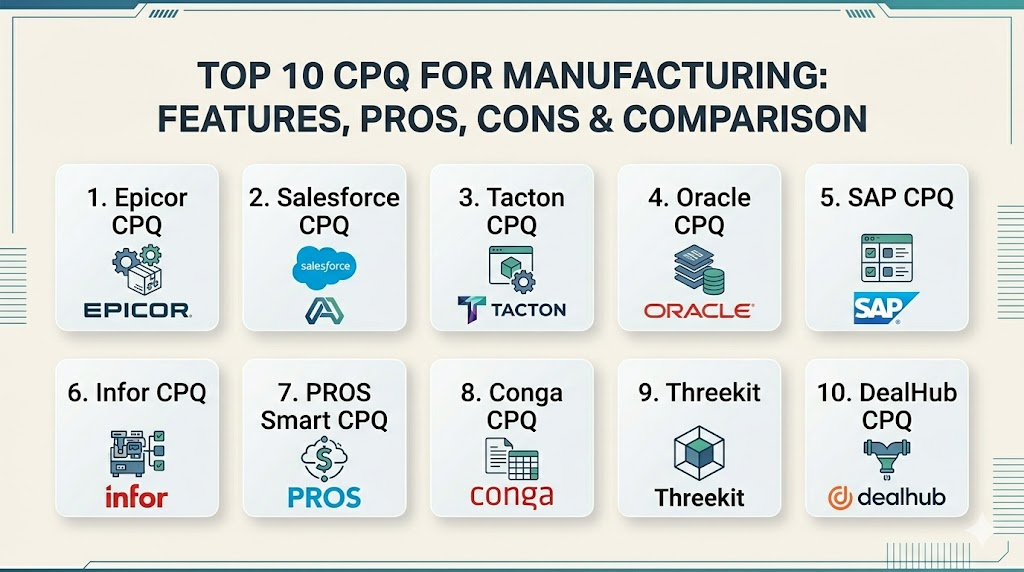
Top 10 CPQ for Manufacturing Tools
1. Epicor CPQ
Formerly known as KBMax, this platform is widely regarded as the leader in visual configuration. it is built specifically to handle the complex “rules-to-render” needs of heavy manufacturers.
Key Features
- Advanced 3D visual configurator that works in any web browser.
- Snap block-based rules engine that allows non-programmers to build complex logic.
- Automated generation of CAD files (SolidWorks, Autodesk) and assembly drawings.
- Instant Bill of Materials (BOM) generation for direct ERP integration.
- Dynamic pricing engine that scales with material and labor cost fluctuations.
Pros
- The best-in-class visual experience for complex, physical products.
- Significantly reduces the “sales-to-engineering” bottleneck.
Cons
- Higher initial setup time for extremely detailed 3D models.
- Can be more expensive than basic, non-visual CPQ alternatives.
Platforms / Deployment
Windows / Web / Cloud
Cloud
Security & Compliance
SOC 2 Type II, GDPR, and ISO 27001 compliant.
Not publicly stated.
Integrations & Ecosystem
Native integration with Epicor ERP and high-performance connectors for Salesforce and Microsoft Dynamics. It supports a wide range of CAD automation tools.
Support & Community
Strong enterprise support with a focus on manufacturing-specific engineering challenges. Community is highly active within the Epicor user ecosystem.
2. Salesforce CPQ & Manufacturing Cloud
A dominant player that brings the power of the Salesforce ecosystem to the manufacturing floor. It excels at managing the entire customer lifecycle from lead to recurring revenue.
Key Features
- Deep integration with Salesforce Manufacturing Cloud for demand forecasting.
- Guided selling workflows that lead reps through complex product selections.
- Advanced approval logic for managing deep discounts and technical exceptions.
- Multi-dimensional quoting for complex, long-term service contracts.
- Einstein AI for predictive pricing and “next-best-action” suggestions.
Pros
- Seamless if your company is already “all-in” on the Salesforce platform.
- Massive ecosystem of third-party apps and implementation partners.
Cons
- Requires a highly skilled administrator to manage complex deployments.
- Performance can occasionally lag with extremely large, multi-thousand-line quotes.
Platforms / Deployment
Web / iOS / Android
Cloud
Security & Compliance
HIPAA, SOC 2, PCI DSS, and FedRAMP compliant.
Top-tier encryption.
Integrations & Ecosystem
Unrivaled. It connects to almost any ERP via Mulesoft or pre-built connectors on the AppExchange.
Support & Community
The largest community in the software world (Trailhead). Professional support is available globally through thousands of certified partners.
3. Tacton CPQ
A specialized European powerhouse built specifically for complex manufacturing and “configure-to-order” industries like automotive and heavy machinery.
Key Features
- Constraint-based solver that finds the most optimal configuration, not just a valid one.
- Native CAD automation for real-time engineering drawing generation.
- Strong support for global pricing across different currencies and tax zones.
- Visual configuration that supports 2D and 3D product representations.
- Sustainable configuration tools that calculate the environmental impact of a build.
Pros
- Exceptionally strong at handling high-variance engineering constraints.
- Built-in focus on sustainability and compliance reporting.
Cons
- Less focus on “SaaS-style” subscription quoting than some competitors.
- Smaller pool of North American implementation specialists compared to Salesforce.
Platforms / Deployment
Windows / Web
Cloud / Hybrid
Security & Compliance
ISO 27001 and GDPR compliant.
Not publicly stated.
Integrations & Ecosystem
Strongest when paired with SAP or Microsoft Dynamics ERP systems. Offers deep PLM (Product Lifecycle Management) integration.
Support & Community
High-touch customer success model with deep expertise in industrial engineering.
4. Oracle CPQ
Formerly BigMachines, this is one of the most mature and powerful engines in the world, used by some of the largest global manufacturing conglomerates.
Key Features
- Robust BML scripting language for creating infinite custom logic.
- High-performance engine capable of handling tens of thousands of line items.
- Seamless “Quote-to-Order” flow within the Oracle CX ecosystem.
- Deal management tools that provide real-time margin analysis.
- Advanced document engine for creating complex technical proposals.
Pros
- Virtually limitless scalability for global enterprise needs.
- Extremely reliable for complex, multi-layered product hierarchies.
Cons
- The user interface can feel more “corporate” and less modern than newer apps.
- Steep learning curve for administrators who need to learn BML scripting.
Platforms / Deployment
Web / Windows / Mobile
Cloud
Security & Compliance
FedRAMP, HIPAA, SOC 1/2/3, and PCI DSS.
Standard Oracle security.
Integrations & Ecosystem
Best-in-class integration with Oracle ERP (NetSuite/EBS) and SAP. Powerful APIs for custom third-party connections.
Support & Community
Global 24/7 support with a massive network of Oracle-certified consultants.
5. SAP CPQ
The go-to choice for manufacturers who use SAP as their digital backbone. It is designed to bridge the gap between complex CRM sales and rigorous ERP order management.
Key Features
- Native integration with SAP S/4HANA for real-time inventory and credit checks.
- Highly flexible modeling for sophisticated product and bundle logic.
- Guided selling that ensures reps only sell what can actually be built.
- Multi-language and multi-currency support for global operations.
- Integration with SAP Variant Configuration (VC) for consistency across the business.
Pros
- Critical for maintaining a “single source of truth” in an SAP-heavy environment.
- Strong governance and audit trails for complex enterprise deals.
Cons
- Implementation can be resource-intensive and requires specialized SAP knowledge.
- Can feel rigid if the underlying ERP data is not well-maintained.
Platforms / Deployment
Web / Windows / Mobile
Cloud
Security & Compliance
Standard SAP security protocols with SOC 2 compliance.
Not publicly stated.
Integrations & Ecosystem
Designed to be the front-end for SAP Sales Cloud and SAP S/4HANA.
Support & Community
Massive corporate support network with dedicated user groups via SAP Communities.
6. Infor CPQ
A manufacturing-first solution that emphasizes a visual, dealer-centric approach to selling complex products like furniture, doors, and specialized vehicles.
Key Features
- “2D/3D Design-to-Order” capabilities that allow for immersive visual quoting.
- Automated creation of manufacturing instructions and shop floor documents.
- Dealer portal functionality that allows external partners to quote easily.
- Integration with Infor’s industry-specific ERP systems.
- Rule-based pricing that accounts for dimensional measurements (length, width, depth).
Pros
- Excellent for businesses that rely heavily on a distributor or dealer network.
- Strong focus on the physical “manufacturing-to-delivery” process.
Cons
- The user interface can feel utilitarian compared to newer “Visual Commerce” tools.
- Best suited for those already within or moving to the Infor ecosystem.
Platforms / Deployment
Windows / Web
Cloud / Hybrid
Security & Compliance
SOC 1 & 2, HIPAA, and GDPR compliant.
Not publicly stated.
Integrations & Ecosystem
Deepest when used with Infor CloudSuite ERPs but offers APIs for other CRM platforms.
Support & Community
Strong enterprise support with dedicated user groups focused on industrial sectors.
7. PROS Smart CPQ
A platform that puts “Price” at the center of the equation, using advanced data science to maximize margins in high-volume manufacturing sectors.
Key Features
- AI-driven price optimization that calculates the “willingness to pay” for every deal.
- High-speed quoting for large-scale distribution and spare parts businesses.
- Guided selling that proactively suggests cross-sell and up-sell opportunities.
- Integration with market data to adjust prices based on commodity shifts.
- Advanced analytics that track pricing performance and sales effectiveness.
Pros
- The best tool for optimizing profit margins through intelligent pricing.
- Handles high-volume, commodity-driven pricing better than any other.
Cons
- Implementation is complex because it requires significant historical data for the AI.
- Not as focused on “3D/CAD” visual configuration as some competitors.
Platforms / Deployment
Web / Windows
Cloud
Security & Compliance
SOC 2 Type II, GDPR, and ISO 27001.
Not publicly stated.
Integrations & Ecosystem
Native integration with Microsoft Dynamics 365 and Salesforce.
Support & Community
Professional services focus heavily on data science and pricing strategy.
8. Conga CPQ
Known for its strength in document and contract automation, Conga (formerly Apttus) is ideal for manufacturers with complex legal or compliance requirements.
Key Features
- Powerful document generation for creating pixel-perfect, branded proposals.
- Integrated Contract Lifecycle Management (CLM) for managing legal redlines.
- Constraint-based configuration that handles complex nested product bundles.
- “Apttus Max” AI assistant for quote generation and contract risk analysis.
- Renewals and subscription management for recurring service revenue.
Pros
- The best choice if the quote document and contract are as complex as the product.
- Strong focus on legal and compliance risk throughout the sales process.
Cons
- Can feel “heavier” and require more upfront configuration than agile rivals.
- User experience can be more complex due to the depth of the document tools.
Platforms / Deployment
Web / Mobile
Cloud
Security & Compliance
SOC 2 and HIPAA compliant.
Standard Conga security.
Integrations & Ecosystem
Strongest on the Salesforce platform but offers standalone versions.
Support & Community
Dedicated enterprise support with a large base of professional services partners.
9. Threekit
A “Visual Commerce” platform that has become a critical layer for manufacturers who want to use 3D, Virtual Reality, and Augmented Reality as their primary sales advantage.
Key Features
- High-fidelity 3D configuration that creates photorealistic renders on the fly.
- Virtual Photographer technology that eliminates the need for physical product shoots.
- Augmented Reality (AR) that lets customers place 3D machinery on their own shop floor.
- Headless API that allows the configuration engine to be placed on any website.
- Deep integration with the logic layers of other CPQ systems like Salesforce or Oracle.
Pros
- The ultimate tool for manufacturers who want a “Retail-like” buying experience.
- Drastically improves customer confidence and reduces product returns.
Cons
- Primarily a visualization layer; may need a separate tool for heavy ERP-BOM logic.
- Requires high-quality 3D assets to truly shine.
Platforms / Deployment
Web / iOS / Android
Cloud
Security & Compliance
SOC 2 Type II and GDPR compliant.
Not publicly stated.
Integrations & Ecosystem
Designed to act as the “Visual Engine” for Salesforce, Oracle, SAP, and Magento.
Support & Community
Modern, fast-paced support with a heavy focus on user experience and digital transformation.
10. DealHub CPQ
A modern, no-code platform that focuses on “Deal Orchestration,” making it ideal for mid-market manufacturers who need to move fast without a massive IT team.
Key Features
- “DealRoom” digital sales rooms where buyers can access quotes and content in one place.
- Zero-code configuration engine that allows sales ops to make changes in minutes.
- Built-in contract management and e-signature for a unified “Quote-to-Cash” flow.
- Guided selling that uses a simple question-and-answer format for reps.
- Real-time buyer intent signals that show when a customer is viewing the quote.
Pros
- Fastest time-to-value for companies that want to avoid long implementations.
- Very high user adoption due to the intuitive, modern interface.
Cons
- May not handle the most extreme “multi-layered” engineering constraints as well as Tacton.
- Fewer manufacturing-specific “CAD/BOM” features out of the box.
Platforms / Deployment
Web / Mobile
Cloud
Security & Compliance
SOC 2 Type II and GDPR compliant.
Not publicly stated.
Integrations & Ecosystem
Native, bi-directional sync with HubSpot, Salesforce, and Microsoft Dynamics.
Support & Community
Highly responsive, agile support team with a growing network of RevOps partners.
Comparison Table
| Tool Name | Best For | Platform(s) Supported | Deployment | Standout Feature | Public Rating |
| 1. Epicor CPQ | 3D Visualization | Web, Windows | Cloud | CAD Automation | N/A |
| 2. Salesforce CPQ | Ecosystem Depth | Web, iOS, Android | Cloud | Revenue Cloud | N/A |
| 3. Tacton CPQ | Engineering Logic | Web, Windows | Cloud/Hybrid | Sustainability | N/A |
| 4. Oracle CPQ | Global Enterprise | Web, Windows | Cloud | BML Scripting | N/A |
| 5. SAP CPQ | SAP ERP Users | Web, Windows | Cloud | ERP Integration | N/A |
| 6. Infor CPQ | Dealer Networks | Web, Windows | Cloud/Hybrid | Shop Floor Docs | N/A |
| 7. PROS Smart CPQ | Pricing Science | Web, Windows | Cloud | AI Optimization | N/A |
| 8. Conga CPQ | Contract/Doc Flow | Web, Mobile | Cloud | CLM/Legal | N/A |
| 9. Threekit | Visual Commerce | Web, iOS, Android | Cloud | Augmented Reality | N/A |
| 10. DealHub CPQ | Mid-Market Agility | Web, Mobile | Cloud | DealRooms | N/A |
Evaluation & Scoring
| Tool Name | Core (25%) | Ease (15%) | Integrations (15%) | Security (10%) | Perf (10%) | Support (10%) | Value (15%) | Total |
| 1. Epicor CPQ | 10 | 7 | 9 | 9 | 9 | 9 | 8 | 8.85 |
| 2. Salesforce CPQ | 9 | 5 | 10 | 10 | 8 | 10 | 7 | 8.40 |
| 3. Tacton CPQ | 10 | 6 | 8 | 9 | 10 | 8 | 7 | 8.15 |
| 4. Oracle CPQ | 10 | 4 | 9 | 10 | 10 | 9 | 6 | 8.10 |
| 5. SAP CPQ | 9 | 6 | 10 | 9 | 9 | 8 | 7 | 8.20 |
| 6. Infor CPQ | 8 | 7 | 9 | 9 | 8 | 8 | 8 | 8.00 |
| 7. PROS Smart CPQ | 8 | 6 | 9 | 9 | 10 | 8 | 8 | 8.10 |
| 8. Conga CPQ | 9 | 5 | 9 | 9 | 8 | 9 | 7 | 8.05 |
| 9. Threekit | 7 | 8 | 10 | 9 | 10 | 8 | 8 | 8.15 |
| 10. DealHub CPQ | 7 | 10 | 9 | 9 | 9 | 9 | 9 | 8.45 |
The evaluation of CPQ software for manufacturing focuses on the software’s ability to handle extreme technical complexity while maintaining sales velocity. Epicor CPQ scores exceptionally high because it successfully unifies engineering precision with a modern visual interface. Platforms like Salesforce and SAP score highly on integration and ecosystem, as they are often the “operating system” for the entire enterprise. Meanwhile, tools like DealHub represent the shift toward ease of use, proving that technical power doesn’t have to mean a poor user experience.
Which 3D Animation Software Tool Is Right for You?
Solo / Freelancer
For small, custom manufacturing consultants or independent reps, the priority is a tool that requires zero maintenance. A “lightweight” CPQ like DealHub or a visualization-focused tool like Threekit can provide a professional edge without a heavy IT burden.
SMB
Small to medium manufacturers should look for “all-in-one” solutions that don’t require multiple developers to maintain. Epicor CPQ and DealHub offer the fastest path from purchase to an active, quote-generating sales team.
Mid-Market
Growing manufacturers need a platform that can bridge the gap between their sales team and their ERP system. Infor CPQ and PROS are excellent for mid-market teams focusing on specific niches like specialized vehicles or industrial distribution.
Enterprise
For global conglomerates with multiple brands and regions, the choice usually comes down to the existing stack. Oracle CPQ, SAP CPQ, and Salesforce CPQ are the only platforms with the proven governance and scale to manage multi-billion-dollar global revenue streams.
Budget vs Premium
Manufacturers must weigh the cost of the software against the cost of “quoting errors.” A premium tool like Tacton or Epicor may seem expensive, but if it eliminates a single $50,000 engineering mistake on a custom build, it has already paid for itself.
Feature Depth vs Ease of Use
If your products are “Engineer-to-Order” with heavy constraints, you must choose depth (Tacton/Oracle). If your products are mostly “Configure-to-Order” (selecting from a menu), you should prioritize ease of use to keep sales moving fast.
Integrations & Scalability
In manufacturing, a CPQ tool that doesn’t talk to the ERP is just a fancy calculator. Ensure your choice has a native, high-performance connector for your specific accounting and inventory systems to avoid a “data island.”
Security & Compliance Needs
As manufacturing becomes more digital, the risk of IP theft increases. Choosing a tool with ISO 27001 or SOC 2 Type II compliance is critical for protecting your product designs and customer data from emerging cybersecurity threats.
Frequently Asked Questions (FAQs)
1. What is the difference between standard CPQ and Manufacturing CPQ?
Manufacturing CPQ handles engineering constraints and generates technical outputs like Bills of Materials (BOM) and CAD drawings, which standard CPQ tools typically do not support.
2. Can CPQ software help reduce product lead times?
Yes, by automating the quote-to-order process and generating manufacturing instructions instantly, CPQ can reduce the time between a customer signing a quote and production starting by as much as 50%.
3. Does CPQ software require a clean product database?
Yes, the effectiveness of any CPQ tool depends on having accurate, structured data for your parts, pricing, and engineering rules. A “data cleanup” phase is usually part of any implementation.
4. How does 3D configuration impact sales?
Visual configuration increases buyer confidence and reduces “buyer’s remorse.” It allows customers to verify that the custom product meets their exact needs before it is built.
5. Is CPQ only for the internal sales team?
No, many manufacturers provide CPQ access to their distributors, dealers, and even end-customers via self-service portals to streamline the entire buying journey.
6. Can CPQ handle fluctuating material costs like steel or aluminum?
Yes, advanced CPQ engines can pull real-time material costs from an ERP or external market feed to ensure that every quote maintain the company’s required profit margin.
7. How long does a typical implementation take?
A straightforward deployment can take 3–4 months, while a complex enterprise implementation with deep ERP and CAD integration can take 9–12 months or longer.
8. Do I need to be a developer to write CPQ rules?
Many modern tools use “no-code” or “low-code” visual editors, allowing product experts and sales ops teams to build and maintain rules without a computer science degree.
9. What is “Engineer-to-Order” (ETO)?
ETO refers to products that require unique engineering work for every order. CPQ helps by automating the predictable parts of the engineering process so human engineers can focus on the truly unique parts.
10. Why is direct ERP integration so important?
Direct integration ensures that the pricing is based on actual inventory levels and costs, and it allows the quote to be converted into a production order automatically once signed.
Conclusion
Implementing the right CPQ software is one of the most transformative investments a modern manufacturer can make. It is not just about making quoting faster; it is about connecting the creative process of sales with the rigorous precision of engineering. In an era where customization is the standard and margins are thin, the ability to configure, price, and quote with absolute accuracy is a critical survival skill. By selecting a platform that aligns with your technical needs and your existing software stack, you can eliminate the costly errors and delays that hold your business back, ultimately creating a faster, more reliable, and more profitable production engine.

Best Cardiac Hospitals Near You
Discover top heart hospitals, cardiology centers & cardiac care services by city.
Advanced Heart Care • Trusted Hospitals • Expert Teams
View Best Hospitals