Introduction
Cross-browser testing platforms are specialized cloud-based environments that allow developers and QA engineers to verify that their web applications function correctly across a multitude of different browsers, operating systems, and devices. In a world where a single website might be accessed via an old version of Safari on an iPhone, the latest Chrome on Windows, or a niche browser on a Linux machine, these tools provide a unified way to ensure a consistent user experience. They eliminate the need for a physical “device lab” by providing instant remote access to thousands of real and emulated configurations.
As we move through the mid-2020s, the diversity of the digital landscape has only increased. New device form factors, folding screens, and the rapid release cycles of browser engines make manual testing on physical hardware nearly impossible for modern teams. These platforms matter because they offer the infrastructure required for high-speed automated testing, enabling companies to catch layout shifts, JavaScript errors, and performance bottlenecks before they reach the customer. In a competitive market, ensuring a website is “pixel-perfect” on every screen is a fundamental requirement for user trust and retention.
Real-World Use Cases
- Responsive Design Validation: Testing how a complex web layout adapts to different screen resolutions and orientations on real mobile devices.
- Regression Testing: Automatically running hundreds of test scripts across multiple browser versions every time a new piece of code is committed.
- Legacy Support: Verifying that critical business applications still function for users who are required to use older, corporate-mandated browser versions.
- Geolocation Testing: Checking how a website handles localized content, currencies, and languages based on different global IP locations.
- Visual Regression: Using AI-powered snapshots to detect even the slightest unintended changes in UI elements across different rendering engines.
Evaluation Criteria for Buyers
- Real Device Availability: Does the platform offer access to actual hardware, or does it rely solely on emulators and simulators?
- Parallel Execution Power: How many tests can the platform run simultaneously to reduce total testing time?
- Browser/OS Coverage: The depth and breadth of the library, including the speed at which they add the latest “Day 0” browser releases.
- Automation Framework Support: Compatibility with popular tools like Selenium, Playwright, Cypress, and Appium.
- Performance & Latency: The responsiveness of the remote connection during manual “live” testing sessions.
- CI/CD Integration: How easily the platform fits into existing DevOps pipelines (Jenkins, GitHub Actions, GitLab).
- Security & Tunneling: Features that allow for secure testing of local or “behind-the-firewall” development servers.
Best for: Quality assurance teams, frontend developers, and enterprise organizations needing to ensure broad web compatibility and high-speed release cycles.
Not ideal for: Simple static websites with no interactive elements, or solo developers who only need to support the most current version of a single browser.
Key Trends in Cross-browser Testing Platforms
- AI-Powered Self-Healing: Modern platforms use AI to automatically update test scripts when minor UI changes (like a button ID change) occur, drastically reducing maintenance.
- Shift-Left Testing: Tools are increasingly moving into the developer’s local environment, allowing for browser testing earlier in the development lifecycle.
- Visual AI Integration: A shift from traditional “element-based” testing to “visual-based” testing that understands how a page actually looks to a human eye.
- Sustainable Testing Labs: Providers are optimizing their data centers for energy efficiency, reflecting a broader industry push toward green cloud computing.
- Hyper-Parallelism: The ability to scale to thousands of parallel threads in seconds, making 2,000+ environment tests possible in under ten minutes.
- Headless Browser Dominance: Increased use of headless browsers for ultra-fast functional verification before running final “smoke tests” on real devices.
- Native Low-Code/No-Code Authoring: Built-in tools that allow non-technical stakeholders to record and execute cross-browser tests without writing code.
- Unified Web & Mobile Clouds: A move toward single platforms that handle both desktop web and native mobile application testing under one unified dashboard.
How We Selected These Tools
Our methodology for selecting the top ten cross-browser testing platforms involved a detailed assessment of market mindshare, reliability, and technical innovation. We prioritized platforms that provide a “real device cloud” over those that rely only on software emulators, as real-world hardware provides the most accurate results for mobile testing. We evaluated the speed of environment provisioning, the maturity of their API for automation, and the robustness of their reporting dashboards. We also considered the “time-to-market” for new browser versions and the quality of their security certifications, which is essential for enterprise users in regulated industries. Finally, we looked for tools that offer a balanced mix of manual and automated testing capabilities to suit teams of all sizes and skill levels.
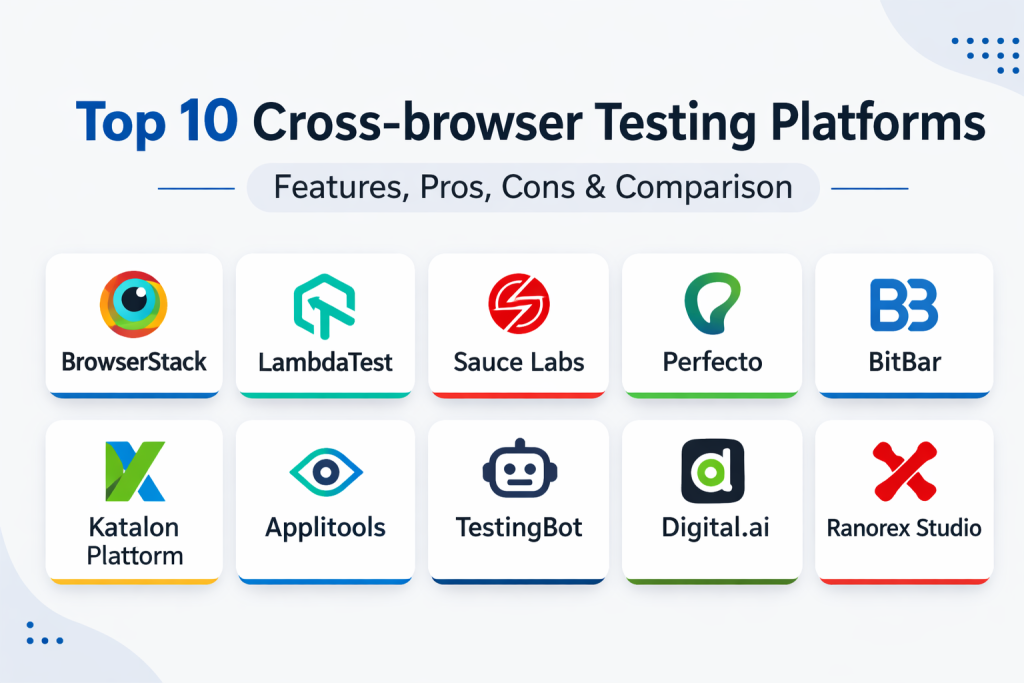
Top 10 Cross-browser Testing Platforms
1. BrowserStack
BrowserStack is widely considered the market leader in the cross-browser testing space. It provides instant access to a massive cloud of over 3,000 real mobile devices and desktop browsers. It is known for its “pristine” environment approach, where every session starts on a clean machine to ensure no data leaks or cache interference.
Key Features
- Real Device Cloud: Access to actual physical iPhones, Pixels, and Samsung devices, not just emulators.
- Live Testing: Interactive manual testing with features like geolocation, network throttling, and natural gestures.
- Automate: Highly scalable grid for running Selenium, Playwright, Cypress, and Puppeteer tests in parallel.
- App Live & App Automate: Dedicated environments for manual and automated testing of native mobile apps.
- Test Observability: A sophisticated dashboard for analyzing build health and detecting flaky tests.
Pros
- Unrivaled breadth and depth of real device and browser combinations.
- Extremely fast setup and excellent integration with standard CI/CD tools.
Cons
- Can be significantly more expensive for small teams or individual developers.
- Performance can occasionally experience latency during peak global usage hours.
Platforms / Deployment
Web / Cloud — Managed
Security & Compliance
SOC 2 Type 2, ISO 27001, and GDPR compliant with secure tunneling for local testing.
Integrations & Ecosystem
Integrates with almost every major developer tool, including Jira, Slack, GitHub, Jenkins, and Azure DevOps. It supports all major automation frameworks natively.
Support & Community
Industry-leading documentation and a massive community of users. It offers 24/7 professional support for enterprise accounts.
2. LambdaTest
LambdaTest has rapidly become a top competitor by offering a high-performance cloud grid at a very competitive price point. It focuses on speed and developer experience, providing a range of AI-powered features to simplify the testing of modern web applications.
Key Features
- HyperExecute: A next-generation test orchestration platform designed to run automated tests at maximum speed.
- Smart UI: AI-powered visual regression testing to catch UI discrepancies across different browsers.
- Real Device Testing: A robust cloud of real Android and iOS devices for manual and automated checks.
- LT Browser: A specialized browser for developers to build and test responsive websites across 50+ viewports simultaneously.
- One-Click Bug Logging: Direct integration to push discovered issues into project management tools.
Pros
- Highly cost-effective pricing models compared to legacy competitors.
- Focus on speed and reducing test execution times through advanced orchestration.
Cons
- The UI can occasionally feel cluttered due to the rapid addition of new features.
- Real device coverage, while extensive, is still catching up to the market leader in some niche regions.
Platforms / Deployment
Web / Cloud — Managed
Security & Compliance
SOC 2, GDPR, and ISO compliant with enterprise-grade data encryption.
Integrations & Ecosystem
Strongest integration list for CI/CD, including specialized support for smaller or newer DevOps tools. Deeply supports Selenium, Cypress, and Playwright.
Support & Community
Very responsive 24/7 chat support and a fast-growing community of automation engineers.
3. Sauce Labs
Sauce Labs is an enterprise-focused testing platform that emphasizes the “Continuous Testing” lifecycle. It provides a unified toolchain that helps teams shift their testing to the left, catching bugs earlier in the development process.
Key Features
- Unified Testing Cloud: A single platform for web, mobile, and API testing.
- Sauce Visual: Automated visual testing that identifies layout and styling issues without brittle scripts.
- Sauce Insights: Detailed analytics that provide root cause analysis for failed tests.
- Failure Analysis: Uses machine learning to categorize common failure patterns across large test suites.
- Private Cloud Options: Offers private device clouds for organizations with extreme security requirements.
Pros
- Exceptional reporting and analytics for large-scale enterprise teams.
- Very stable and reliable for high-volume automated testing.
Cons
- Pricing is higher than many competitors, aimed squarely at the mid-market and enterprise.
- The learning curve for advanced configurations and private cloud setup can be steep.
Platforms / Deployment
Web / Cloud / Private Cloud — Managed
Security & Compliance
Highest industry-standard security including SOC 2 Type 2 and FedRAMP authorized.
Integrations & Ecosystem
Deeply integrated with the Sauce DevOps Test Toolchain and supports all major automation frameworks including Appium.
Support & Community
Proactive enterprise support and an extensive library of educational resources and tutorials.
4. Perfecto (by Perforce)
Perfecto is a high-end testing platform specifically designed for large organizations that need sophisticated mobile and web testing. It is known for its “Script Once” technology and its ability to handle complex enterprise scenarios.
Key Features
- Smart Reporting: High-level dashboards that provide visibility across manual and automated testing.
- Fast Path-to-Resolution: Includes video recordings, logs, and screenshots for every test execution.
- Enterprise Scalability: Designed to support thousands of users across global locations.
- Network Virtualization: Simulate various real-world network conditions (3G, 4G, 5G, fluctuating latency).
- Test Management Integration: Native support for managing test cases within the Perforce ecosystem.
Pros
- Excellent for maintaining and managing a vast array of global devices in a secure cloud.
- Very strong mobile-specific testing capabilities, including biometric and camera simulation.
Cons
- One of the most expensive platforms on the market.
- The interface and setup are more complex, geared toward experienced QA engineers.
Platforms / Deployment
Web / Cloud / Hybrid — Managed
Security & Compliance
Extremely high security standards, often used by banking, healthcare, and government agencies.
Integrations & Ecosystem
Integrates with standard open-source tools and enterprise test management systems like Micro Focus and Microsoft Azure.
Support & Community
Dedicated success managers for enterprise clients and a professional support team.
5. BitBar (by SmartBear)
BitBar, part of the SmartBear family, provides a flexible and scalable cloud for web and mobile testing. It is unique in that it offers an “unlimited” approach to many of its features, allowing teams to scale their testing without worrying about per-minute costs.
Key Features
- Unified Cloud: A single environment for testing web, native, and hybrid applications.
- Parallel Execution: Designed to decrease test execution time by running tests across hundreds of devices at once.
- Flexible Deployment: Options for public cloud, dedicated cloud, or on-premises deployment.
- Framework Agnostic: Supports any framework that can communicate with Selenium or Appium.
- No-Code Testing: Integration with SmartBear’s other tools for recording and playing back tests.
Pros
- Very clean and user-friendly interface that is easy for new teams to adopt.
- Flexible pricing that can be more predictable for teams with high testing volumes.
Cons
- Does not have as many advanced “AI” features as some newer competitors.
- Can experience slower performance when testing on older, legacy mobile devices.
Platforms / Deployment
Web / Cloud / On-Premises — Managed
Security & Compliance
Standard corporate compliance (SOC 2) with secure local testing capabilities.
Integrations & Ecosystem
Integrates perfectly with the SmartBear toolset (like TestComplete) and standard CI/CD pipelines.
Support & Community
Strong support team and a professional user base across various industries.
6. Katalon Platform
Katalon is a comprehensive quality management platform that simplifies cross-browser testing by providing an all-in-one environment. It is designed to bridge the gap between technical and non-technical testers with its dual-mode interface.
Key Features
- Katalon TestCloud: A built-in cloud environment to execute tests across various browsers and OS versions.
- Record & Playback: Allows beginners to create robust cross-browser tests without writing code.
- Object Repository: Centralized management of UI elements to make test maintenance easier.
- Katalon TestOps: Advanced analytics and orchestration to manage the entire testing lifecycle.
- Visual Testing: Integrated AI-driven visual comparison to detect UI regressions.
Pros
- Low entry barrier for teams transitioning from manual to automated testing.
- Unified platform for web, mobile, API, and desktop testing.
Cons
- Can become expensive as teams move from the free version to the full enterprise suite.
- Limited customization options for very advanced, technical test logic.
Platforms / Deployment
Windows / macOS / Linux / Cloud — Managed
Security & Compliance
Standard SOC 2 compliance with secure tunnel (TestCloud Tunnel) for private domains.
Integrations & Ecosystem
Impressive integration list including Jira, Azure DevOps, Jenkins, Slack, and Git.
Support & Community
Huge community forum and a structured support system that scales with your subscription tier.
7. Applitools
Applitools is a specialized platform that focuses on “Visual AI” rather than just functional testing. It is designed to be used alongside other cross-browser tools to ensure that a website looks correct on every possible configuration.
Key Features
- Applitools Eyes: The core visual AI engine that detects layout shifts, misalignments, and styling bugs.
- Ultrafast Grid: A unique way to run visual tests across multiple browsers in parallel with a single execution.
- Applitools Autonomous: Next-generation tool for the autonomous creation and analysis of functional and visual tests.
- Visual Regression: Compares “checkpoints” against “baselines” using AI that ignores irrelevant pixel-level noise.
- Smart Bug Grouping: Automatically groups similar visual defects to reduce review time for QA teams.
Pros
- The best tool for catching UI issues that functional scripts often miss.
- Drastically reduces test maintenance by using “visual locators” instead of brittle code.
Cons
- It is a specialized tool and usually requires another platform (like Sauce Labs) for full execution.
- The cost can be high for projects with a very large number of screen variations.
Platforms / Deployment
Web / Cloud — Managed
Security & Compliance
SOC 2 Type 2 compliant with high-level data encryption.
Integrations & Ecosystem
Integrates with all major automation frameworks and cross-browser clouds like BrowserStack and Sauce Labs.
Support & Community
Extensive documentation and a professional community of “Visual AI” experts.
8. TestingBot
TestingBot is a straightforward and reliable cloud-based platform that offers automated and manual testing on a wide range of browser and mobile device combinations. It is known for its stability and competitive “flat rate” pricing.
Key Features
- Automated Testing Grid: Large-scale grid for Selenium, Appium, Playwright, and Puppeteer.
- Live Testing: Direct remote control of real browsers and mobile devices from your own browser.
- Visual Testing: Automatically compares screenshots across different environments to find UI bugs.
- Headless Testing: Fast execution of functional tests on headless browsers to speed up the dev cycle.
- Local Testing: Secure tunneling to test websites that are not yet public.
Pros
- Very stable and fast WebDriver execution on multiple operating systems.
- Affordable pricing for teams that need unlimited manual testing.
Cons
- The user interface is more functional than modern, which may not appeal to all users.
- Fewer “AI-driven” features compared to the newer generation of tools.
Platforms / Deployment
Web / Cloud — Managed
Security & Compliance
Standard SOC compliance with secure data handling.
Integrations & Ecosystem
Good support for CI/CD tools like Jenkins, CircleCI, and GitLab.
Support & Community
Responsive customer support and clear technical documentation.
9. Digital.ai Continuous Testing
Digital.ai (formerly Experitest) provides a large-scale enterprise platform for testing web and mobile apps. It is designed for high-volume environments and emphasizes integration within the full DevOps value stream.
Key Features
- Large-Scale Device Lab: Access to hundreds of real mobile devices and browsers in a secure cloud.
- Performance Testing: Ability to measure application performance under various network and device conditions.
- Live Stream Analysis: Real-time visibility into test execution for faster debugging.
- Autonomous Testing: AI-driven test creation and prioritization based on user stories and code changes.
- Enterprise Reporting: Advanced analytics that provide visibility across multiple teams and projects.
Pros
- Excellent for massive enterprises that need to manage global testing capacity.
- Very strong mobile testing features, including support for complex native gestures.
Cons
- Significant learning curve and initial setup complexity.
- Pricing is high and usually requires direct consultation for a quote.
Platforms / Deployment
Cloud / On-Premises / Hybrid — Managed
Security & Compliance
Enterprise-grade security used by the world’s largest banking and insurance firms.
Integrations & Ecosystem
Integrates into the broader Digital.ai platform for end-to-end DevOps visibility.
Support & Community
Professional support with a focus on helping enterprise clients scale their automation.
10. Ranorex Studio
Ranorex Studio is a powerful all-in-one automation tool that provides robust cross-browser testing for web applications. It is known for its superior object recognition and its ability to handle complex legacy web technologies.
Key Features
- Ranorex Spy: A unique tool for identifying even the most dynamic UI elements with high precision.
- Built-in Selenium WebDriver: Allows users to create tests in Ranorex and run them on expansive Selenium grids.
- Record & Automate: High-quality recorder that creates reusable, maintainable test modules without code.
- Ranorex Coach: Built-in guidance that helps testers follow best practices and avoid common errors.
- Parallel Testing: Execute web tests across multiple browsers simultaneously to increase coverage.
Pros
- Exceptional object recognition for complex, dynamic, or legacy web applications.
- Hybrid model allows for both codeless recording and deep custom logic in C#.
Cons
- Only the Studio application runs on Windows (though tests can run on any platform).
- Licensing costs can be high for smaller teams compared to pure cloud-based SaaS.
Platforms / Deployment
Windows (for creation) / Cloud (for execution) — Managed
Security & Compliance
Standard corporate security and licensing controls.
Integrations & Ecosystem
Seamlessly integrates with Jira, TestRail, and common CI/CD tools like Jenkins and Azure DevOps.
Support & Community
Professional support and a loyal user base in manufacturing and enterprise IT.
Comparison Table (Top 10)
| Tool Name | Best For | Platform(s) Supported | Deployment | Standout Feature | Public Rating |
| 1. BrowserStack | Real Device Testing | Web | Cloud | 3,000+ Real Devices | 4.6/5 |
| 2. LambdaTest | Execution Speed | Web | Cloud | HyperExecute Grid | 4.6/5 |
| 3. Sauce Labs | Continuous Testing | Web | Cloud | Failure Analysis | 4.4/5 |
| 4. Perfecto | Mobile & Enterprise | Web | Cloud | Network Virtualization | 4.1/5 |
| 5. BitBar | Flexible Scaling | Web | Cloud | Unlimited Testing Options | 4.2/5 |
| 6. Katalon Platform | Unified Automation | Windows, macOS | Hybrid | All-in-One Dashboard | 4.5/5 |
| 7. Applitools | Visual Accuracy | Web | Cloud | Visual AI Engine | 4.7/5 |
| 8. TestingBot | Reliable Stability | Web | Cloud | Flat-Rate Pricing | 4.3/5 |
| 9. Digital.ai | Large-Scale Enterprise | Web | Cloud | DevOps Value Stream | 4.0/5 |
| 10. Ranorex Studio | Complex Dynamic UIs | Windows | Hybrid | Ranorex Spy Recognition | 4.4/5 |
Evaluation & Scoring of Cross-browser Testing Platforms
| Tool Name | Core (25%) | Ease (15%) | Integrations (15%) | Security (10%) | Perf (10%) | Support (10%) | Value (15%) | Total |
| 1. BrowserStack | 10 | 9 | 10 | 10 | 8 | 10 | 6 | 8.8 |
| 2. LambdaTest | 9 | 8 | 9 | 9 | 10 | 9 | 9 | 8.8 |
| 3. Sauce Labs | 9 | 7 | 10 | 10 | 8 | 9 | 6 | 8.2 |
| 4. Perfecto | 8 | 5 | 8 | 10 | 7 | 8 | 5 | 7.1 |
| 5. BitBar | 8 | 8 | 8 | 8 | 8 | 8 | 8 | 8.0 |
| 6. Katalon | 8 | 9 | 9 | 8 | 7 | 8 | 7 | 7.9 |
| 7. Applitools | 7 | 8 | 8 | 9 | 9 | 9 | 6 | 7.7 |
| 8. TestingBot | 8 | 7 | 8 | 8 | 8 | 8 | 9 | 8.1 |
| 9. Digital.ai | 8 | 5 | 8 | 10 | 7 | 8 | 5 | 7.1 |
| 10. Ranorex | 9 | 7 | 8 | 8 | 7 | 8 | 6 | 7.6 |
The evaluation above is based on industry performance signals. A high “Core” score indicates the platform’s reliability and device coverage. “Ease” scores identify how quickly a team can onboard, while “Value” scores consider the return on investment for small to medium-sized projects.
Which Cross-browser Testing Platform Is Right for You?
Solo / Freelancer
If you are an individual developer, LambdaTest or TestingBot offer the most affordable entry points while still providing high-quality real device access. For those focused on modern web design, the LT Browser within LambdaTest is a game-changer for responsive checks.
SMB (Small to Medium Business)
Small teams that need a balance of manual and automated testing will find BrowserStack or Katalon to be the most effective. These tools allow you to scale your testing as your product grows without needing to maintain your own infrastructure.
Mid-Market
For growing companies with dedicated QA teams, Sauce Labs and BitBar provide the necessary analytics and parallel execution power to keep up with frequent release cycles. These platforms offer the right level of reporting to help managers identify bottlenecks in the testing process.
Enterprise
Large organizations with thousands of users and complex security needs should look at Perfecto or Digital.ai. These platforms are built specifically for the enterprise, offering private clouds, sophisticated user management, and deep integration into corporate DevOps pipelines.
Budget vs Premium
If the budget is tight, LambdaTest and TestingBot provide excellent “value for money.” If you are looking for a premium experience with the largest possible device selection and a mature ecosystem, BrowserStack and Sauce Labs remain the top choices.
Feature Depth vs Ease of Use
Ranorex Studio and Houdini-style complex tools (like Perfecto) offer the most feature depth for technical testers. However, for a user-friendly, “click-and-go” experience, Katalon and BrowserStack are the clear leaders.
Integrations & Scalability
If your primary goal is to run thousands of tests in your CI/CD pipeline every day, LambdaTest’s HyperExecute or Sauce Labs offer the best scalability. For deep integration with visual testing, Applitools is the essential companion.
Security & Compliance Needs
For teams in the banking or healthcare industries, Perfecto and Digital.ai offer the most robust security frameworks, including the ability to run behind-the-firewall and on-premises device labs.
Frequently Asked Questions (FAQs)
1. What is cross-browser testing exactly?
It is the process of verifying that your website works as expected across different web browsers, versions, and operating systems to ensure a consistent user experience for everyone.
2. Why can’t I just use Chrome’s developer tools?
While Chrome’s tools are great for simple responsive checks, they are only emulations. Real device testing is needed to catch hardware-specific bugs and rendering issues in engines like Safari’s WebKit.
3. What is the difference between an emulator and a real device?
An emulator is a software program that mimics a device, while a real device is the actual physical hardware. Real devices are much more accurate for testing performance, gestures, and hardware-specific behavior.
4. How does parallel testing help?
Parallel testing allows you to run multiple test scripts at the same time across different environments, which can turn a five-hour testing cycle into a five-minute one.
5. Is manual testing still necessary?
Yes. While automation handles repetitive tasks, manual testing is essential for “exploratory” testing, checking for visual nuances, and verifying the “feel” of a website on a real device.
6. What are “flaky” tests?
Flaky tests are tests that sometimes pass and sometimes fail without any change to the code. Modern platforms use AI to detect and help fix these unstable tests.
7. Can I test websites that are not yet public?
Yes, most platforms provide a secure “tunnel” or local testing feature that allows their cloud devices to access your private development server safely.
8. Which automation framework should I learn?
Selenium is the industry standard, but Playwright and Cypress are rapidly becoming favorites for their speed and developer-friendly features.
9. Do I need to buy these tools individually?
Most organizations choose one primary platform (like BrowserStack) as their central testing hub, which typically includes all the browsers and devices they need.
10. How much do these platforms cost?
Pricing varies widely, from around $20 per month for basic manual testing to thousands of dollars per month for large-scale enterprise automation grids.
Conclusion
Selecting the right cross-browser testing platform is a critical decision for any team committed to delivering high-quality web experiences. In a world where browser and device diversity continue to expand, these tools provide the essential infrastructure to ensure your application performs flawlessly for every user. Whether you choose a high-speed automation cloud like LambdaTest or a massive real device lab like BrowserStack, the goal remains the same: to catch compatibility issues before they impact your business. By integrating these platforms into your DevOps workflow, you can release with confidence, knowing that your digital product is ready for the world. I suggest starting with a free trial of one of the top three platforms to run a “responsive check” on your most critical web page. This will give you immediate insight into how your site actually looks on different real-world configurations compared to your local development environment.

Best Cardiac Hospitals Near You
Discover top heart hospitals, cardiology centers & cardiac care services by city.
Advanced Heart Care • Trusted Hospitals • Expert Teams
View Best Hospitals