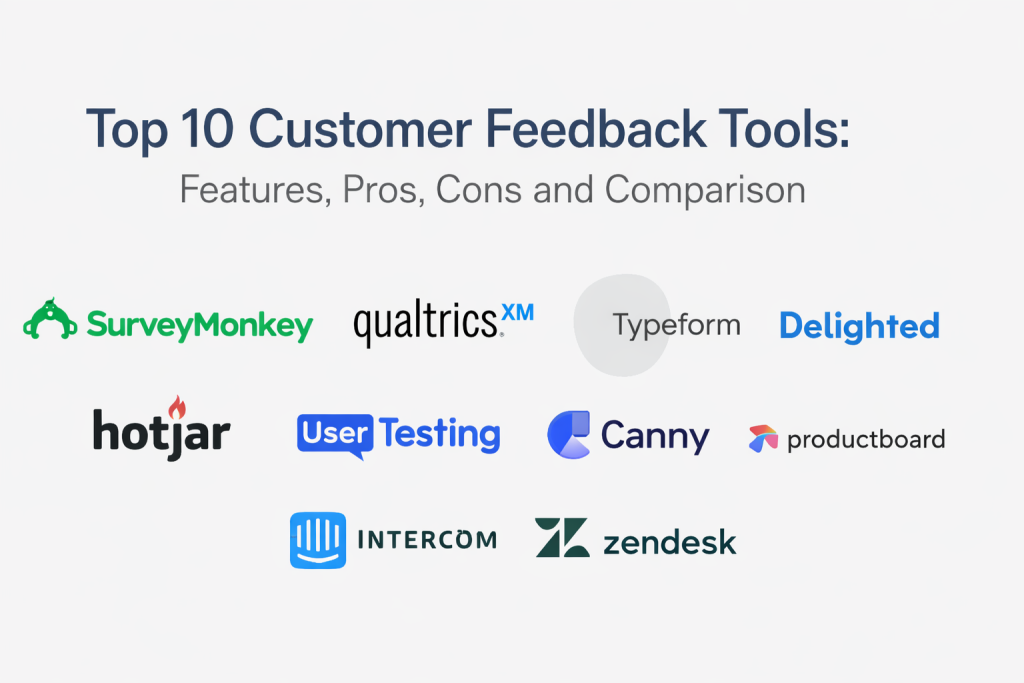
Introduction
Customer feedback tools help teams collect, organize, and act on what customers think and feel across the entire journey. Instead of relying on scattered emails, support tickets, and random survey links, these tools provide structured ways to run surveys, capture in-product feedback, manage feature requests, analyze sentiment, and close the loop with customers. When done well, feedback becomes a measurable input for product decisions, service improvements, and customer retention.
Real-world use cases include:
- Measuring customer satisfaction and loyalty using CSAT and NPS surveys
- Capturing in-app feedback during onboarding, feature usage, or key moments
- Running post-support surveys to improve service quality and reduce repeat tickets
- Managing feature requests and understanding demand across segments
- Turning qualitative responses into themes, trends, and actionable insights
What buyers should evaluate before selecting a tool:
- Feedback collection channels (in-app, email, web, SMS, support workflows)
- Survey flexibility (logic, targeting, templates, branding, languages)
- Response analysis (tagging, sentiment, themes, AI summaries where applicable)
- Reporting clarity (trends, segments, cohorts, benchmarks where applicable)
- Closed-loop workflows (follow-ups, routing, notifications, ownership)
- Integrations with CRM, support, product analytics, and collaboration tools (varies)
- Governance controls (roles, approvals, access boundaries, audit visibility)
- Data privacy and security expectations (permissions, export controls, retention)
- Scalability for high response volume and multi-team usage
- Total effort required to keep surveys and taxonomy clean over time
Best for: product teams, customer success teams, support leaders, and growth teams that need a structured, repeatable way to learn from customers and turn feedback into action.
Not ideal for: very small teams that only need occasional one-off surveys, or organizations that cannot commit to ongoing analysis and follow-up workflows.
Key Trends in Customer Feedback Tools
- More focus on closing the loop, not just collecting responses
- Growth of in-product feedback to capture context during real usage moments
- Stronger demand for multi-channel feedback across email, web, in-app, and support
- Increased use of text analytics and theme detection to scale qualitative insights
- More segmentation and targeting to avoid survey fatigue
- Better integration expectations with CRM, support desks, and product analytics
- More emphasis on governance so multiple teams do not create conflicting surveys
- Higher expectations for privacy, export controls, and access boundaries
- Greater emphasis on measuring improvement over time, not only point-in-time scores
- Teams moving from “survey projects” to continuous feedback programs
How We Selected These Tools
- Widely recognized usage in customer feedback, surveys, and experience measurement
- Strong fit for common programs like NPS, CSAT, product feedback, and feature demand
- Practical workflows for analysis, reporting, and follow-up actions
- Reasonable breadth across segments: SMB, mid-market, and enterprise
- Strength of integrations and ecosystem patterns (varies)
- Ability to support both quantitative surveys and qualitative insights (varies)
- Balance of traditional survey tools and product-focused feedback platforms
- Clear differentiation in strengths rather than listing near-identical tools
Top 10 Customer Feedback Tools
1 — SurveyMonkey
SurveyMonkey is widely used for creating surveys quickly and collecting structured feedback across teams. It often fits organizations that need flexible survey creation and practical reporting without heavy complexity.
Key Features
- Survey builder with common question types and templates
- Logic and branching patterns (varies)
- Distribution channels for surveys (varies)
- Reporting dashboards and exports (varies)
- Team collaboration features (varies)
- Survey branding and theme controls (varies)
- Multi-language workflows vary / not publicly stated
Pros
- Easy for teams to launch surveys quickly
- Works well for general feedback programs across departments
- Practical reporting for many common survey workflows
Cons
- Deep product-feedback lifecycle workflows may require additional tools
- Governance can become messy if many teams create surveys without standards
- Security and compliance details are not publicly stated
Platforms / Deployment
- Web
- Cloud
Security & Compliance
Not publicly stated.
Integrations & Ecosystem
SurveyMonkey commonly fits environments where surveys are shared via email, links, and internal workflows.
- Integrations vary / not publicly stated
- Data export workflows vary
- Works best with a defined survey taxonomy and naming standards
- Closed-loop follow-up often depends on your internal processes
Support & Community
Varies / Not publicly stated.
2 — Qualtrics
Qualtrics is often used in enterprise environments for experience management, advanced survey programs, and large-scale feedback operations. It commonly fits teams that need deep control, governance, and advanced analytics.
Key Features
- Advanced survey design and logic workflows (varies)
- Multi-channel feedback collection patterns (varies)
- Role-based governance and administration workflows (varies)
- Reporting and dashboarding for large programs (varies)
- Text analytics and theme detection patterns (varies)
- Segmentation and targeting for different audiences (varies)
- Enterprise-scale program management capabilities (varies)
Pros
- Strong for large organizations running structured feedback programs
- Useful governance and segmentation for multi-team environments
- Advanced analytics options for qualitative and quantitative insights
Cons
- Can be more complex than smaller teams need
- Implementation and administration effort can be significant
- Security and compliance details are not publicly stated
Platforms / Deployment
- Web
- Cloud
Security & Compliance
Not publicly stated.
Integrations & Ecosystem
Qualtrics is often used as a central system for experience programs across departments.
- Integrations vary / not publicly stated
- Export and analytics pipeline workflows vary
- Works best with a clear feedback governance model and ownership rules
- Closed-loop workflows can be strong when processes are well designed
Support & Community
Varies / Not publicly stated.
3 — Typeform
Typeform is known for creating visually engaging forms and surveys that often improve completion rates. It commonly fits teams that care about experience, branding, and quick feedback capture.
Key Features
- Form and survey builder with a clean user experience
- Logic and branching flows (varies)
- Branding customization patterns (varies)
- Distribution workflows for links and embeds (varies)
- Response collection and exports (varies)
- Integrations with many common tools (varies)
- Templates for quick setup (varies)
Pros
- Strong completion experience for many audiences
- Easy for non-technical teams to build and launch surveys
- Useful for lead capture and lightweight customer feedback
Cons
- Deep analytics and enterprise governance may be limited
- Large-scale experience programs may need more specialized platforms
- Security and compliance details are not publicly stated
Platforms / Deployment
- Web
- Cloud
Security & Compliance
Not publicly stated.
Integrations & Ecosystem
Typeform is commonly used for feedback collection that then feeds other systems for action.
- Integrations vary / not publicly stated
- Export workflows vary
- Closed-loop follow-up typically depends on your CRM or support workflows
- Works best when you keep surveys short and targeted
Support & Community
Varies / Not publicly stated.
4 — Delighted
Delighted is commonly used for NPS and CSAT programs that need simple setup and fast results. It often fits teams that want consistent customer experience measurement with minimal survey complexity.
Key Features
- NPS, CSAT, and CES style survey programs (varies)
- Multi-channel distribution patterns (varies)
- Automated survey triggers and timing workflows (varies)
- Reporting dashboards for trends and segments (varies)
- Basic text response analysis and tagging (varies)
- Follow-up workflows vary / not publicly stated
- Team collaboration patterns vary / not publicly stated
Pros
- Fast to deploy for common satisfaction measurement programs
- Clear reporting for NPS and CSAT trends
- Good for continuous feedback cadence with minimal effort
Cons
- Not designed for complex custom surveys or multi-stage research programs
- Advanced governance and analytics may be limited
- Security and compliance details are not publicly stated
Platforms / Deployment
- Web
- Cloud
Security & Compliance
Not publicly stated.
Integrations & Ecosystem
Delighted fits well when satisfaction measurement needs to feed CS or support action quickly.
- Integrations vary / not publicly stated
- Export workflows vary
- Closed-loop processes depend on how you route follow-ups
- Works best when survey fatigue is managed through good targeting
Support & Community
Varies / Not publicly stated.
5 — Hotjar
Hotjar is commonly used for qualitative website feedback and behavior insights such as heatmaps, session recordings, and on-site surveys. It fits teams that want to understand friction and sentiment on digital experiences.
Key Features
- On-site feedback widgets and short surveys (varies)
- Heatmaps and behavior visualization patterns (varies)
- Session recordings to identify friction points (varies)
- Funnels and user journey signals (varies)
- Targeting rules for surveys and feedback prompts (varies)
- Reporting and analysis views (varies)
- Privacy controls vary / not publicly stated
Pros
- Strong for identifying UX friction and conversion blockers
- Combines behavioral context with direct feedback
- Useful for product and marketing teams optimizing user journeys
Cons
- Not a full customer feedback management platform for lifecycle programs
- Requires governance for privacy and data handling decisions
- Security and compliance details are not publicly stated
Platforms / Deployment
- Web
- Cloud
Security & Compliance
Not publicly stated.
Integrations & Ecosystem
Hotjar often fits product and growth stacks where behavior analytics and feedback must connect.
- Integrations vary / not publicly stated
- Export workflows vary
- Works best when used alongside product analytics and experimentation tools
- Closed-loop follow-up depends on your internal routing processes
Support & Community
Varies / Not publicly stated.
6 — UserTesting
UserTesting is used for capturing detailed qualitative feedback through user research sessions. It fits teams that want to understand why users behave a certain way, not only what they click or rate.
Key Features
- User research sessions and feedback capture workflows (varies)
- Recruiting and participant management patterns (varies)
- Recording and analysis tools for qualitative insights (varies)
- Collaboration workflows for teams to review findings (varies)
- Research templates and repeatable study formats (varies)
- Reporting and synthesis features vary / not publicly stated
- Governance workflows vary / not publicly stated
Pros
- Strong depth for qualitative understanding and product discovery
- Useful for validating designs, flows, and messaging
- Helps teams reduce guesswork by seeing real user reactions
Cons
- Not designed for ongoing survey metrics like NPS tracking by itself
- Requires planning and research discipline to get consistent value
- Security and compliance details are not publicly stated
Platforms / Deployment
- Web
- Cloud
Security & Compliance
Not publicly stated.
Integrations & Ecosystem
UserTesting fits teams that treat feedback as research, not only measurement.
- Integrations vary / not publicly stated
- Export and synthesis workflows vary
- Works best when paired with a structured research plan and stakeholder buy-in
- Closed-loop actions depend on product decision workflows
Support & Community
Varies / Not publicly stated.
7 — Canny
Canny is used to collect and manage feature requests, track demand, and communicate product updates. It fits product teams that want a clear way to capture feedback and prioritize what to build.
Key Features
- Feature request collection and voting workflows (varies)
- Feedback categorization and tagging patterns (varies)
- Roadmap and status update communication patterns (varies)
- Customer segmentation for feedback analysis (varies)
- Admin controls and moderation workflows (varies)
- Reporting signals for demand and trends (varies)
- Integrations vary / not publicly stated
Pros
- Strong for feature request management and prioritization clarity
- Helps product teams reduce scattered feedback across channels
- Supports transparency when communicating status and progress
Cons
- Not a full survey platform for satisfaction measurement programs
- Governance is needed to prevent duplicate and unclear requests
- Security and compliance details are not publicly stated
Platforms / Deployment
- Web
- Cloud
Security & Compliance
Not publicly stated.
Integrations & Ecosystem
Canny fits product feedback pipelines where demand must be organized and communicated clearly.
- Integrations vary / not publicly stated
- Export workflows vary
- Works best when feedback tagging and duplicate management is consistent
- Closed-loop communication helps customers feel heard
Support & Community
Varies / Not publicly stated.
8 — Productboard
Productboard is commonly used to centralize product feedback and connect it to product planning. It fits teams that need structured insight capture, prioritization support, and alignment between feedback and roadmap decisions.
Key Features
- Centralized feedback collection and organization patterns (varies)
- Tagging and linking feedback to features and initiatives (varies)
- Roadmap planning and prioritization workflows (varies)
- Segmentation of feedback by customer tier or persona (varies)
- Collaboration tools for product teams and stakeholders (varies)
- Reporting and insights views (varies)
- Integrations vary / not publicly stated
Pros
- Strong for connecting feedback to roadmap decisions
- Helps product teams manage large volumes of qualitative input
- Useful for internal alignment and prioritization transparency
Cons
- Not primarily designed for satisfaction metrics like CSAT or NPS
- Requires governance to keep taxonomy clean and consistent
- Security and compliance details are not publicly stated
Platforms / Deployment
- Web
- Cloud
Security & Compliance
Not publicly stated.
Integrations & Ecosystem
Productboard fits teams that want feedback to influence planning in a structured way.
- Integrations vary / not publicly stated
- Data import and export workflows vary
- Works best when product taxonomy and initiatives are clearly defined
- Closed-loop practices improve trust across customers and internal teams
Support & Community
Varies / Not publicly stated.
9 — Intercom
Intercom is widely used for customer communication and support, and it can also collect feedback through surveys, messages, and in-app prompts. It fits teams that want feedback captured directly inside support and engagement workflows.
Key Features
- In-app messaging and feedback prompts (varies)
- Surveys and quick questions inside customer conversations (varies)
- Customer segmentation and targeting workflows (varies)
- Support context linking feedback to tickets and conversations (varies)
- Automation workflows for routing and follow-up (varies)
- Reporting views for support and engagement patterns (varies)
- Integrations vary / not publicly stated
Pros
- Strong for capturing feedback in the flow of customer conversations
- Helps connect feedback to context and account history
- Useful for quick follow-ups and closing the loop
Cons
- Not a full dedicated survey analytics platform for large research programs
- Survey depth and customization vary by setup
- Security and compliance details are not publicly stated
Platforms / Deployment
- Web
- Cloud
Security & Compliance
Not publicly stated.
Integrations & Ecosystem
Intercom fits teams that want feedback collection tied to support and communication workflows.
- Integrations vary / not publicly stated
- Export workflows vary
- Works best when surveys are targeted to avoid fatigue
- Closing the loop is easier because conversations already exist
Support & Community
Varies / Not publicly stated.
10 — Zendesk
Zendesk is widely known for customer support operations, and many teams collect feedback through ticket surveys, CSAT workflows, and post-interaction feedback programs. It fits support-led organizations where feedback needs to be tied directly to service quality.
Key Features
- Post-ticket and post-interaction feedback collection (varies)
- CSAT-style workflows and reporting (varies)
- Ticket-based routing and follow-up workflows (varies)
- Segmentation by support groups, channels, and topics (varies)
- Reporting for support quality and performance trends (varies)
- Automation patterns for closing the loop (varies)
- Integrations vary / not publicly stated
Pros
- Strong for tying feedback directly to support performance
- Clear operational workflows for post-support surveys
- Useful for improving service quality and reducing repeat issues
Cons
- Not designed as a full product feedback roadmap platform by itself
- Advanced research surveys may need dedicated survey tools
- Security and compliance details are not publicly stated
Platforms / Deployment
- Web
- Cloud
Security & Compliance
Not publicly stated.
Integrations & Ecosystem
Zendesk fits teams where feedback needs to connect with support operations and ticket outcomes.
- Integrations vary / not publicly stated
- Export and reporting workflows vary
- Works best when feedback routing owners are defined clearly
- Closing the loop becomes easier because the service context is already there
Support & Community
Varies / Not publicly stated.
Comparison Table
| Tool Name | Best For | Platform(s) Supported | Deployment | Standout Feature | Public Rating |
|---|---|---|---|---|---|
| SurveyMonkey | General surveys across teams | Web | Cloud | Fast survey creation with practical reporting | N/A |
| Qualtrics | Enterprise experience programs | Web | Cloud | Deep governance and advanced analytics | N/A |
| Typeform | High-completion forms and surveys | Web | Cloud | Strong user experience and branding | N/A |
| Delighted | NPS and CSAT measurement programs | Web | Cloud | Simple setup for continuous satisfaction tracking | N/A |
| Hotjar | Website feedback with behavior context | Web | Cloud | Heatmaps and session recordings with feedback | N/A |
| UserTesting | Deep qualitative product research | Web | Cloud | Research sessions for “why” insights | N/A |
| Canny | Feature request management | Web | Cloud | Voting and status updates for requests | N/A |
| Productboard | Feedback connected to roadmap planning | Web | Cloud | Linking feedback to product initiatives | N/A |
| Intercom | Feedback inside customer conversations | Web | Cloud | In-app prompts tied to messaging context | N/A |
| Zendesk | Support-led CSAT and service feedback | Web | Cloud | Ticket-linked feedback workflows | N/A |
Evaluation & Scoring
The scores below are comparative estimates designed to help with shortlisting and internal discussion. They are not verified benchmarks and will vary by plan, configuration, and data maturity. If security and compliance requirements are critical and details are not publicly stated, treat them as mandatory validation items during procurement. A pilot using real feedback workflows is the best way to confirm fit.
Weights used:
- Core features – 25%
- Ease of use – 15%
- Integrations & ecosystem – 15%
- Security & compliance – 10%
- Performance & reliability – 10%
- Support & community – 10%
- Price / value – 15%
| Tool Name | Core (25%) | Ease (15%) | Integrations (15%) | Security (10%) | Performance (10%) | Support (10%) | Value (15%) | Weighted Total (0–10) |
|---|---|---|---|---|---|---|---|---|
| SurveyMonkey | 8 | 9 | 7 | 7 | 8 | 7 | 8 | 8.00 |
| Qualtrics | 10 | 6 | 9 | 7 | 8 | 7 | 5 | 7.55 |
| Typeform | 7 | 9 | 8 | 7 | 8 | 7 | 7 | 7.65 |
| Delighted | 7 | 9 | 7 | 7 | 8 | 7 | 7 | 7.50 |
| Hotjar | 7 | 8 | 7 | 7 | 8 | 7 | 7 | 7.35 |
| UserTesting | 8 | 7 | 6 | 7 | 8 | 7 | 5 | 6.95 |
| Canny | 7 | 8 | 6 | 7 | 8 | 7 | 7 | 7.15 |
| Productboard | 8 | 7 | 7 | 7 | 8 | 7 | 6 | 7.20 |
| Intercom | 7 | 7 | 8 | 7 | 8 | 7 | 6 | 7.10 |
| Zendesk | 7 | 7 | 8 | 7 | 8 | 8 | 6 | 7.20 |
How to interpret the scores:
- Use Core to match the tool to your main feedback program type (surveys, product requests, research, or support feedback).
- Use Ease when you need many teams to create and run surveys without heavy training.
- Use Integrations when feedback must flow into CRM, support, or analytics pipelines.
- Treat Security scores conservatively when details are not publicly stated.
- Use Value to avoid paying for enterprise depth when your needs are simple.
Which Customer Feedback Tool Is Right for You?
Solo / Freelancer
If you need occasional feedback, focus on speed and clean experience, not enterprise complexity.
- Practical fits: Typeform, SurveyMonkey
- Watch-outs: avoid building heavy feedback stacks if you do not have time for follow-ups
SMB
SMBs often need simple NPS and CSAT plus quick product feedback collection.
- Practical fits: SurveyMonkey, Typeform, Delighted
- Watch-outs: keep surveys short and targeted to prevent low response rates
Mid-Market
Mid-market teams need better segmentation, stronger reporting, and more structured closed-loop workflows.
- Practical fits: Delighted, Hotjar, Productboard, Canny
- Watch-outs: define a taxonomy for tagging feedback so insights do not become messy
Enterprise
Enterprises usually need governance, large-scale experience programs, and cross-team workflows.
- Practical fits: Qualtrics, Zendesk, Intercom
- Watch-outs: without clear ownership, survey sprawl becomes a real risk
Budget vs Premium
- Budget-leaning: SurveyMonkey, Typeform
- Balanced: Delighted, Hotjar, Canny
- Premium: Qualtrics, UserTesting, Productboard
Choose based on whether your priority is measurement at scale, research depth, or roadmap-driven feedback management.
Feature Depth vs Ease of Use
- Advanced experience programs: Qualtrics
- Fast survey creation: SurveyMonkey, Typeform
- NPS and CSAT measurement: Delighted
- Website behavior plus feedback: Hotjar
- Deep qualitative research: UserTesting
- Feature request management: Canny
- Roadmap-linked feedback: Productboard
- Feedback in support conversations: Intercom, Zendesk
Integrations & Scalability
Validate these in a pilot:
- How feedback is routed to owners for follow-up
- Whether exports and dashboards match leadership reporting needs
- How survey targeting avoids fatigue and duplication
- Whether qualitative tagging stays consistent across teams
- How feedback connects to CRM accounts and lifecycle segments
Security & Compliance Needs
If feedback includes sensitive content, validate governance early:
- Role-based access and separation for teams and regions
- Export controls and retention settings (varies / not publicly stated)
- Audit visibility for survey changes (varies / not publicly stated)
- Vendor security documentation availability (often not publicly stated)
- Internal policies for storing and using customer comments responsibly
Frequently Asked Questions
- What is the difference between NPS and CSAT?
NPS measures loyalty and likelihood to recommend, while CSAT measures satisfaction with a specific interaction or experience. Many teams use both for different insights. - How do we avoid survey fatigue?
Use targeting rules, limit frequency, and keep surveys short. Only ask when the feedback will lead to action and visible improvement. - What is the biggest mistake teams make with customer feedback?
Collecting feedback without follow-up. If customers never see action, response rates drop and trust decreases. - Should feedback tools connect to CRM?
Yes, if you want to segment results by customer tier, industry, or lifecycle stage. CRM context helps make feedback actionable and measurable. - How do we analyze open-text feedback at scale?
Use consistent tagging, build themes, and review trends regularly. Some tools offer text analysis, but governance and review discipline still matter. - Which tool is best for feature requests?
Tools built for feature request management are usually best for voting, prioritization, and status communication. General survey tools can collect requests, but managing them becomes harder. - Can support tools handle feedback alone?
Support tools can capture post-ticket CSAT well, but they may not cover product feedback, research, and roadmap workflows. Many teams combine support feedback with product feedback tools. - How do we close the loop effectively?
Assign owners, set follow-up timelines, and track outcomes. Create clear workflows so responses do not sit in dashboards without action. - What should we pilot before choosing a tool?
Pilot one survey program end-to-end, including routing, reporting, and follow-up. Confirm response rate, team workflow fit, and how easily insights turn into actions. - Do we need multiple feedback tools?
Sometimes. Many organizations use one tool for surveys, one for product feedback and roadmap, and one for support feedback. The best stack depends on your team structure and workflows.
Conclusion
Customer feedback tools are most valuable when feedback becomes a repeatable system, not a one-time survey project. The best tool depends on your main goal: satisfaction measurement, website experience improvement, deep qualitative research, feature request management, or support-led feedback. Many teams start simple with a survey program, then expand into product feedback pipelines and closed-loop workflows once they build confidence and discipline. A smart next step is to shortlist two or three tools, run a real pilot with routing and follow-up included, and validate reporting clarity, integration fit, and the ongoing effort required to keep feedback organized and actionable.

Best Cardiac Hospitals Near You
Discover top heart hospitals, cardiology centers & cardiac care services by city.
Advanced Heart Care • Trusted Hospitals • Expert Teams
View Best Hospitals