Introduction
A customer support chatbot is an automated software application designed to simulate human conversation and resolve user inquiries without direct agent intervention. These bots utilize a combination of pre-defined rules and advanced machine learning to understand intent, retrieve information from knowledge bases, and perform tasks such as tracking orders or resetting passwords. In the modern service landscape, these tools serve as the first line of defense, handling high-volume, repetitive queries so that human teams can focus on complex problem-solving.
In the current environment, the adoption of intelligent chatbots has moved from a luxury to a fundamental necessity. As we operate in a 24/7 global economy, customers expect instant gratification and immediate answers at any hour. Chatbots matter now because they bridge the gap between rising consumer expectations and the physical limitations of support staff. They provide a scalable way to maintain high service standards while significantly reducing the operational cost per ticket.
Real-World Use Cases
- Instant Query Resolution: Providing immediate answers to frequently asked questions about shipping policies, pricing, or store hours.
- Proactive Engagement: Initiating a conversation with a website visitor who has spent a specific amount of time on a high-value product page.
- Lead Qualification: Asking preliminary questions to determine a visitor’s needs before routing them to the appropriate sales or support department.
- Transactional Support: Allowing users to check their account balance, update personal information, or track a package directly within the chat interface.
- Multilingual Assistance: Offering support in dozens of languages simultaneously, ensuring a consistent experience for a global customer base.
Evaluation Criteria for Buyers
- Natural Language Understanding (NLU): The ability of the bot to grasp the nuance, slang, and intent behind a user’s message.
- Ease of Integration: How smoothly the bot connects with existing CRM, helpdesk, and e-commerce platforms.
- Omnichannel Capability: Whether the bot can provide a unified experience across web, mobile apps, and social media messaging.
- Human Handoff Logic: The efficiency with which a bot transfers a conversation to a live agent when the query becomes too complex.
- Analytics and Reporting: The depth of insights provided regarding bot performance, deflection rates, and customer satisfaction.
- No-Code Builder Quality: The intuitiveness of the drag-and-drop interface for non-technical staff to create and update conversation flows.
- Scalability: The platform’s capacity to handle sudden spikes in traffic without a degradation in response speed.
Best for: E-commerce brands, SaaS companies, financial institutions, and any business looking to automate high-volume customer interactions across multiple digital channels.
Not ideal for: High-touch boutique services where every interaction requires a personalized human relationship, or highly regulated industries where automated advice is legally restricted.
Key Trends in Customer Support Chatbots
- Generative AI Dominance: A shift from rigid, button-based flows to conversational agents that can synthesize answers from a company’s entire knowledge base.
- Voice-First Integration: The expansion of chatbot logic into voice channels, allowing for seamless automated phone support that feels natural.
- Sentiment Analysis: Real-time detection of a user’s emotional state, allowing the bot to escalate frustrated customers to human supervisors immediately.
- Hyper-Personalization: Bots using historical customer data to offer tailored suggestions and recognize returning users by name.
- Visual Problem Solving: The ability for bots to “see” and analyze photos or videos sent by customers to diagnose technical issues.
- Zero-Knowledge Training: Modern platforms allowing bots to learn from existing support tickets and documentation with minimal manual setup.
- Self-Correction Loops: AI models that identify when they have provided a wrong answer and ask for human verification to improve future responses.
- Deep CRM Synchronization: Moving beyond simple Q&A to performing complex back-office tasks like processing refunds or modifying subscription tiers.
How We Selected These Tools
Our methodology for selecting the top ten customer support chatbots focused on market reputation, technical sophistication, and the balance between power and usability. We evaluated tools that cater to various market segments, from small startups needing quick setups to global enterprises requiring deep security and complex integrations. We prioritized platforms that have successfully integrated modern generative AI to move beyond basic keyword matching. Performance signals such as deflection rates, ease of deployment, and the quality of the human-to-agent transition were primary factors in our ranking. We also considered the maturity of the integration ecosystem to ensure these bots could act as a true extension of a company’s existing support stack.
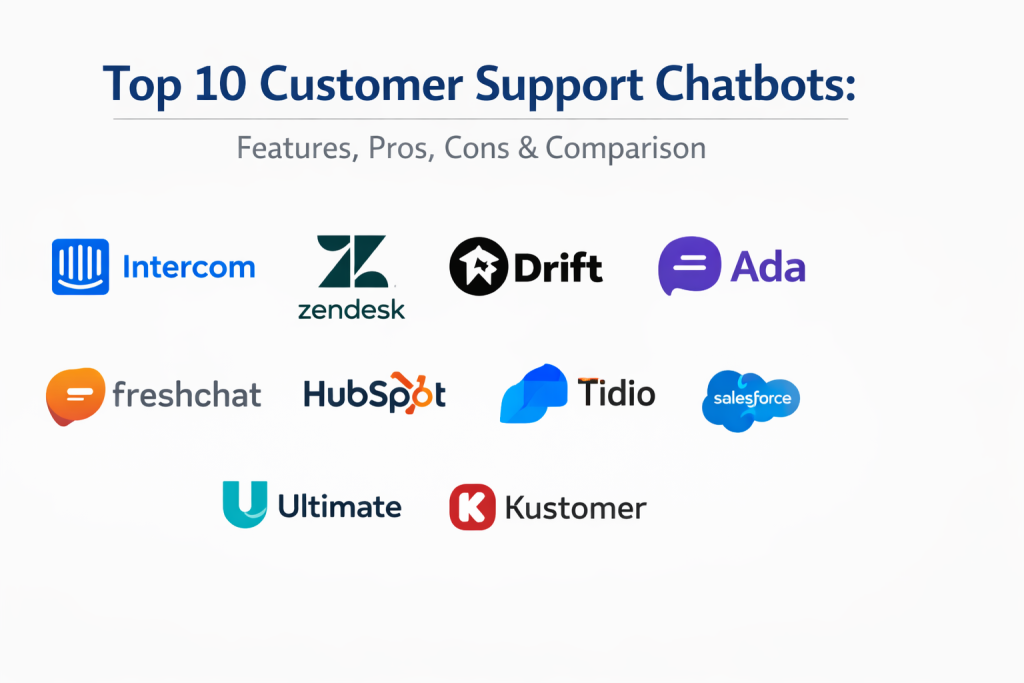
Top 10 Customer Support Chatbots
1. Intercom (Fin)
Intercom has long been a leader in the business messaging space, and its AI-powered bot, Fin, represents a major leap forward. It is designed to provide highly accurate answers by pulling directly from your existing support documentation, reducing the need for manual bot training.
Key Features
- Fin AI Agent: Uses advanced language models to provide conversational answers based on your knowledge base.
- Visual Bot Builder: An intuitive, no-code environment for creating custom branching logic.
- Omnichannel Inbox: A unified space for managing messages from web, iOS, Android, and social channels.
- Custom Bots: Specialized bots for lead generation, onboarding, and support deflection.
- Advanced Routing: Logic that ensures the right conversation goes to the right person or team every time.
Pros
- Exceptionally polished user interface and overall experience for both agents and customers.
- One of the most mature and flexible “human-in-the-loop” handoff systems.
Cons
- The pricing model can be expensive for companies with high conversation volumes.
- Some advanced features require a significant amount of configuration to work perfectly.
Platforms / Deployment
Web / iOS / Android — Cloud
Security & Compliance
SOC 2 Type II compliant with robust data encryption and privacy controls.
Integrations & Ecosystem
Boasts a massive marketplace with hundreds of apps, including Salesforce, Shopify, and HubSpot.
Support & Community
Extensive documentation, a highly active user community, and professional support tiers for enterprise clients.
2. Zendesk Answer Bot
Zendesk is a titan in the helpdesk world, and its Answer Bot is an essential extension of its ecosystem. It leverages the data within your Zendesk tickets and articles to suggest solutions to customers before they even reach an agent.
Key Features
- Flow Builder: A drag-and-drop tool to create automated conversation paths without writing code.
- Knowledge Base Integration: Instantly suggests relevant help articles to resolve queries.
- Multilingual Support: Capable of understanding and responding in dozens of different languages.
- Agent Workspace Integration: Seamlessly passes bot conversations to agents with full context.
- Intelligent Triage: Automatically categorizes and prioritizes tickets based on the bot’s interaction.
Pros
- Deepest possible integration with the world’s most popular helpdesk software.
- Excellent reporting tools that track exactly how much money the bot is saving the company.
Cons
- Can feel “stiff” compared to some of the newer, purely generative AI-first platforms.
- Requires a well-maintained knowledge base to be truly effective.
Platforms / Deployment
Web / iOS / Android — Cloud
Security & Compliance
Meets major global standards including ISO, SOC, and HIPAA.
Integrations & Ecosystem
Part of the broader Zendesk Sunshine platform, offering vast connectivity to third-party business tools.
Support & Community
Professional enterprise support and a vast library of training resources and community forums.
3. Drift
Drift focuses on what it calls “Conversational Service,” merging the worlds of sales and support. It is particularly strong for B2B companies that want their chatbot to qualify leads while also helping current customers.
Key Features
- AI Drifters: Intelligent bots that can hold complex conversations and schedule meetings.
- Real-Time Personalization: Greets known visitors with personalized messages based on their CRM record.
- Conversational Landing Pages: Replaces traditional forms with an interactive chat experience.
- ABM Integration: Specialized features for Account-Based Marketing strategies.
- Video Messaging: Allows agents to quickly send video responses directly within the chat.
Pros
- Unrivaled for companies that prioritize lead generation alongside customer support.
- Highly effective at shortening the sales cycle through instant interaction.
Cons
- The platform is heavily geared toward sales, which may feel overwhelming for pure support teams.
- Higher entry price point compared to some standalone support bots.
Platforms / Deployment
Web / iOS / Android — Cloud
Security & Compliance
SOC 2 compliant with a focus on enterprise-grade data protection.
Integrations & Ecosystem
Strongest ties with Salesforce, Marketo, and various sales engagement platforms.
Support & Community
Excellent “Drift University” training and a professional support structure for mid-market and enterprise.
4. Ada
Ada is an enterprise-grade automation platform that focuses on “automated customer experience” (ACX). It is designed to handle extremely high volumes and complex logic for some of the world’s largest brands.
Key Features
- Generative AI Engine: Dynamically generates responses from various data sources in real-time.
- No-Code Training: Allows non-technical CX teams to train and refine the bot easily.
- Proactive Messaging: Reaches out to customers based on specific triggers or behavior patterns.
- Conditional Logic: Handles complex multi-step processes like returns or account upgrades.
- Global Language Support: Automatically translates and responds in over 100 languages.
Pros
- Built to scale to millions of monthly conversations without breaking.
- Highly sophisticated AI that requires less manual “if-then” planning than competitors.
Cons
- The level of sophistication can be “overkill” for small businesses.
- Long implementation times for the most complex enterprise workflows.
Platforms / Deployment
Web / iOS / Android / WhatsApp — Cloud
Security & Compliance
GDPR, HIPAA, and PCI compliant with enterprise-level security.
Integrations & Ecosystem
Deep integrations with Salesforce, Zendesk, Oracle, and most major e-commerce platforms.
Support & Community
Dedicated success managers for enterprise clients and comprehensive technical documentation.
5. Freshchat (Freshworks)
Part of the Freshworks suite, Freshchat offers a modern, messaging-first approach to support. It is known for being extremely easy to set up and for its ability to unify conversations from various social platforms into one place.
Key Features
- Freddy AI: An intelligent assistant that helps both customers (via bot) and agents (via suggestions).
- Journeys: A tool for building proactive campaigns based on customer behavior.
- IntelliAssign: Routes conversations based on agent skill level and current load.
- Multichannel Support: Unifies WhatsApp, Messenger, Apple Business Chat, and web chat.
- Real-Time Dashboard: Provides instant visibility into bot deflection and agent performance.
Pros
- One of the most intuitive and user-friendly setups in the industry.
- Great value for money, especially for businesses already using other Freshworks products.
Cons
- The AI capabilities, while good, may not be as deep as specialized enterprise-only bots.
- Reporting features in lower tiers can be somewhat limited.
Platforms / Deployment
Web / iOS / Android — Cloud
Security & Compliance
SOC 2, ISO 27001, and HIPAA compliant.
Integrations & Ecosystem
Seamless connectivity with the Freshworks ecosystem and many popular third-party apps.
Support & Community
Strong online documentation and a supportive community of SMB and mid-market users.
6. HubSpot Service Hub Chatbot
HubSpot provides a powerful, free-to-start chatbot as part of its Service Hub. Its primary advantage is that it is built directly on top of the HubSpot CRM, meaning the bot has full access to every customer’s entire history.
Key Features
- CRM-Powered Conversations: Uses contact data to personalize every interaction automatically.
- Ticket Creation: Instantly creates and routes helpdesk tickets based on chat sessions.
- Knowledge Base Search: Directly surfaces help articles to resolve customer issues.
- Meeting Scheduler: Allows customers to book time with support or sales without leaving the chat.
- Sequences Integration: Can trigger automated email follow-ups based on chat behavior.
Pros
- The best choice for teams already using the HubSpot CRM or Sales Hub.
- Extremely easy to manage as part of a unified marketing and service platform.
Cons
- The chatbot is somewhat basic compared to specialized, standalone AI platforms.
- Advanced automation features require higher-tier paid plans.
Platforms / Deployment
Web — Cloud
Security & Compliance
Standard SOC 2 and GDPR compliance within the HubSpot platform.
Integrations & Ecosystem
Part of one of the largest software ecosystems in the world with thousands of integrations.
Support & Community
Massive community, extensive “HubSpot Academy” training, and professional support.
7. Tidio
Tidio is a favorite among small e-commerce businesses and Shopify store owners. It combines live chat, chatbots, and email marketing in a single, affordable package that is very fast to deploy.
Key Features
- Lyro AI: A conversational bot designed specifically to answer support questions using your site’s content.
- Pre-Built Templates: Dozens of ready-to-use bots for abandoned carts, discounts, and order tracking.
- Live Typing Preview: Allows agents to see what the customer is typing before they hit send.
- Shared Inbox: Consolidates Instagram, Messenger, and web chat into one view.
- Visual Workflow Designer: An easy way to map out how the bot should behave.
Pros
- Incredibly fast to set up, often taking only a few minutes.
- Very affordable pricing, including a functional free tier for very small businesses.
Cons
- Not designed for large enterprise organizations with complex data needs.
- AI customization is less granular than top-tier enterprise platforms.
Platforms / Deployment
Web / iOS / Android — Cloud
Security & Compliance
GDPR compliant; data hosted in secure data centers.
Integrations & Ecosystem
Superior integration for Shopify, WordPress, and Wix.
Support & Community
Great support for small business owners and a helpful library of e-commerce focused tutorials.
8. Salesforce Einstein Service Agent
For companies running their entire business on Salesforce, Einstein is the gold standard. It is a deeply intelligent AI that doesn’t just chat; it uses data from every corner of the Salesforce ecosystem to solve problems.
Key Features
- Generative AI Responses: Creates natural, context-aware answers based on trusted company data.
- Case Classification: Automatically fills in ticket fields and routes cases based on intent.
- Next Best Action: Suggests to the agent (or bot) exactly what to say or do next to resolve an issue.
- Article Recommendations: Deeply integrated with Salesforce Knowledge for instant answers.
- Bot-to-Flow Integration: Can trigger complex Salesforce “Flows” to execute backend tasks.
Pros
- The most powerful and data-rich bot for users of the Salesforce ecosystem.
- Capable of handling incredibly complex, multi-step business logic.
Cons
- Requires a high level of expertise to set up and maintain.
- Very expensive and intended primarily for large enterprise organizations.
Platforms / Deployment
Web / iOS / Android — Cloud
Security & Compliance
The industry leader in enterprise compliance and data residency options.
Integrations & Ecosystem
Integrated into the world’s largest enterprise app ecosystem.
Support & Community
World-class support and the massive “Trailhead” learning community.
9. Ultimate (Gorgias)
Ultimate (now part of Zendesk) is a specialized AI platform designed to sit on top of your existing helpdesk. It focuses on “headless” automation, meaning it works behind the scenes to automate your existing chat channels.
Key Features
- Deep Helpdesk Integration: Sits on top of Zendesk, Salesforce, or Freshworks to add a layer of AI.
- Process Automation: Can handle full tasks like processing returns or changing addresses.
- Multi-Language AI: Understands nuance and sentiment across dozens of languages natively.
- No-Code Platform: Allows CX managers to build and manage the AI without IT help.
- Historical Data Analysis: Learns from your past support tickets to get smarter over time.
Pros
- Excellent for companies that don’t want to switch helpdesks but want better AI.
- Very high deflection rates for repetitive, transactional queries.
Cons
- It is a “layer” on top of other software, adding another subscription to your stack.
- Pricing is geared toward mid-market and enterprise users.
Platforms / Deployment
Cloud (Integrates with existing chat platforms)
Security & Compliance
SOC 2 and GDPR compliant with a focus on data privacy.
Integrations & Ecosystem
Strongest ties to Zendesk, Sunshine Conversations, and Salesforce.
Support & Community
Professional success management and high-quality technical support.
10. Kustomer
Kustomer is a modern CRM and support platform that treats the customer, not the ticket, as the central unit of data. Its chatbot functionality is built to be proactive and deeply aware of the customer’s entire journey.
Key Features
- Timeline View: The bot can see every past interaction across every channel.
- Intelligent Automation: Rules-based and AI-based bots for automated resolutions.
- Self-Service Portals: Integrated bots that guide customers through help articles.
- Sentiment Detection: Escalates to an agent immediately if a customer seems upset.
- Unified Messaging: Flawlessly transitions between SMS, email, and chat within one bot session.
Pros
- Exceptional for brands that want a truly “omnichannel” feel without silos.
- Great for viewing the “full picture” of a customer during a bot interaction.
Cons
- The platform can be complex to master compared to simpler chat-only tools.
- Primarily designed for larger, fast-growing B2C brands.
Platforms / Deployment
Web / iOS / Android — Cloud
Security & Compliance
Enterprise-grade security with SOC 2 and GDPR compliance.
Integrations & Ecosystem
Good selection of modern e-commerce and marketing integrations.
Support & Community
High-quality documentation and professional support for growing retail and SaaS brands.
Comparison Table (Top 10)
| Tool Name | Best For | Platform(s) Supported | Deployment | Standout Feature | Public Rating |
| 1. Intercom | Modern B2C / SaaS | Web, Mobile | Cloud | Fin AI Agent | 4.5/5 |
| 2. Zendesk | Large Helpdesks | Web, Mobile | Cloud | Deep Helpdesk Sync | 4.4/5 |
| 3. Drift | B2B Sales & Support | Web, Mobile | Cloud | Meeting Scheduling | 4.3/5 |
| 4. Ada | High-Volume Enterprise | Web, Mobile, WA | Cloud | Generative AI ACX | 4.6/5 |
| 5. Freshchat | Fast-Growing SMBs | Web, Mobile | Cloud | Freddy AI | 4.4/5 |
| 6. HubSpot | CRM-led Support | Web | Cloud | Direct CRM Access | 4.4/5 |
| 7. Tidio | Shopify / Small Biz | Web, Mobile | Cloud | Lyro AI / E-com Bots | 4.7/5 |
| 8. Salesforce | Enterprise Ecosystem | Web, Mobile | Cloud | Einstein Intelligence | 4.2/5 |
| 9. Ultimate | AI Layer for Helpdesks | Integrated | Cloud | Process Automation | 4.6/5 |
| 10. Kustomer | B2C Omnichannel | Web, Mobile | Cloud | Customer Timeline | 4.4/5 |
Evaluation & Scoring of Customer Support Chatbots
| Tool Name | Core (25%) | Ease (15%) | Integrations (15%) | Security (10%) | Perf (10%) | Support (10%) | Value (15%) | Total |
| 1. Intercom | 9 | 9 | 9 | 9 | 9 | 9 | 6 | 8.5 |
| 2. Zendesk | 8 | 7 | 10 | 10 | 8 | 10 | 7 | 8.4 |
| 3. Drift | 8 | 8 | 8 | 9 | 8 | 8 | 6 | 7.8 |
| 4. Ada | 10 | 6 | 9 | 10 | 10 | 9 | 7 | 8.7 |
| 5. Freshchat | 7 | 9 | 8 | 9 | 8 | 8 | 9 | 8.1 |
| 6. HubSpot | 6 | 10 | 8 | 9 | 7 | 9 | 9 | 8.1 |
| 7. Tidio | 7 | 10 | 8 | 7 | 8 | 8 | 10 | 8.2 |
| 8. Salesforce | 10 | 4 | 10 | 10 | 9 | 10 | 5 | 8.2 |
| 9. Ultimate | 9 | 7 | 9 | 9 | 9 | 8 | 7 | 8.3 |
| 10. Kustomer | 8 | 7 | 8 | 9 | 8 | 8 | 7 | 7.8 |
Scoring is comparative based on the professional utility of each platform. A high “Core” score reflects the depth of AI and automation capabilities. “Ease” identifies how quickly a non-technical user can build a bot, while “Integrations” measures how well the tool fits into a wider technical ecosystem.
Which Customer Support Chatbot Is Right for You?
Solo / Freelancer
If you are running a small operation alone, Tidio is the standout choice. Its free tier is functional, and the Lyro AI can handle your basic customer questions while you are busy working on your business.
SMB (Small to Medium Business)
Small teams focused on growth should look at Freshchat or HubSpot. They provide a great balance of power and ease of use, ensuring you don’t spend more time managing the bot than it saves you in support time.
Mid-Market
For companies with a dedicated support team, Intercom or Ultimate are ideal. These tools provide the sophisticated automation needed to significantly reduce ticket volume while maintaining a high-quality, modern brand image.
Enterprise
Large organizations with massive data needs and complex security requirements should choose Salesforce Einstein or Zendesk. These platforms are designed for the scale and oversight required in corporate environments.
Budget vs Premium
If the budget is tight, Tidio and HubSpot offer the best entry points. For those who prioritize advanced AI features and are willing to pay for a “premium” experience, Ada and Intercom are the top-tier selections.
Feature Depth vs Ease of Use
Salesforce offers the most depth but is difficult to set up. Conversely, HubSpot and Tidio are extremely easy to use but may lack the specialized, complex logic that a large enterprise might eventually need.
Integrations & Scalability
Zendesk and Salesforce provide the most scalability for massive teams. For companies that rely heavily on Shopify or modern web tools, Intercom offers a more integrated and modern feel.
Security & Compliance Needs
Companies in regulated industries (Healthcare, Finance) should prioritize Zendesk, Salesforce, or Ada, as they offer the most comprehensive and verified security frameworks.
Frequently Asked Questions (FAQs)
1. Will a chatbot replace my human support agents?
No, a chatbot is meant to augment your team by handling repetitive queries, allowing your human agents to focus on complex, high-value problem solving.
2. How long does it take to set up a chatbot?
Simple bots like Tidio can be ready in minutes, while complex enterprise solutions like Salesforce Einstein can take weeks or months to fully configure.
3. Do I need to know how to code to build a bot?
Most modern platforms offer “no-code” drag-and-drop builders, meaning non-technical staff can build and manage most conversation flows.
4. How does the bot know what to say?
Bots are trained using your existing help articles, past support tickets, and specific “flows” that you design to handle common questions.
5. What happens if the bot can’t answer a question?
A well-designed bot will have “handoff logic” that instantly transfers the conversation to a live agent, providing them with the full transcript of the chat.
6. Can chatbots work on social media like WhatsApp?
Yes, most top-tier platforms like Ada, Freshchat, and Intercom support integrations with WhatsApp, Instagram, and Facebook Messenger.
7. Are chatbots secure enough for sensitive data?
Enterprise-grade bots offer encryption, SOC 2 compliance, and secure data handling, but you should always be careful about what data you allow a bot to access.
8. How much do customer support chatbots cost?
Pricing varies wildly, from free tiers for small businesses to enterprise contracts that can cost thousands of dollars per month.
9. Can a bot detect if a customer is angry?
Yes, many modern bots use “sentiment analysis” to detect frustration and can automatically escalate those cases to a human supervisor.
10. Do customers actually like using chatbots?
Customers generally enjoy chatbots if they provide fast, accurate answers. They only become frustrated when a bot is poorly designed or makes it hard to reach a human.
Conclusion
Implementing the right customer support chatbot is a strategic move that can fundamentally change the efficiency of your service operations. By selecting a tool that aligns with your specific volume, technical ecosystem, and customer expectations, you can provide instant resolutions while freeing your human team for more critical tasks. Whether you choose a simple e-commerce assistant or a deep, enterprise-wide AI agent, the goal remains the same: to deliver high-quality support at scale. In an era where speed is the ultimate currency, a well-implemented chatbot is no longer just an option—it is a core component of a modern business strategy.

Best Cardiac Hospitals Near You
Discover top heart hospitals, cardiology centers & cardiac care services by city.
Advanced Heart Care • Trusted Hospitals • Expert Teams
View Best Hospitals