Introduction
Customer support knowledge management refers to the systematic process of capturing, organizing, and distributing information that helps both agents and customers resolve issues. These platforms serve as a centralized “source of truth,” housing everything from step-by-step troubleshooting guides and company policies to frequently asked questions. These systems have evolved from static document repositories into dynamic, AI-driven ecosystems that proactively surface answers before a user even finishes typing their query.
The importance of these platforms cannot be overstated. As digital products become more complex, the volume of support requests continues to rise. Without a robust knowledge management strategy, support teams face burnout from repetitive tickets, while customers suffer from long wait times. Modern platforms solve this by enabling self-service and providing agents with instant, verified data, which directly impacts key metrics like First Contact Resolution (FCR) and Net Promoter Score (NPS).
Real-World Use Cases
- Self-Service Portals: Allowing customers to find answers to common billing or technical questions without contacting a human agent.
- Agent Assist: Automatically surfacing relevant internal articles to a support representative while they are chatting with a customer.
- Omnichannel Support: Ensuring that the same accurate answer is provided across email, chat, social media, and phone.
- Employee Onboarding: Using the knowledge base as a training manual to get new support hires up to speed quickly on product details.
- Regulatory Compliance: Maintaining a version-controlled history of help articles to meet legal requirements in sensitive industries.
Evaluation Criteria for Buyers
- Search Relevancy: Does the engine understand intent and synonyms, or only exact keywords?
- AI Capabilities: Can it generate article drafts, summarize long threads, or provide instant AI-chat responses?
- Ease of Authoring: Is the editor intuitive for non-technical staff to update content rapidly?
- Integrations: Does it connect natively with your CRM, ticketing system, and Slack/Teams?
- Analytics: Does it track “failed searches” to identify gaps in your documentation?
- Permission Controls: Can you easily separate internal-only notes from public-facing articles?
- Localization: Does it support multiple languages and automated translation workflows?
- SEO Optimization: Is the public help center structured to appear in Google search results?
- Scalability: Can it handle thousands of articles without performance degradation?
- Maintenance Tools: Does it offer “stale content” alerts to prompt regular reviews?
Mandatory Paragraph
- Best for: Growing SaaS companies, enterprise-level support organizations, and high-volume e-commerce brands that need to reduce ticket volume through high-quality self-service.
- Not ideal for: Very small teams with low ticket volume where a simple shared document or FAQ page might suffice, or companies that do not have dedicated staff to maintain documentation.
Key Trends in Customer Support Knowledge Management
- Generative AI Integration: Platforms now use Large Language Models (LLMs) to automatically convert resolved support tickets into draft knowledge base articles.
- Predictive Knowledge Surfacing: Systems analyze customer behavior on a website to suggest help articles before the user clicks the “Contact Us” button.
- Interactive Decision Trees: A shift from long-form text toward step-by-step interactive guides that adapt based on user input.
- Knowledge-as-a-Service (KaaS): The ability to embed specific knowledge snippets directly into mobile apps or third-party platforms via API.
- Automated Content Governance: AI-driven alerts that identify outdated information or contradictory articles across the repository.
- Voice-Activated Retrieval: Integration with IVR systems to allow customers to “hear” knowledge base answers over the phone.
- Contextual Agent Workspaces: Knowledge bases that sit inside the ticketing sidebar, pulling data based on the specific intent detected in the customer’s message.
- Video-First Documentation: Built-in tools for recording, hosting, and searching through video tutorials with automatic transcription.
How We Selected These Tools
- Market Share and Trust: We selected tools that are widely recognized as leaders in the customer experience (CX) and support sectors.
- Technological Maturity: Priority was given to platforms that have successfully integrated stable, non-hallucinatory AI features.
- Integration Ecosystem: Each tool was evaluated on its ability to play well with standard ticketing systems like Zendesk, Salesforce, and Freshdesk.
- User Feedback and Reliability: We analyzed performance signals and reliability reports to ensure these tools can handle enterprise-grade traffic.
- Feature Depth: We looked for platforms that offer more than just a text editor, focusing on those with robust analytics and governance tools.
- Scalability: The list includes a balance of tools suited for rapidly scaling startups and global enterprises.
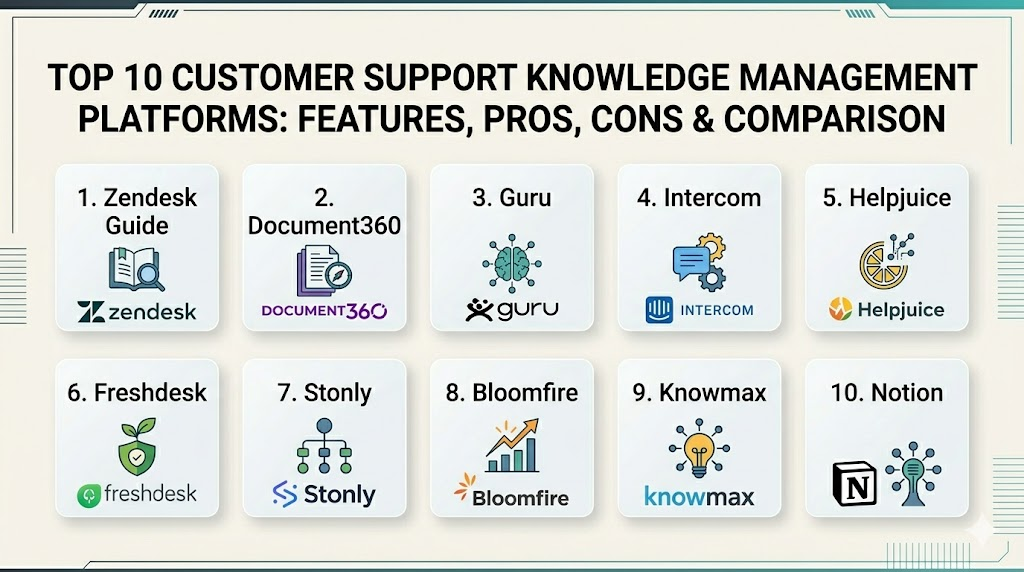
Top 10 Customer Support Knowledge Management Platforms
1. Zendesk Guide
Zendesk Guide is a core component of the Zendesk Suite, designed to turn communal knowledge into a searchable, branded help center for customers and a rapid-access tool for agents.
Key Features
- Answer Bot: Uses machine learning to respond to customer inquiries with relevant articles.
- Content Blocks: Allows creators to use the same snippet of text across multiple articles for easier updates.
- Team Publishing: Comprehensive workflows for drafting, reviewing, and approving content.
- Knowledge Capture App: Enables agents to create new articles directly from a support ticket.
- Multilingual Support: Handles content in over 40 languages with localized search capabilities.
Pros
- Seamlessly integrated into the world’s most popular ticketing ecosystem.
- Robust analytics that link article views to ticket deflection rates.
Cons
- Advanced features are locked behind higher-priced suite tiers.
- Customizing the help center theme requires technical CSS/HTML knowledge.
Platforms / Deployment
Web / Windows / macOS / iOS / Android
Cloud
Security & Compliance
SSO, MFA, encryption at rest, and HIPAA/SOC 2 compliance.
ISO 27001, GDPR, and SOC 2 Type II.
Integrations & Ecosystem
As a market leader, it integrates with virtually every major business tool, including Salesforce, Slack, and Jira. Its open API allows for deep custom integrations.
Support & Community
Extensive documentation and a massive community forum. Priority support is available for enterprise-level subscribers.
2. Document360
Document360 is a specialized knowledge base platform that excels in providing a high-end authoring experience for both technical and non-technical documentation.
Key Features
- Markdown & WYSIWYG Editors: Supports both technical writers and general business users.
- AI-Powered Search: Provides “instant answers” by summarizing content from the knowledge base.
- Version Control: Full history of changes with the ability to roll back to any previous version.
- Private Knowledge Base: Securely host internal-only documentation with granular access.
- SEO Meta Manager: Tools to ensure your public help center ranks well on search engines.
Pros
- Extremely fast setup with a clean, modern interface.
- Powerful categorization and tagging system for large document libraries.
Cons
- Lacks a built-in ticketing system (requires external integration).
- Storage limits on lower plans can be restrictive for video-heavy teams.
Platforms / Deployment
Web
Cloud
Security & Compliance
SSO/SAML, role-based access control, and data encryption.
SOC 2 and GDPR.
Integrations & Ecosystem
Strong native connectors for Zendesk, Intercom, Freshdesk, Slack, and Microsoft Teams. It also provides a robust API for developers.
Support & Community
Direct access to specialized support teams and a comprehensive online academy for users.
3. Guru
Guru is a “knowledge-on-the-go” platform that lives within the apps your team already uses, ensuring that verified information is always a click away.
Key Features
- Browser Extension: Surfacing knowledge inside CRM or email windows without switching tabs.
- Verification Workflow: Prompts experts to re-verify articles on a set schedule to prevent stale info.
- AI Suggest: Recommends knowledge to agents based on the context of their active conversations.
- Slack/Teams Integration: Allows users to search and create knowledge directly within chat apps.
- Knowledge Triggers: Automatically pops up specific cards based on keywords in a ticket.
Pros
- Best-in-class for internal agent support and rapid information retrieval.
- Prevents “knowledge rot” through automated verification schedules.
Cons
- The “card-based” format can be limiting for long, complex technical manuals.
- The search can occasionally feel cluttered if categories aren’t strictly managed.
Platforms / Deployment
Web / Browser Extension / iOS / Android
Cloud
Security & Compliance
SSO, MFA, and SCIM provisioning.
SOC 2 Type II and HIPAA.
Integrations & Ecosystem
Deeply tied into Slack, Microsoft Teams, Salesforce, and Zendesk. It acts as a connective layer between fragmented tools.
Support & Community
Responsive customer success teams and a strong community of “knowledge managers.”
4. Intercom Articles
Part of the broader Intercom engagement platform, Articles is designed for SaaS companies that want to provide help directly within their product via a chat widget.
Key Features
- Messenger Integration: Help articles are delivered directly inside the Intercom chat bubble.
- Fin AI Bot: An advanced AI agent that uses your articles to provide human-like answers.
- Targeted Content: Shows different articles to users based on their behavior or plan type.
- In-App Guided Tours: Combines text articles with interactive product walkthroughs.
- Smart Suggestions: Predicts what a user might need help with based on the page they are viewing.
Pros
- Superior user experience for in-product support.
- AI integration is highly advanced and requires minimal setup.
Cons
- Expensive for high-traffic websites due to Intercom’s pricing model.
- Limited functionality for complex, long-form technical documentation.
Platforms / Deployment
Web / iOS / Android
Cloud
Security & Compliance
Standard encryption and SSO for enterprise plans.
SOC 2 and GDPR.
Integrations & Ecosystem
Best used within the Intercom suite, but supports hundreds of apps via the Intercom App Store.
Support & Community
Excellent digital support and high-quality educational content via Intercom Academy.
5. Helpjuice
Helpjuice is known for its extreme customization capabilities and powerful search engine, making it a favorite for brands with unique branding requirements.
Key Features
- Google-Like Search: Highly advanced search that indexes content within PDF and Word attachments.
- Total Customization: The team provides free professional customization to match your brand perfectly.
- Intelligent Analytics: Shows exactly what users were looking for when they couldn’t find an answer.
- Collaboration Tools: Multiple authors can comment and edit articles simultaneously.
- Multi-Version Support: Host different versions of documentation for different product releases.
Pros
- Unlimited everything (users, articles) on many plans.
- Some of the best search analytics in the knowledge management category.
Cons
- Starting price is higher than some competitors for very small teams.
- The interface, while powerful, can feel slightly more “traditional.”
Platforms / Deployment
Web
Cloud
Security & Compliance
Granular permissions, SSO, and IP whitelisting.
SOC 2 (Not publicly stated for all tiers).
Integrations & Ecosystem
Connects with Slack, Salesforce, Zendesk, and Chrome.
Support & Community
Renowned for personalized support and high-touch onboarding assistance.
6. Freshdesk Knowledge Base
As part of the Freshworks ecosystem, this tool provides a straightforward and cost-effective way to build and manage a help center.
Key Features
- Freddy AI: AI agent that helps deflect tickets by suggesting relevant articles.
- Multilingual Content: Support for global customers with easy-to-manage translations.
- Article Templates: Standardize documentation styles across different authors.
- SEO Ready: Built-in tools to help your help center rank on external search engines.
- Feedback Loops: Allow customers to rate article helpfulness to improve quality.
Pros
- Very intuitive and easy for small-to-midsize teams to get started.
- Excellent value for money, especially for teams already in the Freshworks ecosystem.
Cons
- Lacks the deep procedural automation found in higher-end enterprise tools.
- Reporting can be basic compared to specialized platforms like Helpjuice.
Platforms / Deployment
Web / iOS / Android
Cloud
Security & Compliance
MFA, SSO, and SSL certificates included.
ISO 27001 and GDPR.
Integrations & Ecosystem
Integrates flawlessly with the Freshworks suite and common third-party apps like Google Apps and Shopify.
Support & Community
Reliable 24/7 support and a helpful community of Freshdesk users.
7. Stonly
Stonly takes a unique approach by focusing on interactive, step-by-step guides rather than traditional long-form articles.
Key Features
- Interactive Guides: Users click through paths based on their specific problem.
- In-Product Widgets: Deliver help directly on the specific button or page where a user is struggling.
- AI Copilot: An agent-facing tool that guides support reps through complex resolutions.
- Data-Driven Personalization: Shows content based on user metadata (e.g., specific software version).
- Modular Content: Build a library of “steps” that can be reused in different guides.
Pros
- Far more effective than text for complex troubleshooting and technical setup.
- Drastically reduces “TL;DR” syndrome where users skip long articles.
Cons
- Creating interactive guides takes more planning and time than writing simple text.
- Not a traditional “wiki” style tool; less ideal for general policy storage.
Platforms / Deployment
Web / iOS / Android
Cloud
Security & Compliance
SSO, SAML, and role-based permissions.
GDPR.
Integrations & Ecosystem
Directly embeds within Zendesk, Freshdesk, and Front.
Support & Community
Strong focus on customer success and specialized training for building interactive content.
8. Bloomfire
Bloomfire is an enterprise-grade platform that specializes in breaking down information silos and making all company knowledge searchable.
Key Features
- Deep Media Search: Automatically tags and makes video and audio content searchable.
- Q&A Engine: A social-style feature where users can ask questions and experts can post verified answers.
- AI Auto-Tagging: Automatically categorizes content to ensure it shows up in the right places.
- Custom Newsfeeds: Push important knowledge updates to specific team members.
- Advanced Governance: Rules for content expiration and required review cycles.
Pros
- Excellent for large organizations with massive amounts of mixed-media knowledge.
- Promotes a collaborative culture of knowledge sharing rather than just a top-down library.
Cons
- Interface may feel too complex for teams only looking for a simple FAQ page.
- Implementation in large enterprises requires significant planning.
Platforms / Deployment
Web / iOS / Android
Cloud
Security & Compliance
SSO, MFA, and enterprise-level encryption.
SOC 2 Type II and HIPAA.
Integrations & Ecosystem
Integrates with Slack, Salesforce, Google Drive, and Dropbox.
Support & Community
High-level enterprise support with dedicated account managers for larger deployments.
9. Knowmax
Knowmax is a specialized customer support knowledge platform focusing heavily on decision trees and visual guides to reduce agent training time.
Key Features
- Cognitive Decision Trees: Visual workflows that guide agents or customers to the right solution.
- Picture Guides: Step-by-step visual instructions for physical product repairs.
- Unified Search: One search bar for articles, trees, and visual guides.
- AI Chatbot Integration: Feeds decision trees directly into automated chat experiences.
- Learning Management: Quizzes to test agent knowledge on specific documentation.
Pros
- Best-in-class for hardware support or complex telecommunications troubleshooting.
- Significantly reduces “Average Handle Time” (AHT) for support agents.
Cons
- The visual editor has a steeper learning curve than standard text editors.
- Less focused on general e-commerce or simple SaaS needs.
Platforms / Deployment
Web / iOS / Android
Cloud / Hybrid
Security & Compliance
Role-based access and secure data centers.
ISO 27001 and GDPR.
Integrations & Ecosystem
Native integrations with Salesforce, Zendesk, and Freshdesk.
Support & Community
Strong professional services team to help build initial decision trees.
10. Notion (for Startups)
While a general-purpose tool, Notion has become a powerhouse for startup customer support teams due to its flexibility and built-in AI.
Key Features
- Notion AI: Summarizes internal docs, edits for tone, and finds answers across the workspace.
- Database-Driven Articles: Easy to categorize, tag, and filter large sets of documentation.
- Public Page Publishing: Turn any internal page into a public-facing help article instantly.
- Real-Time Collaboration: Multiple team members can build documentation together seamlessly.
- Template Gallery: Thousands of community-made templates for help centers and wikis.
Pros
- Unbeatable flexibility; you can build exactly the structure you want.
- The most cost-effective solution for very early-stage teams.
Cons
- Lacks native “ticket deflection” analytics found in specialized CX tools.
- Search can become slow once the workspace reaches thousands of pages.
Platforms / Deployment
Web / Windows / macOS / iOS / Android
Cloud
Security & Compliance
SSO/SAML (Enterprise only), MFA, and data encryption.
SOC 2 Type II.
Integrations & Ecosystem
Integrates with Slack, Jira, GitHub, and hundreds of others through automated workflow tools.
Support & Community
One of the largest user communities in the software world with endless third-party resources.
Comparison Table
| Tool Name | Best For | Platform(s) Supported | Deployment | Standout Feature | Public Rating |
| 1. Zendesk Guide | Zendesk Users | Win, macOS, Mobile | Cloud | Integrated Workspace | N/A |
| 2. Document360 | Tech Documentation | Web | Cloud | Markdown/AI Search | N/A |
| 3. Guru | Internal Support | Web, Ext, Mobile | Cloud | Content Verification | N/A |
| 4. Intercom | In-Product Help | Web, Mobile | Cloud | Fin AI Bot | N/A |
| 5. Helpjuice | High Customization | Web | Cloud | Search Analytics | N/A |
| 6. Freshdesk | SMB Support | Web, Mobile | Cloud | Freddy AI Agent | N/A |
| 7. Stonly | Interactive Guides | Web, Mobile | Cloud | Adaptive Logic Paths | N/A |
| 8. Bloomfire | Enterprise Sync | Web, Mobile | Cloud | Deep Media Search | N/A |
| 9. Knowmax | Decision Trees | Web, Mobile | Cloud/Hybrid | Visual Workflows | N/A |
| 10. Notion | Early Startups | Win, macOS, Mobile | Cloud | Total Flexibility | N/A |
Evaluation & Scoring
| Tool Name | Core (25%) | Ease (15%) | Integrations (15%) | Security (10%) | Perf (10%) | Support (10%) | Value (15%) | Total |
| 1. Zendesk | 9 | 7 | 10 | 10 | 9 | 9 | 6 | 8.40 |
| 2. Document360 | 9 | 9 | 8 | 8 | 9 | 8 | 8 | 8.60 |
| 3. Guru | 8 | 8 | 9 | 9 | 9 | 8 | 8 | 8.35 |
| 4. Intercom | 9 | 8 | 8 | 8 | 9 | 9 | 5 | 7.85 |
| 5. Helpjuice | 9 | 7 | 7 | 8 | 9 | 10 | 7 | 8.05 |
| 6. Freshdesk | 8 | 9 | 9 | 9 | 9 | 8 | 9 | 8.60 |
| 7. Stonly | 10 | 6 | 8 | 8 | 9 | 8 | 7 | 7.95 |
| 8. Bloomfire | 8 | 7 | 8 | 10 | 8 | 9 | 6 | 7.80 |
| 9. Knowmax | 10 | 5 | 8 | 9 | 8 | 8 | 7 | 7.90 |
| 10. Notion | 6 | 10 | 7 | 8 | 7 | 6 | 10 | 7.25 |
The weights used here prioritize the stability and integration depth required for a professional support environment. Specialized tools like Knowmax and Stonly score exceptionally high on “Core Features” because they solve specific, complex troubleshooting problems that general tools cannot. Meanwhile, Freshdesk and Document360 achieve high total scores due to their exceptional balance of ease-of-use and cost-to-value ratio.
Which Customer Support Knowledge Management Platform Is Right for You?
Solo / Freelancer
If you are managing a small client base alone, Notion is likely your best friend. It allows you to build a professional-looking help center for free or a very low cost while keeping your internal project notes in the same place.
SMB
For small to medium businesses, Freshdesk or Document360 offer the best path. They provide professional-grade features without requiring a full-time administrator to manage the software.
Mid-Market
Growing companies that are already seeing high ticket volumes should consider Zendesk Guide or Intercom Articles. These tools are built to scale and offer the AI deflection capabilities necessary to keep your support team from being overwhelmed.
Enterprise
Large organizations with thousands of articles and complex internal knowledge needs should look toward Bloomfire or Guru. These platforms are designed to handle massive data sets and offer the governance controls required for high-stakes environments.
Budget vs Premium
- Budget: Freshdesk (Free tier) or Notion.
- Premium: Helpjuice or Zendesk Suite.
Feature Depth vs Ease of Use
- Depth: Houdini level logic can be found in Knowmax and Stonly, which are powerful but require more setup time.
- Ease of Use: Document360 and Guru are remarkably easy for authors to adopt quickly.
Integrations & Scalability
If your support team lives in Salesforce or Slack, Guru and Zendesk offer the deepest native connectivity to ensure knowledge is where the work happens.
Security & Compliance Needs
Financial and medical tech companies should stick with Bloomfire, Zendesk, or Salesforce (via integration), as these companies offer the most documented compliance certifications in the industry.
Frequently Asked Questions (FAQs)
1. What is the difference between a knowledge base and a wiki?
A knowledge base is typically a structured, verified collection of information for customers and agents, whereas a wiki is often a more informal, collaborative tool where any employee can edit content without strict oversight.
2. How does AI help in knowledge management?
In 2026, AI is used to automatically draft articles from support chats, suggest relevant content to customers to “deflect” tickets, and identify which articles are outdated or confusing.
3. Do I need a technical writer to manage these platforms?
While not always required, having someone with technical writing skills helps ensure your documentation is clear, concise, and easy for customers to follow, which leads to higher self-service rates.
4. Can a knowledge base improve my SEO?
Yes. Public-facing help centers are indexed by search engines. High-quality articles that answer common user questions can drive significant organic traffic to your website.
5. What is “ticket deflection”?
This is a metric that tracks how many customers found an answer in your knowledge base instead of reaching out to a human support agent, saving the company time and money.
6. Is it better to have an internal or external knowledge base?
Most professional organizations need both. An external base helps customers, while an internal one provides agents with sensitive policy information and troubleshooting steps not meant for public view.
7. How often should I review my help articles?
Industry best practices suggest a full review every 3 to 6 months. Platforms like Guru can automate this by flagging articles for review based on their age or changes in product features.
8. Can I host my knowledge base on my own domain?
Yes, most professional platforms allow for “custom domains” (e.g., https://www.google.com/search?q=help.yourcompany.com) to provide a seamless branded experience for your users.
9. How do I measure the success of my knowledge platform?
Key metrics include the self-service ratio, the number of users who rated an article as “helpful,” and the decrease in common, repetitive tickets in your support queue.
10. Do these platforms support video content?
Yes, modern platforms allow for easy embedding of video. Specialized tools like Bloomfire even allow you to search for specific words spoken within the video files.
Conclusion
Implementing a high-quality knowledge management platform is one of the most effective ways to scale your customer support operations without exponentially increasing headcount. By moving from a reactive support model to a proactive, self-service-first approach, you empower your customers to find answers on their own terms while freeing up your agents for more complex, high-value tasks. The “best” platform ultimately depends on your team’s existing tech stack and the complexity of your product. Prioritize a tool that not only stores information but actively delivers it to the right person at exactly the right moment.

Best Cardiac Hospitals Near You
Discover top heart hospitals, cardiology centers & cardiac care services by city.
Advanced Heart Care • Trusted Hospitals • Expert Teams
View Best Hospitals