Introduction
Data visualization tools turn raw data into charts, dashboards, and interactive reports that help people understand what is happening in a business, product, or system. Instead of scanning rows in spreadsheets, teams can see patterns, trends, and outliers in seconds, then act faster and with more confidence.
These tools matter now because organizations have more data sources than ever, teams expect self-service analytics, and leaders want near real-time visibility without waiting for long reporting cycles. In day-to-day work, data visualization supports use cases like executive KPI dashboards, sales and marketing performance tracking, product analytics, finance reporting, operations monitoring, and incident or reliability dashboards.
When evaluating a data visualization tool, buyers should look at criteria such as data connectivity, modeling and transformations, dashboard interactivity, performance at scale, governance and permissions, collaboration workflows, embedding options, alerting and subscriptions, extensibility and APIs, and total cost of ownership.
Best for: analysts, BI teams, product managers, operations leaders, and executives who need consistent dashboards; organizations that want shared metrics and repeatable reporting across teams; industries like SaaS, e-commerce, finance, healthcare, telecom, and manufacturing.
Not ideal for: teams that only need occasional charts and can rely on spreadsheets; organizations that cannot invest time in data preparation; highly regulated environments that require specific compliance evidence that a vendor does not publicly detail; use cases that demand pixel-perfect design output where a dedicated design tool is better.
Key Trends in Data Visualization Tools
- AI-assisted insights such as recommended visuals, anomaly detection, and natural-language question answering are becoming common in mainstream platforms.
- Semantic layers and metric governance are getting more attention, so business definitions stay consistent across dashboards and teams.
- Embedded analytics is growing, as SaaS products want dashboards inside their own applications with single sign-on and role-based controls.
- Cloud-first deployment is expanding, while many enterprises still demand hybrid options for data residency and control.
- Performance expectations are rising, including caching, incremental refresh, and optimization for large datasets and high concurrency.
- Stronger governance workflows are increasingly required, including lineage awareness, certified datasets, and controlled sharing.
- Real-time and streaming dashboards are more widely requested for operations, IoT, cybersecurity, and digital products.
- Interoperability matters more, including APIs, connectors, and integration with data catalogs, warehouses, and lakehouses.
- Pricing scrutiny is increasing, pushing buyers to compare creator vs viewer licensing, usage-based options, and embedded economics.
- Accessibility and collaboration features are improving, including comments, versioning, subscriptions, and mobile-friendly consumption.
How We Selected These Tools (Methodology)
- Considered overall market adoption and mindshare across enterprise and mid-market usage.
- Prioritized tools with proven dashboarding and reporting depth rather than chart-only utilities.
- Looked for breadth of data connections across warehouses, databases, files, and SaaS sources.
- Included a balanced mix of enterprise suites and developer-friendly options, including open-source.
- Evaluated typical performance and scalability patterns, such as caching, refresh controls, and concurrency handling.
- Considered governance fundamentals such as permissions, workspace controls, and admin manageability.
- Assessed ecosystem strength, including APIs, embedding options, extensions, and partner integrations.
- Checked for practical fit across different segments: solo users, SMBs, mid-market, and enterprise teams.
- Avoided claims about certifications, compliance, or ratings unless clearly known; used “Not publicly stated” or “N/A” when uncertain.
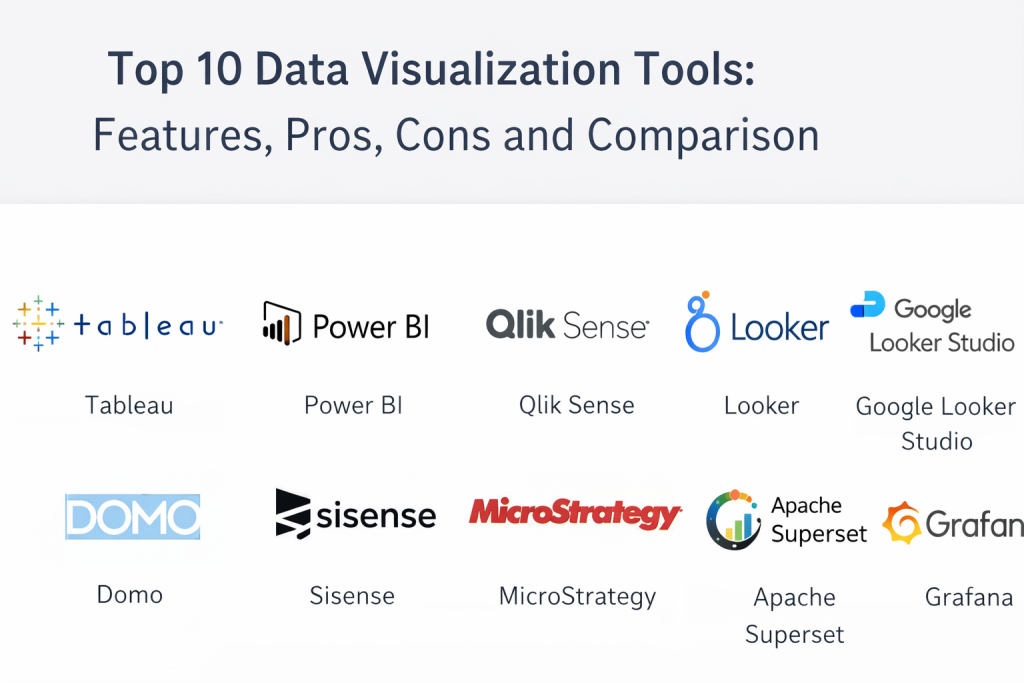
Top 10 Data Visualization Tools
Tool 1 — Tableau
Tableau is a leading platform for interactive dashboards and visual analytics, commonly used by analysts and business teams who need flexible exploration and strong presentation-quality dashboards.
Key Features
- Drag-and-drop dashboard building with rich chart types
- Interactive filters, parameters, and drill-down experiences
- Dashboard actions for cross-filtering and guided exploration
- Broad connectivity to databases, warehouses, and files
- Publishing and sharing via governed workspaces
- Data prep options and calculated fields for modeling logic
- Embedding and distribution options for internal portals
Pros
- Strong visualization flexibility and interactivity for exploration
- Large ecosystem of community knowledge and templates
- Mature enterprise adoption with robust admin controls
Cons
- Licensing and at-scale deployments can become expensive
- Requires governance and modeling discipline for consistent metrics
- Performance depends heavily on data model and extract strategy
Platforms / Deployment
- Web / Windows / macOS
- Cloud / Hybrid (Varies by edition and architecture)
Security & Compliance
- SSO/SAML, RBAC, encryption, audit logs: Varies / Not publicly stated (depends on setup and edition)
Integrations & Ecosystem
Tableau commonly connects to modern data warehouses, relational databases, and popular enterprise systems. It also supports extensions and embedding patterns for broader workflows.
- Data warehouses and databases (various connectors)
- REST APIs and admin automation options
- Embedding in internal portals and apps (varies by setup)
- Integrations with identity providers (varies)
- Partner ecosystem for add-ons and accelerators
Support & Community
Strong global community, extensive learning resources, and enterprise-grade support tiers. Community forums and training content are widely available.
Tool 2 — Microsoft Power BI
Microsoft Power BI is a widely used BI platform built for dashboarding, reporting, and self-service analytics, especially strong in organizations using Microsoft ecosystems.
Key Features
- Rich dashboard and report authoring experience
- Data modeling with measures and semantic layer capabilities
- Scheduled refresh, incremental refresh options (varies)
- Sharing via workspaces with role-based controls
- Integration with Microsoft services and productivity workflows
- Embedded analytics options (varies by licensing)
- Mobile-friendly report consumption
Pros
- Strong value for teams already on Microsoft stacks
- Large user base and extensive documentation
- Good balance of self-service and centralized governance
Cons
- Complex models can become difficult to maintain without standards
- Licensing and workspace governance require careful planning
- Advanced scenarios may demand additional platform components
Platforms / Deployment
- Web / Windows / iOS / Android
- Cloud / Hybrid (Varies by configuration)
Security & Compliance
- SSO/SAML, RBAC, encryption, audit logs: Varies / Not publicly stated (depends on tenant configuration)
Integrations & Ecosystem
Power BI fits naturally into Microsoft-oriented data and identity environments and supports broad connectivity through connectors and gateways.
- Microsoft data sources and services integration
- Data gateway patterns for on-prem connectivity
- APIs for embedding and automation (varies)
- Identity provider integrations (varies)
- Broad connector library for common databases and SaaS apps
Support & Community
Very large community and abundant learning content. Enterprise support is available through Microsoft support channels and partner networks.
Tool 3 — Qlik Sense
Qlik Sense is known for associative analytics that helps users explore data relationships more freely, supporting interactive dashboards and governed self-service analytics.
Key Features
- Associative data exploration for discovering relationships
- Dashboard authoring with interactive filtering and exploration
- Data integration and preparation capabilities (varies)
- Governance features for enterprise sharing and control
- APIs and extensions for customization
- Automated insights features (varies)
- Scalable server-side performance patterns (varies)
Pros
- Strong exploratory analysis style for discovery workflows
- Suitable for governed self-service in larger organizations
- Flexible customization through extensions and APIs
Cons
- Data modeling concepts can feel complex for new teams
- Administration and scaling require experienced ownership
- Total cost can increase as usage and advanced needs grow
Platforms / Deployment
- Web / Windows (authoring varies) / mobile access (varies)
- Cloud / Self-hosted / Hybrid (Varies by edition)
Security & Compliance
- SSO/SAML, RBAC, audit logs: Varies / Not publicly stated
Integrations & Ecosystem
Qlik connects with many data platforms and supports customization for specialized dashboard experiences.
- Connectors for databases, warehouses, and files
- Extension framework for custom visuals
- APIs for automation and embedding (varies)
- Integration with enterprise identity solutions (varies)
- Partner ecosystem for accelerators and industry packs
Support & Community
Solid documentation and an active user community. Enterprise support depends on contract and tier.
Tool 4 — Looker
Looker is a BI platform focused on governed metrics and a centralized modeling approach, often used by organizations that want consistent definitions and scalable analytics delivery.
Key Features
- Centralized semantic modeling for consistent metrics
- Reusable explores and governed datasets
- Interactive dashboards and scheduled deliveries
- Embedding options for product analytics (varies)
- Strong integration patterns with modern warehouses
- Role-based access and content governance
- API support for automation and integrations
Pros
- Strong metric consistency and governance approach
- Well-suited for embedded analytics and multi-team reporting
- Scales well when modeling is maintained properly
Cons
- Requires dedicated modeling ownership and discipline
- Less “quick and casual” than pure drag-and-drop tools
- Time-to-value depends on data model readiness
Platforms / Deployment
- Web
- Cloud / Hybrid (Varies by environment)
Security & Compliance
- SSO/SAML, RBAC, encryption, audit logs: Varies / Not publicly stated
Integrations & Ecosystem
Looker is commonly paired with modern warehouses and supports automation via APIs.
- Strong warehouse connectivity patterns
- APIs for embedding and workflow automation
- Integration with identity providers (varies)
- Extension and visualization customization options (varies)
- Connections to operational tools via scheduled deliveries (varies)
Support & Community
Good documentation and professional support options. Community resources exist, but often less broad than some larger BI communities.
Tool 5 — Google Looker Studio
Google Looker Studio is a widely used, accessible dashboarding tool that helps teams create and share reports quickly, especially for marketing, web analytics, and lightweight BI use cases.
Key Features
- Fast dashboard creation and sharing workflows
- Common connectors for analytics and marketing data (varies)
- Simple calculated fields and blending options (varies)
- Collaboration and sharing patterns suitable for teams
- Templates and report components for faster builds
- Embedding and publishing options (varies)
- Lightweight interactivity controls
Pros
- Easy to start with and practical for quick reporting
- Strong fit for marketing and web analytics dashboards
- Good for distributed sharing and simple collaboration
Cons
- Less suitable for complex enterprise governance needs
- Advanced modeling and large-scale performance can be limiting
- Connector depth varies and may require add-ons
Platforms / Deployment
- Web
- Cloud
Security & Compliance
- Not publicly stated (depends on account setup and environment)
Integrations & Ecosystem
Looker Studio connects with many commonly used sources and benefits from a broad community of templates.
- Marketing and analytics connectors (varies)
- Community connectors and partner integrations (varies)
- Sharing and embedding patterns (varies)
- Collaboration workflows within Google ecosystem (varies)
- Export and distribution options (varies)
Support & Community
Large user base and many tutorials. Support depth varies by plan and connector type.
Tool 6 — Domo
Domo is a cloud BI platform that combines dashboards, data connectivity, and operational reporting, often used by businesses that want a centralized analytics hub with collaboration features.
Key Features
- Cloud-native dashboards and app-style analytics pages
- Broad connector catalog for SaaS and databases (varies)
- Data preparation and transformation options (varies)
- Alerts, notifications, and scheduled reporting
- Collaboration features including comments and sharing
- Embedded analytics options (varies)
- Mobile-first consumption and management features
Pros
- Strong all-in-one experience for business reporting
- Good connector coverage for common SaaS systems
- Practical collaboration and distribution tools
Cons
- Cost can rise with advanced usage and scale
- Deep customization may require platform expertise
- Governance needs planning as user counts grow
Platforms / Deployment
- Web / iOS / Android
- Cloud
Security & Compliance
- Not publicly stated (varies by edition and contract)
Integrations & Ecosystem
Domo is often chosen for its connector breadth and operational analytics workflows.
- Prebuilt connectors for many SaaS platforms (varies)
- APIs for automation and integration (varies)
- Data pipeline and transformation capabilities (varies)
- Embedding patterns for portals and apps (varies)
- Partner ecosystem for additional connectors and packs
Support & Community
Vendor-led onboarding and support are common. Community strength varies by region and customer segment.
Tool 7 — Sisense
Sisense is known for embedded analytics and customizable BI experiences, often used by product teams and organizations that want analytics inside customer-facing applications.
Key Features
- Embedded analytics workflows and white-label options (varies)
- Dashboard building with interactive components
- Data modeling and semantic layer patterns (varies)
- API-driven customization for product integrations
- Governance and permission controls for multi-tenant needs (varies)
- Performance tuning options (varies)
- Extensible visual and plugin ecosystem (varies)
Pros
- Strong for embedded and product analytics scenarios
- Flexible customization via APIs and extensions
- Suitable for multi-team and multi-tenant analytics patterns
Cons
- Implementation can require technical ownership
- Cost and complexity may be high for small teams
- Best results depend on strong data modeling and architecture
Platforms / Deployment
- Web
- Cloud / Self-hosted / Hybrid (Varies by edition)
Security & Compliance
- Not publicly stated (depends on deployment and contract)
Integrations & Ecosystem
Sisense typically integrates through APIs, connectors, and embedding frameworks.
- APIs for embedding and automation
- Connectors for common databases and warehouses (varies)
- Integration with identity providers (varies)
- Extension framework for custom visuals (varies)
- Product analytics integration patterns (varies)
Support & Community
Professional support is common for implementation-heavy projects. Community resources exist, but many teams rely on vendor support and partners.
Tool 8 — MicroStrategy
MicroStrategy is an enterprise analytics platform used for governed reporting, large deployments, and executive dashboards, typically in bigger organizations with strong governance requirements.
Key Features
- Enterprise reporting and dashboard governance
- Semantic modeling and reusable metric definitions
- Scalable distribution and scheduling options
- Mobile analytics capabilities (varies)
- Role-based access control and admin tools
- Support for large user bases and complex environments
- Integration and embedding options (varies)
Pros
- Strong for enterprise governance and standardized reporting
- Designed for scale and large deployments
- Mature admin and distribution capabilities
Cons
- Setup and administration can be complex
- May feel heavy for small teams needing quick dashboards
- Cost and implementation effort can be significant
Platforms / Deployment
- Web / mobile access (varies)
- Cloud / Self-hosted / Hybrid (Varies by edition)
Security & Compliance
- Not publicly stated (depends on deployment and enterprise requirements)
Integrations & Ecosystem
MicroStrategy is commonly deployed in complex enterprise stacks and integrates through connectors and APIs.
- Enterprise data platform connectivity (varies)
- APIs and SDKs for embedding and automation (varies)
- Integration with identity and access systems (varies)
- Scheduling and distribution workflows into business processes
- Partner ecosystem for enterprise implementations
Support & Community
Strong enterprise support structures and partner networks. Community content exists but is often supplemented by formal services.
Tool 9 — Apache Superset
Apache Superset is an open-source data exploration and visualization platform that provides dashboards and charting, often adopted by developer-friendly organizations that want flexibility and control.
Key Features
- Open-source dashboarding and chart library
- SQL-based exploration and query workflows
- Role-based access control (varies by setup)
- Extensible visualization plugins (varies)
- Connectors for common databases (varies)
- Multi-tenant and workspace patterns (varies)
- Deployment flexibility for internal platforms
Pros
- Strong flexibility for teams comfortable with SQL and self-hosting
- No vendor lock-in and customizable architecture
- Good fit for internal analytics platforms
Cons
- Requires engineering ownership for deployment and upgrades
- Governance and enterprise polish depend on implementation
- Support is community-led unless backed by a service provider
Platforms / Deployment
- Web
- Self-hosted / Hybrid (Varies by setup)
Security & Compliance
- Not publicly stated (open-source; depends on deployment controls)
Integrations & Ecosystem
Superset integrates primarily through database connections and extensibility points.
- Connectors for many SQL databases (varies)
- Plugin and visualization extension options
- API and automation patterns (varies)
- Integration with identity providers (varies)
- Works well with modern warehouses through SQL access
Support & Community
Strong open-source community, with documentation and community forums. Enterprise-level support depends on third-party providers or internal expertise.
Tool 10 — Grafana
Grafana is widely used for time-series visualization and observability dashboards, making it a strong choice for engineering, SRE, and operations teams that need monitoring-focused visualization.
Key Features
- High-performance dashboards for metrics, logs, and traces (varies)
- Rich visualization panels for time-series and operational data
- Alerting and notification workflows (varies)
- Broad datasource support (varies)
- Dashboard templating for reusable views
- Role-based access and folder organization (varies)
- Strong ecosystem for plugins and integrations
Pros
- Excellent for operational dashboards and observability use cases
- Fast dashboard creation for engineering teams
- Strong alerting and real-time monitoring patterns
Cons
- Not a full replacement for enterprise BI semantic modeling
- Business reporting features are limited compared to BI suites
- Governance depends on how it is deployed and managed
Platforms / Deployment
- Web
- Cloud / Self-hosted / Hybrid (Varies by edition)
Security & Compliance
- Not publicly stated (depends on edition and deployment)
Integrations & Ecosystem
Grafana integrates deeply with monitoring, observability, and time-series ecosystems.
- Datasource plugins for metrics and log platforms (varies)
- Alert integrations into chat and incident tools (varies)
- APIs for dashboard automation (varies)
- Plugin ecosystem for panels and data sources
- Works well in DevOps workflows and operational runbooks
Support & Community
Very strong community, especially in engineering circles. Support tiers vary by edition and vendor plan.
Comparison Table (Top 10)
| Tool Name | Best For | Platform(s) Supported | Deployment (Cloud/Self-hosted/Hybrid) | Standout Feature | Public Rating |
|---|---|---|---|---|---|
| Tableau | Visual exploration and executive dashboards | Web / Windows / macOS | Cloud / Hybrid | Highly interactive visual analytics | N/A |
| Microsoft Power BI | Microsoft-centric BI and reporting | Web / Windows / iOS / Android | Cloud / Hybrid | Strong modeling plus value in Microsoft stack | N/A |
| Qlik Sense | Associative analytics and discovery | Web / Windows (varies) | Cloud / Self-hosted / Hybrid | Associative exploration experience | N/A |
| Looker | Governed metrics and scalable analytics delivery | Web | Cloud / Hybrid | Centralized semantic modeling approach | N/A |
| Google Looker Studio | Quick reporting for marketing and web analytics | Web | Cloud | Fast shareable dashboards and templates | N/A |
| Domo | Cloud BI hub with connectors and collaboration | Web / iOS / Android | Cloud | Connector breadth plus operational reporting | N/A |
| Sisense | Embedded analytics and customizable BI | Web | Cloud / Self-hosted / Hybrid | Strong embedding and API customization | N/A |
| MicroStrategy | Enterprise governance and large deployments | Web (mobile varies) | Cloud / Self-hosted / Hybrid | Enterprise distribution and governance focus | N/A |
| Apache Superset | Open-source dashboards for SQL-driven teams | Web | Self-hosted / Hybrid | Open-source flexibility with SQL exploration | N/A |
| Grafana | Observability dashboards and time-series monitoring | Web | Cloud / Self-hosted / Hybrid | Monitoring-focused visualization and alerting | N/A |
Evaluation and Scoring of Data Visualization Tools
Scoring model uses a 1–10 score per criterion, then a weighted total using these weights: Core features 25%, Ease of use 15%, Integrations and ecosystem 15%, Security and compliance 10%, Performance and reliability 10%, Support and community 10%, Price and value 15%. Scores below are comparative and reflect typical fit across common scenarios, not a guarantee for every environment.
| Tool Name | Core (25%) | Ease (15%) | Integrations (15%) | Security (10%) | Performance (10%) | Support (10%) | Value (15%) | Weighted Total (0–10) |
|---|---|---|---|---|---|---|---|---|
| Tableau | 9 | 7 | 8 | 7 | 8 | 8 | 6 | 7.75 |
| Microsoft Power BI | 8 | 8 | 8 | 7 | 8 | 8 | 8 | 7.85 |
| Qlik Sense | 8 | 7 | 8 | 7 | 8 | 7 | 6 | 7.30 |
| Looker | 8 | 6 | 8 | 7 | 8 | 7 | 6 | 7.10 |
| Google Looker Studio | 6 | 9 | 7 | 6 | 6 | 7 | 9 | 7.15 |
| Domo | 7 | 8 | 8 | 7 | 7 | 7 | 6 | 7.10 |
| Sisense | 7 | 7 | 8 | 7 | 7 | 7 | 6 | 7.00 |
| MicroStrategy | 8 | 6 | 7 | 7 | 8 | 7 | 5 | 6.85 |
| Apache Superset | 7 | 6 | 7 | 6 | 7 | 7 | 9 | 7.05 |
| Grafana | 7 | 7 | 8 | 6 | 8 | 9 | 8 | 7.55 |
How to interpret the scores
- Use Weighted Total to shortlist options that match your priorities across criteria, not as an absolute truth.
- A slightly lower total can still be the best choice if it wins on your most important criteria, such as governance or embedding.
- Re-score the top candidates using your real constraints like user counts, refresh frequency, and required integrations.
- Always validate performance and permissions with a pilot using representative datasets and real stakeholders.
Which Data Visualization Tool Is Right for You
Solo / Freelancer
If you work alone or in a very small team, prioritize quick setup, low friction, and easy sharing. Google Looker Studio is often a practical pick for lightweight dashboards and marketing reporting. Grafana can be excellent if your focus is operational metrics and monitoring. If you need deeper BI modeling and professional reporting output, Microsoft Power BI can be a strong balance of capability and cost, provided you are comfortable with its modeling approach.
SMB
SMBs typically need fast time-to-value with enough governance to avoid messy dashboards. Microsoft Power BI works well for many SMBs because it supports both self-service and controlled sharing. Tableau is strong when teams need high-quality interactive dashboards for stakeholders. Domo can be attractive if you want a cloud-first hub with many SaaS connectors and built-in collaboration patterns, especially when your reporting spans multiple business systems.
Mid-Market
Mid-market organizations often face growing data volume, more teams, and the need to standardize metrics. Looker is a strong fit when you want governed metrics and consistent definitions across teams, especially when your data sits in modern warehouses. Qlik Sense is useful when discovery and flexible exploration are central to how teams work. Sisense can be a good option if embedded analytics and customization are becoming important, such as customer-facing dashboards or product analytics needs.
Enterprise
Enterprises usually require strong governance, scalable distribution, and admin control across many business units. Tableau and Microsoft Power BI are common enterprise standards for broad BI usage, depending on internal ecosystems and governance approach. MicroStrategy is often considered for large-scale governed reporting and executive dashboards with strict standardization. Looker can be a strong choice for enterprises prioritizing centralized metric definitions and reuse across many teams, especially where embedding and API-driven workflows are important.
Budget vs Premium
If budget is tight, prioritize tools with lower entry cost and faster adoption. Google Looker Studio and Apache Superset can reduce licensing pressure, though Superset shifts cost into engineering time and operations. Premium enterprise suites can bring deeper governance, support, and scale, but you should validate licensing models for creators, viewers, and embedded usage. A budget-friendly choice can still be expensive if it creates ongoing manual work or inconsistent reporting.
Feature Depth vs Ease of Use
Tools like Tableau and Power BI provide deep BI capabilities but still require skill to build durable models and scalable content. Google Looker Studio is easier to start with, but can be limiting for complex modeling and large-scale governance. Looker can deliver strong long-term consistency, but the modeling approach can raise the learning curve. If you want quick dashboards with minimal complexity, choose ease; if you need standardized metrics and complex use cases, choose depth.
Integrations and Scalability
If your environment includes many SaaS tools, Domo’s connector-driven approach can simplify integration. If you have a modern warehouse strategy, Looker and Tableau often align well with scalable data platforms. Grafana integrates strongly with monitoring and observability ecosystems. For open-source or platform teams building internal analytics, Apache Superset can be a flexible base, but requires a plan for scaling, governance, and ownership.
Security and Compliance Needs
Start by mapping your must-have controls: SSO, MFA, RBAC, audit logs, encryption expectations, and data residency requirements. If you need strict compliance evidence, ensure the vendor can provide what your risk team requires, and do not assume. Enterprises often select platforms based on identity integration, tenant separation, and admin visibility as much as charting features. In sensitive environments, run a security review early, before deep rollout.
Frequently Asked Questions (FAQs)
1. How do data visualization tools typically charge for pricing?
Most tools use creator vs viewer licensing, sometimes with capacity or usage-based pricing. Embedded analytics may have separate pricing rules. Always model costs based on how many people build, how many consume, and how content is shared.
2. How long does it take to implement a data visualization tool?
A basic rollout can be quick if your data is clean and sources are ready. A durable rollout usually takes longer because you need data modeling standards, governance, permissions, and a repeatable dashboard lifecycle.
3. What are the most common mistakes teams make with dashboards?
Teams often build too many dashboards without a single source of truth for metrics. Another common issue is skipping governance, which leads to conflicting definitions and low trust. Performance problems often come from weak modeling and unoptimized queries.
4. Do these tools replace a data warehouse or data lake?
No. Visualization tools sit on top of your data platforms. They consume data from warehouses, databases, and services, then present it as dashboards and reports. Strong outcomes usually depend on good data foundations.
5. Which tool is best for executive KPI dashboards?
Tableau, Microsoft Power BI, and MicroStrategy are commonly used for executive dashboards due to strong reporting and distribution patterns. The best option depends on governance, refresh needs, and how leadership consumes reports.
6. Which tool is best for product-embedded analytics?
Sisense and Looker are often chosen for embedded scenarios due to modeling and API-driven delivery patterns, though other tools can also embed depending on licensing and architecture. Evaluate multi-tenant permissions and performance carefully.
7. How do I handle security and access control properly?
Start with SSO and role-based access so permissions match your org structure. Define who can publish, who can certify datasets, and who can share externally. Use audit logs if available and enforce workspace standards to prevent data leakage.
8. Can I switch tools later without rebuilding everything?
Switching usually requires some rebuild effort because calculation logic, semantic models, and dashboard layouts differ. You can reduce pain by centralizing metric definitions and keeping transformations in your data platform rather than inside dashboards.
9. What should I test in a pilot before choosing a tool?
Test with real datasets, realistic refresh schedules, and the expected number of users. Validate performance, permissions, sharing workflows, and your critical integrations. Also test how quickly a new analyst can build a trusted dashboard.
10. Are open-source tools a good alternative to enterprise BI?
Open-source tools like Apache Superset can be excellent when you have engineering ownership and want flexibility. However, you must plan for hosting, upgrades, security hardening, and internal support. For many teams, the real cost is operational ownership.
Conclusion
Choosing a data visualization tool is less about picking a single “best” product and more about matching the tool to your data maturity, team skills, and governance needs. Some organizations need rich interactive exploration, others need consistent metrics across hundreds of dashboards, and many need a practical balance of ease, cost, and scalability. Start by identifying your top use cases, your must-have integrations, and your baseline security requirements. Then shortlist two or three tools that fit your environment and run a focused pilot with real datasets and real stakeholders. Validate performance, permissions, and dashboard lifecycle workflows before committing to a broad rollout.

Best Cardiac Hospitals Near You
Discover top heart hospitals, cardiology centers & cardiac care services by city.
Advanced Heart Care • Trusted Hospitals • Expert Teams
View Best Hospitals