Introduction
Dental practice management software is a specialized category of health information technology designed to handle the daily clinical and administrative operations of a dental office. Unlike general medical software, these platforms are built to support dental-specific workflows, such as tooth-by-tooth charting, periodontal tracking, and the integration of intraoral imaging. These systems serve as the central nervous system for a clinic, managing everything from the initial patient inquiry and appointment scheduling to complex insurance claims and financial reporting.
In the current landscape, the role of dental software has evolved from a simple digital ledger into a comprehensive practice engine. As we move through the mid-2020s, the integration of artificial intelligence for radiograph analysis and automated patient engagement has become the industry standard. These tools are no longer just for storage; they actively assist in increasing case acceptance rates by providing visual treatment plans and ensuring that no patient falls through the cracks of a busy schedule.
Real-World Use Cases
- Automating the patient recall process to fill gaps in the schedule without manual staff intervention.
- Digitizing the clinical chairside experience with 3D tooth charting and immediate X-ray synchronization.
- Managing multi-location dental groups through a centralized cloud dashboard for consistent reporting.
- Streamlining the insurance lifecycle by verifying eligibility in real-time and submitting electronic claims.
- Enhancing the patient experience via secure portals for digital intake forms and online payment processing.
Evaluation Criteria for Buyers
- The intuitive nature of the interface and how quickly a new dental assistant or front-desk hire can learn it.
- The strength of the clinical modules, specifically the ease of periodontal and restorative charting.
- Compatibility with existing dental hardware such as digital sensors, panoramic X-rays, and intraoral cameras.
- Robustness of the patient communication suite, including automated SMS and email reminders.
- Security features that ensure full compliance with patient data protection and privacy regulations.
- The quality of the reporting engine and its ability to track key performance indicators (KPIs) like production vs. collection.
- The reliability of the cloud infrastructure or the ease of maintaining a local server environment.
Best for: General dentists, orthodontists, oral surgeons, multi-location dental groups, and office managers seeking to eliminate paper-based administrative chaos.
Not ideal for: Solo practitioners who prefer manual ledger systems, or clinics with extremely limited internet connectivity that cannot support modern cloud-based synchronization.
Key Trends in Dental Practice Management Software
- The integration of AI-driven diagnostic tools that highlight potential issues in radiographs for better patient education.
- A massive industry shift toward cloud-native platforms that allow dentists to access patient records from any device or location.
- The rise of “virtual coworkers” or AI receptionists that can handle complex patient queries and booking requests 24/7.
- Improved interoperability between different dental specialties, allowing for seamless referrals and data sharing between clinics.
- Automated insurance verification that happens days before the appointment to prevent financial surprises for the patient.
- The adoption of teledentistry modules for remote consultations and post-operative follow-ups via secure video links.
- Smart inventory systems that use historical data to predict when clinical consumables like composites or gloves need reordering.
- Enhanced patient engagement tools that gamify oral health tracking and provide personalized educational content.
How We Selected These Tools
The selection of the top ten dental practice management tools is based on a meticulous evaluation of the global dental technology market. We prioritized software that has demonstrated a strong commitment to clinical accuracy and administrative efficiency. A key factor was the platform’s ability to scale, whether for a single-chair solo practice or a large Dental Service Organization (DSO). We also analyzed user feedback regarding the quality of technical support and the frequency of feature updates. Security posture was a non-negotiable metric, ensuring that every tool on this list meets the highest standards for data encryption and access control. Finally, we looked for innovation in AI and real-time data processing to ensure these tools are future-ready.
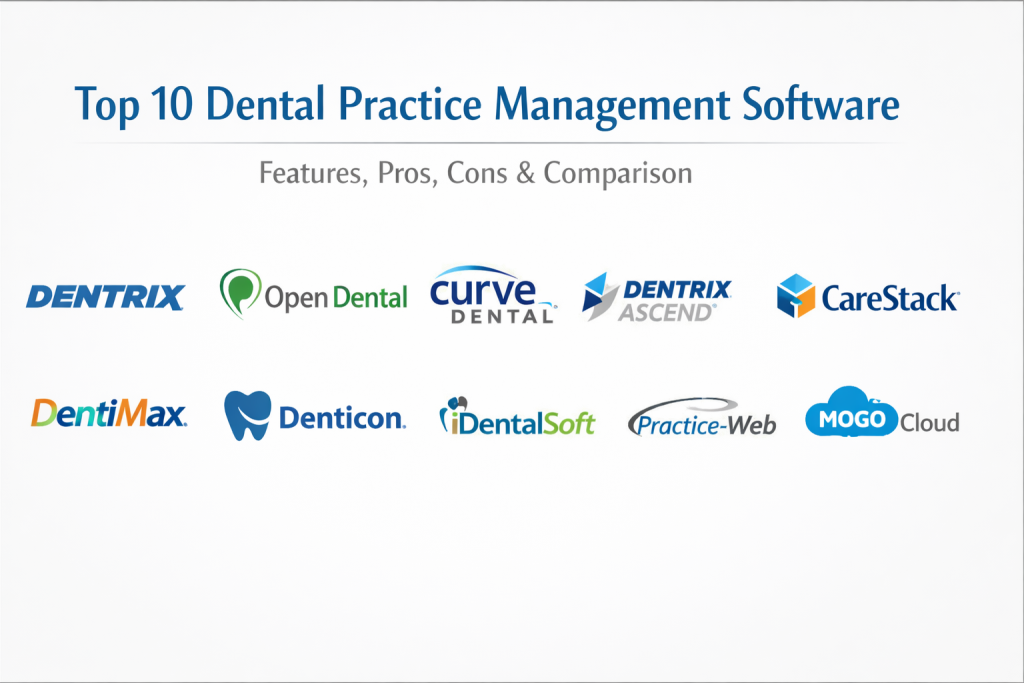
Top 10 Dental Practice Management Software Tools
1. Dentrix (Henry Schein One)
Dentrix is one of the most established names in the dental industry, known for its comprehensive feature set and deep integration with dental hardware. It provides a robust suite of tools that manage the clinical, financial, and administrative aspects of a practice with a focus on maximizing profitability and clinical precision.
Key Features
- Advanced 3D patient charting that synchronizes clinical notes with digital images.
- The Dentrix G7 platform which offers an enhanced user experience and faster navigation.
- Integrated Dentrix Pay for seamless credit card processing and patient billing.
- A powerful “Daily Huddle” report that helps teams prepare for the day’s tasks.
- Specialized periodontal modules for detailed tracking of gum health.
Pros
- The largest user base in the industry, making it easy to find staff who are already trained.
- Exceptional stability and a vast library of third-party integrations.
Cons
- The interface can feel dated compared to newer, cloud-only competitors.
- Can be more expensive than average once all add-on modules are included.
Platforms / Deployment
Windows — Hybrid / On-premise
Security & Compliance
Enterprise-grade security with role-based access and comprehensive audit logs.
Integrations & Ecosystem
As a flagship product of Henry Schein One, it has an unrivaled ecosystem of imaging, marketing, and financial integrations.
Support & Community
Extensive training resources, including on-site coaching and a massive online knowledge base.
2. Open Dental
Open Dental is a highly flexible, open-source-based solution that has gained a loyal following for its customizability and affordable pricing. It allows practices to take full control of their data and customize the software to fit their specific clinical workflows perfectly.
Key Features
- A completely open database structure that allows for advanced custom reporting and queries.
- Robust appointment scheduling with easy drag-and-drop functionality.
- Integrated texting and e-services for modern patient communication.
- Comprehensive clinical charting that is both fast and easy to navigate.
- Support for a wide range of dental imaging bridges and digital sensors.
Pros
- Exceptional value for money with a transparent and affordable subscription model.
- Highly responsive customer support and a community that actively contributes to development.
Cons
- Requires more technical knowledge or an IT partner to manage the server environment.
- The interface is functional but lacks the modern aesthetic of cloud-native tools.
Platforms / Deployment
Windows — Server-based / Online
Security & Compliance
Meets all standard industry requirements for data protection and encryption.
Integrations & Ecosystem
Due to its open API, it has one of the largest selections of third-party integrations available in the market today.
Support & Community
Known for having some of the most helpful and technically proficient support teams in the industry.
3. Curve Dental
Curve Dental is a pioneer in cloud-based dental management, offering a clean, modern interface that is entirely web-based. It is designed to remove the need for expensive in-office servers while providing a high-end experience for both the staff and the patients.
Key Features
- A fully cloud-native architecture that requires no local server maintenance.
- The “Curve HERO” interface which is designed for speed and intuitive use.
- Built-in imaging that allows X-rays to be viewed directly within the patient’s chart.
- Comprehensive patient engagement tools including a secure portal and smart forms.
- Robust reporting and analytics dashboards that provide real-time practice insights.
Pros
- Incredibly easy to learn and use, even for non-technical staff.
- Automatic updates and backups happen in the cloud without any downtime.
Cons
- Being entirely cloud-based, a stable and fast internet connection is mandatory.
- Limited customization options compared to open-architecture systems.
Platforms / Deployment
Web-based (All OS) — Cloud
Security & Compliance
Uses top-tier cloud security protocols including SOC 2 certified data centers.
Integrations & Ecosystem
Strong partnerships with leading payment processors and patient communication platforms.
Support & Community
Excellent online documentation and a dedicated “Customer Success” team for onboarding.
4. Dentrix Ascend
Dentrix Ascend is the cloud-based evolution of the classic Dentrix platform. It brings the power and reliability of the Henry Schein brand to a modern, browser-based environment, specifically designed for multi-location groups and DSOs.
Key Features
- A centralized “Business Health” dashboard for managing multiple clinic locations.
- Intuitive, simplified clinical charting that reduces the number of clicks for the dentist.
- Built-in insurance management tools that track claims from submission to payment.
- Automated patient reminders and self-scheduling options for better convenience.
- Cloud-based imaging that allows for instant sharing and viewing of X-rays across locations.
Pros
- Simplifies the management of large dental groups with centralized data.
- No long-term contracts and a predictable monthly subscription model.
Cons
- Still missing some of the deeper specialty features found in the on-premise version.
- Support hours can be limited compared to other 24/7 cloud providers.
Platforms / Deployment
Web-based — Cloud
Security & Compliance
Complies with high-level data security standards including regular third-party audits.
Integrations & Ecosystem
Leverages the massive Henry Schein One network for imaging and business services.
Support & Community
Strong focus on remote training and webinars to ensure teams are up to speed.
5. CareStack
CareStack is an all-in-one cloud platform that focuses on creating a seamless patient experience. It integrates clinical, administrative, and marketing tools into a single dashboard, helping practices grow by improving patient engagement and retention.
Key Features
- A unified platform that eliminates the need for multiple third-party software subscriptions.
- Sophisticated revenue cycle management (RCM) tools for efficient billing.
- High-end patient engagement features including a mobile-friendly portal.
- Advanced analytics that help identify growth opportunities within the patient base.
- Built-in e-prescribing and digital imaging for a truly paperless office.
Pros
- Provides a modern, high-tech experience that patients appreciate.
- Excellent training programs that ensure every team member knows how to use the software.
Cons
- The platform is very comprehensive, which can be overwhelming for very small practices.
- Pricing is custom and can be higher due to the wide range of features included.
Platforms / Deployment
Web-based — Cloud
Security & Compliance
Highly secure cloud infrastructure with advanced encryption and role-based permissions.
Integrations & Ecosystem
Designed as an all-in-one tool, reducing the reliance on external integrations.
Support & Community
Offers a “CareStack University” for continuous learning and professional development.
6. DentiMax
DentiMax is recognized for its exceptional imaging integration and its ability to bridge the gap between clinical charting and high-quality digital X-rays. It offers both cloud and on-premise solutions, making it a flexible choice for practices of all sizes.
Key Features
- Award-winning imaging software that works seamlessly with almost any dental sensor.
- An intuitive clinical chart that mirrors the look of a traditional paper chart for easy transition.
- Comprehensive insurance and billing modules that simplify the claims process.
- Integrated patient communication tools for reminders and follow-ups.
- A robust treatment planning module that helps present cases to patients clearly.
Pros
- One of the best imaging integrations in the industry.
- Flexible deployment options to suit different IT preferences.
Cons
- The mobile application support is not as strong as some other competitors.
- Some users may find the interface less “modern” than pure-cloud rivals.
Platforms / Deployment
Windows — Cloud / On-premise
Security & Compliance
Standard HIPAA-compliant configurations and secure data handling protocols.
Integrations & Ecosystem
Strongest in the imaging space, with broad compatibility across various hardware brands.
Support & Community
Toll-free phone support and a variety of training videos for self-paced learning.
7. Denticon (Planet DDS)
Denticon is a market leader in the enterprise and DSO space. It was one of the first cloud platforms designed specifically for multi-location dental organizations that need centralized control and standardized workflows.
Key Features
- Centralized management tools for scheduling and billing across dozens of locations.
- Advanced business intelligence and reporting for high-level decision-making.
- Integrated Apteryx imaging for high-quality cloud-based X-ray management.
- Streamlined periodontal and restorative charting for clinical efficiency.
- Native patient payment portals that simplify the collection of co-pays.
Pros
- The gold standard for large groups and multi-location practices.
- Highly scalable and designed to handle massive amounts of patient data.
Cons
- The pricing is opaque and generally targeted at larger organizations.
- Can be complex to set up initially due to the depth of management features.
Platforms / Deployment
Web-based — Cloud
Security & Compliance
Rigorous security standards suitable for large-scale enterprise environments.
Integrations & Ecosystem
Strongest integrations are within its own suite of business and imaging services.
Support & Community
Professional-grade support with a focus on enterprise-level training and onboarding.
8. iDentalSoft
iDentalSoft is a fully integrated, paperless dental software that prides itself on its simplicity and ease of use. It is ideal for modern, eco-friendly practices that want to eliminate paper while maintaining a high level of clinical accuracy.
Key Features
- A completely paperless patient management system with digital intake forms.
- Integrated e-claims, imaging, and prescription management.
- A device-friendly interface that works on tablets and mobile devices.
- Smart scheduling tools that help optimize chair time and reduce gaps.
- Built-in reputation management to help the practice grow through online reviews.
Pros
- Very clean and intuitive interface that requires minimal training.
- All-in-one nature reduces the cost of maintaining separate marketing tools.
Cons
- Lacks some of the deep technical customizability found in open-source platforms.
- Pricing can be higher than budget-friendly options for small clinics.
Platforms / Deployment
Web-based — Cloud
Security & Compliance
Uses secure, HIPAA-aligned cloud storage with regular backups.
Integrations & Ecosystem
Features a strong internal ecosystem, reducing the need for third-party bridges.
Support & Community
Known for providing personalized training and excellent customer service.
9. Practice-Web
Practice-Web is a versatile solution that offers both cloud and desktop versions. It is particularly popular for its ability to manage high-volume practices and its focus on improving the financial health of the clinic through automated follow-ups.
Key Features
- Comprehensive clinical charting with 3D tooth graphics.
- Automated patient reminders and “recare” systems to maintain a full schedule.
- Integrated imaging and X-ray management with bridge support for all major sensors.
- Robust billing and insurance tools that handle complex claim scenarios.
- A mobile app for patients to book appointments and view their records.
Pros
- Very stable and reliable for practices with a high patient volume.
- Good balance of features for both the front office and the back clinic.
Cons
- The interface is more functional than visually modern.
- Some advanced features require additional monthly modules.
Platforms / Deployment
Windows — Cloud / On-premise
Security & Compliance
Standard industry encryption and role-based access controls are included.
Integrations & Ecosystem
Supports a wide variety of third-party dental hardware and financial services.
Support & Community
Provides detailed onboarding assistance and regular technical support.
10. MOGO Cloud
MOGO is a boutique cloud solution that focuses on advanced clinical features and image annotation. It is hosted on the Microsoft Azure cloud, providing a high level of reliability and performance for smaller to medium-sized practices.
Key Features
- Advanced clinical charting with built-in image annotation tools.
- Seamless integration with Microsoft Azure for high-speed cloud performance.
- Automated billing and statement creation that can be emailed directly to patients.
- Secure patient portal for appointments, forms, and treatment history.
- Integrated e-claims and real-time insurance verification.
Pros
- High level of data reliability due to the Microsoft Azure backbone.
- Excellent clinical detail in the charting and imaging modules.
Cons
- The workflow can feel slightly clunky compared to the most modern UI-focused apps.
- Limited community resources compared to the industry giants.
Platforms / Deployment
Web-based — Cloud
Security & Compliance
Leverages the robust security architecture of Microsoft Azure for data protection.
Integrations & Ecosystem
Good standard integrations with major imaging and payment partners.
Support & Community
Responsive support with a focus on personalized help for smaller practices.
Comparison Table (Top 10)
| Tool Name | Best For | Platform(s) Supported | Deployment | Standout Feature | Public Rating |
| 1. Dentrix | Established Practices | Windows | Hybrid | Daily Huddle Reports | 4.3/5 |
| 2. Open Dental | Custom-Focused Clinics | Windows | Server/Online | Open Architecture | 4.6/5 |
| 3. Curve Dental | Cloud-First Clinics | Web-based | Cloud | Ease of Use | 4.6/5 |
| 4. Dentrix Ascend | Multi-Location Groups | Web-based | Cloud | Centralized Dashboard | 4.2/5 |
| 5. CareStack | Patient Engagement | Web-based | Cloud | All-in-one Growth | 4.8/5 |
| 6. DentiMax | Imaging Integration | Windows | Cloud/Hybrid | Sensor Compatibility | 4.5/5 |
| 7. Denticon | Large DSOs | Web-based | Cloud | Enterprise Management | 4.4/5 |
| 8. iDentalSoft | Paperless Offices | Web-based | Cloud | Mobile Accessibility | 4.6/5 |
| 9. Practice-Web | High Volume Clinics | Windows | Cloud/Hybrid | Automated Recare | 4.5/5 |
| 10. MOGO Cloud | Small Clinics | Web-based | Cloud | Azure Reliability | 4.3/5 |
Evaluation & Scoring of Dental Practice Management Software
| Tool Name | Core (25%) | Ease (15%) | Integrations (15%) | Security (10%) | Perf (10%) | Support (10%) | Value (15%) | Total |
| 1. Dentrix | 10 | 5 | 10 | 9 | 8 | 9 | 5 | 8.1 |
| 2. Open Dental | 9 | 5 | 9 | 7 | 8 | 10 | 10 | 8.0 |
| 3. Curve Dental | 8 | 10 | 8 | 9 | 9 | 9 | 7 | 8.1 |
| 4. Dentrix Ascend | 8 | 9 | 9 | 9 | 9 | 8 | 7 | 8.1 |
| 5. CareStack | 9 | 8 | 8 | 9 | 9 | 9 | 7 | 8.4 |
| 6. DentiMax | 8 | 7 | 10 | 8 | 8 | 8 | 8 | 7.9 |
| 7. Denticon | 10 | 6 | 8 | 9 | 9 | 8 | 6 | 7.8 |
| 8. iDentalSoft | 8 | 9 | 7 | 8 | 9 | 9 | 8 | 8.0 |
| 9. Practice-Web | 8 | 7 | 8 | 8 | 8 | 8 | 8 | 7.7 |
| 10. MOGO Cloud | 7 | 7 | 7 | 10 | 9 | 7 | 7 | 7.3 |
The scoring above is based on a comparative analysis of professional dental workflows. A higher core score reflects a deeper feature set for complex clinical tasks. Ease of use scores highlight tools that reduce staff training time, while the value score balances the feature set against the total cost of ownership.
Which Dental Practice Management Software Tool Is Right for You?
Solo / Freelancer
For a solo practitioner or a small startup clinic, Open Dental provides the best combination of power and price. It allows you to start small and customize the software as your patient base grows without being locked into expensive enterprise contracts.
SMB (Small to Medium Business)
A typical busy family practice will find Curve Dental or iDentalSoft to be the best fit. These cloud-based tools remove the headache of managing IT hardware while providing a modern experience that keeps the schedule full through automated reminders.
Mid-Market
For clinics with multiple associates or those who focus heavily on high-end diagnostics, Dentrix or DentiMax are excellent choices. Their robust clinical charting and superior imaging capabilities ensure that complex restorative cases are managed with precision.
Enterprise
Large-scale organizations and DSOs should look exclusively at Denticon or Dentrix Ascend. These platforms are engineered to handle the data complexity of dozens of locations, providing the centralized reporting needed to maintain consistent standards of care across a whole network.
Budget vs Premium
If budget is the primary driver, Open Dental is the most cost-effective professional solution. For those willing to pay a premium for a high-end, all-in-one growth platform, CareStack offers a superior return on investment through improved patient retention.
Feature Depth vs Ease of Use
Dentrix offers incredible feature depth but takes longer to master. Conversely, Curve Dental is designed for extreme ease of use, allowing your staff to focus on patient care rather than navigating complex software menus.
Integrations & Scalability
Open Dental is the most scalable for those who want to build a custom tech stack. Dentrix Ascend and Denticon are the most scalable for those who want to expand their business to new geographic locations quickly.
Security & Compliance Needs
For practices with the highest security requirements—such as those handling government contracts or large-scale medical groups—MOGO Cloud (via Azure) and Dentrix Ascend offer the most robust cloud security postures.
Frequently Asked Questions (FAQs)
1. What is the average cost of dental practice management software?
Subscription costs typically range from $150 to $500 per month per location, depending on the features included and whether the system is cloud-based or server-based.
2. How long does it take to migrate data from an old system?
A typical data migration can take anywhere from two to six weeks, depending on the complexity of your clinical records and the quality of the data in your current system.
3. Do these tools include dental imaging?
Most modern platforms either have built-in imaging modules or provide direct “bridges” to specialized imaging software and hardware sensors.
4. Can I access the software from home?
Cloud-based systems like Curve or Dentrix Ascend allow you to log in from any secure internet connection, while server-based systems may require a VPN for remote access.
5. Is the software HIPAA compliant?
All reputable dental software platforms are designed to meet or exceed HIPAA standards for data encryption, user access control, and secure backups.
6. Does the software handle insurance claims?
Yes, most systems include electronic claim submission (e-claims) and real-time insurance eligibility verification to speed up the payment cycle.
7. Is training included in the purchase price?
Some vendors include basic remote training, while others offer more intensive on-site coaching or specialized online “universities” for an additional fee.
8. Can I use the software on a Mac?
Cloud-based tools run in a web browser and are fully compatible with macOS. On-premise Windows-based software like Dentrix would require a virtual machine or Parallels to run on a Mac.
9. What happens if my internet goes out?
Cloud users often maintain a backup internet source (like a 5G hotspot) to ensure they can still access patient records and the schedule during a brief outage.
10. How often is the software updated?
Cloud-based platforms usually update automatically every few weeks, while on-premise systems may require manual updates a few times a year.
Conclusion
Selecting the ideal dental practice management software is a critical decision that dictates the operational pulse of your clinic. The transition to a digital-first workflow is no longer optional in a market where patients expect the convenience of online booking and digital communication. Whether you prioritize the open-source flexibility of Open Dental, the cloud-native simplicity of Curve, or the enterprise-grade power of Dentrix, the right choice will depend on your specific clinical goals and the scale of your organization. By investing in a platform that balances feature depth with ease of use, you ensure your team can spend less time managing data and more time delivering exceptional patient care. In an era defined by AI diagnostics and real-time analytics, your software should be more than a static record-keeping tool; it should be an active partner in your practice’s growth. The key to long-term success lies in choosing a system that is not only robust for today’s needs but also scalable for the innovations of tomorrow.

Best Cardiac Hospitals Near You
Discover top heart hospitals, cardiology centers & cardiac care services by city.
Advanced Heart Care • Trusted Hospitals • Expert Teams
View Best Hospitals