Introduction
Digital reading and annotation apps are specialized software designed to transform how we consume and interact with text, ranging from research papers and business reports to casual eBooks. Unlike basic document viewers, these platforms offer sophisticated layers for active reading, allowing users to highlight, comment, cross-link ideas, and export insights into broader knowledge management systems. In the current landscape, these tools have moved beyond simple PDF markup to include AI-driven summarization, natural language processing, and spatial canvases that help visualize the connections between disparate pieces of information.
The shift toward a “paperless” professional workflow has made these apps essential for maintaining productivity in high-information environments. Modern solutions now cater to specific cognitive styles—some focusing on linear reading for focus, while others provide non-linear “mind-map” environments for complex synthesis. Selecting the right application requires a clear understanding of your primary document source, the depth of annotation required, and how those notes will be used once the reading session is complete.
Best for: Academic researchers, graduate students, legal professionals, knowledge workers, and serious non-fiction readers who need to retain and synthesize large volumes of information.
Not ideal for: Users who only read short-form web articles occasionally or those who prefer a purely tactile experience without a need for digital searchability or archival.
Key Trends in Digital Reading & Annotation Apps
- AI-Assisted Synthesis: Modern apps now feature “Ask Your Document” capabilities, allowing users to query a PDF for specific data points or generate executive summaries instantly.
- Spatial Reading Environments: A move toward “infinite canvases” where users can drag snippets of text from multiple documents into a single visual workspace to see connections.
- Universal Content Inboxes: Apps are increasingly acting as hubs that consolidate newsletters, web articles, PDFs, and Kindle highlights into a single, distraction-free interface.
- Bi-directional Linking: Integration with personal knowledge management tools allows annotations to become “living” nodes that link back to the original source and forward to new projects.
- Voice-First Interaction: High-fidelity neural text-to-speech now allows for high-speed “auditory reading” with the ability to dictate annotations while on the move.
- Encrypted Syncing Protocols: With the rise in data privacy awareness, tools are prioritizing local-first storage and end-to-end encryption for personal highlight libraries.
How We Selected These Tools (Methodology)
- Annotation Versatility: We prioritized tools that offer diverse markup options, including freehand ink, highlights, voice notes, and structured comments.
- Cross-Platform Reliability: Selection was based on the software’s ability to sync perfectly across mobile, tablet, and desktop environments.
- Export and Integration Power: We looked for apps that don’t “trap” your data, favoring those with robust Markdown, Notion, or Obsidian export capabilities.
- User Interface Logic: We evaluated whether the interface facilitates “deep work” or creates friction during long-form reading sessions.
- Enterprise and Security Readiness: Preference was given to tools that offer clear privacy policies, SSO support, or local-first data options for sensitive material.
- Specialized Use Cases: We ensured a mix of tools for academic citation, general reading, and high-intensity research synthesis.
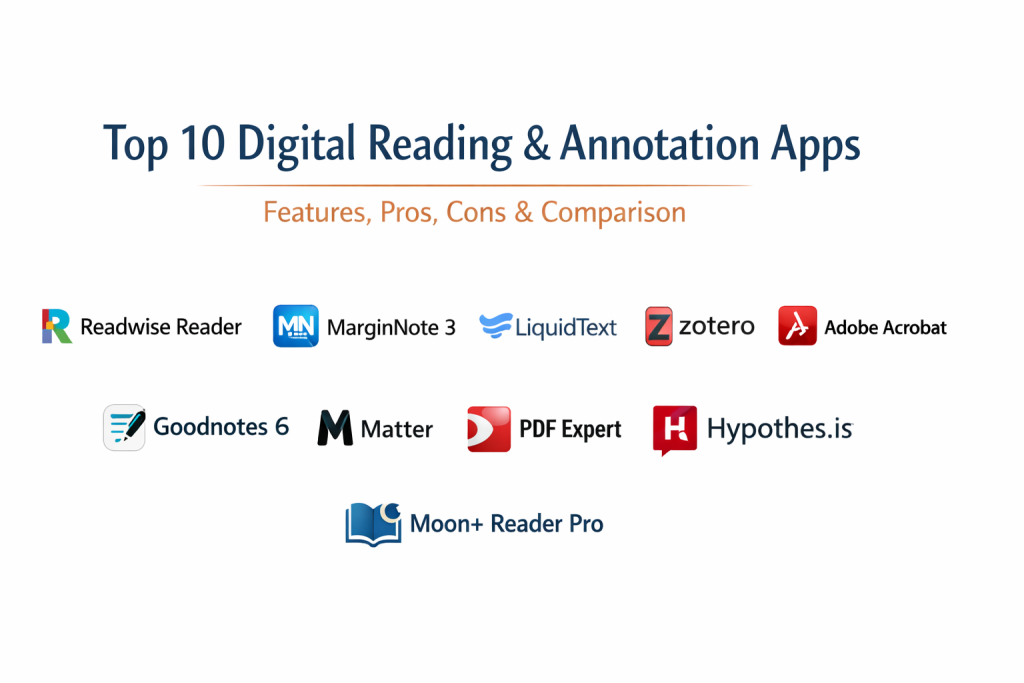
Top 10 Digital Reading & Annotation Apps
1. Readwise Reader
Readwise Reader is built for power users who consume content from every corner of the web. It is a “read-it-later” app that handles newsletters, PDFs, and EPUBs with equal efficiency, feeding all highlights into a centralized memory system.
Key Features
- Unified inbox for web articles, PDFs, and YouTube transcripts.
- Ghostreader AI for summarizing and questioning documents.
- Fast, keyboard-driven navigation for rapid triage of content.
- Deep integration with the broader Readwise highlight-syncing ecosystem.
- Support for “Focus Mode” to remove web distractions.
Pros
- The most integrated workflow for high-volume readers.
- Excellent handling of diverse file formats in one place.
Cons
- Subscription-based model is higher than traditional apps.
- Can feel overwhelming for casual, low-volume readers.
Platforms / Deployment
- Web / iOS / Android / macOS
- Cloud
Security & Compliance
- SOC 2 Type II compliant and GDPR ready.
Integrations & Ecosystem
Standard-setting sync capabilities for second-brain tools.
- Notion
- Obsidian
- Logseq
- Evernote
Support & Community
Very active community and high-quality technical documentation.
2. MarginNote 3
MarginNote is a heavyweight tool for students and researchers. it combines a PDF reader with a mind-mapping tool and a flashcard system, allowing users to physically see how ideas from a textbook connect.
Key Features
- Seamless transition from PDF to mind-map visualization.
- Ability to organize notes into a structured outline.
- Auto-generation of Anki-style flashcards from highlights.
- Support for multiple documents in a single “Study Workspace.”
- OCR for scanned documents and handwriting recognition.
Pros
- Unrivaled for complex, multi-source academic research.
- Strong visual organization for “big picture” thinkers.
Cons
- Significant learning curve due to high feature density.
- User interface can feel cluttered on smaller screens.
Platforms / Deployment
- macOS / iOS / iPadOS
- Local / iCloud Sync
Security & Compliance
- Uses standard Apple iCloud security protocols.
Integrations & Ecosystem
Focused on export for further study and review.
- Anki
- Evernote
- OmniOutliner
- PDF export with embedded notes
Support & Community
Strong presence in academic and medical student communities.
3. LiquidText
LiquidText offers a unique “workspace” where you can pull snippets from a document onto a sidebar. It is designed for active thinking, allowing you to pinch the document to bring distant sections together.
Key Features
- Interactive “Squeeze” feature to compare non-adjacent pages.
- Infinite workspace for connecting excerpts across multiple files.
- Ink-link feature to draw connections between notes and source text.
- Search results highlighted across all documents in a project simultaneously.
- Multi-document view for complex comparative analysis.
Pros
- Most “tactile” and intuitive way to connect ideas visually.
- Excellent for legal and complex technical reviews.
Cons
- Premium features are locked behind a relatively high price point.
- Best experienced only on tablets with a stylus.
Platforms / Deployment
- Windows / iPadOS / macOS
- Local / Cloud (LiquidText Service)
Security & Compliance
- ISO 27001 Certified and GDPR compliant.
Integrations & Ecosystem
Provides solid cloud connectivity for document sourcing.
- Dropbox
- Box
- Google Drive
- OneDrive
Support & Community
Comprehensive video guides and responsive technical support.
4. Zotero
Zotero is the premier open-source tool for researchers. It is fundamentally a reference manager, but its built-in PDF reader and annotation engine make it a powerhouse for managing academic libraries.
Key Features
- Automated citation and bibliography generation.
- Built-in PDF editor with side-by-side note-taking.
- Browser connector for saving papers with one click.
- Support for “Collections” and “Tags” for deep organization.
- Group libraries for collaborative research and peer review.
Pros
- Completely free and open-source.
- The most reliable tool for managing thousands of sources.
Cons
- Desktop-focused; mobile experience is less robust than others.
- Requires external setup for large cloud storage needs.
Platforms / Deployment
- Windows / macOS / Linux / iOS
- Local with Web Sync
Security & Compliance
- Open-source audits and local-first data storage.
Integrations & Ecosystem
The standard for academic writing and publishing.
- Microsoft Word / Google Docs
- LaTeX / BibTeX
- Obsidian (via community plugins)
- Retraction Watch
Support & Community
Extremely active academic community and extensive wiki.
5. Adobe Acrobat Reader
While often seen as a simple viewer, the modern version of Acrobat Reader is an enterprise-grade annotation station. It is the global standard for formal document review and sign-off.
Key Features
- High-fidelity annotation tools for professional feedback.
- Integrated Liquid Mode for better reading on mobile screens.
- Fill & Sign tools for administrative and legal workflows.
- Cloud-based review threads for collaborative commenting.
- AI Assistant for document analysis and summaries.
Pros
- Total compatibility with any PDF ever created.
- The most trusted platform for secure, corporate environments.
Cons
- Heavier resource footprint than specialized light readers.
- Best features require an Acrobat Pro subscription.
Platforms / Deployment
- Windows / macOS / iOS / Android / Web
- Cloud (Adobe Document Cloud)
Security & Compliance
- SOC 2 Type II, HIPAA, and ISO 27001 compliant.
Integrations & Ecosystem
Standard integration with all major business productivity suites.
- Microsoft 365
- SharePoint
- Google Drive
- Slack
Support & Community
Global enterprise support and comprehensive professional training.
6. Goodnotes 6
Goodnotes 6 transforms a tablet into a digital paper station. It is widely loved for its handwriting engine, making it the top choice for users who prefer to annotate by hand rather than typing.
Key Features
- Industry-leading handwriting engine with searchability.
- Digital notebooks for organizing annotated PDFs.
- AI-powered handwriting spellcheck and autocomplete.
- Custom templates for different types of notes and study.
- Ability to record audio while taking notes.
Pros
- The most natural “pen on paper” experience available.
- Highly organized folder structure for different projects.
Cons
- Primarily designed for tablet use; limited desktop utility.
- Subscription model recently introduced for new features.
Platforms / Deployment
- iOS / iPadOS / macOS / Windows / Android
- Cloud (iCloud / Goodnotes Cloud)
Security & Compliance
- SAML SSO support for enterprise teams.
Integrations & Ecosystem
Seamlessly fits into the creative and student mobile workflow.
- iCloud
- Google Drive
- OneDrive
- Dropbox
Support & Community
Massive social media following and dedicated “Goodnotes Academy.”
7. Matter
Matter is a modern “read-it-later” app that focuses on the aesthetic experience of reading. It is designed for tech-savvy professionals who want a beautiful, clutter-free way to consume newsletters and long-form articles.
Key Features
- Elegant, distraction-free reading interface.
- High-quality “Readable” newsletter subscription management.
- Natural neural voices for turning articles into audio.
- Gesture-based highlighting for mobile users.
- Follow system for discovering what influential readers are marking up.
Pros
- Arguably the best text-to-speech quality in the market.
- Fast, responsive, and aesthetically pleasing.
Cons
- Focuses more on web content than heavy academic PDFs.
- Subscription price is high for a specialized reader.
Platforms / Deployment
- iOS / Android / Web
- Cloud
Security & Compliance
- Standard data encryption at rest and in transit.
Integrations & Ecosystem
Integrates with modern knowledge management tools.
- Readwise
- Notion
- Obsidian
- Slack
Support & Community
Responsive support and a loyal community of early adopters.
8. Readdle PDF Expert
PDF Expert is the go-to premium PDF tool for the Apple ecosystem. It is known for its speed and its ability to handle massive technical manuals without lagging.
Key Features
- Lighting-fast scrolling and search for 1,000+ page documents.
- Advanced PDF editing (text, images, and links).
- Built-in AI for document summarization.
- Standardized annotation toolkit with stamps and signatures.
- Merge, split, and compress tools for document management.
Pros
- The most responsive PDF performance on Apple hardware.
- Clean, professional interface that avoids clutter.
Cons
- Requires a subscription for full editing features.
- Restricted primarily to the Apple environment.
Platforms / Deployment
- macOS / iOS / iPadOS
- Local / Cloud (Universal Sync)
Security & Compliance
- Enterprise-grade encryption and password protection.
Integrations & Ecosystem
Deeply integrated with all major cloud providers.
- Google Drive
- Dropbox
- OneDrive
- Box
Support & Community
Pro-level documentation and responsive email support.
9. Hypothes.is
Hypothes.is is an open-source tool that brings a layer of social annotation to the entire web. It allows you to highlight and comment directly on any webpage or PDF without leaving your browser.
Key Features
- Browser-based annotation layer for the “open web.”
- Public and private annotation groups for social reading.
- No file downloading required for web markup.
- Searchable database of your own and community notes.
- Educational version for classroom-wide collaborative reading.
Pros
- Unique social and collaborative reading focus.
- Works on any site regardless of file format.
Cons
- Requires a browser extension or specific integration.
- Less suited for offline reading compared to mobile apps.
Platforms / Deployment
- Web Browser Extension (Chrome, Firefox, Edge)
- Cloud
Security & Compliance
- GDPR compliant and SOC 2 for enterprise versions.
Integrations & Ecosystem
Widely used in the LMS and educational sectors.
- Canvas
- Blackboard
- Moodle
- Obsidian (via community plugins)
Support & Community
Strong academic backing and high-quality open-source community support.
10. Moon+ Reader Pro
Moon+ Reader Pro is the king of customization for Android users. It supports nearly every eBook format available and offers the most granular control over the visual reading experience.
Key Features
- Support for EPUB, PDF, DJVU, MOBI, AZW3, and more.
- Highly customizable themes, fonts, and page-turning effects.
- Advanced annotation including highlighting and hand-writing.
- Built-in dictionary and translation support.
- Support for cloud storage and local library management.
Pros
- Most comprehensive format support in the Android market.
- One-time purchase option for the Pro version (no subscription).
Cons
- The interface can feel dated and overly complex.
- Limited synchronization for those using non-Android devices.
Platforms / Deployment
- Android
- Local / Google Drive Sync
Security & Compliance
- Standard Android application security.
Integrations & Ecosystem
Focused on personal library management.
- Google Drive
- Dropbox
- WebDAV
- Calibre
Support & Community
Large, long-standing user base with extensive online forums.
Comparison Table
| Tool Name | Best For | Platform(s) Supported | Deployment | Standout Feature | Public Rating |
| 1. Readwise Reader | High-Volume Reading | Win, Mac, iOS, Android | Cloud | AI “Ghostreader” | N/A |
| 2. MarginNote 3 | Mind-Map Research | Mac, iOS | Hybrid | Auto Flashcards | N/A |
| 3. LiquidText | Visual Comparison | Win, Mac, iOS | Hybrid | Pinch-to-Compare | N/A |
| 4. Zotero | Academic Citations | Win, Mac, Linux, iOS | Hybrid | Auto-Bibliography | N/A |
| 5. Adobe Acrobat | Enterprise Teams | Win, Mac, iOS, Android | Cloud | Universal Standard | N/A |
| 6. Goodnotes 6 | Handwritten Notes | iOS, Android, Win | Cloud | Handwriting Search | N/A |
| 7. Matter | Aesthetic Web Reading | iOS, Android, Web | Cloud | Neural Voice Audio | N/A |
| 8. PDF Expert | Apple Ecosystem | Mac, iOS | Hybrid | Rendering Speed | N/A |
| 9. Hypothes.is | Social Annotation | Web (Browser) | Cloud | Public Web Layer | N/A |
| 10. Moon+ Reader Pro | Android Customization | Android | Local | Format Support | N/A |
Evaluation & Scoring of Digital Reading & Annotation Apps
| Tool Name | Core (25%) | Ease (15%) | Integrations (15%) | Security (10%) | Performance (10%) | Support (10%) | Value (15%) | Weighted Total |
| 1. Readwise Reader | 10 | 7 | 10 | 8 | 9 | 9 | 7 | 8.70 |
| 2. MarginNote 3 | 9 | 3 | 7 | 6 | 8 | 7 | 8 | 6.85 |
| 3. LiquidText | 8 | 6 | 7 | 8 | 9 | 8 | 7 | 7.50 |
| 4. Zotero | 10 | 5 | 10 | 9 | 8 | 10 | 10 | 8.75 |
| 5. Adobe Acrobat | 8 | 8 | 10 | 10 | 7 | 9 | 6 | 8.15 |
| 6. Goodnotes 6 | 7 | 9 | 7 | 7 | 9 | 8 | 8 | 7.80 |
| 7. Matter | 7 | 10 | 8 | 7 | 9 | 8 | 7 | 8.05 |
| 8. PDF Expert | 9 | 9 | 8 | 8 | 10 | 8 | 7 | 8.60 |
| 9. Hypothes.is | 6 | 7 | 7 | 7 | 8 | 8 | 9 | 7.25 |
| 10. Moon+ Reader Pro | 8 | 5 | 6 | 5 | 8 | 7 | 10 | 7.15 |
The evaluation above prioritizes tools that bridge the gap between reading and knowledge production. Zotero and Readwise Reader lead because they offer the most complete “round-trip” for a highlight—from capture to permanent storage. Adobe Acrobat remains the security leader, while specialized tools like MarginNote trade ease of use for profound technical depth in research visualization.
Which Digital Reading & Annotation Apps Tool Is Right for You?
Solo / Freelancer
For individuals building a personal library, Readwise Reader provides the best balance of speed and integration. It handles everything from newsletters to technical reports, ensuring your personal database is always growing without manual effort.
SMB
Small businesses focusing on collaborative document review should look toward Adobe Acrobat or PDF Expert. These tools provide the necessary professional signature and feedback features without the complexity of academic citation managers.
Mid-Market
Organizations with a heavy research focus should encourage the use of Zotero. Its open-source nature and robust group library features make it an ideal, cost-effective hub for collaborative intelligence gathering.
Enterprise
Enterprise-level security is found primarily in Adobe Acrobat. For corporations where document control, audit logs, and SSO are non-negotiable, Adobe is the only logical choice that satisfies IT compliance while providing powerful annotation tools.
Budget vs Premium
Zotero and the free tier of Adobe Acrobat represent the best entry points. For those willing to invest in their personal development, Readwise Reader and LiquidText offer premium features that significantly accelerate comprehension and synthesis.
Feature Depth vs Ease of Use
MarginNote 3 and Houdini-style research tools offer incredible depth but require a dedicated learning period. Conversely, Matter and Moon+ Reader prioritize a seamless, frictionless reading experience for those who want to “just read.”
Integrations & Scalability
Zotero and Readwise Reader are the most scalable in terms of data portability. They ensure that your highlights and notes can live beyond the app itself, integrating with broader “Second Brain” ecosystems.
Security & Compliance Needs
For legal or medical practitioners, LiquidText and Adobe Acrobat are the leaders in certified security, ensuring that sensitive case files or patient reports remain encrypted and compliant with global standards.
Frequently Asked Questions
1.Can I collaborate with a team on annotations?
Yes, Hypothes.is and Adobe Acrobat are specifically built for social and team-based annotation, allowing for shared comment threads directly on the document.
2.Which app is best for academic research?
Zotero is the undisputed leader for academic research due to its citation management, while MarginNote 3 is the best for visualizing complex relationships in textbooks.
3.Can I use these apps for free?
Yes, Zotero and Hypothes.is are completely free. Adobe Acrobat and Goodnotes offer robust free tiers, while others like Moon+ Reader have one-time low-cost purchases.
4.Do these apps support audio reading?
Yes, Matter and Readwise Reader offer high-quality text-to-speech, allowing you to listen to documents at high speeds with natural-sounding voices.
5.Is it better to annotate by hand or type?
This depends on your learning style. Handwriting with apps like Goodnotes 6 can improve retention, while typing in apps like Readwise Reader allows for faster searchability and digital organization.
6.What is an infinite canvas in reading apps?
An infinite canvas, found in LiquidText, allows you to pull excerpts out of the document and arrange them in a free-form visual space to see how different ideas connect.
7.Can I export my highlights to Notion or Obsidian?
Readwise Reader is the specialized tool for this, but many others like Zotero and MarginNote have community plugins or direct export features for these note-taking platforms.
8.Do these tools work offline?
Most of these apps, including Moon+ Reader and PDF Expert, are local-first and work perfectly offline, syncing your changes once you reconnect to the internet.
9.Which app handles the most file formats?
Moon+ Reader Pro and Readwise Reader lead in format versatility, supporting everything from standard PDFs to niche formats like DJVU and AZW3.
10.How do I secure my annotated documents?
Look for apps with password protection or those that use major cloud security like iCloud or Google Drive. Adobe Acrobat offers the most advanced encryption for sensitive files.
Conclusion
The choice of a digital reading and annotation application should ultimately be guided by how you intend to use the information once it is captured. For researchers and academics, the structural power of Zotero and MarginNote 3 provides the necessary tools for complex synthesis and citation. For those focused on personal growth and staying ahead of professional trends, the integrated workflow of Readwise Reader or the aesthetic focus of Matter offers a more frictionless experience. It is highly recommended to shortlist two tools based on your primary device—such as PDF Expert for Mac or Moon+ Reader for Android—and run a week-long trial to see which interface best supports your cognitive style.

Best Cardiac Hospitals Near You
Discover top heart hospitals, cardiology centers & cardiac care services by city.
Advanced Heart Care • Trusted Hospitals • Expert Teams
View Best Hospitals