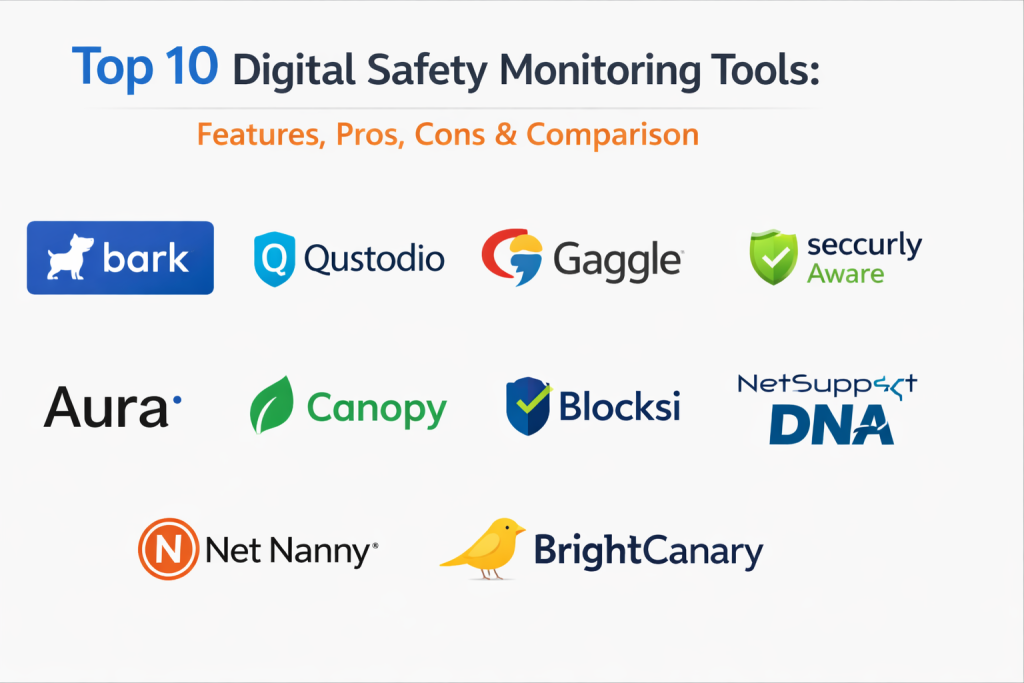
Introduction
Digital safety monitoring tools are specialized software solutions designed to oversee, track, and secure digital interactions across various platforms. These tools serve as a protective layer, scanning for threats such as cyberbullying, predatory behavior, explicit content, and data breaches. Unlike standard antivirus software which focuses on malware, digital safety tools focus on human behavior and content integrity. They utilize sophisticated algorithms to analyze text, images, and videos in real-time to ensure a secure environment for users, particularly vulnerable groups like children or remote employees.
In the mid-2020s, the digital landscape has become increasingly complex with the integration of immersive social spaces and AI-driven communication. These tools matter now because the volume of data generated is too vast for manual moderation. For organizations and families alike, digital safety monitoring provides the proactive defense necessary to identify risks before they escalate into legal or psychological crises.
Real-World Use Cases
- Parental Oversight: Monitoring a child’s social media and messaging apps for signs of online grooming or self-harm ideation.
- Corporate Compliance: Ensuring employees do not share sensitive company data or engage in harassment over internal communication channels like Slack or Teams.
- Educational Safety: Protecting students in K-12 environments by filtering harmful content on school-issued devices and networks.
- Community Moderation: Automatically flagging hate speech or toxic behavior in large online forums and gaming communities.
- Brand Protection: Scanning public digital mentions to protect a company’s reputation from coordinated disinformation campaigns.
Evaluation Criteria for Buyers
- AI Analysis Accuracy: The ability of the tool to understand context and slang rather than just flagging simple keywords.
- Platform Coverage: Whether the tool can monitor a wide range of apps including encrypted messengers and social platforms.
- Privacy Balance: How the tool balances the need for safety with the user’s right to privacy and data protection.
- Real-Time Alerting: The speed at which the system notifies administrators or parents when a high-risk event is detected.
- Ease of Installation: How simple it is to deploy the software across multiple devices or integrate it into an existing enterprise stack.
- Reporting & Insights: The depth of the dashboard and the clarity of the data provided for decision-making.
- Stealth vs. Transparency: Whether the tool operates visibly to the user or runs in the background.
Best for: Parents seeking to protect children, HR departments managing workplace culture, school administrators, and community managers of large digital platforms.
Not ideal for: Users seeking a simple antivirus or those looking for deep network packet inspection without a focus on content or behavior.
Key Trends in Digital Safety Monitoring Tools
- Predictive Behavioral Analytics: Moving beyond detecting what has happened to predicting potential risks based on changes in a user’s digital patterns.
- On-Device AI Processing: Shifting the heavy lifting of content analysis from the cloud to the local device to enhance user privacy and reduce data latency.
- Multi-Modal Content Scanning: The ability to simultaneously analyze audio, video, and text within a single live stream to detect harmful interactions.
- Integration with Mental Health Resources: Tools that provide immediate resources or contact information for counselors when self-harm or depression is detected.
- Sentiment Analysis for Workplace Culture: Using safety tools to gauge the general “mood” of a workforce to prevent burnout and toxicity.
- Deepfake Detection: New modules specifically designed to identify AI-generated fraudulent images or videos used for extortion or misinformation.
- Privacy-Preserving Monitoring: Using zero-knowledge proofs and differential privacy to flag risks without exposing the actual content of private messages.
- Cross-Platform Correlation: Linking a user’s behavior across different apps to identify a persistent pattern of risk that might look isolated on a single platform.
How We Selected These Tools
Our methodology for selecting these top ten digital safety monitoring tools centered on their technical sophistication and their reputation within the safety industry. We evaluated tools across three primary sectors: parental control, enterprise compliance, and educational safety. We prioritized solutions that demonstrate high accuracy in natural language processing (NLP) and those that offer a clear, actionable dashboard for the end-user. Market adoption, the frequency of software updates to keep pace with new digital threats, and the robustness of their privacy policies were also critical factors. We ensured a balance between tools that are easily accessible to individual families and those that provide the scale required for global enterprise operations.
Top 10 Digital Safety Monitoring Tools
1. Bark
Bark is a leading digital safety solution primarily designed for families and schools. It stands out for its non-invasive approach, where it only alerts parents when a potential issue is detected, rather than showing every single interaction.
Key Features
- Comprehensive App Monitoring: Scans over 30 social media platforms and messaging apps for risks.
- Contextual AI Analysis: Detects nuances in language related to bullying, depression, and predatory behavior.
- Screen Time Management: Allows for the scheduling of internet access and app usage throughout the day.
- Web Filtering: Blocks access to specific categories of websites based on the user’s age and risk profile.
- Location Tracking: Provides real-time location updates and “check-in” alerts for family members.
Pros
- Excellent balance between child privacy and parental peace of mind.
- Easy to set up via a unified dashboard that connects multiple accounts.
Cons
- Monitoring some encrypted apps on iOS can be technically complex to set up.
- Occasional false positives due to the sensitivity of the AI.
Platforms / Deployment
Windows / macOS / Android / iOS / Chromebook — Cloud
Security & Compliance
Uses SSL encryption for all data transfers; compliant with COPPA and FERPA for school versions.
Integrations & Ecosystem
Integrates with major email providers (Gmail, Outlook) and social media platforms directly via API.
Support & Community
Very strong community presence with extensive educational resources for parents on modern digital threats.
2. Qustodio
Qustodio is a versatile monitoring tool that provides high-level visibility into digital activities. It is highly regarded for its cross-platform consistency and its detailed reporting on how time is spent online.
Key Features
- Detailed Activity Timeline: Provides a minute-by-minute breakdown of app and web usage.
- Panic Button: Allows children to send an instant alert with their location to a list of trusted contacts.
- Call and SMS Monitoring: (On Android) Tracks who the user is communicating with via traditional phone services.
- Game and App Blocking: Allows for the specific blocking of individual games while leaving educational apps open.
- Youtube Monitoring: Tracks search history and videos watched within the YouTube application.
Pros
- The interface is exceptionally clean and easy for non-technical users to navigate.
- Robust web filtering that works across all major browsers.
Cons
- iOS version has more limitations compared to the Android version due to Apple’s privacy rules.
- Premium version can be expensive for families with many devices.
Platforms / Deployment
Windows / macOS / Android / iOS / Kindle — Cloud
Security & Compliance
Standard industry encryption and privacy-focused data handling policies.
Integrations & Ecosystem
Strongest as a standalone suite but works well with standard operating system family controls.
Support & Community
Professional support with a vast knowledge base and helpful “digital parenting” guides.
3. Gaggle
Gaggle is an enterprise-level safety tool specifically built for the K-12 education sector. It acts as a safety net for student digital life, focusing on early intervention for self-harm and violence.
Key Features
- Human-in-the-Loop Review: AI-flagged content is reviewed by safety professionals before being sent to school officials.
- Integrated Safety Team: 24/7 monitoring by experts to identify high-risk situations immediately.
- Canvas and G-Suite Integration: Monitors the primary platforms where students do their schoolwork.
- Self-Harm Detection: Advanced algorithms specifically tuned to find early indicators of mental health struggles.
- Anti-Bullying Alerts: Identifies persistent patterns of harassment between students on school platforms.
Pros
- Highly accurate due to the combination of AI and human review.
- Essential for school districts looking to meet legal safety obligations.
Cons
- Only available for institutional use (schools), not for individual families.
- Can feel overly restrictive to students if not implemented with transparency.
Platforms / Deployment
Cloud-based — SaaS
Security & Compliance
Strictly compliant with FERPA, COPPA, and state-specific student data privacy laws.
Integrations & Ecosystem
Seamlessly integrates with Google Workspace for Education and Microsoft 365.
Support & Community
Dedicated account managers and specialized training for school safety officers.
4. Aware (by Securly)
Securly Aware is a student safety tool that focuses on mental health and wellness. It uses AI to analyze student-generated content across school devices to identify students in distress.
Key Features
- Sentiment Analysis: Gauges the emotional tone of student emails and documents over time.
- Wellness Dashboard: Provides school counselors with a prioritized list of students who may need support.
- 24/7 Professional Audit: An optional service where safety experts monitor alerts around the clock.
- Delegated Reporting: Allows different departments (IT vs. Counseling) to see relevant safety data.
- Parental Portal: Gives parents a view into their child’s school-issued device activity.
Pros
- Focuses on student wellness rather than just “policing” behavior.
- Very effective at catching signs of depression that might be missed in person.
Cons
- Requires deep integration into the school’s IT infrastructure.
- Effectiveness depends on the school having the staff to act on the alerts.
Platforms / Deployment
Cloud-native — SaaS
Security & Compliance
Adheres to all major educational data privacy standards globally.
Integrations & Ecosystem
Strong integration with Chromebooks and school-managed Apple devices.
Support & Community
Active in the educational technology community with a focus on student mental health.
5. NetSupport DNA
NetSupport DNA is an IT management and safety tool used in both corporate and educational environments. It combines network monitoring with a proactive digital safety module.
Key Features
- Keyword and Phrase Monitoring: Uses advanced libraries to detect concerning language in multiple languages.
- Contextual Screenshots: Captures the screen when a safety violation occurs to provide evidence for investigation.
- Report a Concern: Allows users to anonymously report safety issues to administrators.
- Vulnerable Student Support: Tracks a history of alerts for specific users to identify long-term patterns.
- Hardware & Software Inventory: Managed alongside safety tools for a unified IT view.
Pros
- Excellent for local network environments and managed desktop fleets.
- Provides a very clear “audit trail” for disciplinary or safety reviews.
Cons
- Interface can be complex as it is part of a larger IT management suite.
- Not as effective for unmanaged personal devices.
Platforms / Deployment
Windows / macOS / Chrome / iOS / Android — Hybrid / On-premise
Security & Compliance
High level of security with on-premise data storage options for sensitive organizations.
Integrations & Ecosystem
Integrates with Active Directory and other standard network management protocols.
Support & Community
Decades of experience in the IT world with professional global support teams.
6. Aura
Aura is a comprehensive digital safety and identity protection suite for individuals and families. It focuses on the intersection of digital behavior monitoring and financial security.
Key Features
- Identity Theft Protection: Monitors the dark web for personal information leaks.
- Parental Controls: Includes the “Circle” technology for robust app and web filtering.
- Safe Browsing: Blocks malicious sites and phishing attempts in real-time.
- VPN and Password Manager: Integrated tools to secure the user’s actual connection and credentials.
- Financial Monitoring: Alerts users to suspicious activity in bank accounts or credit files.
Pros
- A “one-stop-shop” for all aspects of personal and digital safety.
- Very modern, user-friendly mobile application and dashboard.
Cons
- The broad focus means it may lack the depth of niche safety tools in specific areas.
- Higher price point due to the included insurance and financial services.
Platforms / Deployment
Windows / macOS / Android / iOS — Cloud
Security & Compliance
Top-tier encryption and partnerships with major financial institutions for monitoring.
Integrations & Ecosystem
Works as a standalone security layer that covers all family devices.
Support & Community
24/7 white-glove support and identity restoration services for premium members.
7. Canopy
Canopy is a modern digital safety tool that specializes in real-time image and video filtering. It is unique in its ability to “mask” explicit content within apps rather than just blocking the apps entirely.
Key Features
- Smart Filter Technology: Uses AI to identify and blur explicit images in real-time.
- Sextortion Prevention: Alerts parents if a child is being pressured to share or receive explicit photos.
- Tamper-Proof Protection: Designed to be extremely difficult for tech-savvy users to bypass or disable.
- Easy-to-Use Parent App: Provides a simple “accept or decline” workflow for app requests.
- Safe Sexting Protection: Specifically targets the risks associated with modern teen digital interactions.
Pros
- The most effective tool on the market for real-time visual content filtering.
- Allows for a “managed” internet experience rather than a “blocked” one.
Cons
- The image processing can sometimes slow down the browsing experience on older devices.
- Subscription-based model with no free tier.
Platforms / Deployment
Windows / Android / iOS / Mac — Cloud
Security & Compliance
Data is processed locally whenever possible to ensure maximum user privacy.
Integrations & Ecosystem
Strongest as a mobile-first safety solution for the modern smartphone era.
Support & Community
Focused on providing parents with the latest research on visual digital threats.
8. Blocksi
Blocksi is a cloud-based content filtering and safety suite designed for Chromebook-heavy environments. It provides a unified view for teachers, administrators, and parents.
Key Features
- Classroom Management: Allows teachers to see student screens and manage tabs in real-time.
- Student Safety AI: Scans for self-harm, cyberbullying, and threats of violence in school accounts.
- Granular Web Filtering: Over 80 categories of web content can be allowed or blocked by policy.
- Parental Control Portal: Extends the school’s safety policies to the home environment.
- Anti-Theft Features: Geolocation tracking for school-issued mobile assets.
Pros
- Perfectly optimized for the Chrome OS ecosystem common in schools.
- Combines educational productivity with deep digital safety.
Cons
- Primarily focused on the education sector; less suitable for general corporate use.
- Requires a G-Suite for Education backbone to function effectively.
Platforms / Deployment
Chrome OS / Windows / macOS — Cloud-native
Security & Compliance
Fully compliant with COPPA, FERPA, and CIPA regulations.
Integrations & Ecosystem
The premier choice for Google Workspace for Education environments.
Support & Community
Active in the “EdTech” community with strong professional development for teachers.
9. NetNanny
NetNanny is one of the oldest and most trusted names in digital safety. It has evolved into a sophisticated tool that uses AI to understand the context of web content in real-time.
Key Features
- Dynamic Contextual Filtering: Evaluates the content of a page as it loads, not just based on its URL.
- App Advisor: Provides parents with information on the risks associated with new, trending apps.
- Social Media Protection: Specifically monitors the most popular social feeds for red flags.
- Instant Alerts: Sends push notifications to parents the moment a high-risk search is performed.
- Family Feed: A centralized view of all safety alerts across the entire household.
Pros
- Decades of data have made their web filtering engine incredibly accurate.
- Excellent at distinguishing between educational content and harmful material.
Cons
- The interface can feel a bit traditional compared to newer “app-first” tools.
- Monitoring on iOS is limited due to the closed nature of the operating system.
Platforms / Deployment
Windows / macOS / Android / iOS / Kindle — Cloud
Security & Compliance
Standard encryption and data handling protocols with a long track record of reliability.
Integrations & Ecosystem
Works across all major household devices to provide a “safety blanket” over the home network.
Support & Community
Extensive library of “Digital Parenting” articles and a very helpful support staff.
10. BrightCanary
BrightCanary is an AI-powered safety tool designed specifically for the “social media age.” It focuses heavily on the deep analysis of chat logs and post history across major social platforms.
Key Features
- Deep Social Integration: Connects directly to accounts like Instagram, TikTok, and Snapchat.
- AI Chat Analysis: Identifies signs of bullying or grooming in private message histories.
- Search History Monitoring: Tracks what the user is looking for across Google and YouTube.
- Safety Scores: Provides a high-level “health check” for each connected platform.
- Resource Library: Offers advice on how to talk to children about specific alerts the tool generates.
Pros
- Very easy to connect accounts without needing to install software on every device.
- Excellent at uncovering hidden risks in private messaging apps.
Cons
- Lacks the deep device management (like app blocking) found in tools like Qustodio.
- Heavily reliant on the APIs provided by social media companies.
Platforms / Deployment
Cloud-based — App-to-App connection
Security & Compliance
Uses read-only API access to ensure it cannot change or delete user data.
Integrations & Ecosystem
The best “companion tool” for parents who want to monitor social media without taking away the device.
Support & Community
A modern, tech-forward community focused on the intersection of AI and parenting.
Comparison Table (Top 10)
| Tool Name | Best For | Platform(s) Supported | Deployment | Standout Feature | Public Rating |
| 1. Bark | Family Monitoring | Windows, Mac, iOS, Android | Cloud | 30+ App Integrations | 4.4/5 |
| 2. Qustodio | Time Management | Windows, Mac, iOS, Android | Cloud | Detailed Activity Timeline | 4.3/5 |
| 3. Gaggle | School Districts | Web-based | SaaS | Professional Human Review | 4.5/5 |
| 4. Securly Aware | Student Wellness | Chrome, Mac, Windows | SaaS | Mental Health Analytics | 4.4/5 |
| 5. NetSupport DNA | IT & Safety Admin | Windows, Mac, Chrome | Hybrid | Contextual Screenshots | 4.2/5 |
| 6. Aura | Identity & Safety | Windows, Mac, iOS, Android | Cloud | Identity Theft Insurance | 4.6/5 |
| 7. Canopy | Visual Filtering | Windows, Mac, iOS, Android | Cloud | Real-time Image Masking | 4.5/5 |
| 8. Blocksi | Chromebook Schools | Chrome OS, Windows | Cloud | Classroom Management | 4.3/5 |
| 9. NetNanny | Web Filtering | Windows, Mac, iOS, Android | Cloud | Dynamic Context Filtering | 4.1/5 |
| 10. BrightCanary | Social Media | Cloud-based | SaaS | Deep Chat Analysis | 4.4/5 |
Evaluation & Scoring of Digital Safety Monitoring Tools
| Tool Name | Core (25%) | Ease (15%) | Integrations (15%) | Security (10%) | Perf (10%) | Support (10%) | Value (15%) | Total |
| 1. Bark | 9 | 9 | 10 | 9 | 8 | 9 | 9 | 9.1 |
| 2. Qustodio | 8 | 10 | 8 | 8 | 9 | 9 | 8 | 8.5 |
| 3. Gaggle | 10 | 6 | 9 | 10 | 8 | 10 | 7 | 8.5 |
| 4. Securly | 9 | 7 | 9 | 9 | 8 | 8 | 8 | 8.2 |
| 5. NetSupport | 8 | 6 | 8 | 9 | 9 | 8 | 8 | 7.7 |
| 6. Aura | 8 | 9 | 7 | 10 | 9 | 9 | 7 | 8.3 |
| 7. Canopy | 9 | 8 | 7 | 9 | 7 | 8 | 8 | 8.0 |
| 8. Blocksi | 8 | 8 | 9 | 9 | 8 | 8 | 8 | 8.1 |
| 9. NetNanny | 8 | 7 | 7 | 8 | 8 | 8 | 8 | 7.6 |
| 10. BrightCanary | 8 | 9 | 8 | 8 | 9 | 7 | 8 | 8.1 |
Scoring is based on professional safety standards. A high “Core” score indicates the tool’s effectiveness in actually detecting threats. “Ease” scores identify how quickly a non-technical user can secure their environment. “Integrations” reflects how many different digital spaces the tool can protect simultaneously.
Which Digital Safety Monitoring Tool Is Right for You?
Solo / Freelancer
For an individual, Aura is the top choice. It doesn’t just monitor behavior but protects your entire digital identity, including your financial accounts and passwords, which is critical for someone managing their own business and reputation.
SMB
Small businesses looking to maintain a professional workplace culture should look at NetSupport DNA. It provides the necessary oversight for company-owned devices without the extreme cost of large enterprise suites, while also offering essential IT management features.
Mid-Market
Organizations or larger families with a wide range of devices will find Qustodio or Bark to be the best fit. They offer the scalability to manage many users and devices from a single, easy-to-read dashboard.
Enterprise
For schools, Gaggle or Securly Aware are indispensable. The combination of high-level AI and professional human review ensures that no student in crisis goes unnoticed, providing a level of protection that software alone cannot achieve.
Budget vs Premium
If budget is the primary concern, BrightCanary offers a cost-effective way to monitor social media without needing to pay for per-device licenses. For those who want the “premium” experience with identity insurance and full device security, Aura is the industry leader.
Feature Depth vs Ease of Use
Bark provides incredible feature depth in terms of the number of apps it monitors, yet it remains one of the easiest tools to use. NetSupport DNA offers more depth for IT professionals but requires a higher level of technical knowledge to deploy.
Integrations & Scalability
Blocksi is the most scalable solution for schools that have committed to the Google ecosystem. For families who need to integrate with dozens of different social apps, Bark provides the most comprehensive connectivity.
Security & Compliance Needs
Institutional buyers with strict legal requirements (FERPA/COPPA) must stick with Gaggle or Blocksi, as these are built from the ground up to meet the most rigorous government standards for digital safety.
Frequently Asked Questions (FAQs)
1. Is digital monitoring an invasion of privacy?
It depends on how it is implemented. Most modern tools focus on “safety-first” monitoring, which only flags harmful content rather than showing every private conversation, aiming for a balance between security and privacy.
2. Can these tools be bypassed by tech-savvy users?
While no tool is 100% foolproof, top-tier tools like Canopy and Qustodio are designed to be extremely difficult to disable or bypass without administrative access.
3. Do these tools monitor encrypted apps like WhatsApp?
Some tools, like Bark, can monitor encrypted apps by analyzing the data as it is backed up or by using specific API integrations, though the depth varies by device.
4. Will monitoring software slow down my device?
High-quality tools are designed to run in the background with minimal impact, though real-time image filtering (like in Canopy) can occasionally cause slight lag on older hardware.
5. How do I choose between a school-managed and parent-managed tool?
School-managed tools (like Gaggle) are for school-owned accounts and devices. Parent-managed tools (like Bark) are for personal devices and provide a broader view of a child’s social life.
6. Can these tools detect “Deepfakes”?
The newest versions of advanced safety suites are beginning to include modules specifically designed to identify AI-generated fraudulent media, though this is an ongoing technical challenge.
7. Are there free versions of these tools?
Many tools offer a limited free trial or a basic free version, but the deep AI analysis and multi-platform monitoring usually require a paid subscription.
8. Can I use these tools for remote employees?
Yes, tools like NetSupport DNA are frequently used in corporate environments to ensure compliance and protect company data on remote workstations.
9. How do these tools help with mental health?
By scanning for language related to self-harm and depression, tools like Securly Aware can alert counselors or parents to a crisis before the user even reaches out for help.
10. What is the “Panic Button” feature?
Found in tools like Qustodio, this allows a user to send an instant alert with their GPS coordinates to a pre-defined list of emergency contacts if they feel unsafe.
Conclusion
The implementation of digital safety monitoring tools is no longer an optional luxury but a fundamental necessity in our hyper-connected world. Whether the goal is to protect a child from the dark corners of social media or to maintain a safe and compliant corporate environment, these tools provide the essential oversight that human eyes alone cannot provide. By choosing a tool that aligns with your specific needs—be it the visual filtering of Canopy or the enterprise-grade audit of Gaggle—you are taking a proactive step toward a more secure digital future. Digital safety is a journey, and having the right monitoring partner makes that journey significantly safer for everyone involved. I recommend conducting a “digital audit” of the platforms your family or organization uses most frequently. Once you identify the areas of highest risk, start a free trial with Bark or Aura to see how their AI-driven alerts can provide immediate peace of mind.

Best Cardiac Hospitals Near You
Discover top heart hospitals, cardiology centers & cardiac care services by city.
Advanced Heart Care • Trusted Hospitals • Expert Teams
View Best Hospitals