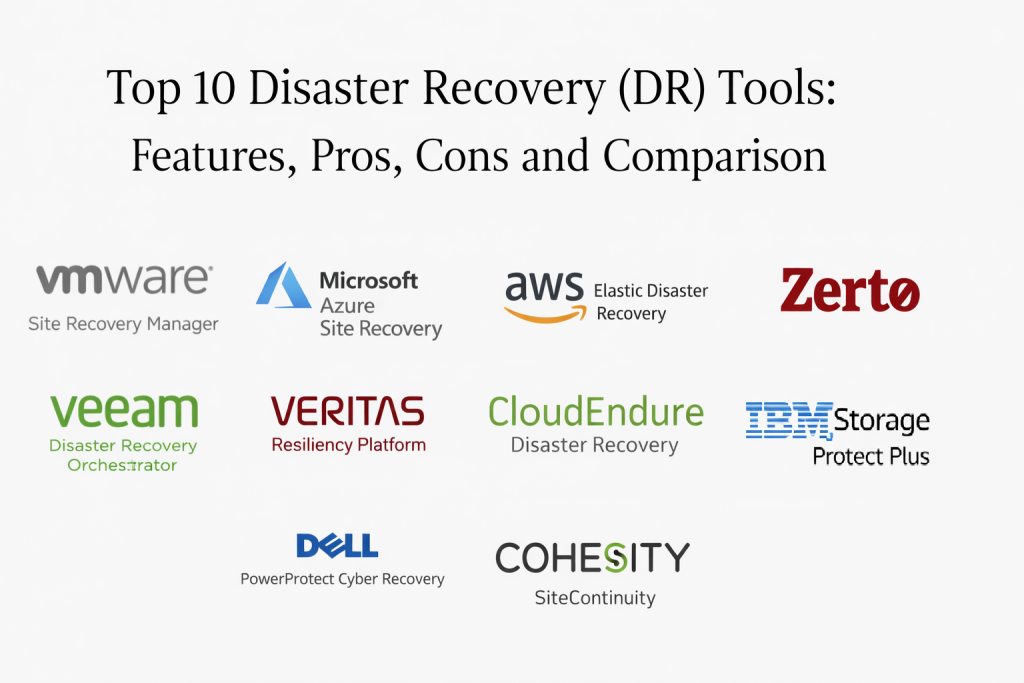
Introduction
Disaster recovery tools help organizations keep critical systems available when something serious happens, such as ransomware, cloud outages, data center failure, accidental deletion, storage corruption, or a bad deployment that takes services down. Backup helps you recover data, but disaster recovery focuses on restoring business operations within defined targets, usually measured as recovery time and recovery point. In other words, disaster recovery is about how fast you can bring services back and how much data you can afford to lose.
Common real-world use cases include failing over virtual machines to a secondary site, restoring core applications after ransomware, maintaining continuity during regional outages, meeting uptime expectations for customer-facing services, protecting critical databases with minimal downtime, and running regular DR tests without disrupting production. Buyers should evaluate recovery time and recovery point capabilities, failover automation, testing and orchestration, network and dependency mapping, cross-site replication quality, cloud and hybrid support, security controls, reporting and audit trails, ease of operations, and predictable cost.
Best for: organizations running business-critical systems, teams with uptime commitments, regulated environments that need tested continuity plans, and IT operations groups that want repeatable failover and failback.
Not ideal for: teams with fully disposable workloads, non-critical systems that can be rebuilt easily, or very small setups where a simple backup restore is sufficient and downtime tolerance is high.
Key Trends in Disaster Recovery Tools
- More automation for orchestrated failover and failback with fewer manual steps
- Stronger support for hybrid environments spanning on-prem and cloud
- Increased focus on DR testing without downtime or production disruption
- Better dependency mapping to avoid “restored but still broken” application stacks
- More ransomware-aware recovery workflows and clean restore validation
- Cloud-native recovery options replacing secondary physical data centers
- Higher expectations for reporting that proves tests and outcomes
- Cost optimization through tiered recovery, warm standby, and on-demand resources
- Broader support for containers and modern application architectures where relevant
- Stronger security controls for DR consoles, replication paths, and recovery access
How We Selected These Tools (Methodology)
- Strong real-world adoption and frequent evaluation in DR buying decisions
- Capability to meet common recovery time and recovery point needs
- Orchestration quality for complex failover workflows and dependency ordering
- DR testing support and evidence that improves recovery confidence
- Coverage across virtualization, server workloads, cloud resources, and databases where common
- Operational usability for day-to-day administration and incident response
- Reliability signals for replication stability and predictable recovery behavior
- Security features that protect the recovery process itself
- Ecosystem fit with common infrastructure stacks and monitoring workflows
- Value alignment based on reduced downtime risk and improved continuity outcomes
Top 10 Disaster Recovery Tools
1: VMware Site Recovery Manager
VMware Site Recovery Manager is commonly used by organizations running VMware environments that need orchestrated failover between sites. It is often chosen for structured recovery plans, repeatable testing, and controlled failover and failback processes.
Key Features
- Orchestrated failover and failback workflows for VMware environments
- Recovery plans that define ordering and dependencies
- Non-disruptive testing patterns for recovery readiness
- Centralized management of DR runs and runbook-like workflows
- Integration alignment with VMware ecosystem components
- Reporting for test outcomes and operational evidence
Pros
- Strong orchestration for VMware-based environments
- Mature testing and recovery plan structure
Cons
- Primarily best for VMware-centric infrastructures
- Implementation requires planning for networking and dependencies
Platforms and Deployment
Platforms: VMware environments
Deployment: Self-hosted / Hybrid (varies by architecture)
Security and Compliance
Administrative controls and audit visibility: Varies / Not publicly stated
Certifications: Not publicly stated
Integrations and Ecosystem
Commonly aligned with virtualization operations and supporting infrastructure services.
- VMware ecosystem alignment: Varies / N/A
- Storage and replication integrations: Varies / N/A
- Automation and monitoring alignment: Varies / N/A
Support and Community
Strong enterprise usage and documentation footprint. Support experience depends on plan and partner ecosystem.
2: Microsoft Azure Site Recovery
Microsoft Azure Site Recovery is often used to replicate and recover workloads into Azure, providing a cloud-based recovery location without requiring a secondary physical data center. It is commonly selected by teams that want cloud-first recovery and a familiar operational model in Microsoft environments.
Key Features
- Replication of workloads to a cloud recovery environment
- Automated failover workflows with planned and unplanned options
- Recovery testing capabilities to validate readiness
- Reporting for replication health and recovery events
- Support for hybrid recovery scenarios depending on workload types
- Integration alignment with Microsoft infrastructure and identity patterns
Pros
- Strong option for cloud-based recovery without building a secondary site
- Often fits well for organizations using Microsoft infrastructure and operations
Cons
- Coverage and depth depend on workload type and architecture
- Network and application dependency planning still requires careful design
Platforms and Deployment
Platforms: Windows / Linux (varies by protected workloads)
Deployment: Cloud / Hybrid
Security and Compliance
Encryption and administrative controls: Varies / Not publicly stated
Certifications: Not publicly stated
Integrations and Ecosystem
Often used alongside cloud operations, monitoring, and identity workflows for controlled recovery.
- Cloud operations alignment: Varies / N/A
- Identity and access workflow integration: Varies / N/A
- Automation options: Varies / N/A
Support and Community
Large ecosystem and documentation footprint. Many deployment resources exist, especially for Microsoft-centered teams.
3: AWS Elastic Disaster Recovery
AWS Elastic Disaster Recovery provides replication and recovery into AWS and is often used by organizations that want a cloud-based DR option with flexible scaling during failover. It is typically evaluated by teams already using AWS and seeking a structured recovery approach for servers and workloads.
Key Features
- Continuous replication of workloads into a cloud recovery environment
- Orchestrated recovery workflows designed for rapid restoration
- Support for test drills to validate recovery readiness
- Flexible scaling model during recovery events
- Monitoring and health visibility for replication status
- Integration alignment with AWS environment design patterns
Pros
- Strong fit for AWS-first teams seeking cloud-based DR
- Scales recovery resources when needed rather than keeping idle capacity
Cons
- Best outcomes require careful network and security design
- Workload coverage and complexity vary by system types
Platforms and Deployment
Platforms: Windows / Linux (varies)
Deployment: Cloud
Security and Compliance
Access controls and encryption options: Varies / Not publicly stated
Certifications: Not publicly stated
Integrations and Ecosystem
Often aligned with cloud networking, identity, and monitoring for controlled failover execution.
- Cloud infrastructure alignment: Varies / N/A
- Monitoring and alerting ecosystem: Varies / N/A
- Automation and orchestration options: Varies / N/A
Support and Community
Strong AWS ecosystem resources and community guidance. Support depends on plan and internal expertise.
4: Zerto
Zerto is known for replication and recovery capabilities designed to reduce downtime and data loss, especially in virtualized and hybrid environments. It is often selected when near-continuous replication and orchestrated recovery workflows are important.
Key Features
- Replication designed to reduce recovery point exposure (varies by setup)
- Orchestrated failover and failback for recovery workflows
- Testing options to validate recovery plans without major disruption
- Visibility into replication health and recovery readiness
- Multi-site recovery plan support for complex environments
- Integration alignment with common virtualization and cloud patterns
Pros
- Strong focus on minimizing downtime and data loss for key workloads
- Useful for structured recovery plans with frequent testing needs
Cons
- Implementation success depends on careful architecture planning
- Cost and licensing may be higher than basic recovery approaches
Platforms and Deployment
Platforms: Windows / Linux (varies by protected workloads)
Deployment: Cloud / Hybrid (varies)
Security and Compliance
Administrative controls and encryption: Varies / Not publicly stated
Certifications: Not publicly stated
Integrations and Ecosystem
Often integrated into virtualization and cloud operations to support controlled recovery workflows.
- Virtualization ecosystem alignment: Varies / N/A
- Cloud target integration: Varies / N/A
- Automation options: Varies / N/A
Support and Community
Enterprise-oriented support and a mature user community. Documentation and partner ecosystems are common.
5: Veeam Disaster Recovery Orchestrator
Veeam Disaster Recovery Orchestrator focuses on orchestrating recovery plans and proving recoverability through testing and documentation. It is often used by teams that already rely on Veeam for backups and want structured DR runbooks with evidence.
Key Features
- DR plan orchestration and runbook-like workflows
- Testing automation to validate recovery readiness
- Documentation and reporting to prove DR outcomes
- Dependency ordering support for multi-step recoveries
- Visibility into recovery execution and exceptions
- Alignment with Veeam ecosystem for integrated operations
Pros
- Strong option for formalizing DR processes with evidence-based testing
- Useful when teams want repeatable runbooks and audit support
Cons
- Best value appears when paired with aligned backup and replication workflows
- Complex applications still require careful dependency design
Platforms and Deployment
Platforms: Windows / Linux (varies by environment)
Deployment: Self-hosted / Hybrid (varies)
Security and Compliance
RBAC and audit evidence support: Varies / Not publicly stated
Certifications: Not publicly stated
Integrations and Ecosystem
Typically used in environments that want DR orchestration to align with backup and recovery operations.
- Backup and recovery workflow alignment: Varies / N/A
- Automation and reporting integrations: Varies / N/A
- Monitoring ecosystem alignment: Varies / N/A
Support and Community
Strong documentation and ecosystem knowledge, especially among teams already using Veeam.
6: CloudEndure Disaster Recovery
CloudEndure Disaster Recovery is designed for replicating workloads and enabling recovery into a cloud environment. It is often associated with migration and recovery patterns, particularly where teams want a cloud failover option without building a second site.
Key Features
- Replication of workloads into a cloud recovery location
- Recovery orchestration workflows for planned and unplanned events
- Testing drill support to validate readiness
- Scalable recovery resources during failover events
- Monitoring visibility for replication health
- Support for common server workload patterns (varies)
Pros
- Useful for cloud-based failover strategies
- Can support recovery without maintaining a secondary data center
Cons
- Architecture and network planning are critical for success
- Workload compatibility and performance vary by environment
Platforms and Deployment
Platforms: Windows / Linux (varies)
Deployment: Cloud
Security and Compliance
Access controls and encryption: Varies / Not publicly stated
Certifications: Not publicly stated
Integrations and Ecosystem
Often integrated with cloud networking, identity, and operations tooling to support controlled failover.
- Cloud ecosystem alignment: Varies / N/A
- Monitoring and operational workflow integration: Varies / N/A
- Automation options: Varies / N/A
Support and Community
Support depends on plan and deployment approach. Many teams rely on structured runbooks for consistent operation.
7: Veritas Resiliency Platform
Veritas Resiliency Platform focuses on orchestrated recovery and application-centric resilience planning. It is often evaluated by enterprises that want structured recovery runbooks across complex application stacks and multiple environments.
Key Features
- Application-centric recovery planning and orchestration
- Automated workflows for failover and failback sequencing
- Testing capabilities designed to validate readiness
- Visibility into application dependencies and recovery order
- Reporting that supports governance and audit outcomes
- Support for complex environments (varies by architecture)
Pros
- Strong for application-centric DR planning and governance
- Useful in complex enterprise recovery requirements
Cons
- Can be heavy for smaller teams and simpler needs
- Requires strong application mapping and operational standards
Platforms and Deployment
Platforms: Windows / Linux (varies)
Deployment: Self-hosted / Hybrid (varies)
Security and Compliance
Administrative controls and audit visibility: Varies / Not publicly stated
Certifications: Not publicly stated
Integrations and Ecosystem
Often integrated with backup, storage, and virtualization ecosystems to create end-to-end resilience workflows.
- Infrastructure ecosystem alignment: Varies / N/A
- Automation integrations: Varies / N/A
- Reporting integrations: Varies / N/A
Support and Community
Enterprise-oriented support. Documentation exists, and success depends on careful planning and mapping.
8: IBM Storage Protect Plus
IBM Storage Protect Plus is used for protecting and recovering workloads with policy-driven operations. It is often evaluated in enterprises that value structured governance and consistent recovery workflows across traditional infrastructure.
Key Features
- Policy-driven protection and recovery workflows
- Scheduling, retention, and operational governance support
- Reporting for compliance and operational visibility
- Workload protection capabilities that vary by environment
- Recovery workflows for common enterprise systems
- Operational model suited to structured teams
Pros
- Useful for teams that prioritize governance and stable operations
- Works well when processes are mature and standardized
Cons
- May feel less modern compared to cloud-first DR approaches
- Requires experienced administration for best outcomes
Platforms and Deployment
Platforms: Windows / Linux (varies)
Deployment: Self-hosted / Hybrid (varies)
Security and Compliance
Security and compliance details: Not publicly stated
Integrations and Ecosystem
Often used in enterprise stacks where integration aligns with operational standards.
- Infrastructure alignment: Varies / N/A
- Automation and reporting: Varies / N/A
- Ecosystem integration: Varies / N/A
Support and Community
Enterprise support is typical. Community footprint varies, and structured onboarding improves outcomes.
9: Dell PowerProtect Cyber Recovery
Dell PowerProtect Cyber Recovery focuses on protecting backup data from cyber threats and supporting clean recovery processes. It is often considered in environments where ransomware risk is high and the recovery repository must be isolated and hardened.
Key Features
- Isolated recovery vault patterns for cyber resilience
- Workflows designed to reduce ransomware impact on backups
- Policy controls for recovery readiness and evidence
- Support for clean recovery planning (varies by setup)
- Reporting for recovery governance and status
- Strong fit for high-risk environments needing hardened recovery approaches
Pros
- Strong focus on ransomware resilience and recovery repository protection
- Useful for organizations building a hardened recovery strategy
Cons
- More specialized and may require complementary DR tooling
- Architecture design influences complexity and cost
Platforms and Deployment
Platforms: Windows / Linux (varies by protected workloads)
Deployment: Self-hosted / Hybrid (varies)
Security and Compliance
Security details: Not publicly stated
Certifications: Not publicly stated
Integrations and Ecosystem
Often integrated into enterprise backup and infrastructure ecosystems as part of a broader resilience plan.
- Backup ecosystem alignment: Varies / N/A
- Security workflow integration patterns: Varies / N/A
- Reporting and evidence integrations: Varies / N/A
Support and Community
Enterprise support is typical. Implementations often benefit from experienced partners.
10: Cohesity SiteContinuity
Cohesity SiteContinuity supports orchestrated recovery workflows for application stacks and infrastructure services. It is often evaluated by teams that want consistent recovery plans with testing and simplified operational management in larger environments.
Key Features
- Orchestrated recovery plans for multi-step applications
- Testing capabilities to validate readiness and reduce surprises
- Policy-based recovery workflows and dependency ordering
- Reporting for recovery plans and outcomes
- Support for enterprise environments with multiple sites
- Integration alignment with Cohesity ecosystem (varies)
Pros
- Useful for orchestrating complex application recoveries
- Strong fit for standardized enterprise recovery processes
Cons
- Best value appears when aligned with broader platform usage
- Application mapping still requires careful planning and ownership
Platforms and Deployment
Platforms: Windows / Linux (varies by protected workloads)
Deployment: Cloud / Hybrid (varies)
Security and Compliance
Security and audit controls: Varies / Not publicly stated
Certifications: Not publicly stated
Integrations and Ecosystem
Often integrated into broader infrastructure and backup operations to build repeatable recovery workflows.
- Backup and infrastructure alignment: Varies / N/A
- Automation options: Varies / N/A
- Monitoring alignment: Varies / N/A
Support and Community
Enterprise support is common. Documentation exists, and outcomes improve with structured implementation.
Comparison Table
| Tool Name | Best For | Platform(s) Supported | Deployment | Standout Feature | Public Rating |
|---|---|---|---|---|---|
| VMware Site Recovery Manager | VMware failover orchestration between sites | VMware environments | Self-hosted / Hybrid | Mature recovery plans and testing | N/A |
| Microsoft Azure Site Recovery | Cloud-based recovery into Azure for hybrid setups | Windows, Linux (varies) | Cloud / Hybrid | Cloud recovery without secondary data center | N/A |
| AWS Elastic Disaster Recovery | Cloud failover into AWS with elastic scaling | Windows, Linux (varies) | Cloud | On-demand recovery scaling | N/A |
| Zerto | Low downtime replication with orchestrated recovery | Windows, Linux (varies) | Cloud / Hybrid | Replication focused recovery speed | N/A |
| Veeam Disaster Recovery Orchestrator | Runbook orchestration and DR evidence | Windows, Linux (varies) | Self-hosted / Hybrid | Evidence-driven DR testing workflows | N/A |
| CloudEndure Disaster Recovery | Cloud recovery workflows for replicated servers | Windows, Linux (varies) | Cloud | Cloud-based DR without second site | N/A |
| Veritas Resiliency Platform | Application-centric recovery orchestration | Windows, Linux (varies) | Self-hosted / Hybrid | Dependency-aware DR runbooks | N/A |
| IBM Storage Protect Plus | Policy-driven recovery governance | Windows, Linux (varies) | Self-hosted / Hybrid | Structured operations model | N/A |
| Dell PowerProtect Cyber Recovery | Ransomware-hardened recovery vault strategy | Windows, Linux (varies) | Self-hosted / Hybrid | Isolated cyber recovery vault patterns | N/A |
| Cohesity SiteContinuity | Orchestrated application recovery with testing | Windows, Linux (varies) | Cloud / Hybrid | Recovery plan automation | N/A |
Evaluation and Scoring
Weights used:
- Core features – 25%
- Ease of use – 15%
- Integrations and ecosystem – 15%
- Security and compliance – 10%
- Performance and reliability – 10%
- Support and community – 10%
- Price and value – 15%
| Tool Name | Core (25%) | Ease (15%) | Integrations (15%) | Security (10%) | Performance (10%) | Support (10%) | Value (15%) | Weighted Total |
|---|---|---|---|---|---|---|---|---|
| VMware Site Recovery Manager | 9 | 6 | 7 | 7 | 9 | 7 | 6 | 7.35 |
| Microsoft Azure Site Recovery | 8 | 8 | 8 | 7 | 8 | 7 | 8 | 7.85 |
| AWS Elastic Disaster Recovery | 8 | 7 | 8 | 7 | 8 | 7 | 8 | 7.65 |
| Zerto | 9 | 7 | 8 | 7 | 9 | 8 | 6 | 7.90 |
| Veeam Disaster Recovery Orchestrator | 8 | 7 | 7 | 7 | 8 | 8 | 7 | 7.40 |
| CloudEndure Disaster Recovery | 7 | 7 | 7 | 7 | 8 | 6 | 7 | 7.10 |
| Veritas Resiliency Platform | 8 | 6 | 7 | 7 | 8 | 7 | 6 | 7.05 |
| IBM Storage Protect Plus | 7 | 6 | 6 | 7 | 7 | 6 | 7 | 6.60 |
| Dell PowerProtect Cyber Recovery | 7 | 5 | 6 | 8 | 8 | 6 | 5 | 6.55 |
| Cohesity SiteContinuity | 8 | 7 | 7 | 7 | 8 | 7 | 6 | 7.20 |
How to interpret these scores:
- Use totals to compare overall balance, but prioritize the columns that match your risk.
- If outage time is your biggest pain, focus on Core and Performance more than Ease.
- If ransomware is your main threat, Security should weigh more in your decision.
- If your team is small, Ease and Value often decide success more than depth.
- Always validate with a drill using real applications, dependencies, and network constraints.
Which Disaster Recovery Tool Is Right for You?
Solo or Freelancer
If you run a few services and can tolerate downtime, full DR platforms may be overkill. Focus on clean backups, simple recovery steps, and a short list of what must be restored first. If you need DR, choose the simplest cloud-based option that matches your environment.
SMB
SMBs should prioritize practical recovery with minimal operational overhead. Cloud-based recovery options can reduce the need for a second site, but only if you test them. Microsoft Azure Site Recovery or AWS Elastic Disaster Recovery can be strong choices when your workloads align with those clouds. If you are VMware-focused and want structured orchestration, VMware Site Recovery Manager can be a fit.
Mid-Market
Mid-market environments often need a repeatable DR plan across multiple applications and locations. Zerto is often considered for stronger replication-based recovery workflows. Azure Site Recovery or AWS Elastic Disaster Recovery can work well if cloud adoption is mature and network design supports clean failover.
Enterprise
Enterprises should prioritize orchestration, application dependency mapping, role separation, audit evidence, and regular DR testing. VMware Site Recovery Manager, Zerto, Veritas Resiliency Platform, and Cohesity SiteContinuity are commonly aligned with enterprise recovery governance. Dell PowerProtect Cyber Recovery may fit as part of a cyber resilience strategy where backups must be isolated.
Budget vs Premium
Budget-friendly DR works when workloads are fewer and recovery targets are flexible. Premium solutions become worth it when downtime costs are high, applications are complex, and you need tested, automated failover with strong governance.
Feature Depth vs Ease of Use
If your team is small, you will benefit more from a tool that is simple to test and operate. If you have a dedicated team, deeper orchestration and dependency control can reduce long-term risk and speed recovery.
Integrations and Scalability
If you rely on a virtualization platform or a specific cloud, choose the tool that integrates naturally into that ecosystem. Validate whether the tool scales across sites, supports clean grouping, and provides reporting that stays usable at your expected size.
Security and Compliance Needs
If you must prove DR readiness, focus on testing features and evidence trails. Ensure access is locked down, recovery credentials are protected, and recovery environments are isolated enough to stay safe during real incidents.
Frequently Asked Questions
1. What is the difference between backup and disaster recovery?
Backup helps restore data. Disaster recovery is the plan and tooling to restore business operations within defined time and data loss targets, including orchestration and testing.
2. What do recovery time and recovery point actually mean?
Recovery time is how quickly systems must be back online. Recovery point is how much data loss is acceptable. Both should be defined per application, not as one number for everything.
3. How often should we run DR drills?
Run lightweight tests regularly and full exercises on a schedule tied to business risk. The biggest value comes from finding broken assumptions before an incident.
4. Why do DR failovers sometimes succeed but the app still fails?
Because dependencies were not mapped. Networks, DNS, identity, secrets, and downstream services often break if sequencing and configuration are not designed for failover.
5. Can cloud-based DR replace a secondary data center?
Often yes, but it depends on bandwidth, network design, compliance constraints, and the ability to test. Cloud DR still needs planning for identity, routing, and security.
6. How does ransomware change DR planning?
You must assume attackers may target backups and recovery credentials. Use stronger access controls, consider isolation patterns, and validate clean recovery to avoid restoring infected data.
7. What are common DR mistakes teams make?
Common mistakes include skipping testing, unclear ownership, unrealistic targets, undocumented dependencies, and treating DR as a once-a-year project instead of a routine practice.
8. What should we include in a DR pilot?
Include at least one critical app, its dependencies, a realistic network scenario, and both failover and failback. Measure actual recovery time and validate data correctness.
9. How do we decide which apps need the strongest DR?
Rank applications by business impact, revenue, customer experience, and compliance risk. Then apply different recovery tiers based on that ranking.
10. How do we prove DR readiness to leadership or auditors?
Provide evidence from drills: runbooks, timestamps, success criteria, exceptions, and improvements. The goal is repeatable outcomes, not just a written plan.
Conclusion
Disaster recovery tools are only valuable when they are used to produce repeatable recoveries under pressure. The best tool is the one that matches your infrastructure ecosystem, supports realistic recovery targets, and makes testing easy enough that you actually do it. Start by shortlisting two or three tools from this list that align with your platform, then run a drill with a real application, real dependencies, and a measured recovery goal. Validate failover, validate failback, and document what broke. Over time, the most resilient teams treat DR as a routine practice, not a one-time setup, and that habit is what turns a crisis into a controlled recovery.

Best Cardiac Hospitals Near You
Discover top heart hospitals, cardiology centers & cardiac care services by city.
Advanced Heart Care • Trusted Hospitals • Expert Teams
View Best Hospitals