Introduction
Distributed tracing tools are designed to help you understand how requests travel through various components in your distributed system, making it easier to diagnose performance bottlenecks, errors, and inefficiencies. Distributed tracing enables visibility into the entire lifecycle of a request, from the front-end to back-end services, across microservices, containers, and third-party systems. In simple terms, it helps you track a user’s journey and see exactly where slowdowns or failures occur within a system.
This category matters now because modern applications are often complex, distributed across many services, and run in dynamic environments like cloud-native infrastructure or microservices architectures. Without the right tracing solution, it becomes very difficult to pinpoint the root cause of issues when they arise. Distributed tracing tools allow engineers to visualize and analyze the flow of requests in real-time, enabling faster problem resolution, improved system performance, and better user experience.
Common real-world use cases include identifying slow user transactions, tracing bottlenecks across microservices, analyzing latency between services, troubleshooting service failures, improving system reliability, monitoring third-party dependencies, and optimizing cloud resources.
What buyers should evaluate:
- Support for distributed tracing across services and environments
- Integration with cloud platforms, microservices, and serverless architectures
- Correlation of traces with logs, metrics, and business signals
- Search and visualization capabilities for tracing data
- Scalability and cost models for handling high traffic volumes
- Ease of instrumentation and setup across multiple services
- Alerting and incident response workflows based on trace data
- Data retention policies and sampling control to manage costs
- Compatibility with existing APM and observability tools
- Security, privacy controls, and access management features
Best for: DevOps teams, platform engineering teams, site reliability engineering (SRE) teams, and developers working in microservices or cloud-native environments who need detailed insights into how requests move through their systems.
Not ideal for: small-scale applications or teams that do not have distributed architectures or microservices-based systems. It may also be unsuitable for teams with limited operational budgets or those not able to instrument services.
Key Trends in Distributed Tracing Tools
- Greater focus on OpenTelemetry as a standardized framework for instrumentation
- Improved trace visualization and correlation with logs, metrics, and business events
- Enhanced scalability and support for high-cardinality data across large systems
- More automation in setting up traces across microservices and cloud environments
- Integrated alerting based on trace anomalies and service degradation patterns
- Greater adoption of trace sampling and aggregation to control data volume and costs
- Faster troubleshooting workflows with root cause analysis hints
- Increased use of AI/ML for anomaly detection in tracing data
- Better integration with existing observability platforms like APM tools and log management systems
- More emphasis on privacy and compliance controls in trace data collection
How We Selected These Tools
- Broad adoption across industries with strong user feedback and case studies
- Integration capabilities with cloud-native platforms and popular frameworks
- Support for tracing across multi-cloud and hybrid environments
- Ease of use in setting up instrumentation and collecting trace data
- Depth of correlation between traces, logs, metrics, and other observability signals
- Scalability for high-volume systems and cost-effective data retention options
- Support for trace-based troubleshooting workflows and operational monitoring
- Availability of advanced features like sampling, anomaly detection, and alerting
- Active development and long-term product viability
- Quality of documentation and support for onboarding
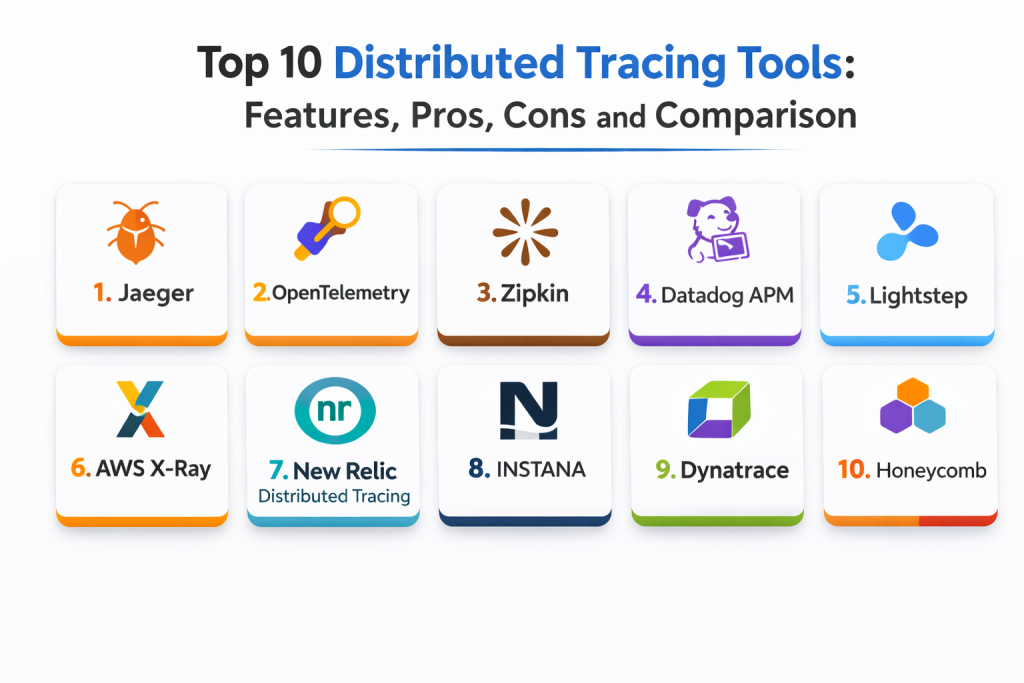
Top 10 Distributed Tracing Tools
1 — Jaeger
Jaeger is an open-source distributed tracing system used for monitoring and troubleshooting microservices-based applications. It provides end-to-end trace visibility across services and is commonly used in environments with cloud-native infrastructure.
Key Features
- Distributed tracing with detailed request flow breakdown
- Service dependency visualization and root cause analysis
- Flexible sampling and retention control options
- Integration with other observability tools (e.g., Prometheus, Grafana)
- Multi-platform support, including Kubernetes and cloud environments
- Open-source with extensive community support
- Easy-to-use UI for viewing traces and service maps
Pros
- Open-source and highly customizable
- Strong integration with other observability tools
- Supports complex microservices and cloud-native environments
Cons
- Setup and maintenance can be complex for large-scale environments
- Requires dedicated resources to scale for large systems
- May require additional tools for alerting and logging integration
Platforms / Deployment
- Web / Linux
- Cloud / Self-hosted
Security and Compliance
- Not publicly stated
Integrations and Ecosystem
Jaeger fits teams looking for open-source tracing with strong integration options.
- Integrates with Prometheus, Grafana, and other observability tools
- Supports Kubernetes and cloud-native environments
- Provides APIs for custom integrations
- Compatible with OpenTelemetry and other trace collection libraries
Support and Community
Strong community with active contributions. Vendor support available for paid users.
2 — OpenTelemetry
OpenTelemetry is an open-source, vendor-neutral framework for collecting, processing, and exporting telemetry data (traces, metrics, and logs). It is the de facto standard for distributed tracing, supported by a large ecosystem.
Key Features
- Vendor-neutral and open-source project for distributed tracing
- Standardized API for instrumentation across languages and frameworks
- Integrated support for metrics and logs, alongside tracing
- Supports multi-cloud and hybrid environments
- Seamless integration with cloud-native and containerized workloads
- End-to-end visibility across microservices and serverless architectures
- Strong ecosystem with many integrations into APM, log management, and observability platforms
Pros
- Strong standardization and support for multi-vendor ecosystems
- Rich documentation and community support
- Works well with existing observability tools and cloud platforms
Cons
- Requires proper setup and instrumentation across services
- Some teams may find it complex to adopt initially
- Not a complete platform on its own (needs other tools for full observability)
Platforms / Deployment
- Web / Windows / macOS / Linux
- Cloud / Self-hosted
Security and Compliance
- Not publicly stated
Integrations and Ecosystem
OpenTelemetry integrates well with a variety of cloud services and monitoring systems.
- Integrates with major cloud providers like AWS, Azure, and Google Cloud
- Supports many programming languages, including Java, Python, Go, and Node.js
- Works with other observability tools like Jaeger, Prometheus, and Zipkin
- Fully compatible with cloud-native systems like Kubernetes
Support and Community
Open-source with a large and active community. Official documentation is comprehensive, and support is available through community forums.
3 — Zipkin
Zipkin is an open-source distributed tracing system that helps teams monitor and troubleshoot complex microservices-based applications. It allows teams to trace the flow of requests and identify performance bottlenecks in real-time.
Key Features
- Distributed tracing with end-to-end request flow visibility
- Service dependency graphs and performance analysis
- Built-in UI for searching and analyzing traces
- Supports integration with other observability and monitoring tools
- Can be scaled to support large, distributed environments
- Lightweight, easy-to-deploy solution for microservices monitoring
Pros
- Open-source and cost-effective
- Simple setup and easy to integrate with existing systems
- Supports a variety of programming languages and frameworks
Cons
- Not as feature-rich as some commercial solutions
- Limited alerting and anomaly detection capabilities
- Requires careful setup to scale for large systems
Platforms / Deployment
- Web / Linux
- Cloud / Self-hosted
Security and Compliance
- Not publicly stated
Integrations and Ecosystem
Zipkin integrates with several observability tools.
- Integrates with Prometheus, Grafana, and other metrics platforms
- Supports a variety of languages and environments for instrumentation
- Can export trace data to other platforms for analysis
Support and Community
Active community with many contributors. Documentation is available, but support may be limited compared to commercial products.
4 — Datadog APM
Datadog APM provides distributed tracing as part of its full-stack observability platform. It offers deep insights into application performance, latency, errors, and more.
Key Features
- Distributed tracing for microservices and cloud-native applications
- Correlation with metrics, logs, and business signals
- High-performance data ingestion and search capabilities
- Integration with Kubernetes, AWS, and other cloud services
- Real-time performance monitoring and alerting workflows
- Service dependency maps and root cause analysis views
- Fully integrated with Datadog’s other observability tools
Pros
- Strong integrations across the observability stack (APM, metrics, logs)
- Powerful search and troubleshooting workflows
- Fully managed and scalable platform
Cons
- Cost can increase quickly with high traffic volumes
- Requires Datadog agents and instrumentation across services
- Some advanced features may require additional configuration or plan upgrades
Platforms / Deployment
- Web / Windows / macOS / Linux
- Cloud
Security and Compliance
- SSO, RBAC, audit visibility: Varies / Not publicly stated
- Compliance certifications: Not publicly stated
Integrations and Ecosystem
Datadog APM works well for teams looking for an integrated observability solution.
- Supports Kubernetes, cloud environments, and hybrid systems
- Integrates with many cloud services, including AWS, Azure, and GCP
- Fully integrates with Datadog’s log management, monitoring, and incident response tools
Support and Community
Vendor support is strong. Community support through forums and documentation is extensive.
5 — Lightstep
Lightstep is a distributed tracing and observability platform that focuses on high-performance monitoring for modern, cloud-native applications. It helps teams visualize and monitor distributed systems in real-time.
Key Features
- Distributed tracing and service dependency mapping
- Advanced root-cause analysis and anomaly detection
- Support for high-cardinality data across large systems
- Real-time performance insights and performance benchmarks
- Trace data is collected with low overhead for large-scale systems
- Integration with other observability tools and platforms
Pros
- High scalability for cloud-native and microservices environments
- Advanced anomaly detection and root-cause analysis features
- Real-time performance monitoring
Cons
- Can be expensive for smaller teams with low traffic
- Setup can be complex for large systems with many services
- Not as well known as some other platforms in the space
Platforms / Deployment
- Web
- Cloud
Security and Compliance
- SSO, RBAC, audit visibility: Varies / Not publicly stated
- Compliance certifications: Not publicly stated
Integrations and Ecosystem
Lightstep fits teams that need deep tracing across distributed systems.
- Integrates with Kubernetes, AWS, and other cloud environments
- Works well with OpenTelemetry for standardized instrumentation
- Provides rich trace data for full-service visibility
Support and Community
Vendor support is available. Documentation is comprehensive but may be more suited to larger teams.
6 — AWS X-Ray
AWS X-Ray provides distributed tracing for applications running in AWS. It fits teams looking for native integration with AWS services to trace and debug performance issues.
Key Features
- Deep integration with AWS services like Lambda, EC2, and API Gateway
- Real-time tracing and performance monitoring for AWS-hosted applications
- Service maps and detailed request flow analysis
- Error tracking and latency optimization workflows
- Flexible data sampling to manage volume and cost
- Integrates with CloudWatch and other AWS observability tools
Pros
- Seamless integration with AWS environments
- Highly scalable for AWS-hosted services
- Real-time insights and error tracking capabilities
Cons
- Best results when used within AWS environments
- Limited outside AWS (cross-cloud tracing requires extra setup)
- Advanced features depend on correct setup and configuration
Platforms / Deployment
- Web
- Cloud
Security and Compliance
- IAM controls, audit visibility: Varies / Not publicly stated
- Compliance certifications: Not publicly stated
Integrations and Ecosystem
AWS X-Ray fits AWS-centric teams.
- Integrates with AWS services natively
- Supports distributed tracing across microservices in AWS
- Works well with CloudWatch for additional performance insights
Support and Community
Strong support within AWS communities. Vendor support is available through AWS.
7 — New Relic Distributed Tracing
New Relic Distributed Tracing provides end-to-end visibility into service requests and performance, making it easy for teams to trace the flow of transactions across services.
Key Features
- Distributed tracing with deep visibility into request flow
- Integration with New Relic APM for enhanced performance monitoring
- Advanced root-cause analysis and anomaly detection
- Real-time alerting on trace anomalies and performance degradation
- Visualize service dependencies and bottlenecks
- Integration with cloud services and microservices platforms
Pros
- Excellent real-time visibility into request performance
- Strong integration with APM and other observability tools
- Powerful root-cause analysis capabilities
Cons
- High traffic volumes may increase costs
- Can require additional configuration for advanced tracing setups
- Some teams find the UI overwhelming at first
Platforms / Deployment
- Web / Windows / macOS / Linux
- Cloud
Security and Compliance
- SSO, RBAC, audit visibility: Varies / Not publicly stated
- Compliance certifications: Not publicly stated
Integrations and Ecosystem
New Relic fits teams that want integrated observability across services.
- Strong APM and tracing integrations for unified monitoring
- Supports integration with cloud platforms and containerized services
- Provides deep insights into application and service performance
Support and Community
Vendor support is strong. Documentation and community resources are widely used.
8 — Instana
Instana is an APM solution that includes distributed tracing capabilities, providing real-time performance monitoring and visibility into microservices and cloud-native environments.
Key Features
- Automated tracing and performance visibility
- Full-stack monitoring for microservices and containers
- Real-time insights into service performance and latency
- Dependency mapping and root-cause analysis
- Works well in Kubernetes and cloud-native environments
- Easy-to-use dashboards and trace breakdowns
Pros
- Automated tracing and service discovery
- Real-time performance monitoring with low overhead
- Deep integration with Kubernetes and cloud environments
Cons
- Advanced features require proper setup and configuration
- Can be expensive for high-traffic services
- Requires good instrumentation practices for optimal results
Platforms / Deployment
- Web / Linux
- Cloud / Self-hosted / Hybrid
Security and Compliance
- SSO, RBAC, audit visibility: Varies / Not publicly stated
- Compliance certifications: Not publicly stated
Integrations and Ecosystem
Instana integrates well with modern containerized and cloud environments.
- Supports Kubernetes, cloud platforms, and container workloads
- Integrates with other observability tools like Datadog and Prometheus
- API support for automation and custom workflows
Support and Community
Strong vendor support. Documentation is practical and designed for modern architectures.
9 — Dynatrace
Dynatrace offers end-to-end distributed tracing, automated monitoring, and AI-powered insights for cloud-native environments. It fits enterprises needing comprehensive visibility across a variety of services.
Key Features
- Distributed tracing and service mapping with full visibility
- Automated root-cause analysis powered by AI
- Dependency mapping and transaction breakdowns
- High scalability for enterprise environments
- Real-time performance monitoring and alerting
- Integrates with major cloud and infrastructure providers
Pros
- Strong AI-powered insights for faster incident resolution
- Scalable for large enterprise environments
- Comprehensive service visibility for distributed systems
Cons
- More complex to set up and manage than lightweight solutions
- Pricing can be high at scale
- Requires consistent configuration to get the best results
Platforms / Deployment
- Web / Windows / Linux
- Cloud / Self-hosted / Hybrid
Security and Compliance
- RBAC and audit visibility: Varies / Not publicly stated
- Compliance certifications: Not publicly stated
Integrations and Ecosystem
Dynatrace fits teams that want automated monitoring and AI-driven insights.
- Integrates with major cloud platforms like AWS, Azure, and GCP
- Supports Kubernetes and container environments
- API support for custom integrations and workflows
Support and Community
Vendor support is comprehensive. Documentation and community support are strong.
10 — Honeycomb
Honeycomb is designed for high-cardinality observability, providing powerful distributed tracing and performance monitoring features for cloud-native applications.
Key Features
- High-cardinality event tracking and distributed tracing
- Real-time analysis and root-cause discovery
- Service dependency mapping and breakdowns
- Flexible data modeling and tagging for investigations
- Works well in dynamic environments like microservices and Kubernetes
- Visual tools for performance debugging
Pros
- Great for high-cardinality tracing and analysis
- Real-time insights and root-cause analysis
- Easy-to-use visualization tools
Cons
- Requires proper event tagging for best results
- Can be complex to integrate into legacy environments
- Best suited for highly dynamic cloud-native systems
Platforms / Deployment
- Web
- Cloud
Security and Compliance
- Not publicly stated
Integrations and Ecosystem
Honeycomb is ideal for teams building dynamic, cloud-native applications.
- Integrates with cloud services, Kubernetes, and microservices
- Supports tracing for high-cardinality environments
- API support for custom integrations
Support and Community
Strong community around distributed tracing. Vendor support available depending on subscription.
Comparison Table
| Tool Name | Best For | Platform(s) Supported | Deployment | Standout Feature | Public Rating |
|---|---|---|---|---|---|
| Jaeger | Open-source tracing | Web, Linux | Cloud / Self-hosted | Open-source and highly customizable | N/A |
| OpenTelemetry | Vendor-neutral tracing | Web, Windows, Linux | Cloud / Self-hosted | Standardized instrumentation | N/A |
| Zipkin | Lightweight tracing | Web, Linux | Cloud / Self-hosted | Simple setup and low overhead | N/A |
| Datadog APM | Full-stack observability | Web, Linux | Cloud | Unified troubleshooting workflows | N/A |
| Lightstep | High-performance tracing | Web, Linux | Cloud | High scalability and performance insights | N/A |
| AWS X-Ray | AWS-native tracing | Web | Cloud | Deep AWS service integration | N/A |
| New Relic Distributed Tracing | Developer-friendly tracing | Web, Linux | Cloud | Strong integration with APM workflows | N/A |
| Instana | Automated tracing | Web, Linux | Cloud / Self-hosted | Auto-discovery and real-time monitoring | N/A |
| Dynatrace | Enterprise tracing | Web, Windows, Linux | Cloud / Hybrid | AI-powered root-cause analysis | N/A |
| Honeycomb | High-cardinality tracing |
Web | Cloud | Real-time analysis and debugging | N/A |
Evaluation and Scoring of Distributed Tracing Tools
Scores use a 1–10 scale per criterion and a weighted total using these weights: Core features 25%, Ease of use 15%, Integrations and ecosystem 15%, Security and compliance 10%, Performance and reliability 10%, Support and community 10%, Price and value 15%. Scores are comparative estimates and should be validated with a pilot using real trace data and queries.
| Tool Name | Core (25%) | Ease (15%) | Integrations (15%) | Security (10%) | Performance (10%) | Support (10%) | Value (15%) | Weighted Total |
|---|---|---|---|---|---|---|---|---|
| Jaeger | 8 | 7 | 9 | 6 | 8 | 7 | 8 | 7.75 |
| OpenTelemetry | 9 | 8 | 10 | 7 | 9 | 9 | 9 | 8.75 |
| Zipkin | 7 | 8 | 7 | 6 | 7 | 7 | 8 | 7.15 |
| Datadog APM | 9 | 9 | 10 | 8 | 9 | 8 | 7 | 8.55 |
| Lightstep | 9 | 8 | 9 | 7 | 9 | 8 | 8 | 8.25 |
| AWS X-Ray | 8 | 8 | 7 | 8 | 8 | 7 | 7 | 7.75 |
| New Relic Distributed Tracing | 8 | 9 | 9 | 7 | 9 | 9 | 7 | 8.15 |
| Instana | 9 | 8 | 8 | 7 | 9 | 8 | 8 | 8.10 |
| Dynatrace | 10 | 6 | 10 | 8 | 10 | 7 | 6 | 8.05 |
| Honeycomb | 9 | 9 | 8 | 6 | 9 | 8 | 7 | 8.05 |
How to interpret the scores:
- Higher Core indicates stronger support for tracing and root-cause analysis in distributed environments
- Higher Ease indicates better usability, faster onboarding, and simpler workflows
- Higher Integrations indicates more integrations with cloud services, microservices, and other observability tools
- Security reflects platform security, access controls, and data retention practices
- Weighted Total helps with shortlisting tools based on your team’s priorities, but a pilot test is essential to ensure fit
Which Distributed Tracing Tool Is Right for You
Solo / Freelancer
If you work on smaller systems or projects, OpenTelemetry provides flexibility and standards for instrumentation, while Jaeger is a good choice for lightweight, open-source tracing. Zipkin can work well if you want simplicity and low overhead for basic distributed tracing.
SMB
SMBs need cost-effective tracing solutions with fast time-to-value. New Relic and Datadog are excellent choices for teams looking for powerful distributed tracing tied to full-stack observability. OpenTelemetry and Jaeger can be more flexible for smaller teams who are comfortable with open-source tools.
Mid-Market
Mid-market teams typically need a mix of powerful insights and governance. Datadog and Dynatrace fit well when you need deep traces along with alerting and integration workflows. Honeycomb and Lightstep are great if you need strong performance debugging capabilities with high-cardinality tracing.
Enterprise
Enterprises require robust scaling, governance, and full-stack observability. Dynatrace and Instana are good choices for enterprises needing standardized and automated monitoring across large-scale environments. AWS X-Ray and New Relic are better suited for AWS-first organizations with strong integration needs.
Budget vs Premium
Open-source solutions like Jaeger and Zipkin can be good for smaller budgets but may require more effort to set up and scale. Premium solutions like Datadog and Dynatrace provide more out-of-the-box features and integrations but can become expensive at scale. Honeycomb and Lightstep balance deep trace analysis with scalable performance.
Feature Depth vs Ease of Use
If ease of use matters, Datadog and New Relic are easy to onboard and integrate into existing workflows. If you need deep service mapping, real-time debugging, and high-cardinality tracing, Lightstep and Honeycomb are strong choices, though they require a more mature approach to tracing.
Integrations and Scalability
Choose a platform that integrates well with your existing infrastructure. Datadog, New Relic, and Dynatrace are strong for teams that need full-stack observability with strong integrations. OpenTelemetry is a great choice for flexible integrations and multi-vendor ecosystems but requires careful implementation for tracing.
Security and Compliance Needs
If security and compliance are critical, choose a tool with role-based access control (RBAC), audit logging, and strong retention policies. Datadog, Dynatrace, and New Relic provide robust governance features, while open-source tools like Jaeger and Zipkin may need additional layers of management for sensitive environments.
Frequently Asked Questions
- What is distributed tracing?
Distributed tracing tracks the journey of a request across multiple services in a microservices architecture, showing where delays and errors occur along the way. - What is the difference between distributed tracing and logging?
Distributed tracing shows how requests flow through the system, while logging captures detailed information about individual events or transactions. - Do I need distributed tracing if I already use APM?
Yes, distributed tracing is an essential feature of APM, helping you understand latency and performance across multiple services. - How does sampling impact tracing data?
Sampling helps reduce the volume of traces collected, but it may miss less frequent issues. Proper sampling strategies balance cost and coverage. - Can distributed tracing be used in serverless environments?
Yes, distributed tracing works well with serverless applications, where each request may trigger multiple services. - How do I integrate distributed tracing with logs?
Most tools, such as Datadog and New Relic, allow you to correlate logs and traces by using common identifiers like request IDs. - What is the most common mistake when setting up distributed tracing?
Failing to instrument services consistently can lead to incomplete or missing traces, making troubleshooting difficult. - Can distributed tracing help with root cause analysis?
Yes, tracing helps identify the exact service or code path where an issue occurs, speeding up the root cause analysis. - How can distributed tracing improve user experience?
By monitoring request latency and service dependencies, distributed tracing helps teams identify and fix performance issues that impact the user experience. - How do I choose the right distributed tracing tool?
Consider factors like integrations with your environment, ease of use, scalability, and pricing. A pilot test with real traffic will help determine which tool fits best for your needs.
Conclusion
Distributed tracing tools are essential for understanding and debugging complex, distributed applications. The right tool depends on your architecture, budget, and operational requirements. Jaeger and OpenTelemetry offer flexibility and open-source customization, while Datadog and New Relic provide full-stack observability with easy integrations. Honeycomb and Lightstep shine for high-cardinality tracing and real-time debugging, while Dynatrace and Instana excel in enterprise environments requiring service standardization. AWS X-Ray and New Relic are ideal for cloud-native environments. A simple next step is to pilot two or three tools, ensure consistent instrumentation, and validate trace-based troubleshooting workflows for your critical services.

Best Cardiac Hospitals Near You
Discover top heart hospitals, cardiology centers & cardiac care services by city.
Advanced Heart Care • Trusted Hospitals • Expert Teams
View Best Hospitals