Introduction
Document generation software is a specialized category of tools designed to automate the creation of various business documents. Unlike simple word processors, these solutions excel at populating structured templates with dynamic data from external sources, ensuring accuracy and consistency across all outgoing communications. This capability is crucial for organizations that frequently produce high volumes of personalized documents, such ranging from sales contracts and legal agreements to financial reports and human resource onboarding packets.
In today’s fast-paced business environment, the ability to generate documents quickly and without errors is a competitive advantage. Manual document creation is not only time-consuming but also highly susceptible to human mistakes, leading to costly rework, delayed processes, and potential compliance issues. Document generation software addresses these challenges by centralizing templates, automating data insertion, and enforcing brand guidelines, allowing teams to focus on strategic tasks rather than repetitive administrative work.
Real-World Use Cases:
- Sales Departments: Automatically creating custom sales proposals, quotes, and service agreements directly from CRM data.
- Legal Teams: Generating complex legal contracts, non-disclosure agreements, and compliance documents with accurate clause insertion based on predefined conditions.
- Human Resources: Streamlining the creation of offer letters, employment contracts, performance reviews, and other employee-related documentation.
- Financial Institutions: Producing personalized loan agreements, insurance policies, and account statements that are compliant with regulatory standards.
- Healthcare Providers: Automating patient intake forms, consent forms, and medical reports by pulling data from electronic health records (EHR).
What Buyers Should Evaluate:
- Template Flexibility: The ability to design and manage complex templates with conditional logic and dynamic content.
- Data Integration Capabilities: Seamless connectivity with existing CRMs, ERPs, databases, and other business systems.
- Ease of Use: An intuitive interface for both template designers and end-users, minimizing the learning curve.
- Security Features: Robust data encryption, access controls, and compliance certifications relevant to your industry.
- Output Formats: Support for various output types, including PDF, DOCX, XLSX, PPTX, and HTML.
- Scalability: The capacity to handle increasing volumes of documents without performance degradation.
- Workflow Automation: Features for routing documents for review, approval, and electronic signatures.
- Audit Trails: Comprehensive logging of all document activities for compliance and accountability.
Best for: Organizations with repetitive document creation processes, businesses in highly regulated industries, and teams seeking to improve efficiency and reduce errors in their document workflows.
Not ideal for: Individuals or small businesses with very infrequent document needs, or creative design tasks that require full graphic design software.
Key Trends in Document Generation Software
- AI-Powered Content Suggestions: Integration of artificial intelligence to suggest relevant clauses, phrases, or data points based on document context and historical usage patterns.
- Advanced Conditional Logic: Evolution of template logic to handle highly complex scenarios, enabling documents to dynamically adapt to specific business rules or customer profiles.
- Cloud-Native Architectures: A strong shift towards fully cloud-based solutions, offering greater accessibility, scalability, and reduced IT overhead.
- Hyper-Personalization at Scale: The ability to generate thousands of uniquely personalized documents, moving beyond simple merge fields to intelligent content blocks tailored to individual recipients.
- Seamless Integration with Low-Code/No-Code Platforms: Enhanced connectivity with broader automation platforms, allowing document generation to be a modular component within larger business process automation (BPA) workflows.
- Enhanced Security and Compliance Features: Continued focus on data privacy (e.g., GDPR, CCPA) and industry-specific certifications, alongside granular access controls and audit capabilities.
- API-First Design: Increasing availability of robust APIs for developers to embed document generation capabilities directly into custom applications and integrate with bespoke systems.
- Intuitive Visual Template Builders: Tools are becoming more user-friendly, allowing business users without programming knowledge to design sophisticated templates using drag-and-drop interfaces.
How We Selected These Tools (Methodology)
Our selection process for the top document generation software involved a comprehensive evaluation based on several critical factors:
- Market Leadership and Reputation: Prioritizing solutions widely recognized for their performance, reliability, and widespread adoption across various industries.
- Feature Set Depth: Assessing the completeness of features for template design, data integration, conditional logic, and output flexibility.
- User Experience (UX): Evaluating the intuitiveness of both the template builder and the user interface for generating documents.
- Integration Capabilities: Examining the breadth and depth of native connectors to popular CRMs, ERPs, and cloud storage providers.
- Scalability and Performance: Considering the ability of each tool to handle high volumes of document generation efficiently without compromising speed or accuracy.
- Security and Compliance: Verifying the presence of industry-standard security measures and relevant compliance certifications.
- Customer Support and Resources: Assessing the availability of comprehensive documentation, training materials, and responsive customer service.
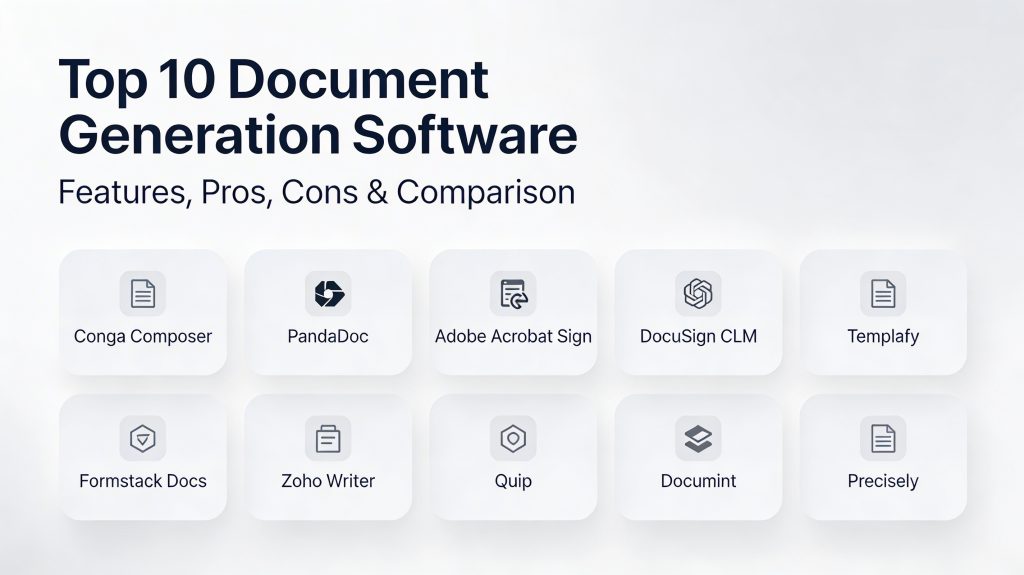
Top 10 Document Generation Software Tools
1.Conga Composer
Conga Composer is a leading document generation solution, particularly renowned for its deep integration within the Salesforce ecosystem. It empowers users to create sophisticated, data-rich documents from Salesforce records with precision and speed.
Key Features
- Multi-Object Data Merging: Pulls data from any standard or custom Salesforce object, consolidating complex information into a single document.
- Rich Output Formats: Generates documents in various formats including Microsoft Word, Excel, PowerPoint, and PDF.
- Advanced Conditional Logic: Utilizes powerful rules to dynamically include or exclude entire sections, clauses, or images based on Salesforce data.
- Batch Document Generation: Enables the creation and distribution of hundreds or thousands of personalized documents simultaneously.
- Global Template Management: Centralized control over templates ensures brand consistency and adherence to legal guidelines across the organization.
- Automated Delivery Options: Configures documents to be automatically emailed, stored in cloud platforms, or sent for electronic signature upon generation.
Pros
- Unparalleled integration and functionality for Salesforce users, leveraging the full power of the CRM data.
- Highly scalable and reliable for large enterprises with complex document requirements.
Cons
- Primarily focused on the Salesforce platform, limiting its use for organizations without Salesforce.
- Setting up advanced templates may require some technical expertise or a Salesforce administrator.
Platforms / Deployment
- Web / Salesforce Native
- Cloud
Security & Compliance
- SOC 2 Type II, ISO 27001, HIPAA (leveraging Salesforce platform security)
- SSO/SAML, granular access controls, comprehensive audit logging
Integrations & Ecosystem
Conga Composer’s strength lies in its tight integration with Salesforce and a range of complementary enterprise applications. It extends its capabilities through connectors with electronic signature providers and cloud storage solutions.
- Salesforce (primary integration)
- DocuSign, Adobe Sign (for e-signature)
- Box, SharePoint, Amazon S3 (for document storage)
Support & Community
Conga offers extensive support through its “Conga University” for self-paced learning, dedicated technical support teams, and a vibrant community of Salesforce and Conga users.
2.PandaDoc
PandaDoc is an all-in-one document workflow automation platform that specializes in creating, sending, tracking, and e-signing proposals, quotes, and contracts. It’s particularly popular for its user-friendly interface and sales-focused features.
Key Features
- Drag-and-Drop Document Editor: Allows for easy creation of professional-looking documents with rich media and branding elements.
- Interactive Pricing Tables: Enables recipients to select product options and see real-time updates to pricing within the document.
- Content Library: Stores pre-approved text blocks, images, and other assets for quick and consistent document assembly.
- Built-in E-signatures: Provides legally binding electronic signatures, eliminating the need for third-party signature tools.
- CRM Integration: Connects with popular CRMs to pull data directly into documents, reducing manual entry.
- Document Analytics: Offers insights into recipient engagement, including opens, views, and time spent on specific sections.
Pros
- Extremely intuitive and easy to use, making it ideal for sales and marketing teams.
- Comprehensive features cover the entire document lifecycle from creation to signing and tracking.
Cons
- May not have the deepest customization options for highly complex, regulatory-driven legal documents.
- Advanced automation features are often reserved for higher-tier plans.
Platforms / Deployment
- Web / iOS / Android
- Cloud
Security & Compliance
- SOC 2 Type II, HIPAA, GDPR
- SSO/SAML, data encryption, detailed audit logs
Integrations & Ecosystem
PandaDoc integrates seamlessly with a wide array of business tools, focusing on sales enablement and productivity. Its API allows for custom integrations with specialized systems.
- Salesforce, HubSpot, Pipedrive (CRM)
- Stripe, PayPal (payment processing)
- Zapier, Slack, Zoom (productivity and workflow)
Support & Community
PandaDoc provides 24/7 live chat support, an extensive online knowledge base, and a dedicated academy with courses for mastering the platform.
3.Adobe Acrobat Sign
Adobe Acrobat Sign, a core component of Adobe Document Cloud, offers robust document generation and electronic signature capabilities. It leverages the ubiquity of the PDF format, integrating deeply into existing Microsoft and Adobe ecosystems.
Key Features
- Native Microsoft Integration: Seamlessly generate and send documents for signature directly from Microsoft Word, Excel, PowerPoint, and Outlook.
- Bulk Sending: Efficiently send a single document to numerous recipients, personalizing each copy with unique data.
- Web Forms Creation: Convert any PDF into a secure, signable web form for data collection and automated document processing.
- AI-Powered Form Field Detection: Automatically identifies form fields in uploaded documents, simplifying template setup.
- Government-Grade Security: Supports advanced digital signatures and compliance with global regulatory standards like eIDAS.
- Liquid Mode for Mobile: Enhances the readability of PDF documents on mobile devices by reflowing content for optimal viewing.
Pros
- Deep integration with the Microsoft 365 suite and Adobe’s creative tools, providing a familiar user experience.
- High level of security and compliance, suitable for highly regulated industries and government use cases.
Cons
- The document generation aspect, while powerful, can be more template-driven than dynamically content-driven compared to some competitors.
- Pricing structure can be complex, often requiring higher tiers for full enterprise features.
Platforms / Deployment
- Web / Windows / macOS / iOS / Android
- Cloud
Security & Compliance
- SOC 2 Type II, ISO 27001, HIPAA, GDPR, FedRAMP, eIDAS
- SSO/SAML, MFA, encryption at rest and in transit, comprehensive audit trails
Integrations & Ecosystem
Adobe Acrobat Sign boasts a wide array of integrations, connecting with leading enterprise applications across various categories.
- Microsoft Dynamics, Salesforce, Workday (CRM/ERP)
- SAP, ServiceNow (business process management)
- Box, Dropbox, Google Drive (cloud storage)
Support & Community
Adobe offers extensive support resources, including detailed documentation, online forums, and premium support plans for enterprise customers.
4.DocuSign CLM
DocuSign CLM (Contract Lifecycle Management) is an enterprise-grade solution that extends beyond basic document generation to manage the entire lifecycle of agreements. It is particularly strong for legal and procurement teams dealing with complex contract workflows.
Key Features
- AI-Powered Contract Analysis: Automatically identifies key clauses, risks, and obligations within contracts, speeding up review cycles.
- Centralized Clause Library: Maintains a repository of pre-approved legal language for consistent and compliant contract drafting.
- Advanced Workflow Automation: Designs and automates complex multi-stage approval processes with conditional logic and parallel routing.
- Version Control and Redlining: Tracks all changes and negotiations, allowing for easy comparison and collaborative editing.
- Automated Document Generation: Creates contracts, SOWs, and other agreements by pulling data from CRM, ERP, and other systems.
- Integration with DocuSign eSignature: Seamlessly transitions generated documents to the world’s most widely used electronic signature platform.
Pros
- Comprehensive features for managing the entire contract lifecycle, from request to renewal.
- Robust security and compliance features, ideal for highly regulated industries.
Cons
- Implementation can be complex and time-consuming, often requiring expert assistance.
- Pricing is typically higher than basic document generation tools, tailored for enterprise budgets.
Platforms / Deployment
- Web / Windows / macOS / iOS / Android
- Cloud
Security & Compliance
- SOC 2 Type II, ISO 27001, HIPAA, GDPR, FedRAMP
- SSO/SAML, MFA, RBAC, tamper-evident audit trails
Integrations & Ecosystem
DocuSign CLM integrates deeply with leading enterprise systems to create a unified agreement workflow across the organization.
- Salesforce, SAP, Oracle (CRM/ERP)
- Microsoft 365, Google Workspace (productivity suites)
- ServiceNow, Workday (HR/IT service management)
Support & Community
DocuSign provides extensive enterprise support, a global partner network for implementation, and a comprehensive online resource center for users and developers.
5.Templafy
Templafy is a content enablement platform focused on ensuring brand consistency and document governance across large organizations. It helps employees easily create on-brand and compliant documents directly within their everyday applications.
Key Features
- Centralized Template Management: Stores and distributes up-to-date, on-brand templates for all document types across the organization.
- Dynamic Content Insertion: Automatically updates company information, legal disclaimers, and branding elements across all documents.
- Document Assembly: Users can build complex documents by selecting pre-approved content blocks, clauses, and slides.
- Brand and Compliance Checker: Scans documents for off-brand elements, outdated information, or non-compliant language.
- Digital Asset Management Integration: Provides direct access to approved images, logos, and other assets within document creation interfaces.
- Email Signature Management: Centralizes control over employee email signatures to maintain consistent professional branding.
Pros
- Exceptional for enforcing brand identity and legal compliance in decentralized organizations.
- Significantly reduces the time employees spend searching for correct templates and assets.
Cons
- More focused on “governance” and “assembly” than on complex, headless data-driven generation.
- Designed primarily for larger enterprises, making it less suitable for small businesses due to cost and complexity.
Platforms / Deployment
- Web / Windows / macOS / Office 365 / Google Workspace
- Cloud / Hybrid
Security & Compliance
- SOC 2 Type II, ISO 27001, GDPR
- SSO/SAML, data encryption, activity logging
Integrations & Ecosystem
Templafy integrates deeply with leading productivity suites and enterprise content platforms, ensuring employees access compliant content where they work.
- Microsoft Office 365 (Word, Excel, PowerPoint, Outlook)
- Google Workspace (Docs, Sheets, Slides)
- Salesforce, Microsoft Dynamics (CRM)
Support & Community
Templafy offers enterprise-level support with dedicated customer success managers and comprehensive onboarding and training programs.
6.Formstack Documents
Formstack Documents is a versatile document generation engine that excels at transforming data from web forms, applications, and databases into polished PDF, Word, Excel, or PowerPoint files. It is known for its flexibility and ease of integration.
Key Features
- Flexible Template Builder: Allows users to upload existing documents and add merge fields to automate data insertion.
- Multi-Source Data Merging: Consolidates data from various inputs, including web forms, CRMs, and custom APIs, into a single document.
- Conditional Logic and Rules: Enables dynamic content inclusion or exclusion, and intelligent routing of generated documents.
- Automated Delivery Options: Delivers generated documents to multiple destinations such as email, cloud storage, CRM, or e-signature platforms.
- Form-to-Document Workflow: Seamlessly integrates with Formstack Forms (or other form builders) to automate document creation upon submission.
- Dynamic Charts and Images: Inserts data-driven charts, graphs, and images into documents based on the merged information.
Pros
- Highly adaptable for various use cases, especially those starting with data collection through web forms.
- Strong integration capabilities through its API and numerous native connectors.
Cons
- Advanced design and layout control can sometimes be less granular than in dedicated desktop publishing software.
- Pricing scales with document volume, which can become costly for very high-usage scenarios.
Platforms / Deployment
- Web
- Cloud
Security & Compliance
- SOC 2 Type II, HIPAA, GDPR
- SSO/SAML, data encryption, activity logging
Integrations & Ecosystem
Formstack Documents is designed to be a central hub for data-to-document workflows, offering a wide range of integrations.
- Salesforce, HubSpot, Microsoft Dynamics (CRM)
- Google Drive, Dropbox, Box (cloud storage)
- DocuSign, Adobe Sign (e-signature)
- Zapier, Make (automation platforms)
Support & Community
Formstack provides extensive online documentation, email support, and a growing library of template examples for different industries.
7.Zoho Writer
Zoho Writer is a powerful online word processor that includes robust document generation features, making it ideal for businesses within the Zoho ecosystem. It emphasizes collaboration and intelligent content creation.
Key Features
- Merge Fields: Easily insert placeholders for dynamic data from Zoho CRM, Zoho Forms, and other Zoho applications.
- Conditional Content: Show or hide paragraphs, sections, or images based on specific data conditions.
- Automated Document Creation: Generate personalized reports, letters, and contracts using data from integrated Zoho apps.
- Built-in AI Assistant (Zia): Provides grammar, style, and readability suggestions, and can help in drafting content.
- Collaboration Tools: Real-time co-editing, comments, and change tracking, similar to desktop word processors.
- Document Locking: Protects templates from unauthorized changes while allowing data population.
Pros
- Seamless integration with the entire Zoho One suite, providing an all-in-one solution for Zoho users.
- Strong collaborative features for team-based document creation and review.
Cons
- May have a steeper learning curve for users accustomed to traditional desktop word processors.
- Less robust for highly complex enterprise-level integrations outside the Zoho ecosystem compared to specialized generation tools.
Platforms / Deployment
- Web / iOS / Android / Windows / macOS / Linux
- Cloud
Security & Compliance
- SOC 2 Type II, ISO 27001, GDPR, HIPAA
- SSO/SAML, data encryption, audit trails
Integrations & Ecosystem
Zoho Writer is deeply embedded within the Zoho ecosystem, providing native integration with numerous Zoho applications, and also supports key third-party connections.
- Zoho CRM, Zoho Forms, Zoho Creator (Zoho applications)
- Google Drive, Dropbox, Box (cloud storage)
- Microsoft Office formats (import/export)
Support & Community
Zoho offers extensive online documentation, forums, email support, and dedicated support for Zoho One subscribers.
8.Quip
Quip, a Salesforce company, is a collaborative productivity platform that combines documents, spreadsheets, and chat into a single interface. Its document generation capabilities are focused on creating living, dynamic documents that stay connected to real-time data.
Key Features
- Live Salesforce Data: Embed live Salesforce reports, lists, and records directly into documents, which update in real-time.
- Document Templates: Create reusable templates for sales proposals, account plans, and project plans that can be populated with specific data.
- Conditional Sections: Dynamically show or hide sections of a document based on associated Salesforce data or other conditions.
- Interactive Documents: Documents can include checkboxes, polls, and comments, fostering active collaboration.
- Integrated Chat: Discuss document content with team members directly within the document itself.
- Automated Document Workflows: Use Salesforce Flow to automate the creation and population of Quip documents based on specific triggers.
Pros
- Excellent for sales and service teams within the Salesforce ecosystem who need dynamic, collaborative documents.
- Real-time data updates ensure documents are always current, reducing manual refreshes.
Cons
- Primarily focused on a collaborative, in-app experience, which might not suit all traditional document generation needs.
- Its core value is strongest for existing Salesforce users, less so as a standalone tool.
Platforms / Deployment
- Web / Windows / macOS / iOS / Android
- Cloud
Security & Compliance
- SOC 2 Type II, ISO 27001, GDPR (leveraging Salesforce platform security)
- SSO/SAML, data encryption, audit logs
Integrations & Ecosystem
Quip’s primary ecosystem is Salesforce, with seamless connections that leverage live data. It also integrates with other productivity tools.
- Salesforce (deep native integration)
- Slack, Jira (collaboration and project management)
- Microsoft Office (import/export)
Support & Community
Quip benefits from Salesforce’s extensive support infrastructure, including online help, forums, and dedicated success managers for enterprise clients.
9.Documint
Documint is a modern, API-first document generation platform designed for developers and businesses that need to create high-quality, data-driven documents from various sources. It offers both a visual builder and a powerful API for custom integrations.
Key Features
- Visual Drag-and-Drop Editor: Design pixel-perfect templates using an intuitive editor, supporting complex layouts and dynamic content.
- Powerful API: Provides a robust REST API for programmatic document generation, ideal for embedding into custom applications.
- Dynamic Data Sources: Connects to virtually any data source via API, webhooks, or direct integrations to populate templates.
- Conditional Logic and Loops: Implements advanced logic to show/hide content, repeat sections, or apply formatting based on data.
- Multi-Format Output: Generates documents in PDF, DOCX, XLSX, CSV, HTML, and JSON formats.
- Batch Generation: Efficiently creates multiple documents from a single data input, or processes large lists of data.
Pros
- Highly flexible and powerful for custom integration, making it a developer favorite.
- Offers both a visual builder and a robust API, catering to different user needs.
Cons
- Less focused on the full “workflow” aspect (like e-signatures or complex routing) compared to all-in-one platforms.
- May require some technical expertise to fully leverage its API capabilities.
Platforms / Deployment
- Web / API
- Cloud
Security & Compliance
- Not publicly stated (likely standard encryption and data privacy practices)
- Data encryption, access controls
Integrations & Ecosystem
Documint is built for maximum extensibility, integrating with a wide range of platforms through its API and webhooks.
- Salesforce, HubSpot, various CRMs via Zapier/Make
- Google Sheets, Airtable (data sources)
- Stripe, Shopify (e-commerce/payments)
- Various cloud storage providers via integrations
Support & Community
Documint provides detailed API documentation, an online knowledge base, and responsive email support for its users.
10.Precisely
Precisely is a comprehensive contract management platform with strong document generation capabilities, particularly geared towards legal departments and businesses that prioritize legal compliance and efficiency in their agreement processes.
Key Features
- Intelligent Template Editor: Create templates with smart fields, conditional clauses, and automated calculations.
- Dynamic Data Fields: Populate contracts and documents with data from internal systems, ensuring accuracy.
- Automated Clause Library: Access and insert pre-approved, legally compliant clauses into documents.
- Guided Creation Workflows: Users answer simple questions, and the system automatically generates a tailored contract.
- Audit Trails and Version Control: Tracks all changes and activities related to documents for full transparency and compliance.
- Integrated E-signatures: Provides a secure and legally binding electronic signature solution as part of the platform.
Pros
- Strong focus on legal compliance and contract management best practices.
- Streamlines complex contract creation and negotiation processes.
Cons
- More specialized for legal and procurement use cases, potentially overkill for general business document generation.
- The setup of complex legal templates may require a higher level of user expertise.
Platforms / Deployment
- Web
- Cloud
Security & Compliance
- ISO 27001, GDPR
- SSO/SAML, data encryption, comprehensive audit logs
Integrations & Ecosystem
Precisely integrates with key business systems to ensure contract data is consistent and workflows are automated.
- Salesforce, HubSpot (CRM)
- Microsoft 365, Google Workspace (productivity)
- Various ERP systems via API
Support & Community
Precisely offers dedicated customer support, online resources, and training to help users maximize the platform’s capabilities.
Comparison Table (Top 10)
| Tool Name | Best For | Platform(s) Supported | Deployment | Standout Feature | Public Rating |
| Conga Composer | Salesforce Users | Web, Salesforce Native | Cloud | Multi-Object Salesforce Data Merge | 4.5/5 |
| PandaDoc | Sales & Proposals | Web, Mobile | Cloud | Interactive Pricing Tables | 4.7/5 |
| Adobe Acrobat Sign | MS 365 Ecosystem | Web, Windows, Mac, Mobile | Cloud | Deep Microsoft Integration | 4.4/5 |
| DocuSign CLM | Enterprise Contract Mgmt. | Web, Windows, Mac, Mobile | Cloud | AI-Powered Contract Analysis | 4.5/5 |
| Templafy | Brand & Governance | Web, Office, Google | Cloud/Hybrid | Global Brand & Content Control | 4.6/5 |
| Formstack Docs | Form-Driven Generation | Web | Cloud | Flexible Data-to-Document Routing | 4.4/5 |
| Zoho Writer | Zoho Ecosystem Users | Web, Mobile, Desktop | Cloud | AI Assistant & Zoho Integration | 4.3/5 |
| Quip | Salesforce Collaboration | Web, Mobile, Desktop | Cloud | Live Salesforce Data in Docs | N/A |
| Documint | Developers / API-First | Web, API | Cloud | Powerful API & Visual Builder | N/A |
| Precisely | Legal & Contract Mgmt. | Web | Cloud | Intelligent Legal Template Logic | N/A |
Evaluation & Scoring of Document Generation Software
The following scoring model evaluates each document generation platform across key criteria, with weights reflecting the priorities for businesses seeking robust automation and efficiency. Scores are on a scale of 1-10.
| Tool Name | Core (25%) | Ease (15%) | Integrations (15%) | Security (10%) | Perf. (10%) | Support (10%) | Value (15%) | Weighted Total |
| Conga Composer | 10 | 7 | 10 | 10 | 9 | 9 | 7 | 8.8 |
| PandaDoc | 9 | 10 | 9 | 9 | 9 | 10 | 8 | 9.1 |
| Adobe Sign | 8 | 8 | 10 | 10 | 9 | 8 | 7 | 8.4 |
| DocuSign CLM | 10 | 6 | 10 | 10 | 10 | 9 | 6 | 8.6 |
| Templafy | 8 | 9 | 9 | 10 | 9 | 9 | 7 | 8.6 |
| Formstack Docs | 8 | 9 | 9 | 9 | 9 | 8 | 8 | 8.5 |
| Zoho Writer | 8 | 9 | 8 | 9 | 8 | 8 | 9 | 8.4 |
| Quip | 8 | 9 | 10 | 9 | 9 | 8 | 7 | 8.5 |
| Documint | 9 | 8 | 9 | 8 | 9 | 8 | 8 | 8.5 |
| Precisely | 9 | 7 | 8 | 9 | 9 | 8 | 7 | 8.3 |
How to interpret these scores:
- Weighted Total: This score provides an overall comparative rating. A higher score indicates a more versatile and capable tool across the weighted criteria.
- Core Features: Measures the strength of the document generation engine, template complexity, and data handling.
- Ease of Use: Reflects how intuitive the platform is for both initial setup and day-to-day document creation.
- Value: Considers the feature set against the typical pricing model, evaluating cost-effectiveness for various business sizes.
Which Document Generation Software Is Right for You?
Solo / Freelancer
For individual professionals, the priority often lies in cost-effectiveness and ease of use to produce professional documents quickly. PandaDoc offers an intuitive interface and excellent template design for proposals. Zoho Writer is a strong contender, especially if you already use other Zoho applications, due to its integrated ecosystem and affordability.
SMB
Small to medium-sized businesses need solutions that are powerful enough to automate key workflows but remain easy to implement without extensive IT support. PandaDoc continues to be a top choice for sales-driven SMBs. If your business heavily relies on web forms for data collection, Formstack Documents provides excellent automation from form submissions.
Mid-Market
Growing companies often face increasing document volume and complexity, requiring robust integration with their core business systems. If Salesforce is your CRM, Conga Composer is the market leader for deep data merging. For companies prioritizing collaborative document creation with live data, Quip offers a unique advantage within the Salesforce environment.
Enterprise
Large enterprises require scalable, secure, and highly customizable solutions that can handle vast amounts of data and complex compliance needs. DocuSign CLM is ideal for comprehensive contract lifecycle management. For ensuring brand and content governance across a global workforce, Templafy is the industry standard. Adobe Acrobat Sign also remains a strong choice for organizations deeply invested in the Microsoft 365 ecosystem.
Budget vs Premium
- Budget-Friendly: Zoho Writer provides significant value, especially within the Zoho ecosystem. PandaDoc also offers accessible plans for growing businesses.
- Premium/Enterprise: DocuSign CLM, Conga Composer, and Templafy represent higher investments but offer unparalleled depth and scalability for complex enterprise needs.
Feature Depth vs Ease of Use
- Feature Depth (for complex logic/data): Conga Composer (Salesforce), DocuSign CLM (contracts), and Documint (API-driven custom solutions) excel here.
- Ease of Use (for rapid deployment): PandaDoc and Adobe Acrobat Sign offer the most intuitive user experiences for general business users.
Integrations & Scalability
If your primary CRM is Salesforce, Conga Composer or Quip provide the deepest integrations. For broader business application connectivity via APIs or automation platforms like Zapier, Formstack Documents and Documint are highly flexible. All enterprise-grade tools on this list offer significant scalability.
Security & Compliance Needs
For industries with strict regulatory requirements like healthcare (HIPAA) or finance (ISO 27001, SOC 2), DocuSign CLM, Adobe Acrobat Sign, and PandaDoc provide robust certifications and security features. Precisely is also strong for legal compliance in contracts.
Frequently Asked Questions (FAQs)
1.What is document generation software?
Document generation software automates the creation of documents by merging data from various sources into pre-designed templates, producing personalized and accurate outputs like contracts, proposals, and reports efficiently.
2.How does it differ from a regular word processor?
A word processor creates documents manually. Document generation software uses templates and dynamic data to automatically fill in information, apply conditional logic, and produce many documents quickly.
3.Can these tools integrate with my existing CRM or ERP system?
Yes, most leading document generation solutions offer native integrations with popular CRMs (like Salesforce, HubSpot) and ERPs, allowing them to pull data directly into templates.
4.Is it secure to generate sensitive documents with cloud-based software?
Reputable cloud-based document generation software employs strong encryption, multi-factor authentication, and adheres to strict security certifications (like SOC 2, ISO 27001) to protect sensitive data.
5.How long does it take to implement document generation software?
Implementation time varies based on the tool’s complexity and your organization’s needs. Simple tools can be operational in days, while enterprise-grade solutions with complex integrations may take several months.
6.Can I use my existing document templates?
Most platforms allow you to upload your existing Microsoft Word, Excel, or PDF templates and then add merge fields or tags to specify where dynamic data should be inserted.
7.What are dynamic fields in document generation?
Dynamic fields are placeholders in a document template that are automatically populated with specific data (e.g., customer name, product price, deal terms) pulled from a connected data source when a document is generated.
8.Can these tools automate conditional content?
Yes, advanced document generation software can include conditional logic in templates. This means sections, clauses, or images can be automatically included or excluded based on specific data values or rules.
9.How do I ensure brand consistency with document generation?
Document generation software enforces brand consistency by centralizing approved templates, ensuring all generated documents use the correct logos, fonts, colors, and legal disclaimers.
10.What is the future of document generation software?
The future of document generation is deeply intertwined with AI, offering more intelligent content suggestions, advanced automation for entire document workflows, and even more seamless integration into broader business process automation platforms.
Conclusion
The landscape of document generation software is dynamic, offering sophisticated tools to meet the diverse needs of modern businesses. From streamlining sales proposals to automating complex legal contracts, these platforms are essential for enhancing efficiency, ensuring compliance, and eliminating manual errors. The “best” solution is ultimately the one that aligns most closely with your organization’s specific requirements for data integration, template complexity, user experience, and security posture.

Best Cardiac Hospitals Near You
Discover top heart hospitals, cardiology centers & cardiac care services by city.
Advanced Heart Care • Trusted Hospitals • Expert Teams
View Best Hospitals