Introduction
Email Security Tools protect organizations from threats and data risks that arrive through email. In simple terms, these tools filter malicious messages before they reach users, detect phishing and impersonation attempts, stop malware delivery, reduce spam and business email compromise, and help prevent sensitive data leaks through outbound email. Modern email security is not only about blocking known bad links. It also includes identity-based protections, behavior analysis, attachment sandboxing, URL rewriting, account takeover detection, and automated incident response workflows.
Email security matters because email remains the most common entry point for attackers. Phishing campaigns target credentials, attackers impersonate executives to trigger urgent payments, and malicious attachments can lead to ransomware. At the same time, email is also a major channel for accidental data leakage, such as sending sensitive files to the wrong recipient or sharing regulated data without protection. Email security tools help reduce these risks while keeping communication smooth for users.
Common use cases include:
- Blocking phishing, spoofing, and business email compromise attempts
- Scanning attachments and links to prevent malware and ransomware delivery
- Detecting impersonation of executives, vendors, and internal users
- Protecting outbound email to prevent sensitive data leakage
- Responding quickly to email-based incidents through automation and reporting
What buyers should evaluate:
- Detection quality for phishing, impersonation, and business email compromise
- Link protection: scanning, rewriting, time-of-click checks, sandboxing
- Attachment protection: detonation, safe viewing, stripping active content
- Anti-spam quality and false positive control
- Account takeover and suspicious login behavior coverage
- Integration with email platforms and identity systems
- Incident response workflows, investigation tools, and reporting quality
- User coaching and security awareness integration options
- Scalability for large environments and multiple domains
- Support quality, deployment effort, and ongoing tuning needs
Best for: IT security teams, SOC teams, compliance teams, and any organization that relies heavily on email for business operations.
Not ideal for: Very small teams with limited exposure and low email volume, especially if they already use strict identity controls and basic built-in protections. Still, most organizations benefit from at least a strong baseline.
Key Trends in Email Security Tools
- Stronger detection for business email compromise and impersonation attacks
- More identity-linked controls to reduce account takeover risk
- Better URL protection with time-of-click checks and safe browsing modes
- Increased use of behavioral analysis to reduce false positives
- More automation for quarantine, remediation, and incident response workflows
- Improved protection for collaboration messages and shared inboxes
- More focus on outbound data protection and sensitive content controls
- Higher demand for dashboards that prove risk reduction and program progress
- Better integration into ticketing and security operations workflows
- Shift toward unified security platforms that combine email and broader threat defense
How We Selected These Tools
- Widely used and credible email security solutions across market segments
- Proven focus on phishing, impersonation, malware, and email risk controls
- Practical fit with modern email platforms and enterprise workflows
- Operational usability, reporting strength, and tuning experience
- Integration readiness with identity, SIEM, and incident response tooling
- Scalability across domains, users, and distributed teams
- Balanced mix of enterprise leaders and cloud-native providers
- Quality of incident investigation tools and automation support
- Support maturity and documentation clarity for onboarding
- Fit for modern threat patterns and high-volume email environments
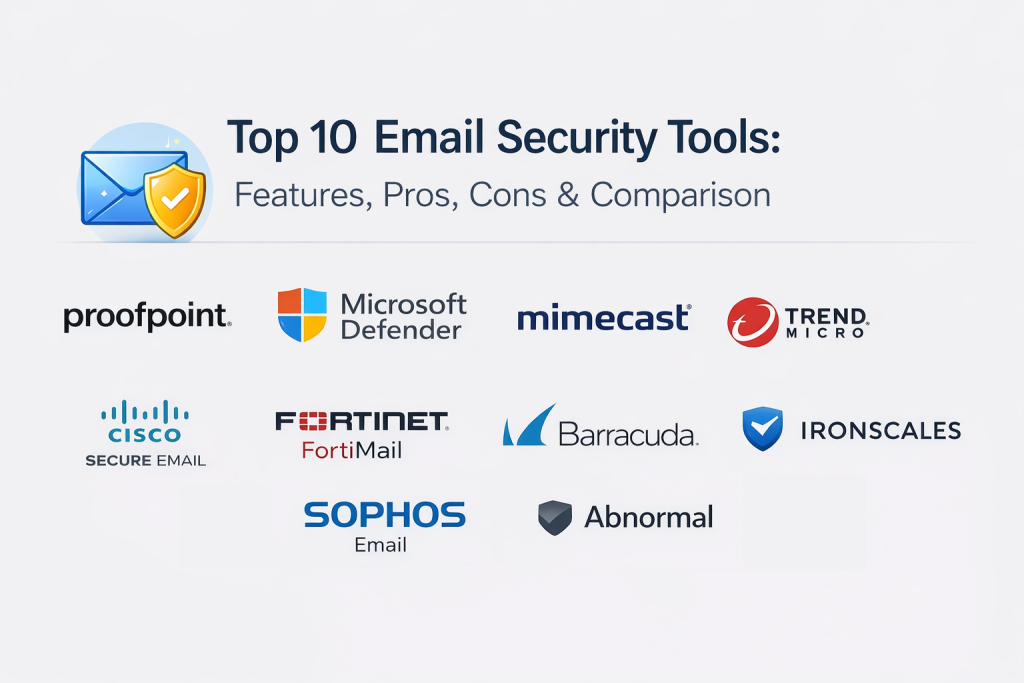
Top 10 Email Security Tools
1) Proofpoint Email Protection
Proofpoint Email Protection is widely used for advanced phishing defense, impersonation protection, and email threat visibility. It fits organizations that want strong detection depth and mature incident workflows.
Key Features
- Phishing and impersonation detection with strong policy controls
- URL protection and attachment analysis workflows
- Threat visibility dashboards and message tracing tools
- Targeted attack protection for executives and high-risk users
- Outbound protection options depending on deployment scope
- Incident investigation and remediation workflows
Pros
- Strong detection depth for email-borne threats
- Mature workflows for investigations and incident handling
Cons
- Tuning and administration can be demanding at scale
- Feature breadth can increase complexity if scope is not controlled
Platforms / Deployment
Web
Cloud, Hybrid
Security & Compliance
Varies / Not publicly stated
Integrations & Ecosystem
Designed to integrate into security operations and governance workflows.
- SIEM export and reporting pipeline integrations
- Ticketing integration patterns for incident routing
- APIs for automation and enrichment
- Works well with identity and awareness programs
Support & Community
Enterprise support is common; documentation is strong; community footprint is broad.
2) Microsoft Defender for Office 365
Microsoft Defender for Office 365 provides email threat protection for Microsoft environments, including phishing, malware, and link protection controls. It is often chosen by organizations heavily invested in Microsoft productivity platforms.
Key Features
- Phishing and malware protection for email and messaging workflows
- Link scanning and time-of-click protection support
- Attachment analysis and safe viewing controls
- Threat investigation and remediation workflows
- Reporting dashboards for email security posture and incidents
- Integration alignment with broader Microsoft security operations
Pros
- Strong fit for Microsoft-aligned email environments
- Good integration with identity and security operations tooling
Cons
- Full value depends on configuration and policy maturity
- Non-Microsoft email environments require different approaches
Platforms / Deployment
Web, Windows, macOS
Cloud
Security & Compliance
Varies / Not publicly stated
Integrations & Ecosystem
Works best with Microsoft security and identity ecosystems.
- Integrations with identity controls and access policies
- Security operations workflow integration options
- APIs and connectors depending on environment scope
- Exports for reporting and investigation pipelines
Support & Community
Strong documentation and support footprint; community resources are extensive.
3) Mimecast Email Security
Mimecast Email Security focuses on protection against phishing, impersonation, and email-borne malware, often paired with continuity and archiving capabilities depending on needs. It fits organizations that want strong governance and operational tools for email.
Key Features
- Phishing and impersonation protection controls
- Attachment scanning and URL protection workflows
- Policy controls for spam and targeted threat filtering
- Reporting dashboards and message tracking tools
- Options for continuity and resilience depending on deployment
- Incident investigation and remediation support
Pros
- Strong governance-focused email security platform
- Useful operational tools for message tracking and control
Cons
- Requires tuning and governance planning for best outcomes
- Feature breadth may add complexity if not scoped carefully
Platforms / Deployment
Web
Cloud, Hybrid
Security & Compliance
Varies / Not publicly stated
Integrations & Ecosystem
Designed to fit governance and security operations workflows.
- Ticketing integration patterns for incident routing
- SIEM exports for correlation and investigations
- APIs for automation and reporting
- Works well with awareness and policy programs
Support & Community
Enterprise support is common; documentation is solid; community footprint is broad.
4) Trend Micro Email Security
Trend Micro Email Security provides email threat protection with scanning, detection, and policy enforcement for phishing and malware risks. It fits organizations that want consistent security controls across email and broader security programs.
Key Features
- Phishing and malware detection for email environments
- URL and attachment scanning workflows
- Policy controls for spam filtering and threat handling
- Reporting dashboards for visibility and trend tracking
- Investigation support for suspicious messages and incidents
- Integration options for broader security operations workflows
Pros
- Mature security vendor with strong threat intelligence capabilities
- Good fit for organizations standardizing security tooling
Cons
- Tuning is important to reduce false positives
- Feature depth depends on the deployment model and environment
Platforms / Deployment
Web
Cloud, Hybrid
Security & Compliance
Not publicly stated
Integrations & Ecosystem
Designed to integrate into operational security pipelines.
- SIEM and reporting exports for correlation
- Ticketing workflow integration patterns
- APIs for automation and enrichment
- Works well with endpoint and cloud security programs
Support & Community
Enterprise support is common; documentation is established; community footprint is broad.
5) Barracuda Email Protection
Barracuda Email Protection focuses on threat filtering, phishing defense, and operational controls for email environments. It is commonly used by organizations that want a practical solution with manageable administration.
Key Features
- Phishing and malware filtering controls
- URL and attachment scanning workflows
- Policy controls for spam handling and message quarantine
- Dashboards and reporting for email security monitoring
- Incident response workflows for remediation actions
- Options for archiving and continuity depending on environment scope
Pros
- Practical deployment and manageable administration for many teams
- Useful operational controls for quarantine and remediation
Cons
- Advanced targeted threat detection depth varies by configuration
- Tuning required to balance protection with user experience
Platforms / Deployment
Web
Cloud, Hybrid
Security & Compliance
Varies / Not publicly stated
Integrations & Ecosystem
Designed to support everyday security operations workflows.
- Ticketing integration patterns for incident handling
- Reporting exports for security monitoring
- APIs for automation and operational workflows
- Works best with clear email policy baselines
Support & Community
Support options vary; documentation is solid; community footprint is broad.
6) Cisco Secure Email
Cisco Secure Email provides email threat protection with filtering and security controls that support phishing and malware defense. It fits organizations that want email security aligned with a broader network and security operations approach.
Key Features
- Email filtering and anti-phishing protection controls
- Malware detection with attachment analysis workflows
- URL protection and policy-based enforcement
- Visibility dashboards and reporting for threat monitoring
- Investigation and incident response support
- Integration patterns with broader security operations ecosystems
Pros
- Strong fit for organizations using Cisco security ecosystems
- Practical integration into security operations workflows
Cons
- Administration and tuning can require expertise
- Feature depth depends on deployment scope and environment needs
Platforms / Deployment
Web
Cloud, Hybrid
Security & Compliance
Not publicly stated
Integrations & Ecosystem
Designed to fit enterprise security operations and network security programs.
- SIEM exports for correlation and analysis
- Ticketing integrations for incident workflows
- APIs for automation and enrichment
- Works best with structured security operations processes
Support & Community
Enterprise support is common; documentation is established; community footprint is broad.
7) Fortinet FortiMail
Fortinet FortiMail provides email security controls for filtering, anti-phishing, and malware defense. It is often used by organizations that want email security aligned with broader network security stacks.
Key Features
- Email filtering and anti-spam protection controls
- Phishing and impersonation defense support
- Malware and attachment scanning workflows
- Policy controls for quarantine, blocking, and user guidance
- Reporting dashboards for visibility and trend tracking
- Integration options with broader security operations workflows
Pros
- Good fit for organizations standardizing on Fortinet security stacks
- Practical control options for policy enforcement and filtering
Cons
- Tuning needed to reduce false positives and business disruption
- Advanced targeted attack detection depends on configuration maturity
Platforms / Deployment
Web
Cloud, Self-hosted, Hybrid
Security & Compliance
Not publicly stated
Integrations & Ecosystem
Designed to integrate with enterprise security ecosystems.
- SIEM exports for reporting and investigations
- Ticketing integration patterns for incident handling
- APIs for automation and policy workflows
- Works well when aligned with network security programs
Support & Community
Enterprise support is common; documentation is solid; community footprint is broad.
8) Sophos Email
Sophos Email focuses on protecting mailboxes from phishing and malware with practical administration and policy controls. It fits teams that want strong protection without overly complex management.
Key Features
- Anti-phishing and anti-malware protection controls
- URL and attachment scanning workflows
- Policy controls for spam handling and quarantine
- Reporting dashboards for visibility and trend tracking
- Investigation workflows for suspicious messages
- Integration options with broader security management workflows
Pros
- Practical administration and good everyday protection
- Useful fit for organizations seeking simplicity and effectiveness
Cons
- Advanced enterprise governance features may be limited for some needs
- Depth depends on integrations and environment scope
Platforms / Deployment
Web
Cloud
Security & Compliance
Not publicly stated
Integrations & Ecosystem
Often used as part of broader endpoint and security management stacks.
- Integration with security reporting workflows
- APIs for automation and operational tasks
- Ticketing integration patterns for incident handling
- Works best with consistent email policy baselines
Support & Community
Support options vary; documentation is solid; community footprint is broad.
9) Ironscales
Ironscales focuses on phishing protection with automation and response workflows designed to reduce manual triage. It is often chosen by teams that want faster remediation and user-friendly operational flows.
Key Features
- Phishing detection and incident response workflows
- Automated remediation for malicious messages in mailboxes
- User reporting and feedback loops to improve outcomes
- Dashboards for phishing trends and response metrics
- Integrations for security operations workflows
- Tools designed to reduce workload on security teams
Pros
- Strong automation for phishing response and remediation
- Helpful workflows for reducing manual triage work
Cons
- Best outcomes depend on user reporting adoption and tuning
- Coverage focus may be narrower than full-suite email security stacks
Platforms / Deployment
Web
Cloud
Security & Compliance
Not publicly stated
Integrations & Ecosystem
Designed to connect phishing incidents into operations workflows.
- Ticketing integration patterns for incident handling
- Exports for reporting and analytics workflows
- APIs for automation and response playbooks
- Works well with awareness and reporting programs
Support & Community
Support options vary; documentation is typically solid; community footprint is moderate.
10) Abnormal Security
Abnormal Security focuses on stopping advanced phishing, impersonation, and business email compromise through behavior-based detection. It is often selected by teams that want strong protection against socially engineered attacks.
Key Features
- Detection for business email compromise and impersonation attacks
- Behavior-based risk analysis for unusual sender patterns
- Protection for vendor fraud and invoice manipulation attempts
- Dashboards for targeted attack visibility and trend tracking
- Incident workflows for triage and remediation coordination
- Controls designed to reduce false positives and user disruption
Pros
- Strong protection focus for socially engineered threats
- Useful detection approach for targeted attacks beyond basic spam filtering
Cons
- Best outcomes depend on telemetry and deployment alignment
- Some teams may still require complementary tools for broader email governance needs
Platforms / Deployment
Web
Cloud
Security & Compliance
Not publicly stated
Integrations & Ecosystem
Often used alongside email platforms and security operations workflows.
- Ticketing integration patterns for incident routing
- Exports for reporting and analytics workflows
- APIs for automation and response coordination
- Works best with structured incident response processes
Support & Community
Support options vary; documentation is typically strong; community footprint is growing.
Comparison Table
| Tool Name | Best For | Platform(s) Supported | Deployment | Standout Feature | Public Rating |
|---|---|---|---|---|---|
| Proofpoint Email Protection | Advanced phishing defense and enterprise workflows | Web | Cloud, Hybrid | Strong detection depth and investigations | N/A |
| Microsoft Defender for Office 365 | Email security in Microsoft-aligned environments | Web, Windows, macOS | Cloud | Tight integration with Microsoft security stack | N/A |
| Mimecast Email Security | Governance-focused email security and operational control | Web | Cloud, Hybrid | Strong policy controls and message tracking | N/A |
| Trend Micro Email Security | Email threat defense aligned with security programs | Web | Cloud, Hybrid | Mature threat intelligence-driven protection | N/A |
| Barracuda Email Protection | Practical email security with manageable administration | Web | Cloud, Hybrid | Balanced filtering and operational controls | N/A |
| Cisco Secure Email | Email security aligned with security operations ecosystems | Web | Cloud, Hybrid | Integration with broader security operations | N/A |
| Fortinet FortiMail | Email protection within Fortinet security stacks | Web | Cloud, Self-hosted, Hybrid | Policy-driven filtering and enforcement | N/A |
| Sophos Email | Straightforward email protection with simple administration | Web | Cloud | Practical everyday phishing defense | N/A |
| Ironscales | Automated phishing response and remediation workflows | Web | Cloud | Strong automation to reduce triage workload | N/A |
| Abnormal Security | Protection against business email compromise and impersonation | Web | Cloud | Behavior-based detection for social engineering | N/A |
Evaluation and Scoring of Email Security Tools
Weights used: Core features (25%), Ease of use (15%), Integrations and ecosystem (15%), Security and compliance (10%), Performance and reliability (10%), Support and community (10%), Price and value (15%).
| Tool Name | Core | Ease | Integrations | Security | Performance | Support | Value | Weighted Total |
|---|---|---|---|---|---|---|---|---|
| Proofpoint Email Protection | 9 | 7 | 8 | 8 | 8 | 8 | 6 | 7.80 |
| Microsoft Defender for Office 365 | 8 | 8 | 8 | 8 | 8 | 8 | 7 | 7.85 |
| Mimecast Email Security | 8 | 7 | 7 | 8 | 8 | 8 | 6 | 7.40 |
| Trend Micro Email Security | 8 | 7 | 7 | 7 | 8 | 7 | 7 | 7.35 |
| Barracuda Email Protection | 7 | 8 | 7 | 7 | 8 | 7 | 7 | 7.30 |
| Cisco Secure Email | 7 | 7 | 8 | 7 | 8 | 7 | 6 | 7.10 |
| Fortinet FortiMail | 7 | 7 | 7 | 7 | 8 | 7 | 7 | 7.15 |
| Sophos Email | 7 | 8 | 6 | 7 | 8 | 7 | 7 | 7.15 |
| Ironscales | 7 | 8 | 7 | 7 | 8 | 7 | 7 | 7.30 |
| Abnormal Security | 8 | 8 | 7 | 7 | 8 | 7 | 6 | 7.40 |
How to interpret the scores:
- Scores are comparative within this list and help you shortlist based on your threat profile and operating model.
- Core reflects phishing and impersonation detection, URL and attachment protection, and investigation tools.
- Ease reflects deployment time, tuning effort, and day-to-day operational workflow efficiency.
- Run a pilot to validate false positives, targeted attack detection, and remediation speed.
Which Email Security Tool Is Right for You?
Solo / Freelancer
Choose a solution that is easy to deploy and has strong phishing filtering with minimal tuning. Focus on safe link handling and attachment protection while keeping the user experience clean.
SMB
Prioritize strong phishing protection, simple administration, and automated remediation workflows. Look for tools with high-signal alerts and easy quarantine management.
Mid-Market
Look for stronger impersonation and business email compromise detection, deeper investigation tools, and integrations with ticketing and security operations workflows. Automation becomes important as volume grows.
Enterprise
Enterprises should prioritize advanced detection, governance features, strong reporting, and segmentation. Integration with SIEM, SOC workflows, and identity controls becomes essential for scale.
Budget vs Premium
Budget options can cover spam and basic phishing well, but premium tools may reduce workload through better detection, automation, and investigation workflows. Choose based on the cost of incidents and the time your team spends triaging alerts.
Feature Depth vs Ease of Use
If you have a mature SOC, deeper tools with strong investigation and correlation will pay off. If your team is small, prioritize ease and automation.
Integrations and Scalability
Confirm integration with your email platform, identity provider, ticketing system, and SIEM. Scalability means consistent policies across domains and the ability to respond quickly across many mailboxes.
Security and Compliance Needs
If compliance matters, focus on audit-ready reporting, strong policy controls, and evidence trails for incidents. You should be able to prove what was blocked, what was delivered, and how quickly threats were remediated.
Frequently Asked Questions
1) What do email security tools protect against?
They protect against phishing, spoofing, impersonation, malware attachments, malicious links, spam, and often business email compromise attempts.
2) Are built-in email security controls enough?
They may be enough for some small teams, but many organizations add dedicated tools for stronger impersonation detection, deeper analysis, and better remediation workflows.
3) What is business email compromise?
It is a fraud attack where attackers impersonate executives or vendors to trick staff into sending money, changing bank details, or sharing sensitive data.
4) How do these tools protect links?
Many scan URLs, rewrite them for safe routing, and check them again at click time so newly malicious links get blocked even after delivery.
5) What about attachments?
Tools often scan, detonate, or convert risky attachments into safer formats to reduce malware delivery risks.
6) How do we reduce false positives?
Start with recommended policies, run in monitor mode, create allow-lists carefully, and review quarantines regularly to tune rules without weakening protection.
7) Do email tools help with account takeover?
Some provide signals for suspicious behavior and unusual send patterns, especially when integrated with identity controls and mailbox telemetry.
8) How should a team start implementing email security?
Begin with strong phishing policies, safe link and attachment controls, and user reporting workflows. Then add advanced impersonation protection and automation.
9) Can email security tools prevent data leaks?
Yes, many support outbound content controls, encryption workflows, and policy-based warnings or blocking for sensitive information.
10) How do we choose the right email security tool?
Shortlist two or three, run a pilot, measure detection and false positives, evaluate remediation workflows, and confirm integration with identity and SOC processes.
Conclusion
Email security tools reduce one of the most common business risks by stopping phishing, impersonation, and malware before users are impacted, while also helping prevent accidental data leaks through outbound email. The best tool depends on your threat profile, email platform, user behavior, and how your security operations team handles incidents. Start with a focused pilot across a subset of mailboxes, measure false positives and user friction, and validate that links and attachments are handled safely without breaking business communication. Next, build consistent incident workflows that include user reporting, fast remediation, and clear ownership through ticketing. Once detection and response processes are stable, expand coverage to all domains, add stronger business email compromise protections, and track metrics such as reduced phishing clicks, faster remediation time, and fewer high-impact incidents over time.

Best Cardiac Hospitals Near You
Discover top heart hospitals, cardiology centers & cardiac care services by city.
Advanced Heart Care • Trusted Hospitals • Expert Teams
View Best Hospitals