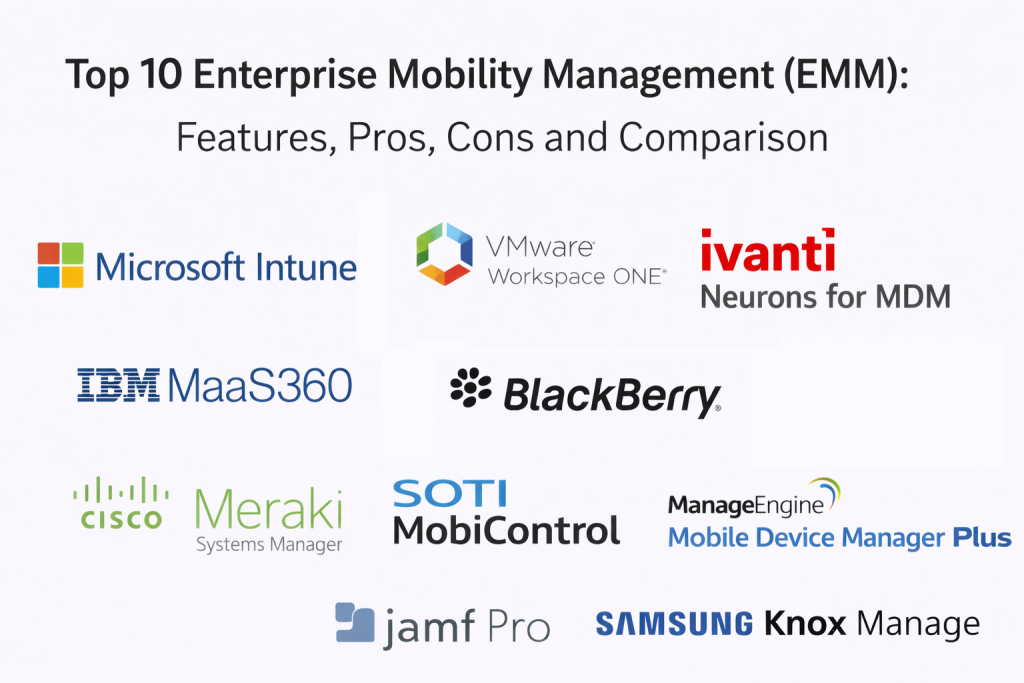
Introduction
Enterprise Mobility Management tools help organizations manage and secure mobile devices, mobile apps, and mobile access to business data. In simple terms, EMM is MDM plus more. It usually includes device enrollment and policies, mobile app management, content controls, identity alignment, and governance workflows that support both company-owned devices and bring-your-own-device programs. The goal is to let people work safely from anywhere while keeping business data protected and compliant.
This matters now because mobile devices are used for email, messaging, documents, customer apps, and approvals, often outside the office network. At the same time, companies must manage privacy expectations, growing compliance requirements, and rising security threats. EMM platforms reduce risk by enforcing security policies, controlling app access, and providing visibility into compliance posture. Real-world use cases include onboarding new employees with zero-touch enrollment, securing corporate email and documents, distributing business apps to field teams, enabling kiosk devices for frontline work, separating work and personal data in BYOD models, enforcing conditional access using device posture, and handling remote actions for lost devices. When evaluating EMM tools, buyers should assess device enrollment and policy depth, app management, content controls, identity integration, compliance reporting, automation, role-based governance, cross-platform support, remote support capabilities, and total cost.
Best for: organizations with distributed workforces, field operations, strict compliance needs, BYOD programs, frontline device fleets, and security teams that want consistent governance for mobile endpoints and apps.
Not ideal for: very small teams with minimal mobile risk and simple device needs. If you only need basic device enrollment and remote wipe, a lighter MDM tool might be enough.
Key Trends in Enterprise Mobility Management Tools
- More unified policy management across mobile, desktop, and browser environments
- Stronger app-level controls and privacy-safe BYOD approaches
- Increased use of device posture for conditional access decisions
- Greater focus on secure content access and controlled data sharing
- Growing demand for kiosk and frontline device management
- Better automation for onboarding, offboarding, and device refresh cycles
- More integrations with identity and security operations tools
- Increased expectations for audit logs, role separation, and admin governance
- More visibility into managed apps and mobile usage patterns (Varies / Not publicly stated)
- Continued shift toward cloud-first EMM deployments and simpler admin experiences
How We Selected These Tools
- Strong credibility and adoption in enterprise mobility programs
- Coverage of EMM essentials: device policies, app management, compliance, and governance
- Practical fit across segments: SMB to enterprise, including frontline mobility needs
- Integration ecosystem strength for identity, security, and service workflows
- Governance features such as role-based administration and auditing
- Balanced list across UEM leaders, mobile-first platforms, and security-focused options
Top 10 Enterprise Mobility Management Tools
1 — Microsoft Intune
Microsoft Intune is widely used for enterprise mobility and endpoint governance, especially in organizations using Microsoft identity and productivity ecosystems. It fits teams that want device compliance tied to access control.
Key Features
- Device enrollment and policy enforcement for mobility programs
- Compliance posture and access alignment patterns (Varies / Not publicly stated)
- App deployment and mobile app governance workflows
- Device configuration profiles and policy templates (Varies / Not publicly stated)
- Reporting for device compliance, inventory, and policy status
- Remote actions for lock, wipe, and security responses (Varies / Not publicly stated)
Pros
- Strong fit for Microsoft-centered identity environments
- Scales well for large enterprise mobility programs
- Good alignment with modern access governance models
Cons
- Cross-platform depth varies by device type and scope
- Policy design must be clean to avoid admin complexity
- Advanced app-level controls may require additional components
Platforms / Deployment
- Platforms: Web, Windows, macOS, iOS, Android
- Deployment: Cloud
Security and Compliance
Not publicly stated
Integrations and Ecosystem
Intune typically integrates with identity and security tooling so device posture influences access.
- Identity alignment patterns for access governance (Varies / Not publicly stated)
- Security tool integrations for device posture (Varies / Not publicly stated)
- APIs for automation and reporting exports (Varies / Not publicly stated)
- Service workflow integration patterns (Varies / Not publicly stated)
Support and Community
Strong documentation and a large community. Support varies by contract; mature rollouts rely on clear standards and phased adoption.
2 — VMware Workspace ONE
VMware Workspace ONE is an enterprise-grade platform for unified mobility and endpoint governance. It fits organizations that want consistent policies across devices and strong lifecycle automation.
Key Features
- Unified device management across mobile and desktop endpoints
- App distribution and lifecycle controls (Varies / Not publicly stated)
- Compliance enforcement and policy automation patterns (Varies / Not publicly stated)
- Reporting dashboards for mobility compliance and device inventory
- Support for kiosk and frontline device use cases (Varies / Not publicly stated)
- Role-based governance and admin controls (Varies / Not publicly stated)
Pros
- Strong enterprise mobility governance at scale
- Good cross-platform support for complex fleets
- Useful automation for large onboarding and lifecycle programs
Cons
- Implementation and administration can be complex
- Cost depends on modules and scope
- Requires strong operating model to keep policies consistent
Platforms / Deployment
- Platforms: Web, Windows, macOS, iOS, Android
- Deployment: Cloud / Self-hosted (Varies / Not publicly stated)
Security and Compliance
Not publicly stated
Integrations and Ecosystem
Workspace ONE often integrates with identity, security, and service workflows depending on the stack.
- Identity and conditional access alignment patterns (Varies / Not publicly stated)
- APIs for automation and compliance reporting exports (Varies / Not publicly stated)
- Integrations with service workflows and reporting tools (Varies / Not publicly stated)
Support and Community
Enterprise support is common. Documentation exists; many organizations use partners for complex rollouts and multi-platform policy design.
3 — Ivanti Neurons for MDM
Ivanti Neurons for MDM is used for enterprise mobility governance with policy enforcement and lifecycle workflows connected to IT operations practices.
Key Features
- Device enrollment and configuration policy management
- Compliance enforcement and posture workflows (Varies / Not publicly stated)
- App distribution and mobile app governance patterns (Varies / Not publicly stated)
- Reporting for mobility compliance and fleet visibility
- Remote actions and security response workflows (Varies / Not publicly stated)
- Integration patterns with IT operations tools (Varies / Not publicly stated)
Pros
- Practical governance for multi-platform mobility programs
- Useful reporting for compliance and inventory visibility
- Supports structured lifecycle management workflows
Cons
- Feature depth varies by edition and configuration
- Integration planning is important for best outcomes
- Advanced app-level controls depend on setup and environment
Platforms / Deployment
- Platforms: Web, iOS, Android (Varies / Not publicly stated)
- Deployment: Cloud (Varies / Not publicly stated)
Security and Compliance
Not publicly stated
Integrations and Ecosystem
Ivanti often integrates with service workflows and identity systems depending on the organization’s stack.
- APIs for automation and reporting exports (Varies / Not publicly stated)
- Identity alignment patterns for access governance (Varies / Not publicly stated)
- Service workflow integrations vary by setup (Varies / Not publicly stated)
Support and Community
Support varies by contract. Documentation exists; enterprise programs work best with stable governance standards and clear ownership.
4 — IBM MaaS360
IBM MaaS360 is used for enterprise mobility management with structured policy controls and compliance reporting. It fits teams that want governed mobility programs and clear device oversight.
Key Features
- Enrollment and policy enforcement for mobile fleets
- Mobile app management and distribution workflows (Varies / Not publicly stated)
- Compliance policies and governance reporting for audits
- Remote actions for lock, wipe, and security responses (Varies / Not publicly stated)
- Inventory dashboards for mobility programs
- Integration options for enterprise workflows (Varies / Not publicly stated)
Pros
- Practical policy and compliance governance for mobility programs
- Useful reporting for compliance and inventory visibility
- Supports multi-platform mobile environments
Cons
- Admin experience depends on configuration and processes
- Some advanced capabilities depend on licensing scope
- Desktop endpoint coverage varies if you want one platform for all endpoints
Platforms / Deployment
- Platforms: Web, Windows, macOS, iOS, Android (Varies / Not publicly stated)
- Deployment: Cloud
Security and Compliance
Not publicly stated
Integrations and Ecosystem
MaaS360 integrates with identity and enterprise tooling depending on environment.
- Identity alignment patterns for access governance (Varies / Not publicly stated)
- APIs for automation and reporting exports (Varies / Not publicly stated)
- Service workflow integrations vary by setup (Varies / Not publicly stated)
Support and Community
Support varies by contract. Documentation exists; best results come with consistent policies and a clear device governance model.
5 — BlackBerry UEM
BlackBerry UEM is used in organizations that need strong governance for mobility, often in regulated environments. It fits teams that prioritize control, policy enforcement, and compliance.
Key Features
- Device enrollment and policy enforcement for enterprise mobility
- App management and secure workspace patterns (Varies / Not publicly stated)
- Compliance reporting and governance controls
- Remote actions and security response workflows (Varies / Not publicly stated)
- Role-based administration and auditability patterns (Varies / Not publicly stated)
- Integration options for enterprise systems (Varies / Not publicly stated)
Pros
- Strong governance focus for regulated mobility programs
- Useful for strict policy enforcement requirements
- Supports enterprise-scale administration models
Cons
- Admin experience depends on configuration and environment
- Integration planning is important for best outcomes
- Feature depth varies by licensing and program design
Platforms / Deployment
- Platforms: Web, iOS, Android (Varies / Not publicly stated)
- Deployment: Cloud / Self-hosted (Varies / Not publicly stated)
Security and Compliance
Not publicly stated
Integrations and Ecosystem
BlackBerry UEM typically integrates with identity and enterprise systems to enforce mobility governance.
- Identity alignment patterns for access governance (Varies / Not publicly stated)
- APIs for automation and reporting exports (Varies / Not publicly stated)
- Service workflow linkage depends on setup (Varies / Not publicly stated)
Support and Community
Support varies by contract. Documentation exists; regulated programs succeed with clear governance rules and stable operating processes.
6 — Cisco Meraki Systems Manager
Cisco Meraki Systems Manager is commonly used for mobility management, especially where Meraki cloud administration and network tooling are already adopted.
Key Features
- Enrollment and policy enforcement for mobile device fleets
- App distribution and management patterns (Varies / Not publicly stated)
- Compliance reporting for mobility governance
- Remote actions for lock, wipe, and policy enforcement (Varies / Not publicly stated)
- Inventory views for managed mobile devices
- Ecosystem alignment with Meraki administration patterns (Varies / Not publicly stated)
Pros
- Simple adoption for Meraki-centered organizations
- Practical mobility governance workflows
- Centralized visibility for managed mobile fleets
Cons
- Advanced enterprise mobility controls may be limited
- Capability depth depends on platform and requirements
- Some features depend on broader Meraki ecosystem choices
Platforms / Deployment
- Platforms: Web, iOS, Android
- Deployment: Cloud
Security and Compliance
Not publicly stated
Integrations and Ecosystem
Meraki Systems Manager aligns with network and device governance workflows depending on stack.
- Meraki ecosystem alignment patterns (Varies / Not publicly stated)
- APIs for automation and reporting exports (Varies / Not publicly stated)
- Identity integration depends on environment (Varies / Not publicly stated)
Support and Community
Support varies by contract. Documentation is accessible; best fit often appears in organizations already standardized on Meraki.
7 — SOTI MobiControl
SOTI MobiControl is widely used for managing frontline, rugged, and operational device fleets. It fits organizations where mobility is tied to logistics, retail, or field operations.
Key Features
- Management for mobile and rugged devices
- Remote control and troubleshooting workflows (Varies / Not publicly stated)
- Kiosk mode and lockdown policies (Varies / Not publicly stated)
- App distribution and configuration controls (Varies / Not publicly stated)
- Compliance reporting and fleet governance visibility
- Lifecycle workflows for operational device programs (Varies / Not publicly stated)
Pros
- Strong for rugged and operational fleets
- Useful remote troubleshooting for frontline devices
- Practical kiosk and dedicated-use device control
Cons
- Not designed as a primary platform for enterprise desktop governance
- Integration breadth depends on environment
- Some enterprise app-level needs may require additional tooling
Platforms / Deployment
- Platforms: Web, iOS, Android (Varies / Not publicly stated)
- Deployment: Cloud / Self-hosted (Varies / Not publicly stated)
Security and Compliance
Not publicly stated
Integrations and Ecosystem
SOTI integrates with operational workflows based on the use case and deployment model.
- APIs for automation and reporting exports (Varies / Not publicly stated)
- Integration options vary by deployment model (Varies / Not publicly stated)
- Identity alignment depends on environment (Varies / Not publicly stated)
Support and Community
Support tiers vary. Documentation exists; success often depends on clear device policy standards and frontline workflow clarity.
8 — ManageEngine Mobile Device Manager Plus
ManageEngine Mobile Device Manager Plus is often chosen for practical enterprise mobility programs in SMB and mid-market teams needing policy enforcement, app distribution, and reporting.
Key Features
- Enrollment and policy enforcement for mobile devices
- App distribution and mobile application governance (Varies / Not publicly stated)
- Compliance reporting and inventory visibility
- Remote actions for lock, wipe, and compliance response workflows (Varies / Not publicly stated)
- Kiosk mode capabilities (Varies / Not publicly stated)
- Integration options with IT operations tools (Varies / Not publicly stated)
Pros
- Practical mobility governance for common enterprise needs
- Often easier to adopt for mid-size IT teams
- Good value for policy and app distribution coverage
Cons
- Advanced enterprise governance may be limited versus larger suites
- Feature depth varies by edition and configuration
- Integration scope depends on your environment and stack
Platforms / Deployment
- Platforms: Web, iOS, Android
- Deployment: Cloud / Self-hosted (Varies / Not publicly stated)
Security and Compliance
Not publicly stated
Integrations and Ecosystem
ManageEngine commonly integrates with directory services and related modules for governance.
- Directory-based user mapping patterns
- APIs for automation and reporting exports (Varies / Not publicly stated)
- Integrations with related ManageEngine tools (Varies / Not publicly stated)
Support and Community
Practical documentation and support. Many organizations can implement standard policies without large consulting projects.
9 — Jamf Pro
Jamf Pro is widely used for Apple-focused enterprise mobility, especially where iPhones, iPads, and macOS devices must be governed with deep Apple controls.
Key Features
- Apple enrollment and configuration profiles for mobility programs
- App distribution and lifecycle management for Apple devices (Varies / Not publicly stated)
- Compliance reporting and inventory for Apple fleets
- Automation for onboarding and setup workflows (Varies / Not publicly stated)
- Self-service experiences for app access and support (Varies / Not publicly stated)
- Governance controls aligned with Apple management capabilities
Pros
- Deep Apple management capabilities and strong user experience
- Ideal for Apple-standardized mobility programs
- Mature app and policy workflows for Apple ecosystems
Cons
- Not a full multi-platform mobility suite on its own
- Android governance requires another tool
- Some advanced workflows need careful configuration
Platforms / Deployment
- Platforms: Web, macOS, iOS
- Deployment: Cloud / Self-hosted (Varies / Not publicly stated)
Security and Compliance
Not publicly stated
Integrations and Ecosystem
Jamf Pro integrates with identity and security tools to enforce posture and access governance.
- Identity integration patterns (Varies / Not publicly stated)
- Security tool alignment patterns (Varies / Not publicly stated)
- APIs for automation and reporting exports (Varies / Not publicly stated)
Support and Community
Strong community and documentation. Support tiers vary; best results come from clear Apple device standards and consistent policy governance.
10 — Samsung Knox Manage
Samsung Knox Manage is a strong choice for organizations standardizing on Samsung Android devices, especially in frontline or dedicated device programs.
Key Features
- Enrollment and policy enforcement for Samsung Android fleets
- Kiosk mode and dedicated-use device controls (Varies / Not publicly stated)
- App distribution and configuration management patterns (Varies / Not publicly stated)
- Compliance reporting and inventory visibility for Samsung devices
- Remote actions for lock, wipe, and troubleshooting support (Varies / Not publicly stated)
- Controls aligned with Samsung device management capabilities (Varies / Not publicly stated)
Pros
- Strong fit for Samsung-standardized mobility fleets
- Good kiosk and frontline device governance controls
- Practical for dedicated-use Android device programs
Cons
- Focused on Samsung devices rather than full cross-platform mobility
- Some enterprise needs require additional EMM tools
- Feature scope depends on device program and models
Platforms / Deployment
- Platforms: Web, Android
- Deployment: Cloud (Varies / Not publicly stated)
Security and Compliance
Not publicly stated
Integrations and Ecosystem
Knox Manage integrates with enterprise workflows based on program design.
- API options and integrations vary (Varies / Not publicly stated)
- Identity alignment depends on environment (Varies / Not publicly stated)
- Service workflow linkage depends on setup (Varies / Not publicly stated)
Support and Community
Support varies by region and program. Documentation exists; outcomes improve when devices are standardized and policies are consistent.
Comparison Table
| Tool Name | Best For | Platform(s) Supported | Deployment | Standout Feature | Public Rating |
|---|---|---|---|---|---|
| Microsoft Intune | Identity-driven enterprise mobility governance | Web, Windows, macOS, iOS, Android | Cloud | Compliance posture aligned with access control | N/A |
| VMware Workspace ONE | Large-scale mobility and endpoint governance | Web, Windows, macOS, iOS, Android | Cloud / Self-hosted (Varies / Not publicly stated) | Unified governance with lifecycle automation | N/A |
| Ivanti Neurons for MDM | Mobility governance tied to IT operations | Web, iOS, Android (Varies / Not publicly stated) | Cloud (Varies / Not publicly stated) | Lifecycle workflows and reporting visibility | N/A |
| IBM MaaS360 | Structured policy and compliance governance | Web, Windows, macOS, iOS, Android (Varies / Not publicly stated) | Cloud | Practical compliance reporting | N/A |
| BlackBerry UEM | Regulated mobility programs with strict controls | Web, iOS, Android (Varies / Not publicly stated) | Cloud / Self-hosted (Varies / Not publicly stated) | Governance focus for strict control environments | N/A |
| Cisco Meraki Systems Manager | Meraki-centered enterprise mobility programs | Web, iOS, Android | Cloud | Simple MDM within Meraki ecosystem | N/A |
| SOTI MobiControl | Frontline and rugged device fleets | Web, iOS, Android (Varies / Not publicly stated) | Cloud / Self-hosted (Varies / Not publicly stated) | Operational fleet and kiosk device management | N/A |
| ManageEngine Mobile Device Manager Plus | Practical EMM for SMB and mid-market | Web, iOS, Android | Cloud / Self-hosted (Varies / Not publicly stated) | Balanced policy and app distribution | N/A |
| Jamf Pro | Apple mobility and device governance | Web, macOS, iOS | Cloud / Self-hosted (Varies / Not publicly stated) | Deep Apple management and user experience | N/A |
| Samsung Knox Manage | Samsung Android mobility fleets | Web, Android | Cloud (Varies / Not publicly stated) | Samsung-focused device and kiosk controls | N/A |
Evaluation and Scoring of Enterprise Mobility Management Tools
Scoring model
- Each criterion uses a 1–10 score
- Weighted total is a comparative score from 0–10
- Scores reflect typical positioning and capability breadth
- Your best choice depends on device mix, governance needs, and operational capacity
Weights used
- Core features – 25%
- Ease of use – 15%
- Integrations and ecosystem – 15%
- Security and compliance – 10%
- Performance and reliability – 10%
- Support and community – 10%
- Price and value – 15%
| Tool Name | Core (25%) | Ease (15%) | Integrations (15%) | Security (10%) | Performance (10%) | Support (10%) | Value (15%) | Weighted Total (0–10) |
|---|---|---|---|---|---|---|---|---|
| Microsoft Intune | 9 | 7 | 9 | 8 | 8 | 8 | 7 | 8.05 |
| VMware Workspace ONE | 9 | 6 | 8 | 8 | 8 | 7 | 6 | 7.55 |
| Ivanti Neurons for MDM | 7 | 7 | 6 | 7 | 7 | 6 | 7 | 6.85 |
| IBM MaaS360 | 7 | 7 | 6 | 7 | 7 | 6 | 7 | 6.85 |
| BlackBerry UEM | 7 | 6 | 6 | 8 | 7 | 6 | 6 | 6.65 |
| Cisco Meraki Systems Manager | 6 | 8 | 6 | 6 | 7 | 7 | 7 | 6.70 |
| SOTI MobiControl | 7 | 7 | 5 | 6 | 7 | 6 | 7 | 6.55 |
| ManageEngine Mobile Device Manager Plus | 7 | 8 | 6 | 6 | 7 | 7 | 9 | 7.35 |
| Jamf Pro | 8 | 7 | 7 | 7 | 8 | 8 | 6 | 7.25 |
| Samsung Knox Manage | 6 | 7 | 5 | 6 | 7 | 6 | 7 | 6.25 |
How to interpret the scores
- Use the weighted total to shortlist tools, not to declare a universal winner
- If device and app governance are critical, prioritize Core plus Integrations
- If regulated controls matter most, prioritize Security plus Support
- If budget is tight, prioritize Value and validate what is included in each plan
Which Enterprise Mobility Management Tool Is Right for You?
Solo / Freelancer
Most solo users do not need full EMM. If you handle business data on mobile, prioritize strong device security and account protection. A lightweight approach can work if the environment is simple.
SMB
SMBs need fast onboarding, app distribution, and the ability to lock or wipe devices quickly. ManageEngine Mobile Device Manager Plus is a practical choice for balanced mobility governance. Microsoft Intune is strong when Microsoft identity and productivity tools are central. Cisco Meraki Systems Manager works well when Meraki tooling is already used.
Mid-Market
Mid-market teams often need stronger compliance reporting and scalable policies without extreme complexity. Microsoft Intune and VMware Workspace ONE are strong candidates depending on device mix and identity strategy. Jamf Pro becomes important if Apple devices are a significant part of the fleet. IBM MaaS360 and Ivanti Neurons for MDM can fit structured governance programs.
Enterprise
Enterprises typically need role-based control, auditing, consistent enforcement, and automation for large fleets. Microsoft Intune and VMware Workspace ONE are common enterprise choices. BlackBerry UEM can fit regulated environments needing strict controls. SOTI MobiControl is strong for frontline and rugged devices. Samsung Knox Manage is valuable when Samsung Android devices are standardized for dedicated-use programs.
Budget vs Premium
Budget programs should focus first on enrollment, security baselines, and remote actions. Premium suites become valuable when compliance requirements and fleet size demand automation and stronger governance controls.
Feature Depth vs Ease of Use
Some platforms deliver deep governance and app controls but require more admin effort. Others are easier to operate but may lack advanced features. Choose based on your team’s operational capacity to maintain policies and exceptions.
Integrations and Scalability
EMM becomes most effective when integrated with identity and security operations. Validate conditional access patterns, directory sync, and how policies apply at scale. Ensure group and role design stays clean so the platform remains manageable.
Security and Compliance Needs
Confirm role-based access, audit logs, strong admin authentication, encryption enforcement, and remote wipe. Also validate BYOD privacy boundaries because unclear privacy can damage adoption.
Frequently Asked Questions
- What is EMM in simple terms?
EMM is a platform that manages mobile devices, apps, and business data access so mobile work stays secure and compliant. - How is EMM different from MDM?
MDM focuses mostly on device control. EMM usually adds stronger app management, content controls, and broader mobility governance workflows. - Do I need EMM for BYOD programs?
Often yes, because BYOD needs privacy-aware controls, app-level governance, and clear compliance policies without taking over personal devices. - What should I roll out first in an EMM program?
Start with enrollment, baseline security policies, and compliance reporting. Then add app distribution, app-level controls, and automated offboarding. - Can EMM enforce access control based on device compliance?
Many EMM platforms support posture-based access patterns. The depth depends on identity integrations and policy configuration. - Is EMM only for phones and tablets?
Not always. Many EMM tools are part of broader unified endpoint suites and can also manage laptops, depending on the product and licensing. - What are common EMM program mistakes?
Overly strict policies early, unclear BYOD privacy rules, weak group design, and not testing OS and app updates before broad rollout. - How do kiosk devices fit into EMM?
Kiosk devices are dedicated-use phones or tablets locked to specific apps. EMM helps enforce kiosk mode, app updates, and remote support workflows. - How do I handle Apple and Android together?
Use a cross-platform platform like Microsoft Intune or VMware Workspace ONE, then add specialized tools when deeper Apple controls are needed, such as Jamf Pro. - How do I run a proper EMM pilot?
Enroll a representative set of devices, deploy required apps, test compliance policies, validate reporting, and test remote actions. Ensure identity integrations and exception workflows work before scaling.
Conclusion
Enterprise Mobility Management tools help organizations support mobile work safely by controlling devices, apps, and access to business data. Microsoft Intune is a strong choice for identity-driven mobility programs, especially in Microsoft-centered environments. VMware Workspace ONE fits enterprises needing cross-platform governance and lifecycle automation. Jamf Pro is essential for deep Apple management in Apple-heavy fleets. ManageEngine Mobile Device Manager Plus provides practical EMM coverage with strong value for SMB and mid-market teams. IBM MaaS360 and Ivanti Neurons for MDM can fit structured governance programs, while Cisco Meraki Systems Manager works best in Meraki-centered environments. For frontline and rugged device fleets, SOTI MobiControl is a strong choice, and Samsung Knox Manage is valuable when Samsung Android devices are standardized. BlackBerry UEM can fit regulated environments requiring strict controls. A smart next step is to shortlist two or three platforms, run a pilot that covers enrollment, app rollout, compliance reporting, and remote actions, then scale with clear policy ownership and ongoing governance reviews.

Best Cardiac Hospitals Near You
Discover top heart hospitals, cardiology centers & cardiac care services by city.
Advanced Heart Care • Trusted Hospitals • Expert Teams
View Best Hospitals