Introduction
Experiment tracking tools help machine learning teams record, organize, compare, and reproduce training runs. They capture important details such as parameters, metrics, datasets, code versions, artifacts, logs, and outputs. Instead of relying on spreadsheets, screenshots, or manual notes, teams use these tools to build a reliable system of record for experiments.
This matters because modern ML work is no longer a small notebook exercise. Teams often run many parallel experiments, tune models repeatedly, collaborate across functions, and move promising models into production. Without proper tracking, results become difficult to reproduce, teams waste compute, and decision-making slows down.
Common use cases include:
- Hyperparameter tuning and model comparison
- Research experiment logging and reproducibility
- Team collaboration across data science and ML engineering
- Audit-friendly recordkeeping for model development
- Tracking artifacts such as checkpoints, plots, and model files
- Benchmarking model versions before deployment
What buyers should evaluate before choosing a tool:
- Logging depth for metrics, params, artifacts, and metadata
- Visualization and run comparison capabilities
- Ease of integration with ML frameworks and pipelines
- Support for distributed training and large workloads
- Collaboration features and workspace controls
- Deployment flexibility (cloud, self-hosted, hybrid)
- Security and access control capabilities
- API/SDK quality and automation readiness
- Cost and pricing predictability
- Documentation, support, and community strength
Best for: Data scientists, ML engineers, AI researchers, MLOps teams, and platform teams running repeated experiments and collaborative model development.
Not ideal for: Teams that train very few models occasionally and do not need structured reproducibility or collaboration workflows.
Key Trends in Experiment Tracking Tools
- Stronger integration with model registry and deployment workflows
- Better support for distributed training and large experiment volumes
- Artifact-centric workflows for checkpoints, datasets, and reports
- More collaboration features for cross-functional ML teams
- Metadata search and filtering becoming a major differentiator
- Governance-ready logging for auditability and internal controls
- Tighter integration with orchestration and CI/CD pipelines
- Improved visualization for comparing runs and hyperparameters
- Support for foundation model and fine-tuning experiment workflows
- Flexible deployment choices to balance control and convenience
How These Tools Were Selected
The tools in this guide were selected using practical evaluation logic focused on real-world usage:
- Market visibility and adoption in ML workflows
- Core experiment tracking completeness (params, metrics, artifacts, metadata)
- Ability to support both individual and team-based workflows
- Integration quality with common ML frameworks and Python stacks
- Scalability for larger run volumes and distributed training setups
- Visualization and comparison depth for faster decision-making
- Deployment flexibility across cloud and self-hosted preferences
- Documentation quality and onboarding experience
- Community strength or commercial support maturity
- Fit across solo users, SMBs, mid-market teams, and enterprises
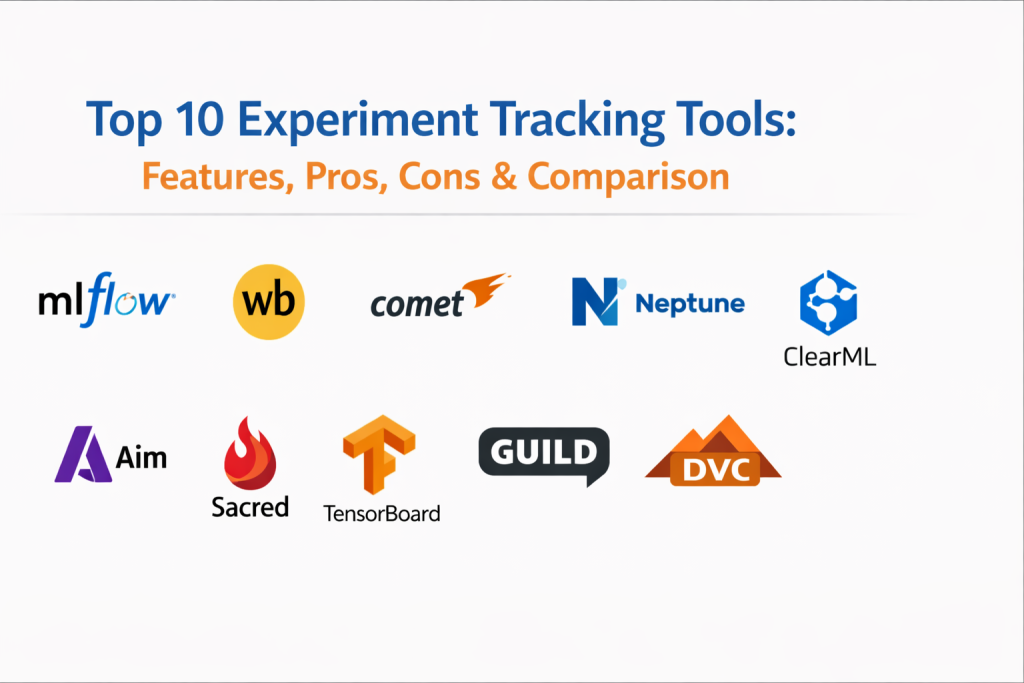
Top 10 Experiment Tracking Tools
1.MLflow
MLflow is one of the most widely used open-source tools for tracking machine learning experiments. It is often chosen by teams that want flexibility, strong framework compatibility, and a path toward broader ML lifecycle management.
Key Features
- Logging for parameters, metrics, tags, and artifacts
- Experiment and run organization
- Model registry support in broader workflows
- Flexible backend storage options
- Python-friendly APIs and CLI support
- Integration with many ML frameworks
- Self-hosted deployment flexibility
Pros
- Mature ecosystem and broad adoption
- Flexible open-source architecture
- Fits many team sizes and workflows
Cons
- Interface is practical but less polished than some SaaS tools
- Enterprise governance may need extra setup and operational work
- User experience can vary depending on deployment design
Platforms / Deployment
Cloud / Self-hosted / Hybrid
Security & Compliance
Varies by deployment. Access controls and security posture depend on implementation choices. Certifications: Not publicly stated.
Integrations & Ecosystem
MLflow integrates well with common ML libraries and platform stacks, making it a strong default option for teams that want broad compatibility.
- PyTorch
- TensorFlow
- scikit-learn
- XGBoost
- Spark
- Databricks
- Cloud object storage backends
Support & Community
Strong open-source community and broad learning resources. Commercial support can be available through platform vendors and internal platform teams depending on how it is deployed.
2.Weights & Biases
Weights & Biases is a popular experiment tracking platform known for rich visualizations, collaborative dashboards, and a smooth user experience. It is often preferred by teams that need strong visibility into training behavior and easy comparison across many runs.
Key Features
- Real-time metric tracking and visual dashboards
- Hyperparameter tracking and run comparison
- Artifact versioning and lineage-style workflows
- Team collaboration workspaces
- Sweeps and experiment organization support
- Distributed training logging support
- Strong UI for charts and experiment analysis
Pros
- Excellent visualization and comparison experience
- Fast onboarding for teams
- Strong collaboration and productivity features
Cons
- Premium features may increase cost at scale
- Cloud-first approach may not fit every security requirement
- Can be more than needed for very small teams
Platforms / Deployment
Cloud / Hybrid
Security & Compliance
Access controls, workspace permissions, and enterprise controls vary by plan and deployment model. Certifications: Not publicly stated.
Integrations & Ecosystem
It works with many popular ML frameworks and training stacks and is frequently adopted in research-heavy and fast-iteration environments.
- PyTorch
- TensorFlow
- Keras
- JAX
- Hugging Face workflows
- Kubernetes-based training setups
- CI/CD pipeline integrations
Support & Community
Strong commercial support options and an active user community. Documentation and examples are generally helpful for onboarding.
3.Comet
Comet is a commercial experiment tracking platform focused on simplifying logging, comparison, and collaboration for machine learning teams. It offers a practical balance between usability and capability.
Key Features
- Automatic and manual experiment logging
- Metric and parameter comparison dashboards
- Code version and environment tracking
- Artifact logging and organization
- Team collaboration features
- Experiment filtering and search
- Reporting-friendly visual interfaces
Pros
- Easy integration into common workflows
- Strong dashboard experience for teams
- Good balance between usability and functionality
Cons
- Pricing can vary based on scale and usage
- Cloud-centric usage may not fit all environments
- Some advanced governance needs may require enterprise tiering
Platforms / Deployment
Cloud / Hybrid
Security & Compliance
Workspace access controls and enterprise security options vary by tier. Certifications: Not publicly stated.
Integrations & Ecosystem
Comet supports common Python ML workflows and is often integrated into team pipelines for regular experiment logging and review.
- PyTorch
- TensorFlow
- scikit-learn
- XGBoost
- Notebook workflows
- Training scripts and CI pipelines
Support & Community
Commercial support and onboarding are available. Documentation is generally clear for routine implementation.
4.Neptune
Neptune is focused on metadata-heavy experiment management and is often chosen by teams running large volumes of experiments where filtering, organization, and run search are important.
Key Features
- Experiment metadata tracking at scale
- Searchable run history with filtering
- Metric and artifact logging
- Flexible experiment organization
- Dashboard customization
- Collaboration support for teams
- API-driven tracking workflows
Pros
- Strong metadata organization and search
- Suitable for large experiment sets
- Useful for teams needing structured experiment analysis
Cons
- Interface may take time to learn for new users
- SaaS pricing considerations at larger scale
- Some teams may find setup conventions opinionated
Platforms / Deployment
Cloud
Security & Compliance
Role-based access and workspace controls vary by plan. Certifications: Not publicly stated.
Integrations & Ecosystem
Neptune integrates with many Python-based ML stacks and fits teams that need consistent experiment logging with strong filtering and analysis.
- PyTorch
- TensorFlow
- scikit-learn
- XGBoost
- Notebook and script workflows
- Pipeline automation environments
Support & Community
Commercial support is available, with documentation and onboarding resources for teams scaling usage.
5.ClearML
ClearML is an open-source MLOps platform that includes experiment tracking, orchestration, and related workflow capabilities. It is attractive for teams that want tracking plus operational controls in one environment.
Key Features
- Automatic experiment logging
- Artifact and model tracking
- Pipeline orchestration support
- Resource and workload management
- Hyperparameter optimization tracking
- Self-hosted flexibility
- Team-level project organization
Pros
- Open-source and extensible
- Goes beyond tracking into broader ML operations
- Good choice for teams wanting more control
Cons
- Initial setup can require infrastructure planning
- User interface may feel less polished than SaaS-first products
- Broader feature set can increase complexity for simple use cases
Platforms / Deployment
Cloud / Self-hosted / Hybrid
Security & Compliance
Varies by deployment. Security controls depend on implementation and edition. Certifications: Not publicly stated.
Integrations & Ecosystem
ClearML supports common ML tools and can fit teams building a more complete internal ML platform.
- PyTorch
- TensorFlow
- scikit-learn
- XGBoost
- Containerized training environments
- Cloud compute and GPU workflows
Support & Community
Active community and commercial support options. Often appreciated by technical teams comfortable with self-managed platforms.
6.Aim
Aim is a lightweight open-source experiment tracking tool designed for speed and simplicity. It is often a good fit for developers who want quick setup and straightforward run comparison without a heavy platform footprint.
Key Features
- Fast metric logging
- Lightweight experiment storage
- Run comparison and visualization
- Simple SDK for integration
- Custom dashboard capabilities
- Local-first friendly workflows
- Flexible usage in scripts and notebooks
Pros
- Easy to start and use
- Minimal overhead
- Good developer experience for smaller teams
Cons
- Limited enterprise governance features
- Smaller ecosystem than more established platforms
- May require additional tools for broader ML lifecycle needs
Platforms / Deployment
Self-hosted / Cloud
Security & Compliance
Not publicly stated.
Integrations & Ecosystem
Aim integrates through SDK usage and works well in Python-centric experimentation workflows.
- PyTorch
- TensorFlow
- scikit-learn
- Notebook-based workflows
- Custom Python training pipelines
Support & Community
Growing open-source community with improving documentation and examples.
7.Sacred
Sacred is a lightweight experiment management library focused on reproducibility and configuration tracking. It is often used in research-oriented workflows where script-based control is preferred.
Key Features
- Configuration management for experiments
- Reproducibility-oriented logging
- Parameter capture and organization
- Script and CLI-friendly workflows
- Lightweight integration into Python code
- Flexible experiment definitions
Pros
- Very lightweight and configurable
- Useful for research and script-centric workflows
- Strong focus on reproducibility fundamentals
Cons
- Limited visualization compared to dedicated platforms
- Less suitable for large team collaboration by itself
- May need companion tools for richer experiment dashboards
Platforms / Deployment
Self-hosted
Security & Compliance
Not publicly stated.
Integrations & Ecosystem
Sacred is often used in Python research codebases and can be combined with other storage or visualization components.
- Python ML scripts
- Research workflows
- CLI-based automation
Support & Community
Community-driven support and documentation. Best suited for technically comfortable users.
8.TensorBoard
TensorBoard is a widely used visualization tool commonly associated with TensorFlow workflows, but it can also support broader experiment monitoring scenarios depending on integration choices.
Key Features
- Metric visualization dashboards
- Training curve inspection
- Graph visualization
- Embedding visualization support
- Plugin-based extensibility
- Real-time logging display
- Useful visual diagnostics during training
Pros
- Strong visualization for training metrics
- Widely known and easy to access in many workflows
- Valuable for debugging and model behavior inspection
Cons
- Not a full-featured team experiment tracking platform by itself
- Collaboration and governance capabilities are limited
- Cross-framework experience may be less consistent than dedicated tools
Platforms / Deployment
Self-hosted
Security & Compliance
Not publicly stated.
Integrations & Ecosystem
TensorBoard is strongest in TensorFlow ecosystems but can be used in other contexts for logging and visualization.
- TensorFlow
- Keras
- Compatible logging integrations from other frameworks
- Notebook and local development workflows
Support & Community
Large user base and extensive community familiarity, especially in education and ML development environments.
9.Guild AI
Guild AI is a tool focused on experiment tracking and reproducibility with a developer-friendly, CLI-centric approach. It fits teams and individuals who prefer script automation over dashboard-heavy workflows.
Key Features
- Experiment run tracking
- Hyperparameter logging
- Reproducibility-focused workflow controls
- CLI-based run management
- Lightweight integration with Python projects
- Run comparison support
Pros
- Developer-centric and script-friendly
- Good reproducibility support
- Lightweight for local workflows
Cons
- Smaller ecosystem and mindshare
- Visualization depth is limited compared to SaaS tools
- Team collaboration features are less mature
Platforms / Deployment
Self-hosted
Security & Compliance
Not publicly stated.
Integrations & Ecosystem
Guild AI is commonly used in Python-based ML projects and script-driven experimentation.
- Python ML frameworks
- CLI automation workflows
- Local and server-based experiment runs
Support & Community
Community-based support with a more niche user base.
10.DVC
DVC is best known for data and pipeline versioning, but it also supports experiment tracking and comparison in Git-centric workflows. It is a strong choice for teams that value reproducibility tied closely to code and data versions.
Key Features
- Experiment tracking in Git-oriented workflows
- Data versioning and artifact control
- Pipeline management support
- Reproducibility-focused run comparisons
- Storage backend flexibility
- Team collaboration via code repository practices
- CLI-first automation approach
Pros
- Excellent fit for version-controlled ML workflows
- Strong reproducibility for code plus data
- Useful for teams already standardized on Git processes
Cons
- CLI-heavy experience may slow non-technical users
- Visualization is less polished than dedicated tracking SaaS tools
- Can require process discipline to get full value
Platforms / Deployment
Cloud / Self-hosted / Hybrid
Security & Compliance
Varies by deployment and repository/storage configuration. Certifications: Not publicly stated.
Integrations & Ecosystem
DVC fits naturally into engineering-heavy ML teams using version control, shared storage, and repeatable pipelines.
- Git-based repositories
- Cloud object storage backends
- Python ML frameworks
- CI automation pipelines
Support & Community
Strong open-source adoption and a practical community around reproducible ML workflows. Commercial options may be available depending on usage pattern.
Comparison Table
| Tool Name | Best For | Platform(s) Supported | Deployment (Cloud/Self-hosted/Hybrid) | Standout Feature | Public Rating |
|---|---|---|---|---|---|
| MLflow | Open and flexible ML tracking | Web / CLI | Cloud / Self-hosted / Hybrid | Broad ecosystem compatibility | N/A |
| Weights & Biases | Visualization-heavy team workflows | Web | Cloud / Hybrid | Rich dashboards and run comparison | N/A |
| Comet | SaaS-friendly experiment tracking | Web | Cloud / Hybrid | Easy logging plus team dashboards | N/A |
| Neptune | Metadata-heavy experiment management | Web | Cloud | Strong filtering and run organization | N/A |
| ClearML | Open-source tracking plus orchestration | Web / CLI | Cloud / Self-hosted / Hybrid | Tracking with broader MLOps controls | N/A |
| Aim | Lightweight developer-first tracking | Web / CLI | Self-hosted / Cloud | Fast setup and quick comparisons | N/A |
| Sacred | Reproducibility-focused research workflows | CLI | Self-hosted | Configuration-centric experiment control | N/A |
| TensorBoard | Training visualization and debugging | Web | Self-hosted | Strong metric and graph visualization | N/A |
| Guild AI | CLI-centric reproducible experimentation | CLI | Self-hosted | Script-friendly experiment tracking | N/A |
| DVC | Git-centric data and experiment versioning | CLI / Web | Cloud / Self-hosted / Hybrid | Tight code-data-experiment reproducibility | N/A |
Evaluation & Scoring of Experiment Tracking Tools
Scoring model uses weighted criteria:
- Core features – 25%
- Ease of use – 15%
- Integrations & ecosystem – 15%
- Security & compliance – 10%
- Performance & reliability – 10%
- Support & community – 10%
- Price / value – 15%
| Tool Name | Core (25%) | Ease (15%) | Integrations (15%) | Security (10%) | Performance (10%) | Support (10%) | Value (15%) | Weighted Total (0–10) |
|---|---|---|---|---|---|---|---|---|
| MLflow | 9 | 8 | 9 | 7 | 8 | 8 | 8 | 8.30 |
| Weights & Biases | 9 | 9 | 8 | 8 | 8 | 8 | 7 | 8.40 |
| Comet | 8 | 8 | 8 | 7 | 8 | 8 | 7 | 7.85 |
| Neptune | 8 | 7 | 8 | 7 | 8 | 7 | 7 | 7.70 |
| ClearML | 8 | 7 | 8 | 6 | 7 | 7 | 8 | 7.55 |
| Aim | 7 | 8 | 7 | 6 | 7 | 6 | 8 | 7.10 |
| Sacred | 6 | 7 | 6 | 6 | 7 | 6 | 8 | 6.75 |
| TensorBoard | 7 | 8 | 6 | 6 | 7 | 7 | 9 | 7.25 |
| Guild AI | 6 | 7 | 6 | 6 | 7 | 6 | 8 | 6.75 |
| DVC | 8 | 7 | 8 | 7 | 8 | 8 | 8 | 7.95 |
How to interpret these scores:
- These scores are comparative within this specific category and list.
- A higher total does not mean universal superiority; it indicates stronger overall balance across the weighted criteria.
- Teams with strict security needs may prioritize security and governance above total score.
- Teams focused on low cost and flexibility may choose a tool with a lower total but better fit for internal skills and workflow style.
- Run a pilot with real experiments before finalizing a platform choice.
Which Experiment Tracking Tool Is Right for You?
Choosing the right tool depends on team size, workflow maturity, infrastructure preferences, and how much of the ML lifecycle you want to manage in one platform. There is no single winner for every team.
Solo / Freelancer
If you are working alone or running small independent projects, speed and simplicity matter more than enterprise governance.
What usually matters most:
- Fast setup
- Low cost
- Minimal operational overhead
- Basic run comparison and reproducibility
- Easy integration into scripts and notebooks
Best-fit options:
- Aim for lightweight tracking and quick comparisons
- Sacred for configuration-focused reproducibility in research scripts
- Guild AI if you prefer CLI-centric, automation-friendly workflows
- TensorBoard if your work is highly centered on training visualization, especially in TensorFlow-heavy projects
What to avoid early:
- Large platform rollouts with heavy configuration if your workflow is still evolving
- Paying for advanced collaboration features you will not use
Practical recommendation:
Start with a lightweight tool, standardize your experiment naming and logging conventions, and only move to a broader platform when collaboration or scale becomes a pain point.
SMB
Small and growing teams usually need a balance between usability, cost control, and enough structure to prevent chaos as experiments increase.
What usually matters most:
- Team collaboration without high overhead
- Reliable experiment logging and comparison
- Reasonable cost model
- Flexible deployment choices
- Integrations with common Python frameworks and cloud storage
Best-fit options:
- MLflow for flexible open-source tracking with broad compatibility
- ClearML if you want experiment tracking plus orchestration potential
- Comet if your team prefers a polished SaaS workflow
- DVC if your team is engineering-heavy and already disciplined with Git workflows
Practical recommendation:
If your team is technically strong and cost-conscious, MLflow or ClearML can be excellent. If your team prioritizes ease of use and faster onboarding, Comet may reduce friction.
Mid-Market
Mid-market teams often have multiple contributors, recurring model work, and growing expectations around governance, reproducibility, and reporting.
What usually matters most:
- Better organization and search across many runs
- Team workspaces and collaboration
- More mature dashboards and comparisons
- Stable integration into CI and training pipelines
- Some governance and access controls
Best-fit options:
- Weights & Biases for strong collaboration and visualization
- Neptune for metadata-heavy experiment management and filtering
- Comet for user-friendly SaaS tracking with solid comparison capabilities
- MLflow for teams with platform engineering support and customization needs
Practical recommendation:
At this stage, dashboard quality and search/filter experience matter a lot because experiment volume grows quickly. Evaluate how fast your team can answer simple questions like “Which run performed best under this dataset and configuration?” using each tool.
Enterprise
Enterprise teams usually need scale, repeatability, control, and strong governance. Experiment tracking becomes part of platform infrastructure, not just a team utility.
What usually matters most:
- Scalability across many users and projects
- Access controls and auditability
- Integration with internal platforms and pipelines
- Reliability under high experiment volume
- Support quality and operational predictability
Best-fit options:
- Weights & Biases for mature collaboration and visualization at scale
- MLflow for organizations building internal platforms with custom control
- Neptune for metadata-centric tracking across large experimentation programs
- Comet for teams that want a managed experience with structured workflows
- ClearML for enterprises wanting more self-hosted or extensible control across tracking and orchestration
Practical recommendation:
Do not choose based only on dashboard polish. Test permission models, storage backends, artifact handling, and operational support under realistic multi-team scenarios.
Budget vs Premium
Budget-conscious path:
- Aim
- Sacred
- Guild AI
- TensorBoard
- MLflow
- ClearML
- DVC
These tools can be highly effective, but they often require more internal ownership for setup, maintenance, and workflow standards.
Premium-oriented path:
- Weights & Biases
- Comet
- Neptune
These tools often deliver smoother onboarding, stronger UI/UX, and easier collaboration, which can improve team productivity when experiment volumes grow.
Decision tip:
If compute costs and team time are already high, paying for a tool that reduces confusion and speeds iteration may be more cost-effective than using a free tool inefficiently.
Feature Depth vs Ease of Use
Some tools focus on breadth and platform extensibility, while others focus on user experience and fast adoption.
Choose for feature depth if you need:
- Custom backend control
- Tight integration into internal ML platforms
- Self-hosted architecture
- Advanced reproducibility tied to engineering workflows
Strong options:
- MLflow
- ClearML
- DVC
Choose for ease of use if you need:
- Quick onboarding
- Strong visual comparisons
- Minimal setup for teams
- Faster adoption across mixed-skill users
Strong options:
- Weights & Biases
- Comet
- Neptune
Decision tip:
A tool that your team actually uses consistently is better than a more powerful tool with poor adoption.
Integrations & Scalability
Experiment tracking does not live alone. It must fit into your training stack, storage pattern, and team workflow.
Questions to ask:
- Does it integrate well with your current ML frameworks?
- Can it handle your expected run volume?
- How does it manage artifacts at scale?
- Can it fit into CI or scheduled pipeline runs?
- Does it support the way your team works (CLI, notebooks, dashboards, APIs)?
If your team is engineering-heavy and Git-first:
- DVC
- MLflow
- ClearML
If your team is dashboard-heavy and collaboration-driven:
- Weights & Biases
- Comet
- Neptune
If your team is research-focused and script-centric:
- Sacred
- Guild AI
- Aim
Security & Compliance Needs
Security and governance requirements vary widely. Some teams only need basic internal access controls, while others need tighter controls for regulated environments.
Evaluate:
- Role-based access control support
- Workspace/project-level permissions
- Auditability of experiment changes and artifacts
- Storage encryption approach (depending on deployment)
- Deployment choice (self-hosted vs managed)
- Internal review and data handling practices
Practical note:
For regulated or sensitive workflows, deployment architecture often matters as much as the tracking feature set. A flexible tool deployed with strong internal controls may be preferable to a convenient tool that conflicts with policy.
Frequently Asked Questions
1. What is an experiment tracking tool in machine learning?
It is a tool that records key details of model training runs such as parameters, metrics, artifacts, code state, and metadata. This makes experiments easier to compare, reproduce, and manage over time.
2. Why do ML teams need experiment tracking?
Without tracking, teams often lose run history, repeat work, and struggle to reproduce results. Tracking improves collaboration, accountability, and decision-making during model development.
3. Are experiment tracking tools only for large teams?
No. Solo practitioners can also benefit, especially when experiments become frequent or complex. Lightweight tools can provide structure without much overhead.
4. What should I track in each experiment run?
At minimum, track parameters, metrics, dataset version/reference, code version/reference, artifacts, and notes/tags. Consistent naming conventions also make comparisons much easier.
5. Can experiment tracking tools handle distributed training?
Many modern tools support distributed and large-scale training workflows, but capability depth varies. Test logging reliability and performance under your real workload patterns.
6. What is the difference between experiment tracking and model registry?
Experiment tracking focuses on logging and comparing training runs. A model registry focuses on managing approved model versions and lifecycle stages after experiments.
7. Are open-source experiment tracking tools enough for production teams?
They can be, especially with strong platform engineering support. However, some teams prefer commercial tools for faster onboarding, polished dashboards, and managed support.
8. How do I choose between cloud and self-hosted deployment?
Choose based on policy, control requirements, team skills, and operational capacity. Self-hosted offers control, while cloud often offers faster setup and easier maintenance.
9. What is a common mistake when adopting experiment tracking?
A common mistake is inconsistent logging practices. Even a strong tool becomes less useful if teams do not standardize naming, tagging, and artifact handling.
10. Can I switch experiment tracking tools later?
Yes, but migration can be time-consuming, especially for metadata and historical runs. It is smart to test a tool with real workflows before making it a core platform standard.
Conclusion
Experiment tracking tools are now essential for reliable machine learning development. They help teams move from scattered experimentation to repeatable, collaborative, and auditable workflows. The right choice depends on your team size, technical maturity, security requirements, workflow style, and budget. Lightweight open-source tools can be excellent for early-stage or engineering-led teams, while commercial platforms often improve visibility and collaboration at scale. The best next step is to shortlist two or three tools, test them with real training runs, compare logging quality and usability, and then choose the one that fits your team’s daily workflow and long-term ML operations goals.

Best Cardiac Hospitals Near You
Discover top heart hospitals, cardiology centers & cardiac care services by city.
Advanced Heart Care • Trusted Hospitals • Expert Teams
View Best Hospitals