Introduction
Family organization apps are specialized digital hubs designed to streamline the logistical chaos of modern household management. These tools move beyond simple personal calendars by offering shared spaces where every family member—from parents to children—can synchronize their schedules, track chores, and manage collaborative grocery lists in real-time. By centralizing appointments, meal plans, and school activities, these platforms serve as a “single source of truth” that helps eliminate the mental load of remembering every small detail of family life.
In the current landscape, the complexity of managing a household has reached a peak. With the rise of hybrid work, diverse extracurricular activities, and the need for digital safety, a physical calendar on the fridge is often no longer enough. Family organization apps matter because they facilitate instant communication and transparency. They allow busy parents to act with the precision of a project manager, ensuring that no soccer practice is missed, the pantry is always stocked, and responsibilities are shared fairly across the home.
Real-World Use Cases
- Shared Scheduling: Coordinating school holidays, work meetings, and sports practices into one color-coded view to avoid double-booking.
- Chore Management: Assigning age-appropriate household tasks to children and tracking completion with rewards or points.
- Collaborative Shopping: Creating a real-time grocery list that any family member can add to from their own device, ensuring the right items are bought.
- Meal Planning: Organizing a weekly menu and automatically generating a shopping list based on the chosen recipes.
- Safety & Location: Using private location-sharing features to ensure kids have arrived safely at school or extracurricular activities.
Evaluation Criteria for Buyers
- User Interface for All Ages: Is the app simple enough for a child to check their chores or for a grandparent to see an event?
- Cross-Platform Sync: Does it work seamlessly across iOS, Android, and web browsers so everyone stays updated?
- Integration Capabilities: Can it import events from work calendars (Google/Outlook) or school portals?
- Privacy & Security: How is family data protected, and can you control who sees specific private notes or locations?
- Notification System: Are reminders customizable enough to be helpful without becoming a constant digital distraction?
- Cost vs. Value: Does the free version provide enough utility, or are the essential features hidden behind a premium subscription?
- Feature Depth: Does the app offer specialized modules like meal planners, recipe boxes, or family journals?
Best for: Busy households with school-age children, co-parenting families, and multi-generational homes seeking to reduce daily friction and improve communication.
Not ideal for: Solo individuals with very simple schedules or those who prefer traditional physical planners and do not want another digital commitment.
Key Trends in Family Organization Apps
- AI-Powered Event Extraction: Modern apps now allow parents to forward school emails or photograph paper flyers to have the AI automatically extract and schedule the event.
- Gamification of Household Chores: A shift toward “play-to-earn” systems where kids earn digital currency or real-world rewards for completing their daily tasks.
- Privacy-First Location Sharing: Enhanced location controls that allow for “on-demand” location pings rather than constant tracking to respect the privacy of older children.
- Voice Assistant Integration: Deepening support for smart home devices, allowing families to add items to a shopping list via voice while in the kitchen.
- Hybrid Work/Life Scheduling: New features that help parents protect “Family Time” by automatically blocking out hours on their professional calendars.
- Centralized School Portals: Efforts to integrate directly with educational platforms to pull in homework deadlines and test schedules automatically.
- Digital Wellness Tracking: Modules that help parents monitor screen time and digital habits alongside physical chores and schoolwork.
- Sustainable Living Modules: Built-in tools for tracking household waste, energy usage, and organized recycling schedules.
How We Selected These Tools
Our evaluation process for the top ten family organization apps was rooted in the practical needs of diverse modern households. We prioritized “all-in-one” solutions that provide a wide range of modules (calendars, lists, and chores) to prevent “app fatigue.” We analyzed market adoption rates and user feedback to determine which platforms offer the most reliable synchronization across multiple devices. Security and data privacy were heavily weighted, especially regarding child accounts and location sharing. We also looked for innovation in data entry—specifically how well an app handles the influx of information from school and work. Finally, we balanced the list to include both dedicated family veterans and modern, AI-integrated newcomers to ensure every type of family can find a suitable fit.
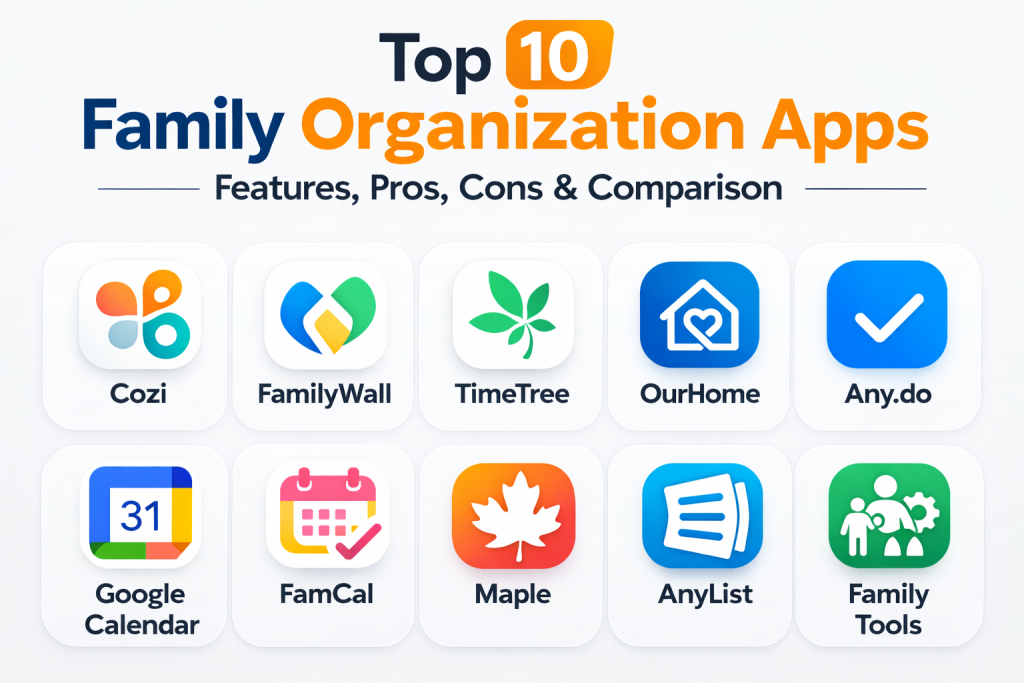
Top 10 Family Organization Apps
1. Cozi Family Organizer
Cozi is often cited as the gold standard for dedicated family organization. It provides a clean, color-coded interface that manages calendars, shopping lists, and meal plans. Its simplicity makes it a favorite for families who want a focused tool without unnecessary social media-style features.
Key Features
- Color-Coded Calendar: Assign a specific color to each family member to see everyone’s schedule at a glance.
- Shared Shopping Lists: Real-time updates allow any family member to add items while at the store.
- Recipe Box: Save recipes from the web and add ingredients directly to the shopping list.
- Weekly Agenda Emails: Automated summaries of the upcoming week sent to all family members.
- Family Journal: A private space to record and share photos and memories.
Pros
- Extremely intuitive and easy for non-technical family members to use.
- Reliable synchronization across all mobile devices and web browsers.
Cons
- The free version is heavily ad-supported, which can be distracting.
- Lacks advanced chore-tracking features compared to specialized apps.
Platforms / Deployment
iOS / Android / Web — Cloud
Security & Compliance
Standard encryption for data in transit; parental consent required for child accounts.
Integrations & Ecosystem
Supports read-only subscriptions to external calendars like Google Calendar and Outlook.
Support & Community
A very mature platform with extensive help resources and a large user base.
2. FamilyWall
FamilyWall acts as a private social network for the home. It is a comprehensive hub that combines scheduling, messaging, and location sharing into a single, vibrant interface. It is designed for families who want to communicate and coordinate in real-time.
Key Features
- Integrated Family Chat: Private messaging for the whole family or specific groups within the household.
- Real-Time Locator: Securely see the location of family members on a private map.
- Shared Meal Planner: Organize dinner plans for the week and share them with everyone.
- Document Storage: A safe place to store important family documents like insurance info or IDs.
- Chore & Task Assignment: Create lists and assign specific responsibilities to family members.
Pros
- All-in-one concept reduces the need for multiple separate apps.
- Highly visual design makes navigation fast and efficient.
Cons
- Advanced features like location history and the budget tracker require a premium subscription.
- Some users may find the notification volume high if not properly configured.
Platforms / Deployment
iOS / Android / Web — Cloud
Security & Compliance
End-to-end encryption for private messaging; strict data privacy controls for location sharing.
Integrations & Ecosystem
Allows for syncing with external calendars and importing contacts easily.
Support & Community
Active support and frequent updates to the feature set based on user feedback.
3. TimeTree
TimeTree is a “calendar-first” app that focuses on the communication surrounding events. It is popular because it allows for a “chat” thread within every single calendar entry, making it easy to discuss the details of a specific appointment without losing them in a main group text.
Key Features
- Event-Specific Chat: Discuss details, upload photos, or add notes directly to a calendar event.
- Multiple Shared Calendars: Create separate calendars for “Family,” “Work,” or “School” within one app.
- Keep Notes: A dedicated space for lists and ideas that aren’t tied to a specific date.
- One-Tap Event Copying: Easily move events between different shared or personal calendars.
- Public Calendar Subscriptions: Option to follow local school or community event calendars.
Pros
- Exceptional for coordinating logistics around specific events.
- Clean, modern aesthetic that appeals to older children and teens.
Cons
- Lacks specialized household modules like chore tracking or meal planning.
- No built-in safety or location tracking features.
Platforms / Deployment
iOS / Android / Web — Cloud
Security & Compliance
Private by default; users must be invited via link to join a shared calendar.
Integrations & Ecosystem
Strong bi-directional sync with Google and Outlook calendars.
Support & Community
Strong international presence and very reliable performance.
4. OurHome
OurHome is the top choice for families focused on chores and accountability. It uses a gamified approach to motivate children to help around the house, turning housework into a system of points and rewards.
Key Features
- Gamified Chore System: Assign point values to tasks; kids can “spend” points on agreed-upon rewards.
- Task Automation: Set chores to repeat daily, weekly, or monthly automatically.
- Shared Grocery Lists: Simple, collaborative shopping lists that update in real-time.
- Penalty System: Allows parents to deduct points for missed responsibilities or behavior issues.
- Goal Setting: Helps kids visualize their progress toward a big reward or habit.
Pros
- Highly effective at motivating children and teaching responsibility.
- Completely free to use with no hidden subscriptions for core features.
Cons
- The calendar features are basic and not as robust as Cozi or Google.
- The interface is functional but lacks the high-end polish of newer apps.
Platforms / Deployment
iOS / Android / Web — Cloud
Security & Compliance
Data is encrypted and private to the family group.
Integrations & Ecosystem
Focuses mostly on internal family coordination rather than external ecosystem links.
Support & Community
A loyal community of parents focusing on positive reinforcement and habit building.
5. Any.do (Family Plan)
Any.do is a powerhouse productivity tool that recently launched a dedicated family offering. It is ideal for high-performance households that manage family life with the same intensity as a professional project, featuring deep integration with work tools and voice assistants.
Key Features
- Plan My Day: A unique daily planner that helps the whole family prioritize tasks every morning.
- WhatsApp Integration: Add tasks or reminders to the family list simply by sending a text.
- Smart Reminders: Location-based pings that remind you to pick up milk when you are near the store.
- Advanced Calendar Sync: Merges work, personal, and family life into one view seamlessly.
- Voice Command Support: Add events and tasks via Siri, Alexa, or Google Assistant.
Pros
- The most “professional” feel with the best cross-platform task management.
- Excellent for parents who already use Any.do for their personal productivity.
Cons
- The family plan requires a paid subscription for most useful features.
- May feel “too corporate” for families looking for a more playful or home-focused app.
Platforms / Deployment
iOS / Android / Windows / macOS / Web — Cloud
Security & Compliance
Enterprise-grade security and data protection protocols.
Integrations & Ecosystem
Integrates with hundreds of apps via Zapier and natively with Slack and Microsoft Teams.
Support & Community
Extensive professional support and a global user base of productivity experts.
6. Google Calendar (Family Groups)
Google Calendar is the default choice for many because of its ubiquity. While it isn’t a dedicated family app, its “Family Group” feature provides a reliable, free foundation for shared scheduling and photo sharing.
Key Features
- Automatic Family Calendar: A shared calendar is automatically created for everyone in your Google Family.
- Google Photos Integration: Easily create shared albums that every family member can contribute to.
- Google Keep Collaboration: Share shopping lists and notes that update instantly for all members.
- Location Sharing via Maps: Integrated location pings through the Google Maps “Location Sharing” feature.
- Assistant Ready: Full control over the family schedule via Google Home devices.
Pros
- Completely free and likely already installed on most family devices.
- Unbeatable reliability and integration with Gmail and Drive.
Cons
- No built-in chore tracking, meal planning, or specialized family modules.
- Requires every family member to have a Google account.
Platforms / Deployment
iOS / Android / Web — Cloud
Security & Compliance
World-class security backed by Google’s global infrastructure.
Integrations & Ecosystem
The “gold standard” for integration, working with almost every digital tool available.
Support & Community
Universal support and an endless library of community-created tips and tricks.
7. FamCal
FamCal is a simplified shared calendar app that focuses strictly on the core essentials: schedules, tasks, and notes. It is perfect for families who find larger apps like FamilyWall too cluttered and want a straightforward digital version of a wall calendar.
Key Features
- Member Color-Coding: Distinct colors for each family member for easy visual scanning.
- Shared To-Do Lists: Simple lists for chores or general household tasks.
- Birthday & Anniversary Tracker: Automated reminders for important family milestones.
- In-App Messaging: Send quick notes or updates to the family without leaving the app.
- Daily Agenda Views: Clear breakdown of what everyone is doing today.
Pros
- Very fast performance and simple navigation.
- Focused purely on family logistics without social media distractions.
Cons
- The free version contains ads that can be quite intrusive.
- Lacks advanced features like location tracking or AI-assisted entry.
Platforms / Deployment
iOS / Android — Cloud
Security & Compliance
Data is private and synced securely across devices.
Integrations & Ecosystem
Focuses on internal synchronization rather than external app bridges.
Support & Community
A solid, long-standing app with a reliable track record in the app stores.
8. Maple
Maple is a newer, AI-driven family assistant that leans heavily into reducing the “mental load” of parenting. It focuses on routines and the division of labor, helping families organize chores and responsibilities through a modern, clean interface.
Key Features
- AI Planning Assistant: Helps break down large projects (like a birthday party) into small, actionable steps.
- Shared Household Folders: Organize school documents, health records, and home manuals in one place.
- Routine Management: Build and track recurring family habits and routines.
- Division of Labor Tools: Clear visibility into who is responsible for which household task.
- Integrated Meal Planning: Simplifies the “What’s for dinner?” question with shared planning.
Pros
- The most modern and “clean” design among family organizers.
- AI features actually help save time on planning rather than just logging data.
Cons
- The calendar view is currently more basic than dedicated scheduling apps.
- Still building out its integration ecosystem compared to veterans like Cozi.
Platforms / Deployment
iOS / Android — Cloud
Security & Compliance
Modern encryption standards and a focus on private family data isolation.
Integrations & Ecosystem
Growing list of integrations with modern shopping and delivery services.
Support & Community
Highly responsive development team and a growing community of modern parents.
9. AnyList
AnyList is a specialized tool that focuses on the two biggest parts of home management: grocery shopping and meal planning. It is the best choice for families who have their calendars under control but struggle with the logistics of the kitchen.
Key Features
- Smart Grocery Lists: Items are automatically grouped by category/aisle to save time in the store.
- Web Recipe Import: Save recipes from any website and scale ingredients based on family size.
- Meal Plan Calendar: Drag and drop recipes into a shared calendar for the week.
- Shared Reminders: Create and share lists for everything from packing to home repairs.
- Cross-Device Sync: Instantly see when someone else crosses an item off the list while you are both shopping.
Pros
- The most polished and efficient list-management experience on the market.
- Makes grocery shopping significantly faster and less stressful.
Cons
- It is not a full-service family calendar for school or work events.
- Many advanced features require an AnyList Complete subscription.
Platforms / Deployment
iOS / Android / macOS / Web — Cloud
Security & Compliance
Reliable data encryption and private family sharing.
Integrations & Ecosystem
Strong integration with Alexa and Google Assistant for hands-free list additions.
Support & Community
Exceptional customer support and a dedicated user base of home cooks.
10. Family Tools
Family Tools is a versatile “all-in-one” app that includes a unique focus on education. Alongside standard calendars and lists, it features a homework tracker, making it a powerful tool for families with students.
Key Features
- Integrated Homework Tracker: Keep tabs on assignments and due dates for every subject.
- Child Accounts (No Email): Younger children can participate without needing their own email address.
- Meal Generator: Import recipes and use the tool to suggest dinner plans and build lists.
- Chore Rewards System: Engaging system to keep kids motivated to complete their tasks.
- Private Parent Spaces: Allows parents to have lists and events that are hidden from the children.
Pros
- Excellent for coordinating school success alongside household duties.
- Very flexible and grows with the family as children get older.
Cons
- The interface can feel a bit crowded due to the sheer number of tools.
- Performance can occasionally lag on older mobile devices.
Platforms / Deployment
iOS / Android / Desktop — Cloud
Security & Compliance
Encrypted data and child-safe account structures.
Integrations & Ecosystem
Allows for integration with Google Calendar to pull in external events.
Support & Community
Dedicated support email and a helpful community focused on “family unity.”
Comparison Table (Top 10)
| Tool Name | Best For | Platform(s) Supported | Deployment | Standout Feature | Public Rating |
| 1. Cozi | All-in-one Basics | iOS, Android, Web | Cloud | Color-coded Calendars | 4.7/5 |
| 2. FamilyWall | Real-time Coordination | iOS, Android, Web | Cloud | Integrated Location Map | 4.6/5 |
| 3. TimeTree | Event Communication | iOS, Android, Web | Cloud | Event-specific Chat | 4.6/5 |
| 4. OurHome | Chores & Kids | iOS, Android, Web | Cloud | Point-based Rewards | 4.5/5 |
| 5. Any.do | Power Productivity | iOS, Android, Desktop | Cloud | WhatsApp Task Integration | 4.4/5 |
| 6. Google Calendar | Free Ecosystem | iOS, Android, Web | Cloud | Google Assistant Sync | 4.8/5 |
| 7. FamCal | Simple Scheduling | iOS, Android | Cloud | Visual Member Views | 4.5/5 |
| 8. Maple | AI Planning & Routines | iOS, Android | Cloud | AI Task Breakdown | 4.6/5 |
| 9. AnyList | Groceries & Meals | iOS, Android, Web | Cloud | Auto-categorized Lists | 4.9/5 |
| 10. Family Tools | School & Home Mix | iOS, Android, Desktop | Cloud | Integrated Homework Tracker | 4.4/5 |
Evaluation & Scoring of Family Organization Apps
| Tool Name | Core (25%) | Ease (15%) | Integrations (15%) | Security (10%) | Perf (10%) | Support (10%) | Value (15%) | Total |
| 1. Cozi | 9 | 9 | 7 | 8 | 8 | 9 | 8 | 8.4 |
| 2. FamilyWall | 10 | 8 | 7 | 9 | 9 | 8 | 7 | 8.4 |
| 3. TimeTree | 7 | 9 | 8 | 8 | 9 | 8 | 9 | 8.1 |
| 4. OurHome | 8 | 7 | 5 | 7 | 7 | 7 | 10 | 7.4 |
| 5. Any.do | 8 | 8 | 10 | 9 | 10 | 9 | 6 | 8.4 |
| 6. Google Cal | 7 | 9 | 10 | 10 | 10 | 8 | 10 | 8.8 |
| 7. FamCal | 7 | 9 | 6 | 7 | 8 | 7 | 7 | 7.3 |
| 8. Maple | 8 | 9 | 7 | 9 | 9 | 8 | 8 | 8.2 |
| 9. AnyList | 7 | 10 | 8 | 8 | 10 | 9 | 8 | 8.3 |
| 10. Family Tools | 9 | 7 | 7 | 8 | 7 | 8 | 8 | 7.8 |
These scores are comparative based on household utility. A high “Core” score indicates a platform that can manage multiple household areas (calendars, chores, and meals). “Ease” scores reflect how quickly a child or non-techy adult can use the app, while “Value” scores consider the power of the free tier relative to premium offerings.
Which Family Organization App Tool Is Right for You?
Solo / Freelancer
If you are managing your personal life alongside a busy freelance schedule, Any.do or Google Calendar provide the most professional experience. They offer the best bridges to work tools while keeping your personal reminders on track.
SMB
For families with young children, OurHome or Family Tools are the best options. The focus on chores and rewards helps build habits early, and the simple child-safe accounts allow them to participate without the risks of full internet access.
Mid-Market
Families with teenagers who have their own schedules and social lives will find the most value in TimeTree or FamilyWall. The communication-centric design allows for quick coordination without the “nagging” often associated with shared lists.
Enterprise
For large, complex households, Cozi or FamilyWall are the clear leaders. Their ability to handle high volumes of data across many users with clear visual color-coding ensures that everyone knows where they are supposed to be.
Budget vs Premium
If the budget is zero, Google Calendar and OurHome offer the most power for free. For those willing to invest in an ad-free, premium experience, Cozi Gold and FamilyWall Premium offer essential safety and advanced planning tools that are worth the annual fee.
Feature Depth vs Ease of Use
AnyList and TimeTree excel at doing one or two things perfectly with zero learning curve. Family Tools and Maple offer much deeper features like AI planning and homework tracking but require a bit more time to set up and master.
Integrations & Scalability
Any.do and Google Calendar are the winners for families that need their home life to “talk” to their work and smart home ecosystems. They offer the most scalability as your tech stack grows.
Security & Compliance Needs
Families concerned with privacy should look at Maple or FamilyWall, which offer modern, private-by-design structures and end-to-end encryption for their messaging and location features.
Frequently Asked Questions (FAQs)
1. Are family organization apps safe for my kids?
Yes, most dedicated family apps offer “child accounts” that do not require an email address and have limited access to external features to ensure their digital safety.
2. Can I use these apps for co-parenting?
Absolutely. Many families use apps like FamilyWall or Cozi specifically to coordinate schedules between two households without the need for constant phone calls.
3. Do I have to pay for the best features?
While many apps have great free tiers, “premium” features usually include location history, ad-removal, and advanced meal planning or budgeting tools.
4. Can these apps sync with my work calendar?
Most can “subscribe” to your work calendar (Google or Outlook) so you can see your meetings alongside family events, though some require a premium plan for this.
5. How do I get my kids to actually use the app?
Choose an app with a rewards system like OurHome. When kids see that completing chores leads to real-world rewards, they are much more likely to stay engaged.
6. Can I use these apps on my computer?
Most major apps like Cozi and FamilyWall have web versions that allow you to manage the family schedule from a laptop or desktop at your desk.
7. What happens if I want to switch apps later?
Most calendars can be exported as .ics files, but lists and chore data are often harder to move, so it’s best to trial 2-3 apps before committing.
8. Do these apps work without an internet connection?
Most allow you to view your current schedule offline, but you will need a connection to sync updates or see changes made by other family members.
9. Can I track the family budget in these apps?
FamilyWall and a few others offer budgeting modules, but most focus primarily on time and task management rather than financial tracking.
10. Is it worth the effort to set one of these up?
Yes. While the initial setup takes about 30 minutes, the time saved in reducing “Where are you?” texts and forgotten groceries pays off within the first week.
Conclusion
Implementing a family organization app is one of the most effective ways to reduce household stress and reclaim your time. By choosing a tool that fits your family’s unique rhythm—whether that is a chore-focused system like OurHome or a calendar-centric hub like Cozi—you create a foundation for better communication and shared responsibility. As AI and automation continue to integrate into these platforms, the task of managing a home will only become more streamlined, allowing you to focus more on spending quality time together rather than just managing the logistics of life. I recommend picking the person in your house who handles the most “logistics” and having them trial two apps—one simple (like AnyList) and one all-in-one (like FamilyWall)—for one week. Seeing which one the rest of the family actually adopts will make your final decision much easier.

Best Cardiac Hospitals Near You
Discover top heart hospitals, cardiology centers & cardiac care services by city.
Advanced Heart Care • Trusted Hospitals • Expert Teams
View Best Hospitals