Introduction
Geographic Information Systems, commonly known as GIS, are sophisticated frameworks designed to capture, store, manipulate, analyze, and present all types of geographical data. At its core, a GIS allows users to visualize and understand patterns, relationships, and trends by layering different types of information—such as topography, demographics, and infrastructure—on a digital map. In today’s landscape, GIS has evolved from a niche tool for cartographers into a central nervous system for global industries, integrating real-time sensor data and artificial intelligence to create dynamic digital twins of our physical world.
The importance of GIS in the current era cannot be overstated. As we face global challenges like urban overpopulation, climate instability, and supply chain disruptions, spatial intelligence provides the necessary context for high-stakes decision-making. Whether it is a city planner simulating flood risks or a logistics firm optimizing routes to reduce carbon emissions, GIS tools transform raw location data into actionable insights. Choosing the right system requires a deep understanding of your organization’s technical maturity and specific spatial needs, moving beyond simple map-making to complex spatial data science.
Best for: Urban planners, environmental scientists, civil engineers, logistics coordinators, and government agencies requiring high-precision spatial analysis and large-scale data management.
Not ideal for: Basic point-of-interest navigation, simple static graphic design, or organizations that do not require spatial context for their operational data.
Key Trends in Geographic Information Systems
- GeoAI and Automated Extraction: The integration of machine learning allows systems to automatically identify features like building footprints or vegetation changes from satellite imagery.
- Digital Twins and 3D Modeling: GIS is moving from 2D layers to fully immersive 3D replicas of cities and infrastructure, enabling realistic simulations of future developments.
- Cloud-Native Geospatial Workflows: A shift toward serverless architectures that allow for the processing of massive spatial datasets without the need for high-end local hardware.
- Real-Time IoT Integration: Live data feeds from sensors and GPS devices are now streamed directly into GIS dashboards for immediate situational awareness.
- Immersive AR in the Field: Field crews now use augmented reality to “see” underground utilities or planned constructions overlaid on the physical world through mobile devices.
- Universal Scene Description (USD) Adoption: The industry is embracing open standards to ensure that complex 3D geospatial data can move seamlessly between different software suites.
- Democratization through Web GIS: Simple, browser-based interfaces are making spatial data accessible to non-technical business users across all departments.
- Sustainability and Resilience Modeling: Increased focus on using spatial analytics to predict environmental risks and plan for climate-resilient infrastructure.
How We Selected These Tools
- Market Share and Reliability: We prioritized platforms with a proven track record in mission-critical government and commercial sectors.
- Analytical Depth: Each tool was evaluated on its ability to perform advanced spatial operations beyond basic visualization.
- Integration Capabilities: We looked for systems that offer robust APIs and support a wide variety of industry-standard geospatial formats.
- Scalability: The selection includes tools that can handle everything from a single local project to global enterprise datasets.
- Innovation Trajectory: Preference was given to software actively incorporating AI, real-time data, and 3D visualization.
- Security and Compliance: We assessed the availability of enterprise-grade security features like role-based access control and secure data handling.
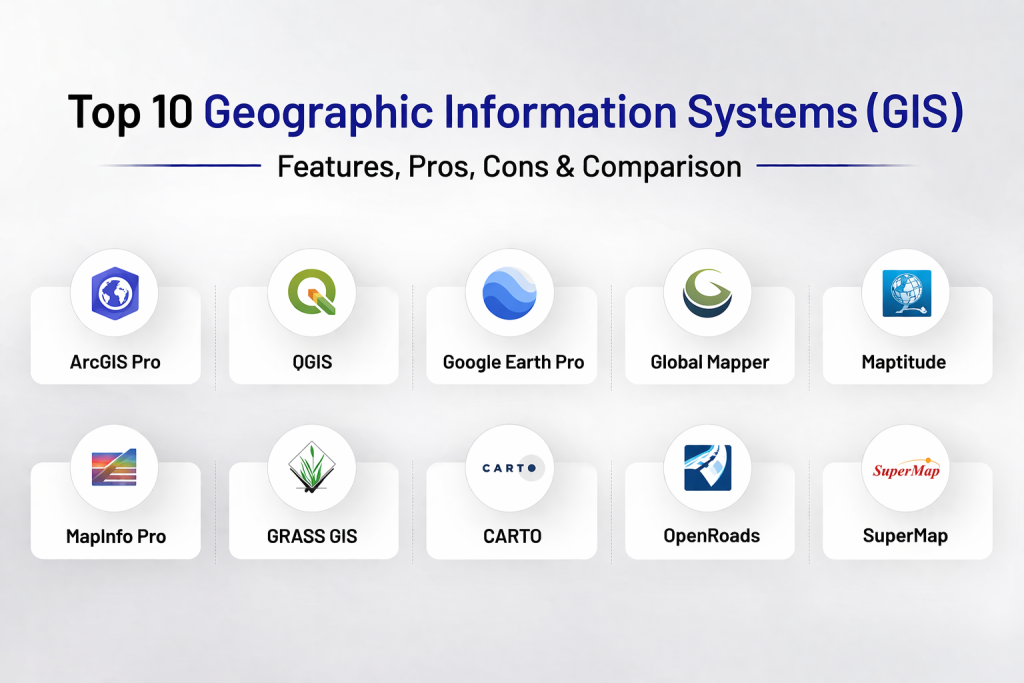
Top 10 Geographic Information Systems (GIS) Tools
1. Esri ArcGIS Pro
As the undisputed industry leader, this platform provides the most comprehensive set of tools for professional spatial analysis and data management. It serves as the primary engine for large-scale government and enterprise GIS operations worldwide.
Key Features
- Advanced 2D, 3D, and 4D visualization and infographic tools.
- Deep integration with ArcGIS Online and Enterprise for cloud sharing.
- Powerful geoprocessing framework with over a thousand specialized tools.
- Native support for Python scripting and ModelBuilder for automation.
- Specialized modules for AI-driven image classification and feature extraction.
Pros
- The most extensive and mature toolset available in the geospatial industry.
- Unparalleled enterprise support and a massive global user community.
Cons
- High licensing costs that can be prohibitive for smaller firms.
- Steep learning curve due to the immense breadth of the software.
Platforms / Deployment
Windows
Hybrid
Security & Compliance
Role-based access control (RBAC), MFA, and SSO via ArcGIS Enterprise.
SOC 2 and ISO 27001 compliant.
Integrations & Ecosystem
It sits at the center of a massive ecosystem, connecting to CAD software, ERP systems, and specialized field data collection apps.
Support & Community
Industry-leading documentation, a vast network of training partners, and a global community that sets the standard for GIS practices.
2. QGIS
The premier open-source GIS application, QGIS has become a global favorite due to its flexibility and the absence of licensing fees. It is the go-to choice for researchers, non-profits, and budget-conscious professionals.
Key Features
- Extensive library of thousands of community-developed plugins.
- Full compatibility with virtually every spatial data format in existence.
- Advanced cartographic tools for high-quality professional map production.
- Direct connection to powerful spatial databases like PostGIS.
- Cross-platform functionality allowing it to run on any major operating system.
Pros
- Completely free and open-source with no vendor lock-in.
- Highly lightweight and adaptable to specific specialized workflows.
Cons
- Lack of a central corporate support line for immediate troubleshooting.
- User interface can feel cluttered and inconsistent across different plugins.
Platforms / Deployment
Windows / macOS / Linux
Local
Security & Compliance
Security depends on the user’s local environment and database configurations.
Not publicly stated.
Integrations & Ecosystem
It integrates seamlessly with other open-source tools and can be used as a front-end for complex spatial databases and web servers.
Support & Community
Supported by a massive, dedicated global community of developers and users who provide endless free tutorials and documentation.
3. Google Earth Pro
While simpler than a full-scale GIS, Google Earth Pro is an essential tool for high-resolution visualization and site exploration. It provides an intuitive window into the world’s most comprehensive satellite imagery database.
Key Features
- High-resolution historical imagery showing land-use changes over time.
- Advanced 3D building and terrain layers for major global cities.
- Measurement tools for calculating area, distance, and elevation profiles.
- Movie Maker tool for creating high-definition virtual fly-throughs.
- Simple KML/KMZ data import and export for rapid spatial sharing.
Pros
- Extremely easy to use for non-technical stakeholders and presenters.
- Provides immediate access to world-class imagery without data management overhead.
Cons
- Limited capabilities for complex spatial analysis or topology editing.
- Not designed for managing large-scale enterprise geodatabases.
Platforms / Deployment
Windows / macOS / Linux
Local / Web
Security & Compliance
Basic Google account security and enterprise data management options.
Not publicly stated.
Integrations & Ecosystem
Integrates with the broader Google ecosystem and acts as a common viewer for spatial data shared via KML.
Support & Community
Massive user base with a wealth of informal community support and basic Google documentation.
4. Global Mapper
Often called the “Swiss Army Knife” of GIS, Global Mapper is famous for its incredible format support and powerful terrain analysis tools, all within a user-friendly and affordable package.
Key Features
- Support for over 300 different spatial data formats out of the box.
- Advanced LiDAR processing and 3D point cloud visualization.
- Powerful terrain analysis including watershed and line-of-sight calculations.
- Built-in tools for automated feature extraction from elevation data.
- Scripting and batch processing for high-volume data transformation.
Pros
- Exceptionally fast at opening and processing large geospatial files.
- Very affordable compared to major enterprise GIS platforms.
Cons
- Interface is functional but lacks the modern aesthetic of some competitors.
- Advanced geoprocessing is not as deep as ArcGIS or QGIS for specific niches.
Platforms / Deployment
Windows
Local
Security & Compliance
Standard local installation security and basic license management.
Not publicly stated.
Integrations & Ecosystem
Acts as a vital bridge in pipelines, converting data between obscure formats and preparing terrain models for engineering software.
Support & Community
Responsive corporate support team and a loyal professional user base particularly in the surveying and environmental sectors.
5. Maptitude
Designed specifically for business users, Maptitude excels at transforming demographic and commercial data into actionable maps for territory planning and site selection.
Key Features
- Built-in high-quality demographic and business data for various countries.
- Advanced route optimization and logistics planning tools.
- Tools for automated territory creation and sales management.
- Simple integration with Excel and other common business databases.
- Powerful heat-mapping and thematic visualization capabilities.
Pros
- Comes pre-packaged with valuable data, saving users from hunting for sources.
- The most intuitive choice for business professionals without formal GIS training.
Cons
- Focused more on business mapping than deep scientific spatial analysis.
- Limited support for macOS and Linux operating systems.
Platforms / Deployment
Windows
Local / Web
Security & Compliance
Basic enterprise identity features for the online version.
Not publicly stated.
Integrations & Ecosystem
Strongest integration is with business tools like Excel, CRM platforms, and logistical databases.
Support & Community
Direct professional support from the developer and focused training for business use cases.
6. MapInfo Pro
A long-standing professional GIS that is particularly popular in the telecommunications and insurance sectors for its strong data management and visualization capabilities.
Key Features
- Powerful SQL-like querying for advanced spatial data selection.
- Robust raster grid processing for environmental and signal analysis.
- Advanced cartographic layout tools for professional reporting.
- Deep integration with a wide variety of database systems.
- Easy-to-use ribbon interface designed for high-efficiency workflows.
Pros
- Excellent performance when dealing with large-scale tabular and spatial data.
- Very strong in sectors that require heavy database interaction.
Cons
- Has faced stiff competition from more modern cloud-native platforms.
- Plugin ecosystem is not as vast as the open-source alternatives.
Platforms / Deployment
Windows
Local
Security & Compliance
Standard corporate software security and database-level permissions.
Not publicly stated.
Integrations & Ecosystem
Integrates deeply with enterprise database systems and specialized telecommunications planning software.
Support & Community
Mature professional support network and a dedicated user base in specific industrial sectors.
7. GRASS GIS
The Geographic Resources Analysis Support System (GRASS) is a highly scientific, open-source GIS used for advanced modeling, image processing, and geospatial analysis.
Key Features
- Unmatched depth in raster and geostatistical analysis.
- Sophisticated tools for hydrology, ecosystem modeling, and terrain analysis.
- Temporal framework designed for analyzing changes over time.
- Powerful Python API for building custom scientific workflows.
- Optimized for high-performance computing and large-scale data processing.
Pros
- The highest level of scientific accuracy for complex spatial calculations.
- Completely free and highly stable for academic and research environments.
Cons
- Extremely steep learning curve with a focus on function over design.
- The interface can be intimidating for users accustomed to modern software.
Platforms / Deployment
Windows / macOS / Linux
Local
Security & Compliance
Open-source software where security is managed at the system level.
Not publicly stated.
Integrations & Ecosystem
Often used as a powerful analysis engine that feeds results into other GIS viewers or web applications.
Support & Community
A small but highly specialized community of researchers and developers providing deep technical support.
8. CARTO
A leader in cloud-native location intelligence, CARTO focuses on spatial data science and high-end web visualization for modern data teams.
Key Features
- Cloud-native architecture that runs directly on top of modern data warehouses.
- Advanced spatial SQL capabilities for complex data science tasks.
- A library of pre-built “Analysis” nodes for rapid insights without coding.
- Stunning, high-performance web maps that handle millions of points.
- Deep integration with AI and machine learning libraries.
Pros
- Perfect for organizations that already store their data in the cloud.
- The best choice for creating high-end interactive spatial dashboards.
Cons
- Subscription model can become expensive as data volume grows.
- Less focused on traditional desktop cartography and printing.
Platforms / Deployment
Web
Cloud
Security & Compliance
Enterprise-grade SSO, RBAC, and data encryption.
SOC 2 compliant.
Integrations & Ecosystem
Built to live inside the modern data stack, connecting directly to Snowflake, BigQuery, and Databricks.
Support & Community
Professional support for enterprise clients and a strong community of spatial data scientists.
9. Bentley OpenRoads (Integrated GIS)
This tool bridges the gap between traditional GIS and engineering CAD, providing a specialized environment for infrastructure and civil engineering projects.
Key Features
- Seamless integration between GIS spatial data and engineering design.
- Advanced 3D modeling of corridors, sites, and underground utilities.
- Real-time conflict detection between planned infrastructure and existing data.
- Direct support for large-scale reality capture and point cloud data.
- Collaborative environment for multi-disciplinary engineering teams.
Pros
- The best choice for projects where engineering precision meets spatial context.
- Highly effective for the entire lifecycle of an infrastructure project.
Cons
- Highly specialized and expensive for general mapping tasks.
- Requires significant technical expertise in both CAD and GIS.
Platforms / Deployment
Windows
Local / Hybrid
Security & Compliance
Enterprise-level identity management and secure project hosting.
ISO 27001 certified.
Integrations & Ecosystem
Part of the broader Bentley engineering ecosystem, ensuring data flows smoothly from design to construction.
Support & Community
Global professional support and extensive training programs for engineering professionals.
10. SuperMap
A rising global competitor that focuses heavily on high-end Big Data GIS and 3D integration, making it a strong choice for large-scale smart city initiatives.
Key Features
- Cutting-edge support for Big Data spatial analysis and AI processing.
- Advanced 3D visualization including support for BIM and photogrammetry.
- Distributed GIS technology for handling massive global datasets.
- Comprehensive mobile GIS for field data collection and management.
- Cross-platform kernel allowing for deployment on a wide variety of hardware.
Pros
- Extremely powerful for large-scale 3D city modeling and digital twins.
- Very flexible deployment options across desktop, web, and mobile.
Cons
- Documentation and community support are primarily focused on specific regions.
- The interface may require adaptation for users accustomed to Western systems.
Platforms / Deployment
Windows / Linux
Hybrid
Security & Compliance
Robust encryption and secure data management protocols.
Not publicly stated.
Integrations & Ecosystem
Strongest in projects that require a combination of big data, AI, and large-scale 3D visualization.
Support & Community
Large corporate support network and extensive developer forums in its primary markets.
Comparison Table
| Tool Name | Best For | Platform(s) Supported | Deployment | Standout Feature | Public Rating |
| 1. ArcGIS Pro | Enterprise GIS | Windows | Hybrid | Spatial Analytics | N/A |
| 2. QGIS | Open Source | Windows, macOS, Linux | Local | Plugin Library | N/A |
| 3. Google Earth Pro | Visualization | Windows, macOS, Linux | Local/Web | Satellite Imagery | N/A |
| 4. Global Mapper | Terrain Analysis | Windows | Local | LiDAR Processing | N/A |
| 5. Maptitude | Business Mapping | Windows | Local/Web | Demographic Data | N/A |
| 6. MapInfo Pro | Database GIS | Windows | Local | SQL Spatial Query | N/A |
| 7. GRASS GIS | Scientific Research | Windows, macOS, Linux | Local | Geostatistics | N/A |
| 8. CARTO | Data Science | Web | Cloud | Data Warehouse Link | N/A |
| 9. OpenRoads | Engineering | Windows | Hybrid | CAD Integration | N/A |
| 10. SuperMap | Big Data/3D | Windows, Linux | Hybrid | 3D Digital Twins | N/A |
Evaluation & Scoring
| Tool Name | Core (25%) | Ease (15%) | Integrations (15%) | Security (10%) | Perf (10%) | Support (10%) | Value (15%) | Total |
| 1. ArcGIS Pro | 10 | 4 | 10 | 9 | 8 | 9 | 5 | 8.15 |
| 2. QGIS | 9 | 6 | 8 | 4 | 9 | 6 | 10 | 7.80 |
| 3. Google Earth Pro | 5 | 9 | 7 | 6 | 8 | 6 | 9 | 6.75 |
| 4. Global Mapper | 8 | 7 | 9 | 6 | 10 | 8 | 8 | 8.05 |
| 5. Maptitude | 7 | 8 | 8 | 7 | 8 | 8 | 9 | 7.80 |
| 6. MapInfo Pro | 8 | 6 | 9 | 7 | 8 | 7 | 6 | 7.25 |
| 7. GRASS GIS | 10 | 2 | 7 | 4 | 9 | 6 | 10 | 7.10 |
| 8. CARTO | 8 | 8 | 10 | 9 | 9 | 8 | 7 | 8.40 |
| 9. OpenRoads | 9 | 4 | 9 | 9 | 8 | 9 | 5 | 7.75 |
| 10. SuperMap | 9 | 5 | 8 | 8 | 9 | 7 | 7 | 7.70 |
The scoring model highlights that while some tools like ArcGIS Pro offer unmatched “Core Features,” they score lower on “Value” due to high costs. Conversely, tools like CARTO score high overall because of their modern “Integrations” and “Ease of Use” in the current cloud-native environment. It is important to remember that a lower total score, such as for GRASS GIS, does not indicate a lack of quality but rather a highly specialized focus that might not appeal to the general business user.
Which Geographic Information System Is Right for You?
Solo / Freelancer
If you are an independent consultant, QGIS is the most logical starting point. It provides professional-level power without the burden of subscription fees, and its massive plugin library allows you to adapt to any client’s needs. If your work involves a lot of terrain modeling, a single seat of Global Mapper is a high-value investment.
SMB
Small to medium businesses looking for market insights should prioritize Maptitude. The built-in data saves significant time and money that would otherwise be spent on third-party data providers. For those in technical sectors like environmental consulting, a mix of QGIS and Google Earth Pro offers a balanced and cost-effective workflow.
Mid-Market
Organizations in this category should evaluate CARTO if their data already lives in the cloud, as it reduces the need for complex internal infrastructure. If the team requires traditional desktop power, ArcGIS Pro (Standard tier) provides the necessary stability and talent pool for growth.
Enterprise
For large government agencies or global corporations, Esri ArcGIS Pro remains the industry standard for a reason. Its ability to scale across an entire organization and its robust security framework make it the safest choice for mission-critical operations. For those in the infrastructure sector, Bentley OpenRoads is the specialized choice for bridging engineering and GIS.
Budget vs Premium
- Budget: QGIS and GRASS GIS are the leaders for zero-cost professional GIS.
- Premium: ArcGIS Pro and Bentley OpenRoads represent the high-end of the market with comprehensive support and enterprise features.
Feature Depth vs Ease of Use
- Depth: Houdini and GRASS GIS offer the most control for scientific work but are notoriously difficult to learn.
- Ease of Use: Google Earth Pro and Maptitude allow users to generate professional maps with minimal training.
Integrations & Scalability
CARTO and ArcGIS Online lead the way in cloud scalability. For organizations that need to integrate spatial data into a broader data science pipeline, CARTO’s direct connection to cloud data warehouses is a significant advantage.
Security & Compliance Needs
If your organization handles sensitive public utility or government data, the security certifications of Esri and CARTO (such as SOC 2) are essential. Open-source tools are powerful but require more internal effort to ensure they meet strict corporate security standards.
Frequently Asked Questions (FAQs)
1. Is GIS the same as GPS?
No, GPS (Global Positioning System) is a tool for finding an exact location, while GIS is the software system used to store, visualize, and analyze that location data along with other information.
2. Can I use GIS software on a Mac?
Yes, several powerful platforms like QGIS and the web-based CARTO run natively on macOS, although industry leaders like ArcGIS Pro are still primarily Windows-based.
3. Do I need to be a programmer to use GIS?
Not necessarily, as most systems have intuitive graphical interfaces. However, knowing a language like Python or SQL can greatly enhance your ability to automate tasks and perform complex analysis.
4. What is a “layer” in GIS?
A layer is a single dataset (like roads, rivers, or population density) that is overlaid on a map. GIS allows you to stack these layers to see how they interact.
5. How much does a GIS license cost?
Costs range from completely free (QGIS) to several thousand dollars per year for enterprise-grade suites like ArcGIS Pro, depending on the features and support required.
6. Can GIS help with climate change planning?
Absolutely. GIS is a primary tool for modeling sea-level rise, tracking deforestation, and planning renewable energy sites like wind and solar farms.
7. Is cloud GIS better than desktop GIS?
It depends on your needs. Cloud GIS is better for collaboration and real-time data, while desktop GIS typically offers deeper tools for complex offline analysis and high-end cartography.
8. What is LiDAR data?
LiDAR uses laser pulses to create highly accurate 3D models of the earth’s surface and objects like buildings and trees, which GIS tools then process for analysis.
9. Can GIS software handle real-time data?
Yes, modern platforms can ingest live streams from IoT sensors, weather stations, and vehicle trackers to provide a real-time view of operations.
10. What is a digital twin in the context of GIS?
A digital twin is a highly accurate virtual 3D model of a physical asset or city that is continuously updated with real-world data to simulate performance and future scenarios.
Conclusion
The selection of a Geographic Information System is a strategic decision that determines how effectively an organization can leverage spatial intelligence in an increasingly complex world. From the unrivaled enterprise capabilities of ArcGIS Pro to the open-source flexibility of QGIS and the cloud-native innovation of CARTO, the market provides a solution for every scale of operation. The most successful organizations are those that move beyond basic map-making to embrace 3D digital twins and AI-driven analytics. By carefully evaluating your needs for analytical depth, security, and integration, you can choose a system that transforms static data into a dynamic vision of the future.

Best Cardiac Hospitals Near You
Discover top heart hospitals, cardiology centers & cardiac care services by city.
Advanced Heart Care • Trusted Hospitals • Expert Teams
View Best Hospitals