Introduction
Geology modeling software represents a specialized category of computer-aided design and analysis tools used to create three-dimensional representations of the Earth’s subsurface. These platforms allow geologists, engineers, and environmental scientists to integrate diverse datasets—such as borehole logs, seismic surveys, and geochemical samples—into a cohesive digital model. By visualizing complex underground structures, these tools enable professionals to predict the location of mineral deposits, assess groundwater flow, or evaluate the stability of ground for massive infrastructure projects. In our current era, these models are no longer static maps; they are dynamic, data-driven environments that support real-time decision-making in mining, energy, and civil engineering.
The selection of a geological modeling suite is a critical technical decision that impacts the accuracy of resource estimation and the safety of engineering operations. Modern software must handle vast amounts of unstructured data while providing sophisticated interpolation algorithms to “fill in the gaps” between known data points. As the industry moves toward greener energy and more efficient resource extraction, the ability to model geothermal reservoirs and carbon capture storage sites has become just as important as traditional oil and gas or mineral modeling.
Best for: Mining companies, petroleum engineers, hydrogeologists, civil engineering firms, and environmental consultancy groups requiring high-precision subsurface visualization and volumetric calculations.
Not ideal for: General surface mapping, basic 2D architectural drafting, or small-scale landscaping projects where subsurface structural integrity and resource volume are not primary concerns.
Key Trends in Geology Modeling Software
- Implicit Modeling Advancement: A shift from manual, wireframe-based modeling to algorithm-driven implicit modeling that generates surfaces automatically from raw data.
- Cloud-Native Data Integration: Platforms are moving toward centralized cloud databases, allowing global teams to update geological models in real-time as new drill data arrives.
- AI and Machine Learning Integration: Using neural networks to automate the interpretation of seismic data and the classification of rock types from core imagery.
- Real-Time Digital Twins: The creation of living models that sync with sensors in mines or oil fields to predict structural shifts or resource depletion.
- Interoperability and Open Standards: Increased support for universal data formats, ensuring that geological models can be seamlessly imported into mine planning or reservoir simulation tools.
- 4D Modeling Capabilities: The addition of the “time” dimension to track how subsurface environments change during extraction, injection, or natural seismic events.
- Enhanced Uncertainty Quantification: New statistical tools that provide a confidence rating for every part of the model, helping managers assess financial and safety risks.
- VR and AR Visualization: The use of immersive headsets to allow geologists to “walk through” a virtual representation of an ore body or an aquifer.
How We Selected These Tools
- Proven Industry Track Record: We prioritized software that is currently utilized by the world’s leading mining and energy corporations.
- Mathematical Sophistication: Each tool was evaluated based on the strength of its underlying geological interpolation and kriging algorithms.
- Multidisciplinary Integration: We looked for platforms that can bridge the gap between geology, geophysics, and engineering.
- Processing Power: Preference was given to tools capable of handling massive “Big Data” sets from modern high-resolution sensor technology.
- User Interface Evolution: We assessed how well these traditionally complex tools have adapted to modern, intuitive workflow standards.
- Resource Estimation Accuracy: Tools were selected based on their reputation for producing reliable volumetric data for financial reporting.
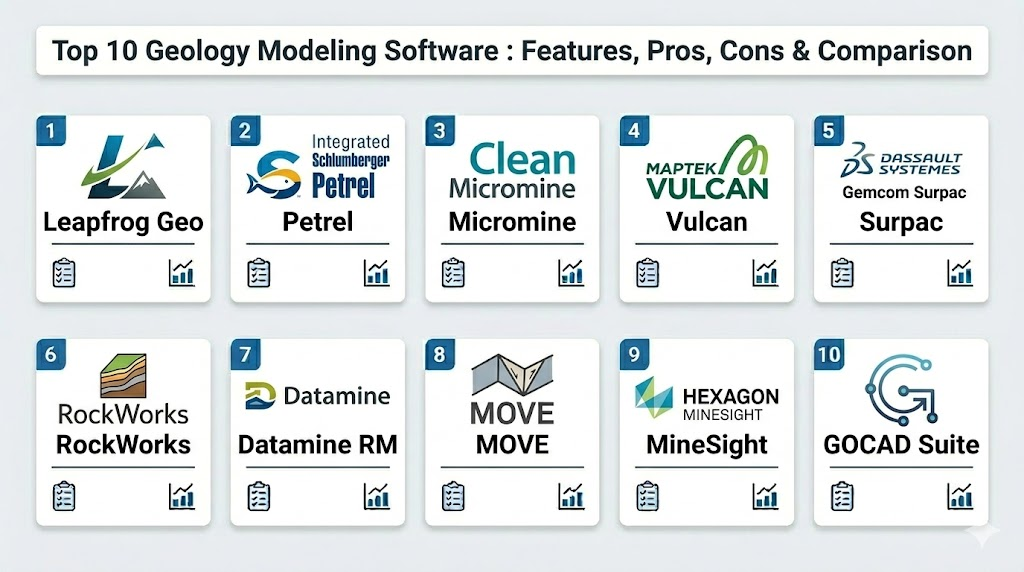
Top 10 Geology Modeling Software Tools
1. Leapfrog Geo
Widely considered the leader in implicit modeling, this software revolutionized the industry by allowing geologists to create complex models directly from data without manual digitizing.
Key Features
- Rapid implicit modeling engine for fast surface generation.
- Dynamic updating that re-renders the model as new data is added.
- Sophisticated toolsets for vein and stratigraphic modeling.
- Direct integration with structural geology data and orientation measurements.
- Collaborative cloud sharing via specialized viewing platforms.
Pros
- Extremely fast turnaround for building and updating models.
- Highly intuitive workflow that reduces manual errors.
Cons
- Premium pricing makes it a significant investment for smaller firms.
- The automated nature can sometimes oversimplify extremely niche structural anomalies.
Platforms / Deployment
Windows
Hybrid
Security & Compliance
Enterprise identity management and secure project encryption.
Not publicly stated.
Integrations & Ecosystem
Connects seamlessly with mine planning software and GIS platforms. It supports a wide range of industry-standard borehole and geophysical data formats.
Support & Community
Excellent technical support and a robust training ecosystem with global certifications.
2. Petrel (by Schlumberger)
The gold standard in the petroleum industry, providing a shared environment from seismic interpretation to reservoir simulation.
Key Features
- End-to-end workflow from seismic processing to production forecasting.
- Advanced automated structural and stratigraphic interpretation.
- High-fidelity reservoir modeling and simulation capabilities.
- Multi-user collaboration environment for large asset teams.
- Deep integration with geophysics and geomechanics.
Pros
- The most comprehensive toolset available for oil and gas exploration.
- Unrivaled processing power for massive seismic datasets.
Cons
- Extremely high learning curve requiring specialized training.
- Hardware requirements are among the highest in the industry.
Platforms / Deployment
Windows
Cloud / Hybrid
Security & Compliance
Tier-1 enterprise security with comprehensive audit trails.
ISO 27001 compliant.
Integrations & Ecosystem
Part of a massive proprietary ecosystem, but offers APIs for custom plugin development and third-party data connection.
Support & Community
Professional corporate support with dedicated account engineers and extensive global documentation.
3. Micromine
A comprehensive solution for explorers and miners, offering everything from data management to mine design and scheduling.
Key Features
- Integrated suite for exploration, resource estimation, and design.
- Powerful 3D visualization and wireframing tools.
- Advanced block modeling and grade estimation algorithms.
- Strategic pit optimization and production scheduling.
- Robust data validation tools to ensure model integrity.
Pros
- Balanced feature set that handles both geology and engineering.
- Highly efficient at processing large geological databases.
Cons
- The modular pricing can become expensive as more features are added.
- Interface can feel dense to new users.
Platforms / Deployment
Windows
Local / Hybrid
Security & Compliance
Secure licensing and user-level permissions.
Not publicly stated.
Integrations & Ecosystem
Strong connectivity with various CAD and GIS formats, often serving as a bridge between the field and the office.
Support & Community
Very active global support network with regional offices and localized training.
4. Vulcan (by Maptek)
An industry veteran, Vulcan is known for its precision in mine modeling and its ability to handle complex geological environments.
Key Features
- Advanced 3D geological modeling and block modeling.
- Sophisticated grade control and resource estimation.
- Specialized tools for both open-pit and underground mine design.
- High-performance rendering for massive block models.
- Automated scripting for repetitive geological tasks.
Pros
- Extremely reliable for formal resource and reserve reporting.
- Handles some of the largest datasets in the mining industry without lag.
Cons
- The user interface has a more traditional, “legacy” feel.
- Requires significant time to master its deep feature set.
Platforms / Deployment
Windows
Local
Security & Compliance
Robust local security and enterprise license management.
Not publicly stated.
Integrations & Ecosystem
Integrates with the wider Maptek ecosystem, including laser scanning and mine scheduling tools.
Support & Community
Deep industry presence with decades of documentation and a large pool of experienced users.
5. Surpac (by Dassault Systèmes)
A globally popular software used for geological modeling and mine planning, favored for its versatility across different deposit types.
Key Features
- Comprehensive 3D visualization and geological modeling.
- Integrated data management for drillhole and survey data.
- Advanced block modeling and geostatistics.
- Automated workflow through a powerful macro-based system.
- Tools for environmental and waste management modeling.
Pros
- Highly customizable through its macro and scripting capabilities.
- Strongest adoption in many international mining jurisdictions.
Cons
- Some users find the interface less modern than newer competitors.
- Can require third-party plugins for specialized geostatistical analysis.
Platforms / Deployment
Windows
Local / Hybrid
Security & Compliance
Secure data handling within the Dassault Systèmes infrastructure.
Not publicly stated.
Integrations & Ecosystem
Part of the GEOVIA brand, integrating with broader engineering and life-cycle management tools.
Support & Community
Wide-reaching professional community and extensive corporate training resources.
6. RockWorks
A staple in environmental and civil engineering, RockWorks excels at creating subsurface visualizations for smaller, data-rich sites.
Key Features
- Specialized tools for groundwater and contaminant modeling.
- 3D strip logs and cross-section generation.
- Volumetric calculations for excavation and environmental remediation.
- Integrated database for borehole and soil sample management.
- Mapping tools for surface and subsurface contours.
Pros
- Much more affordable than heavy-duty mining or petroleum suites.
- Excellent for environmental reporting and site characterization.
Cons
- Not designed for large-scale AAA mining or oil exploration.
- Graphics are functional but less high-fidelity than premium tools.
Platforms / Deployment
Windows
Local
Security & Compliance
Standard local database security.
Not publicly stated.
Integrations & Ecosystem
Works well with common GIS and CAD software used in environmental consulting.
Support & Community
Great support for small-to-midsize firms with active user forums and practical training.
7. Datamine Studio RM
Focused on resource modeling, this software is designed to produce high-quality models that stand up to rigorous auditing.
Key Features
- Sophisticated geostatistical analysis and estimation tools.
- Implicit modeling for rapid structural interpretation.
- Advanced block model editing and optimization.
- Specialized tools for dynamic anisotropy and complex veins.
- Built-in audit trails for data integrity.
Pros
- Exceptional for formal resource reporting and financial compliance.
- Very stable performance for complex geological structures.
Cons
- High learning curve for the advanced geostatistical modules.
- Interface is functional but can be overwhelming for casual users.
Platforms / Deployment
Windows
Local / Hybrid
Security & Compliance
Full audit logs and secure data management protocols.
Not publicly stated.
Integrations & Ecosystem
Integrates with the broader Datamine suite for mine design and production.
Support & Community
Highly professional global support with a focus on mining standards and compliance.
8. MOVE (by Petroleum Experts)
The premier tool for structural geology, MOVE is used to validate geological models through kinematic restoration.
Key Features
- 2D and 3D structural modeling and restoration.
- Fault and fracture analysis tools.
- Geomechanical modeling to test structural stability.
- Kinematic modeling to see how structures evolved over time.
- Integration of surface maps with subsurface cross-sections.
Pros
- Unmatched for validating the “geological reality” of a model.
- Crucial for understanding complex tectonic environments.
Cons
- Specialized for structural analysis rather than general mine planning.
- Requires deep knowledge of structural geology to be useful.
Platforms / Deployment
Windows / Linux
Local
Security & Compliance
Standard enterprise licensing security.
Not publicly stated.
Integrations & Ecosystem
Often used as a validation step alongside Petrel or Leapfrog.
Support & Community
Focused on academic and high-end industrial structural geology experts.
9. MineSight (by Hexagon)
A comprehensive geological and mine planning platform used by some of the largest operations in the world.
Key Features
- Advanced data management for exploration and production.
- High-precision geological and block modeling.
- Integrated tools for pit optimization and operational design.
- Real-time sync with field survey and drill data.
- Advanced visualization for high-poly geological surfaces.
Pros
- Part of a massive operational ecosystem including fleet management.
- Excellent for large-scale, long-life mining operations.
Cons
- Can be overly complex for small exploration projects.
- High total cost of ownership when fully integrated.
Platforms / Deployment
Windows
Local / Hybrid
Security & Compliance
Enterprise-grade security and user permissions.
Not publicly stated.
Integrations & Ecosystem
Seamless integration with Hexagon’s hardware and sensor technology.
Support & Community
Massive corporate support structure with a focus on high-efficiency mining operations.
10. GOCAD Mining Suite (by Mira Geoscience)
A specialized tool for multidisciplinary geological modeling that excels at integrating diverse geophysical data.
Key Features
- Advanced structural and stratigraphic modeling.
- Integration of seismic, gravity, and magnetic data into 3D models.
- Stochastic modeling to account for geological uncertainty.
- Tools for hazard assessment in underground mining.
- Complex 3D grid and mesh generation.
Pros
- The best tool for integrating geophysics with geology.
- Excellent for risk assessment and uncertainty modeling.
Cons
- Requires a multi-disciplinary team to utilize all its features.
- More common in research and complex consulting than daily operations.
Platforms / Deployment
Windows / Linux
Local
Security & Compliance
Standard local security protocols.
Not publicly stated.
Integrations & Ecosystem
Plays well with other high-end modeling tools and research platforms.
Support & Community
High-level support focused on specialized consulting and advanced geological research.
Comparison Table
| Tool Name | Best For | Platform(s) Supported | Deployment | Standout Feature | Public Rating |
| 1. Leapfrog Geo | Implicit Modeling | Windows | Hybrid | Rapid Surfaces | N/A |
| 2. Petrel | Oil & Gas | Windows | Cloud/Hybrid | Seismic Integration | N/A |
| 3. Micromine | Exploration/Mining | Windows | Hybrid | Integrated Design | N/A |
| 4. Vulcan | Mine Planning | Windows | Local | Massive Block Models | N/A |
| 5. Surpac | Versatile Mining | Windows | Hybrid | Macro Automation | N/A |
| 6. RockWorks | Environmental | Windows | Local | Contaminant Modeling | N/A |
| 7. Datamine RM | Resource Audits | Windows | Hybrid | Geostatistics | N/A |
| 8. MOVE | Structural Analysis | Windows, Linux | Local | Kinematic Review | N/A |
| 9. MineSight | Enterprise Mining | Windows | Hybrid | Operational Sync | N/A |
| 10. GOCAD Suite | Geophysics/Risk | Windows, Linux | Local | Data Integration | N/A |
Evaluation & Scoring
| Tool Name | Core (25%) | Ease (15%) | Integrations (15%) | Security (10%) | Perf (10%) | Support (10%) | Value (15%) | Total |
| 1. Leapfrog | 10 | 9 | 8 | 8 | 10 | 9 | 6 | 8.60 |
| 2. Petrel | 10 | 3 | 10 | 10 | 10 | 9 | 4 | 7.70 |
| 3. Micromine | 9 | 7 | 8 | 7 | 9 | 8 | 8 | 8.15 |
| 4. Vulcan | 9 | 5 | 8 | 8 | 10 | 8 | 6 | 7.75 |
| 5. Surpac | 8 | 6 | 8 | 8 | 9 | 8 | 8 | 7.80 |
| 6. RockWorks | 6 | 8 | 7 | 5 | 7 | 8 | 10 | 7.15 |
| 7. Datamine RM | 10 | 5 | 8 | 9 | 9 | 9 | 6 | 8.15 |
| 8. MOVE | 9 | 4 | 7 | 7 | 8 | 7 | 6 | 7.05 |
| 9. MineSight | 9 | 5 | 10 | 9 | 9 | 9 | 5 | 7.90 |
| 10. GOCAD Suite | 8 | 4 | 10 | 7 | 9 | 7 | 6 | 7.20 |
The scoring provided above is based on how each tool serves its intended professional audience. A high weighted total generally signifies a tool that offers excellent modern features, high performance, and strong support for its price point. Leapfrog Geo, for instance, leads the scoring due to its revolutionary impact on modeling speed and ease of use. Petroleum-focused tools like Petrel score lower in Ease of Use but remain essential for their unmatched depth in seismic data processing. Smaller firms may find that RockWorks offers the best “Value” even if it lacks the heavy-duty features of an enterprise mining suite.
Which Geology Modeling Software Tool Is Right for You?
Solo / Freelancer
For independent consultants, Leapfrog Geo is often the best choice because it allows a single person to produce professional, high-quality models at a speed that competes with larger teams. If budget is a primary concern, RockWorks is a solid choice for environmental or geotechnical work.
SMB
Small to medium mining firms should consider Micromine or Surpac. These tools offer a balanced mix of geology and engineering features, allowing a small team to handle everything from exploration to production without needing multiple software platforms.
Mid-Market
Mid-tier mining companies often look for Datamine Studio RM or Vulcan. These tools provide the rigorous geostatistical frameworks required for public financial reporting and bankable feasibility studies, which are critical for companies at this stage.
Enterprise
For global energy or mining giants, the choice usually falls between Petrel (for oil and gas) or MineSight (for mining). These platforms are designed to integrate with massive corporate data infrastructures and hardware sensors across multiple global sites.
Budget vs Premium
If you are working on a tight budget for academic or small environmental projects, RockWorks is the standout. For high-stakes exploration where accuracy directly impacts multi-million dollar drilling budgets, premium tools like Leapfrog or Petrel are necessary.
Feature Depth vs Ease of Use
Leapfrog Geo is the easiest to pick up and yields results quickly. On the opposite end, Houdini-style structural tools like MOVE or the geophysics-heavy GOCAD require years of mastery but offer depth that simpler tools cannot match.
Integrations & Scalability
Petrel and MineSight lead the way for large-scale enterprise scalability. For firms that need to move data between different geological and geophysical packages, the GOCAD Mining Suite offers the most robust integration options.
Security & Compliance
When reporting to stock exchanges (JORC, NI 43-101), Datamine Studio RM and Vulcan are the industry favorites because of their transparent audit trails and established reputation for accuracy in resource estimation.
Frequently Asked Questions (FAQs)
1. What is the difference between explicit and implicit modeling?
Explicit modeling involves manually drawing lines and wireframes to define shapes, while implicit modeling uses mathematical algorithms to automatically generate surfaces based on data points.
2. Is coding knowledge required to use geological modeling software?
Not for basic use, but many professional tools use Python or specialized macro languages for automation, which can significantly speed up complex workflows.
3. Can these tools handle data from different sources?
Yes, most professional tools can integrate borehole data, surface maps, seismic surveys, and geochemical data into a single 3D environment.
4. What kind of hardware is needed for geological modeling?
These tools require powerful workstations with high-end CPUs, at least 32GB to 64GB of RAM, and professional-grade NVIDIA GPUs to render massive datasets.
5. How long does it take to create a geological model?
With implicit modeling software like Leapfrog, a basic model can be built in days, whereas complex structural models in traditional software can take weeks or months.
6. Which software is best for groundwater modeling?
RockWorks and specialized modules within the Leapfrog environment are highly regarded for hydrogeological and contaminant flow modeling.
7. Can I use these tools for mineral resource estimation?
Yes, tools like Datamine RM, Vulcan, and Micromine are specifically designed for grade estimation and reporting mineral resources to international standards.
8. Are these tools available on macOS?
Most professional geological software is designed exclusively for Windows or Linux. Mac users often need to use high-performance virtual machines or separate Windows workstations.
9. What is “Kriging” in the context of these tools?
Kriging is a geostatistical interpolation method used by these tools to estimate values (like ore grade) at unsampled locations based on surrounding data.
10. Do these companies offer educational licenses?
Most major providers like Seequent (Leapfrog) and Schlumberger offer significantly discounted or free licenses to universities for research and student learning.
Conclusion
Selecting the appropriate geology modeling software is a foundational step in any successful subsurface exploration or engineering project. The choice depends entirely on the specific industry, the complexity of the geological structures involved, and the required level of accuracy for financial or safety reporting. While implicit modeling has significantly increased production speed for geologists, the need for rigorous geostatistical validation and cross-disciplinary data integration remains paramount. By evaluating your team’s expertise, budget, and long-term project goals, you can choose a platform that not only visualizes the Earth but also provides the actionable insights necessary for sustainable resource management.

Best Cardiac Hospitals Near You
Discover top heart hospitals, cardiology centers & cardiac care services by city.
Advanced Heart Care • Trusted Hospitals • Expert Teams
View Best Hospitals