Introduction
Goal tracking apps are specialized digital environments designed to bridge the gap between abstract ambitions and daily execution. Unlike a standard to-do list that focuses on isolated tasks, these platforms emphasize outcomes by organizing objectives into measurable milestones, time-bound targets, and consistent habits. They act as a central nervous system for productivity, providing the visual feedback and structural accountability necessary to sustain long-term focus.
In the fast-paced landscape of the mid-2020s, these tools have become essential for managing both personal growth and professional alignment. With the rise of hybrid work and the constant noise of digital distractions, having a dedicated “command center” for your goals ensures that your most important priorities remain top-of-mind. Whether you are an individual pursuing a fitness milestone or an executive cascading a corporate strategy, goal tracking software provides the transparency needed to turn vision into reality.
Real-World Use Cases
- Strategic Business Alignment: Using OKR (Objectives and Key Results) frameworks to ensure every department is working toward the same annual corporate mission.
- Habit Formation & Lifestyle Change: Building consistent daily routines such as morning exercise, meditation, or hydration through streak-based tracking.
- Professional Skill Development: Breaking down a massive learning objective, like mastering a new language or certification, into digestible weekly study targets.
- Academic Achievement: Helping students manage complex exam schedules and research projects by visualizing progress across multiple subjects.
- Financial Milestones: Tracking long-term savings goals, debt reduction plans, or investment targets with visual progress bars and alerts.
Evaluation Criteria for Buyers
- Framework Support: Does the app support your specific methodology, such as SMART goals, OKRs, or simple habit streaks?
- Progress Visualization: Are there high-quality charts, dashboards, or “vision boards” that provide instant motivation at a glance?
- Cross-Platform Sync: Can you update your goals seamlessly across mobile, desktop, and web environments?
- Automation & Integration: Does it connect with your existing calendar, email, or fitness trackers to update progress automatically?
- Accountability Mechanics: Features like reminders, social sharing, or “accountability partners” to keep you on schedule.
- User Experience: Is the interface intuitive enough to encourage daily logging, or is it a barrier to entry?
- Customization Level: Can the app adapt to different areas of life, or is it rigidly focused on a single niche like HR or fitness?
Best for: High achievers, project managers, growth-focused teams, and individuals seeking to improve their personal discipline and strategic execution.
Not ideal for: Those who prefer a purely analog approach or users who find that digital tracking creates more “management overhead” than actual productivity.
Key Trends in Goal Tracking Apps
- AI-Generated Goal Drafting: New systems use machine learning to suggest realistic milestones and sub-tasks based on a broad goal description.
- Predictive Performance Analytics: AI models analyze your past completion rates to predict whether you are likely to hit a deadline and suggest adjustments.
- Deep Calendar Synthesis: A shift toward “auto-scheduling,” where the app automatically finds open slots in your calendar to work on your goals.
- Gamified Social Accountability: Increased focus on RPG-style rewards and community “party” mechanics to make the pursuit of difficult goals more engaging.
- Biometric Feedback Loops: Direct integration with wearables to automatically log progress for physical and wellness goals without manual entry.
- Strategic “Cascading” for Teams: Platforms are making it easier for individual tasks to visually roll up into major organizational objectives.
- Behavioral Science Coaching: In-app nudges based on psychological principles to help users overcome the “mid-project slump” and maintain momentum.
- Minimalist Reflection Modes: A trend toward “Journaling” features within the apps to help users reflect on why a goal was missed or achieved.
How We Selected These Tools
Our evaluation of the top ten goal tracking tools is the result of an extensive review of the current productivity market. We analyzed both personal-use apps and enterprise-grade software to ensure a balanced list that caters to all user types. Our methodology focused on “follow-through” reliability—how effective each tool is at keeping a user engaged over several months. We prioritized platforms with robust data visualization, strong security postures for corporate data, and positive community feedback regarding ease of use. Additionally, we looked for innovation in AI and integration capabilities, as the ability for a goal tracker to “speak” to other work tools is now a critical requirement for professional efficiency.
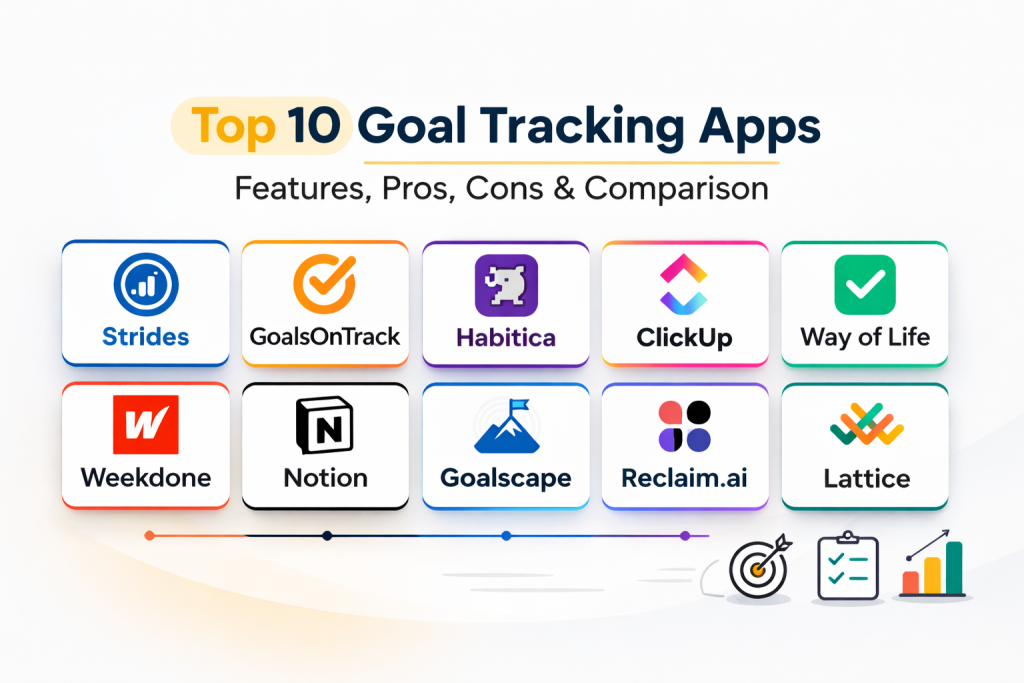
Top 10 Goal Tracking Apps
1. Strides
Strides is widely considered one of the most flexible trackers for Apple ecosystem users. It stands out because it allows users to track almost anything—from simple “yes/no” habits to complex milestones and average-based targets—all within a single, highly visual dashboard.
Key Features
- Four Tracker Types: Choose between habit, target, average, or milestone-based tracking.
- SMART Goal Templates: Pre-built structures to help users define goals that are specific and measurable.
- Progress Reports: Beautifully designed charts that show success rates and long-term trends.
- Customizable Reminders: Powerful alert system to ensure you never miss a daily check-in.
- Streak Tracking: Visual indicators to motivate consistency and routine building.
Pros
- Exceptional visual design and data clarity.
- Extremely flexible for both personal habits and professional milestones.
Cons
- Currently limited to the Apple ecosystem (iOS and macOS).
- Some advanced analytics require a paid subscription.
Platforms / Deployment
iOS / macOS — Managed
Security & Compliance
Standard App Store data protections; iCloud sync security.
Integrations & Ecosystem
Strongest integration with Apple Health for automated fitness tracking and iCloud for cross-device synchronization.
Support & Community
Solid library of help articles and a dedicated user base in the productivity community.
2. GoalsOnTrack
GoalsOnTrack is built specifically for “high achievers” who follow the SMART goal framework. It is a comprehensive system that combines goal setting, task management, time tracking, and even a vision board into one strategic workspace.
Key Features
- SMART Goal Wizard: A guided process to ensure every objective is properly formatted for success.
- Multi-Level Subgoals: Break down giant ambitions into small, actionable sub-tasks.
- Integrated Goal Journal: A space to record reflections and lessons learned during the process.
- Vision Board: A visual anchor to keep your long-term motivation high with images and quotes.
- Time Tracking: Built-in timer to log exactly how much work is being put toward specific goals.
Pros
- Deeply focused on the psychology of achievement.
- All-in-one suite that replaces the need for separate task and habit apps.
Cons
- The interface can feel more technical and “busy” than minimalist apps.
- Primarily designed for individual power users rather than large teams.
Platforms / Deployment
Web / iOS / Android — Cloud
Security & Compliance
Standard SSL encryption and GDPR compliance for web data.
Integrations & Ecosystem
Syncs with major calendars and provides data export features for external analysis.
Support & Community
Comprehensive knowledge base and responsive email support for professional users.
3. Habitica
Habitica takes a unique approach by turning your life into a Role-Playing Game (RPG). By completing goals and habits, you earn experience and gold to level up your character, while missing tasks causes your character to lose health.
Key Features
- Gamified Mechanics: Earn armor, pets, and quests by staying productive in real life.
- Social Parties: Join a group of friends to take down “monsters” together through collective goal completion.
- Custom Rewards: Set your own real-life rewards (like watching a movie) that you can “buy” with earned gold.
- Tags and Filtering: Organize goals by area of life (Work, School, Health) with ease.
- Interactive Dashboard: A fun, pixel-art interface that makes tracking feel less like work.
Pros
- Incredibly engaging for those who struggle with traditional, “boring” trackers.
- Strong social accountability through its community features.
Cons
- The RPG theme may not be suitable for professional or corporate environments.
- Can be distracting if you spend too much time on game mechanics.
Platforms / Deployment
Web / iOS / Android — Cloud
Security & Compliance
Not publicly stated beyond standard web encryption.
Integrations & Ecosystem
Offers a public API that allows for community-made extensions and integrations.
Support & Community
One of the most active and supportive communities in the habit-tracking world.
4. ClickUp
ClickUp is an enterprise-grade productivity platform that treats goal tracking as a core pillar of its environment. It allows teams to link high-level “Goals” to specific “Targets” that are automatically updated as tasks are completed.
Key Features
- Goal Folders: Group related objectives together to see progress across entire departments.
- Automated Progress Tracking: Goals update in real-time as linked tasks or sprints are finished.
- Multiple Target Types: Track progress through currency, percentages, numerical values, or true/false.
- Team Dashboards: Centralized views for leadership to monitor organizational alignment.
- OKR Templates: Pre-designed structures for rolling out Objectives and Key Results.
Pros
- Perfect for teams that want their work and their goals in the same place.
- Massive level of customization and feature depth.
Cons
- Significant learning curve due to the sheer number of features.
- Can be “overkill” for a solo user just looking to track simple habits.
Platforms / Deployment
Web / Windows / macOS / Linux / iOS / Android — Managed
Security & Compliance
SOC 2 Type II, GDPR, and HIPAA compliant.
Integrations & Ecosystem
Integrates with over 1,000 tools including Slack, GitHub, and Google Drive.
Support & Community
Extensive documentation, ClickUp University, and 24/7 professional support.
5. Way of Life
Way of Life is a minimalist, data-driven habit tracker designed for speed. It uses a unique color-coded grid that allows users to log their entire day in just a few seconds, making it ideal for identifying long-term behavioral patterns.
Key Features
- The Color-Coded Journal: A fast grid view where green means “Success” and red means “Skipped.”
- Trend Reports: Visual charts that help you identify which days of the week you struggle most.
- Note-Taking: Add context to your entries to remember why you succeeded or failed.
- Flexible Goal Setting: Track both positive habits to build and negative habits to break.
- Data Export: Easily send your history to a CSV or Excel file for deeper analysis.
Pros
- The fastest logging experience on the market.
- Very effective for spotting patterns through its “red vs. green” visual.
Cons
- Limited for complex project-based goals or OKRs.
- Minimalist design may lack the “depth” required by power users.
Platforms / Deployment
iOS / Android — Managed
Security & Compliance
Varies / N/A (Standard mobile app security).
Integrations & Ecosystem
Focuses on being a standalone tool with clean data export capabilities.
Support & Community
Responsive support and a clear, functional FAQ section.
6. Weekdone
Weekdone is a leader in the OKR (Objectives and Key Results) space, specifically designed for small and medium-sized businesses. it focuses on “Weekly Planning” to ensure that short-term tasks are always aligned with quarterly goals.
Key Features
- OKR Hierarchy: Clearly visualize how individual work cascades up to company-wide goals.
- Weekly Check-ins: A structured “PPP” (Plans, Progress, Problems) report for every team member.
- Real-Time Dashboards: Visual maps of team alignment and goal completion status.
- Feedback and Recognition: In-app social features to celebrate wins and provide guidance.
- Custom Reporting: Generate automated reports for management and board meetings.
Pros
- Excellent for building a culture of accountability and transparency.
- Strong focus on the OKR methodology and best practices.
Cons
- Can feel too “corporate” for individual personal use.
- Requires a consistent weekly commitment from the entire team to be effective.
Platforms / Deployment
Web / iOS / Android — Cloud
Security & Compliance
SOC 2 compliant; GDPR and data encryption in transit.
Integrations & Ecosystem
Integrates with Slack, Microsoft Teams, Jira, and Asana to pull progress from where work happens.
Support & Community
Offers dedicated OKR coaching and a comprehensive library of sample OKR data.
7. Notion
Notion is the ultimate “blank canvas” for goal tracking. Using its database and template features, users can build a fully customized goal system that connects to their notes, projects, and personal wikis.
Key Features
- Custom Database Views: View your goals as a list, a kanban board, a calendar, or a gallery.
- Relational Databases: Link your high-level goals to specific daily tasks and meeting notes.
- Progress Bars: Use simple formulas to create visual progress indicators based on completed sub-tasks.
- Community Templates: Thousands of pre-made goal tracking templates available for free.
- Collaborative Workspaces: Share goal dashboards with a partner or an entire team.
Pros
- Infinite flexibility—you can build exactly the system you want.
- Consolidates your goals, notes, and tasks into one application.
Cons
- Requires time and effort to “build” the system initially.
- No native “habit streak” features without complex custom setups.
Platforms / Deployment
Web / Windows / macOS / iOS / Android — Cloud
Security & Compliance
SOC 2 Type II compliant; GDPR compliant.
Integrations & Ecosystem
Strongest integration with its own internal ecosystem; supports Slack and Google Drive.
Support & Community
A massive global community and an endless supply of user-generated guides.
8. Goalscape
Goalscape offers a unique, visual approach to goal setting by using a “Goal Map”—a circular multi-level chart. This visualization makes it immediately clear which goals are the highest priority and how much progress has been made across the entire project.
Key Features
- Visual Goal Map: A circular chart that uses the size of slices to indicate priority.
- Shaded Progress Areas: Slices fill with color as you move toward completion.
- Sub-goal Breakdown: Drill down from one central mission into infinite levels of detail.
- Collaboration Tools: Assign specific slices of the map to different team members.
- Focus Mode: Highlight specific areas of the map to filter out distractions.
Pros
- The best “big picture” visualization on the market.
- Created by Olympic champions to focus on high-performance alignment.
Cons
- The circular interface can take some time to get used to.
- Less effective for simple daily habit tracking compared to mobile-first apps.
Platforms / Deployment
Web / Windows / macOS — Cloud
Security & Compliance
Standard web security; focused on business data privacy.
Integrations & Ecosystem
Supports data import and export to standard spreadsheet formats.
Support & Community
Strong professional support and specialized training for business teams.
9. Reclaim.ai
Reclaim.ai is an AI-powered scheduling tool that “defends” your goals by automatically finding time for them on your calendar. It treats your goals as “Habits” and “Tasks,” ensuring that you actually have the time to do the work.
Key Features
- Smart Habit Scheduling: Automatically finds the best time for recurring goals around your meetings.
- Time Defense: Marks your goal time as “Busy” so others cannot book over it as deadlines approach.
- Prioritization Engine: Intelligently reshuffles your schedule if an urgent conflict arises.
- Integration Sync: Pulls tasks from other goal apps and places them directly on your timeline.
- Work-Life Balance Stats: Reports on how much time you actually spent on your personal vs. professional goals.
Pros
- Solves the “no time to work on goals” problem automatically.
- Exceptional for busy professionals with packed calendars.
Cons
- Primarily focused on scheduling rather than long-term strategic visualization.
- Currently only supports Google Calendar (with Outlook support in development).
Platforms / Deployment
Web (Google Workspace) — Managed
Security & Compliance
SOC 2 Type II compliant; GDPR compliant.
Integrations & Ecosystem
Deeply integrated with Google Calendar, Slack, Asana, and Todoist.
Support & Community
Active Slack community and a comprehensive knowledge base for users.
10. Lattice
Lattice is a comprehensive “People Platform” for enterprises that connects employee performance with organizational goals. It is built to facilitate continuous feedback and ensure that every individual’s contribution is visible to leadership.
Key Features
- OKR Alignment Maps: Visualizes how individual objectives support the larger company strategy.
- Continuous Feedback: In-app tools for managers to provide real-time coaching on goal progress.
- 1:1 Meeting Templates: Automatically pulls goal updates into manager-employee meetings.
- Analytics for HR: High-level reporting on goal participation and achievement across the company.
- Performance Integration: Directly links goal completion to annual review and growth cycles.
Pros
- The gold standard for enterprise alignment and HR integration.
- Beautifully designed interface that encourages employee engagement.
Cons
- Sold as an enterprise suite; not available for personal or solo use.
- Requires a significant organizational commitment to implement.
Platforms / Deployment
Web / iOS / Android — Managed
Security & Compliance
SOC 2 Type II, GDPR, and HIPAA compliant.
Integrations & Ecosystem
Integrates with Slack, Teams, Jira, and HRIS systems like Workday and BambooHR.
Support & Community
Professional customer success teams and a deep library of HR best-practice resources.
Comparison Table (Top 10)
| Tool Name | Best For | Platform(s) Supported | Deployment | Standout Feature | Public Rating |
| 1. Strides | Apple Users | iOS, macOS | Managed | 4 Specialized Trackers | 4.8/5 |
| 2. GoalsOnTrack | Power Achievers | Web, iOS, Android | Cloud | SMART Goal Wizard | 4.4/5 |
| 3. Habitica | Gamification | Web, iOS, Android | Cloud | RPG Social Mechanics | 4.5/5 |
| 4. ClickUp | High-Growth Teams | Web, Desktop, Mobile | Managed | Task-to-Goal Linking | 4.7/5 |
| 5. Way of Life | Minimalist Habit Log | iOS, Android | Managed | Color-coded Grid | 4.6/5 |
| 6. Weekdone | Quarterly OKRs | Web, iOS, Android | Cloud | Weekly PPP Reporting | 4.1/5 |
| 7. Notion | Custom Systems | Web, Desktop, Mobile | Cloud | Database Flexibility | 4.6/5 |
| 8. Goalscape | Visual Big Picture | Web, Windows, macOS | Cloud | Circular Goal Map | 4.5/5 |
| 9. Reclaim.ai | Busy Professionals | Web (Google) | Managed | AI Time Blocking | 4.8/5 |
| 10. Lattice | Enterprise HR | Web, iOS, Android | Managed | HRIS & Review Sync | 4.6/5 |
Evaluation & Scoring of Goal Tracking Apps
| Tool Name | Core (25%) | Ease (15%) | Integrations (15%) | Security (10%) | Perf (10%) | Support (10%) | Value (15%) | Total |
| 1. Strides | 9 | 9 | 7 | 7 | 10 | 8 | 8 | 8.4 |
| 2. GoalsOnTrack | 10 | 6 | 8 | 7 | 8 | 8 | 7 | 7.9 |
| 3. Habitica | 7 | 7 | 6 | 6 | 9 | 10 | 10 | 7.7 |
| 4. ClickUp | 10 | 4 | 10 | 10 | 8 | 10 | 8 | 8.5 |
| 5. Way of Life | 6 | 10 | 5 | 7 | 10 | 7 | 9 | 7.6 |
| 6. Weekdone | 9 | 6 | 9 | 9 | 8 | 9 | 6 | 7.9 |
| 7. Notion | 8 | 5 | 8 | 9 | 7 | 9 | 10 | 8.0 |
| 8. Goalscape | 9 | 7 | 6 | 7 | 8 | 8 | 7 | 7.6 |
| 9. Reclaim.ai | 7 | 9 | 10 | 9 | 9 | 8 | 8 | 8.5 |
| 10. Lattice | 9 | 7 | 9 | 10 | 9 | 10 | 6 | 8.4 |
Scoring represents professional usability. High “Core” scores reflect the ability to handle complex goal structures. “Value” scores prioritize accessibility for individual budgets, while “Integrations” and “Security” reflect a tool’s suitability for a modern corporate stack.
Which Goal Tracking App Tool Is Right for You?
Solo / Freelancer
If you are an individual working alone, Strides (for Apple users) or Way of Life are excellent for building daily discipline. If you need more strategic depth, GoalsOnTrack is the professional choice for keeping yourself on a strict achievement path.
SMB
For small teams, Weekdone is the perfect entry into the world of OKRs. It provides enough structure to create alignment without the overwhelming complexity of an enterprise-wide “people suite.”
Mid-Market
Organizations in a high-growth phase should look at ClickUp or Notion. These tools allow you to keep your goals exactly where you do your work, which is the most effective way to ensure they are actually updated and achieved.
Enterprise
At the enterprise scale, Lattice and Lattice-style suites are essential. These platforms ensure that every single employee understands how their daily work impacts the company’s bottom line, providing the governance needed for thousands of users.
Budget vs Premium
Habitica and Notion offer the best free experiences for those on a tight budget. Premium planners like GoalsOnTrack or Reclaim.ai are worth the investment for those whose time is their most valuable asset.
Feature Depth vs Ease of Use
ClickUp offers the most depth but takes weeks to master. Way of Life is the opposite; you can master it in three minutes, but it won’t help you manage a complex quarterly product launch.
Integrations & Scalability
Reclaim.ai is the clear winner for those whose goals are always fighting for time on a busy calendar. For pure organizational scaling, ClickUp is built to grow from a one-person shop to a global corporation.
Security & Compliance Needs
Enterprises with high security requirements (HIPAA/SOC 2) should stick with the industry leaders like ClickUp or Lattice, as they provide the administrative controls required by IT departments.
Frequently Asked Questions (FAQs)
1. Is it better to track goals daily or weekly?
Daily tracking is best for habits and routines, while weekly reviews are more effective for strategic projects and quarterly OKRs.
2. Can I use a simple to-do list for my goals?
A to-do list tracks “what” to do, but a goal app tracks “why” and “how much progress” has been made toward a larger outcome.
3. What is the SMART goal framework?
SMART stands for Specific, Measurable, Achievable, Relevant, and Time-bound. Most high-quality apps have built-in support for this method.
4. How do these apps help with motivation?
They use visual cues like progress bars, streaks, and charts that trigger the brain’s reward system, making you more likely to repeat a positive behavior.
5. Are there free versions of these apps?
Yes, most apps on this list (like Notion and Habitica) have generous free plans, while others offer limited trials for professional features.
6. Can I share my goals with a friend for accountability?
Yes, apps like Habitica and Notion are designed for collaboration and social sharing to help keep you on track.
7. Do these apps work offline?
Most mobile-first apps like Strides and Way of Life work offline and sync when you’re back online, but web-heavy tools may require a connection.
8. Is my data secure in these goal tracking apps?
Professional tools like ClickUp and Lattice use enterprise-grade encryption, but always check the privacy policy for free habit trackers.
9. Can I track “negative” habits I want to break?
Yes, many apps specifically allow you to track habits you want to avoid, showing you how long you’ve gone without a relapse.
10. How many goals should I track at once?
Research suggests focusing on 3–5 major goals at a time to prevent “goal fatigue” and ensure you have enough focus to succeed.
Conclusion
In conclusion, the right goal tracking app is the one that fits seamlessly into your existing lifestyle while challenging you to push beyond your current limits. Whether you prefer the gamified adventure of Habitica, the strategic depth of GoalsOnTrack, or the enterprise-grade alignment of Lattice, these tools are designed to amplify your focus and discipline. By turning abstract desires into visual, data-driven milestones, you remove the guesswork from personal and professional growth. The ultimate success of any goal tracking system depends not on the software itself, but on your consistent commitment to the process. I recommend selecting the one goal you are most passionate about right now and entering it into a trial version of either Strides or GoalsOnTrack. Breaking that single goal into five measurable sub-tasks today will provide immediate clarity on your path forward.

Best Cardiac Hospitals Near You
Discover top heart hospitals, cardiology centers & cardiac care services by city.
Advanced Heart Care • Trusted Hospitals • Expert Teams
View Best Hospitals