Introduction
GPU cluster scheduling has become the operational heart of the modern data center, driven by the insatiable demand for generative AI, large language models, and complex scientific simulations. Managing a cluster of GPUs is fundamentally different from managing standard CPU resources. It requires deep awareness of interconnect topologies, such as NVLink, and the ability to handle massive, distributed workloads that must stay perfectly synchronized across hundreds of nodes. These scheduling tools serve as the traffic controllers, ensuring that expensive hardware remains highly utilized while providing data scientists with the specialized compute power they need.
In the current high-performance computing landscape, a “dumb” scheduler that simply assigns a task to a free slot is no longer sufficient. Modern schedulers must be intelligent enough to understand fractional GPU sharing, prioritize urgent training jobs over batch inferencing, and manage the cooling and power constraints of the physical infrastructure. As organizations scale their AI ambitions, the ability to effectively orchestrate these specialized resources determines the speed of innovation and the total cost of ownership for their infrastructure.
Best for: Machine learning engineers, research scientists, MLOps platform teams, and high-performance computing (HPC) administrators managing large-scale GPU private clouds or hybrid environments.
Not ideal for: Small teams running single-node workstations, standard web application developers, or organizations with occasional, low-intensity compute needs that can be handled by basic cloud auto-scaling.
Key Trends in GPU Cluster Scheduling
- Fractional GPU Partitioning: The ability to slice a single physical GPU into multiple virtual instances allows for higher utilization during development and small-scale inference tasks.
- Topology-Aware Scheduling: Schedulers are increasingly aware of the physical wiring between GPUs, ensuring that distributed jobs are placed on nodes with the fastest interconnects like NVLink or InfiniBand.
- Dynamic Resource Reclaiming: Advanced tools can now pause low-priority batch jobs to instantly free up GPU capacity for high-priority interactive sessions or urgent model retraining.
- Green Computing & Power Capping: Modern schedulers integrate with data center thermal management to shift workloads based on power availability and cooling efficiency.
- Serverless GPU Abstractions: Moving toward a model where researchers request “compute power” rather than specific GPU counts, leaving the placement logic entirely to the orchestrator.
- Unified AI/HPC Orchestration: The merging of traditional big-data batch processing with modern containerized microservices into a single, cohesive scheduling fabric.
- Automated Fault Tolerance: Systems that can detect a failing GPU mid-job and automatically migrate the workload to a healthy node without losing training progress.
- Multi-Cloud GPU Federation: Tools that allow a single scheduler to manage local on-premise clusters alongside burst capacity in various public cloud providers.
How We Selected These Tools
- Support for Distributed Training: We prioritized tools that excel at managing multi-node synchronization for large-scale model training.
- Hardware Introspection: Each tool was evaluated on its ability to monitor real-time GPU health, temperature, and memory utilization.
- Preemption and Quota Management: We looked for robust systems that allow for sophisticated “fair-share” scheduling among multiple research teams.
- Container Native Capabilities: Priority was given to schedulers that integrate seamlessly with Docker and Kubernetes environments.
- Ecosystem Maturity: We selected tools with proven track records in massive production environments, from academia to global technology enterprises.
- User and Admin Experience: Evaluation of both the developer-facing interface and the administrative tools required to maintain the cluster.
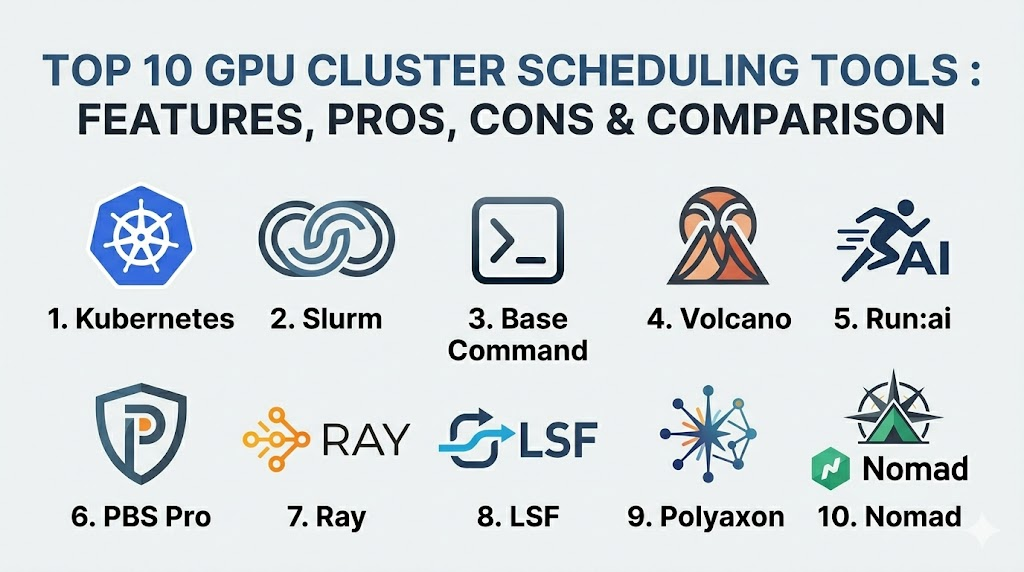
Top 10 GPU Cluster Scheduling Tools
1. Kubernetes (with NVIDIA Device Plugin)
Kubernetes has become the de facto standard for container orchestration, and with the NVIDIA device plugin, it serves as a powerful base for GPU scheduling. It allows teams to treat GPUs as first-class citizens in a cloud-native environment.
Key Features
- Native support for GPU resource requests and limits within pod specifications.
- Integration with NVIDIA’s Multi-Instance GPU (MIG) for hardware-level partitioning.
- Extensible scheduling logic via custom profiles and secondary schedulers.
- Automated scaling of GPU nodes based on pending workload demand.
- Support for node affinity and anti-affinity to control job placement.
Pros
- Massive community support and a near-infinite library of integrations.
- The same workflow for both CPU and GPU applications across the enterprise.
Cons
- Native scheduling lacks deep awareness of GPU-to-GPU interconnect topologies.
- Setting up high-performance networking like InfiniBand requires significant manual configuration.
Platforms / Deployment
Windows / Linux
Cloud / Self-hosted / Hybrid
Security & Compliance
Role-Based Access Control (RBAC), Secrets management, and Network Policies.
SOC 2 / ISO 27001 compliant (in managed cloud versions).
Integrations & Ecosystem
Integrates with almost every modern DevOps tool, including Prometheus for monitoring, Helm for deployment, and various CI/CD pipelines.
Support & Community
Unmatched global community with professional support available from vendors like Red Hat, Google, and Amazon.
2. Slurm Workload Manager
Slurm is the legendary engine behind the world’s most powerful supercomputers. It is a highly scalable, open-source cluster management and job scheduling system designed specifically for high-performance computing.
Key Features
- Extremely sophisticated job prioritization and fair-share algorithms.
- Support for GRES (Generic Resource) scheduling specifically for GPUs.
- Deep awareness of cluster topology for optimized multi-node MPI jobs.
- Advanced accounting and reporting for resource usage tracking.
- Highly configurable backfill scheduling to maximize cluster utilization.
Pros
- Capable of managing hundreds of thousands of cores and thousands of GPUs.
- Extremely efficient with minimal overhead compared to container-heavy systems.
Cons
- Steep learning curve for those coming from a modern web background.
- Native support for containers is not as seamless as Kubernetes.
Platforms / Deployment
Linux
Self-hosted
Security & Compliance
Munge-based authentication and strict Linux-level user permissions.
Not publicly stated.
Integrations & Ecosystem
Integrates deeply with MPI libraries, PyTorch, and specialized HPC monitoring tools.
Support & Community
Supported by a dedicated community of academic and national laboratory experts. Professional support is available through SchedMD.
3. NVIDIA Base Command
Base Command is NVIDIA’s own premium orchestration layer, designed to provide a unified “operating system” for AI training across DGX systems and cloud environments.
Key Features
- Turnkey management for the entire AI lifecycle from data prep to training.
- Integrated telemetry that provides deep insights into GPU utilization and job health.
- Cloud-hosted management console for orchestrating on-premise DGX clusters.
- Pre-configured environments optimized for maximum GPU performance.
- Advanced job queuing designed specifically for deep learning workloads.
Pros
- Developed by the hardware manufacturer for perfect hardware-software synergy.
- Drastically reduces the “time to first training job” for new clusters.
Cons
- Proprietary solution with a higher cost of entry.
- Most effective when used exclusively within the NVIDIA hardware ecosystem.
Platforms / Deployment
Linux / NVIDIA DGX
Hybrid / Cloud
Security & Compliance
Enterprise-grade authentication and secure multi-tenant isolation.
Not publicly stated.
Integrations & Ecosystem
Seamlessly connects with NVIDIA NGC (container registry) and NVIDIA AI Enterprise software suites.
Support & Community
Direct, high-priority support from NVIDIA’s engineering teams.
4. Volcano
Volcano is a batch scheduling system built on top of Kubernetes. It addresses the gaps in native Kubernetes scheduling specifically for high-performance workloads like AI and Big Data.
Key Features
- Support for gang-scheduling, ensuring all parts of a distributed job start at once.
- Advanced job queuing with priority-based preemption.
- Resource sharing between different namespaces and teams.
- Support for diverse workloads including MPI, PyTorch, and TensorFlow.
- Task-topology awareness for optimized data movement between pods.
Pros
- Brings HPC-grade scheduling logic to a cloud-native Kubernetes environment.
- Excellent for managing shared clusters between research and production teams.
Cons
- Adds another layer of complexity to the Kubernetes management stack.
- Requires careful tuning of scheduling policies to avoid resource deadlocks.
Platforms / Deployment
Linux (Kubernetes)
Cloud / Self-hosted
Security & Compliance
Leverages native Kubernetes security models and namespace isolation.
Not publicly stated.
Integrations & Ecosystem
Works with all standard Kubernetes tools and popular AI frameworks like Kubeflow.
Support & Community
Active open-source community, originally incubated by Huawei and now part of the CNCF.
5. Run:ai
Run:ai provides an abstraction layer that pools GPU resources and dynamically allocates them based on project priorities, enabling “fractional GPU” capabilities on Kubernetes.
Key Features
- Dynamic GPU fractionalization allowing multiple jobs to share a single GPU.
- Fair-share scheduling that balances resources between researchers and teams.
- Elastic GPU quotas that allow teams to “burst” beyond their allocation.
- Centralized dashboard for real-time visibility into cluster-wide GPU health.
- Simplified CLI for researchers to submit jobs without knowing Kubernetes.
Pros
- Significantly increases average GPU utilization across the enterprise.
- The most user-friendly interface for non-technical data scientists.
Cons
- A premium commercial product with associated licensing costs.
- Requires a Kubernetes foundation to be in place first.
Platforms / Deployment
Linux (Kubernetes)
Cloud / Hybrid
Security & Compliance
SSO integration and granular RBAC for project-level access.
Not publicly stated.
Integrations & Ecosystem
Integrates with Jupyter notebooks, Kubeflow, and all major cloud providers.
Support & Community
Professional enterprise support with dedicated customer success teams.
6. Altair PBS Professional
PBS Professional is a long-standing industry leader in workload management, widely used in automotive, aerospace, and government research for complex GPU simulations.
Key Features
- Highly resilient architecture designed to handle massive job volumes.
- GPU-aware scheduling that tracks specific hardware attributes like memory.
- Policy-driven automation for managing power consumption and costs.
- Advanced simulation and “what-if” analysis for capacity planning.
- Scalable to millions of cores with multi-cluster federation.
Pros
- Extremely stable and reliable for mission-critical industrial workflows.
- Superior reporting and analytics for departmental cross-charging.
Cons
- The licensing model is tailored for large-scale enterprise budgets.
- Lacks some of the agility found in modern AI-first schedulers.
Platforms / Deployment
Windows / Linux
Hybrid / Self-hosted
Security & Compliance
Enterprise-grade security with support for high-compliance environments.
Not publicly stated.
Integrations & Ecosystem
Extensive support for industrial simulation software and traditional HPC libraries.
Support & Community
Global 24/7 professional support from Altair’s specialized engineering team.
7. Ray
Ray is not a traditional cluster manager but an open-source unified framework for scaling AI and Python applications. It includes its own highly efficient distributed scheduler.
Key Features
- Native support for distributed training, tuning, and serving in a single tool.
- Extremely low-latency scheduling for high-frequency tasks.
- Auto-scaling support that works across on-premise and cloud nodes.
- Built-in dashboard for visualizing task execution and resource usage.
- Support for fractional GPU requests at the Python function level.
Pros
- Allows developers to scale from a laptop to a cluster with zero code changes.
- Ideal for complex AI pipelines that involve more than just model training.
Cons
- Not a full replacement for a low-level cluster manager like Slurm.
- Requires applications to be written or adapted for the Ray framework.
Platforms / Deployment
Windows / macOS / Linux
Cloud / Hybrid
Security & Compliance
Basic authentication and encryption for internal communication.
Not publicly stated.
Integrations & Ecosystem
Deeply integrated with PyTorch, TensorFlow, and Hugging Face.
Support & Community
Rapidly growing community and professional support via Anyscale.
8. IBM Spectrum LSF
IBM Spectrum LSF (Load Sharing Facility) is a powerful enterprise-grade scheduler that has been a staple in high-end financial and research institutions for decades.
Key Features
- Advanced GPU monitoring including NVLink throughput and GPU temperature.
- Sophisticated license management for expensive third-party software.
- Multi-cluster data management that automates file movement for jobs.
- Extremely granular policy engine for job placement and preemption.
- Web-based portal for simplified job submission and monitoring.
Pros
- Offers the most comprehensive enterprise features for multi-departmental use.
- Unrivaled reliability for environments that cannot afford downtime.
Cons
- One of the most expensive options on the market.
- Can be overly complex for smaller, more agile AI startups.
Platforms / Deployment
Windows / Linux / Unix
Hybrid / Self-hosted
Security & Compliance
Comprehensive security features suitable for high-finance and defense.
Not publicly stated.
Integrations & Ecosystem
Strong integration with IBM’s hardware and software stack, as well as major CAD tools.
Support & Community
World-class global support from IBM Enterprise services.
9. Polyaxon
Polyaxon is an enterprise-grade platform for reproducible machine learning that manages the entire lifecycle of AI experiments on top of Kubernetes.
Key Features
- Automated scheduling of experiments, hyperparameter tuning, and builds.
- Efficient GPU resource management with support for quotas and limits.
- Integrated version control for models, code, and data.
- Support for distributed training using various operators (MPI, TF, PyTorch).
- Centralized logging and metrics for every scheduled experiment.
Pros
- Provides a structured environment that prevents “experiment chaos.”
- Excellent for tracking and reproducing results across a large team.
Cons
- More of a full platform than a standalone scheduler.
- Requires a dedicated team to manage the underlying Kubernetes cluster.
Platforms / Deployment
Linux (Kubernetes)
Cloud / Hybrid
Security & Compliance
Integrated identity management and secure data access controls.
Not publicly stated.
Integrations & Ecosystem
Works seamlessly with Git, S3-compatible storage, and common ML frameworks.
Support & Community
Active open-source core with professional support for the enterprise edition.
10. Nomad (by HashiCorp)
Nomad is a flexible, lightweight orchestrator that can manage both containerized and non-containerized applications, offering a simpler alternative to Kubernetes for GPU scheduling.
Key Features
- Simple, single-binary architecture that is easy to deploy and scale.
- Native device plugins for discovering and scheduling NVIDIA GPUs.
- Support for diverse workloads including Docker, binaries, and Java.
- Multi-region and multi-cloud federation out of the box.
- Integrated with Consul and Vault for networking and security.
Pros
- Much lower operational complexity compared to Kubernetes.
- Very efficient at managing mixed clusters of GPU and non-GPU tasks.
Cons
- Smaller ecosystem of AI-specific tools compared to the Kubernetes world.
- Lacks some of the deep “AI-batch” features found in Volcano or Run:ai.
Platforms / Deployment
Windows / macOS / Linux
Cloud / Hybrid / Self-hosted
Security & Compliance
Integration with HashiCorp Vault for secret management and mTLS.
Not publicly stated.
Integrations & Ecosystem
Deeply integrated with the HashiCorp stack (Terraform, Vault, Consul).
Support & Community
Strong corporate support from HashiCorp and an active, professional community.
Comparison Table
| Tool Name | Best For | Platform(s) Supported | Deployment | Standout Feature | Public Rating |
| 1. Kubernetes | General Purpose | Win, Mac, Linux | Hybrid | Cloud-Native Standard | N/A |
| 2. Slurm | Research / HPC | Linux | Self-hosted | Massive Scalability | N/A |
| 3. Base Command | NVIDIA Hardware | Linux / DGX | Hybrid | Hardware Synergy | N/A |
| 4. Volcano | Kubernetes Batch | Linux | Cloud | Gang Scheduling | N/A |
| 5. Run:ai | Utilization | Linux (K8s) | Hybrid | GPU Fractionalization | N/A |
| 6. PBS Pro | Industrial Sim | Win, Linux | Hybrid | Resilience | N/A |
| 7. Ray | Python Scaling | Win, Mac, Linux | Cloud | App-Level Scaling | N/A |
| 8. LSF | Financial / Gov | Win, Linux, Unix | Hybrid | Policy Granularity | N/A |
| 9. Polyaxon | ML Experiments | Linux (K8s) | Hybrid | Reproducibility | N/A |
| 10. Nomad | Simplicity | Win, Mac, Linux | Hybrid | Operational Ease | N/A |
Evaluation & Scoring
| Tool Name | Core (25%) | Ease (15%) | Integrations (15%) | Security (10%) | Perf (10%) | Support (10%) | Value (15%) | Total |
| 1. Kubernetes | 9 | 5 | 10 | 9 | 8 | 10 | 9 | 8.55 |
| 2. Slurm | 10 | 3 | 7 | 7 | 10 | 8 | 10 | 8.15 |
| 3. Base Command | 9 | 8 | 8 | 9 | 10 | 10 | 6 | 8.60 |
| 4. Volcano | 8 | 6 | 9 | 8 | 8 | 7 | 8 | 7.70 |
| 5. Run:ai | 9 | 9 | 9 | 8 | 9 | 9 | 7 | 8.65 |
| 6. PBS Pro | 9 | 6 | 8 | 9 | 9 | 9 | 6 | 7.90 |
| 7. Ray | 8 | 10 | 9 | 6 | 9 | 8 | 9 | 8.50 |
| 8. LSF | 10 | 5 | 8 | 10 | 10 | 10 | 5 | 8.20 |
| 9. Polyaxon | 8 | 8 | 8 | 8 | 8 | 8 | 8 | 8.00 |
| 10. Nomad | 7 | 9 | 7 | 9 | 8 | 8 | 8 | 7.75 |
The scoring above is based on the platform’s suitability for enterprise-scale AI and HPC operations. Run:ai and NVIDIA Base Command score particularly high because they solve specific pain points regarding GPU accessibility and ease of use for the end researcher. Kubernetes remains the highest overall for general enterprise use due to its massive ecosystem and the fact that most teams are already using it. Schedulers like Slurm and LSF maintain perfect scores in performance and core scheduling logic, though they require more specialized expertise to manage.
Which GPU Cluster Scheduling Tool Is Right for You?
Solo / Freelancer
For a single developer or freelancer, a full cluster scheduler is usually unnecessary. However, if you are scaling across a few cloud instances, Ray is the best choice because it allows you to scale your Python code with almost zero configuration and very low overhead.
SMB
Small to medium businesses that already use Kubernetes should start with the NVIDIA Device Plugin and perhaps Volcano if they have many concurrent jobs. If the budget allows, Run:ai provides the best “bang for your buck” by ensuring that none of your expensive GPUs sit idle.
Mid-Market
Growing AI companies need a more structured approach. Polyaxon is excellent for teams that need to track experiments and ensure reproducibility, while Nomad is a great choice for teams that want the benefits of orchestration without the extreme complexity of a full Kubernetes stack.
Enterprise
For massive organizations with multiple departments, IBM Spectrum LSF or Altair PBS Professional offer the necessary administrative controls and policy depth. For pure AI-focused enterprises, NVIDIA Base Command provides the most optimized path from hardware to production models.
Budget vs Premium
Slurm is the gold standard for high-performance scheduling without a licensing fee, though you will pay in “human hours” for configuration. On the premium side, Run:ai and Base Command offer the most advanced features and polished user experiences for a significant subscription cost.
Feature Depth vs Ease of Use
Slurm and LSF offer incredible depth in policy and topology management but are difficult to master. Ray and Run:ai prioritize ease of use, allowing researchers to get their jobs running without needing to be infrastructure experts.
Integrations & Scalability
Kubernetes is the undisputed king of integrations, fitting into almost any existing DevOps pipeline. For pure scale in terms of raw node counts and high-speed interconnect management, Slurm remains the primary choice for the world’s largest supercomputers.
Security & Compliance Needs
If you operate in a high-security environment like defense or government research, PBS Professional or IBM Spectrum LSF provide the most mature security frameworks and a history of successful deployments in locked-down environments.
Frequently Asked Questions (FAQs)
1. Why can’t I just use standard Kubernetes for GPUs?
You can, but standard Kubernetes doesn’t understand “batch” needs, such as ensuring 10 pods start at the exact same time for distributed training, which is why extensions like Volcano or Run:ai are needed.
2. What is “Gang Scheduling”?
It is a requirement where all tasks of a parallel job must be scheduled and start simultaneously. If one task can’t start, the scheduler waits rather than starting a partial job that would just sit idle and waste resources.
3. Does the scheduler affect training speed?
Directly, no, but indirectly, yes. A “topology-aware” scheduler places jobs on GPUs that have the fastest physical connections to each other, which significantly reduces the time spent on data synchronization.
4. What is fractional GPU scheduling?
It allows a single GPU to be split among multiple users. This is perfect for light tasks like debugging code or running small inference models, as it prevents a tiny task from hogging a whole $30,000 GPU.
5. How does Slurm compare to Kubernetes?
Slurm is built for high-performance batch jobs on “bare metal,” while Kubernetes is built for containerized microservices. Slurm is better at raw performance, while Kubernetes is better at ecosystem and developer agility.
6. Can these tools manage GPUs across different cloud providers?
Yes, tools like Nomad, Ray, and managed Kubernetes services are designed to federate across on-premise hardware and various public clouds like AWS, GCP, and Azure.
7. Do I need InfiniBand for GPU clusters?
For large-scale distributed training, yes. The scheduler needs to be aware of this networking to ensure that nodes are placed in the same “leaf switch” to avoid network bottlenecks.
8. What is the most important metric to monitor in a GPU cluster?
GPU Utilization is key, but “GPU Memory Usage” is often more important for scheduling, as most jobs will crash if they exceed the available VRAM.
9. Can I schedule non-AI tasks on a GPU cluster?
Certainly. Many organizations use GPU clusters for traditional HPC tasks like weather modeling, molecular dynamics, and high-end video transcoding.
10. How do I choose between open-source and commercial?
If you have a large team of specialized Linux admins, open-source (Slurm/Volcano) is great. If you want your researchers to focus on AI rather than infrastructure, a commercial platform (Run:ai/Base Command) is usually worth the cost.
Conclusion
Selecting the right GPU cluster scheduler is a foundational decision that will dictate the efficiency and scalability of your AI initiatives for years to come. The market has diverged into two clear paths: the highly specialized, high-performance world of Slurm and LSF, and the agile, container-native world of Kubernetes and Run:ai. For most modern enterprises, the flexibility and ecosystem of Kubernetes-based tools offer the best path forward, while research institutions will continue to push the boundaries of raw performance with Slurm. Regardless of the choice, the goal remains the same: ensuring that your most expensive and powerful assets are always working at their peak potential.

Best Cardiac Hospitals Near You
Discover top heart hospitals, cardiology centers & cardiac care services by city.
Advanced Heart Care • Trusted Hospitals • Expert Teams
View Best Hospitals