Introduction
GPU observability and profiling tools are specialized software solutions designed to monitor, analyze, and optimize the performance of Graphics Processing Units (GPUs). Unlike standard CPU monitoring, GPU observability focuses on high-parallelism metrics such as kernel execution times, memory bandwidth utilization, tensor core activity, and thermal throttling. These tools allow developers and system administrators to “see inside” the hardware to identify bottlenecks in complex workloads like AI model training, real-time rendering, and high-performance computing (HPC).
In the current landscape, GPUs have become the primary engine for the global AI revolution. As large language models (LLMs) and generative AI continue to scale, the cost of inefficient GPU usage has skyrocketed. Precise observability is no longer a luxury but a financial and operational necessity. By using these tools, organizations can ensure they are getting the maximum return on their hardware investment, reducing energy consumption, and accelerating the deployment of production-ready AI applications.
Real-World Use Cases
- AI & Machine Learning: Profiling training loops to reduce “idle time” where the GPU waits for data from the CPU.
- Game Development: Debugging frame rate drops and optimizing shaders for smooth real-time rendering.
- Data Center Management: Monitoring the health and power consumption of thousands of GPUs in a cluster.
- Scientific Research: Optimizing parallel algorithms for simulations in physics, chemistry, and weather forecasting.
Evaluation Criteria for Buyers
- Sampling Granularity: Does it offer millisecond-level data or just broad averages?
- Overhead: How much does the monitoring tool itself slow down the application?
- Framework Support: Does it integrate natively with PyTorch, TensorFlow, or JAX?
- Multi-Node Scaling: Can it observe a cluster of 512 GPUs as easily as a single card?
- Metric Depth: Does it track SM (Streaming Multiprocessor) occupancy and tensor core usage?
- Deployment Flexibility: Is it a lightweight CLI tool or a heavy enterprise SaaS platform?
Best for: AI engineers, DevOps teams, MLOps specialists, and game developers who need to maximize hardware efficiency.
Not ideal for: General office IT management or users who only perform basic video playback and 2D office tasks.
Key Trends in GPU Observability & Profiling Tools
- AI-Powered Root Cause Analysis: Modern tools now use machine learning to automatically suggest code changes when they detect low GPU utilization.
- eBPF-Based Monitoring: The rise of eBPF allows for deep, low-overhead observation of GPU driver interactions without modifying application code.
- Unified Control Planes: A shift toward “single pane of glass” views that combine CPU, GPU, and network telemetry into one dashboard.
- FinOps Integration: Tools are now linking GPU activity directly to dollar costs, helping teams optimize their cloud spend in real-time.
- Standardization on OpenTelemetry: Most high-end tools are adopting OpenTelemetry for GPU signals, preventing vendor lock-in.
- Real-Time Thermal Management: Advanced profiling now includes predictive thermal analysis to prevent hardware throttling before it occurs.
- Interconnect Monitoring: With NVLink and Infinity Fabric becoming critical, tools now monitor the speed of data moving between GPUs.
- Container-Native Observability: Deep integration with Kubernetes (K8s) allows for per-pod GPU resource tracking and limits.
How We Selected These Tools
Our methodology for selecting the top ten GPU observability and profiling tools involves a balanced look at technical depth and operational scale. We prioritized tools that have demonstrated market leadership through widespread adoption in both the research community and enterprise data centers. We evaluated each tool’s ability to provide actionable insights rather than just raw data. Reliability under high-load production environments was a key signal, as was the quality of integration with modern AI frameworks. Finally, we ensured a mix of vendor-specific tools (NVIDIA/AMD) and vendor-neutral platforms to suit diverse infrastructure needs.
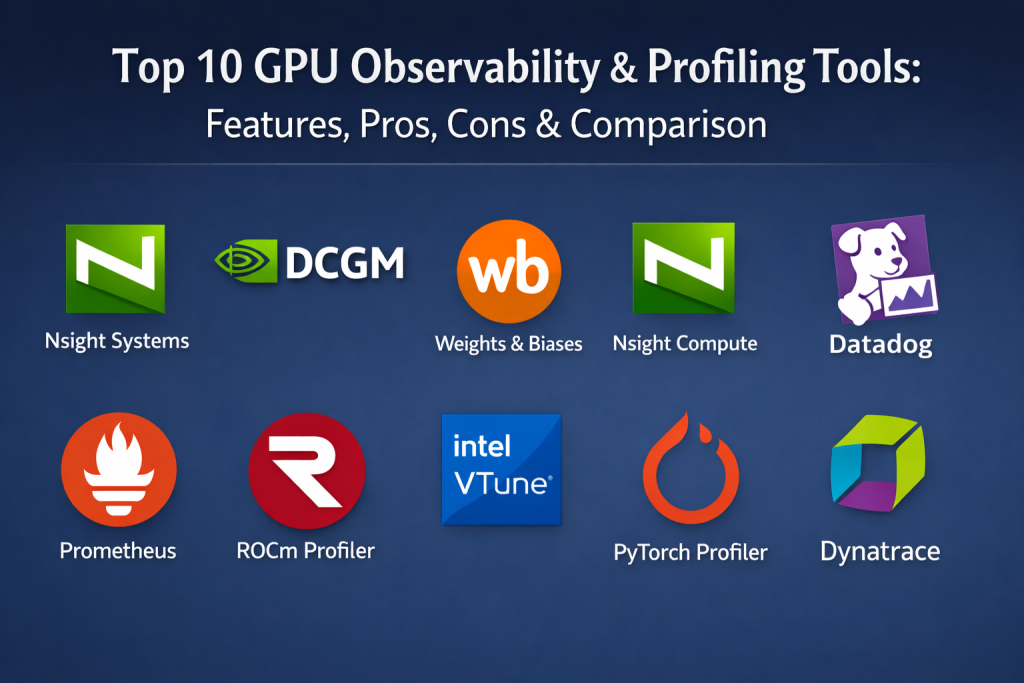
Top 10 GPU Observability & Profiling Tools
1. NVIDIA Nsight Systems
This is a system-wide performance analysis tool designed to visualize an application’s algorithm across the CPU and GPU. it provides a unified timeline that helps developers identify where their code is bottlenecked by hardware limitations or software overhead.
Key Features
- Unified timeline visualization of CPU and GPU activity.
- Trace support for CUDA, cuDNN, and cuBLAS libraries.
- Identification of GPU starvation caused by slow CPU data loading.
- Low-overhead capture suitable for real-world production workloads.
- Support for multi-GPU and multi-node profiling.
Pros
- Exceptional for finding macroscopic bottlenecks in complex pipelines.
- Detailed visualization of OS events and thread activity.
Cons
- Does not provide deep instruction-level kernel analysis (requires Nsight Compute).
- Learning curve can be high for users new to timeline-based profiling.
Platforms / Deployment
Windows / Linux — Self-hosted
Security & Compliance
Standard enterprise security via NVIDIA Developer tools; RBAC support in enterprise versions.
Integrations & Ecosystem
Integrates deeply with all NVIDIA hardware and the broader CUDA ecosystem. It works alongside Nsight Compute and Nsight Graphics for a complete debugging suite.
Support & Community
Extensive documentation and active professional forums supported directly by NVIDIA engineers.
2. NVIDIA DCGM (Data Center GPU Manager)
DCGM is a suite of tools designed specifically for managing and monitoring NVIDIA GPUs in large-scale cluster environments. It is the gold standard for data center administrators who need to ensure health and reliability across thousands of units.
Key Features
- Real-time telemetry including power, temperature, and clock speeds.
- Automated health checks and diagnostic tests for hardware validation.
- Policy-based management to trigger actions on specific events.
- Integration with orchestration tools like Kubernetes and Slurm.
- Support for Multi-Instance GPU (MIG) monitoring and management.
Pros
- Built for massive scale and high reliability in data centers.
- Excellent integration with Prometheus and Grafana via dcgm-exporter.
Cons
- Not designed for application-level code profiling.
- Requires specialized knowledge of data center infrastructure to set up.
Platforms / Deployment
Linux — Self-hosted / Hybrid
Security & Compliance
Supports secure communication protocols and integration with enterprise identity providers.
Integrations & Ecosystem
Part of the NVIDIA AI Enterprise stack; integrates with Prometheus, Grafana, and Kubernetes.
Support & Community
Professional enterprise support available; widely used in the HPC and cloud provider community.
3. Weights & Biases (W&B) System Metrics
Weights & Biases is a developer-first platform for tracking machine learning experiments. Its system metrics component automatically captures GPU utilization, memory, and thermals during training runs, linking hardware performance directly to model accuracy.
Key Features
- Automatic background logging of GPU and CPU metrics.
- Visualization of hardware performance alongside training loss and metrics.
- Comparison of GPU efficiency across different model architectures.
- Collaborative dashboards for sharing insights across research teams.
- Alerts for low GPU utilization to prevent wasted compute spend.
Pros
- Zero-config setup for researchers already using W&B for experiments.
- Provides a clear link between code changes and hardware performance.
Cons
- Lacks the deep hardware-level metrics found in specialized profilers.
- Dependent on a cloud-based or self-hosted W&B server.
Platforms / Deployment
Web / Windows / Linux / macOS — Cloud / Hybrid
Security & Compliance
SOC 2 Type II, GDPR, and HIPAA compliance options available.
Integrations & Ecosystem
Integrates with PyTorch, TensorFlow, Hugging Face, and most major ML frameworks.
Support & Community
Highly active community of AI researchers and excellent customer success teams.
4. NVIDIA Nsight Compute
While Nsight Systems looks at the big picture, Nsight Compute is a specialized kernel profiler. It provides detailed performance metrics and API debugging for CUDA kernels, allowing for instruction-level optimization.
Key Features
- Interactive profile reports with guided analysis and optimization tips.
- Detailed metrics for memory throughput and instruction execution.
- Source code correlation to identify specific lines causing stalls.
- Comparison of performance baselines across different hardware generations.
- Customizable Python-based analysis scripts for automated reporting.
Pros
- The most powerful tool for squeezing every bit of performance out of a CUDA kernel.
- Excellent “Guided Analysis” feature for non-experts.
Cons
- Higher overhead than Nsight Systems; best for isolated testing.
- Can only profile one kernel execution at a time in detail.
Platforms / Deployment
Windows / Linux — Self-hosted
Security & Compliance
Not publicly stated.
Integrations & Ecosystem
Works in tandem with the rest of the Nsight suite; supports CUDA and OptiX.
Support & Community
Strong official support and documentation targeted at high-end performance engineers.
5. Datadog GPU Monitoring
Datadog has expanded its vast observability platform to include deep GPU metrics. This allows enterprise teams to monitor their AI infrastructure in the same dashboard as their standard microservices and applications.
Key Features
- Out-of-the-box dashboards for NVIDIA and AMD GPU health.
- Correlation of GPU metrics with application logs and traces.
- AI-powered anomaly detection to identify failing hardware.
- Cost tracking for GPU instances across AWS, Azure, and GCP.
- Support for monitoring GPUs within Kubernetes clusters.
Pros
- Provides a unified view of the entire tech stack, including GPUs.
- Excellent alerting and visualization capabilities.
Cons
- Subscription costs can scale quickly with high data ingestion.
- Less depth in kernel-level profiling than specialized local tools.
Platforms / Deployment
Web / Linux / Windows — Cloud
Security & Compliance
SOC 2, ISO 27001, HIPAA, and FedRAMP authorized.
Integrations & Ecosystem
Vast library of over 600 integrations; native support for all major cloud providers.
Support & Community
Top-tier professional support and a massive user base in the DevOps industry.
6. Prometheus + Grafana (GPU Exporters)
This is the standard open-source approach to GPU observability. By using exporters like the NVIDIA DCGM Exporter or the AMD ROCm Exporter, teams can build custom, highly scalable monitoring systems.
Key Features
- Flexible metric collection using a pull-based model.
- Highly customizable dashboards via Grafana.
- Powerful alerting rules based on the PromQL query language.
- Low-cost, community-driven development and support.
- Native integration with the Kubernetes ecosystem.
Pros
- Completely open-source with no licensing fees.
- High degree of customization for specific operational needs.
Cons
- Requires significant effort to set up and maintain.
- “Assembly required” for advanced visualizations and alerts.
Platforms / Deployment
Linux / Web — Self-hosted / Hybrid
Security & Compliance
Depends on the implementation; supports TLS and basic authentication.
Integrations & Ecosystem
Integrates with almost every modern cloud tool; the de facto standard for K8s monitoring.
Support & Community
Massive global community; virtually unlimited online resources and templates.
7. AMD ROCm Profiler (rocprof)
For organizations using AMD Instinct or Radeon hardware, rocprof is the essential tool for profiling and tracing. It provides deep visibility into the ROCm (Radeon Open Compute) platform’s performance.
Key Features
- Tracing of HIP and HSA runtimes for parallel applications.
- Collection of hardware performance counters from AMD GPUs.
- Detailed reporting of kernel execution times and memory transfers.
- Integration with the Radeon GPU Profiler (RGP) for visualization.
- Support for high-performance computing (HPC) environments.
Pros
- Essential for any development on the AMD ROCm platform.
- Open-source components allow for deep customization.
Cons
- Smaller ecosystem compared to NVIDIA’s CUDA tools.
- Documentation can be less cohesive than competitor offerings.
Platforms / Deployment
Linux — Self-hosted
Security & Compliance
Not publicly stated.
Integrations & Ecosystem
Primary tool for the ROCm stack; exports data that can be used in various visualization tools.
Support & Community
Active community in the research and supercomputing sectors.
8. Intel VTune Profiler
Intel VTune is a legendary performance analysis tool that has evolved to support heterogeneous computing. It is one of the few tools that can profile performance across Intel CPUs, GPUs, and FPGAs in a single session.
Key Features
- Analysis of data movement between host CPU and GPU accelerators.
- Identification of “Hotspots” in code that lead to performance loss.
- GPU Offload analysis to determine if the GPU is being used effectively.
- Support for OpenCL, SYCL, and Level Zero APIs.
- Detailed memory hierarchy analysis including caches and HBM.
Pros
- Exceptional for tuning cross-platform applications.
- Very mature and stable software with high-end support.
Cons
- Primarily focused on Intel hardware; limited use for NVIDIA-only shops.
- Interface is professional but complex for beginners.
Platforms / Deployment
Windows / Linux — Self-hosted
Security & Compliance
Standard Intel software security protocols; used in secure research environments.
Integrations & Ecosystem
Part of the Intel oneAPI Base Toolkit; integrates with major C++ and Fortran compilers.
Support & Community
Professional support from Intel; strong presence in academic and industrial research.
9. PyTorch Profiler (Kineto)
Built directly into the PyTorch framework, this tool allows AI developers to profile their training and inference code without leaving their Python environment. It is the first line of defense against inefficient ML code.
Key Features
- Correlation of PyTorch operators with GPU kernel executions.
- Visualization of memory allocation and fragmentation over time.
- Identification of “bottleneck” operations in the neural network graph.
- Integration with TensorBoard for easy visualization.
- Support for distributed training profiling across multiple nodes.
Pros
- Most convenient tool for AI developers using PyTorch.
- Deep understanding of the high-level framework logic.
Cons
- Limited to PyTorch applications.
- Does not provide low-level hardware telemetry like voltage or fan speed.
Platforms / Deployment
Linux / Windows / macOS — Self-hosted
Security & Compliance
Not publicly stated (Open-source framework).
Integrations & Ecosystem
Native to the PyTorch ecosystem; works with TensorBoard and Weights & Biases.
Support & Community
Massive community support via the PyTorch forums and GitHub.
10. Dynatrace GPU Observability
Dynatrace uses its advanced “Davis” AI engine to provide automated observability for large-scale GPU clusters. It focuses on the impact of GPU performance on the overall health of enterprise digital services.
Key Features
- Automatic discovery of GPU resources in dynamic cloud environments.
- AI-driven root cause analysis for performance degradation.
- Monitoring of GPU memory pressure and its impact on application latency.
- Enterprise-grade governance and security features.
- Integration with the Dynatrace Grail data lake for long-term analysis.
Pros
- High level of automation reduces the need for manual monitoring.
- Excellent for large enterprises with complex, hybrid environments.
Cons
- Premium pricing model may be out of reach for small teams.
- Specialized AI features can sometimes act as a “black box.”
Platforms / Deployment
Web / Linux / Windows — Cloud / Hybrid
Security & Compliance
SOC 2, ISO 27001, GDPR, and FedRAMP compliant.
Integrations & Ecosystem
Huge ecosystem of enterprise integrations; strong focus on No-Ops automation.
Support & Community
Global enterprise-grade support with dedicated account management.
Comparison Table (Top 10)
| Tool Name | Best For | Platform(s) Supported | Deployment | Standout Feature | Public Rating |
| 1. Nsight Systems | System Bottlenecks | Windows, Linux | Self-hosted | Unified Timeline | 4.4/5 |
| 2. NVIDIA DCGM | Fleet Management | Linux | Hybrid | Cluster Diagnostics | 4.6/5 |
| 3. Weights & Biases | ML Experiments | Web, Linux, Win | Cloud | Experiment Pairing | 4.7/5 |
| 4. Nsight Compute | Kernel Optimization | Windows, Linux | Self-hosted | Guided Analysis | 4.5/5 |
| 5. Datadog | Full-Stack Obs | Web, Linux, Win | Cloud | Unified Dashboards | 4.5/5 |
| 6. Prometheus | Open Source Monitoring | Linux, Web | Hybrid | PromQL Flexibility | 4.6/5 |
| 7. ROCm Profiler | AMD Infrastructure | Linux | Self-hosted | AMD Native Support | 4.2/5 |
| 8. Intel VTune | Heterogeneous Tuning | Windows, Linux | Self-hosted | Cross-Hardware Analysis | 4.6/5 |
| 9. PyTorch Profiler | AI Development | Linux, Windows | Self-hosted | Operator Correlation | 4.5/5 |
| 10. Dynatrace | Enterprise Automation | Web, Linux, Win | Hybrid | Davis AI Engine | 4.6/5 |
Evaluation & Scoring of GPU Observability & Profiling Tools
| Tool Name | Core (25%) | Ease (15%) | Integrations (15%) | Security (10%) | Perf (10%) | Support (10%) | Value (15%) | Total |
| 1. Nsight Systems | 9 | 6 | 7 | 7 | 9 | 9 | 8 | 7.9 |
| 2. NVIDIA DCGM | 8 | 5 | 9 | 9 | 9 | 8 | 8 | 7.8 |
| 3. Weights & Biases | 7 | 9 | 10 | 9 | 7 | 9 | 7 | 8.1 |
| 4. Nsight Compute | 10 | 4 | 6 | 6 | 7 | 9 | 8 | 7.2 |
| 5. Datadog | 8 | 8 | 10 | 10 | 8 | 10 | 5 | 8.1 |
| 6. Prometheus | 9 | 4 | 9 | 6 | 9 | 8 | 10 | 7.9 |
| 7. ROCm Profiler | 8 | 5 | 6 | 6 | 8 | 7 | 8 | 6.9 |
| 8. Intel VTune | 9 | 5 | 8 | 8 | 9 | 8 | 7 | 7.7 |
| 9. PyTorch Profiler | 8 | 8 | 8 | 5 | 8 | 8 | 10 | 8.0 |
| 10. Dynatrace | 8 | 8 | 9 | 10 | 8 | 9 | 5 | 7.8 |
Scoring in the GPU space highlights the trade-off between “Depth” and “Scale.” Tools like Nsight Compute score perfectly on core features for deep optimization but lower on ease of use. Managed platforms like Datadog and Weights & Biases prioritize ease and integrations, making them highly effective for teams that need quick results over instruction-level tuning.
Which GPU Observability & Profiling Tool Is Right for You?
Solo / Freelancer
If you are an independent AI researcher or developer, the PyTorch Profiler is the best starting point because it requires no extra setup. For tracking your progress over time, the free tier of Weights & Biases provides excellent visibility into your hardware efficiency.
SMB (Small to Medium Business)
Small teams running their own small clusters should look at Prometheus + Grafana. It offers the flexibility to monitor hardware without the high recurring costs of a SaaS platform. For deep-diving into specific performance issues, Nsight Systems is a must-have free tool for any NVIDIA-based workstation.
Mid-Market
Growing companies with dedicated ML pipelines benefit from the unified visibility of Weights & Biases or Datadog. These tools allow the DevOps team and the Data Science team to speak the same language when it comes to resource allocation and costs.
Enterprise
For massive enterprise deployments, NVIDIA DCGM is essential for cluster health, while Dynatrace or Datadog provides the high-level governance and security required. Large-scale performance tuning will always require the Nsight suite or Intel VTune for instruction-level excellence.
Budget vs Premium
The budget winner is clearly Blender and Prometheus (Open Source). Premium solutions like Datadog and Dynatrace offer a “white-glove” experience with automated analysis and enterprise-grade security that justifies their cost for high-revenue operations.
Feature Depth vs Ease of Use
If you need to know why a specific CUDA kernel is slow, Nsight Compute is the only choice despite its complexity. If you just need to know if your GPUs are “busy,” Weights & Biases offers the best ease-of-use experience.
Integrations & Scalability
Prometheus and DCGM are the leaders in scalability for Kubernetes-native environments. Datadog leads in broader ecosystem integrations, connecting GPU data to every other part of the modern cloud stack.
Security & Compliance Needs
Enterprises with strict compliance needs (SOC 2, FedRAMP) should stick with established SaaS leaders like Datadog or use self-hosted, air-gapped versions of DCGM and Prometheus.
Frequently Asked Questions (FAQs)
1. Why can’t I just use standard CPU monitoring tools for GPUs?
GPUs operate differently, with thousands of cores and specialized memory. CPU tools don’t see GPU-specific metrics like tensor core usage, SM occupancy, or NVLink throughput.
2. What is “GPU utilization” actually measuring?
It usually measures the percentage of time over the last second that at least one kernel was executing on the GPU. It does not necessarily mean the GPU is being used efficiently.
3. Does profiling slow down my AI training?
Yes, profiling adds “overhead.” Lightweight tools like DCGM have minimal impact, while deep instruction-level profilers like Nsight Compute can slow down execution significantly during the capture.
4. What is the difference between observability and profiling?
Observability is the high-level monitoring of health and usage over time. Profiling is a deep-dive investigation into a specific piece of code to find exactly why it is slow.
5. Can these tools help me save money on cloud bills?
Absolutely. By identifying low utilization, you can downsize your instances or fix code bottlenecks that are making your training runs take longer than necessary.
6. Do these tools work with containerized environments like Docker?
Yes, most modern GPU tools are “container-aware” and can track metrics for individual containers or Kubernetes pods using the NVIDIA Container Toolkit.
7. Is it possible to profile AMD and NVIDIA GPUs with the same tool?
Few tools do this well. Intel VTune and certain open-source Prometheus setups are your best bet for cross-vendor environments.
8. What is a “bottleneck” in GPU terms?
A bottleneck is the slowest part of your pipeline. It could be the CPU being too slow to feed data, the GPU memory being too small, or the interconnect between GPUs being too slow.
9. Do I need to change my code to use these tools?
Most observability tools require no code changes. Some deep profilers may require you to add “markers” to your code to help identify specific sections in the timeline.
10. How often should I profile my applications?
You should profile during the initial development phase, whenever you make major code changes, and if you notice a sudden drop in performance or an increase in costs.
Conclusion
As we navigate the complexities of modern accelerated computing, the ability to observe and profile GPU performance has become a cornerstone of successful AI and HPC strategies. The tools we have explored—from the deep technical precision of NVIDIA’s Nsight suite to the automated enterprise intelligence of Datadog—provide the necessary visibility to turn raw hardware into efficient production engines. Choosing the right tool depends on whether you are focused on individual kernel optimization or the health of a global cluster. Regardless of the choice, the goal remains the same: maximizing efficiency while minimizing waste in an increasingly resource-heavy world.

Best Cardiac Hospitals Near You
Discover top heart hospitals, cardiology centers & cardiac care services by city.
Advanced Heart Care • Trusted Hospitals • Expert Teams
View Best Hospitals