Introduction
High-Performance Computing (HPC) job schedulers are the traffic controllers of the supercomputing world. In environments where computational resources—such as thousands of CPU cores, terabytes of RAM, and high-end GPUs—are shared across multiple users and projects, the scheduler ensures that every “job” or task is allocated the exact resources it needs at the right time. Without an effective scheduler, expensive hardware would sit idle while users waited in disorganized queues, leading to massive inefficiencies in research, engineering, and data science.
The role of these schedulers has expanded beyond simple queue management. They are now deeply integrated with cloud-bursting capabilities and AI-driven workload orchestration. Modern schedulers must handle heterogenous hardware, including specialized AI accelerators and quantum processing units, while maintaining strict energy efficiency and fair-share policies. Whether it is for climate modeling, genomic sequencing, or training massive neural networks, the job scheduler is the critical engine that translates raw silicon power into scientific discovery.
Best for: Research institutions, aerospace engineers, financial analysts, and enterprise data science teams running complex, large-scale simulations or machine learning workloads.
Not ideal for: Standard web hosting, simple office applications, or small-scale development tasks that do not require coordinated parallel processing across multiple nodes.
Key Trends in HPC Job Schedulers
- Cloud Bursting Integration: Modern schedulers can automatically extend on-premises clusters into public cloud environments when local demand exceeds capacity.
- AI/ML Workload Optimization: Specialization in scheduling fragmented GPU resources and managing the unique communication patterns of distributed deep learning.
- Energy-Aware Scheduling: Algorithms that prioritize jobs based on power consumption limits or take advantage of lower-cost energy windows.
- Containerization Support: Native integration with Docker and Singularity, allowing researchers to deploy entire environments as portable, scheduled jobs.
- Dynamic Resource Resizing: The ability for a running job to request or release resources on the fly without being restarted.
- Converged Computing: Schedulers are increasingly managing both traditional batch jobs and microservices (Kubernetes-style) within the same physical cluster.
- High-Throughput Computing (HTC): Enhanced capabilities to handle millions of small, independent tasks alongside massive parallel Message Passing Interface (MPI) jobs.
- Predictive Analytics: Using historical data to predict job runtimes and failure points, allowing for more aggressive and efficient backfilling.
How We Selected These Tools
- Scalability and Provenance: We prioritized schedulers used in the world’s top supercomputing sites and major enterprise clusters.
- Resource Sophistication: Evaluation of how well the tool handles complex resources like GPUs, FPGAs, and high-speed interconnects.
- Policy Flexibility: We looked for tools that allow administrators to create highly granular fair-share, preemptive, and priority-based rules.
- Ecosystem Compatibility: Selection was based on support for industry-standard libraries like MPI, OpenMP, and various container runtimes.
- Operational Reliability: Only tools with a track record of high uptime and robust error recovery in production environments were included.
- Modern Feature Set: Priority was given to schedulers actively evolving to support AI, cloud integration, and automated monitoring.
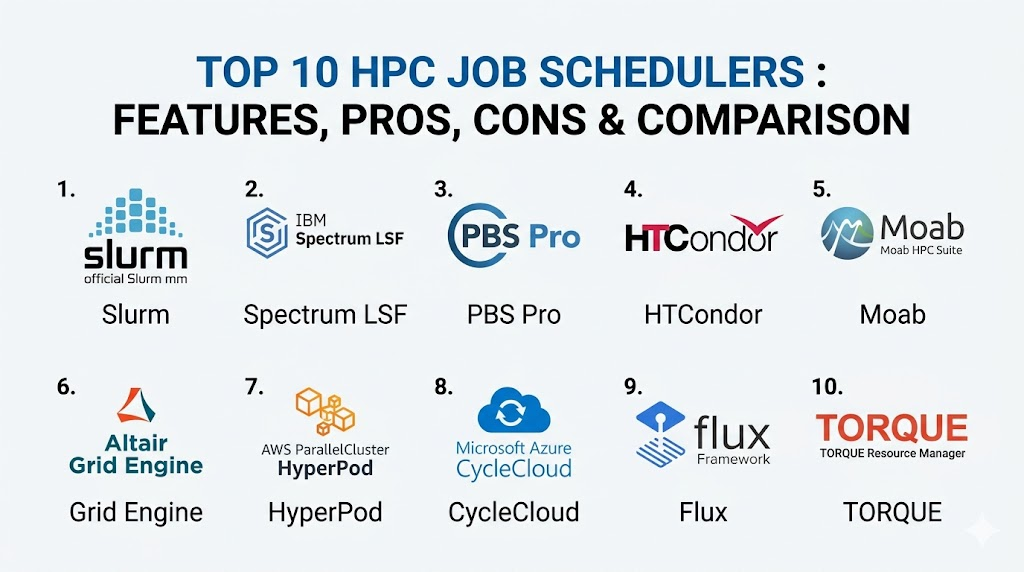
Top 10 HPC Job Schedulers
1. Slurm Workload Manager
Slurm is the undisputed heavyweight of the HPC world, powering a majority of the world’s fastest supercomputers. It is an open-source, highly scalable, and fault-tolerant cluster management and job scheduling system for large and small Linux clusters.
Key Features
- Highly modular design with a rich set of plugins for different scheduling algorithms.
- Advanced backfilling capabilities to maximize system utilization.
- Native support for GRES (Generic Resources) to manage GPUs and other accelerators.
- Powerful accounting database for tracking resource usage across users and projects.
- Support for hierarchical fair-share and complex preemption rules.
Pros
- Completely open-source with a massive global community and commercial support options.
- Incredibly scalable, proven to handle tens of thousands of nodes.
Cons
- The configuration process can be complex for newcomers.
- Documentation is thorough but can be dense and technically demanding.
Platforms / Deployment
Linux
Local / Hybrid / Cloud
Security & Compliance
MFA integration, Munge authentication, and detailed audit logs.
Not publicly stated.
Integrations & Ecosystem
Slurm integrates with virtually every scientific library and tool, including OpenMPI, PMIX, and various cloud-bursting frameworks for major providers.
Support & Community
Unmatched community support via mailing lists and forums. Commercial support is available through specialized vendors like SchedMD.
2. IBM Spectrum LSF
Load Sharing Facility (LSF) is a powerful enterprise-grade scheduler known for its high performance and sophisticated policy-driven resource management. It is widely used in high-end engineering and semiconductor design.
Key Features
- Exceptional job throughput for high-volume, short-duration tasks.
- Sophisticated license management integration for expensive engineering software.
- Native GUI for easy monitoring and job submission for non-technical users.
- Advanced multi-cluster and multi-site job forwarding capabilities.
- Integrated reporting and analytics for capacity planning.
Pros
- Superior technical support and enterprise-grade reliability.
- Excellent handling of complex software license requirements.
Cons
- High licensing costs compared to open-source alternatives.
- Proprietary nature limits some deep-level community customizations.
Platforms / Deployment
Windows / Linux / macOS (Client)
Hybrid / Cloud
Security & Compliance
Kerberos support, RBAC, and SOC 2 compliant features within IBM Cloud environments.
ISO 27001 compliant.
Integrations & Ecosystem
Strong ties to the IBM software ecosystem and deep integration with major EDA (Electronic Design Automation) tools.
Support & Community
Full professional support from IBM, including dedicated engineers and extensive documentation.
3. Altair PBS Professional
PBS Pro is a fast, powerful workload manager designed to improve productivity, optimize utilization and efficiency, and simplify administration for HPC clusters.
Key Features
- Highly customizable “hooks” for automating workflows and resource checks.
- Energy-aware scheduling to reduce the carbon footprint of large clusters.
- Advanced GPU scheduling with support for multi-instance GPU (MIG).
- Dynamic provisioning for bursting into public cloud environments.
- Intuitive portal for job submission and management.
Pros
- Very stable and reliable for critical industrial simulations.
- Strong focus on user experience and administrative ease.
Cons
- Can be expensive for smaller academic departments.
- Requires a more formal setup compared to lightweight schedulers.
Platforms / Deployment
Windows / Linux
Hybrid / Cloud
Security & Compliance
EAL3+ security certification and support for encrypted communications.
Not publicly stated.
Integrations & Ecosystem
Excellent integration with Altair’s own suite of engineering tools and wide support for third-party cloud vendors.
Support & Community
Professional global support team with a strong presence in the manufacturing and automotive sectors.
4. HTCondor
Developed by the University of Wisconsin-Madison, HTCondor is specialized for High-Throughput Computing (HTC). It excels at managing large collections of distributable computing resources.
Key Features
- Unique “ClassAds” mechanism for matching jobs with available resources.
- Excellent at harvesting “cycle-stealing” opportunities from idle workstations.
- Strong support for long-running jobs through checkpointing and migration.
- Native support for Docker and Singularity containers.
- Designed for distributed ownership of resources.
Pros
- The best tool for managing millions of independent, serial tasks.
- Free and open-source with a long history of academic success.
Cons
- Not as optimized for tightly coupled parallel MPI jobs as Slurm.
- The configuration syntax has a steep learning curve.
Platforms / Deployment
Windows / Linux / macOS
Local / Distributed
Security & Compliance
Strong authentication methods including GSI and Kerberos.
Not publicly stated.
Integrations & Ecosystem
Widely used in the physics community and integrates well with distributed storage systems like CVMFS.
Support & Community
Very active academic community and annual “Condor Week” workshops for users and developers.
5. Adaptive Computing Moab
Moab is a cluster suite that acts as a powerful “brain” on top of other resource managers, providing advanced policy-driven intelligence to complex HPC environments.
Key Features
- Advanced future-reservation system for guaranteed resource availability.
- SLA-based scheduling to ensure critical projects meet deadlines.
- Dynamic cloud-bursting and resource provisioning.
- Comprehensive “Showq” tools for detailed queue visualization.
- Sophisticated fair-share and usage-tracking reporting.
Pros
- Exceptional at managing “politics” in shared clusters through complex policies.
- Highly visual management tools for administrators.
Cons
- Usually requires a underlying resource manager like TORQUE or Slurm.
- Complexity can be overkill for smaller, single-purpose clusters.
Platforms / Deployment
Linux
Hybrid / Cloud
Security & Compliance
Role-based access control and secure job submission protocols.
Not publicly stated.
Integrations & Ecosystem
Integrates deeply with the TORQUE resource manager and various commercial cloud APIs.
Support & Community
Professional support from Adaptive Computing with a focus on enterprise and government clients.
6. Oracle Grid Engine (formerly Sun Grid Engine)
Grid Engine is a venerable and widely used scheduler that simplifies the use of shared computing resources. It is particularly popular in the life sciences and financial services sectors.
Key Features
- Flexible queue management with support for different job types.
- Automatic job rescheduling in case of node failure.
- Resource quotas to prevent single users from monopolizing the system.
- Support for array jobs to handle large batches of similar tasks.
- Integrated support for GPU and multi-core resource allocation.
Pros
- Well-understood and stable with decades of production history.
- Relatively straightforward to install and configure for mid-sized clusters.
Cons
- The fragmentation of versions (Open Grid Scheduler, Univa, etc.) can be confusing.
- Development speed is slower than modern open-source competitors.
Platforms / Deployment
Linux / macOS / Windows (Client)
Local / Hybrid
Security & Compliance
Standard RBAC and secure communication layers.
Not publicly stated.
Integrations & Ecosystem
Strong integration with bioinformatics pipelines and financial modeling software.
Support & Community
Support varies by version, with professional support available through Oracle and other vendors.
7. Amazon SageMaker HyperPod
While unique, HyperPod is a managed scheduling environment specifically designed for massive AI training clusters. it automates the management of thousands of accelerators.
Key Features
- Automatic health checks and node replacement to minimize downtime during long training runs.
- Native support for distributed training frameworks like PyTorch and TensorFlow.
- Pre-configured high-speed interconnect settings (EFA).
- Automated checkpointing and job resumption.
- Deep integration with AWS storage and monitoring.
Pros
- Zero infrastructure management overhead for the user.
- Specifically tuned for the latest AI accelerators.
Cons
- Strictly limited to the AWS cloud environment.
- Less flexibility for non-AI, traditional scientific workloads.
Platforms / Deployment
Cloud
Managed Cloud
Security & Compliance
Full AWS IAM integration and SOC 1/2/3 compliance.
HIPAA and GDPR compliant.
Integrations & Ecosystem
Integrates with the entire AWS machine learning stack and S3 storage.
Support & Community
Professional AWS support tiers and extensive online documentation.
8. Azure CycleCloud
CycleCloud is a tool for creating, managing, and optimizing HPC clusters in Microsoft Azure, allowing users to use their preferred scheduler in a cloud-native way.
Key Features
- Templates for deploying Slurm, PBS Pro, and LSF in the cloud with one click.
- Automated scaling that grows and shrinks the cluster based on queue demand.
- Integrated cost controls and budgeting alerts.
- Support for high-performance InfiniBand networking.
- Customizable dashboards for monitoring cluster health.
Pros
- Brings the power of traditional schedulers to the elasticity of the cloud.
- Excellent for hybrid workflows where local clusters overflow to Azure.
Cons
- Requires knowledge of both the chosen scheduler and the Azure platform.
- Focuses more on deployment than on being a standalone scheduler engine.
Platforms / Deployment
Cloud
Hybrid / Cloud
Security & Compliance
Azure Active Directory integration and full Azure security suite.
SOC 2 / ISO 27001 compliant.
Integrations & Ecosystem
Native integration with Azure Batch and Azure NetApp Files for high-performance storage.
Support & Community
Full Microsoft Azure support and a growing library of open-source deployment templates.
9. Flux Framework
Flux is a next-generation, nested resource manager designed to handle the complexity of exascale computing and diverse workflows, including both batch and services.
Key Features
- Fully hierarchical scheduling allowing for clusters-within-clusters.
- Graph-based resource representation for complex hardware topologies.
- High-speed, scalable messaging architecture.
- Native support for managing containers as first-class citizens.
- Highly extensible Python-based API.
Pros
- The most modern architecture designed for the future of supercomputing.
- Excellent for workflows that mix traditional HPC and cloud-native services.
Cons
- Still gaining broad industry adoption compared to Slurm.
- May be too complex for simple, small-scale clusters.
Platforms / Deployment
Linux
Local / Hybrid
Security & Compliance
Modern authentication and capability-based access control.
Not publicly stated.
Integrations & Ecosystem
Growing support for various scientific libraries and emerging exascale software stacks.
Support & Community
Developed by Lawrence Livermore National Laboratory with an active and growing research community.
10. TORQUE Resource Manager
TORQUE is an open-source resource manager that provides control over batch jobs and distributed computing resources. It is frequently paired with Moab or Maui schedulers.
Key Features
- Scalable architecture for managing large Linux clusters.
- Fault-tolerant features to ensure job completion.
- Detailed logging and analytical tools for resource tracking.
- Support for interactive jobs and batch processing.
- Highly customizable job submission filters.
Pros
- A classic tool that is very well-documented and widely understood.
- Strongly modular and easy to integrate with custom scheduling logic.
Cons
- Development has slowed as users migrate toward Slurm.
- The commercial version is now part of the Adaptive Computing suite.
Platforms / Deployment
Linux
Local
Security & Compliance
Basic RBAC and secure communication protocols.
Not publicly stated.
Integrations & Ecosystem
Historically tied to Moab and Maui, but can work with other scheduling engines.
Support & Community
A large historical knowledge base exists, though active development community is shrinking.
Comparison Table
| Tool Name | Best For | Platform(s) Supported | Deployment | Standout Feature | Public Rating |
| 1. Slurm | Top Supercomputers | Linux | Hybrid | Extreme Scalability | N/A |
| 2. Spectrum LSF | Enterprise/EDA | Windows, Linux | Hybrid | High Throughput | N/A |
| 3. PBS Pro | Manufacturing | Windows, Linux | Hybrid | Energy-Aware | N/A |
| 4. HTCondor | Throughput (HTC) | Win, Linux, Mac | Distributed | Cycle Stealing | N/A |
| 5. Moab | Complex Policy | Linux | Hybrid | Future Reservation | N/A |
| 6. Grid Engine | Life Sciences | Linux, Mac | Local | Job Rescheduling | N/A |
| 7. HyperPod | AI Training | Cloud | Managed | Managed AI Ops | N/A |
| 8. CycleCloud | Azure Hybrid | Cloud | Cloud | Auto-Scaling | N/A |
| 9. Flux | Exascale Computing | Linux | Local | Hierarchical Nodes | N/A |
| 10. TORQUE | Classic Clusters | Linux | Local | Modular Design | N/A |
Evaluation & Scoring
| Tool Name | Core (25%) | Ease (15%) | Integrations (15%) | Security (10%) | Perf (10%) | Support (10%) | Value (15%) | Total |
| 1. Slurm | 10 | 5 | 10 | 8 | 10 | 7 | 10 | 8.60 |
| 2. Spectrum LSF | 10 | 7 | 9 | 9 | 10 | 10 | 5 | 8.25 |
| 3. PBS Pro | 9 | 8 | 9 | 9 | 9 | 9 | 7 | 8.60 |
| 4. HTCondor | 8 | 4 | 8 | 7 | 9 | 7 | 10 | 7.40 |
| 5. Moab | 9 | 6 | 9 | 8 | 9 | 8 | 6 | 7.75 |
| 6. Grid Engine | 8 | 7 | 8 | 7 | 8 | 7 | 8 | 7.60 |
| 7. HyperPod | 7 | 9 | 9 | 10 | 10 | 9 | 7 | 8.35 |
| 8. CycleCloud | 7 | 8 | 10 | 9 | 9 | 9 | 8 | 8.40 |
| 9. Flux | 10 | 4 | 7 | 8 | 10 | 6 | 9 | 7.80 |
| 10. TORQUE | 8 | 6 | 8 | 7 | 8 | 6 | 8 | 7.30 |
The scoring emphasizes Slurm and PBS Pro as the most versatile choices for general-purpose HPC. Slurm offers the best value due to its open-source nature and massive scalability, while PBS Pro provides a balanced enterprise experience. Managed cloud solutions like HyperPod and CycleCloud score high in “Ease” and “Security,” reflecting the industry shift toward letting cloud providers handle infrastructure maintenance. Specialized tools like HTCondor score lower on general “Core” features but are 10/10 within their specific high-throughput niche.
Which HPC Job Scheduler Is Right for You?
Solo / Freelancer
For an individual researcher or developer, HTCondor is excellent for harvesting idle time from multiple computers you may own. However, for learning industry standards, starting with a small Slurm cluster is the most beneficial for long-term career growth.
SMB
Small to medium businesses should look for ease of administration. Azure CycleCloud or Oracle Grid Engine provide a relatively straightforward path to managing a cluster without needing a full-time HPC administrator on staff.
Mid-Market
For engineering firms or data science teams, Altair PBS Professional offers a robust balance. It provides the advanced features needed for industrial simulations with a more polished user experience and professional support.
Enterprise
Large enterprises, especially in the semiconductor or financial sectors, will find the most value in IBM Spectrum LSF. Its ability to manage massive job throughput and complex software licenses pays for itself in avoided idle time and optimized license costs.
Budget vs Premium
Slurm is the ultimate budget choice, offering world-class performance for free. IBM Spectrum LSF and Altair PBS Pro represent the premium tier, offering integrated analytics, GUIs, and top-tier support.
Feature Depth vs Ease of Use
Slurm and Flux offer the most feature depth but require significant expertise. Amazon SageMaker HyperPod represents the extreme of ease-of-use, where the scheduling and infrastructure are managed for you.
Integrations & Scalability
If your primary goal is scaling to the absolute limit of modern hardware, Slurm and Flux are the clear winners. For those needing deep integration with specialized engineering tools, PBS Pro and LSF lead the way.
Security & Compliance Needs
Government and highly regulated industries should prioritize PBS Professional with its security certifications or managed cloud services like HyperPod that inherit the compliance of the underlying cloud provider.
Frequently Asked Questions (FAQs)
1. What exactly does an HPC scheduler do?
It acts as a manager for a group of computers, taking requests from users, determining what hardware is available, and starting the jobs when the requested resources are free.
2. Can I use a scheduler on a single computer?
Yes, you can run a scheduler on a single multi-core workstation to manage your own tasks and ensure your CPU and GPU aren’t overloaded by multiple simultaneous runs.
3. Is Slurm the best scheduler for everyone?
While it is the most popular, it isn’t always the “best.” For high-throughput tasks or organizations needing commercial engineering license management, HTCondor or LSF might be better.
4. What is “backfilling” in scheduling?
Backfilling is an optimization where the scheduler starts smaller, shorter jobs in the gaps while it is waiting for enough resources to become free for a larger, higher-priority job.
5. How does a scheduler handle GPU resources?
Modern schedulers treat GPUs as “generic resources.” Users can specify how many GPUs they need, and the scheduler tracks which nodes have available cards.
6. Can I burst my local jobs to the cloud?
Yes, most modern schedulers like Slurm and PBS Pro have plugins or integrations (like CycleCloud) that allow them to automatically start nodes in the cloud when local queues are full.
7. Is there a difference between a scheduler and a resource manager?
A resource manager (like TORQUE) tracks the state of the nodes, while the scheduler (like Moab) decides when and where to run the jobs. Modern tools like Slurm do both.
8. What is fair-share scheduling?
Fair-share is a policy that ensures no single user can dominate the cluster. It adjusts a user’s priority based on how much they have recently used the system.
9. Can schedulers manage containers?
Yes, most top-tier schedulers now have native support for Singularity and Docker, allowing you to run containerized science apps without losing performance.
10. How much does an HPC scheduler cost?
Open-source options like Slurm and HTCondor are free. Commercial licenses for LSF or PBS Pro can range from thousands to tens of thousands of dollars depending on the cluster size.
Conclusion
The selection of an HPC job scheduler is one of the most consequential decisions an organization can make for its computational infrastructure. It determines not just how efficiently your hardware is used, but how effectively your team can collaborate and innovate. From the open-source scalability of Slurm to the enterprise precision of LSF, each tool offers a different path to maximizing your return on investment in silicon. As workloads continue to shift toward AI and cloud-native models, the right scheduler will be the one that provides the flexibility to bridge traditional batch processing with the dynamic needs of modern data science.

Best Cardiac Hospitals Near You
Discover top heart hospitals, cardiology centers & cardiac care services by city.
Advanced Heart Care • Trusted Hospitals • Expert Teams
View Best Hospitals