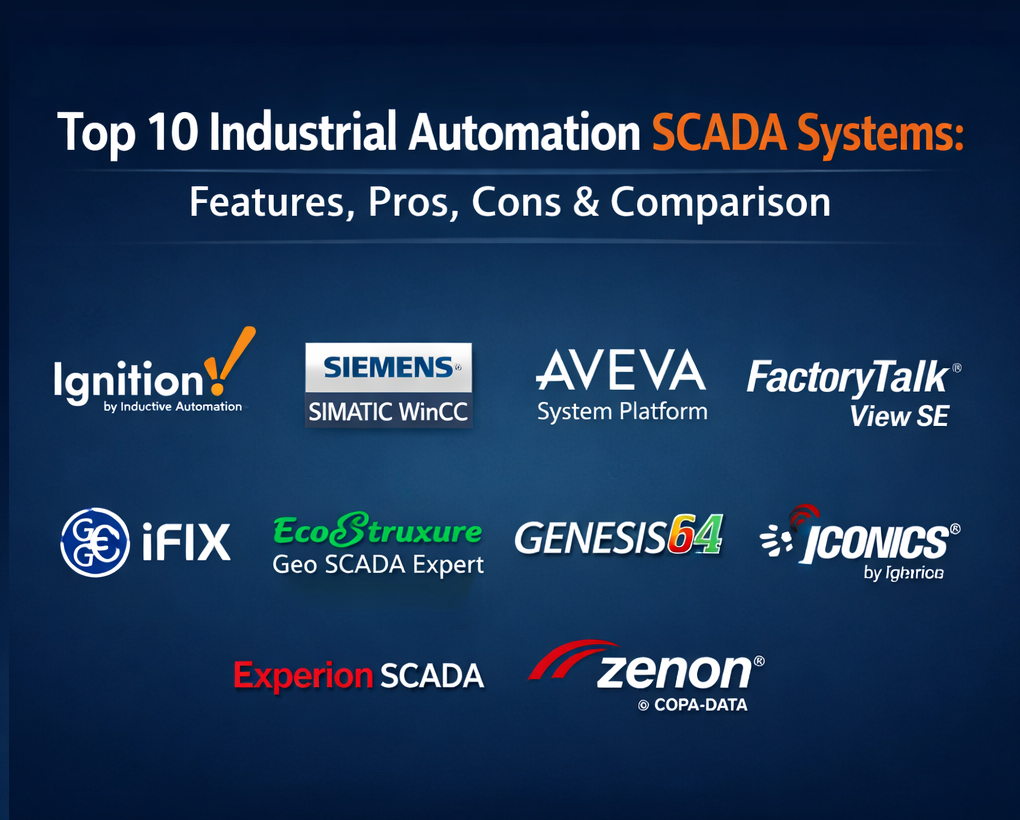
Supervisory Control and Data Acquisition (SCADA) systems represent the digital architecture that enables modern industrial operations to function with precision, safety, and efficiency. At its core, a SCADA system is a software framework used by industrial organizations to monitor, gather, and process real-time data while interacting with devices such as sensors, valves, pumps, and motors through interface software. In the context of, SCADA has evolved from localized, isolated control systems into hyper-connected hubs that integrate Industrial Internet of Things data with high-level enterprise resource planning.
These systems matter now more than ever because they provide the “single source of truth” for operational technology (OT). As energy costs rise and regulatory requirements for carbon reporting become more stringent, SCADA systems offer the granular data needed to optimize resource consumption and prove compliance.
Real-world use cases include:
- Public Utilities: Managing water treatment and distribution networks to ensure safe pressure levels and chemical balances across an entire city.
- Smart Manufacturing: Real-time monitoring of automotive assembly lines to detect micro-vibrations in robotic arms before they lead to mechanical failure.
- Energy Management: Orchestrating the flow of electricity in a smart grid, balancing traditional power plants with volatile renewable inputs like solar and wind.
- Oil and Gas: Supervising remote pipeline segments across thousands of miles using satellite telemetry to detect leaks instantly.
When evaluating a SCADA system, buyers should prioritize:
- Protocol support (OPC UA, MQTT, Modbus).
- Scalability of tag counts and client seats.
- Web-readiness (HTML5 support).
- Cybersecurity posture (IEC 62443 compliance).
- Data historian performance.
- Mobile accessibility.
- Ease of HMI (Human-Machine Interface) design.
- Total cost of ownership, including maintenance and support.
Best for: Industrial engineers, plant managers, and OT directors in sectors like manufacturing, energy, utilities, and pharmaceuticals who need centralized control over distributed assets.
Not ideal for: Small-scale hobbyists, standalone machine control that doesn’t require data logging, or IT-centric projects that don’t interface with physical hardware.
Key Trends in Industrial Automation SCADA Systems and Beyond
- Unified Namespace (UNS): The industry is moving toward a centralized data architecture where SCADA acts as a node in a broker-based system (usually via MQTT), allowing any authorized application to consume data without complex point-to-point integrations.
- Edge-to-Cloud Hybridization: Critical control logic remains at the edge (local) for safety and latency, while heavy data crunching and long-term storage are pushed to the cloud for global enterprise visibility.
- AI-Driven Predictive Alarming: Moving beyond simple threshold alarms (e.g., “Temperature > 90°C”) to predictive alerts where AI analyzes patterns to warn operators that a failure is likely to occur in the next four hours.
- Zero Trust Security: As OT and IT converge, SCADA systems are adopting zero-trust principles, requiring continuous authentication and micro-segmentation of network traffic to prevent lateral movement of cyber threats.
- Low-Code/No-Code HMI Design: Modern platforms are moving away from proprietary scripting toward visual drag-and-drop builders that allow operators to create custom dashboards without deep programming knowledge.
- Digital Twin Synchronization: SCADA data is increasingly used to power real-time digital twins, allowing engineers to run “what-if” simulations on a virtual model of the plant before changing parameters on the live floor.
- VDA 5050 and Interoperability: Increased focus on standardized communication between mobile robots (AMRs) and static SCADA systems to create a unified logistics and production environment.
- Sustainability Tracking: Built-in modules for tracking Scope 1 and Scope 2 emissions directly from meter data, making ESG reporting an automated byproduct of daily operations.
How We Selected These Tools
The “Top 10” list was curated based on the following evaluation logic:
- Market Adoption: We prioritized tools with significant global footprints and established integrator networks.
- Protocol Versatility: Selection favored tools that support both legacy (Modbus, Profibus) and modern (MQTT, OPC UA) protocols.
- Scalability: The ability of the software to grow from a single machine to a multi-site enterprise deployment without a complete redesign.
- Modernity of Architecture: Preference was given to platforms that support HTML5, mobile-native views, and web deployment over “thick-client” legacy models.
- Security Resilience: We looked for systems that have a clear roadmap for cybersecurity updates and support modern encryption standards.
- Customer Support Ecosystem: Tools were selected based on the availability of training resources, documentation, and a thriving community of third-party developers.
Top 10 Industrial Automation SCADA Systems
1 — Ignition by Inductive Automation
A powerful, web-based industrial application platform that offers unlimited licensing. It is used for SCADA, HMI, and IIoT deployments across virtually every industry.
Key Features
- Unlimited Licensing: No per-tag or per-client fees, allowing for unrestricted growth.
- Perspective Module: A modern, HTML5-compliant visualization tool for responsive mobile and web views.
- Native MQTT: Built-in support for Sparkplug B, making it a leader in IIoT architecture.
- Cross-Platform: Runs natively on Windows, Linux, and macOS.
- Modular Design: Users only buy the modules they need (Vision, SQL Bridge, Reporting, etc.).
Pros
- Rapid development cycle with instant deployment of changes to all clients.
- Extremely cost-effective for large-scale operations due to the unlimited model.
Cons
- Requires a solid understanding of SQL databases for advanced features.
- Steep learning curve for those transitioning from traditional “tag-based” legacy systems.
Platforms / Deployment
- Windows / Linux / macOS
- Cloud / Self-hosted / Hybrid
Security & Compliance
- Supports SSL/TLS, MFA, SSO (SAML/OIDC), and RBAC.
- SOC 2 compliant; designed with NIST and IEC 62443 standards in mind.
Integrations & Ecosystem
Ignition functions as a central hub, connecting to nearly any database or hardware device.
- Native drivers for Allen-Bradley, Siemens, Modbus, and Omron.
- Seamless SQL integration (Microsoft SQL, MySQL, PostgreSQL).
- REST API support for third-party software connections.
Support & Community
Unmatched online training via “Inductive University” (free). Strong community forum and a global network of certified integrators.
2 — Siemens SIMATIC WinCC
A scalable process visualization system that is the global standard for Siemens-centric environments. It provides deep integration with the TIA Portal.
Key Features
- WinCC Unified: The latest web-based platform for consistent scaling from HMI panels to SCADA.
- Premier Siemens Integration: Auto-discovery of tags and diagnostics from S7 controllers.
- High Performance Historian: Capable of logging millions of data points with high compression.
- Energy Suite: Integrated tools specifically for monitoring and managing energy consumption.
- Redundancy Options: Robust failover capabilities for mission-critical processes.
Pros
- Unrivaled stability and reliability in European and global manufacturing.
- Seamless “one-tool” engineering experience when using Siemens hardware.
Cons
- Can be more expensive and rigid when used with non-Siemens hardware.
- TIA Portal software is resource-intensive, requiring high-end engineering workstations.
Platforms / Deployment
- Windows
- Self-hosted / Hybrid
Security & Compliance
- IEC 62443-4-1 certified; supports encrypted communication and comprehensive audit trails.
Integrations & Ecosystem
Designed to be the centerpiece of the Siemens “Totally Integrated Automation” (TIA) world.
- OPC UA Client/Server.
- Profinet/Profibus native support.
- SAP/ERP connectivity through specialized connectors.
Support & Community
Global support network with 24/7 coverage. Massive library of technical manuals and an active Siemens Industry Online Support (SIOS) community.
3 — AVEVA System Platform
Formerly known as Wonderware, this is an object-based SCADA solution designed for enterprise-wide standardization and high-end visualization.
Key Features
- Model-Driven Design: Allows users to create “templates” for assets that can be reused across multiple sites.
- Operations Management Interface (OMI): A responsive framework for creating situational awareness dashboards.
- AVEVA PI System Integration: Native connectivity to the world’s most powerful industrial historian.
- Cloud-Connected: Built-in hooks for AVEVA Connect for remote data sharing.
- Situational Awareness Library: Pre-built graphics designed to reduce operator fatigue.
Pros
- The most powerful tool for standardizing operations across 50+ factories.
- Exceptional handling of “Big Data” and complex historical trending.
Cons
- Very high total cost of ownership; often requires specialized consultants to implement.
- Overly complex for simple, single-site applications.
Platforms / Deployment
- Windows
- Cloud / Self-hosted / Hybrid
Security & Compliance
- SOC 2; supports SSO, granular RBAC, and encrypted “Store and Forward” data protection.
Integrations & Ecosystem
Integrates deeply with the broader AVEVA portfolio (MES, Asset Performance, etc.).
- OPC UA, MQTT, and 300+ legacy drivers.
- REST API for IT/OT convergence.
Support & Community
Extensive partner network. Professional support is typically tiered and sold as “Customer FIRST” programs.
4 — Rockwell FactoryTalk View SE
A site-level SCADA software designed for tight integration with Allen-Bradley Logix controllers, dominant in the North American market.
Key Features
- Premier Integration: Direct access to Logix tags without needing to re-create a database.
- FactoryTalk Alarms and Events: A unified alarm subsystem that syncs across the whole plant.
- Scalable Client/Server: Supports multiple operators across a distributed network.
- FactoryTalk ViewPoint: Provides web-enabled HMI for remote viewing via browser.
- Faceplate Libraries: Pre-designed graphics for common industrial components.
Pros
- The “default” choice for North American automotive and food/beverage industries.
- Reliability in high-speed discrete manufacturing environments.
Cons
- Updates and version migrations can be notoriously difficult.
- Modern web features are not as “native” as some newer competitors.
Platforms / Deployment
- Windows
- Self-hosted
Security & Compliance
- Integrates with FactoryTalk Security for centralized user management; supports audit logs for FDA 21 CFR Part 11.
Integrations & Ecosystem
Locked tightly into the Rockwell Automation “The Connected Enterprise” ecosystem.
- EtherNet/IP native.
- OPC UA connectivity.
Support & Community
Massive user base in the US. Support is provided through “TechConnect” contracts.
5 — VTScada by Trihedral
A highly reliable, all-in-one SCADA platform known for its ease of installation and “redundancy-first” architecture.
Key Features
- Single Installer: Everything (drivers, historian, alarms) is in one file; no separate database required.
- Instant Redundancy: Configuring a backup server is a one-click process.
- Built-in Historian: A proprietary, high-speed database designed specifically for industrial data.
- Version Control: Built-in “Undo” for every change made by developers.
- Operational Mirroring: Changes are synced across all servers in real-time.
Pros
- The fastest SCADA system to install and get running from scratch.
- Extremely efficient; can run on lower-spec hardware without performance lag.
Cons
- The user interface for development can feel dated compared to HTML5 tools.
- Less “brand name” recognition outside of the water/wastewater utility sector.
Platforms / Deployment
- Windows
- Self-hosted / Hybrid
Security & Compliance
- Supports SSL, MFA, and highly granular user permissions. Known for security in critical infrastructure.
Integrations & Ecosystem
Broad protocol support included out of the box.
- DNP3, Modbus, MQTT, OPC UA.
- SQL export capabilities for external reporting.
Support & Community
Renowned for having the most accessible technical support team. Excellent “VTScada Academy” for training.
6 — GE Digital iFIX
A mature, high-performance SCADA solution used extensively in the pharmaceutical and water sectors for its flexibility and power.
Key Features
- High-Performance HMI: Graphics designed to guide operator attention to problems instantly.
- Secure-by-Design: Strong emphasis on preventing unauthorized access to control logic.
- Proficy Historian Integration: Native connection to GE’s industry-leading historian.
- Workspace: A unified engineering environment for building screens and tags.
- Dynamic Ribbon: A modern UI for developers to find tools quickly.
Pros
- Exceptional speed and reliability in large-scale process industries.
- Deeply customizable for complex, non-standard automation needs.
Cons
- Can be intimidating for new users due to the sheer number of configuration options.
- Licensing models can be cumbersome to manage.
Platforms / Deployment
- Windows
- Self-hosted / Hybrid
Security & Compliance
- 21 CFR Part 11 ready; supports digital signatures and comprehensive audit trails.
Integrations & Ecosystem
Integrates with the Proficy suite from GE Digital.
- OPC UA, MQTT, and numerous legacy drivers.
- Support for Python scripting for advanced data processing.
Support & Community
Vast network of global partners and a dedicated support portal with a deep knowledge base.
7 — Schneider EcoStruxure Geo SCADA Expert
Formerly known as ClearSCADA, this system is optimized for managing remote assets across wide geographic areas.
Key Features
- Telemetry Focus: Optimized for low-bandwidth, high-latency communication (Satellite, Radio).
- Built-in GIS: Native map integration for tracking assets like mobile pumps or remote wells.
- DNP3 & IEC 60870: Deep support for telemetry-specific protocols.
- Centralized Configuration: Manage thousands of remote sites from a single server.
- Real-time Performance Monitoring: Tracks the health of the communication network itself.
Pros
- The undisputed leader for oil/gas pipelines and water distribution networks.
- Handles “intermittent connectivity” better than any other system on this list.
Cons
- Not the best choice for a local, high-speed manufacturing cell.
- Graphics are functional but utilitarian.
Platforms / Deployment
- Windows
- Self-hosted / Hybrid
Security & Compliance
- Strong focus on critical infrastructure security; supports encrypted DNP3.
Integrations & Ecosystem
Part of the Schneider Electric EcoStruxure architecture.
- OPC UA, Modbus, MQTT.
- SQL and ODBC support for external business logic.
Support & Community
Strong presence in Australia, Europe, and the US. Professional support is provided through Schneider’s global network.
8 — ICONICS GENESIS64
A 64-bit SCADA suite that focuses on stunning 3D visualization and smart building integration.
Key Features
- 3D Visualization: Allows for photorealistic models of facilities that can be interacted with.
- AssetWorX: A model-based asset technology for organizing data logically.
- IoTWorX: Dedicated software for bringing data from edge devices directly to the SCADA.
- Multi-touch Support: Designed for modern touch-screen consoles and mobile devices.
- Hyper Historian: A 64-bit high-speed historian for massive data sets.
Pros
- Best-in-class visual quality; ideal for “Command and Control” centers.
- Strongest solution for Smart Buildings and Facility Management.
Cons
- Requires powerful 64-bit hardware with high-end GPUs for best performance.
- Can be “over-engineered” for simple machine monitoring.
Platforms / Deployment
- Windows / Web
- Cloud / Self-hosted / Hybrid
Security & Compliance
- Not publicly stated (supports standard encryption and RBAC).
Integrations & Ecosystem
Leverages modern IT standards and OPC Foundation specifications.
- OPC UA, BACnet, SNMP, Modbus.
- Integration with Microsoft Azure for big data analytics.
Support & Community
Global support and training programs; part of the Mitsubishi Electric family.
9 — Honeywell Experion SCADA
A highly secure, enterprise-grade SCADA platform often used in critical energy and chemical industries.
Key Features
- Distributed System Architecture (DSA): Allows multiple SCADA servers to act as one system without global tag databases.
- Cyber Security Dashboard: A built-in view to monitor the security health of the OT network.
- Advanced Alarm Management: Based on ISA 18.2 standards to prevent alarm fatigue.
- Experion PKS Integration: Shared infrastructure with Honeywell’s DCS (Distributed Control System).
- Equipment Templates: Reusable structures for rapid engineering.
Pros
- Extremely high security; often the choice for national-level infrastructure.
- Seamless transition between local SCADA and enterprise-wide DCS.
Cons
- Very expensive; typically only affordable for large-scale enterprise players.
- Very proprietary; moving away from Honeywell once implemented is difficult.
Platforms / Deployment
- Windows
- Self-hosted
Security & Compliance
- ISO 27001; compliant with NERC CIP and other global energy sector regulations.
Integrations & Ecosystem
Part of Honeywell’s comprehensive industrial software portfolio.
- OPC UA, Modbus, and Honeywell proprietary protocols.
Support & Community
Premium, high-level support for enterprise clients; limited community-based resources.
10 — COPA-DATA zenon
A versatile, modular SCADA system known for its “Parameterization” approach (no coding required for standard tasks).
Key Features
- Parameterization: Most tasks are completed by setting parameters in a list rather than writing scripts.
- Energy Automation: Specialized modules for substation automation and IEC 61850.
- Smart Objects: Reusable graphical and logical components.
- Multi-Project Management: Easily manage multiple sub-projects from a central engineering station.
- Web Engine: Native HTML5 support for zero-client installation.
Pros
- Extremely fast engineering time for standardized projects.
- Very popular in the pharmaceutical and renewable energy sectors in Europe.
Cons
- Less common in North America, leading to a smaller pool of trained integrators locally.
- The “no-code” approach can sometimes be restrictive for very high-end custom logic.
Platforms / Deployment
- Windows / Linux (Web Engine)
- Self-hosted / Hybrid
Security & Compliance
- FDA 21 CFR Part 11 compliant; ISO 9001.
Integrations & Ecosystem
Offers over 300 native drivers.
- OPC UA Client/Server, MQTT.
- SAP/ERP direct integration.
Support & Community
Strong European community; excellent documentation and professional training certifications.
Comparison Table (Top 10)
| Tool Name | Best For | Platform(s) Supported | Deployment | Standout Feature | Public Rating |
| Ignition | Multi-site / IIoT | Win, Linux, Mac | Hybrid | Unlimited Licensing | N/A |
| Siemens WinCC | Siemens users | Windows | Self-hosted | TIA Portal Integration | N/A |
| AVEVA System Platform | Enterprise Standard | Windows | Hybrid | Object-based Modeling | N/A |
| FactoryTalk View SE | N. American Mfg | Windows | Self-hosted | Logix Native Tags | N/A |
| VTScada | Utilities / Fast Setup | Windows | Self-hosted | Single-file Installer | N/A |
| GE Digital iFIX | Pharma / Process | Windows | Hybrid | High-Perf HMI | N/A |
| Geo SCADA Expert | Remote Telemetry | Windows | Hybrid | Native GIS / Mapping | N/A |
| ICONICS GENESIS64 | Smart Buildings | Windows | Hybrid | 3D Visualization | N/A |
| Honeywell Experion | Energy / Critical | Windows | Self-hosted | DSA Architecture | N/A |
| COPA-DATA zenon | Energy / Pharma | Win, Linux | Hybrid | No-code Parameterization | N/A |
Evaluation & Scoring of Industrial Automation SCADA Systems
| Tool Name | Core (25%) | Ease (15%) | Integrations (15%) | Security (10%) | Performance (10%) | Support (10%) | Value (15%) | Weighted Total |
| Ignition | 9 | 8 | 10 | 9 | 9 | 10 | 10 | 9.25 |
| Siemens WinCC | 9 | 7 | 8 | 9 | 10 | 9 | 7 | 8.40 |
| AVEVA System Platform | 10 | 5 | 9 | 9 | 10 | 8 | 6 | 8.20 |
| FactoryTalk View SE | 8 | 7 | 7 | 8 | 9 | 8 | 7 | 7.70 |
| VTScada | 8 | 10 | 8 | 9 | 9 | 9 | 9 | 8.85 |
| GE Digital iFIX | 9 | 6 | 8 | 9 | 9 | 8 | 7 | 8.05 |
| Geo SCADA Expert | 9 | 7 | 8 | 10 | 8 | 8 | 7 | 8.15 |
| ICONICS GENESIS64 | 8 | 7 | 9 | 8 | 8 | 7 | 8 | 7.85 |
| Honeywell Experion | 10 | 4 | 7 | 10 | 10 | 8 | 5 | 7.75 |
| COPA-DATA zenon | 9 | 9 | 8 | 9 | 9 | 8 | 8 | 8.70 |
How to interpret these scores:
- Core Features: Evaluates the robustness of the alarming, historian, and driver set.
- Ease of Use: Measures the learning curve for a new engineer.
- Value: Represents the power delivered relative to the total cost of ownership.
- Weighted Total: These scores are comparative; a 7.7 is still an industry-leading score, but it may reflect a more “niche” or “expensive” application compared to a 9.0.
Which Industrial Automation SCADA Systems Is Right for You?
Solo / Freelancer
If you are an independent integrator, Ignition is the best choice because you can learn it for free at Inductive University and the unlimited licensing makes it easy to pitch to clients. VTScada is also a strong runner-up due to its fast deployment time, which allows you to complete projects more quickly.
SMB
Small-to-medium businesses should prioritize VTScada or Ignition. These systems don’t require a massive IT infrastructure to run and offer the best “bang for your buck” without the need for high-end enterprise support contracts.
Mid-Market
For companies with 5–10 sites, COPA-DATA zenon or GE Digital iFIX provide excellent modularity. These tools allow you to grow your system site-by-site without the extreme complexity of an enterprise platform like AVEVA.
Enterprise
Global organizations with dozens of facilities must look at AVEVA System Platform or Siemens WinCC. These platforms are designed for the corporate level, allowing a director in a central office to see the performance of a factory on the other side of the world using standardized objects and KPIs.
Budget vs Premium
- Budget-friendly: Ignition (due to unlimited tags) and VTScada (due to low hardware requirements).
- Premium: Honeywell Experion and AVEVA System Platform (high entry costs but massive enterprise power).
Feature Depth vs Ease of Use
- Deepest Features: AVEVA System Platform and Honeywell Experion.
- Easiest to Use: VTScada and COPA-DATA zenon.
Integrations & Scalability
If your primary concern is connecting to the cloud and IIoT devices, Ignition and ICONICS GENESIS64 are the leaders. For sheer scalability of tags and assets, AVEVA System Platform is the industry heavyweight.
Security & Compliance Needs
For high-security sectors (Nuclear, Energy, Critical Water), Honeywell Experion and Schneider Geo SCADA Expert offer the most specialized security certifications. For FDA-regulated industries (Pharma), GE Digital iFIX and Siemens WinCC have the most established audit trail features.
Frequently Asked Questions (FAQs)
What is the typical pricing model for SCADA systems?
Traditionally, SCADA is priced by “tag count” (the number of data points monitored). However, modern leaders like Ignition use an “Unlimited” model based on the server, while others like AVEVA are moving toward subscription-based credits (AVEVA Flex).
How long does a SCADA implementation usually take?
A single-site implementation can take anywhere from 2 weeks for a simple setup using VTScada to 6+ months for a complex, object-oriented AVEVA System Platform deployment.
What is the most common mistake when buying a SCADA system?
Ignoring the cost of maintenance and support. Many buyers look at the initial license price but forget that annual support contracts and the cost of specialized integrators can exceed the initial price within three years.
How do SCADA systems handle cybersecurity?
Most modern systems use a “Defense in Depth” approach, including encrypted communication between the server and PLC, multi-factor authentication for operators, and strict user-based permissions.
Is it possible to switch SCADA vendors easily?
No. Switching vendors is a major undertaking because the graphics, alarm logic, and historian data are often in proprietary formats. It usually requires a total “re-build” of the application.
Can SCADA run on a mobile phone?
Yes. Modern systems using HTML5 (like Ignition Perspective or WinCC Unified) allow operators to view and control the plant from any mobile browser or a dedicated native app.
What is the difference between SCADA and a DCS?
A SCADA system is usually “supervisory” and controls distributed assets with some latency. A DCS (Distributed Control System) is more tightly integrated with the hardware and is used for high-speed, high-reliability process control in a single plant.
Does SCADA require a separate database?
Many systems like Ignition and iFIX require an external SQL database (SQL Server, MySQL) to function fully. Others, like VTScada, have a proprietary database built into the installer.
Can SCADA integrate with my ERP (like SAP)?
Yes, most top-tier systems have “MES” or “ERP” connectors that allow production data to be sent directly to business software for automated inventory and order tracking.
Is cloud-based SCADA safe for control?
While many use the cloud for monitoring, most engineers still keep the control logic local. This ensures that even if the internet goes down, the plant continues to run safely.
Conclusion
The “best” SCADA system is no longer just the one that connects to your PLC the fastest; it is the one that fits your long-term data strategy. Whether you choose the unlimited flexibility of Ignition, the enterprise power of AVEVA, or the telemetry-focused resilience of Geo SCADA Expert, your choice should be driven by your industry’s specific regulatory and geographic requirements.
The next step for any organization is to shortlist 2–3 tools from this list and run a “Proof of Concept” (PoC). Validate that the software can speak to your specific hardware and that your team can comfortably manage the development environment before committing to a full-scale rollout.

Best Cardiac Hospitals Near You
Discover top heart hospitals, cardiology centers & cardiac care services by city.
Advanced Heart Care • Trusted Hospitals • Expert Teams
View Best Hospitals