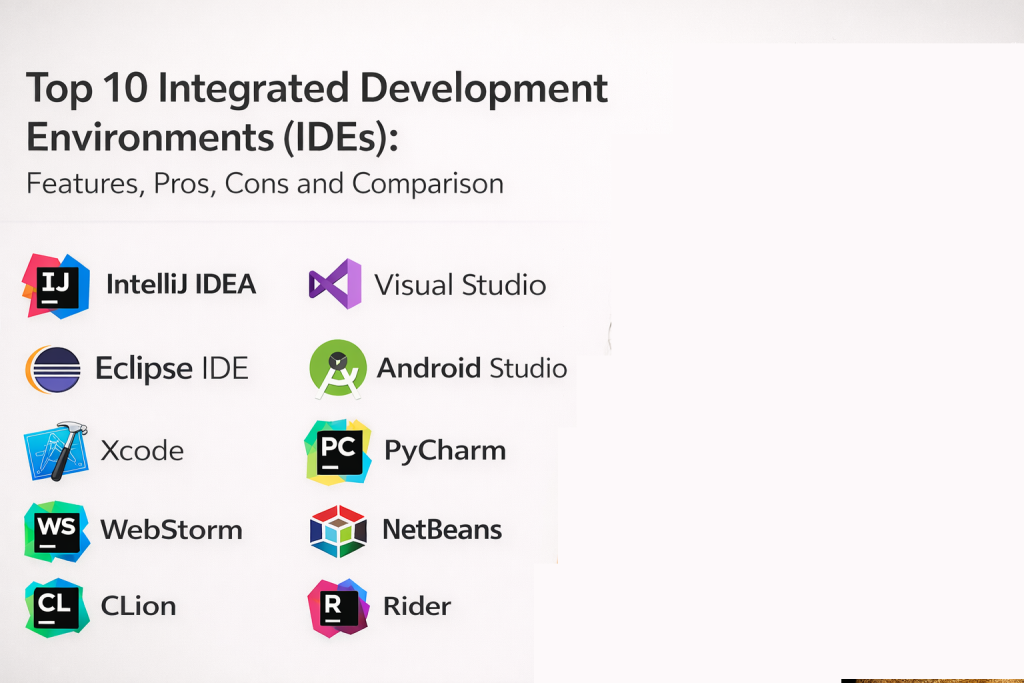
Introduction
Integrated Development Environments (IDEs) are full-featured tools that combine code editing, project management, debugging, testing, build automation, and language intelligence in one place. Unlike basic editors, IDEs usually understand your project structure deeply, so they can provide smarter navigation, safer refactoring, better debugging, and tighter integration with build tools.
This category matters now because modern software is more complex. Teams manage microservices, multi-language codebases, cloud deployments, and strict quality expectations. A strong IDE can reduce bugs, speed up development, make onboarding easier, and improve consistency across teams.
Common real-world use cases include debugging complex applications, refactoring large codebases safely, running tests and profiling performance, building and packaging multi-module projects, and working with frameworks where deep language intelligence helps prevent mistakes.
When evaluating IDEs, buyers should focus on:
- Depth of language intelligence (navigation, refactoring, indexing)
- Debugging quality and test integration
- Framework and toolchain support (build tools, package managers)
- Performance on large projects and monorepos
- Plugin ecosystem and customization flexibility
- Remote development and container-based workflows
- Git integration and code review readiness
- Security features and enterprise manageability
- Cross-platform support for mixed OS teams
- Cost, licensing model, and value for team adoption
Best for: professional developers, teams working on large codebases, backend and enterprise app teams, mobile developers, and engineers who need powerful debugging and refactoring.
Not ideal for: extremely lightweight scripting tasks, very small projects where full IDE overhead is unnecessary, or teams that rely only on terminal tools and minimal GUI environments.
Key Trends in IDEs
- Better project indexing and faster navigation for large codebases
- More emphasis on integrated testing and faster feedback loops
- Improved refactoring support to reduce risk in large projects
- Remote development workflows becoming mainstream (containers and servers)
- Stronger integration with build and dependency tooling
- Better support for multi-language and polyglot codebases
- More focus on developer experience: smoother UI and fewer distractions
- Increased enterprise needs for policy, security, and standardized setups
- Better integration with cloud development environments
- Higher expectation for performance profiling and diagnostics tools
How We Selected These Tools
- Widely recognized and used IDEs across major languages and platforms
- Strong core IDE capabilities: debugging, refactoring, testing, project structure
- Reliable performance and stability for real-world team use
- Ecosystem strength: plugins, extensions, language support
- Fit across segments: solo developers to enterprise teams
- Practical cross-platform support and workflow consistency
- Strength for at least one major language or domain (web, mobile, enterprise)
- Value and licensing considerations for team adoption
- Documentation quality and learning resources
- Long-term viability and active development signals
Top 10 Integrated Development Environments (IDEs)
1 — IntelliJ IDEA
IntelliJ IDEA is a widely used IDE known for deep code intelligence, strong refactoring, and excellent support for JVM-based development. It fits teams building backend services and enterprise applications and also supports many web development workflows.
Key Features
- Deep code understanding and smart navigation
- Strong refactoring tools for large codebases
- Integrated debugging and test runners
- Good support for build tools and dependency workflows
- Strong Git integration for daily workflows
- Plugin ecosystem for extending language and framework support
- Useful project insights for complex multi-module projects
Pros
- Excellent code intelligence and refactoring
- Strong for large enterprise codebases
- Good ecosystem and consistent workflow experience
Cons
- Can feel heavy on low-resource machines
- Licensing may be a factor for large teams
- Indexing complexity depends on project size and setup
Platforms / Deployment
- Windows / macOS / Linux
- Desktop
Security and Compliance
- Security controls depend on enterprise setup and configuration
- Compliance certifications: Not publicly stated
Integrations and Ecosystem
Fits teams that want strong language intelligence and a broad plugin ecosystem.
- Works well with common build tools and package managers
- Integrates with test frameworks and debuggers
- Supports container and remote workflows via configuration
- Integrates with common Git hosting workflows
- Extensible through plugins for broader tech stacks
Support and Community
Strong documentation and broad adoption. Vendor support is typically available.
2 — Visual Studio
Visual Studio is a powerful IDE often used for .NET and Windows-centric development, with strong debugging, profiling, and enterprise tooling. It fits teams building enterprise applications and complex systems where deep diagnostics matter.
Key Features
- Strong debugging and step-through diagnostics
- Profiling tools for performance and memory analysis
- Good integration with .NET workflows and enterprise patterns
- Strong project and solution management
- Built-in testing support and tooling integration
- Useful Git workflows integrated into the IDE
- Extensible marketplace for additional tooling
Pros
- Excellent debugging and profiling tools
- Strong enterprise development capabilities
- Deep integration with .NET and related tooling
Cons
- Heavier resource usage on some systems
- Best experience is often Windows-focused
- Full feature depth can be complex for beginners
Platforms / Deployment
- Windows / macOS
- Desktop
Security and Compliance
- Enterprise security controls: Varies by configuration
- Compliance certifications: Not publicly stated
Integrations and Ecosystem
Strong for teams that build in .NET ecosystems and need enterprise tooling.
- Integration with build and release workflows via configuration
- Supports test frameworks and enterprise tooling patterns
- Works with Git and enterprise identity setups
- Extensible through marketplace ecosystem
- Strong alignment with Microsoft developer workflows
Support and Community
Very strong vendor and community ecosystem, with extensive learning resources.
3 — Eclipse IDE
Eclipse IDE is a widely used open development IDE known for extensibility and strong Java tooling. It fits teams that want a flexible IDE platform, especially for Java and related ecosystems.
Key Features
- Strong Java development tooling and project management
- Plugin-based extensibility for many languages
- Integrated debugging and test support
- Works well with structured enterprise project setups
- Supports build tool integration through configuration
- Mature ecosystem for long-term projects
- Useful workspace management for large projects
Pros
- Strong Java tooling and extensibility
- Good for long-running enterprise projects
- Large ecosystem of plugins and integrations
Cons
- UI and workflows can feel complex or dated to some users
- Performance depends heavily on plugins and workspace setup
- Requires discipline to avoid plugin sprawl
Platforms / Deployment
- Windows / macOS / Linux
- Desktop
Security and Compliance
- Security controls depend on plugins and configuration
- Compliance certifications: Not publicly stated
Integrations and Ecosystem
Eclipse fits teams that want a modular IDE approach with many customization options.
- Plugin ecosystem for language and tooling support
- Integrates with build tools and test frameworks
- Works with Git through plugins and integrations
- Supports enterprise development workflows
- Extensible for specialized engineering needs
Support and Community
Strong community and long-standing ecosystem. Documentation is extensive.
4 — Android Studio
Android Studio is the primary IDE for Android app development. It fits mobile teams building Android applications and needs strong tooling for UI design, debugging, device testing, and performance analysis.
Key Features
- Android-specific project templates and tooling
- Strong emulator and device testing support
- Debugging tools for mobile and performance issues
- UI design tools and layout previews
- Integrated build and dependency workflows for Android projects
- Profilers for CPU, memory, and network behavior
- Strong support for modern Android development workflows
Pros
- Best-in-class tooling for Android development
- Strong emulation, debugging, and profiling
- Templates and guidance speed up mobile development
Cons
- Can be resource-heavy on modest machines
- Best used only for Android-focused work
- Large projects can increase build and indexing time
Platforms / Deployment
- Windows / macOS / Linux
- Desktop
Security and Compliance
- Security depends on environment configuration
- Compliance certifications: Not publicly stated
Integrations and Ecosystem
Android Studio integrates best with Android toolchains and mobile workflows.
- Strong build and packaging workflows for Android
- Integrates with testing frameworks and device farms via setup
- Works with Git workflows for team collaboration
- Supports profiling and diagnostics workflows
- Fits mobile CI and release preparation patterns
Support and Community
Large community and broad learning resources due to Android developer adoption.
5 — Xcode
Xcode is the primary IDE for iOS and macOS development. It fits teams building Apple-platform applications and needs strong integration with Apple SDKs, device testing, and app packaging workflows.
Key Features
- Apple-platform project templates and SDK integration
- Debugging tools for mobile and desktop apps
- Interface design tools for building UI workflows
- Device testing and simulator support
- Build and packaging tools for Apple ecosystems
- Profiling tools for performance and memory analysis
- Strong support for Apple app distribution workflows
Pros
- Best fit for iOS and macOS development
- Tight integration with Apple SDKs and app workflows
- Strong debugging and profiling tools for Apple platforms
Cons
- macOS-only, not suitable for mixed OS development teams
- Can be complex for new developers
- Build and dependency workflows depend on project setup
Platforms / Deployment
- macOS
- Desktop
Security and Compliance
- Security depends on development environment setup
- Compliance certifications: Not publicly stated
Integrations and Ecosystem
Xcode is deeply aligned with Apple development toolchains and app distribution needs.
- Strong integration with Apple build and signing workflows
- Works with device testing and simulator workflows
- Supports Git workflows for source control
- Fits mobile release processes and packaging needs
- Extensible within Apple ecosystem expectations
Support and Community
Strong community resources for Apple development. Documentation is extensive.
6 — PyCharm
PyCharm is a Python-focused IDE known for strong code intelligence, debugging, testing, and environment management. It fits teams building Python applications, data workflows, and backend services.
Key Features
- Python code intelligence and refactoring tools
- Integrated debugging and test runners
- Environment management workflows for Python projects
- Support for frameworks and web development patterns
- Strong Git integration and project navigation
- Useful inspection tools and code quality hints
- Plugin support for related tooling and languages
Pros
- Excellent for Python development and debugging
- Strong environment and dependency workflows
- Good fit for large Python projects and teams
Cons
- Best value when Python is the primary language
- Licensing may be a factor
- Indexing and performance depend on project size and plugins
Platforms / Deployment
- Windows / macOS / Linux
- Desktop
Security and Compliance
- Security controls depend on configuration and environment
- Compliance certifications: Not publicly stated
Integrations and Ecosystem
PyCharm fits teams that want reliable Python productivity and fewer workflow gaps.
- Integrates with testing frameworks and linters
- Supports web frameworks through configuration
- Works with Git workflows and code reviews
- Supports container and remote workflows via setup
- Extensible through plugins for broader stacks
Support and Community
Strong vendor documentation and community adoption in Python ecosystems.
7 — WebStorm
WebStorm is a JavaScript and TypeScript-focused IDE built for modern web development. It fits front-end and full-stack web teams that need deep code intelligence, debugging, and strong framework support.
Key Features
- Strong JavaScript and TypeScript intelligence
- Refactoring and navigation for large web codebases
- Integrated debugging for web applications
- Tooling integration for linting and formatting workflows
- Strong framework support through configuration
- Built-in test runners and project tooling support
- Git integration for daily web development workflows
Pros
- Excellent for large JavaScript and TypeScript projects
- Strong refactoring and navigation tools
- Good framework-aware developer experience
Cons
- Licensing can be a factor for teams
- Can be heavier than lightweight editors for simple tasks
- Best fit when web development is the primary workload
Platforms / Deployment
- Windows / macOS / Linux
- Desktop
Security and Compliance
- Security depends on environment configuration
- Compliance certifications: Not publicly stated
Integrations and Ecosystem
WebStorm fits modern web teams that want deeper intelligence than a plugin-based editor setup.
- Integrates with common web build tools and package managers
- Supports test frameworks and debugging workflows
- Works with Git hosting and code review patterns
- Integrates with linters and formatters
- Supports container and remote workflows via setup
Support and Community
Strong documentation and vendor support. Community usage is broad among web teams.
8 — NetBeans
NetBeans is a general-purpose IDE known for Java development and strong project management features. It fits teams that want a stable IDE for Java and related tooling with a straightforward approach.
Key Features
- Java development tooling and project structure support
- Integrated debugging and refactoring basics
- Support for build and dependency workflows via configuration
- Useful UI for project navigation and management
- Works with multiple languages in many setups
- Plugin support for extending capabilities
- Useful for structured enterprise Java projects
Pros
- Solid Java IDE with straightforward workflows
- Good project management structure
- Useful for teams that want a stable, simple IDE experience
Cons
- Ecosystem depth may be smaller than some alternatives
- UI experience may feel less modern for some users
- Advanced tooling breadth depends on plugins and setup
Platforms / Deployment
- Windows / macOS / Linux
- Desktop
Security and Compliance
- Security depends on plugins and configuration
- Compliance certifications: Not publicly stated
Integrations and Ecosystem
NetBeans is practical for teams that want stable Java tooling without excessive complexity.
- Integrates with common Java build tools via setup
- Works with Git workflows through integrations
- Supports testing and debugging patterns
- Plugin ecosystem for added capabilities
- Fits structured project environments
Support and Community
Community support exists and documentation is available. Strength varies by usage.
9 — CLion
CLion is a C and C++ focused IDE known for strong code intelligence, debugging, and tooling support. It fits teams building systems software, performance-critical services, and native applications.
Key Features
- C and C++ code intelligence and navigation
- Integrated debugging tools for native development
- Refactoring and code quality inspections
- Integration with build systems common in C and C++
- Strong project indexing for complex codebases
- Git integration for native development workflows
- Tooling support for performance-oriented projects
Pros
- Strong C and C++ developer productivity features
- Excellent navigation and refactoring for native code
- Good debugging workflows for systems development
Cons
- Licensing can be a factor
- Can be heavy on large native projects depending on setup
- Best fit when native development is the main focus
Platforms / Deployment
- Windows / macOS / Linux
- Desktop
Security and Compliance
- Security depends on environment setup and configuration
- Compliance certifications: Not publicly stated
Integrations and Ecosystem
CLion fits teams that want fewer workflow gaps in native development.
- Integrates with build systems through configuration
- Works with debugging and testing workflows
- Supports Git for collaboration and reviews
- Extensible through plugins for related tooling
- Fits cross-platform native project workflows
Support and Community
Strong vendor support and community in native development circles.
10 — Rider
Rider is a .NET focused IDE designed to support modern .NET development workflows with strong code intelligence and debugging. It fits teams building cross-platform .NET applications and services.
Key Features
- Strong .NET code intelligence and refactoring
- Integrated debugging and test runners for .NET workflows
- Works with cross-platform .NET development needs
- Good project navigation for large solutions
- Git integration and collaboration features
- Supports modern .NET patterns and tooling integration
- Useful inspections and code quality hints
Pros
- Strong productivity for .NET development
- Cross-platform support that can help mixed OS teams
- Good refactoring and debugging experience
Cons
- Licensing can be a factor
- Best fit when .NET is a primary stack
- Some workflows depend on project and environment setup
Platforms / Deployment
- Windows / macOS / Linux
- Desktop
Security and Compliance
- Security depends on configuration and environment controls
- Compliance certifications: Not publicly stated
Integrations and Ecosystem
Rider fits teams building modern .NET apps where cross-platform workflows matter.
- Integrates with .NET build and test tooling
- Works with Git and review preparation workflows
- Supports debugging and profiling patterns through setup
- Fits enterprise development workflows
- Extensible through plugins and configuration
Support and Community
Strong vendor documentation and good adoption among .NET developers.
Comparison Table
| Tool Name | Best For | Platform(s) Supported | Deployment | Standout Feature | Public Rating |
|---|---|---|---|---|---|
| IntelliJ IDEA | JVM and enterprise backend development | Windows, macOS, Linux | Desktop | Deep refactoring and intelligence | N/A |
| Visual Studio | .NET and Windows-centric enterprise development | Windows, macOS | Desktop | Powerful debugging and profiling | N/A |
| Eclipse IDE | Extensible Java and enterprise projects | Windows, macOS, Linux | Desktop | Large plugin ecosystem | N/A |
| Android Studio | Android mobile development | Windows, macOS, Linux | Desktop | Best Android tooling and profiling | N/A |
| Xcode | iOS and macOS app development | macOS | Desktop | Tight Apple SDK integration | N/A |
| PyCharm | Python application development | Windows, macOS, Linux | Desktop | Python debugging and environments | N/A |
| WebStorm | JavaScript and TypeScript web development | Windows, macOS, Linux | Desktop | Web-focused intelligence and refactoring | N/A |
| NetBeans | Stable Java IDE with project management | Windows, macOS, Linux | Desktop | Structured project workflows | N/A |
| CLion | C and C++ native development | Windows, macOS, Linux | Desktop | Native code intelligence and debugging | N/A |
| Rider | Cross-platform .NET development | Windows, macOS, Linux | Desktop | .NET productivity across OS | N/A |
Evaluation and Scoring of Integrated Development Environments (IDEs)
Scoring uses a 1–10 scale per criterion, then a weighted total using these weights: Core features 25%, Ease of use 15%, Integrations and ecosystem 15%, Security and compliance 10%, Performance and reliability 10%, Support and community 10%, Price and value 15%. Scores are comparative estimates based on typical strengths and common usage patterns, not absolute measurements.
| Tool Name | Core (25%) | Ease (15%) | Integrations (15%) | Security (10%) | Performance (10%) | Support (10%) | Value (15%) | Weighted Total |
|---|---|---|---|---|---|---|---|---|
| IntelliJ IDEA | 9 | 8 | 9 | 7 | 8 | 9 | 7 | 8.25 |
| Visual Studio | 9 | 7 | 8 | 8 | 8 | 9 | 7 | 8.10 |
| Eclipse IDE | 8 | 6 | 8 | 6 | 7 | 8 | 9 | 7.55 |
| Android Studio | 8 | 7 | 7 | 6 | 7 | 8 | 9 | 7.40 |
| Xcode | 8 | 6 | 7 | 6 | 7 | 8 | 9 | 7.20 |
| PyCharm | 8 | 8 | 8 | 7 | 8 | 8 | 7 | 7.75 |
| WebStorm | 8 | 8 | 8 | 7 | 8 | 8 | 7 | 7.75 |
| NetBeans | 7 | 7 | 7 | 6 | 7 | 7 | 9 | 7.15 |
| CLion | 8 | 7 | 7 | 6 | 8 | 7 | 6 | 7.15 |
| Rider | 8 | 8 | 7 | 7 | 8 | 7 | 6 | 7.35 |
How to interpret the scores:
- Higher Core favors deep debugging, refactoring, and project intelligence
- Higher Ease favors smoother onboarding and fewer workflow gaps
- Higher Integrations favors compatibility with frameworks and toolchains
- Security depends heavily on enterprise policy and environment configuration
- Weighted Total helps shortlist tools, but the best choice depends on your stack and team needs
Which Integrated Development Environment (IDE) Is Right for You
Solo / Freelancer
Choose an IDE that matches your main language and framework. If you build Java services, IntelliJ IDEA is strong. For Python, PyCharm is typically easiest for deep debugging and testing. For web-centric work, WebStorm provides strong intelligence. If you build mobile apps, Android Studio or Xcode will be the best fit by platform.
SMB
SMBs should prioritize developer productivity and easy onboarding. IntelliJ IDEA and Visual Studio are strong defaults for enterprise stacks. PyCharm and WebStorm are strong when your company is Python or web focused. NetBeans and Eclipse can work well when budgets are tight and Java is a core language, but teams should standardize plugins carefully to avoid inconsistent experiences.
Mid-Market
Mid-market teams benefit from consistent setups, good performance in larger codebases, and strong debugging. IntelliJ IDEA, Visual Studio, and Rider are strong for large application development. Android Studio and Xcode are essential for mobile product teams. Consider standardizing IDE configs and plugins across teams for consistent workflows and fewer onboarding issues.
Enterprise
Enterprises often need standardization, repeatable developer environments, and strong debugging and governance. Visual Studio and IntelliJ IDEA are common enterprise standards because they scale for large projects. Rider can be valuable for cross-platform .NET teams. Eclipse can still be effective in mature Java shops with strong internal templates and governance. For regulated environments, focus on consistent plugin policies and internal setup guides.
Budget vs Premium
NetBeans and Eclipse can be attractive budget-friendly IDEs for Java. Premium IDEs earn their cost when they reduce debugging time, improve refactoring safety, and speed up onboarding. Measure value by fewer production bugs, faster feature delivery, and less time lost to build and environment issues.
Feature Depth vs Ease of Use
If you want the deepest features, IntelliJ IDEA, Visual Studio, and the JetBrains language-specific IDEs offer strong refactoring and debugging. If you want a simpler setup with fewer moving parts, NetBeans can feel more straightforward. Eclipse can be powerful but requires discipline in plugin and workspace management.
Integrations and Scalability
For JVM stacks, IntelliJ IDEA and Eclipse integrate strongly with common build tooling. For .NET, Visual Studio and Rider are strong. For mobile, Android Studio and Xcode integrate best with their platforms. For multi-language organizations, combining a few IDE standards rather than allowing dozens of tools helps scaling and support.
Security and Compliance Needs
For secure setups, control extensions and plugins, standardize IDE configurations, and avoid untrusted add-ons. The IDE is only one part of security. Strong source control, protected branches, and CI checks matter more, but standardized IDE environments reduce accidental mistakes and inconsistencies.
Frequently Asked Questions
- What makes an IDE different from a code editor?
An IDE usually provides deeper project understanding, advanced refactoring, integrated debugging, testing tools, and build system integration. A code editor focuses more on editing and becomes “IDE-like” through extensions. - Do IDEs slow down development because they are heavy?
They can be heavier than lightweight editors, but they often save time by catching issues early, offering better debugging, and enabling safer refactoring. The net effect is usually faster delivery for complex projects. - Which IDE is best for Java development?
IntelliJ IDEA and Eclipse IDE are common choices for Java. The best choice depends on your team’s build tools, plugin needs, and preference for UI and workflows. - Which IDE is best for Python development?
PyCharm is a strong choice because it provides deep Python intelligence, debugging, and test integration. Some teams also use general IDEs or editors, but PyCharm is very consistent for Python. - Which IDE should mobile developers use?
Android Studio is the standard choice for Android. Xcode is the standard choice for iOS and macOS development. These IDEs integrate best with platform SDKs and tooling. - Should a team standardize on one IDE?
Often yes, because it simplifies onboarding and reduces support overhead. However, some teams standardize by language domain, such as one for Java, one for web, and one for mobile. - How important are plugins in an IDE?
Plugins can add language and framework support, but too many plugins can reduce stability and performance. Teams should standardize a small set of approved plugins for consistent workflows. - Can IDEs work well with large monorepos?
Yes, but performance depends on indexing, memory, and project setup. IDEs with strong indexing and project intelligence tend to handle large repos better, but teams must configure them carefully. - Do IDEs help with code quality?
Yes. IDE inspections, refactoring tools, and test integrations help catch issues early. However, team code quality still depends on code review, tests, and CI policies. - What is a practical way to choose an IDE for a team?
Shortlist two or three IDEs, test them on a real project, measure indexing time, debugging experience, and refactoring safety. Then standardize setup guides and plugins to keep workflows consistent.
Conclusion
IDEs are the core productivity tool for many professional developers because they combine editing, debugging, testing, project structure, and refactoring into one environment. The right IDE depends on your primary language, framework needs, team size, and how complex your projects are. IntelliJ IDEA stands out for deep refactoring and JVM projects, while Visual Studio is strong for .NET and enterprise diagnostics. Android Studio and Xcode are essential for mobile teams. PyCharm and WebStorm deliver strong language-focused intelligence for Python and web development. Eclipse and NetBeans remain practical for many Java environments, especially with careful configuration. A smart next step is to shortlist two or three IDEs, run a real trial on your main codebase, validate debugging and refactoring workflows, and then standardize a shared setup so your team works faster and more consistently.

Best Cardiac Hospitals Near You
Discover top heart hospitals, cardiology centers & cardiac care services by city.
Advanced Heart Care • Trusted Hospitals • Expert Teams
View Best Hospitals