Introduction
An Internal Developer Platform (IDP) is a layer of integrated tools and technologies designed to reduce the cognitive load on engineering teams by providing a “paved road” for software delivery. While DevOps focused on the culture of collaboration, IDPs focus on the engineering of that collaboration through a self-service product. These platforms allow developers to provision infrastructure, manage deployments, and monitor services without needing to become experts in cloud configuration or Kubernetes. By centralizing common workflows, an IDP acts as the primary interface between the developer and the complex underlying infrastructure.
In the current landscape, the rise of microservices and multi-cloud environments has made software delivery increasingly fragmented. IDPs matter now because they prevent “tool sprawl” and ensure that best practices for security and compliance are built into the development lifecycle by default. Instead of waiting days for an operations team to provision a database, a developer can use an IDP to self-serve that resource in minutes, ensuring that speed and governance exist in harmony.
Real-World Use Cases
- Developer Self-Service: Enabling engineers to spin up on-demand preview environments or cloud resources using pre-approved templates.
- Service Cataloging: Maintaining a central “source of truth” for all microservices, their ownership, dependencies, and health status.
- Standardizing Golden Paths: Creating repeatable, secure workflows for scaffolding new applications that follow organizational best practices.
- Operational Maturity Tracking: Using scorecards to measure and enforce standards for production readiness, security, and documentation.
- Environment Management: Automating the promotion of code through dev, staging, and production environments with consistent configurations.
Evaluation Criteria for Buyers
- Time to Value: How quickly can the platform be integrated into existing workflows without a massive engineering overhaul?
- Abstraction Level: Does the platform offer the right balance between simplifying tasks and allowing deep technical control when needed?
- Ecosystem Compatibility: Ability to integrate with current CI/CD tools, cloud providers, and observability stacks.
- Infrastructure-as-Code (IaC) Support: How well the platform leverages existing tools like Terraform, Pulumi, or OpenTofu.
- Scorecards & Governance: Built-in capabilities for measuring service health and enforcing security policies across teams.
- Total Cost of Ownership: Beyond the license fee, what is the cost of the dedicated team required to maintain the platform?
- Search & Discoverability: The efficiency of finding services, APIs, and documentation within the internal catalog.
Best for: Rapidly scaling engineering organizations, enterprise teams aiming to reduce DevOps bottlenecks, and platform teams building a unified developer experience.
Not ideal for: Very small teams with only a few developers, organizations with monolithic architectures, or teams that lack a dedicated person to manage the platform product.
Key Trends in Internal Developer Platforms
- AI-Powered Discovery: Using machine learning to automatically map dependencies and suggest fixes for service health issues within the catalog.
- Platform-as-a-Product: A shift toward treating the IDP as a product with its own roadmap, focusing on the developer as the primary customer.
- Dynamic Configuration Management: Moving away from static YAML files to graph-based backends that generate environment-specific configurations on the fly.
- The Rise of Scorecards: Automated “readiness checks” are becoming mandatory for production deployments to ensure security and reliability.
- Unified Developer Hubs: Centralizing documentation, training materials, and tool access into a single browser-based interface.
- GitOps-First Integration: Deep alignment with GitOps patterns where the IDP acts as the portal to trigger changes managed in Git.
- FinOps & GreenOps Visibility: Platforms are now including modules to track cloud costs and carbon footprints directly at the service level.
- Standardized Workload Specifications: Adoption of open standards like “Score” to define how workloads interact with infrastructure regardless of the cloud provider.
How We Selected These Tools
Our evaluation for the top ten IDPs and portals focused on the entire developer lifecycle, from initial scaffolding to production monitoring. We analyzed the market to include both open-source frameworks that require significant customization and SaaS solutions that offer immediate “out-of-the-box” functionality. A major factor in our selection was the platform’s ability to bridge the gap between “frontend” developer portals and “backend” orchestration layers. We looked for tools that demonstrate strong community adoption, robust security postures, and the flexibility to integrate with the diverse toolchains found in modern enterprise environments. Performance reliability and the ability to reduce developer cognitive load were prioritized above all other metrics.
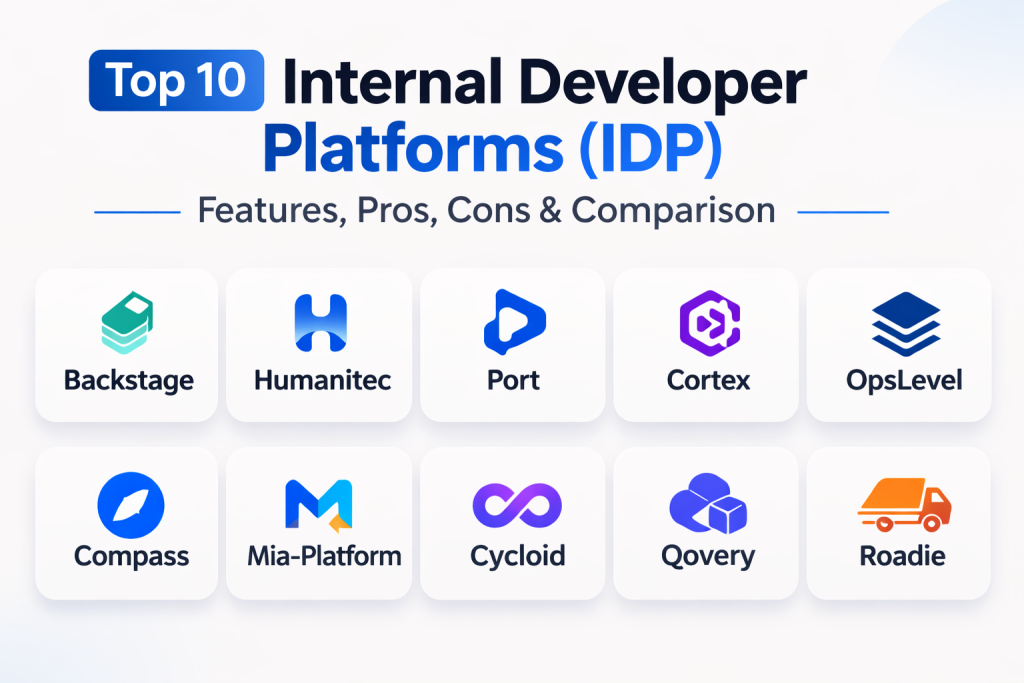
Top 10 Internal Developer Platforms (IDP)
1. Backstage (Spotify)
Backstage is the open-source framework that defined the internal developer portal category. Created by Spotify and donated to the CNCF, it is a highly extensible platform that allows organizations to build a customized developer hub using a massive ecosystem of plugins.
Key Features
- Software Catalog: A centralized hub for tracking every microservice, library, and API in the organization.
- Scaffolding Templates: Pre-configured templates that allow developers to create new projects with best practices included.
- Plugin Architecture: Access to hundreds of community-built plugins for Kubernetes, GitHub, and ArgoCD.
- TechDocs: A documentation-as-code solution that keeps technical guides close to the source code.
- Search & Discovery: High-performance search to find any entity or documentation within the ecosystem.
Pros
- Unmatched flexibility and customization for large engineering organizations.
- Massive community support ensures continuous innovation and many free integrations.
Cons
- Requires a dedicated team of engineers to build and maintain the portal.
- Initial setup and customization can take several months before reaching full utility.
Platforms / Deployment
Web / Self-hosted — Hybrid
Security & Compliance
Depends on implementation; supports standard SSO and RBAC via plugins.
Integrations & Ecosystem
Backstage has the largest integration ecosystem in the industry, connecting with almost every DevOps tool via the CNCF landscape.
Support & Community
Extensive open-source community support and managed versions available from third-party vendors.
2. Humanitec
Humanitec is a platform orchestrator that focuses on the backend logic of an IDP. It allows platform teams to define high-level rules for infrastructure, which the orchestrator then uses to dynamically generate configurations for developers.
Key Features
- Platform Orchestration: Automates the creation of environment-specific configurations for Kubernetes and cloud resources.
- Score Integration: Uses the open-source “Score” specification to define workload requirements.
- Dynamic Configuration: Eliminates the need for developers to manage complex Helm charts or Terraform files.
- Environment Self-Service: Developers can spin up or clone environments through a simple CLI or UI.
- Governance & Guardrails: Centralized control over resource allocation and security policies.
Pros
- Drastically reduces “YAML hell” and infrastructure management for developers.
- Excellent for standardizing configurations across highly distributed teams.
Cons
- Focused more on the orchestration backend than the cataloging frontend.
- Enterprise pricing can be significant for larger teams.
Platforms / Deployment
Web / Cloud — Managed
Security & Compliance
Enterprise-grade security with support for RBAC and audit logs.
Integrations & Ecosystem
Integrates with all major cloud providers and IaC tools like Terraform and OpenTofu.
Support & Community
Professional support with a strong focus on enterprise digital transformation.
3. Port
Port offers a no-code approach to building a developer portal. It is designed for teams that want a flexible, high-quality catalog and self-service actions without the heavy engineering investment required by Backstage.
Key Features
- Flexible Data Model: Allows you to define your own blueprints for services, resources, and even custom assets.
- Self-Service Actions: A simple way to expose automation workflows to developers through a UI.
- Real-Time Scorecards: Tracks service maturity and security compliance with automated grading.
- Automation Dashboards: Visualizes the status of deployments and infrastructure across the organization.
- No-Code Builder: Drag-and-drop interface to design the portal experience.
Pros
- Very fast to implement compared to open-source alternatives.
- Highly intuitive UI that developers actually enjoy using.
Cons
- As a SaaS-first tool, it may not fit organizations requiring total on-premises control.
- Some advanced customizations are limited compared to code-based frameworks.
Platforms / Deployment
Web / Cloud — Managed
Security & Compliance
SOC 2 compliant with robust identity management and role-based access.
Integrations & Ecosystem
Works seamlessly with major CI/CD providers and infrastructure orchestrators like Humanitec.
Support & Community
Active community and fast-growing library of pre-built integrations.
4. Cortex
Cortex is an engineering operations platform that specializes in service catalogs and operational excellence. It uses AI to help organizations understand their service health and drive initiatives to improve software quality.
Key Features
- AI-Powered Discovery: Automatically detects service ownership and metadata across thousands of repos.
- Service Scorecards: Automated checks for security, production readiness, and documentation standards.
- Initiatives Tracking: Allows leadership to set organization-wide goals and track progress in real-time.
- Golden Paths: Standardized workflows for service scaffolding and infrastructure provisioning.
- Service Dependency Mapping: Visualizes how different microservices interact and depend on each other.
Pros
- Exceptional for driving culture change and operational maturity across large teams.
- Strong AI features that reduce the manual work of maintaining a catalog.
Cons
- Can be overkill for smaller organizations that just need a simple catalog.
- Pricing is geared toward mid-market and enterprise customers.
Platforms / Deployment
Web / Cloud — Managed
Security & Compliance
Enterprise security with deep support for audit trails and compliance tracking.
Integrations & Ecosystem
Deeply integrated with observability tools, security scanners, and cloud providers.
Support & Community
High-quality professional support with a focus on engineering excellence.
5. OpsLevel
OpsLevel is a developer portal designed around the concept of a “Service Maturity Model.” It provides a clear way for organizations to define what “good” looks like and helps teams reach those standards through automated checks.
Key Features
- Service Catalog: A unified view of all services, their owners, and their technical specs.
- Maturity Checklists: Automated scorecards that grade services based on user-defined rubrics.
- Campaigns: Tools to drive specific improvements across the organization, such as library migrations.
- Developer Self-Service: Allows engineers to provision new services from templates.
- AI Metadata Assistant: Uses AI to help populate missing metadata for services.
Pros
- Best-in-class for gamifying and tracking operational standards.
- Very clean and focused interface that is easy to navigate.
Cons
- Less focus on deep infrastructure orchestration compared to tools like Humanitec.
- Limited on-premises deployment options.
Platforms / Deployment
Web / Cloud — Managed
Security & Compliance
SOC 2 compliant with standard RBAC and SSO integrations.
Integrations & Ecosystem
Strongest ties to the Atlassian ecosystem and major observability players.
Support & Community
Excellent documentation and a professional support team.
6. Atlassian Compass
Compass is Atlassian’s entry into the IDP space, built to integrate natively with Jira and Bitbucket. It focuses on helping teams navigate their distributed architecture and improve developer experience within the existing Atlassian stack.
Key Features
- Components Catalog: Tracks software components and their health across the organization.
- Health Scorecards: Integrated checks for reliability and security that sync with Jira issues.
- Software Templates: Built-in scaffolding for creating new services within the Atlassian ecosystem.
- Metric Tracking: Built-in dashboards for DORA metrics and other engineering signals.
- Native Jira Integration: Directly links architectural data with project management workflows.
Pros
- No-brainer for organizations already heavily invested in Jira and Confluence.
- Lower barrier to entry for teams already using Atlassian’s identity management.
Cons
- Less powerful for teams that use non-Atlassian tools for SCM or CI/CD.
- Feature set is still evolving compared to more mature niche players.
Platforms / Deployment
Web / Cloud — Managed
Security & Compliance
Leverages Atlassian’s global security and privacy infrastructure.
Integrations & Ecosystem
Best-in-class integration with the Atlassian suite and growing support for external DevOps tools.
Support & Community
Supported by Atlassian’s massive global support network and community forums.
7. Mia-Platform
Mia-Platform provides an end-to-end suite for building internal platforms. It is particularly strong for organizations modernizing legacy systems and moving toward a cloud-native microservices architecture.
Key Features
- Mia-Platform Console: A centralized dashboard for managing the entire application lifecycle.
- Component Marketplace: A library of ready-to-use microservices and templates.
- Fast Track for Kubernetes: Simplifies the onboarding of new applications onto Kubernetes clusters.
- Visual Governance: A UI-driven approach to managing service permissions and security.
- Developer Hub: Consolidation of development processes and documentation.
Pros
- Excellent for industrializing the development process in large enterprises.
- Strong focus on accelerating the transition to microservices.
Cons
- Can be a complex platform to adopt for smaller, agile teams.
- Less community-driven than open-source frameworks like Backstage.
Platforms / Deployment
Web / Self-hosted — Hybrid
Security & Compliance
Designed for enterprise use with robust governance and security controls.
Integrations & Ecosystem
Strongest integration with the Kubernetes ecosystem and cloud-native toolsets.
Support & Community
Professional support with a deep understanding of enterprise architecture.
8. Cycloid
Cycloid is a unified internal developer portal and platform built with a GitOps-first approach. It focuses on reducing cognitive load while promoting sustainable engineering practices like FinOps and GreenOps.
Key Features
- StackForms: A way to abstract infrastructure configuration through simple, intuitive forms.
- FinOps & GreenOps: Built-in modules for monitoring cloud costs and carbon footprints.
- Service Catalog: Centralized management of projects and infrastructure.
- GitOps Workflow: Ensures all changes are version-controlled and managed via Git.
- Infrastructure Mapping: Automatically generates diagrams of your cloud infrastructure.
Pros
- Unique focus on environmental impact and cost optimization.
- Very strong for teams committed to GitOps as their primary delivery model.
Cons
- The GitOps-only focus may be restrictive for teams with different delivery patterns.
- Smaller brand recognition compared to major US-based platforms.
Platforms / Deployment
Web / Self-hosted — Hybrid
Security & Compliance
Sovereign by design, offering high control over data residency and compliance.
Integrations & Ecosystem
Supports all major IaC tools and features custom plugins for diverse DevOps stacks.
Support & Community
High-touch professional support with a focus on European and global enterprise needs.
9. Qovery
Qovery is an IDP that provides a simplified deployment experience on top of Kubernetes. It aims to give developers the power of a PaaS while keeping the flexibility of their own cloud infrastructure.
Key Features
- Ephemeral Environments: Automatically spins up preview environments for every pull request.
- Cloud Abstraction: Simplifies the deployment to AWS, GCP, or Azure through a unified UI.
- Auto-Deploy: Continuous delivery workflows that connect directly to Git repositories.
- Cost Optimization: Smart tools to shut down idle environments and manage cloud spend.
- Developer Self-Service: Intuitive interface for managing infrastructure and databases.
Pros
- Greatly simplifies the complexities of running applications on Kubernetes.
- Provides a very high “ease of use” score for developers who want to move fast.
Cons
- Less focused on broader service cataloging and documentation than portal-first tools.
- Advanced Kubernetes users may find the abstraction limiting for complex tweaks.
Platforms / Deployment
Web / Cloud — Managed
Security & Compliance
Standard security controls with integrated RBAC and environment isolation.
Integrations & Ecosystem
Strongest ties to Git providers and major hyperscale cloud environments.
Support & Community
Responsive support and a growing community of cloud-native developers.
10. Roadie
Roadie is a managed version of Backstage. It provides the full power of the Backstage framework and its plugin ecosystem without the operational burden of hosting and maintaining it yourself.
Key Features
- Managed Backstage: All the benefits of the open-source project without the hosting headaches.
- Pre-Built Connectors: Simplified integration with common enterprise tools.
- Automatic Updates: Ensures your portal is always running the latest Backstage features and security patches.
- Operational Support: Dedicated experts to help with configuration and plugin setup.
- Scaffolder & Catalog: Includes all core Backstage features out of the box.
Pros
- The fastest way to get a professional Backstage portal up and running.
- Significantly reduces the “true cost of ownership” for the Backstage framework.
Cons
- Higher monthly license fee than self-hosting the open-source code.
- Some very deep low-level customizations might be more restricted than a self-managed instance.
Platforms / Deployment
Web / Cloud — Managed
Security & Compliance
Enterprise-ready with SOC 2 compliance and integrated security monitoring.
Integrations & Ecosystem
Fully compatible with the Backstage plugin ecosystem and enterprise SCM providers.
Support & Community
Excellent professional support focused specifically on the Backstage journey.
Comparison Table (Top 10)
| Tool Name | Best For | Platform(s) Supported | Deployment | Standout Feature | Public Rating |
| 1. Backstage | Custom Portals | Web | Self-hosted | Massive Plugin Ecosystem | N/A |
| 2. Humanitec | Backend Orchestration | Web | Cloud | Dynamic Configuration | 4.8/5 |
| 3. Port | No-Code Portals | Web | Cloud | Flexible Blueprint Model | 4.8/5 |
| 4. Cortex | Operational Maturity | Web | Cloud | AI-Powered Scorecards | 4.7/5 |
| 5. OpsLevel | Service Standards | Web | Cloud | Maturity Campaigns | 4.7/5 |
| 6. Compass | Atlassian Ecosystem | Web | Cloud | Native Jira Integration | 4.3/5 |
| 7. Mia-Platform | Enterprise Hubs | Web | Hybrid | Component Marketplace | 4.6/5 |
| 8. Cycloid | GitOps & FinOps | Web | Hybrid | GreenOps Monitoring | 4.5/5 |
| 9. Qovery | K8s Abstraction | Web | Cloud | Ephemeral Environments | 4.7/5 |
| 10. Roadie | Managed Backstage | Web | Cloud | No-Maintenance Portal | 4.6/5 |
Evaluation & Scoring of Internal Developer Platforms
| Tool Name | Core (25%) | Ease (15%) | Integrations (15%) | Security (10%) | Perf (10%) | Support (10%) | Value (15%) | Total |
| 1. Backstage | 10 | 2 | 10 | 7 | 8 | 7 | 8 | 7.5 |
| 2. Humanitec | 9 | 7 | 9 | 10 | 10 | 9 | 7 | 8.4 |
| 3. Port | 8 | 9 | 9 | 9 | 9 | 9 | 8 | 8.5 |
| 4. Cortex | 9 | 7 | 9 | 10 | 8 | 9 | 7 | 8.2 |
| 5. OpsLevel | 8 | 8 | 8 | 9 | 8 | 9 | 8 | 8.0 |
| 6. Compass | 7 | 9 | 7 | 9 | 8 | 8 | 9 | 7.9 |
| 7. Mia-Platform | 9 | 6 | 8 | 10 | 9 | 9 | 7 | 8.2 |
| 8. Cycloid | 8 | 7 | 8 | 10 | 9 | 8 | 8 | 8.1 |
| 9. Qovery | 7 | 10 | 8 | 8 | 9 | 8 | 8 | 8.1 |
| 10. Roadie | 9 | 8 | 9 | 9 | 8 | 10 | 7 | 8.5 |
The evaluation scores are based on the needs of a modern engineering organization. A high “Core” score represents the platform’s ability to handle the deepest technical requirements. “Ease” scores reflect the time required to onboard a team, while “Value” scores consider the balance between features and total investment.
Which Internal Developer Platform Tool Is Right for You?
Solo / Freelancer
For individuals, a full IDP is usually unnecessary. However, if you are looking to simplify your deployments, Qovery offers the best balance of speed and cloud power for small-scale projects.
SMB
Small teams should prioritize speed and low maintenance. Port or OpsLevel are excellent choices because they offer high-quality catalogs and scorecards as a service, allowing you to establish standards without needing a dedicated platform team.
Mid-Market
Organizations with a growing number of microservices should look at Cortex or Roadie. These tools provide the structural governance needed to scale without the engineering overhead of building your own portal from scratch.
Enterprise
For large-scale enterprises with hundreds of developers, Backstage (if you have the engineering capacity) or Humanitec (if you need deep orchestration) are the standard choices. These platforms provide the necessary flexibility to integrate with complex legacy systems and multi-cloud environments.
Budget vs Premium
If your budget is limited, starting with the open-source version of Backstage or Kratix is the best path. For those who prioritize time-to-market and official support, premium SaaS platforms like Port and Cortex offer the best return on investment.
Feature Depth vs Ease of Use
Humanitec and Backstage offer the most feature depth but require a significant technical commitment. Compass and Qovery are designed to be user-friendly, allowing teams to get started with minimal training.
Integrations & Scalability
For organizations built on the Atlassian stack, Compass is the most scalable choice for integration. For those needing global sovereign cloud options and GitOps alignment, Cycloid and Mia-Platform offer superior scalability.
Security & Compliance Needs
Enterprises with strict security needs should look for platforms with deep RBAC and policy-as-code capabilities like Humanitec and Cortex, which are designed to enforce standards at the organizational level.
Frequently Asked Questions (FAQs)
1. What is an Internal Developer Platform (IDP)?
An IDP is a collection of tools and workflows that allow developers to self-serve infrastructure and manage the application lifecycle through a standardized “paved road.”
2. How is an IDP different from a Developer Portal?
A portal is the interface (frontend) that developers interact with, while the platform includes the underlying orchestration, automation, and infrastructure (backend) that the portal controls.
3. Does every company need an IDP?
No. Smaller teams with simple architectures might find an IDP adds unnecessary complexity. It is most valuable for organizations with growing microservices and increasing infrastructure friction.
4. Can an IDP replace my DevOps team?
No. It changes the role of the DevOps team. Instead of doing manual tasks for developers, they become “Platform Engineers” who build and maintain the platform as a product.
5. What is a “Golden Path”?
A golden path is a pre-approved, standardized workflow for doing a specific task—like creating a new service—that ensures security, compliance, and best practices are followed.
6. Can I build an IDP using open-source tools?
Yes. Many organizations build their platforms using frameworks like Backstage, Crossplane, and ArgoCD, though this requires a significant investment in engineering time.
7. How do IDPs help with security?
By embedding security scans, access controls, and compliance checks into the platform’s self-service templates, security becomes a default part of the workflow rather than an afterthought.
8. Do IDPs support multi-cloud environments?
Yes. Most modern IDPs are designed to abstract the underlying cloud provider, allowing developers to deploy to AWS, Azure, or GCP using the same interface and workflows.
9. How long does it take to roll out an IDP?
A SaaS-based portal can be set up in a few weeks, while building a custom enterprise platform using open-source frameworks can take six months to a year for a full rollout.
10. What is the return on investment (ROI) for an IDP?
ROI comes from reduced developer “yak shaving,” faster onboarding for new hires, fewer production incidents due to standardized configs, and more time spent building features rather than managing infra.
Conclusion
The adoption of an Internal Developer Platform (IDP) represents the next stage of maturity in the DevOps movement. By treating infrastructure and enablement as a product, organizations can finally solve the problem of developer cognitive load in a world of ever-increasing complexity. Whether you choose to build a custom hub with Backstage or leverage the speed of a SaaS portal like Port, the goal remains the same: making the right way the easiest way. As the industry moves toward AI-integrated catalogs and GitOps-aligned orchestration, the IDP will continue to be the essential foundation for high-performing, scalable engineering teams. I suggest starting with a small “discovery” phase to identify the biggest bottlenecks in your current development process. Use those findings to shortlist 2–3 platforms for a pilot project, focusing specifically on how well each tool addresses those specific pain points for your developers.

Best Cardiac Hospitals Near You
Discover top heart hospitals, cardiology centers & cardiac care services by city.
Advanced Heart Care • Trusted Hospitals • Expert Teams
View Best Hospitals