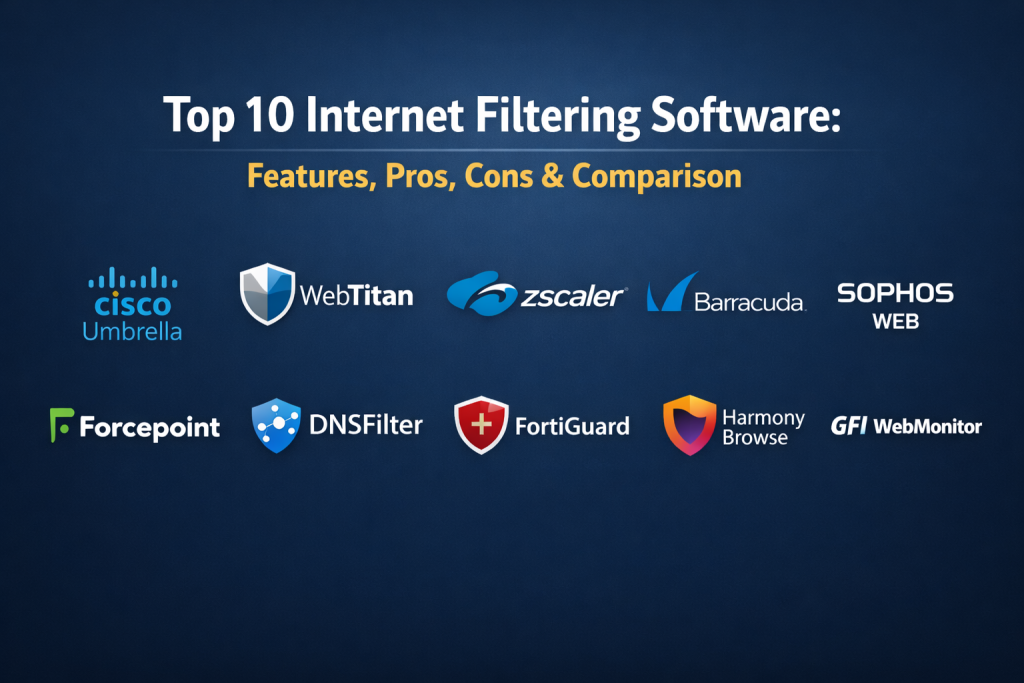
Introduction
Internet filtering software consists of digital security tools designed to monitor, control, and restrict access to specific web content. These systems act as a gateway between a user’s device and the broader internet, analyzing incoming and outgoing traffic to block malicious sites, inappropriate material, or distracting platforms. For organizations, these tools are essential for maintaining productivity and ensuring that sensitive data does not leave the network. In the modern digital era, the focus has shifted from simple “keyword blocking” to advanced DNS-level filtering and AI-driven category analysis that can identify threats in real-time.
As cyber threats become more sophisticated, the need for robust filtering has moved beyond the office environment. Educational institutions, government bodies, and remote-first companies now rely on these tools to enforce acceptable use policies and protect against phishing and malware. Effective filtering software provides a layer of defense that complements traditional antivirus programs by stopping threats before they even reach the local machine. By implementing these solutions, administrators can create a safer, more focused digital environment for their users.
Real-World Use Cases
- Restricting access to adult content, gambling sites, and high-risk domains in educational environments to protect students.
- Preventing employees from accessing non-work-related social media or streaming sites during peak business hours to ensure high productivity.
- Blocking known phishing and malware-hosting URLs at the network level to reduce the risk of a successful ransomware attack.
- Enforcing compliance with regional regulations regarding data privacy and restricted web content in corporate headquarters.
- Managing bandwidth usage by throttling or blocking high-traffic entertainment sites in environments with limited internet resources.
Evaluation Criteria for Buyers
- The ability of the software to filter content at the DNS level for faster performance and broader device coverage.
- How easily the administrator can create custom blacklists and whitelists for different user groups or departments.
- The presence of pre-defined categories that allow for quick setup without manual URL entry.
- The quality of the reporting dashboard and the level of detail provided in user activity logs.
- Whether the software can be managed through a centralized cloud console for remote offices.
- How the tool handles encrypted traffic and its ability to inspect HTTPS sites without breaking privacy.
- The impact on internet speed and overall system performance when the filter is active.
Best for: IT managers, network administrators, school administrators, and business owners who need to secure their network perimeter and manage user behavior.
Not ideal for: Individuals looking for a simple browser extension, or very small teams that only need to block a single website on one computer.
Key Trends in Internet Filtering Software
- The transition toward AI-driven URL classification which can categorize new and unknown websites within seconds of them appearing online.
- A strong move toward “Zero Trust” architectures where internet access is denied by default until the user and the site are verified.
- Integration with SD-WAN technology to provide consistent filtering policies across multiple geographic locations.
- Enhanced focus on remote work security, using lightweight agents that protect laptops even when they are not connected to the corporate VPN.
- The use of machine learning to detect “shadow IT” by identifying unauthorized cloud applications being used by employees.
- Shift toward DNS-over-HTTPS (DoH) support to maintain filtering capabilities even when browsers attempt to bypass standard DNS settings.
- Increased emphasis on privacy-preserving inspection techniques that scan for threats without exposing personal user data.
- Hybrid deployment models that combine on-premises hardware for speed with cloud-based updates for the latest threat intelligence.
How We Selected These Tools
The tools selected for this list represent the highest standard in network security and content management. We evaluated these products based on their reliability in large-scale professional environments and their ability to stay ahead of emerging web threats. A primary factor in our selection was the balance between technical depth and administrative ease of use. We prioritized software that offers granular control, allowing for different policies for different departments. We also considered the global reputation of the vendors and their track record in providing consistent updates. Finally, we ensured that the list includes a mix of enterprise-grade appliances and flexible cloud-based services to suit various organizational structures.
Top 10 Internet Filtering Software Tools
1. Cisco Umbrella
This is a cloud-native platform that provides the first line of defense against threats on the internet. By using the internet’s infrastructure (DNS), it blocks requests to malicious and unwanted destinations before a connection is even established. It is widely considered the gold standard for enterprise-level web filtering due to its massive global intelligence network.
Key Features
- DNS-layer security that blocks requests before they reach your network or endpoints.
- Selective web proxy that can inspect risky domains for deeper file analysis.
- Cloud-delivered firewall that logs all traffic and blocks based on IP or port.
- Interactive threat intelligence that provides real-time data on emerging global attacks.
- Deployment that requires no hardware and can be set up in minutes.
Pros
- Extremely fast performance with almost zero latency added to the internet connection.
- Comprehensive visibility into all devices on the network, including IoT and mobile.
Cons
- The pricing can be higher than competitors, especially for smaller businesses.
- Some advanced features require higher-tier subscriptions.
Platforms / Deployment
Windows / macOS / iOS / Android — Cloud
Security & Compliance
ISO 27001 and SOC 2 compliant with advanced encryption for all data logs.
Integrations & Ecosystem
It integrates seamlessly with Cisco’s broader security architecture and many third-party SIEM platforms. It also offers a robust API for custom reporting and automation.
Support & Community
Excellent enterprise-level support with a vast knowledge base and a professional community of network engineers.
2. WebTitans
WebTitans is a powerful DNS-based filtering solution specifically designed for businesses and managed service providers. It offers a clean interface and a high level of granularity, making it easy for administrators to block content based on over 50 different categories.
Key Features
- Real-time category-based filtering with a database of over 500 million websites.
- SSL inspection that allows for the filtering of encrypted HTTPS traffic.
- Multi-tenant dashboard which is ideal for managing multiple office locations.
- Advanced reporting that can be scheduled and sent directly to management.
- Protection against phishing, malware, and ransomware at the source.
Pros
- Very easy to set up and manage without the need for specialized training.
- Highly scalable, making it suitable for both small offices and large enterprises.
Cons
- The reporting interface can sometimes feel a bit less modern than cloud-native rivals.
- Support for non-standard operating systems may require manual configuration.
Platforms / Deployment
Web-based / Windows / macOS — Cloud / Hybrid
Security & Compliance
GDPR compliant with secure data centers located globally.
Integrations & Ecosystem
It provides strong APIs for integration into existing management consoles and works well alongside standard antivirus software.
Support & Community
Responsive technical support and a solid library of documentation for self-service troubleshooting.
3. Zscaler Internet Access
Zscaler is a leader in the secure web gateway market, providing a full security stack delivered from the cloud. It is built to handle the needs of modern, distributed workforces that access applications from any location.
Key Features
- Cloud-based sandbox that identifies and blocks sophisticated zero-day threats.
- Full SSL inspection at scale without degrading the user’s internet speed.
- Data Loss Prevention (DLP) to prevent sensitive information from being uploaded.
- Cloud Browser Isolation that executes risky websites in a secure container.
- Bandwidth management to prioritize business-critical applications over entertainment.
Pros
- Eliminates the need for expensive on-premises security hardware.
- Provides a consistent security policy for users whether they are in the office or remote.
Cons
- Initial configuration can be complex for teams used to traditional firewalls.
- Full suite of features comes at a premium price point.
Platforms / Deployment
Windows / macOS / Linux / iOS / Android — Cloud
Security & Compliance
SOC 2, ISO 27001, and FedRAMP authorized for high-security environments.
Integrations & Ecosystem
Integrates with major identity providers like Azure AD and Okta, as well as top-tier SD-WAN vendors.
Support & Community
High-level professional support with dedicated account managers for enterprise clients.
4. Barracuda Web Security Gateway
Barracuda offers a robust solution that combines specialized hardware with cloud-based updates. It is particularly strong in environments that require deep inspection of social media activity and fine-grained control over web applications.
Key Features
- Comprehensive content filtering with millions of URLs categorized into 95 groups.
- Application control that allows for the management of specific web app features.
- Integrated spyware and virus protection that scans all web traffic.
- Detailed intuitive reports that show top users, blocked sites, and bandwidth usage.
- Remote filtering agents to protect laptops off-network.
Pros
- No per-user licensing fees for the hardware appliance versions.
- Exceptional at managing and monitoring social media usage within the workplace.
Cons
- The physical hardware requires space and power in a server room.
- The web interface can feel a bit more traditional compared to pure cloud solutions.
Platforms / Deployment
Hardware Appliance / Virtual Appliance — On-premises / Cloud
Security & Compliance
Varies / N/A.
Integrations & Ecosystem
Pairs perfectly with Barracuda’s email security and backup solutions for a unified defense strategy.
Support & Community
Well-known for their “live person” support and extensive training resources for administrators.
5. Sophos Web Control
Sophos provides a unified approach to web filtering as part of its broader endpoint protection platform. It is ideal for organizations that want to manage their antivirus and web filtering from a single central console.
Key Features
- Automatic blocking of infected or malicious websites before they are accessed.
- Simple policy creation that can be applied to users or groups with one click.
- Web-based management console that controls all protected devices.
- Real-time sync with Sophos Labs for the latest threat intelligence.
- Data export features for compliance and auditing purposes.
Pros
- Very easy to manage if you are already using Sophos for endpoint security.
- Lightweight agent that does not slow down the user’s computer.
Cons
- Some advanced network-level filtering features are only available with Sophos firewalls.
- Limited customization compared to standalone filtering specialists.
Platforms / Deployment
Windows / macOS / Linux — Cloud / Hybrid
Security & Compliance
Standard corporate security protocols with encrypted log storage.
Integrations & Ecosystem
Strong integration with the Sophos Central ecosystem and third-party management tools.
Support & Community
Strong global presence with a very active user community and professional support tiers.
6. Forcepoint Web Security
Forcepoint is an enterprise-grade solution that focuses on behavioral analytics. It doesn’t just block sites; it understands the intent behind user actions to prevent data breaches and advanced threats.
Key Features
- Advanced Threat Command that identifies and stops stealthy attacks.
- Real-time content analysis using the ACE (Advanced Classification Engine).
- Cloud-based sandboxing for safe execution of suspicious files.
- Fine-grained control over thousands of web-based applications.
- Behavioral modeling to identify “at-risk” employees or compromised accounts.
Pros
- Highly sophisticated at identifying hidden threats that other filters might miss.
- Excellent at preventing data leakage through the web.
Cons
- Requires a high level of technical expertise to configure properly.
- Can be overly restrictive if not tuned correctly for the organization.
Platforms / Deployment
Windows / macOS / Linux — Hybrid / Cloud
Security & Compliance
FIPS 140-2 and Common Criteria certified for government and military use.
Integrations & Ecosystem
Deeply integrated with Forcepoint’s DLP and CASB (Cloud Access Security Broker) solutions.
Support & Community
Professional enterprise support designed for high-security environments and large-scale deployments.
7. DNSFilter
DNSFilter is a modern, AI-powered DNS filtering service that prides itself on speed and simplicity. It uses an AI engine called Web-Nav to categorize sites in real-time, making it effective against newly created malicious domains.
Key Features
- Global Anycast network for lightning-fast DNS resolution.
- AI-driven site categorization that updates every few minutes.
- Simple roaming client for protecting mobile devices and laptops.
- White-labeling options which make it popular for service providers.
- Intuitive dashboard with real-time statistics on blocked threats.
Pros
- One of the most affordable professional-grade filtering solutions.
- Can be set up and protecting a network in less than ten minutes.
Cons
- DNS-level filtering alone cannot inspect the specific content inside a webpage.
- Lacks some of the deep application controls found in full proxy solutions.
Platforms / Deployment
Windows / macOS / iOS / Android — Cloud
Security & Compliance
GDPR and HIPAA compliant configurations available.
Integrations & Ecosystem
Provides an extensive API for developers and integrates well with most network hardware.
Support & Community
A fast-growing community with a modern support structure including live chat and community forums.
8. FortiGuard Web Filtering
As part of the Fortinet security ecosystem, FortiGuard provides high-performance web filtering through its FortiGate firewalls. It is a preferred choice for organizations that need high-speed hardware-based security.
Key Features
- Massive database of billions of rated URLs and IP addresses.
- Granular control over hundreds of specific web application activities.
- Integrated protection against malicious downloads and botnet communication.
- Dynamic category updates that are pushed to the firewall automatically.
- Deep packet inspection of encrypted traffic at hardware speeds.
Pros
- Unrivaled performance for large networks with heavy traffic.
- Deep integration with the entire Fortinet Security Fabric.
Cons
- Best utilized when you already have Fortinet hardware in your network.
- Management can be complex for those not familiar with FortiOS.
Platforms / Deployment
Hardware / Virtual Appliance — On-premises / Hybrid
Security & Compliance
NIST and ISO certified across many global standards.
Integrations & Ecosystem
Perfectly integrated with FortiClient and FortiAnalyzer for a complete view of the network.
Support & Community
Global support network with specialized training and certification programs.
9. Check Point Harmony Browse
Check Point’s solution focuses on the browser itself, preventing users from accessing malicious sites and ensuring that every download is clean. It provides a layer of security that follows the user regardless of where they are working.
Key Features
- Nanoscale agent that sits inside the browser for zero-latency inspection.
- Real-time phishing prevention that blocks sites before they can steal credentials.
- Automatic file sanitization that removes active content from downloaded files.
- Full visibility into all SSL-encrypted traffic without needing a proxy.
- Simple cloud-based management for all users.
Pros
- Provides exceptional protection against zero-day phishing attacks.
- Does not require complex network changes to implement.
Cons
- Focuses primarily on the browser; other non-browser traffic may need a separate filter.
- Requires an agent to be installed on every endpoint.
Platforms / Deployment
Windows / macOS — Cloud
Security & Compliance
Not publicly stated.
Integrations & Ecosystem
Works as part of the broader Check Point Harmony suite for mobile and endpoint security.
Support & Community
Professional support from one of the oldest and most respected names in cybersecurity.
10. GFI WebMonitor
GFI offers a reliable web filtering and monitoring solution that is popular in the small to medium business sector. It provides a good balance of security, management, and employee productivity tools.
Key Features
- Monitoring of web activity in real-time to identify productivity leaks.
- Multiple antivirus engines to scan all web downloads for threats.
- Bandwidth control to prevent video streaming from slowing down the office.
- Detailed historical logs for auditing and management review.
- Simple policy engine based on users, groups, or IP addresses.
Pros
- Very straightforward to use for smaller IT teams.
- Good value for money with a focus on core essential features.
Cons
- Not as scalable for massive global enterprises as Zscaler or Cisco.
- Development cycle is slower than some of the newer cloud-native competitors.
Platforms / Deployment
Windows — On-premises / Hybrid
Security & Compliance
Not publicly stated.
Integrations & Ecosystem
Integrates with Active Directory for easy user management and other GFI security products.
Support & Community
Solid support for long-time customers and clear documentation for setup and maintenance.
Comparison Table (Top 10)
| Tool Name | Best For | Platform(s) Supported | Deployment | Standout Feature | Public Rating |
| 1. Cisco Umbrella | Global Enterprises | Windows, macOS, Mobile | Cloud | DNS-Layer Speed | 4.6/5 |
| 2. WebTitans | SMBs & MSPs | Web, Windows, macOS | Hybrid | SSL Inspection | 4.5/5 |
| 3. Zscaler | Remote Workforces | Windows, macOS, Linux | Cloud | Full Proxy Security | 4.7/5 |
| 4. Barracuda | Social Media Control | Hardware, Virtual | Hybrid | App-Level Detail | 4.4/5 |
| 5. Sophos Web | Unified Endpoint Sec | Windows, macOS, Linux | Cloud | Centralized Mgmt | 4.3/5 |
| 6. Forcepoint | Data Protection | Windows, macOS, Linux | Hybrid | Behavior Analytics | 4.4/5 |
| 7. DNSFilter | Fast Setup / Low Cost | Windows, macOS, Mobile | Cloud | AI Categorization | 4.6/5 |
| 8. FortiGuard | High-Traffic Networks | Hardware, Virtual | On-premises | Hardware Speed | 4.5/5 |
| 9. Harmony Browse | Phishing Prevention | Windows, macOS | Cloud | Browser-Native | 4.4/5 |
| 10. GFI WebMonitor | Small Businesses | Windows | On-premises | Productivity Tools | 4.0/5 |
Evaluation & Scoring of Internet Filtering Software
| Tool Name | Core (25%) | Ease (15%) | Integrations (15%) | Security (10%) | Perf (10%) | Support (10%) | Value (15%) | Total |
| 1. Zscaler | 10 | 6 | 9 | 10 | 9 | 9 | 6 | 8.5 |
| 2. Umbrella | 9 | 8 | 9 | 9 | 10 | 9 | 7 | 8.6 |
| 3. FortiGuard | 10 | 5 | 10 | 9 | 10 | 8 | 7 | 8.2 |
| 4. DNSFilter | 7 | 10 | 8 | 8 | 10 | 8 | 10 | 8.3 |
| 5. WebTitans | 8 | 9 | 8 | 8 | 9 | 9 | 9 | 8.4 |
| 6. Forcepoint | 10 | 4 | 8 | 10 | 8 | 9 | 6 | 7.7 |
| 7. Sophos | 7 | 9 | 9 | 8 | 9 | 8 | 8 | 8.1 |
| 8. Harmony | 8 | 8 | 7 | 10 | 9 | 8 | 7 | 8.0 |
| 9. Barracuda | 8 | 7 | 8 | 8 | 8 | 9 | 8 | 7.9 |
| 10. GFI | 6 | 8 | 7 | 7 | 8 | 7 | 9 | 7.2 |
The scoring emphasizes that while enterprise tools like Zscaler and Forcepoint offer the most security, tools like DNSFilter and WebTitans offer exceptional ease of use and value for smaller teams. High performance scores are given to tools that operate at the DNS level with minimal latency.
Which Internet Filtering Software Tool Is Right for You?
Solo / Freelancer
For a single professional, a lightweight and affordable solution like DNSFilter or even the built-in web controls of a premium antivirus suite are usually sufficient to provide protection without complex setup.
SMB (Small to Medium Business)
Small businesses should prioritize ease of management. WebTitans and Sophos Web Control offer excellent balance, providing professional-grade protection without requiring a dedicated security engineer to maintain the system.
Mid-Market
Companies with multiple offices but no massive IT department will find Cisco Umbrella to be a great fit. It scales easily and provides protection for remote employees without needing to backhaul traffic to a central server.
Enterprise
Large organizations with thousands of users and high security needs should look toward Zscaler or Forcepoint. These tools offer the depth of inspection and the granular data loss prevention features that high-compliance environments require.
Budget vs Premium
If the primary concern is keeping costs low while maintaining high-speed filtering, DNSFilter is the winner. For those who need deep packet inspection and zero-day sandboxing, the premium price of Zscaler is a necessary investment.
Feature Depth vs Ease of Use
FortiGuard and Forcepoint offer the deepest feature sets but come with significant complexity. In contrast, WebTitans and Cisco Umbrella are designed to be “set and forget” solutions that work effectively with minimal manual tuning.
Integrations & Scalability
For organizations already invested in a specific ecosystem, staying within that family is often best. FortiGuard scales perfectly with Fortinet hardware, while Sophos is best for teams already using their endpoint agents.
Security & Compliance Needs
If you are in a highly regulated industry like healthcare or finance, Zscaler and Forcepoint provide the necessary audit trails and compliance certifications (like HIPAA or SOC 2) to satisfy legal requirements.
Frequently Asked Questions (FAQs)
1. How does DNS-level filtering work?
It works by checking the destination of a web request against a database of blocked sites before the connection is made. If the site is on the blocked list, the user is redirected to a safe landing page.
2. Can these tools block social media sites?
Yes, most professional filtering software allows you to block entire categories like social media, or specific platforms like Facebook and TikTok, either for the whole company or specific groups.
3. Does internet filtering slow down my connection?
DNS-level filtering has almost no impact on speed. However, full proxy solutions that perform deep inspection of encrypted traffic may add a small amount of latency depending on the hardware or cloud capacity.
4. Can employees bypass these filters with a VPN?
Professional filtering tools are designed to detect and block common VPN protocols. Additionally, endpoint agents can be set to enforce filtering rules even if a VPN is active.
5. Is it possible to filter HTTPS encrypted traffic?
Yes, advanced tools use a technique called SSL inspection to decrypt, scan, and re-encrypt traffic, allowing the filter to see the specific content inside the encrypted connection.
6. Can I set different rules for different departments?
Yes, all of the top-tier tools in this list allow for granular policy creation based on user identity, group membership, or network location.
7. Do these tools protect against phishing?
Phishing protection is a core feature of internet filtering software. They block access to known fraudulent websites that try to steal usernames and passwords.
8. Is internet filtering the same as a firewall?
While many firewalls include filtering features, dedicated filtering software is often more specialized in analyzing web content and application behavior than a traditional network firewall.
9. Can I manage these tools for remote workers?
Yes, cloud-based solutions use small agents or “roaming clients” installed on laptops to ensure that the same security policies apply whether the employee is at home or in a coffee shop.
10. How often are the website databases updated?
Leading providers update their databases every few minutes as their AI engines and security researchers identify new threats and categorize new websites.
Conclusion
Choosing the right internet filtering software is a critical step in building a secure and productive digital workplace. With the right tool, you can protect your network from advanced threats while ensuring that bandwidth is used for business-critical tasks. Whether you need the massive scale of a cloud-delivered gateway like Zscaler or the rapid, cost-effective setup of DNSFilter, the market offers a solution for every organizational need. The most effective strategy is to select a tool that provides the level of visibility you require without becoming a burden on your IT staff. As web-based threats continue to evolve through AI and sophisticated phishing, having a dynamic filtering system is no longer optional. By investing in one of these top-tier solutions, you are not just blocking unwanted content; you are creating a resilient perimeter that supports the growth and safety of your organization. I recommend starting with a trial of a DNS-based solution to see how it impacts your network visibility, and then moving to a full proxy if you require deeper content inspection.

Best Cardiac Hospitals Near You
Discover top heart hospitals, cardiology centers & cardiac care services by city.
Advanced Heart Care • Trusted Hospitals • Expert Teams
View Best Hospitals